Does App Size Affect Installs? What the Docs Actually Say
Someone on your team wants to know whether shaving megabytes off the build will move installs, and every number they can find online is a vendor blog quoting another vendor blog. Google does document the relationship, in plain language, on pages that disagree with each other about the actual limit. Here is what the primary sources say, what they do not say, and which Play Console metrics tell you whether size is costing you anything.
On this page
- What is the documented link between size and installs?
- Why do Google’s own pages disagree on the limit?
- What happens at 200MB on a mobile data connection?
- Which Play Console metrics show size is costing you?
- Why is the number that matters not the one in your build folder?
- What are the limits on iOS, and are they comparable?
- Where does the weight actually come from?
- How do you cut download size without cutting the product?
- When is size not your problem?
- Frequently Asked Questions
What is the documented link between size and installs?
Google states the relationship directly: increasing your app's size can negatively impact install success and increase uninstalls. That sentence appears in Android's own guidance on reducing app size, and it is the strongest first-party statement you will find on the subject.
The full quote from the reduce your app size guide reads: larger sizes are possible using Play Feature Delivery and Play Asset Delivery, but increasing your app's size can negatively impact install success and increase uninstalls, so Google recommends applying the guidelines on that page to reduce download size as much as possible.
The same page explains the mechanism in user terms rather than algorithmic ones. Users often avoid downloading apps that seem too large, particularly in emerging markets where devices connect to spotty 2G and 3G networks or work on plans with data limits. Play Console's own help repeats the framing from the developer's side: app size is an important aspect of technical quality that can affect your app's install and uninstall metrics.
You will find articles quoting a specific conversion-rate loss per additional megabyte. We are not reproducing any of those figures. The primary source usually offered for them is not publicly retrievable, and a number that cannot be opened and read is not a number we will put in front of a client. The direction is documented. The elasticity is not.
That distinction matters more than it sounds. "Size affects installs" is a documented fact you can act on. "Every 6MB costs you X per cent" is a planning input you would build a roadmap around, and building a roadmap on an unverifiable coefficient is how teams end up spending a quarter on a rewrite that returns nothing measurable.
Across the 300+ apps we have managed since 2013, the honest version of this brief is: cut size when the evidence in your own Console says size is hurting you, and treat the global claims as direction rather than arithmetic. The rest of this piece is about finding that evidence.
Why do Google’s own pages disagree on the limit?
Because three current Google pages state three different ceilings, and any team that reads only one of them will plan against the wrong number. This is not a rumour or a stale third-party summary — the contradiction is live across developer.android.com and Play Console Help, and it is worth documenting before anyone quotes a limit in a planning document.
The reduce-app-size guide
- States 200MB as the maximum compressed download size for apps published with Android App Bundles
- States 100MB for apps published as signed APKs
- Frames anything larger as requiring Play Feature Delivery or Play Asset Delivery
The App Bundle FAQ and Play Console Help
- State the maximum compressed download size for a base module is 500MB
- State the cumulative total for all modules and install-time asset packs is 4GB
- Play Console Help publishes a full table topping out at 34GB total
The App Bundle FAQ is explicit that the base module ceiling is 500MB and that Play checks the maximum cumulative total compressed download size any individual device receives is not over 4GB. The App Bundle guide adds a third framing again: new apps larger than 200MB are now supported by either Play Feature Delivery or Play Asset Delivery.
Read together, the most coherent reading is that 200MB is no longer a hard publication cap but a threshold with consequences attached, and that the operative limits are the ones in the Console table. There is a documentation reason to prefer that reading: Play Console Help states that all Google Play size limits are based on the compressed download size, as calculated by Play Console upon uploading your app bundle. The number that stops an upload is the number Console computes against its own table.
Do not average the pages and do not pick the friendliest one. Plan against the strictest limit that still lets you ship, then verify empirically by uploading a bundle to a closed testing track and reading the size Console reports back. The upload is the only authority that actually gates you. Everything else is documentation that may be describing a previous era.
We keep a note on this in our internal checklist for the same reason we keep notes on the vitals thresholds — see the Android vitals thresholds that decide distribution — because a limit quoted from memory in a sprint planning session is a limit nobody re-checks for two years.
What happens at 200MB on a mobile data connection?
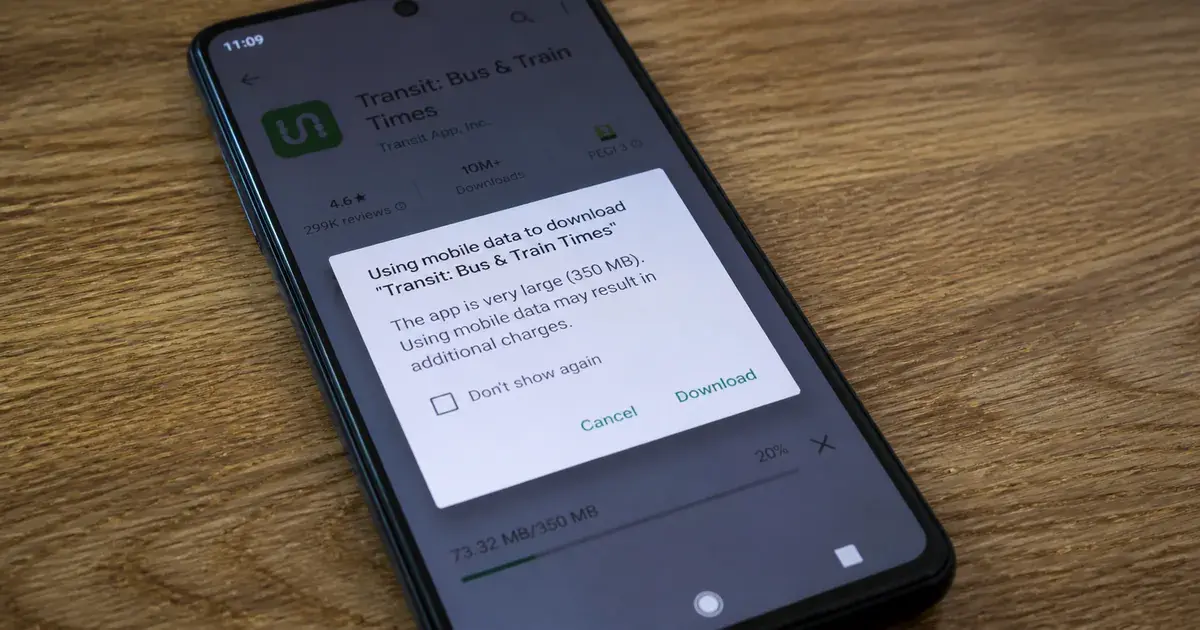
Play shows the user a dialog, and Google is precise about the kind of dialog it is. Play Console Help states that if your app is above 200MB in size, users on a mobile data connection will see a non-blocking dialog when installing the app from Google Play informing them of the app's large size.
Three words in that sentence carry the entire commercial argument, and they are worth taking one at a time.
- Above 200MB. A documented, specific threshold in the Google Play size limits documentation, measured on compressed download size. This is the one size number in the whole subject that behaves like an actual switch.
- Mobile data connection. The dialog is conditional on how the user is connected. In a market where a large share of installs happen on mobile data rather than home broadband, this affects a materially different proportion of your funnel than it does in a market where it does not.
- Non-blocking. Nobody is stopped. The install still proceeds. What is added is an interruption at the exact moment the user has already decided to install, which is the most expensive moment in the funnel to introduce a reason to reconsider.
What Google does not publish is what fraction of users abandon at that dialog. We have never seen a first-party figure for it, and we will not print a second-hand one. If your app sits just above 200MB, the actionable question is not "how many people does this cost me" but "how far below the threshold can I get, and how quickly", because getting under it removes the interruption entirely rather than reducing it.
For apps whose growth depends on India and comparable markets, this is a bigger lever than it looks on a spreadsheet. It compounds with the connectivity point from the size guide — spotty networks and data-limited plans — and with everything in the India app market picture about how installs actually happen there.
Which Play Console metrics show size is costing you?
Play Console publishes an App size dashboard whose two storage metrics are the closest thing to a direct read on whether size is damaging your business. Most teams look at the size number and stop, which skips the two fields that actually answer the question.
The dashboard reports, in Google's own labels: app download size, which is your app's size on a reference device and its size range across all device configurations; app download size versus peers; app download size over time; active devices with under 2GB free, defined as the percentage of your app's active users with less than 2GB of device storage space remaining; and uninstalls on devices with under 2GB free, defined as the ratio of uninstalls on active devices with less than 2GB of storage remaining to uninstalls on all active devices.
That last metric is the one to read carefully, because it is a ratio rather than a rate. It compares uninstalls on storage-constrained devices to uninstalls overall. If your app is being deleted disproportionately by users who are short of space, that shows up here and almost nowhere else, and it is the single cleanest signal that your build is competing for room rather than for attention.
An elevated ratio here is a size problem. A high uninstall rate that is flat across storage tiers is a product or onboarding problem wearing a size costume. We walk through separating those in why Play Console can show uninstalls exceeding installs, which covers the counting rules that make raw uninstall numbers misleading on their own.
The peers comparison deserves one caution. It tells you where you sit in a distribution, not where you should sit. A photo editor that ships offline models will lose to a peer set of thin clients on every size chart and still be the right product. Use the comparison to spot outliers you cannot explain, not as a target to converge on.
Why is the number that matters not the one in your build folder?
Because Play measures compressed download size per device configuration, not the size of the artefact your build produced. Teams routinely optimise against the wrong figure for weeks, and the gap between the two is often large enough to change the conclusion entirely.
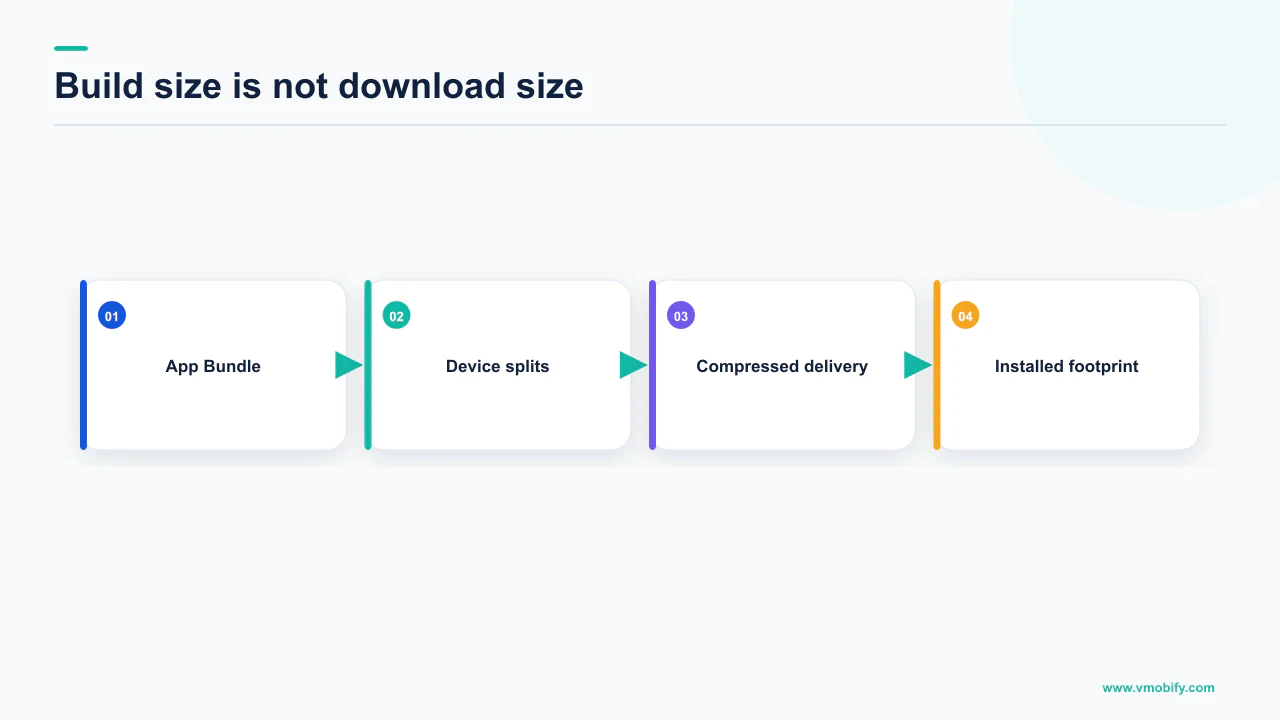
Play Console Help is unambiguous about the basis of measurement: all Google Play size limits are based on the compressed download size, as calculated by Play Console upon uploading your app bundle. The bundle you upload is not what any user downloads. Play generates optimised APKs for each device configuration, so a given device receives the base APK plus only the configuration APKs it needs — which is why the dashboard reports a size on a reference device and a size range across configurations rather than one number.
There are three separate quantities in play, and conflating them is the most common analytical error in this whole subject:
- Bundle size. What your CI produces and what engineers watch. It is not what Play limits and not what users experience.
- Compressed download size. What Play calculates on upload, what the published limits apply to, and what the 200MB mobile-data dialog is triggered by. This is the number that matters commercially.
- On-device install size. What determines whether the install succeeds on a device that is already short of space, and what drives the storage-constrained uninstall ratio.
The third quantity has a documented multiplier that surprises people. Android's Play Asset Delivery guidance states that to successfully install or update an app, Android requires a certain amount of free disk space, and that install-time asset packs have the same requirement as the base APK, requiring at least two times the size of all the asset packs. A user who has exactly enough space for your download can still fail the install.
Practically, this means one thing for reporting: track compressed download size from Console, not bundle size from CI, and put the storage-constrained metrics beside it. If you are building growth dashboards, our note on funnel analytics for apps covers where install-stage metrics belong relative to everything downstream.
What are the limits on iOS, and are they comparable?
Apple publishes hard build limits but no equivalent statement linking size to installs, so the two platforms cannot be reasoned about the same way. This asymmetry catches teams who assume a documented Android behaviour has an undocumented iOS twin.
Apple's maximum build file sizes reference gives the ceilings. For a minimum deployment target of iOS 9.0 and later, the maximum uncompressed app size is 4GB and the maximum executable file size is 80MB, that second figure applying to the total of all __TEXT sections in the binary. watchOS apps are capped at 75MB uncompressed. App Clip ceilings depend on how the clip is invoked, which is the part usually dropped when this figure is quoted. Apple gives 100MB for iOS 17 and later only for App Clips invoked digitally — from a website or Spotlight — and only where a reliable internet connection is available. App Clips supporting physical invocations, such as App Clip Codes, QR codes and NFC tags, remain capped at 15MB on iOS 16 and later.
Note the basis: Apple's headline figure is uncompressed app size, where Google's is compressed download size. They are not the same measurement and should never be compared like for like in a single slide.
iOS has long had a cellular download threshold that prompts the user before a large download. We could not verify a current threshold in Apple's own developer or support documentation, and the third-party figures in circulation are recycled from older iOS releases. So we are not printing one. If you need a defensible figure for a board deck, test it on a device on your target network and cite your own observation rather than a blog.
One more Apple detail worth flagging to engineering, because it changes long-term planning: Apple's on-demand resources size limits reference notes that on-demand resources has been deprecated on Apple platforms as of iOS 27, iPadOS 27 and tvOS 27. If your iOS size strategy is built on ODR, it now has an expiry date, and the equivalent Android mechanisms in Play Asset Delivery do not.
The practical conclusion is that on iOS you are managing against hard build ceilings and user patience, while on Android you are managing against documented thresholds with documented consequences. The launch-sequencing implications of differences like this are covered in how iOS and Android launches actually differ.
Where does the weight actually come from?
In almost every audit we run, the download size is dominated by resources and native libraries rather than by application code. Engineers instinctively look at their own code first, which is the least productive place to start.
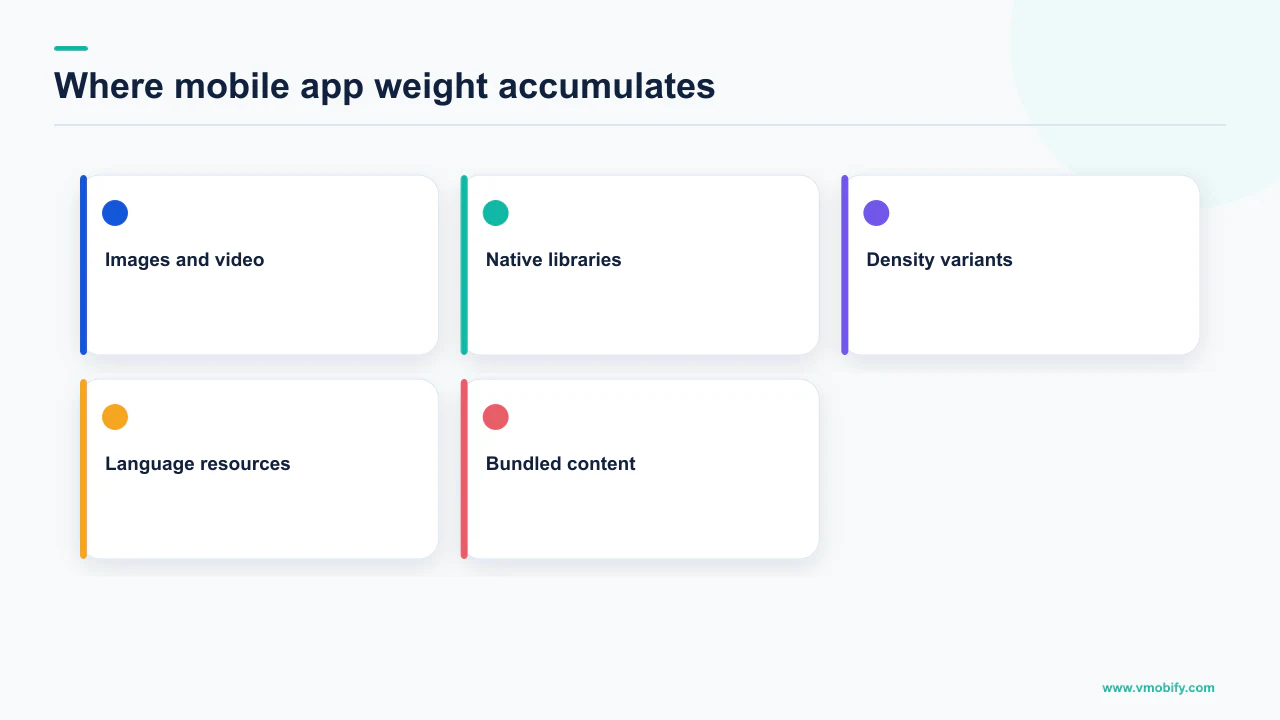
Android's reduce-app-size guide organises its advice along the same lines, with sections on understanding the APK structure, reducing resource count and size, reducing native and Java code, and maintaining lean APKs. The ordering is not accidental — resources come before code because that is usually where the mass sits.
What we look for, in the order we look for it:
- Uncompressed or duplicated image assets. The same illustration shipped at several densities, plus a PNG that should have been a vector, plus a second copy nobody removed when a screen was redesigned.
- Bundled media and fonts. Onboarding videos, sound effects, and full font families where two weights are used. These are typically the largest single files in the bundle and the easiest to move to a download.
- Native libraries for architectures you do not serve. App bundles handle this per configuration when splits are enabled, which is exactly why enabling them is the first recommendation rather than an optimisation.
- SDKs carried for one feature. An analytics or ads SDK pulled in for a single screen, still linked long after the screen was retired. Our review of analytics tooling choices has more on auditing what you actually still use.
- Unshrunk code and resources. Shipping without shrinking is a decision, usually an accidental one made once during a debugging session and never revisited.
Do not guess at the split. Play Console's App bundle explorer reports what is actually delivered per configuration, and the ranking it produces is frequently different from the ranking the team predicted in the planning meeting. In our portfolio the biggest single line item has been a bundled media asset more often than anything else, and it is almost never the thing engineering nominated first.
How do you cut download size without cutting the product?
You move weight out of the initial download rather than deleting it, which is precisely what Play's delivery mechanisms exist to do. The product keeps every feature; the first-time user simply does not pay for the ones they have not reached yet.
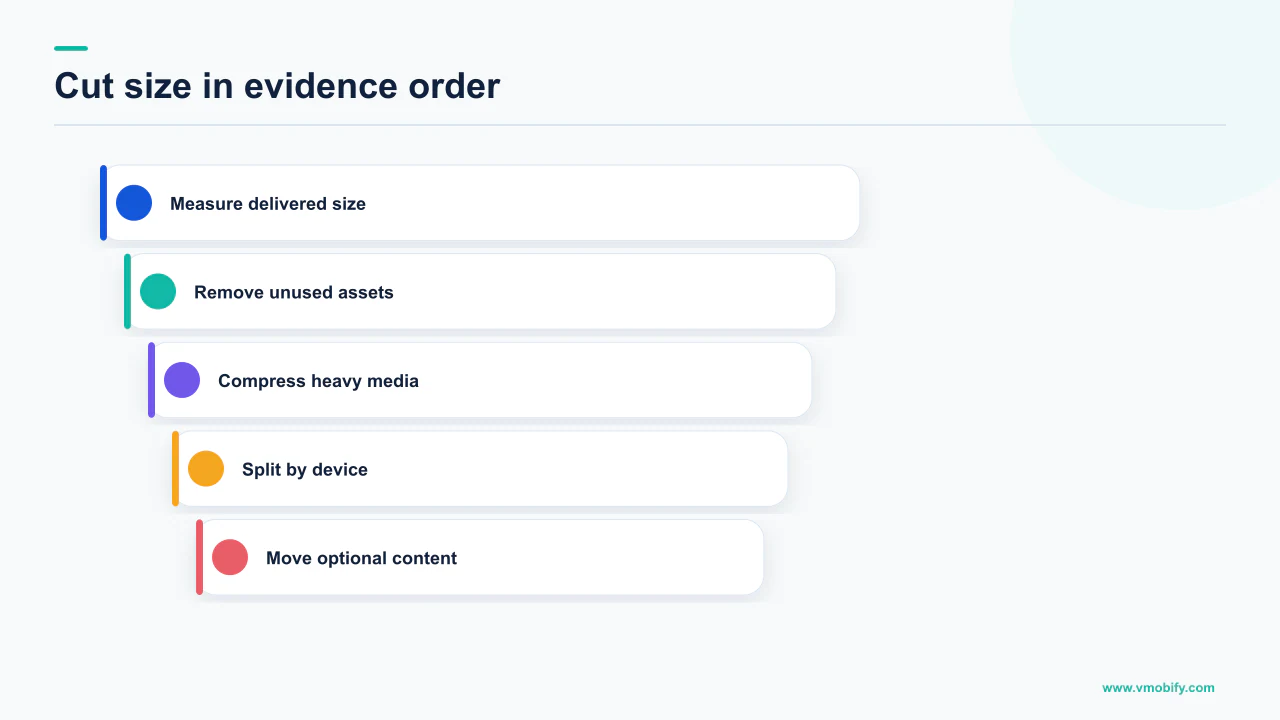
The Play Feature Delivery documentation sets out the modes and, usefully, the reasoning. Its worked example is a marketplace app where only a fifth of users ever post an item for sale, and its recommendation is to make the selling flow an on-demand download so the majority never carry it.
- Publish as an app bundle with all configuration splits enabled. Google's own first recommendation. Without splits, every device downloads code and resources it cannot use, and every later optimisation is applied on top of avoidable weight.
- Shrink unused code and resources. The cheapest reduction available and the one most often skipped in projects that grew fast.
- Audit resources before touching code. Compress and deduplicate images, move raster assets to vectors where appropriate, and cut font weights nobody uses.
- Move rarely-used features to on-demand modules. Use the actual proportion of users who reach the feature to decide, not an intuition about how important it feels internally.
- Use conditional delivery where a feature depends on device capability. Hardware features, locale and minimum API level can all gate whether a module is downloaded at install.
- Move heavy media to asset packs. The path Google names for exceeding the base-module ceiling, and the right home for large game or media payloads.
Google states you should limit the number of modules configured as removable for install-time delivery to 10 or fewer, because otherwise the download and install time of your app might increase. Modularisation past a point stops paying. This is a documented ceiling on the strategy, not a style preference.
Sequence matters here. Splits and shrinking are configuration changes measurable in a day. Modularisation is an architectural project measurable in sprints. Do the first two, re-read the Console number, and only then decide whether the third is justified — which is the same discipline we apply to every ASO engagement, where the cheap structural fixes are exhausted before anything expensive is proposed.
When is size not your problem?
Most of the time. Size is a real and documented factor, but it is a floor condition rather than a growth lever, and teams reach for it because it is measurable and controllable rather than because the evidence points there.
Size is probably not your bottleneck when your download size is comfortably below 200MB, when the storage-constrained uninstall ratio in Console is unremarkable, when you sit mid-pack against peers, and when your store listing conversion rate is where the funnel is actually leaking. In that configuration a size project buys you a smaller number on a dashboard and nothing else.
The diagnostic order we use, before anyone opens the build configuration:
- Is store listing conversion the constraint? Icon, screenshots and the first lines of the description decide far more installs than megabytes do. Start with store listing conversion.
- Is technical quality the constraint? Crashes and ANRs suppress distribution and ratings in documented ways, and they hit harder than size.
- Is the traffic wrong? If the users arriving were never a fit, no amount of trimming changes the outcome.
- Is retention the constraint? An app deleted in week one has a retention problem regardless of what it weighed.
Size moves to the top of that list under specific conditions: you are above 200MB and therefore triggering the mobile-data dialog, your storage-constrained uninstall ratio is elevated, you are an obvious outlier against peers, or your growth depends on markets where data cost and device storage are binding constraints. Those are evidence-backed reasons. "Our app feels heavy" is not.
If you want the evidence assembled before the engineering argument starts — Console size metrics, the storage-constrained uninstall ratio, peer position and the listing conversion picture in one place — that is the kind of diagnostic we run at the start of an engagement. Tell us what you are seeing and we will tell you whether the megabytes are the story, and we will say so plainly when they are not. You can see how those diagnoses tend to land in our case studies.
Frequently Asked Questions
Does app size actually affect installs, or is that a myth?+
It is documented. Android's guidance on reducing app size states that increasing your app size can negatively impact install success and increase uninstalls, and Play Console Help states that app size is an important aspect of technical quality that can affect your install and uninstall metrics. What is not documented is how much, which is why we do not print a per-megabyte figure.
What is the maximum size for an app on Google Play?+
Google's pages disagree. The reduce-app-size guide states 200MB compressed download for app bundles and 100MB for signed APKs. The App Bundle FAQ and Play Console Help state a 500MB base module, 500MB per feature module, 1.5GB per asset pack, and a 4GB cumulative total for all modules and install-time asset packs. Plan against the Console table and confirm by uploading to a test track.
What happens if my app is over 200MB?+
Play Console Help states that if your app is above 200MB, users on a mobile data connection will see a non-blocking dialog when installing from Google Play informing them of the app's large size. It does not block the install. Google does not publish an abandonment rate for that dialog, so treat crossing back under 200MB as removing friction rather than as a quantified gain.
Which Play Console metric tells me size is hurting me?+
Uninstalls on devices with under 2GB free, on the App size dashboard. Google defines it as the ratio of uninstalls on active devices with less than 2GB of storage remaining to uninstalls on all active devices. If uninstalls concentrate on storage-constrained devices, size is a genuine cause. If the ratio is unremarkable, look at onboarding and retention instead.
Is the size in my build output the size Play limits?+
No. Play Console Help states that all Google Play size limits are based on the compressed download size as calculated by Play Console upon uploading your app bundle. Play generates optimised APKs per device configuration, so what any device downloads is smaller and varies. Track the Console figure, not the artefact your CI produced.
What are Apple's app size limits?+
Apple's maximum build file sizes reference gives 4GB maximum uncompressed app size for a deployment target of iOS 9.0 and later, with an 80MB maximum executable file size covering the total of all __TEXT sections. watchOS is 75MB. App Clips are 100MB on iOS 17 and later, 15MB on iOS 16, and 10MB earlier. Note Apple measures uncompressed size where Google measures compressed download size.
Should we do a size reduction project before our next launch?+
Only if the evidence points there. Justify it if you are above 200MB, if your storage-constrained uninstall ratio is elevated, if you are an unexplained outlier against peers, or if you depend on markets where data cost and device storage bind. Otherwise store listing conversion and technical quality will return more for the same engineering time.
Sources
- Android Developers — Reduce your app size — States that increasing app size can negatively impact install success and increase uninstalls, and that users avoid large apps in emerging markets. Also states 200MB for bundles and 100MB for APKs.
- Google Play Console Help — Optimize your app size — The size limits table (500MB base module, 1.5GB asset packs, 4GB cumulative, 34GB total), the 200MB mobile-data dialog, and the App size dashboard metric definitions.
- Android Developers — Android App Bundle FAQ — States a 500MB maximum compressed download size for a base module and a 4GB cumulative check per device, contradicting the 200MB figure elsewhere.
- Android Developers — About Android App Bundles — States that new apps larger than 200MB are supported via Play Feature Delivery or Play Asset Delivery, and describes per-configuration APK generation.
- Android Developers — Play Feature Delivery — Install-time, on-demand and conditional delivery modes, and the instruction to limit removable install-time modules to 10 or fewer.
- Android Developers — Play Asset Delivery — States that install-time asset packs require at least two times the size of all the asset packs in free disk space to install or update.
- Apple — Maximum build file sizes — Maximum uncompressed app size and executable file size by platform and deployment target, plus App Clip variant limits.
- Apple — On-demand resources size limits — Asset pack and hosted resource limits, and the note that on-demand resources is deprecated as of iOS 27, iPadOS 27 and tvOS 27.
About the author
Amol Pomane — Founder, Vmobify
Amol leads Vmobify, a mobile app growth agency that has driven 30M+ downloads and ranked 54K+ keywords across 300+ apps since 2013. He writes about ASO, paid user acquisition, retention, and the operational reality of scaling mobile apps in India and global markets.
Check your store metadata
Run your current App Store or Play metadata through the free checker.
Open free tool