Device-Specific Android Vitals Triage: Crash and ANR Runbook
A healthy global crash rate can hide a severe defect on one popular device family. This runbook shows how to move from Play Console’s device breakdown to variant-aware reproduction, evidence-based mitigation, verified fixes and safe rollout.

On this page
- What is device-specific Android vitals triage?
- Which Android vitals thresholds matter by device?
- How do you find a device-concentrated crash or ANR?
- Why can one device model hide several hardware variants?
- How do you build a reproducible device evidence pack?
- How do you reproduce device-specific Android failures?
- When should you halt a rollout or exclude a device?
- How do you fix common device-specific root causes?
- How do you verify the fix in production?
- What device vitals runbook should a small team use?
- Frequently Asked Questions
What is device-specific Android vitals triage?
Device-specific triage isolates a reliability failure that disproportionately affects one hardware or software cohort, then proves cause and recovery for that cohort. It begins after the global dashboard and ends only when production evidence shows the signature has fallen.
The unit is affected users or sessions on a specific app version and cohort, not raw event count. One looping user can create thousands of events; one fatal first-launch crash can affect many users once. Preserve the exact Play filters and observation window.
- Scope: Fix app version, date range, release track and metric definition. Avoid comparing different populations.
- Signature: Group by exception, stack, ANR cluster or behaviour. Confirm symbolication and mapping files.
- Cohort: Cut by model, Android version, form factor and country. Look for shared hardware or OEM software.
- Impact: Count users, sessions and core-task exposure. Revenue and acquisition reach affect urgency.
Decision rule: Call an issue device-specific only when the cohort has meaningful exposure and materially worse risk than comparable cohorts.
We have seen a frightening model rate caused by two test devices repeatedly crashing. The percentage was real; the user reach was not. Numerators prevent the wrong emergency.
Scope the cohort before you form a hypothesis, because Play Console aggregates by default and an aggregate rate can look acceptable while one model sits far above it. Fix the cohort definition — model, Android version, app version and date window — and save it, so every later comparison uses the same denominator. Changing two filters between readings is the most common way a team convinces itself a fix worked. Google's Android vitals documentation defines the user-perceived metrics the Play ranking and discoverability systems actually consume, which is why third-party dashboards are a supplement rather than a substitute.
Save a baseline cohort definition before changing filters. The Android vitals thresholds guide covers the full metric and discoverability picture.
Which Android vitals thresholds matter by device?
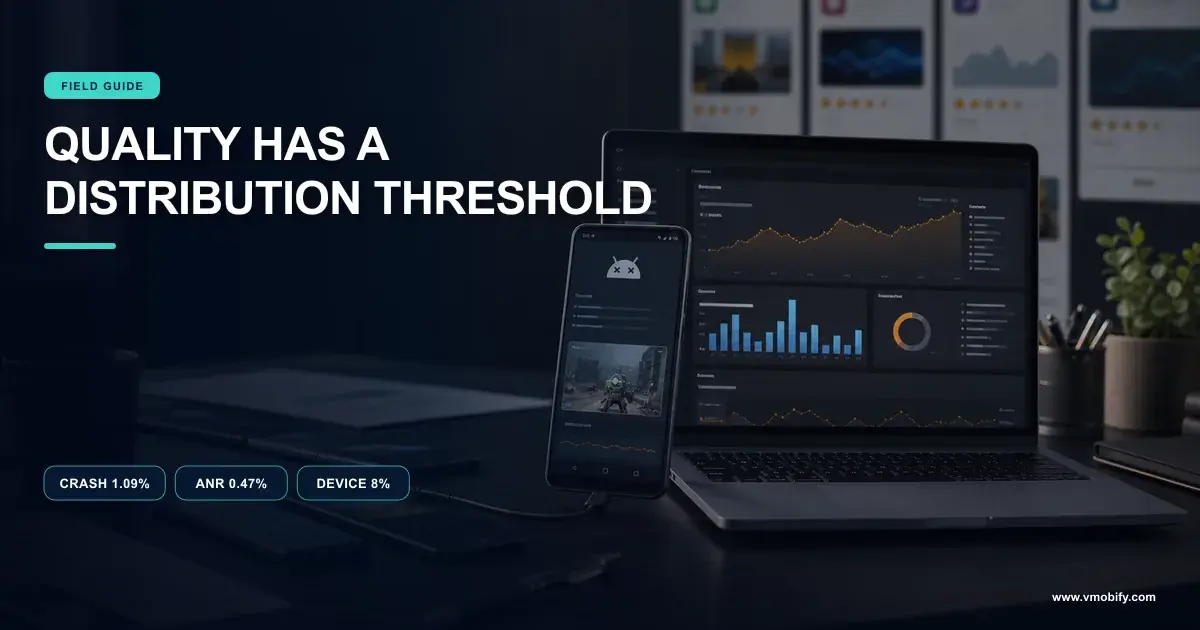
Use Google’s core-vital thresholds as store-health guardrails while setting stricter internal limits for valuable or safety-sensitive journeys. Google’s Android vitals documentation lists 1.09% overall and 8% per-device for user-perceived crashes, and 0.47% overall and 8% per-device for user-perceived ANRs.
The thresholds are not quality targets. Reaching 7.9% of users on a handset is still catastrophic. Core vitals can affect Play discoverability, and Play generally evaluates recent windows, so delay has both user and acquisition cost.
- User-perceived crash: Track users experiencing at least one crash during active use. Compare with crash-free users carefully.
- User-perceived ANR: Track users experiencing at least one foreground ANR. Inspect cluster cause and main-thread state.
- Per-device threshold: Treat 8% as a critical ceiling, not permission. Set earlier alerts.
- Business guardrail: Weight cohort size, market importance and journey severity. A payment crash deserves faster action.
Decision rule: Respond before the Play threshold when the affected cohort is material; store enforcement is the last warning, not the first.
Our operating alerts use movement and impact as well as fixed rates. A fast rise from 0.2% to 1.5% after a rollout is actionable even when every store threshold remains green.
Translate each threshold into an absolute user count for your own install base before deciding whether it is urgent. A rate that sits just inside the bad-behaviour threshold on a model with two hundred thousand daily users is a materially larger problem than the same rate on a model with two thousand, and the two deserve different responses. Keep both numbers on the dashboard. Android's ANR documentation is explicit that the metric counts affected users rather than events, so a single user hitting the same ANR forty times moves the number far less than intuition suggests.
Document the exact Google definition, because third-party crash tools may count sessions or events instead of users. Poor vitals also raise your acquisition costs.
How do you find a device-concentrated crash or ANR?
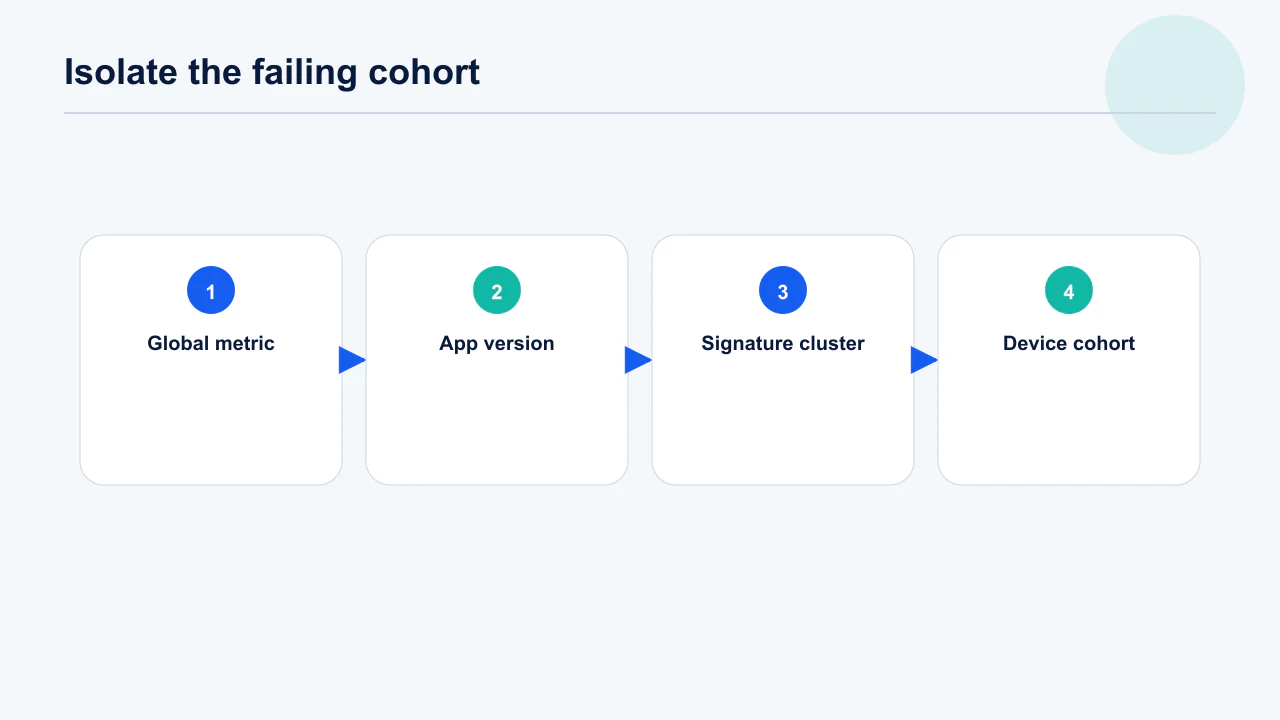
Start from a signature or release regression, then compare model-level affected-user rate and volume against the same version’s baseline. Sorting by event count alone favours popular devices; sorting by rate alone favours tiny samples.
Use a two-axis view: affected users and excess risk. Check whether the same signature appears across sibling models, one OEM, one OS build or one architecture. Annotate rollout percentage and acquisition campaigns that changed device mix.
- Version onset: Identify the first app version with the signature and whether an SDK changed. Test upgrade and fresh-install paths.
- Excess rate: Subtract or ratio against comparable devices with enough exposure. Retain confidence at small counts.
- User reach: Estimate current and projected affected users at full rollout. Use install base, not shipment popularity.
- Pattern: Look across OEM, OS, GPU, ABI, RAM and form factor. The visible model may be a proxy.
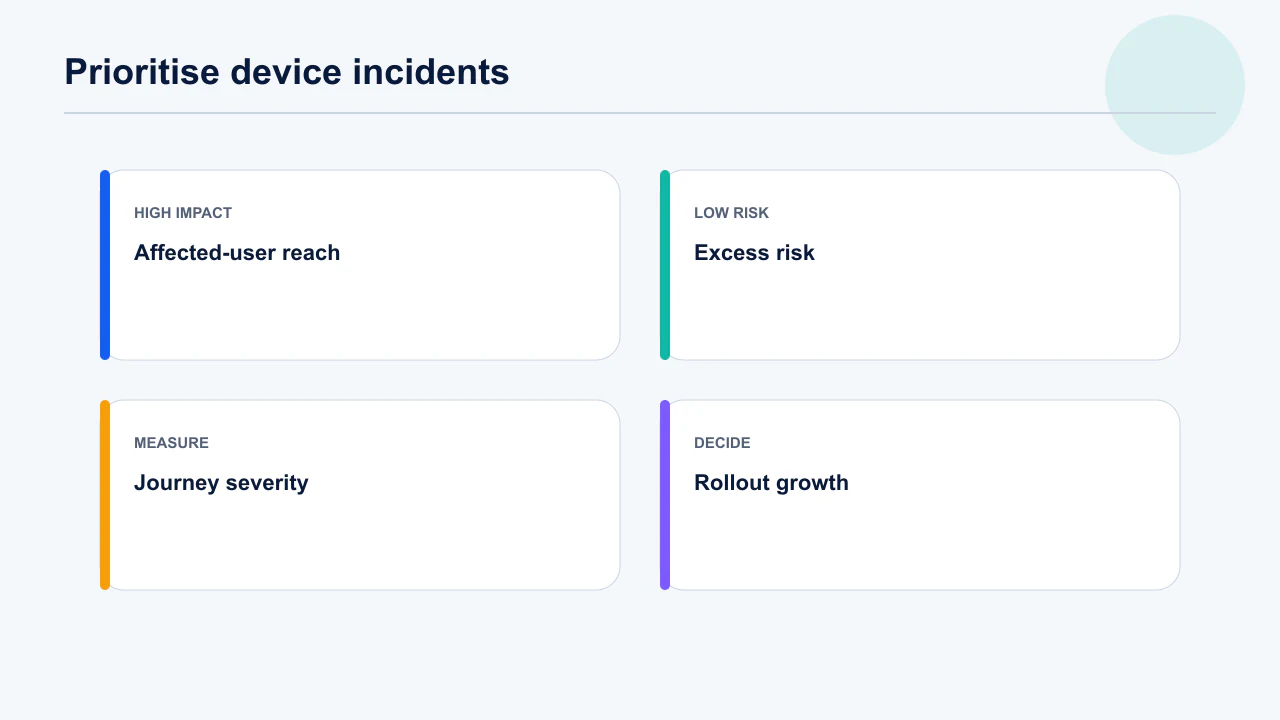
Decision rule: Prioritise clusters with high excess risk times exposed users, adjusted upward for critical journeys and rapid rollout growth.
A mid-rate crash on the most common handset can harm more people than a 30% rate on a rare model. We rank expected affected users, then severity.
Compute excess rate rather than reading the sorted list, because the top of a crash table is usually just the most popular device. Divide the model's rate by the rate across all other models on the same app version: values near one are proportionate, and values above roughly three indicate genuine concentration worth investigating. Pair that with reach so you prioritise correctly. Android's crash guidance explains how stack signatures are grouped, which matters because one visible signature can hide several distinct faults that need separating before any of them can be fixed.
Export the table rather than relying on a live sorted view, and keep the export with the incident record. Console and SDK numbers frequently disagree — reconcile before escalating.
Why can one device model hide several hardware variants?
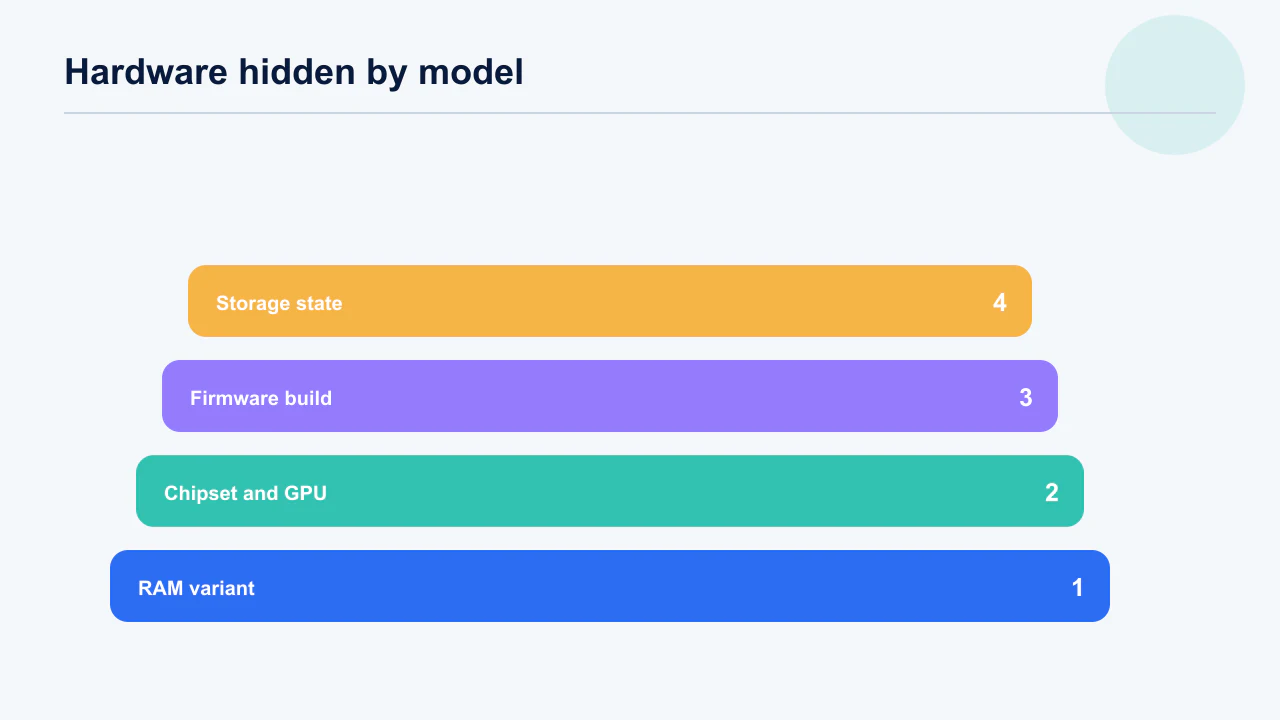
A Play device-model label can represent variants with different memory, storage, chipset, GPU, firmware or carrier configuration. Google explicitly warns that model breakdowns may not distinguish these variants.
That is why buying one handset with the same retail name can fail to reproduce the issue. Collect a minimal privacy-reviewed runtime profile such as manufacturer, model, OS build, ABI, memory class and app version, then correlate it with the crash identifier. Avoid building a permanent fingerprinting system.
- Memory: Low-RAM variants may trigger allocation pressure or process death. Inspect memory class and workload.
- Chipset and GPU: Media, camera and rendering defects can follow vendor drivers. Check sibling models sharing hardware.
- Firmware: OEM and carrier updates may alter WebView, permissions or background behaviour. Record build fingerprint cautiously.
- Storage state: Low space and slower storage can expose database or extraction failures. Test realistic pressure.
Decision rule: Escalate from model to hardware-variant investigation when the lab handset does not reproduce and runtime properties split the affected cohort.
A crash attributed to one budget phone family in our work was really concentrated on its lower-memory variant. The premium variant under the same model label never crossed the allocation boundary.
Record the variant fields at crash time rather than inferring them later from a marketing name. Total and available RAM, chipset, GPU renderer string, ABI, firmware build and free storage are cheap to attach and are the difference between a reproducible bug and an unfalsifiable theory about a device family. Android's memory overview explains why the same model with different available memory behaves differently under pressure: the low-memory killer acts on what is free at that moment, not on the specification sheet, so two identical handsets diverge purely on what else the user is running.
Collect only fields needed for diagnosis and set a retention period for the enriched telemetry. Technical failures are a leading uninstall driver.
How do you build a reproducible device evidence pack?
Create a compact pack containing cohort filters, signature, affected-user counts, version onset, runtime context, user journey and candidate mechanism. It should let an engineer choose the right emulator, device lab or physical handset without reopening dashboard archaeology.
Include symbolicated stack or ANR trace and the code ownership path. Add breadcrumbs immediately before failure, but remove personal content and secrets. Record whether the failure occurs on fresh install, upgrade, background return, weak network, low memory or locale-specific input.
- Console evidence: Screenshots and exports with dates, filters and denominators. Link the live cluster.
- Technical evidence: Mapping, symbols, stack, trace and relevant release diff. Confirm line numbers match the binary.
- Environment: Model, variant clues, OS build, memory and connectivity state. Separate known from inferred.
- Journey: Minimal steps, account state and frequency. Name what cannot yet be reproduced.
Decision rule: Do not purchase hardware or exclude a device until the evidence pack states a mechanism hypothesis and what that action would prove.
The pack prevents “works on my Pixel” from ending the investigation. It turns an opaque OEM label into falsifiable reproduction conditions.
Write the pack so a second engineer can act without asking you a question, because device bugs are frequently handed over mid-investigation. Include the saved cohort definition, the export, the signature, the variant fields, the failed hypotheses and the exact command that reproduces the attempt. Gradle-managed devices make that command portable: the device specification lives in the build file, so a colleague or CI runner instantiates the same configuration rather than approximating it. A pack that only a laptop can run is a pack that stops when its owner is on leave.
Update the pack when a hypothesis fails, so later work does not repeat it. Automated device testing turns the reproduction into a regression check.
How do you reproduce device-specific Android failures?
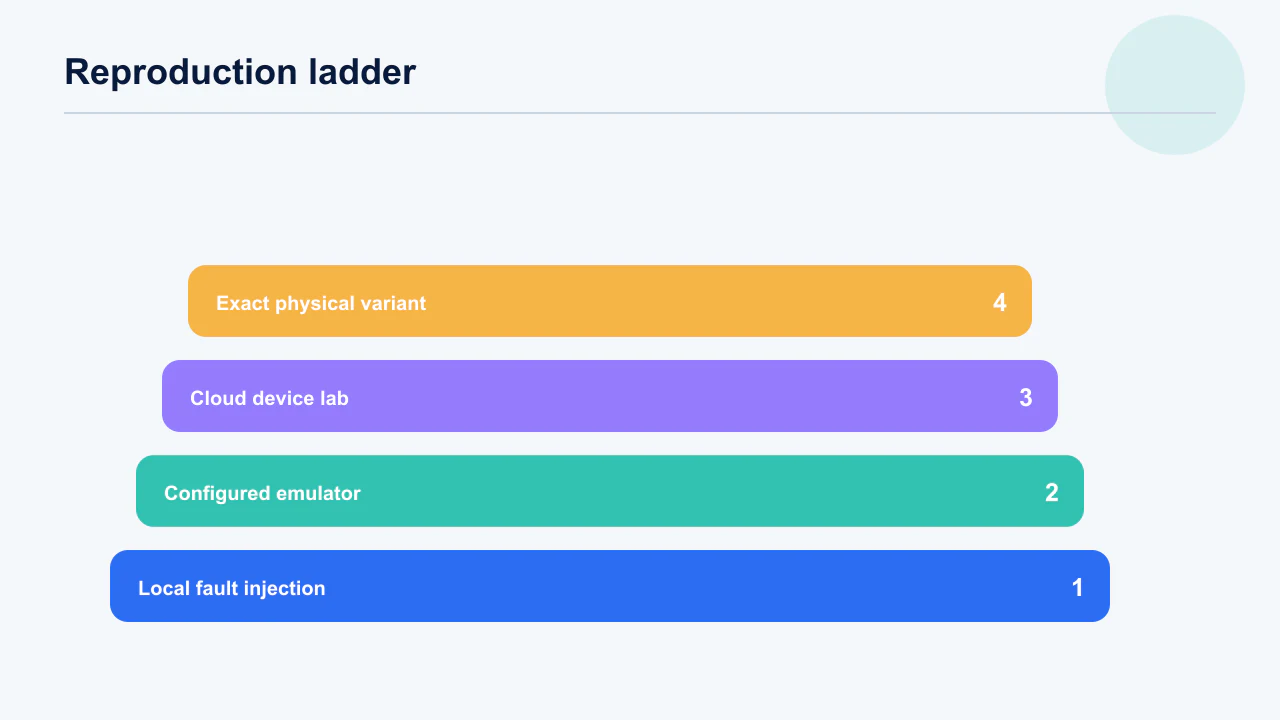
Reproduce in layers: deterministic local conditions, configurable device labs, then the exact physical variant when evidence justifies it. Emulators are excellent for OS, memory and lifecycle scenarios but cannot faithfully reproduce every vendor driver or firmware defect.
Start with the smallest failing journey and same signed build. Apply memory pressure, storage pressure, process death, weak networks, background restrictions, rotation and locale. Use cloud device farms for breadth and physical hardware for vendor-specific camera, GPU or firmware mechanisms.
- Local control: Inject failures and lifecycle events in repeatable tests. Add a regression test around the mechanism.
- Emulator matrix: Vary API, ABI, screen, memory and background behaviour. Keep scripts identical.
- Device lab: Run the journey across relevant OEM families and OS builds. Capture video, logs and performance.
- Physical variant: Acquire or borrow the exact hardware only after variant evidence. Preserve its firmware state.
Decision rule: A reproduction is valuable when changing one suspected condition predictably turns the failure on and off.
One successful run on the target model is not reproduction. We require repeated failure under the suspected condition and repeated success when that condition or code path changes.
Work outward from cheapest to most expensive, and stop as soon as the failure reproduces. Local device with matching Android version first, then an emulator configured to the variant fields, then a hosted lab, then physically sourcing the specific handset — each step costs meaningfully more time and money than the one before. Firebase Test Lab's device catalogue is worth checking before buying hardware, since the model is often already available. Constrain memory and storage deliberately when reproducing: many device-specific faults only appear on a nearly full device, which no clean test handset reproduces.
Automate the minimal case before broad manual exploration wherever possible. A repeatable production workflow keeps the reproduction alive after the incident closes.
When should you halt a rollout or exclude a device?
Halt when projected user harm exceeds the cost of delaying the release; exclude a device only when the failure is severe, concentrated and not quickly fixable. Exclusion protects current users but also removes discovery, updates or acquisition for legitimate owners of that model.
Feature flags and server fallbacks are narrower containment where available. A rollout halt prevents additional recipients but does not remove the build from users who already received it. Document projected reach at the next rollout step and what signal reopens expansion.
- Halt rollout: Use for a version-linked regression that may spread with exposure. Keep existing recipients under observation.
- Disable feature: Use when one path causes harm and remote control is reliable. Provide a safe fallback.
- Exclude model: Use for a proven hardware incompatibility with severe impact. Review market and accessibility cost.
- Ship hotfix: Use when a narrow correction is verified and faster than prolonged containment. Do not bundle unrelated work.
Decision rule: Choose the least broad containment that stops expected harm and can be reversed with evidence.
We avoid permanent catalog exclusions for an unproven model correlation. A temporary feature fallback buys investigation time without abandoning every owner of that handset.
Decide the containment thresholds in advance, in writing, because the decision is otherwise made under pressure by whoever is loudest. State the excess rate, absolute affected users and confidence level that trigger a rollout halt, a remote feature disable, a device exclusion and a hotfix respectively. Play's staged rollout controls let you halt without a new binary, which is almost always the faster containment. Device exclusion is the heaviest option and the hardest to reverse cleanly: it suppresses the signal along with the harm, so the underlying fault stops being visible in your own metrics.
Communicate containment to support and annotate acquisition dashboards. The staged rollout runbook covers halt-and-resume mechanics in detail.
How do you fix common device-specific root causes?
Fix the mechanism—memory, main-thread blocking, driver-sensitive media, lifecycle assumptions or OEM background behaviour—rather than adding a model-name conditional first. Device allowlists and denylists age badly and often hide a broader class of failures.
For crashes, inspect allocation, native libraries, WebView, camera/media codecs and vendor APIs. For ANRs, identify the blocked main thread, lock owner, binder call or slow I/O. Add capability checks and timeouts instead of assuming uniform platform behaviour.
- Memory: Reduce peak allocation, stream large assets and handle process recreation. Test low-memory callbacks and cold restoration.
- Main thread: Move I/O and expensive work off UI, remove lock inversions and bound binder waits. Trace actual stalls.
- Media and graphics: Query capabilities, handle codec failure and offer lower-cost paths. Expect vendor differences.
- Background and OEM: Use supported scheduling and tolerate delayed or killed work. Never depend on perpetual processes.
Decision rule: Prefer capability- and state-based fallbacks; use a model-specific guard only as temporary containment with an expiry review.
A model check fixes today’s label. A codec capability check fixes every current and future device with the same limitation and is easier to test.
Match the fix to the signature class rather than applying general performance advice. Out-of-memory faults concentrated on low-RAM variants point at image decoding and cache sizing; ANRs point at main-thread work such as synchronous disk or network access in lifecycle callbacks; renderer-specific crashes point at GPU driver behaviour that needs a capability check rather than a model allowlist. Android's core app quality guidance lists the checks worth running before release. OEM background restrictions are their own category: work that survives on one manufacturer's build is silently killed on another, and no amount of code review reveals it without a device.
Link every code change to the exact production signature it intends to move. Release cadence determines how quickly that link can be tested.
How do you verify the fix in production?
Release gradually and compare the same signature and device cohort on the fixed version after enough affected-user exposure. A lab pass proves the proposed mechanism; production proves the population outcome.
Keep cohort definitions stable and compare against the previous version over aligned windows. Watch for signature mutation, where a caught exception becomes a timeout or a nearby crash. Include core-task completion and performance so the workaround does not merely suppress reporting.
- Exposure target: Estimate how many target-device users must receive the build for a readable result. Do not use 1% blindly.
- Signature outcome: Track affected users for the original and adjacent clusters. Confirm symbols and versions.
- Product guardrails: Watch activation, task success, latency and support on the cohort. A disabled feature needs scrutiny.
- Decision: Expand, hold, revise or remove temporary guard at a scheduled checkpoint. Name the owner.
Decision rule: Declare fixed only when target-cohort production risk returns to an acceptable range and no compensating regression appears.
At tiny rollout percentages, zero events can simply mean zero affected devices. We calculate expected target-device exposure before reading silence as success.
Define the verification window by exposure rather than by elapsed days. A fix reaching two per cent of a device cohort tells you very little after twenty-four hours; the same fix at fifty per cent tells you a great deal. Set the target exposure and the minimum affected-user count before staging, then hold the rollout at that step until both are met. Play's vitals reporting lags real time by a day or more, so a same-day 'all clear' is reading an incomplete window. Watch the specific signature, not only the headline rate, because an unrelated regression can mask a genuine improvement.
Remove temporary logs and model guards after the verification window, not before. Play release controls set what you can adjust mid-rollout.
What device vitals runbook should a small team use?
Use a repeatable detect, scope, contain, reproduce, fix, stage and verify loop with one incident owner. The runbook can be short, but every transition needs evidence and a reversible decision.
Review global and device core vitals after each rollout and weekly otherwise. Alert on sudden version-relative movement as well as fixed limits. Keep symbol and mapping uploads part of release completion, maintain access to a device lab and rehearse feature-disable controls.
- Detect and scope: Capture definition, version, signature, cohort, numerator and denominator. Estimate full-rollout harm.
- Contain: Choose halt, flag, fallback or exclusion and record the reopening gate. Tell support and growth owners.
- Diagnose and fix: Build the evidence pack and reproduce the mechanism. Add regression coverage.
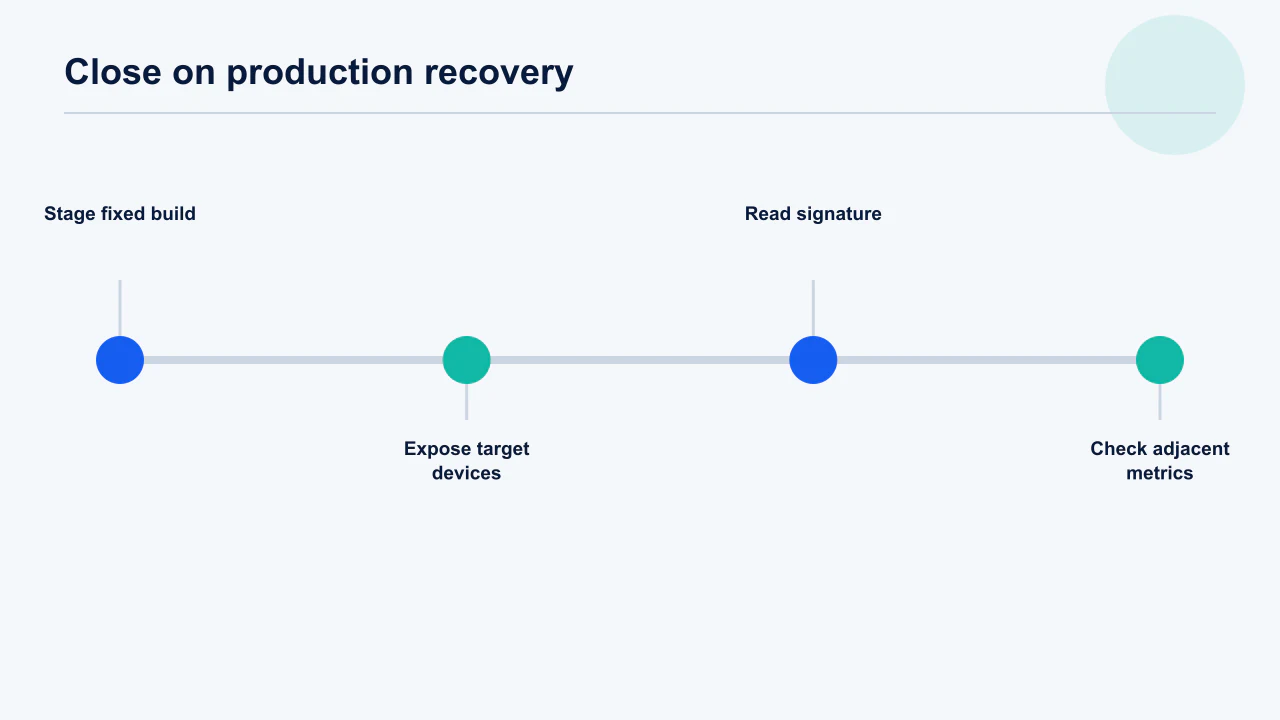
- Stage and verify: Expose enough target devices, inspect adjacent metrics and close temporary controls. Write the incident lesson.
Decision rule: No incident closes with “new build released”; it closes with production evidence for the affected cohort and assigned follow-up work.
Small teams move faster when one person owns coordination and specialists own checks. Shared ownership without a named decider creates dashboards everyone watches and nobody acts on.
Keep the runbook short enough that someone uses it at two in the morning. One page, four phases, a named owner per phase, and the containment thresholds already agreed — anything longer becomes a document people intend to read rather than a procedure people follow. Store completed incidents in the same place with their evidence packs attached, so recurring OEM patterns accumulate into something searchable. Android's ANR reference is worth linking directly from the runbook, because the definitions are the part teams most often misremember under pressure.
Keep a linkable incident record so recurring OEM patterns become organisational knowledge. Console anomalies often share a root cause with device-specific faults.
Frequently Asked Questions
What are the current Android vitals crash thresholds?+
Google lists 1.09% overall and 8% per device for user-perceived crash rate. Treat these as store-risk ceilings, not acceptable quality targets, and verify the current documentation before acting.
What are the current Android vitals ANR thresholds?+
Google lists 0.47% overall and 8% per device for user-perceived ANR rate. Internal alerts should normally trigger earlier based on movement, cohort reach and journey severity.
Why can I not reproduce a crash on the same phone model?+
The retail model label may group variants with different RAM, chipset, GPU, firmware, storage or carrier software. Correlate privacy-reviewed runtime properties before acquiring the exact variant.
Should I exclude a device with a high crash rate?+
Only when impact is severe, exposure meaningful, concentration proven and a quick fix or narrower fallback is unavailable. Rate without affected-user count can make rare devices look disproportionately urgent.
Can a staged rollout protect users from a device crash?+
It limits additional automatic exposure while evidence emerges, but users who already updated keep the version and manual updates may still occur. A feature flag, backend fallback or hotfix may also be necessary.
How do I prioritise several device clusters?+
Rank excess risk multiplied by exposed users, then adjust for journey severity, rollout growth and business reach. Keep numerator and denominator visible so popularity and tiny samples do not distort priority.
When is a device-specific issue truly fixed?+
When the same signature and target cohort improve on the fixed production version after adequate exposure, with no adjacent crash, ANR, performance or task-completion regression.
Sources
- Google Play Console Help — Android vitals — Core-vital definitions, thresholds and device, version, OS and form-factor breakdowns.
- Android Developers — Diagnose and fix ANRs — ANR categories, traces and diagnostic guidance.
- Android Developers — Diagnose crashes — Crash diagnosis and stack evidence.
- Android Developers — Memory management overview — Android memory constraints and process behaviour.
- Android Developers — Test on Gradle Managed Devices — Repeatable virtual and physical device test infrastructure.
- Firebase Test Lab — Available devices — Cloud physical and virtual device coverage.
- Google Play Console Help — Staged rollouts — Update rollout expansion and halt behaviour.
- Android Developers — App quality — Platform quality guidance and quality pillars.
About the author
Amol Pomane — Founder, Vmobify
Amol leads Vmobify, a mobile app growth agency that has driven 30M+ downloads and ranked 54K+ keywords across 300+ apps since 2013. He writes about ASO, paid user acquisition, retention, and the operational reality of scaling mobile apps in India and global markets.