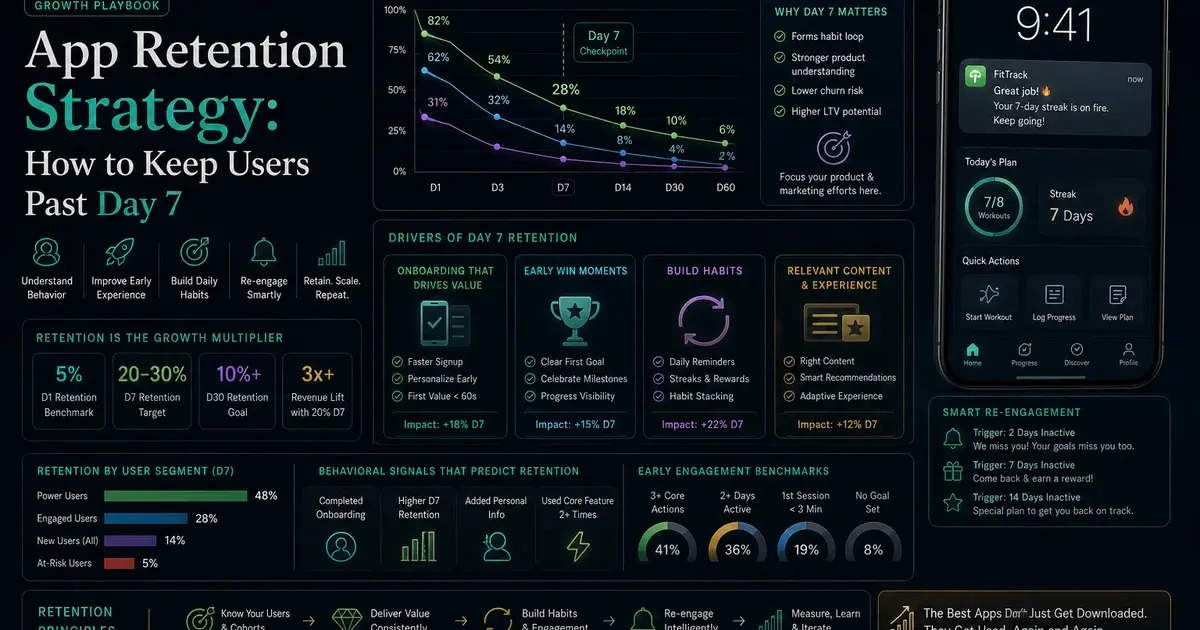
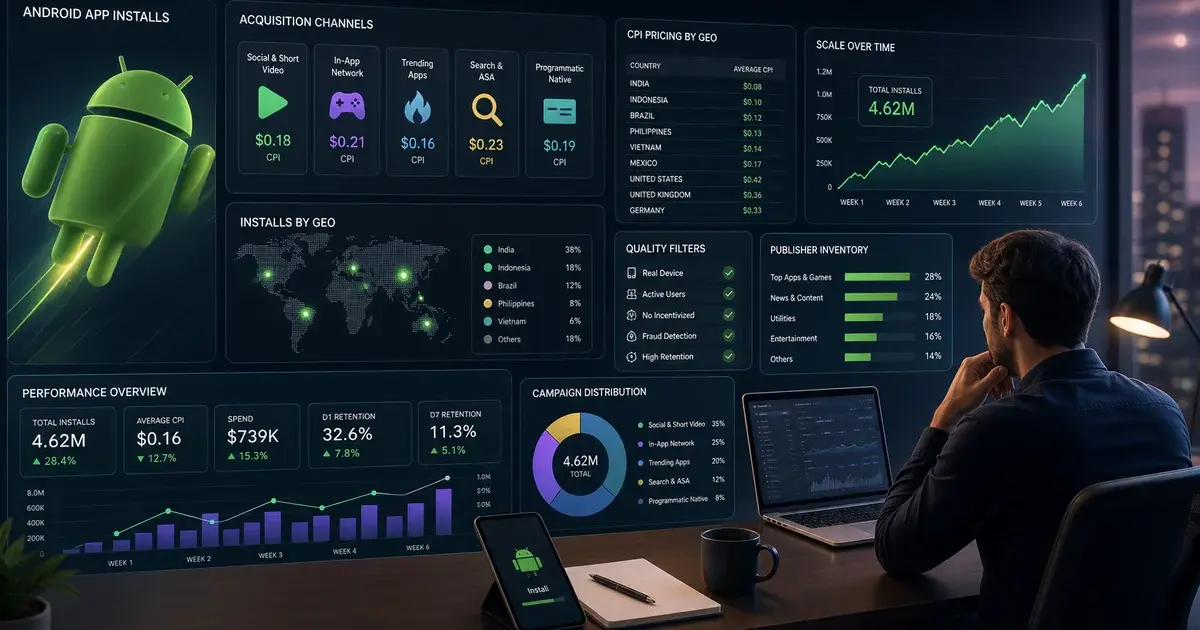
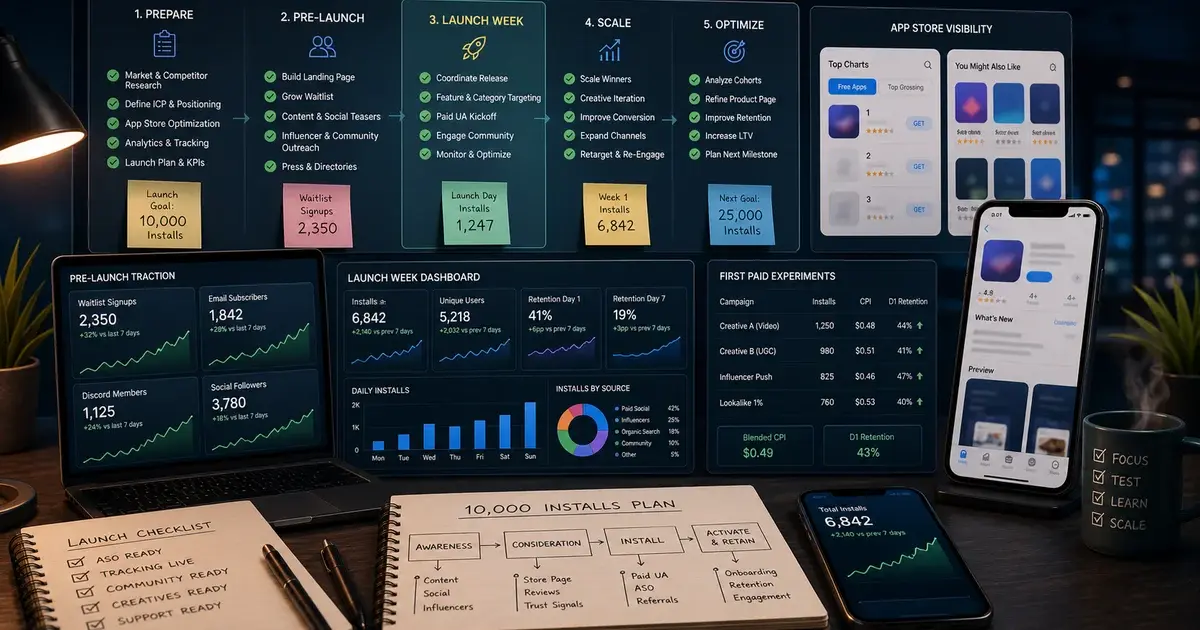
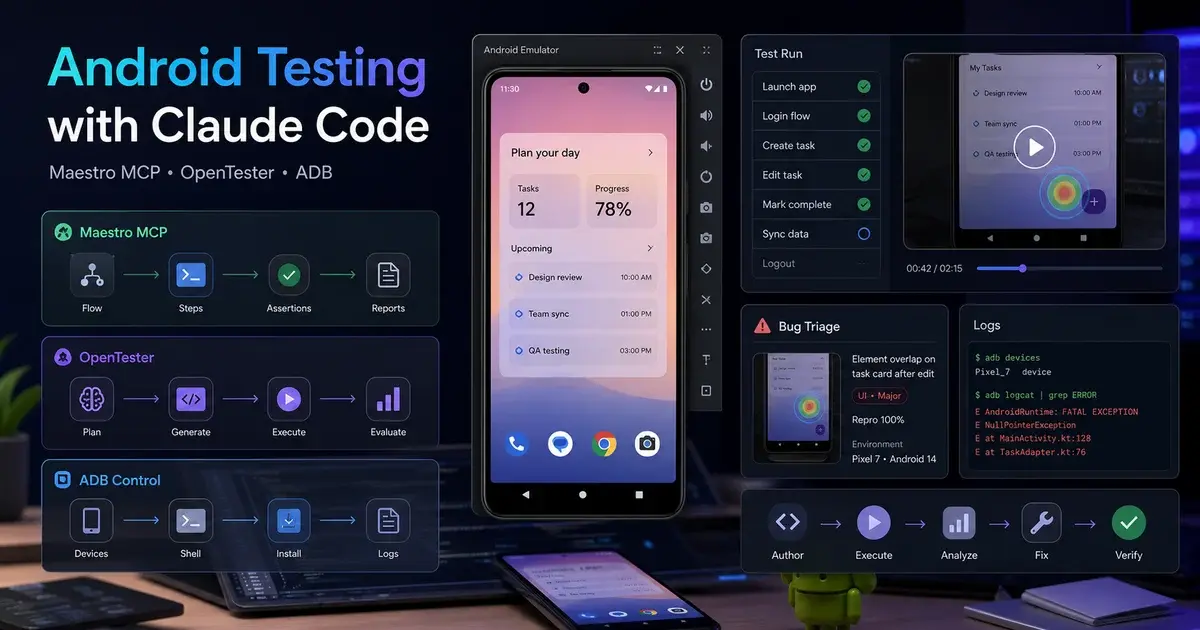
Android Testing with Claude Code: Maestro MCP, OpenTester & ADB
Claude can write Android code, but without the right tooling it cannot see the running app. Wiring Maestro MCP, OpenTester, and ADB MCP servers into Claude Code closes that device-visibility gap — turning the agent into a QA engineer that writes, runs, and triages tests end-to-end.
On this page
- Why can agents write Android code but not see the app?
- Why has Android UI testing always been broken?
- How do you set up the Maestro MCP for Claude Code?
- What does OpenTester add on top of Maestro MCP?
- Which ADB MCP servers give Claude raw device control?
- How do you use Compose UI testing skills for in-process tests?
- How does the Crashlytics crash loop work end-to-end?
- What are the honest limits of agentic Android testing?
- Frequently Asked Questions
Why can agents write Android code but not see the app?
Claude can read source files, edit diffs, run Gradle, push to Git, and open PRs — but the moment you install the APK on a real device, the running application is a black box the agent cannot observe. The code compiled. The Compose preview rendered. The Gradle sync was clean. And then the app crashed on the second tap, and Claude had no idea.
This is the agent blind spot that nobody in AI-assisted mobile development talks about enough. The gap is not writing quality — modern LLMs write reasonable Kotlin and Compose on the first attempt. The gap is feedback. A human QA engineer sees the screen, feels the tap, reads the toast message. An agent sees none of that unless you explicitly wire a device-observation layer into its toolchain.
Gerardo Suarez, author of OpenTester, put it in one sentence: "Agents can write the code but they can't see the app." That sentence names the exact constraint. The agent is writing into a void, and the void has been the dominant failure mode of AI-assisted Android development since the first code-generation models shipped.
Across our 300+ apps managed since 2013, the teams that have extracted the most value from AI coding tools are the ones that closed this loop early — instrumenting Claude with device-observation MCPs so the agent's feedback cycle mirrors what a QA engineer actually experiences. This post is a complete walkthrough of how to wire that system together.
Why has Android UI testing always been broken?
Android UI testing has been a graveyard of half-adopted frameworks for a decade — Espresso, UI Automator, Robolectric, Appium, Detox — each with a learning curve steep enough that most teams either had a flaky test suite, no test suite, or a single heroic engineer maintaining it for everyone else.
Espresso's fluent onView().perform().check() chains read like Yoda dictating commands. UI Automator extended it across processes for system-level flows. Robolectric gave you JVM-side execution with a shadow framework that approximated real Android. Appium wrapped it all in WebDriver. The honest cost-to-value ratio was upside down: a test took an afternoon to write, the selector broke when a designer renamed a string resource, CI was red half the time and engineers stopped looking at it.
Maestro changed the calculus by making E2E flows declarative — a YAML file describing what to do, without wrangling view hierarchies by hand. Companies like Microsoft, Meta, and DoorDash adopted it over Appium and Detox because the syntax is short enough to read out loud and resilient enough to survive small UI refactors. The remaining problem was that humans still had to write the YAML, and the YAML had to keep up with a UI that shipped weekly.
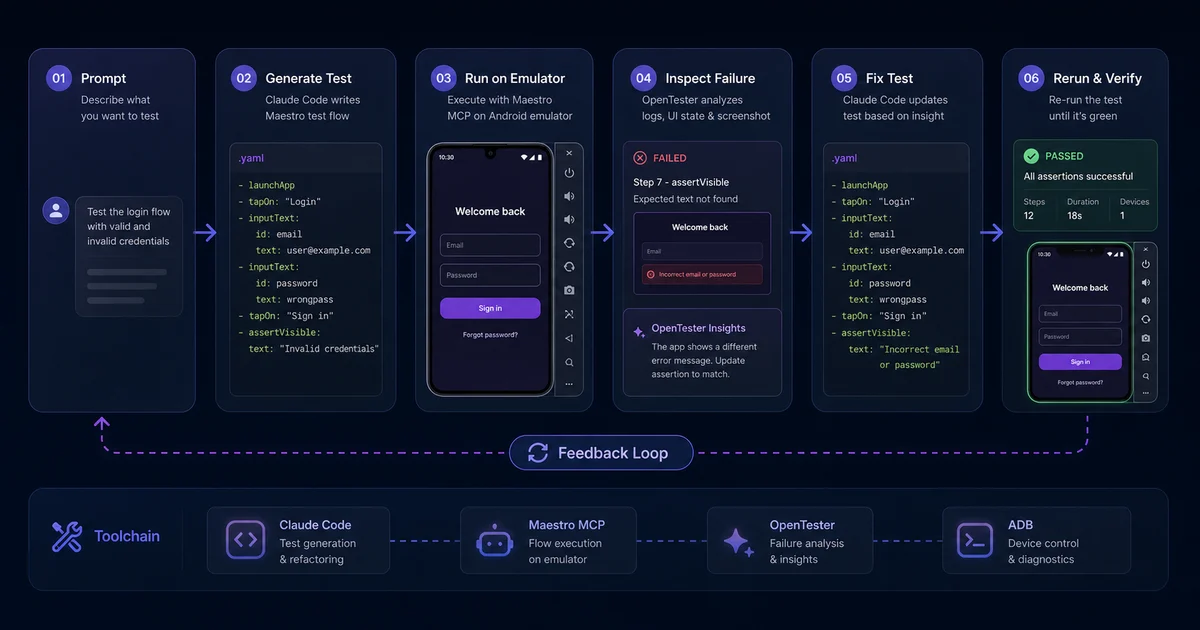
That remaining problem is precisely what LLMs solve. They are extraordinarily good at reading intent and translating it into structured text. A Maestro flow is structured text. The match between what a language model does naturally and what Maestro needs is so clean it almost feels unfair. Once Claude can observe the device — through Maestro's MCP server — writing the test collapses from an afternoon of selector archaeology to a few hundred milliseconds of generation.
How do you set up the Maestro MCP for Claude Code?
The Maestro MCP is the single highest-leverage integration in an agentic Android testing stack — it is the bridge that lets Claude not just write a flow file but run it against a device, observe screenshots, and iterate until the flow passes.
The fastest installation path uses npx to pull the MCP server on demand. You need two things: maestro on your PATH, and the MCP server registered with Claude Code.
# Install Maestro itself
curl -Ls "https://get.maestro.mobile.dev" | bash

# Register the Maestro MCP server with Claude Code
claude mcp add maestro -- npx -y @slapglif/maestro-mcp

# Cross-platform device control (Android + iOS in one MCP)
claude mcp add mobile-mcp -- npx -y @mobilenext/mobile-mcp@latest

# Firebase Crashlytics MCP (per the official Firebase docs)
claude mcp add firebase -- npx -y firebase-tools mcp
Once the wiring is done, the workflow is straightforward. Tell Claude the goal — "Write a smoke test for the search flow." Claude launches the app via the MCP, walks through screens, observes element IDs and visible text, proposes a YAML flow, runs it, and iterates on selector failures. The human reviews and commits once the flow passes twice in a row.
Here is a representative Maestro flow for a login-and-search smoke test. The syntax deliberately mixes id, text, and structural matchers so it is resilient to small refactors:
appId: com.example.myapp
---
- launchApp:
    clearState: true
- assertVisible: "Welcome"
- tapOn: "Sign in"
- inputText:
    id: "email_input"
    text: "test@example.com"
- inputText:
    id: "password_input"
    text: "hunter2"
- tapOn: "Continue"
- assertVisible: "Home"
- tapOn:
    id: "search_button"
- inputText: "matcha"
- assertVisible:
    text: "matcha"
    timeout: 3000
- takeScreenshot: search-results
Very Good Ventures' practical walkthrough reports that a 25-screen app typically completes a full sweep in 90 seconds to 3 minutes on an Android emulator — fast enough for a pre-commit hook. They also report 70-80% first-pass reliability on AI-generated tests, which is the most important honest benchmark in this whole conversation. One in four generated tests still needs human attention before it can be trusted. Plan for that review queue.
The workflow that has proved most reliable in practice: always have Claude run the flow at least twice before considering it stable, and instruct it to take a screenshot at every key step. When something breaks two months from now, you will want the visual diff, not just a stack trace.
What does OpenTester add on top of Maestro MCP?
Maestro MCP turns Claude into a generalist agent that can test; OpenTester is the specialist take — a dedicated QA agent that collaborates with your coding agent through MCP instead of being the same agent wearing two hats.
OpenTester is an open-source AI QA engineer built specifically for this two-agent model. The architectural insight matters in practice. A dedicated QA agent maintains its own context: which flows it has explored, which screens are unstable, which selectors it has cached, which regressions it has caught in previous sessions. The coding agent can ask "did my last change break checkout?" without loading all of that QA state into its own context window.
The two-agent model also creates a useful asymmetry. Coding agents have a strong bias toward "I'll just rewrite the function" when they hit a failing test. A dedicated QA agent pushes back: no, the test is correct, this is a real regression, here are screenshots of what changed. That tension is valuable. It is roughly what happens when a good QA engineer has a professional relationship with a developer — the QA's job is to hold the bar, not to find workarounds.
Prerequisites for OpenTester are modest: Node.js 18+ and Android Studio. It is designed to drop into an existing developer machine without ceremony. If your team ships frequently and you want QA coverage that never goes home or calls in sick, the OpenTester model is worth the extra setup. If you are a solo developer or a small team shipping one app, Maestro MCP through Claude Code is probably sufficient.
Which ADB MCP servers give Claude raw device control?
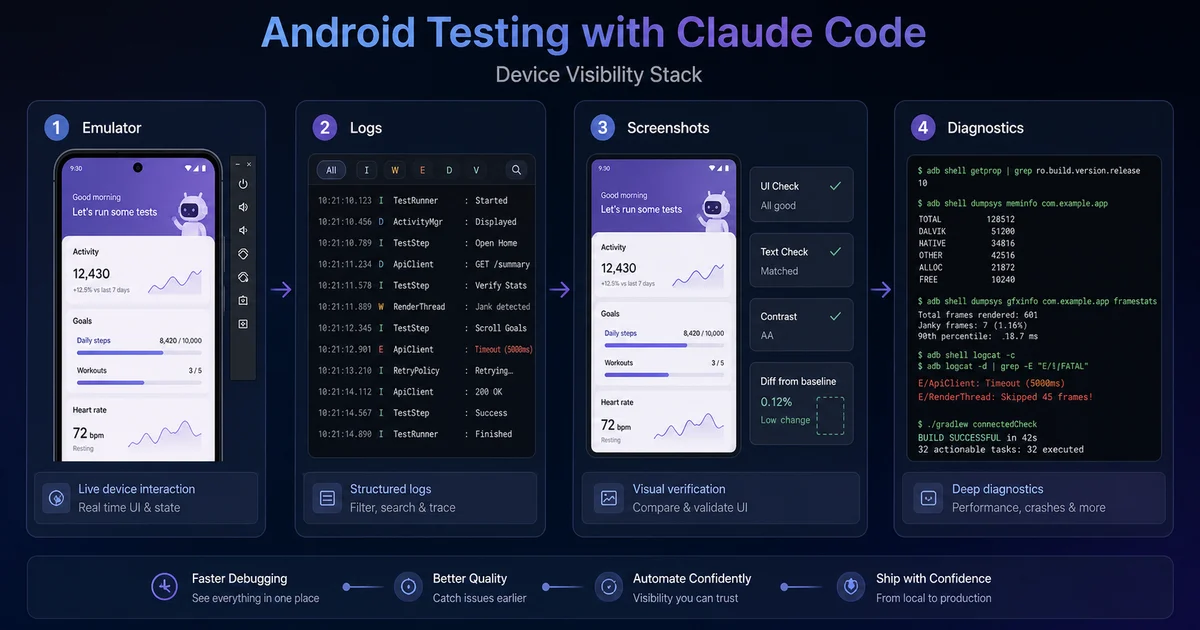
Below Maestro and OpenTester sits a layer of lower-level MCP servers that expose ADB and the Android device itself — useful when the task isn't a clean E2E flow but something rawer: pulling logs, granting permissions, inspecting state, or building a higher-level agent on top.
A survey of the options worth knowing:
- android-mcp-server (minhalvp): The one to reach for first. Exposes screenshots, UI layout dump, package management, and arbitrary ADB exec. Also available on Smithery for a one-command install. When you want Claude to "look at the device and tell me what's on screen," this is the tool.
- adb-mcp (srmorete): A TypeScript implementation of the same general idea. Slots into Node-heavy dev environments without a Python venv side quest — the TypeScript ecosystem fit is the differentiator.
- Android-MCP (CursorTouch): Takes a different approach — it bridges the LLM and the Android Accessibility API rather than raw ADB. The tool surface reflects that: state, click, long-click, type, swipe, drag, press, wait. Going through the Accessibility API means semantic interactions ("this is a button labelled X") instead of raw coordinate taps, which is more resilient across screen densities.
- mcp-server-adb (watabee): Explicitly built for Claude. A thin, focused wrapper with tool descriptions and argument shapes tuned for how Claude actually consumes them. Fewer rough edges than the more general-purpose options.
- mobile-mcp (mobile-next): The cross-platform option — Android and iOS in a single MCP. If you ship both platforms, this is the obvious starting point.
- AndroidStudio-MCP (VitoSolin): A Python MCP focused on logcat analysis. Pairs well with the others when you want Claude to reproduce a bug and dig through log spam to surface the actual stack trace.
The right mental model is to stack one device-control MCP underneath Maestro MCP. Maestro handles the test framework; the ADB MCP handles everything Maestro doesn't cover. A few ADB commands worth wiring into Claude's default behaviour:
# Install a fresh build, preserving data
adb install -r app/build/outputs/apk/debug/app-debug.apk

# Capture a hierarchy dump for selector debugging
adb shell uiautomator dump /sdcard/window_dump.xml
adb pull /sdcard/window_dump.xml

# Grant a permission Claude needs to test a flow
adb shell pm grant com.example.myapp android.permission.CAMERA

# Pull the app database for inspection after a flow
adb exec-out run-as com.example.myapp cat databases/app.db > app.dbThe point is not the individual commands. With an ADB MCP in place, Claude can stitch these into the testing loop itself — installing a build, granting permissions, running a Maestro flow, pulling the resulting database, and inspecting state all in a single agent session. That tight loop is what converts a code generator into something that actually behaves like a QA engineer.
How do you use Compose UI testing skills for in-process tests?
Maestro is for end-to-end flows on a real or emulated device; Compose UI tests and ViewModel unit tests live inside your project and run as part of ./gradlew testDebug and connectedAndroidTest — a different beast that benefits from a different agent setup.
Two skill bundles have become the defaults for this layer.
chrisbanes/skills compose-ui-testing-patterns is Chris Banes's distilled Compose testing playbook in Claude skill format. Banes wrote significant portions of the Compose internals; when he documents a testing pattern it is authoritative. Loading this skill gives Claude the right defaults for createComposeRule, semantics matchers, idling resources, and the merged-vs-unmerged tree question that nearly every team gets wrong on the first attempt.
skydoves/android-testing-skills covers a broader surface: Compose UI tests, AndroidX Test, JVM unit tests, and ADB. Skydoves has been writing pragmatic Android testing content for years; having this skill loaded is the difference between "tests that look like Stack Overflow answers from 2019" and "tests that match modern conventions."
Both skills follow the agentskills.io standard format — installable, composable, shareable. The fact that testing expertise can now be packaged as an installable skill rather than re-litigated in every project's CLAUDE.md is one of the more underrated improvements in the Claude ecosystem this year.
The combination we recommend across our portfolio: Banes's skill for Compose UI test patterns, skydoves's for everything else, and Maestro MCP for E2E. That covers roughly 90% of the testing surface area of a modern Android app. Add the Firebase Crashlytics MCP for production crash triage and you have a complete picture.
How does the Crashlytics crash loop work end-to-end?
Tests catch what you anticipated; crashes catch what you didn't — and the official Firebase Crashlytics MCP puts production crash data inside Claude's context window so the agent can triage, fix, and write a regression test in one session without a single context switch.
The MCP capabilities are the ones that matter most in practice: list top crashes, group them by issue, fetch full stack traces, see the affected version/device/OS breakdown, and mark issues resolved. For teams who prefer a lighter-weight CLI tool, DreamTeamMobile/crashpull gives the same powers via a command-line interface that streams crashes directly into Claude's context.
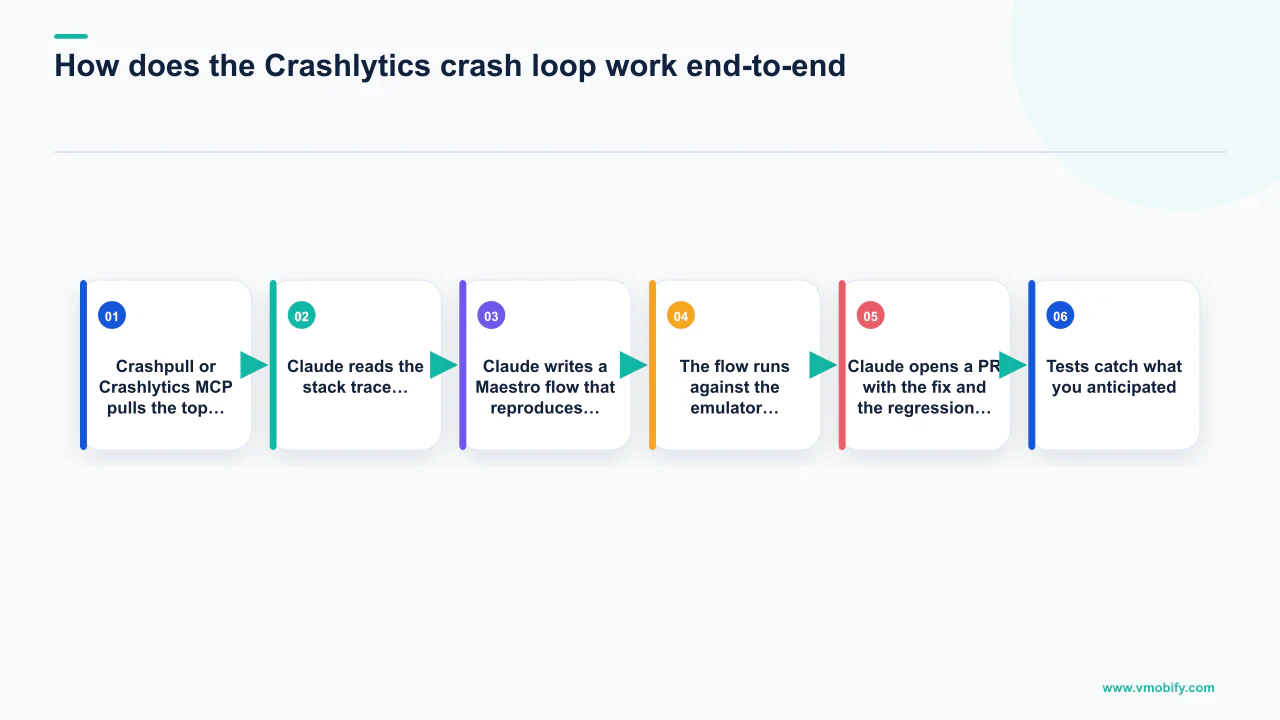
The crash loop we run across projects now:
- Crashpull or Crashlytics MCP pulls the top crash from the last 24 hours — full stack trace, affected device distribution, OS version breakdown.
- Claude reads the stack trace, opens the relevant source file, and proposes a fix with reasoning.
- Claude writes a Maestro flow that reproduces the crash on an emulator with the patched build.
- The flow runs against the emulator. Green means the fix holds; red means back to step 2 with the new failure information.
- Claude opens a PR with the fix and the regression test as a single atomic commit.
What makes this loop genuinely valuable is not the speed — it is that the regression test gets written as a side effect of the fix. The thing every QA lead has requested repeatedly — "please write a test that proves this won't regress" — happens automatically because writing the Maestro flow is now cheap enough to be the default rather than a heroic extra step.
Android Studio's App Quality Insights panel already aggregates Crashlytics, Android Vitals, and Play Console data. The natural convergence is an IDE-resident agent that reads from all three and drives the regression-test loop on the same machine — the pieces exist; the integration is what is maturing in 2026. Across our 300+ apps managed since 2013, the teams that adopt this loop earliest consistently show the fastest reduction in crash rate month-over-month because they are building the regression suite — the same compounding effect we see in instrumented analytics work exactly where real users are hitting problems, not where the team imagined they would.
These two numbers are supposed to differ, and reconciling them into one figure is a mistake. Play Console reports user-perceived crashes and ANRs, measured across users who share diagnostics, on a rolling 28-day average, and it is the number that decides distribution against the 1.09% and 0.47% thresholds. A crash reporting SDK measures whatever it catches, in sessions where it initialised, and reports issues with stack traces. So the SDK sees crashes Play never counts, Play counts events in a population your SDK may not fully cover, and the windows are different. Use each for its own job: the SDK to find the line to fix, Play Console to know whether your distribution is at risk. If you need one to move the other, remember the 28-day average means a fix shipped today changes the Play figure slowly, and only as adoption rises.
What are the honest limits of agentic Android testing?
The honest pitch is augmentation, not replacement — Claude multiplies a QA engineer's effective output by roughly 3x to 5x on test-writing work, but it does not replace the engineer's judgment, taste, or ability to catch the things it would never think to test.
The limits worth naming explicitly:
- The 70-80% first-pass reliability is real. Roughly one in four AI-generated tests needs human attention before it can be trusted. If your team is generating 50 tests, that is a meaningful review queue. Plan for it. The equivalent iOS setup is covered in our Xcode agent SDK guide.
- Selector flakiness is the most common failure mode. Claude will occasionally pick a hidden
TextViewthat matches the same string as a visible button, or anidreused across fragments, or skip a wait when the network is slow on the test rig. The fix is usually trivial; the catch is not. This is the bulk of "why is CI red" investigations that still require human eyes. - Visual regression requires human approval. Snapshot testing (Paparazzi, Roborazzi, Maestro screenshot diffing) generates diffs. But "the screenshot is different" is not the same as "the screenshot is wrong." A 4-pixel padding change that is a designer's intended tweak looks identical to a regression in screenshot diff output. The agent produces the diff; the human approves it.
- Exploratory testing is still mostly human. The best QA engineers have a sixth sense for "what if the user backgrounds the app right here?" or "what if airplane mode toggles mid-flow?" Claude can run those scenarios once asked, but it does not generate that kind of creative scepticism independently. You can push it toward edge cases in CLAUDE.md, but it is not the same as a curious human staring at a build.
- Accessibility is improvable, not solved. Eevis Panula's empirical study found that Claude generated fewer accessibility issues than other AI tools — but it did generate a canonical failure: an
AccessibilityExtensions.ktfile that was never imported anywhere. The file looked correct. It was never called. Every test passed. Use specialist accessibility agents for the perceivable/operable/understandable/robust split rather than relying on a generalist to remember all of WCAG 2.2.
The QA role evolves rather than disappears. Engineers who understand these tools become more like editors than typists: defining conventions, reviewing diffs, holding the bar against regressions, and deciding which edge cases the agent would never invent. See our app retention strategy guide for how automated QA fits into a broader quality and growth loop, or talk to our team about instrumenting your Android workflow with the full MCP stack. Our case studies show the downstream impact on crash rate, D7 retention, and Play Store rating that follows from closing the device-visibility gap properly.
Frequently Asked Questions
Does the Maestro MCP work with physical Android devices or only emulators?+
Maestro works with both physical devices and emulators. The MCP communicates via ADB, so any device that appears in `adb devices` is reachable. Physical devices tend to produce more reliable test results for flows that involve hardware sensors, but emulators are faster and easier to reset between runs in CI.
How reliable are AI-generated Maestro flows on the first pass?+
Around 70-80% reliable on first pass, based on published benchmarks from Very Good Ventures running Claude against a 25-screen app. That means roughly one in four generated tests needs human review and selector fixes before it should be committed. Budget for a review pass — do not commit untested tests.
Is the Firebase Crashlytics MCP free to use?+
The MCP itself is free and open source, distributed via Firebase Tools. You need an active Firebase project with Crashlytics enabled, which is free up to Firebase's Spark plan limits. Large-volume crash ingestion may push you onto the Blaze (pay-as-you-go) plan, but the MCP integration itself adds no cost on top of your existing Firebase usage.
Can Claude write Compose UI tests without the Maestro MCP?+
Yes. Compose UI tests run in-process and do not require device observation — Claude writes them by reading source files and applying patterns from loaded skills like chrisbanes/compose-ui-testing-patterns. The Maestro MCP is needed specifically for end-to-end flows that interact with the running app on a device or emulator.
What is the difference between OpenTester and just using Maestro MCP with Claude Code?+
Maestro MCP gives Claude (your coding agent) the ability to run tests as one of its many capabilities. OpenTester is a dedicated peer agent whose entire job is QA — it maintains its own context across explored screens and caught regressions, and pushes back when the coding agent tries to work around a failing test rather than fix the root cause. The two-agent model is more robust for teams shipping frequently.
How does Vmobify use agentic testing across its app portfolio?+
Across our 300+ apps managed since 2013, we instrument each project with the Maestro MCP plus one ADB MCP for device control, load Compose UI testing skills for in-process tests, and connect the Firebase Crashlytics MCP for the production crash loop. Our user acquisition work is directly downstream of crash rate and D7 retention, so automated testing that catches regressions before they ship has a measurable impact on campaign economics. See our results page for specific case studies.
Can one MCP session test both Android and iOS?+
Yes, using mobile-next/mobile-mcp, which exposes Android and iOS in a single MCP server. A single agent session can drive both platforms in parallel and surface divergences — "login works on Android but the keyboard occludes the password field on iOS" — which only a cross-platform agent can catch cheaply. Install it with `claude mcp add mobile-mcp -- npx -y @mobilenext/mobile-mcp@latest`.
Sources
- Maestro Mobile Test Automation — YAML-based declarative mobile UI testing framework
- Firebase Crashlytics MCP — Official Firebase MCP for crash triage in Claude Code
- Android Studio App Quality Insights — Crashlytics, Android Vitals, and Play Console aggregated in Android Studio
- AppsFlyer Performance Index — CPI and retention benchmarks by category
- Adjust Mobile App Trends — Annual benchmark data on retention and engagement
- Google Play Android Vitals — Crash rate and ANR thresholds that affect Play Store ranking
About the author
Amol Pomane — Founder, Vmobify
Amol leads Vmobify, a mobile app growth agency that has driven 30M+ downloads and ranked 54K+ keywords across 300+ apps since 2013. He writes about ASO, paid user acquisition, retention, and the operational reality of scaling mobile apps in India and global markets.