Production Android Workflows: CLAUDE.md, Subagents and Skills
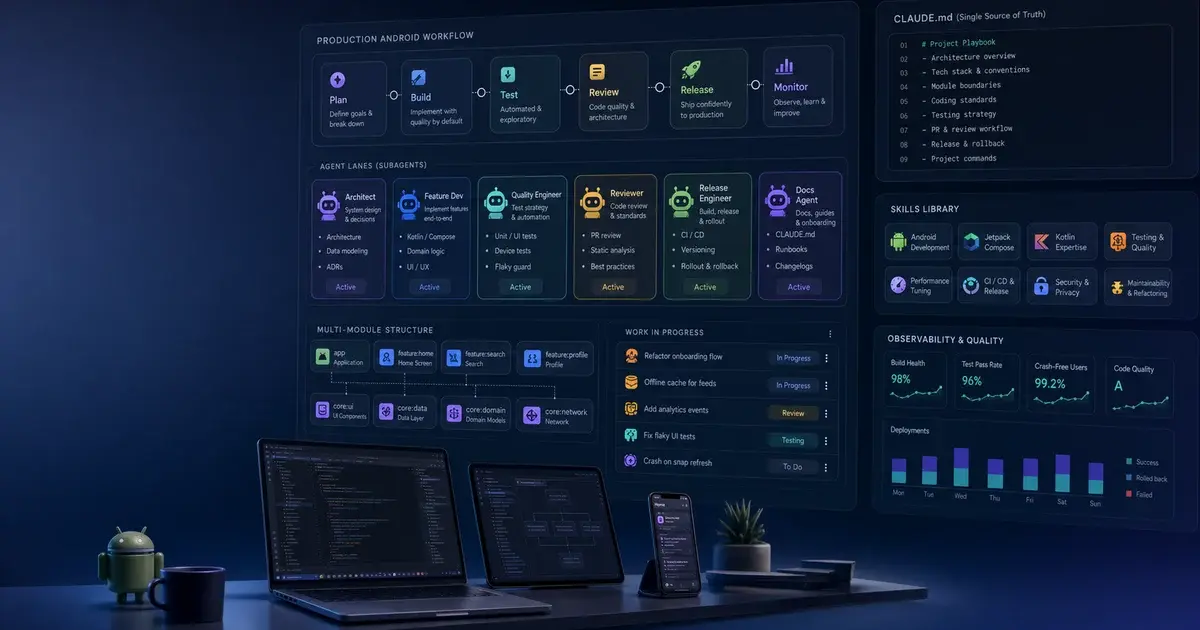
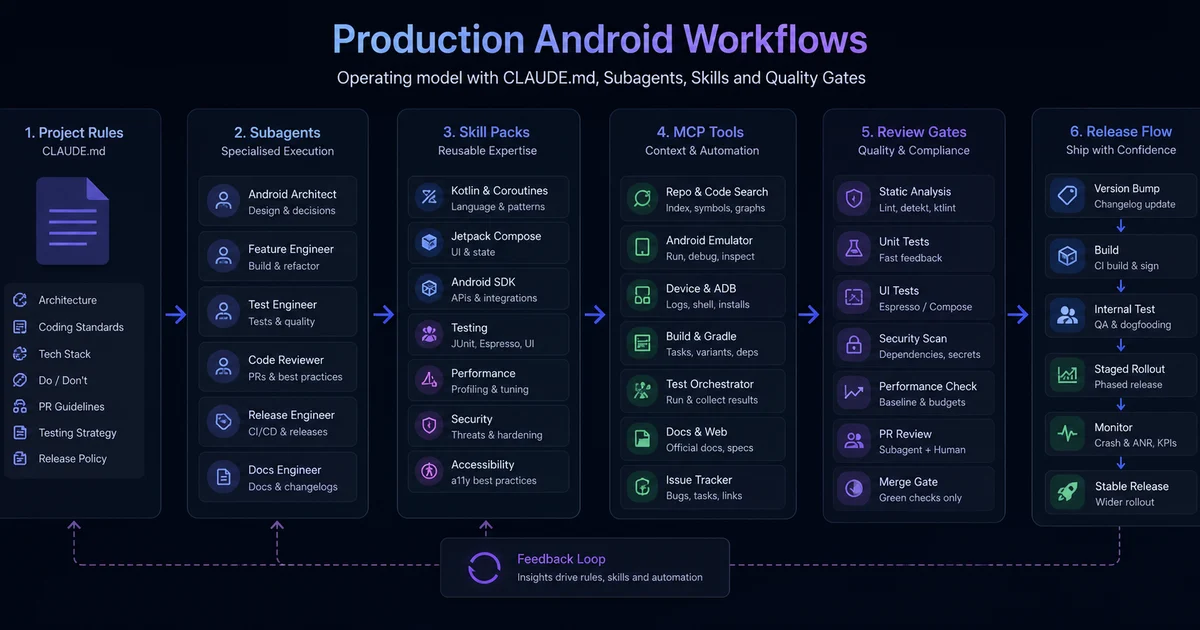
A single CLAUDE.md silently degrades beyond 15-20 Gradle modules. This guide covers the three additional axes — subagents, skills, and MCP servers — that turn Claude Code into a teammate that actually scales to a 50-engineer Android org.
On this page
- Why does CLAUDE.md alone stop scaling beyond 15-20 modules?
- What role do subagents play in cross-file consistency?
- How does the chrisbanes 15-skill stack compose as a system?
- How do you set up code review at team scale?
- How does Kotzilla MCP enable production KMP debugging?
- Which Gradle MCP servers fix the build-system problem?
- How do you roll your own team skills?
- How do you onboard new engineers with Claude as a force multiplier?
- Frequently Asked Questions
Why does CLAUDE.md alone stop scaling beyond 15-20 modules?
A well-written CLAUDE.md is file-scoped knowledge in disguise, and file-scoped knowledge silently breaks when Claude has to reason across thirty modules simultaneously. The failure is gradual — Claude doesn't crash; it degrades. It becomes, as one experienced mobile engineer put it, "a slightly more confident intern: still useful, but now wrong in ways that are expensive to catch in code review."
Hedvig Insurance's open-source CLAUDE.md is the existence proof that real production Android teams have already crossed this line. It's hundreds of lines, layered, and clearly maintained. But even Hedvig's file cannot carry the full load by itself — and they're not pretending it does. The interesting question is what the rest of the stack looks like once you accept that a single Markdown file is necessary but nowhere near sufficient.
Three specific failure modes appear almost immediately on a real team. Convention drift occurs because most mature codebases carry at least two competing versions of "right" simultaneously — the new pattern introduced six months ago, and the legacy pattern covering seventy percent of the surface area. A CLAUDE.md that says "use the new pattern" produces code Claude can't actually compile against the old surface area, and the model picks one and gets it wrong roughly half the time.
Reviewer fatigue compounds the drift problem. When Claude generates the same incorrect pattern fifty times across fifty PRs, the reviewer becomes the bottleneck, not the code generation. Tech leads report spending entire sprints leaving the same comment — "hoist this state into the parent composable, not the ViewModel" — on Claude-generated PRs from five different engineers. The CLAUDE.md said to hoist state. Claude read it. Claude ignored it under conditions nobody quite understood.
Compaction risk is the one that bites hardest in long sessions. CLAUDE.md is loaded at session start, but when context compaction kicks in mid-task, the rules you carefully wrote can be summarised into oblivion. Claude keeps the gist; it loses the specifics. The specifics are exactly where Android conventions live — naming, module boundaries, which Gradle plugin to apply, whether a feature module is allowed to depend on another feature module. The blunt summary: CLAUDE.md solves the "Claude doesn't know my project" problem. It does not solve the "Claude doesn't behave consistently across my team" problem, the "Claude has to make cross-file decisions" problem, or the "long sessions degrade" problem. Each of those needs a different tool.
What role do subagents play in cross-file consistency?
Subagents are the unit of cross-file consistency in a scaled Claude Code setup — each one runs in its own focused context window with a dedicated system prompt and tool allowlist, so cross-repo enforcement work never burns the main session's context budget. The Claude Code Subagents documentation describes them as specialised assistants invoked by the main Claude session.
The clearest production framing comes from KINTO Technologies' Android team, whose post on Android with Claude walks through a Kotlin method-namer SubAgent that enforces naming conventions across their entire codebase. Their framing is exactly right:
"For things you want consistent across many files — naming, imports, formatting that goes beyond ktlint — a SubAgent is the right shape, because it can be invoked with a clear scope and won't pollute the main session's context."
The distinction matters. A skill is a runbook the main agent loads when it sees a relevant trigger. A subagent is a fresh context with its own job. If you're editing one file, you want skills. If you're walking the whole repo to enforce a convention, you want a subagent. Here's a sketch of a subagent definition for Compose state hoisting review, modelled on KINTO's pattern:
---
name: compose-state-reviewer
description: Audits Compose composables in a given directory for state-hoisting
  violations. Use when reviewing a feature module or before opening a PR that
  touches UI.
tools: Read, Grep, Glob
---

You are a senior Android engineer reviewing Jetpack Compose code for
state-hoisting correctness.

For every @Composable function in the target directory:
1. Identify all `remember { mutableStateOf(...) }` calls.
2. Flag any that hold business state (not UI-local state like scroll position).
3. Recommend hoisting business state to the caller, the ViewModel, or a state
   holder class.
4. Output a per-file report, not a single summary.

Do not edit files. Do not run the build. Only read and report.
That subagent runs in its own context, won't blow up the main session, and produces output the main agent can act on. The VoltAgent project's kotlin-specialist and mobile-developer subagents are good starting templates for teams that want a more general-purpose specialist before building their own narrower ones. The mental model: subagents are the unit of cross-file consistency. Skills are the unit of "how do I do X correctly in this file." They compose, but they are not interchangeable.
How does the chrisbanes 15-skill stack compose as a system?
If you want a single artifact demonstrating what mature Claude-on-Android tooling looks like, the chrisbanes/skills repository is the reference — and what makes it interesting isn't any single skill in isolation, it's the composition across all fifteen. Chris Banes has been one of the loudest voices on Compose correctness for years, which is itself a credibility signal for the collection.
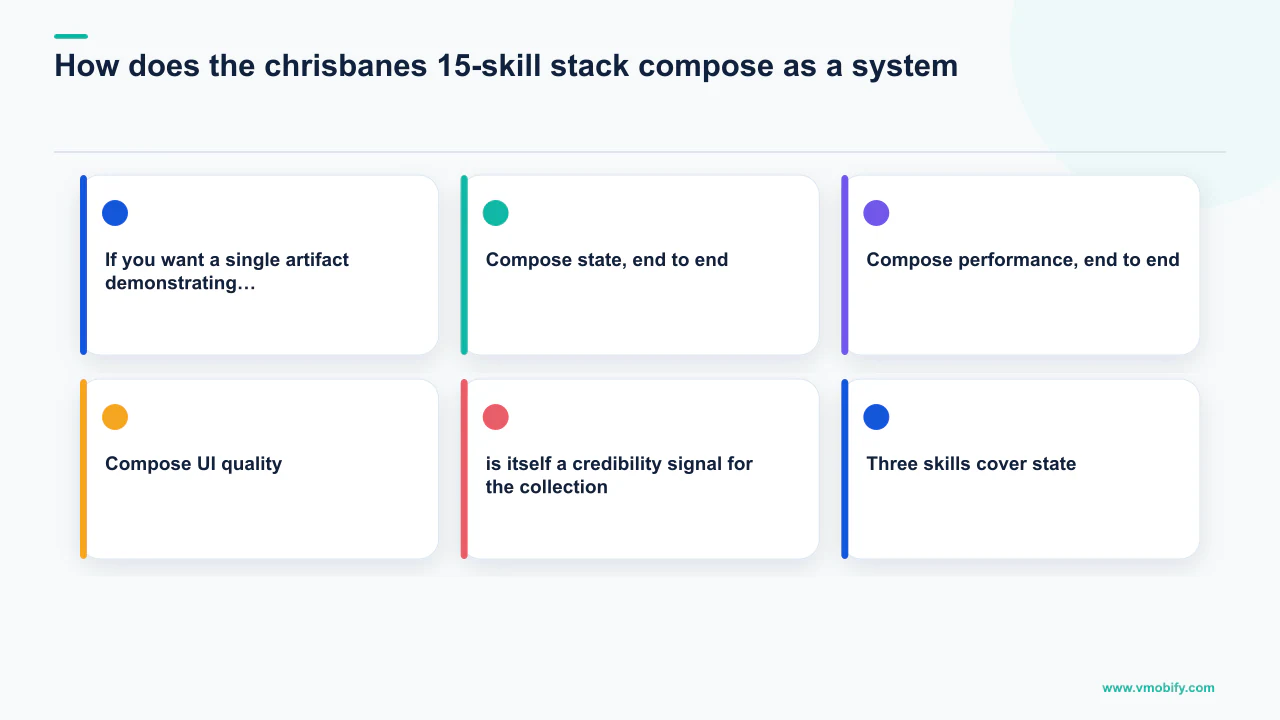
Compose state, end to end. Three skills cover state: state authoring (when and how to create state with remember, mutableStateOf, derivedStateOf), state hoisting (the unidirectional data flow contract), and state holder / UI split (when state belongs in a StateHolder class versus a ViewModel versus the composable itself). Any one of those skills improves Claude's behaviour in one file. All three together close the loop: Claude won't just remember state correctly, it will hoist it to the right place, and when the right place is its own class, it will create that class rather than stuffing everything into the ViewModel.
Compose performance, end to end. Three more skills cover performance: side effects (the right LaunchedEffect / DisposableEffect / rememberCoroutineScope choices), recomposition performance (how to read Compose Compiler metrics and what to do about unstable parameters), and stability diagnostics (how to interpret the Compose Compiler's stability report and refactor accordingly). The composition is again the point — Claude won't just fix a LaunchedEffect bug, it'll catch the upstream unstable lambda that was causing the recomposition storm in the first place.
Compose UI quality. Four skills cover UI craft: modifier and layout style, slot API pattern, animations (animate*AsState versus Animatable versus Transition), and focus navigation for hardware keyboards and accessibility services. Cross-cutting Kotlin adds three more: structured concurrency, StateFlow versus SharedFlow versus Channel event modelling, and KMP expect/actual patterns. One verification skill covers UI testing patterns with semantic matchers, Compose test rules, and screenshot testing via Roborazzi or Paparazzi.
The reason this composition is more powerful than any monolithic skill is that real Android tasks span multiple skill domains. "Add a search bar to the home screen" touches state, side effects, slot APIs, focus navigation, and probably a Flow. A single "Compose skill" would either be too long for context or too shallow to be useful. Fifteen focused skills, each disposable, each invoked only when relevant — that's the architecture that actually scales. For teams needing backend integration patterns alongside this UI stack, rcosteira79/android-skills covers Retrofit, Ktor, and Coil setups in the same shape and slots in cleanly next to the UI-focused set.
How do you set up code review at team scale?
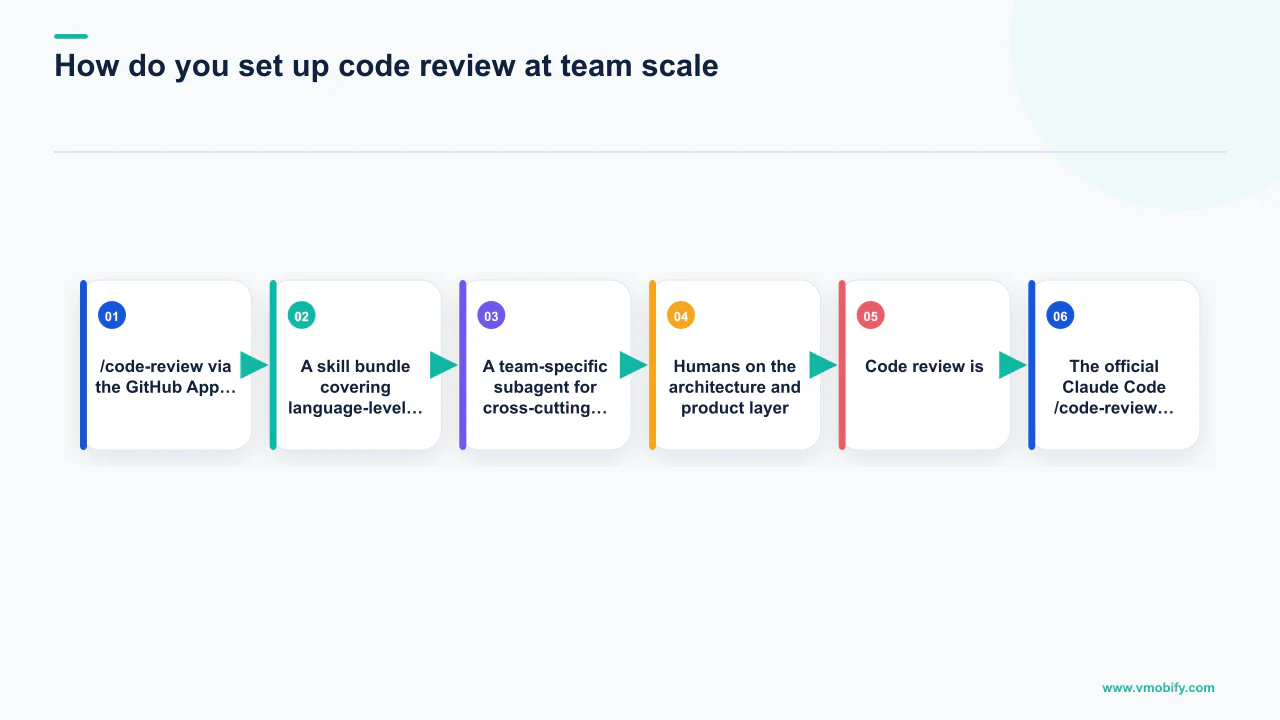
Code review is where the team-scale story becomes visible to the rest of the org, and the most important configuration decision is scoping — by default Claude reviews everything, which means useful signal drowns in noise from generated code, translation files, and Gradle version catalogs. The official Claude Code /code-review flow with its companion GitHub App is the baseline; install it, configure the workflow, and Claude leaves inline review comments on PRs.
On Android, the framing that most teams under-configure is exactly this scope problem. The My Android Solutions code-review workflow post nails the right approach:
"Automate mechanical review tasks like spotting forgotten null checks, flagging coroutine scope misuse, and noticing ViewModel leaks, allowing human reviewers to focus on architecture decisions."
That sentence is the whole game. Use Claude for the mechanical layer — the things a senior engineer notices on the third pass and a junior misses on the first. Don't use it for architectural review, because it lacks the cross-cutting context that lives in your tech leads' heads, and it will confidently recommend the wrong abstraction.
The composition recommended for any Android team of more than five engineers:
/code-reviewvia the GitHub App, scoped to source directories only — excludeapp/build, generated sources,libs.versions.toml, and translation files explicitly.- A skill bundle covering language-level patterns — null safety, coroutines, Flow. The awesome-skills/code-review-skill project covers 17+ languages including Kotlin and ships with sensible defaults.
- A team-specific subagent for cross-cutting consistency — naming, module boundaries, DI scope. A "Hilt-scope-reviewer" subagent that knows your DI conventions is the kind of thing that prevents an entire class of recurring review comments.
- Humans on the architecture and product layer — the layer that requires knowing what the business is trying to do, not just whether the code follows convention.
In our work supporting Android growth teams across 300+ apps managed since 2013, the teams that succeed at automated review treat Claude as a complement to humans, not a replacement. The teams that struggled treated it as a replacement and quietly discovered their codebase had drifted in ways nobody had caught for six months. The mechanical layer handled correctly is what frees humans for the architectural layer — not a replacement for it.
How does Kotzilla MCP enable production KMP debugging?
Kotlin Multiplatform debugging requires a qualitatively different approach from single-platform Android because the bug you're chasing may only reproduce on iOS while the faulty logic lives in shared Kotlin code — and neither stack trace alone nor source code alone gives you the full picture. Kotzilla MCP is the most interesting attempt at solving this by combining runtime production context with a fix-pattern knowledge base, both exposed to Claude Code through a single MCP server.
Their Koin-based observability platform records what actually happened in production. The MCP server exposes that runtime context alongside a curated catalogue of fix patterns. Their writeup on fixing production issues in a KMP app walks through a real case where the technique mattered. The framing they land on:
"Runtime context alone is overwhelming. Fix patterns alone are too generic. The combination — 'here's what happened in production, here's the family of bugs this resembles' — is what makes Claude useful in a debugging session instead of just plausible."
Install is straightforward; the Kotzilla docs Quick Start covers MCP setup in Claude Code. The pattern generalises beyond Kotzilla — any time you can give Claude a structured query over your production observability data plus a curated set of fix templates, you will outperform raw "here's a stack trace, please help."
For teams not yet on KMP, the principle still holds: don't ask Claude to debug from cold logs. Ask Claude to debug with a runtime context source it can query — Sentry MCP, a custom MCP over your APM — and a knowledge base of past fixes in the form of an internal skill bundle covering "things we've seen before." The Kotzilla approach is the most polished published example of this pattern, but any team can build a simpler version by wrapping their crash analytics API in a lightweight MCP server and pairing it with a team skill for recurring fix patterns. Acquisition-stage apps with high install volume benefit especially from this approach because new-cohort users surface edge cases that internal testing never catches.
Which Gradle MCP servers fix the build-system problem?
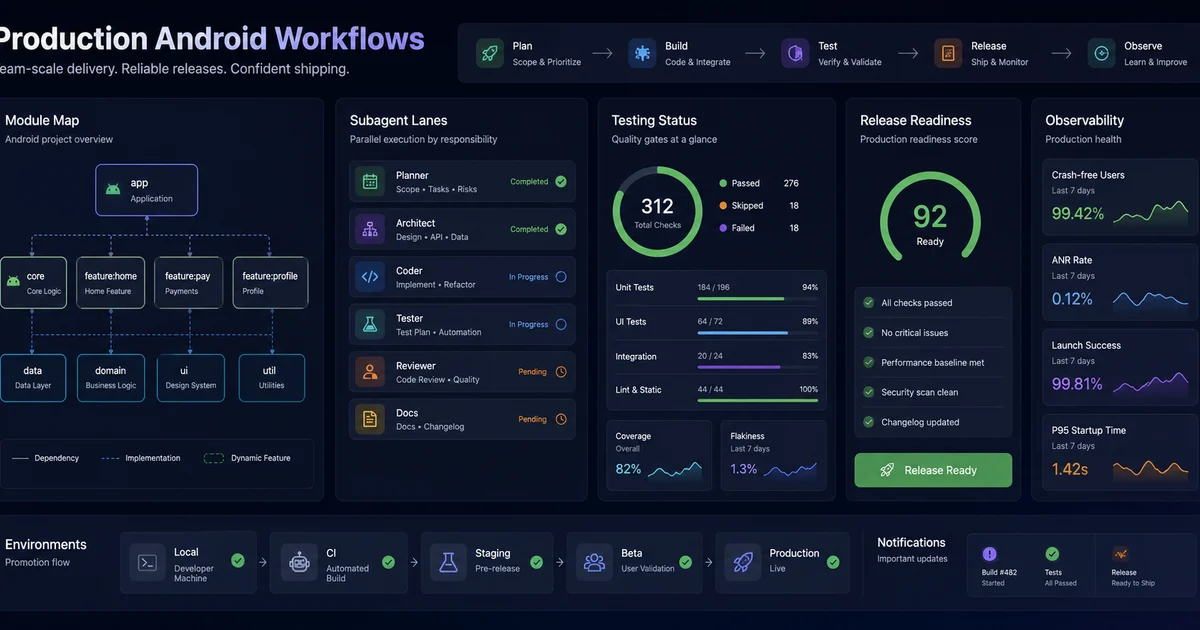
Gradle is the part of an Android codebase where Claude most reliably embarrasses itself in a vanilla setup — convention plugins, composite builds, the version catalog, KSP versus kapt, and the lifecycle of afterEvaluate are a hostile environment for an LLM that can only see source files. Without help, Claude will confidently invent Gradle DSL that doesn't compile. A small ecosystem of Gradle-aware MCP servers has emerged in response.
IlyaGulya/gradle-mcp-server is the cleanest option available. It speaks to Gradle via the Tooling API, which means it sees the actual project model — the resolved model after all the plugins and convention logic have applied, not the source files. That distinction matters: most "why doesn't this dependency resolve" questions are answerable only from the resolved model, not from reading build.gradle.kts directly.
rnett/gradle-mcp is more comprehensive. It exposes project exploration, task execution, dependency auditing, and JVM runtime interaction. The dependency-audit surface is particularly valuable for the version-catalog hygiene problem that every ageing Android codebase accumulates. normaltusker/kotlin-mcp-server integrates Aider, Gradle, and KLSP — the most ambitious of the three and the most overhead to operate; it makes sense on a team where someone has explicit ownership of build infrastructure.
For lighter-weight Gradle hygiene, the most actionable single prompt from the My Android Solutions best-practices guide is the one most worth internalising:
"Ask Claude Code to audit your libs.versions.toml and all build.gradle.kts files for version conflicts, duplicate declarations, or unused dependencies."
That single prompt surfaces three or four version drifts and at least one unused dependency on almost every Android codebase it's run against. For deeper build-system work — convention plugins, composite builds, the kapt-to-KSP migration that nearly every team is somewhere in the middle of — the Claude Lab Android Kotlin production guide is the most thorough published walkthrough. It covers the exact pattern for asking Claude to refactor an annotation processor to KSP without breaking the build, which involves both Gradle config and source-level changes in a non-obvious sequence. Google's own documentation on launch best practices is a useful companion for teams integrating build hygiene with their store release workflow.
How do you roll your own team skills?
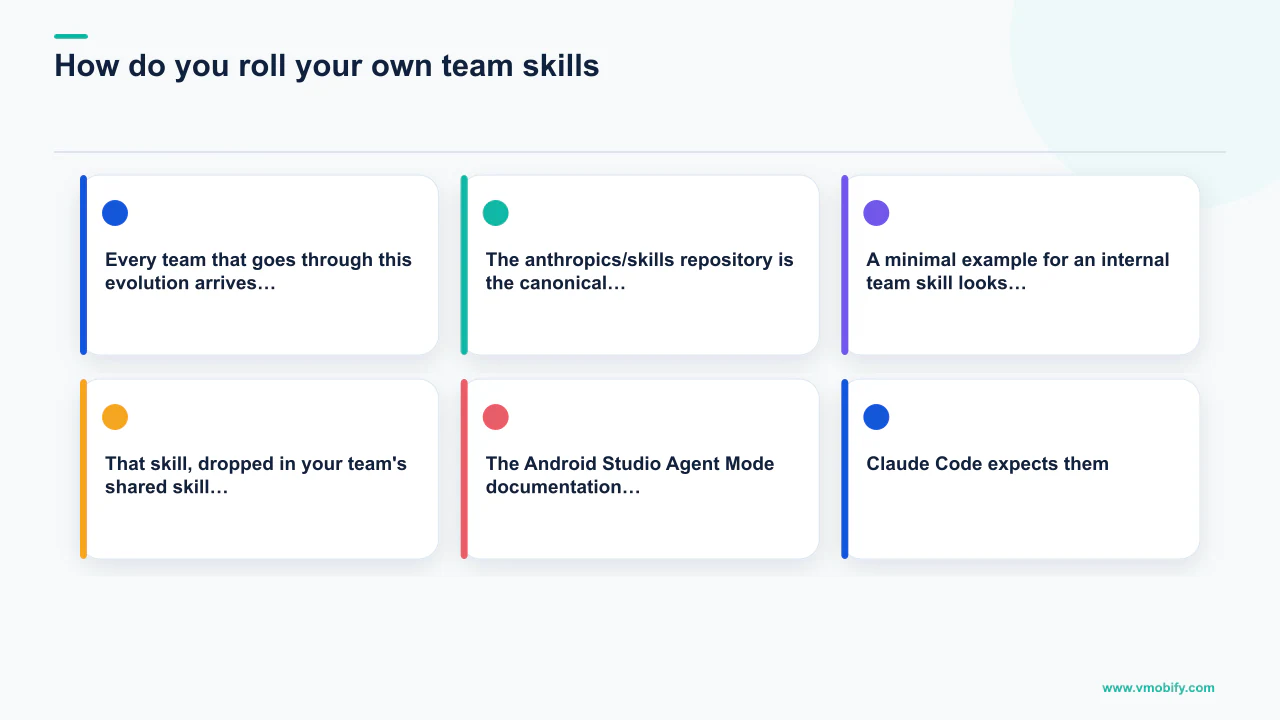
Every team that goes through this evolution arrives at the same conclusion: the public skills are an excellent starting point, but the real leverage is in the team's own skills — the conventions that live in your tech lead's head, the patterns that show up in code review comments over and over, the domain-specific rules nobody has ever written down. The anthropics/skills repository is the canonical template: every skill is a directory with a SKILL.md (frontmatter plus body), and the frontmatter declares the skill's name, description, and trigger while the body is a runbook in Markdown.
A minimal example for an internal team skill looks like this:
---
name: feature-module-scaffolding
description: Use when creating a new feature module in our Android monorepo.
  Enforces our module template, DI setup, and navigation registration.
---

# Feature module scaffolding

When asked to create a new feature module:

1. Create the module under `feature/<name>/` with the standard sub-modules:
   - `feature/<name>/api` — public interfaces and navigation contracts
   - `feature/<name>/impl` — implementation
   - `feature/<name>/ui` — Compose UI

2. Apply the `convention.android.feature` plugin in the impl module's
   `build.gradle.kts`. Do NOT apply `com.android.library` directly.

3. Register the feature's navigation graph in `:app:navigation` by adding
   an entry to `FeatureRegistry.kt`.

4. The DI module goes in `feature/<name>/impl/di/`. Use the
   `@FeatureScope` annotation, not `@Singleton`.

5. Every new feature module must have a placeholder `README.md` and a
   `CHANGELOG.md` initialised to `## Unreleased`.

## What NOT to do

- Don't create a `feature/<name>/` module without all three sub-modules.
- Don't add UI code to `impl` or contracts to `ui`.
- Don't use `@Singleton` for feature-scoped dependencies.
That skill, dropped in your team's shared skill directory, ends the "where do I put the new feature?" code review comment permanently. The question of where skills live in the repo matters more than people initially think. The Android Studio Agent Mode documentation recommends .agents/skills at the repo root — a path that is becoming a de facto cross-tool convention. Skills written for Android Studio's Agent Mode can be symlinked to where Claude Code expects them because both follow the same SKILL.md shape, and that open standard is what unlocks the team-scale workflow.
The split recommended inside a team: public/community skills (chrisbanes, anthropics, awesome-skills) pinned to specific commits and reviewed before adoption; org-shared skills covering your DI conventions, feature-module template, and analytics-event naming, versioned in a shared internal repo; team-private skills for patterns specific to one team's domain (payments, growth, etc.); and personal skills that never get checked in. Treat skill PRs the way you treat library PRs. They're code, even when they look like prose.
How do you onboard new engineers with Claude as a force multiplier?
The most under-appreciated payoff of a well-configured Claude Code setup is what happens on a new engineer's first day — what used to take a week of pair programming now takes a day, because the act of writing skills and subagents and CLAUDE.md files forces tribal knowledge to become versioned Markdown that compounds with every new hire.
A day-one workflow for Android engineers on a properly configured team setup:
- Hour 1 — Environment. Clone the repo. Install Claude Code. Verify the team's MCP servers connect (Gradle MCP, Sentry MCP, or whatever the team uses). Confirm the skill bundle loads correctly.
- Hour 2 — Tour via Claude. Have the new engineer ask Claude — using the team's CLAUDE.md and skills — to "explain how a feature module is structured in this codebase, with the navigation registration step." A correctly configured Claude will produce a near-perfect answer in two minutes, with the specific file paths. A poorly configured Claude will hallucinate. This diagnostic also surfaces whether your setup is actually working before the new engineer writes a single line of code.
- Hour 3 — First PR. Pick a tiny well-scoped bug. Have the new engineer drive Claude to fix it. The point isn't the bug — it's that on a well-configured team, the new engineer hits zero "wait, why is Claude doing it this way?" moments, because the conventions are encoded in skills and subagents rather than in tribal knowledge.
- Hour 4 — Onboarding doc. Have the new engineer write down anything they had to ask a human about. Those are skill gaps. File them as TODOs against your skill bundle.
The thing that makes this possible is not Claude being smarter — it's the convention infrastructure being explicit. Claude is what forces you to make it explicit. That's the actual win. The Adjust Mobile App Trends report consistently shows that engineering velocity and user retention are more correlated than most teams expect — faster feature cycles that don't introduce regressions directly improve the engagement metrics that drive organic growth.
In our portfolio working with Android-first apps on retention strategy and user acquisition, the teams with the tightest onboarding infrastructure ship features faster, break production less often, and maintain the code quality that allows paid UA to convert into retained users rather than churned installs. Convention discipline is the actual moat. The agentic tools are just the forcing function. Talk to our team if you want to explore how a well-structured development workflow connects to your app's growth numbers — or see the results we've driven for mobile-first teams that made both investments together.
Frequently Asked Questions
At what team or codebase size does CLAUDE.md alone stop being sufficient?+
The failure mode typically appears somewhere between 15 and 20 Gradle modules. Below that threshold a single CLAUDE.md is usually sufficient. Above it, convention drift, reviewer fatigue, and context compaction each require dedicated tooling — subagents for cross-file consistency, skills for per-file conventions, and MCP servers for build-system and observability context.
What is the difference between a Claude Code skill and a subagent?+
A skill is a runbook the main agent loads when it sees a relevant trigger — it guides how to do something correctly in the current file or task. A subagent is a fresh context with its own system prompt, tool allowlist, and job — it is invoked to walk the repo and enforce consistency across many files without polluting the main session's context budget. They compose but are not interchangeable.
How hard is Kotzilla MCP to set up for a team already using KMP?+
Setup is straightforward — the Kotzilla Quick Start covers MCP configuration in Claude Code in a few steps. The prerequisite is that your KMP app is already instrumented with Koin for dependency injection, which Kotzilla's observability platform builds on. Teams not using Koin can apply the same principle by wrapping their existing crash analytics or APM API in a lightweight MCP server.
Which Gradle MCP server should a team start with?+
Start with IlyaGulya/gradle-mcp-server. It exposes the resolved Gradle project model via the Tooling API, which is the key capability — most dependency resolution and plugin questions are only answerable from the resolved model, not from reading source files. Graduate to rnett/gradle-mcp if you need dependency auditing and task execution on top of project exploration.
Should team skills live in the main Android repo or a separate shared repo?+
Org-shared skills (DI conventions, feature-module templates, analytics-event naming) belong in a dedicated internal skills repo, versioned and code-reviewed like a library. Team-private skills for a specific domain (payments, growth) can live in that team's directory. The Android Studio Agent Mode convention of .agents/skills at the repo root is increasingly standard and enables portability across Claude Code and Android Studio Agent Mode.
How does Vmobify use this kind of Claude Code infrastructure?+
We use subagent-driven code review, skill bundles for cross-client conventions, and Gradle MCP integration as part of our development workflow when supporting Android-first growth clients. The tighter the engineering foundation, the more reliably our paid UA and user acquisition work converts into retained, high-LTV users rather than churned installs.
What is the single biggest mistake teams make when scaling Claude Code on Android?+
Treating Claude as a magic black box that fixes the Android codebase without any convention investment. Teams that do this get useful output early and degrading output over time, then blame the model. The problem is always upstream — conventions that exist only as tribal knowledge, not as skills and subagents with commit histories and reviewers.
Sources
- Hedvig Insurance CLAUDE.md — Production CLAUDE.md from an 80-module real Android codebase
- Claude Code Subagents Documentation — Official docs on using subagents in Claude Code
- Android Studio Agent Files — AGENTS.md format for Android Studio Agent Mode
- AppsFlyer Performance Index — CPI benchmarks used as business context for Android growth
- Adjust Mobile App Trends — Retention and engagement benchmarks
- Google Play Developer Docs — Official guidance on Android app launch and growth
- Kotzilla MCP Server for KMP — Runtime context + fix-pattern knowledge base for KMP debugging with Claude
- Kotzilla MCP Quick Start — Step-by-step MCP setup guide for Claude Code integration
About the author
Amol Pomane — Founder, Vmobify
Amol leads Vmobify, a mobile app growth agency that has driven 30M+ downloads and ranked 54K+ keywords across 300+ apps since 2013. He writes about ASO, paid user acquisition, retention, and the operational reality of scaling mobile apps in India and global markets.