Localise the App or Just the Listing?
Localisation is sold as one decision and priced as one invoice, but the stores treat the listing and the binary as two entirely separate systems with two separate fallbacks. Google Play will now translate your app strings at no cost while charging for listing translation; Apple charges for neither and supplies neither. Knowing which half of the work each store does for you is what decides where the money goes.
On this page
- Which localisation are you actually buying?
- What does the store show a user you have not translated?
- Why does the listing get the first rupee?
- What does listing localisation actually cost?
- What does localising the app itself cost?
- When is the binary the bottleneck instead?
- Where do country and language stop being the same question?
- How should you sequence the budget?
- What can you honestly measure afterwards?
- Frequently Asked Questions
Which localisation are you actually buying?
There are three separable products hiding inside the word "localisation", they sit in different consoles, they have different fallbacks, and only one of them is normally worth buying first. Almost every budget argument we are pulled into is really an argument between people who each mean a different one of the three.
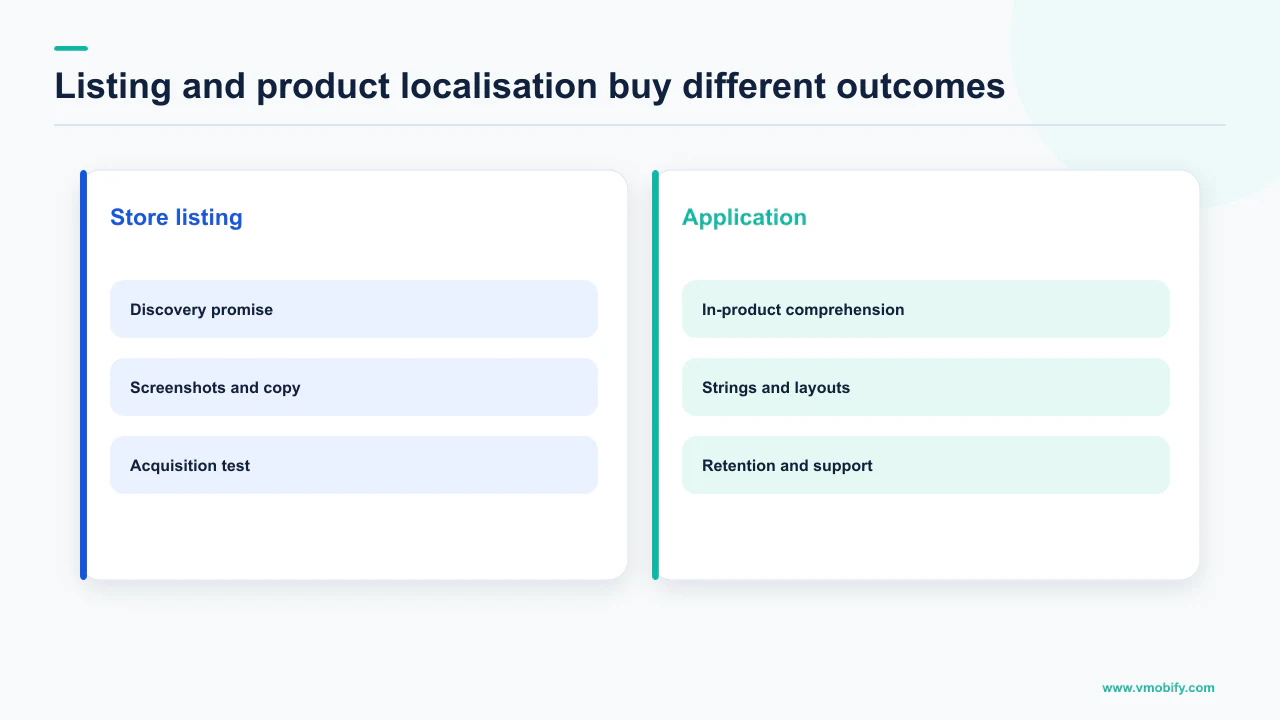
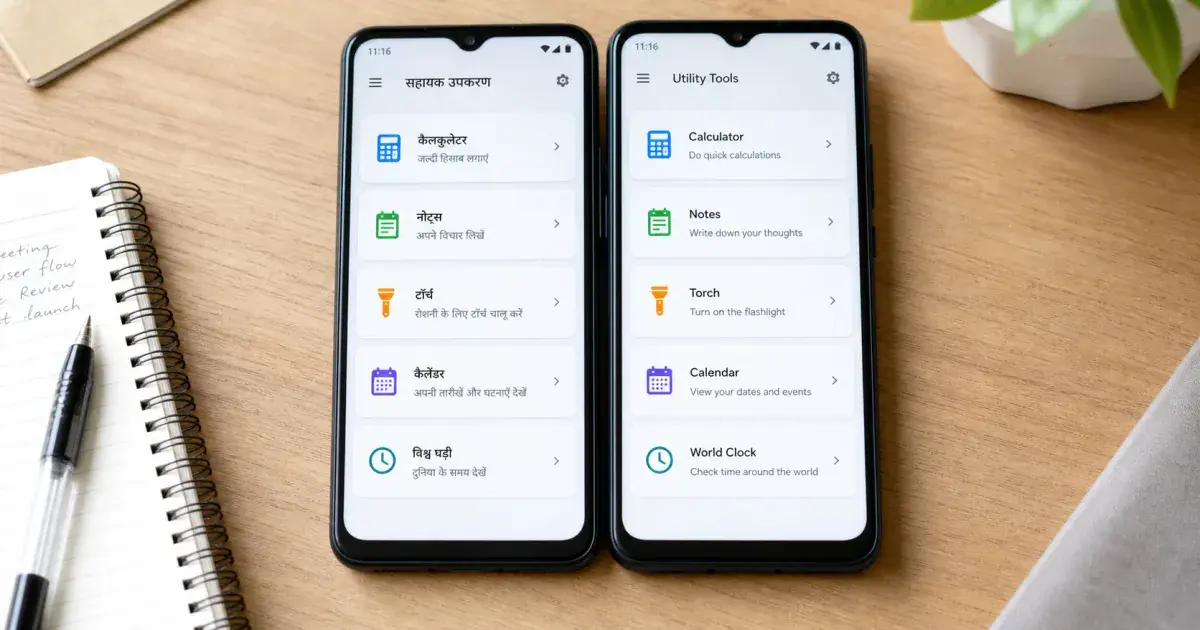
Apple draws the line explicitly. Its guidance on localising app information notes that the languages on the App Information page in App Store Connect are part of your app metadata, and that this differs from adding languages to your app in Xcode when you localise your binary. Two systems, two workflows, two budgets. Google Play splits the same way: store listing translations live under one part of Play Console, app strings under another.
The listing
- Name, descriptions, keywords, screenshots, graphics
- Edited in Play Console and App Store Connect
- No engineering work, no release required
- Decides whether anyone installs at all
The binary
- Every user-visible string, image and layout in the app
- Edited in your codebase, shipped in a release
- Needs QA per language, and RTL work for some
- Decides whether they stay after installing
The third product is commercial rather than linguistic: local pricing, local payment methods, local tax treatment. It is genuinely separate from both, and we treat it separately in our piece on purchasing-power pricing. It has no bearing on which of the two above you fund first.
Across the 300+ apps we have managed since 2013, the teams that get this wrong tend to fail in one direction: they commission a full binary translation for a market where nobody has yet seen a store listing in their own language. That is paying for retention in a market you have not yet acquired.
What does the store show a user you have not translated?
The two stores answer this completely differently, and the difference is the single most useful fact in the whole decision. Google Play offers the user a machine translation. Apple shows them another one of your languages.
Play Console's setup documentation is direct about the default state: when you upload an app, the default language is English (United States, en-US). It then states that if you do not add your own translations, users can view an automated translation of your app's Google Play store listing page using Google Translate or the default language for your app. Note the wording carefully — the user can view it. Google adds that for automated translations there will be a note explaining that the translation has been done automatically, along with an option to view the app's default language. It is an offer presented to the reader, not a silent substitution, and Google notes automated translations are not supported for Armenian, Raeto-romance, Tagalog and Zulu.
Apple has no machine-translation layer at all. Its App Store Connect localisation help works entirely through your own languages: if you select English as the primary language and it is the only language you provide, your app metadata will appear in English in all App Store countries or regions. Where you have localised, the rule is a cascade — if no localisation matches a user's language setting, the next most relevant localisation is used, and in other countries or regions your metadata displays in the primary language.
On Play, an untranslated listing is legible but visibly machine-translated and flagged as such. On the App Store, an untranslated listing is simply in a foreign language with no assistance whatsoever. The two stores are therefore not equally urgent, and a single global localisation budget split evenly between them is already the wrong shape.
Neither behaviour is a substitute for translation. But they tell you where the cliff edge is, and the cliff edge is steeper on iOS.
Why does the listing get the first rupee?
Because on the App Store a localised listing changes what you are findable for, not merely what you read like — and findability is upstream of everything the binary could improve. This is the argument that usually settles the budget conversation.
Apple states the mechanism plainly. If you localise your app metadata in French, the French localisation displays to users whose language setting is French; it also displays to users in countries or regions where the App Store supports French but not English; and users can search for your app using localised keywords in all countries or regions where the App Store supports French. One localisation therefore buys you a keyword surface across every French-supporting storefront, not a single country.
That is a structural return no amount of in-app translation can produce. A perfectly localised binary is invisible to someone who never found the listing.
The economics of the assets point the same way, and both stores have a documented inheritance rule you can exploit:
- Play: Google states that if you add text translations without localised graphic assets, your app's graphic assets show from the default language. Text-only localisation is a valid, cheap first pass.
- Apple: when you add a language to your app, screenshots and the properties for the new language default to those of the primary language, except for the description and keywords. Adding a locale does not force you to reshoot anything on day one.
Read those two together and a low-cost opening move appears: translate the text, inherit the imagery, and localise screenshots only where the text-only version proves the market is real. Our guide to store screenshots covers when the imagery genuinely has to change rather than merely being retyped.
One caution, because it is the most common overreach. Localised keywords make you findable in a language; they do not make you good in a market. If your app is unusable in that language after install, you have bought traffic that churns — a pattern we see repeatedly in our portfolio, and we cover the downstream cost of that in listing conversion work.
What does listing localisation actually cost?
On Google Play the price is published, which makes this the one part of a localisation budget you can model without guessing. Google offers a paid human translation service inside Play Console, and states that ordering takes minutes, costs as little as USD 0.07 per word, and translations are completed within seven days.
"As little as" is doing real work in that sentence — it is a floor, not a rate card, and Play Console shows an estimate with a per-word breakdown before you order. But a floor is enough to sanity-check a quote, and it is enough to size the job, because the store fields themselves are capped.
Those are Google's published limits for the store listing fields, and they bound the entire translatable surface of a Play listing. Google also notes you can add one localised app name per language. Whatever a vendor quotes you for a listing, the word count cannot exceed what those fields hold — which is a small fraction of a typical app's string file.
Apple publishes no equivalent price because Apple sells no equivalent service. You supply the translations yourself, typed into App Store Connect per language, within Apple's own field limits — the app name must be at least two characters and no more than 30, and the subtitle can be no longer than 30.
USD 0.07 per word is Google's stated floor for its own Play Console translation service, quoted from Google's documentation. We are not printing an agency day rate, a per-language project cost or a conversion uplift percentage, because no primary source publishes those and we will not invent them. Get quotes; the field limits above tell you whether a quote is proportionate.
What does localising the app itself cost?
On Android the translation itself may now cost nothing, which moves the entire cost of app localisation onto engineering and QA rather than onto linguists. This is the newest fact in this article and it changes the arithmetic materially.
Google states that Play Console lets you continuously translate your app strings using Gemini models at no cost, based on the latest version of your strings.xml file, with translations generated whenever a new app bundle is uploaded to a draft release. You can preview the result in a built-in emulator before publishing, edit individual strings, exclude a string from translation, and Google notes the feature does not affect the installable APK size.
Two conditions travel with that, and dropping either is how teams get hurt:
- Selecting a language overrides your existing translations for it. Google states that any existing translations for the languages you select will be overridden, and that to keep existing translations or manage them yourself you should not select those languages.
- Right-to-left is your problem, not the service's. Google's note is explicit: if you select RTL languages, ensure your app is RTL-ready, as specific layout adjustments and thorough testing are required.
The engineering floor underneath all of this is not optional. Android's localisation guide warns that if the default strings file is absent, or if it is missing a string that your app needs, then your app does not run and shows an error — and that if an app is missing even one default resource, it does not run on a device that is set to an unsupported locale. That is a crash, not a cosmetic defect, and it is caused by localisation work rather than prevented by it.
There is also a behaviour worth building for regardless of budget. Android's documentation on per-app language preferences describes multilingual users who set the system to one language but want individual apps in another, supported through system settings and the LocaleManager APIs on Android 13 and higher, with AndroidX AppCompatDelegate APIs providing an in-app picker on earlier versions. In multilingual markets that is not an edge case, and our work on vernacular products in India runs into it constantly.
When is the binary the bottleneck instead?
When the listing has already proven demand and the install-to-activation step is where users disappear. The listing-first rule is a default, not a law, and there are three documented conditions that overturn it.
- The App Store cascade is putting the wrong language in front of buyers. Apple's rule is that where no localisation matches a user's language setting, the next most relevant localisation is used, and otherwise the primary language displays. If you have localised the listing and the app is still English on first launch, the mismatch happens after the install, where it costs you a retained user rather than a click.
- Your category is comprehension-critical. Finance, health and education products carry consequences for misreading a screen. A localised listing that leads to an app the user cannot safely operate is worse than no localised listing, and this is one of the few cases where we would fund the binary first.
- You are already buying installs in that market. Paid acquisition into an unlocalised app pays full price for users the product cannot hold. That is the same tax we describe in bad vitals as an acquisition tax, arriving through a different door.
What none of these justify is the sequence we see most often, which is a full binary localisation commissioned in parallel with a listing translation for a market with no organic baseline at all. You will not be able to attribute the outcome to either piece of work, and if the market turns out not to exist you have paid twice to learn it.
The cheap diagnostic is to look at what the store already gives you free. If Play is serving machine-translated listings in a market and you still see meaningful organic installs, demand exists and translation will improve a real funnel. If the same market shows nothing, translation is not the constraint.
Where do country and language stop being the same question?
Almost immediately, and both stores have separate machinery for the country axis that most teams never touch. Language localisation and country targeting are different controls, and conflating them wastes the cheaper of the two.
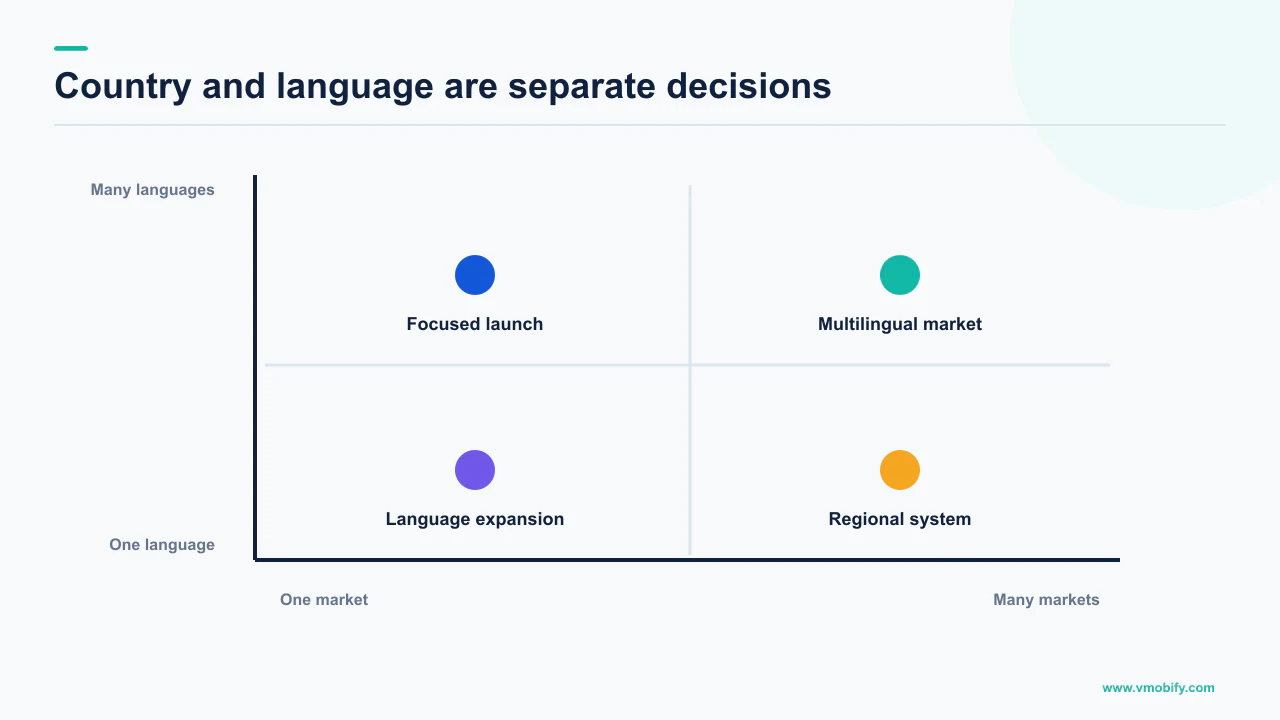
Google is explicit that these are distinct tools: it recommends creating custom store listings to deliver different store listings by country or region as opposed to by language. Google's documentation on custom store listings states you can create up to 50 custom store listing pages, targeted at segments including users in a specific location, and that each country can only be targeted by one custom store listing at a time. That last clause is a real constraint on how granular a country strategy can get.
Apple's country axis is baked into the language table instead. Its App Store localisations reference lists every country and region with a default language and any additional supported languages, which is why the French example matters so much — a single localisation propagates across storefronts rather than mapping to one. Apple's localisation overview frames the scale of that surface: the App Store is available in 175 regions and 50 languages.
Two practical consequences follow:
- English is a market decision, not a fallback. Apple's table assigns a default language per country, and a great many of them default to a variant of English. Which English you write becomes a positioning choice rather than an afterthought.
- Play's country tool is free; its language tool is not. Custom store listings cost nothing but effort. If your problem is positioning for a country that already reads your default language, you may not need a translator at all.
Both of these are testable before they are funded, which is the subject of our pieces on Play store listing experiments and App Store custom product pages.
How should you sequence the budget?
Spend in the order of what each store does for you free, cheaply, and only then expensively. The sequence below follows the mechanics quoted above rather than any preference of ours.
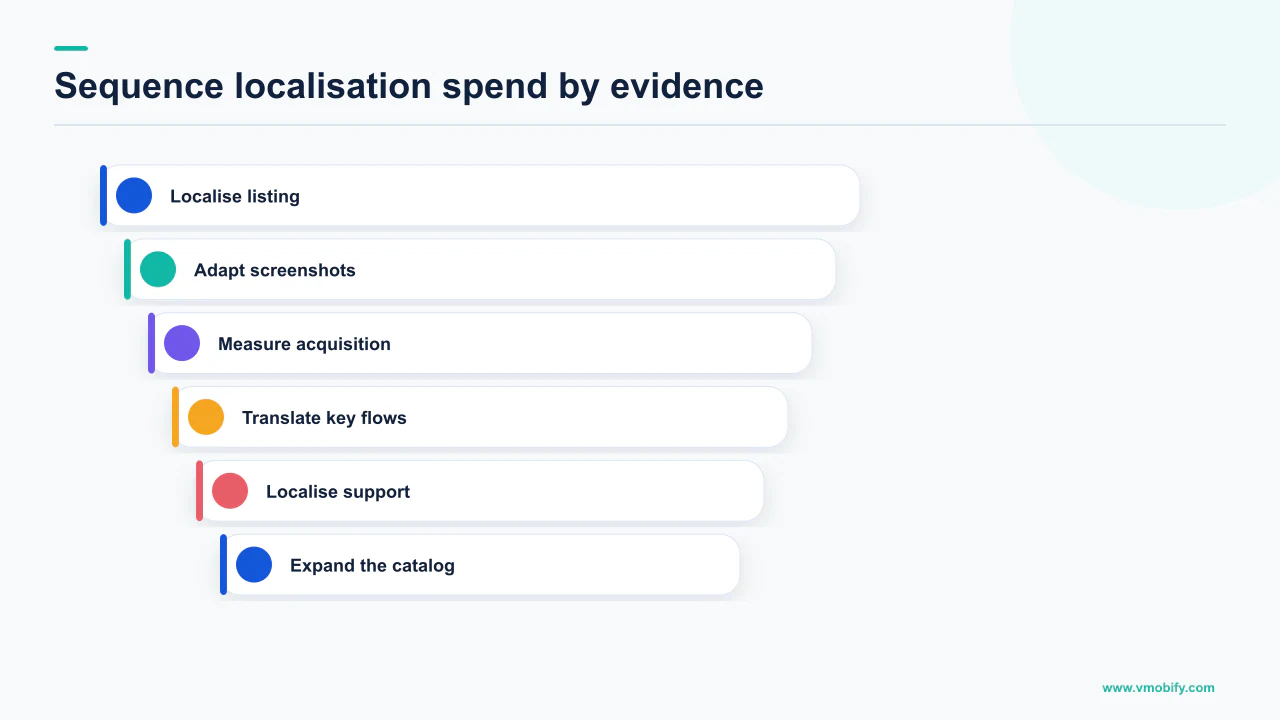
- Fix the default listing first. On Play it is the thing machine translation will be generated from, and the thing users can switch back to. A weak source text produces a weak translation in every language you buy.
- Turn on Play's free app strings translation where it is safe. It costs nothing, but do not select a language whose translations you already maintain — Google states existing translations for selected languages are overridden — and confirm the app is RTL-ready before selecting an RTL language.
- Translate listing text only, and inherit the graphics. Both stores document the inheritance: Play shows default-language graphics when text is translated without localised assets, and Apple defaults a new language's screenshots to the primary language's, except description and keywords.
- Localise keywords deliberately on iOS. This is the step with the widest reach, because Apple states localised keywords are searchable in every country or region where the App Store supports that language.
- Use country tools before buying more languages. Play's custom store listings and Apple's custom product pages address positioning without a translator.
- Fund localised screenshots and a localised binary last, and only in markets where the earlier steps produced installs you can point at.
Notice that steps one, two and five are free or near-free, and step three is bounded by field limits you can count. The genuinely expensive work sits at the bottom, where it belongs, and it is funded by evidence produced by the steps above it. Our broader store localisation strategy guide covers the market-selection question that sits before all of this.
What can you honestly measure afterwards?
Conversion rate by locale on your own listing, and nothing you read in a case study. This is where we have to be blunt about a number we are not going to print.
There is no primary-source figure for how much localisation lifts conversion. Google does not publish one, Apple does not publish one, and every percentage circulating on the subject traces back to a vendor with a translation service to sell or to a single unnamed app. We will not reprint those, and you should treat any agency proposal that opens with one as unsourced. That includes ours: we have seen localisation work well and seen it do nothing, and neither observation is a publishable benchmark.
What is measurable is your own listing, and both stores ship the instrumentation:
- Play store listing experiments let you test localised text and assets against your current listing per language, on your own traffic.
- Apple product page optimisation tests treatments on your live product page, which is the closest iOS equivalent.
- Install-to-activation by locale is the signal that tells you whether the binary rather than the listing is the constraint. If localised listings convert but those users never activate, you have found the case for translating the app.
Run the listing test before the binary work, because the listing test is cheap and its result determines whether the expensive work is worth commissioning. Run it per language rather than per country, since that is the axis translation actually moves. And read the result against the market's own baseline rather than against your home market, because the two are not comparable populations.
If you are trying to work out which markets deserve a translator at all, that is a market-selection question with an evidence trail attached, and it is one we are happy to walk through — tell us which storefronts you already see organic installs from, or see how we approach the listing as a system in our ASO work.
Frequently Asked Questions
If I only have budget for one, should it be the listing or the app?+
The listing, in almost every case. A localised binary is invisible to anyone who never found or understood the store listing, and Apple states that localised keywords are searchable in all countries or regions where the App Store supports that language — so listing localisation changes what you are findable for, not just what you read like. The exceptions are comprehension-critical categories and markets where you are already buying paid installs.
What do users see if I never translate my Google Play listing?+
Google states that when you upload an app the default language is English (United States, en-US), and that if you do not add your own translations users can view an automated translation of your store listing page using Google Translate or your default language. There is a note explaining the translation was done automatically plus an option to view the default language. Google notes automated translations are not available in Armenian, Raeto-romance, Tagalog and Zulu.
What does the App Store show for a language I have not added?+
Your own text, never a machine translation. Apple states that if no localisation matches a user language setting the next most relevant localisation is used, and that in other countries or regions your metadata displays in the primary language. If English is your only language, your metadata appears in English in all App Store countries or regions.
How much does translating a store listing cost?+
Google publishes a floor for its own service: ordering through Play Console takes minutes, costs as little as USD 0.07 per word, and translations are completed within seven days. The translatable surface is bounded by the field limits — 30 characters for the app name, 80 for the short description and 4000 for the full description. Apple publishes no price because it offers no translation service.
Is Google really translating app strings for free?+
Google states that Play Console lets you continuously translate your app strings using Gemini models at no cost, generated from the latest version of your strings.xml when a bundle is uploaded to a draft release, with an emulator preview and per-string editing before publishing. Two conditions matter: existing translations for the languages you select are overridden, and Google notes that RTL languages require your app to be RTL-ready with thorough testing.
Do I have to localise screenshots at the same time as the text?+
No, and both stores document the inheritance. Google states that if you add text translations without localised graphic assets, your graphic assets show from the default language. Apple states that when you add a language, screenshots and the properties for the new language default to those of the primary language, except for the description and keywords.
What conversion uplift should I expect from localising?+
We will not print a number, because no primary source publishes one. Google and Apple do not publish localisation uplift figures, and the percentages in circulation come from vendors selling translation or from single unnamed apps. Test it on your own listing instead — Play store listing experiments and Apple product page optimisation both let you measure the effect on your own traffic, per language.
Sources
- Translate and localize your app - Play Console Help — Paid human translation at as little as USD 0.07 per word within seven days, free Gemini app strings translation and its override and RTL conditions, and default-language graphics fallback.
- Create and set up your app - Play Console Help — Default language of en-US, the automated translation option shown to users, and the 30, 80 and 4000 character store listing field limits.
- Create custom store listings to target specific user segments - Play Console Help — Up to 50 custom store listing pages, location-based targeting, and the rule that each country can be targeted by only one listing at a time.
- Localize your app - Android Developers — Default resource requirement and the stated failure mode where a missing default resource stops the app running on an unsupported locale.
- Per-app language preferences - Android Developers — System-level per-app language settings and LocaleManager on Android 13 and higher, with AndroidX AppCompatDelegate for earlier versions.
- Localize app information - App Store Connect Help — Metadata versus binary localisation, the primary-language fallback cascade, localised keyword reach, and screenshot inheritance when adding a language.
- App Store localizations - App Store Connect Help — The list of supported metadata languages and the per-country table of default and additional supported languages.
- Localization - Apple Developer — The App Store is available in 175 regions and 50 languages, and the split between Xcode binary localisation and App Store Connect metadata.
About the author
Amol Pomane — Founder, Vmobify
Amol leads Vmobify, a mobile app growth agency that has driven 30M+ downloads and ranked 54K+ keywords across 300+ apps since 2013. He writes about ASO, paid user acquisition, retention, and the operational reality of scaling mobile apps in India and global markets.
Check your store metadata
Run your current App Store or Play metadata through the free checker.
Open free tool