How Long Does ASO Take to Work?
You changed the title, the screenshots and the description, and three weeks later nothing has obviously happened. Part of that is real: the stores publish two timing anchors worth planning around, a 28-day quality window on Google Play and a 90-day test length on the App Store. The rest of the timeline is undocumented, and most of the confident week-by-week figures circulating about ASO are invented.
On this page
- What are you actually waiting for?
- How long does a listing change take to go live?
- Do the stores document an indexing delay?
- Why does Google Play count in 28-day windows?
- What should happen in the first two weeks?
- What changes between week three and week eight?
- How long should a store listing test run?
- What makes ASO take longer than it should?
- When should you conclude it is not working?
- Frequently Asked Questions
What are you actually waiting for?
Three separate clocks start when you change a store listing, they run at different speeds, and only two of them are documented anywhere. Most of the frustration around ASO timing comes from treating them as one clock and then getting an answer that fits none of them.
The first is the publishing clock: how long before the change is visible to a user at all. That one is partly documented, and it is longer than people expect on both stores.
The second is the ranking clock: how long before the store re-evaluates where you appear for a query. Neither Apple nor Google publishes a figure for this. Not a range, not an order of magnitude, nothing.
The third is the quality clock: how long a store observes your app before it treats a change in behaviour as real. Google Play states this one plainly, and at 28 days it is the single most useful timing anchor in ASO.
You will find articles asserting that store indexing takes three to seven days. We cannot source that figure to Apple or to Google, and we do not publish numbers we cannot source. What we can tell you is which parts of the timeline are documented, which are inferable from mechanism, and which are guesses — so you can plan against the first two and stop budgeting against the third.
Across the 300+ apps we have managed since 2013, the teams who get ASO timing wrong almost always get it wrong in the same direction: they expect the ranking clock to be fast and the publishing clock to be instant, then read a flat two-week chart as proof the work failed. The honest shape is slower at the front and longer at the back than the pitch deck version.
How long does a listing change take to go live?
Longer than a web page and on a schedule you do not fully control — Google Play warns of review times of up to seven days or longer in exceptional cases, and most Apple metadata cannot change at all outside a version submission. This is week zero, and it is a real part of the timeline rather than an administrative footnote.
Google's publishing documentation is explicit that speed is not guaranteed. It states that for certain developer accounts, Google will take more time to thoroughly review an app to help better protect users, and that this may result in review times of up to seven days or longer in exceptional cases. It also notes that changes are not automatically sent for review, which catches teams who edited a listing, saw the draft update, and assumed users were seeing it.
Apple's constraint is structural rather than a queue. Its product page documentation states that you can update your subtitle when submitting a new version of your app, and that you can update your app's description when you submit a new version. Promotional text is the exception: up to 170 characters, and Apple states you can update it at any time without having to submit a new version of your app.
Google Play — week zero
- Listing edits go through review
- Review may take up to seven days or longer in exceptional cases
- Changes are not sent for review automatically
- Managed publishing lets you choose the go-live moment after approval
App Store — week zero
- Subtitle and description change only with a new version
- Keywords are limited to 100 characters, terms separated by commas with no spaces
- Promotional text (170 characters) changes at any time, no version needed
- Custom product page metadata is reviewed, but independently of an app update
The planning consequence is that an ASO cycle on iOS is coupled to your release train. If you ship monthly, your subtitle and description can only be tested monthly, and no amount of urgency changes that. On Play you are queue-bound instead, which is faster on average and less predictable at the tail. Our walkthrough of how store optimisation actually works covers the field-by-field mechanics.
Do the stores document an indexing delay?
No. Apple documents nothing about how long metadata changes take to affect search results, and Google's ranking documentation describes signals rather than schedules. This is the single biggest source of invented numbers in ASO, so it is worth being precise about what is actually missing.
Apple's product page documentation covers app name at 30 characters, subtitle at 30, keywords at 100 characters, description, and promotional text. It sets out which fields need a version submission. It says nothing whatsoever about when a changed keyword field begins to influence search placement, or how long a new subtitle takes to be reflected in results.
Google's documentation on how apps are ranked and discovered is similarly silent on timing. It describes the inputs — user relevance, app quality, editorial curation and paid placement — and states that for search, Google analyses metadata such as title, description and category along with other signals. There is no statement about latency between changing that metadata and the change taking effect.
Two platforms that publish exact character limits, exact vitals thresholds and exact test durations have published no indexing latency. Treat that as deliberate. Any specific figure you see quoted is either someone's observation on their own portfolio presented as a rule, or it is fabricated.
What you can do instead of quoting a number is measure your own. Timestamp the moment a change goes live — not the moment you saved it — and watch your own keyword ranks and store impressions from that timestamp. After three or four cycles you will have a latency figure for your app, on your store, in your markets. That is a defensible internal benchmark, and it is not transferable to anyone else's app, which is exactly why nobody should be publishing it as one.
Why does Google Play count in 28-day windows?
Because Google states it will generally consider the last 28 days of data when evaluating your app's quality, but may act sooner in the event of a spike. That sentence is the closest thing ASO has to a published clock, and it should set the rhythm of your entire measurement cycle.
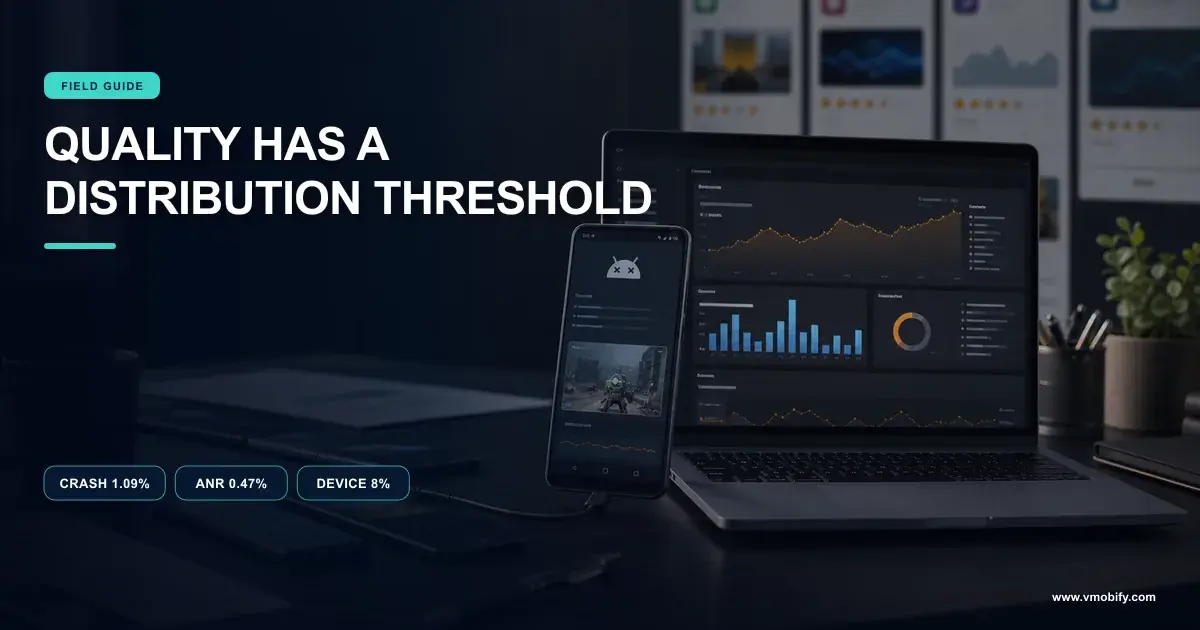
The window sits inside Google's Android vitals documentation, which also gives the thresholds it applies. An app is classed as showing overall bad behaviour when at least 1.09% of daily users experience a user-perceived crash across all device models, or at least 0.47% of daily active users experience a user-perceived ANR. The per-device thresholds are 8% of daily users for crashes and 8% of daily active users for ANRs on an individual model.
The stated consequence is a discovery consequence, not merely a quality-report one: apps that exceed the thresholds become less discoverable on Google Play, a warning may be displayed on the store listing, and, where the problem is specific to certain devices, Play may steer users on those devices away from the title.
Two things follow for timing. First, a stability fix does not clear its own record instantly — the rate is computed over a trailing window, so a genuinely fixed app still carries its bad fortnight for a while. Second, the asymmetry is explicit: Google says it may act sooner in the event of a spike. Damage can arrive faster than recovery, which is not a symmetry you can plan around by hoping.
If your ASO work is running while your vitals are above threshold, the honest sequencing is to fix the vitals first, because you are optimising a listing that Play has decided to show to fewer people. Our detail piece on the vitals thresholds that decide distribution covers the diagnosis, and the acquisition cost of bad vitals covers what it does to paid traffic at the same time.
What should happen in the first two weeks?
Nothing that resembles a ranking result — the first fortnight is publishing, instrumentation and conversion, in that order. Teams that expect rank movement here read noise as signal and start changing things again, which destroys the measurement they were about to get.
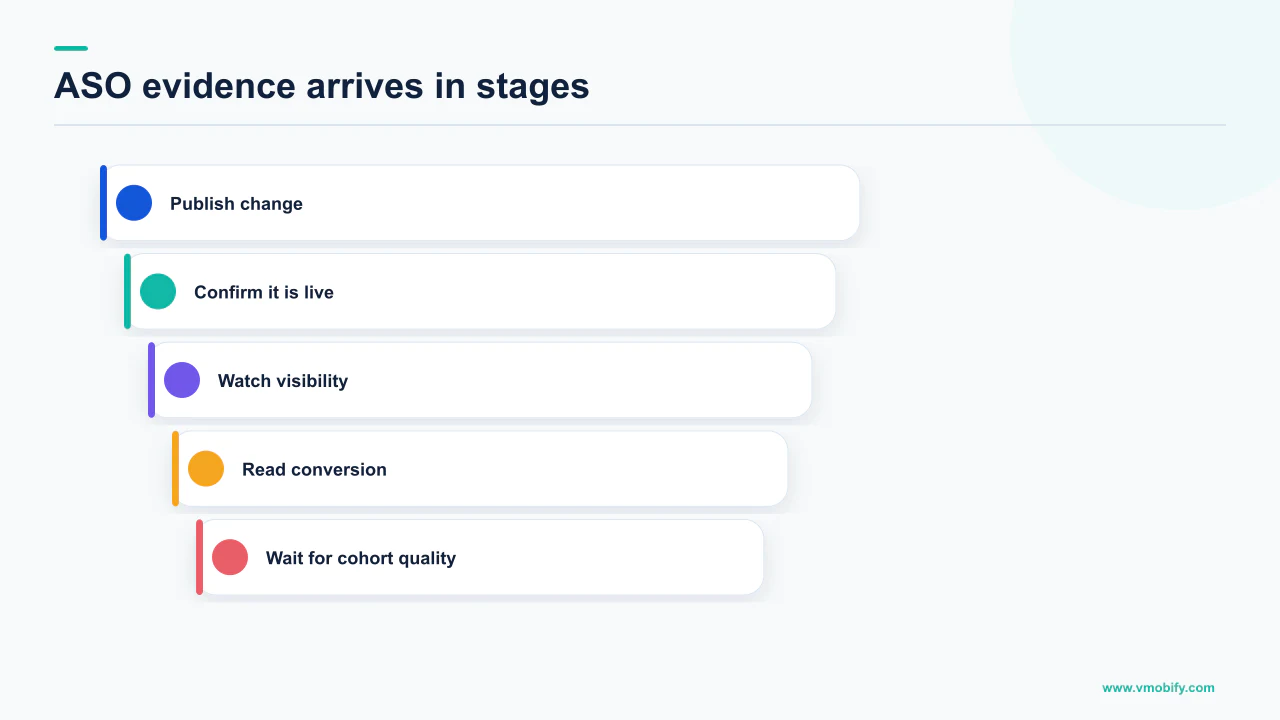
Here is the shape we actually run, and the reason each step sits where it does.
- Days 0 to 7: the change clears review. On Play that is a queue with a documented tail of up to seven days or longer in exceptional cases. On iOS it is bound to a version submission unless you are only touching promotional text or a custom product page.
- Day of go-live: record the timestamp. Not the day you edited. The day it became visible. Every subsequent measurement is relative to this, and almost nobody records it.
- Days 1 to 14 after go-live: watch conversion, not rank. Store listing conversion responds to creative and copy on traffic you already have, so it is the first thing capable of moving. Rank is downstream of it.
- Throughout: keep the app version stable. Changing the product and the listing in the same fortnight means you will not be able to attribute either.
- Do not touch the listing again. A second change resets the clock and merges two experiments into one uninterpretable result.
The reason conversion moves first is mechanical. Your icon, screenshots and short description act on every person who already reaches the page, including everyone your paid campaigns send there. That population exists today. Search placement, by contrast, has to be re-evaluated by a system on a schedule nobody publishes, against competitors who are also changing.
This is also why we sequence conversion work ahead of keyword work for most apps in our portfolio. It is the part of ASO with the shortest and most legible feedback loop, and it improves the return on traffic you are already paying for. The mechanics are in our guide to store listing conversion rate optimisation.
Write down, before you publish, what you expect to move and by roughly how much. If you cannot state that in advance, you will rationalise whatever the chart does. This costs ten minutes and removes most of the argument that happens in week three.
What changes between week three and week eight?
This is where the quality window closes, where a store listing test can plausibly reach a decision, and where keyword movement becomes readable rather than noisy. It is also the period most ASO engagements are judged in, usually about a fortnight too early.
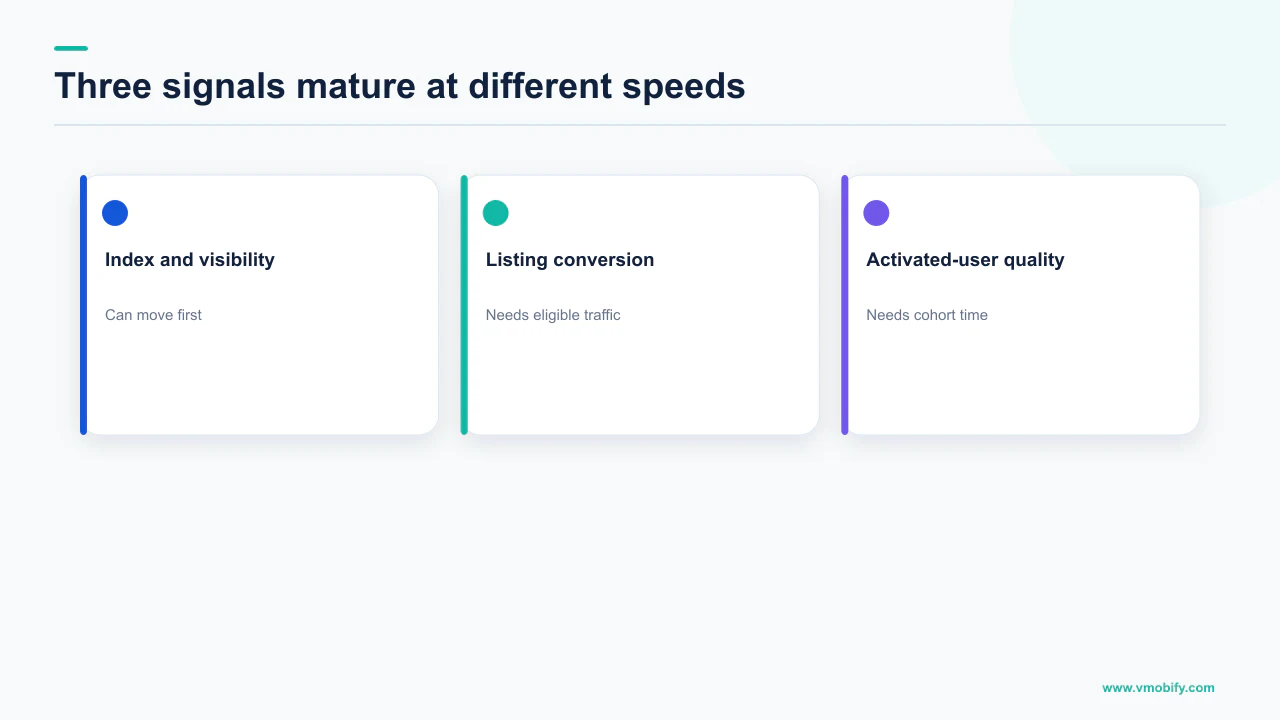
Week four is the first honest checkpoint on Google Play, for the documented reason: the quality evaluation generally considers the last 28 days. If you shipped a stability fix alongside your listing work, week four is roughly when the trailing window stops containing the problem. Before that, you are reading a number that still includes the thing you fixed.
Weeks four to eight are also when keyword rank becomes worth looking at, not because a store crosses a threshold on some published schedule — there is none — but because you finally have enough daily observations to separate a trend from daily churn. A rank that oscillates between positions 14 and 22 every day is not a rank that moved when it prints 16 on a Tuesday.
What to expect at each checkpoint, given all of the above:
- Week 3: conversion rate on the changed listing should be readable if you have meaningful store traffic. Keyword rank almost certainly is not.
- Week 4: the Play quality window has fully turned over since go-live. If vitals were part of the problem, this is the first fair reading.
- Weeks 5 to 8: installs from search become interpretable, because you have a pre-period and a post-period of comparable length either side of a recorded timestamp.
- Week 8 onward: the compounding effects appear — better conversion means more installs, more installs and better retention feed the quality signals Google names as a ranking input.
That last point is the honest argument for patience, and it is a mechanism rather than a promise. Google's ranking documentation states that apps with strong technical performance and a good user experience are generally favoured over lower-quality apps, and that the best thing a developer can do to increase discoverability is to build an app people enjoy and recommend to others. Quality is an input to ranking; quality is measured over time; therefore ranking gains from quality are slow by construction. No one can shorten that.
How long should a store listing test run?
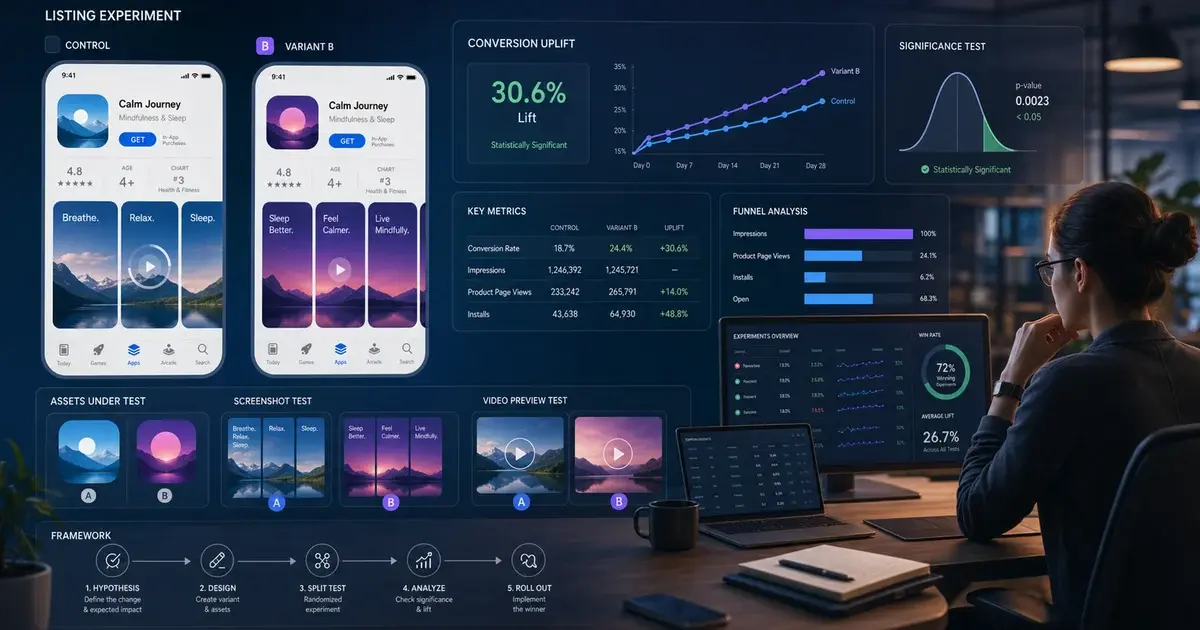
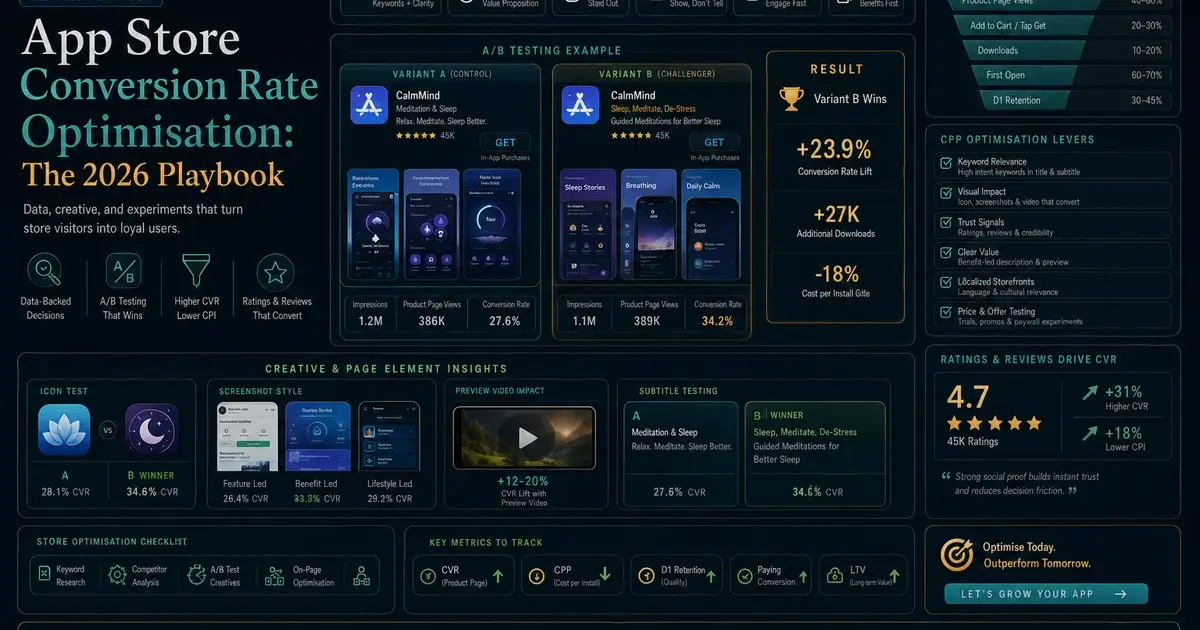
Apple publishes the answer for its own tool and it is far longer than most teams allow: a product page optimisation test runs for 90 days or until you stop it, and Apple recommends waiting until a treatment is declared better or worse than the baseline with at least 90% confidence. If a documented store tool needs that long, a test you run informally needs at least as long.
Apple's product page optimisation documentation sets out the whole shape. A test can include up to three treatments with alternate app icons, screenshots and app previews. You choose the percentage of people shown a treatment instead of your original page — Apple's own example is that allocating 40% of traffic across two treatments gives each treatment 20% and leaves the original with 60%. Based on your selected conversion rate, App Store Connect shows the estimated test duration and the impressions needed to reach an outcome with at least 90% confidence, and Apple notes a test may take longer to reach meaningful results depending on the localisations selected.
Three things in that follow directly into your calendar. Traffic is split, so each variant sees a fraction of an already-limited audience. More localisations means slower results, so a test across many markets is a slower test, not a bigger one. And the stopping rule is statistical, not calendar-based — Apple recommends waiting for the confidence threshold rather than for a convenient review date.
Stopping at day ten because one variant is ahead. A variant that is ahead at day ten with no confidence declared is a variant that is ahead by chance as often as not. Across our portfolio, tests killed early are the largest single source of ASO decisions that later reverse.
Google Play offers its own store listing experiments in Play Console, and the practical constraints are the same: split traffic, a required volume of observations, and a stopping rule that should be statistical rather than impatient. We have written the method up separately in our ASO A/B testing framework and the platform specifics in Google Play store listing experiments. What we will not do is print a Play-side duration figure we cannot quote from Google's own documentation.
What makes ASO take longer than it should?
Low store traffic, too many markets at once, changing several things simultaneously, and review gates on assets people forget are reviewed. Each one extends the timeline for a different reason, and three of the four are self-inflicted.
Traffic volume is the hard constraint. Every timing figure in this article assumes enough store impressions to detect a change. An app with a few hundred page views a day cannot resolve a five-percent conversion difference in a fortnight, and no methodology fixes that. For small apps the correct answer is often to make larger, bolder changes and accept coarser measurement, rather than to run underpowered tests slowly.
Localisation multiplies the wait. Apple states directly that a test may take longer to reach meaningful results depending on the localisations selected, and the same arithmetic applies to any market split. Testing in five languages simultaneously is five slower tests, not one broader one. The sequencing advice in our piece on store listing localisation is to prove a change in your largest market first, then roll it outward.
Simultaneous changes destroy attribution. New icon, new screenshots, new title, new pricing and a new app version in the same week produces exactly one interpretable outcome: something happened. We see this most often when an ASO push is scheduled to coincide with a marketing moment, which is precisely when nobody wants to hear that the measurement is now impossible.
Review gates on non-app assets surprise people. Custom listings are reviewed too. Google states you can create up to 50 custom store listing pages, and that a listing must be reviewed and approved before it can be selected as a landing page for Google Ads. Apple allows up to 70 additional versions of a product page and states that any metadata included in your custom product pages must be submitted for review — though usefully, that metadata can be submitted independently of an app update. Both are documented in more depth in our guide to custom product pages and custom store listings.
When should you conclude it is not working?
Not before you have a recorded go-live date, a full 28-day window on Play, and a conversion reading on stable traffic — and not on the basis of keyword rank alone at any point. The failure mode is almost always premature judgement, not a genuinely failed change.
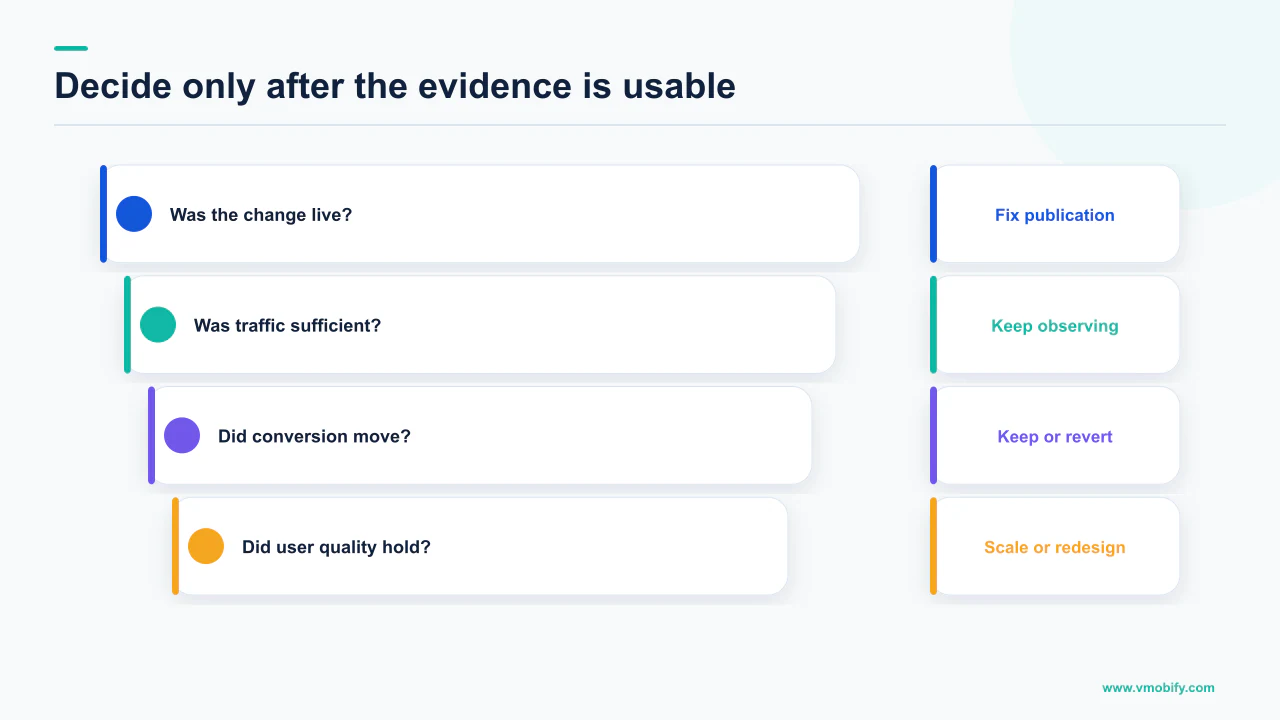
Work through it in this order before you call it:
- Did the change actually go live, and when? A surprising share of "ASO did not work" cases end here. The edit was saved, never submitted, or held in managed publishing.
- Has a full quality window elapsed on Play? Google generally considers the last 28 days. Judging at day twelve means judging a window that mostly predates your work.
- Did conversion move, on traffic you can hold constant? If store conversion is flat after a fortnight of comparable traffic, the creative did not do its job, and that is a fast, honest read.
- Are you above the vitals thresholds? At 1.09% crashes or 0.47% ANRs across all models, Play states you are less discoverable. No listing change outranks that.
- Did anything else change? A new app version, a pricing change, a paid campaign switching on or off, or a competitor's release all contaminate the read.
- Only then, look at rank. And look at it as a trend across weeks, against a recorded start date, not as a number on a given morning.
If all six check out and the metrics are genuinely flat after eight weeks, the change was not strong enough. That is a useful result: it means the next iteration should be a bigger swing rather than a smaller one. Cautious variants are the other common reason ASO looks slow — a listing test between two nearly identical screenshot sets needs enormous volume to resolve, and it was never going to move the business anyway.
If you have made changes and cannot tell whether the clock has run out or the work was wrong, that is usually a short diagnosis with the go-live dates in hand — send us what you changed and when, or see how we sequence the work in our ASO practice.
Frequently Asked Questions
How long does ASO take to show results?+
It depends which metric you mean. Store listing conversion can be readable within a fortnight of go-live if you have meaningful traffic, because it acts on visitors you already receive. Search rank takes longer and has no documented schedule. On Google Play, week four is the first fair checkpoint because Google states it generally considers the last 28 days of data when evaluating app quality.
How long does the App Store take to index new keywords?+
Apple does not publish a figure. Its product page documentation specifies the 100-character keyword field and which fields require a new version submission, but states nothing about how long a change takes to affect search results. We will not print a number for this, because there is no primary source for one. Measure it on your own app instead, from a recorded go-live timestamp.
Why is 28 days the number that keeps coming up?+
Because Google Play states it will generally consider the last 28 days of data when evaluating your app quality, though it may act sooner in the event of a spike. It is the only explicit evaluation window either store publishes, which makes it the most defensible checkpoint in an ASO plan.
How long should I run a store listing A/B test?+
Longer than instinct suggests. Apple states a product page optimisation test runs for 90 days or until you stop it, and recommends waiting until at least one treatment is declared better or worse than the baseline with at least 90% confidence. Apple also notes results take longer the more localisations you include, so test your largest market first.
Can I change my App Store listing without submitting a new version?+
Only some of it. Apple states you can update promotional text, up to 170 characters, at any time without submitting a new version. Subtitle and description update when you submit a new version. Custom product page metadata must be submitted for review, but it can be submitted independently of an app update, which makes it the fastest iteration loop Apple offers.
My rankings have not moved after three weeks. Should I change the listing again?+
No. A second change resets your measurement and merges two experiments into one uninterpretable result. Confirm the first change actually went live and on what date, let a full 28-day window pass on Play, and read conversion before rank. If everything is genuinely flat after eight weeks, make a bigger change rather than another small one.
Do crashes affect how long ASO takes to work?+
Directly. Google states that an app is showing overall bad behaviour when at least 1.09% of daily users experience a user-perceived crash or at least 0.47% experience a user-perceived ANR across all device models, and that apps exceeding the thresholds become less discoverable on Google Play. Fix that before optimising a listing Play has decided to show to fewer people.
Sources
- Google Play — Monitor technical quality with Android vitals — States the 28-day evaluation window, the crash and ANR bad-behaviour thresholds, and reduced discoverability when they are exceeded.
- Google Play — Publish your app — Warns of review times of up to seven days or longer in exceptional cases, and explains managed versus standard publishing.
- Google Play — How apps are ranked and discovered — Lists relevance, quality, editorial curation and ads as ranking inputs, and names metadata such as title, description and category. Gives no timing.
- Google Play — Best practices for your store listing — Title 30 characters, short description 80, full description 4,000. No guidance on change frequency or effect latency.
- Google Play — Create custom store listings — Up to 50 custom store listing pages, and a listing must be reviewed and approved before use as a Google Ads landing page.
- Apple — App Store product page — Subtitle and description update with a new version; promotional text up to 170 characters changes any time. No statement about indexing or search latency.
- Apple — Product page optimization — Tests run 90 days or until stopped, up to three treatments, with a recommendation to wait for at least 90% confidence.
- Apple — Custom product pages — Up to 70 additional product page versions; metadata must be submitted for review but can be submitted independently of an app update.
About the author
Amol Pomane — Founder, Vmobify
Amol leads Vmobify, a mobile app growth agency that has driven 30M+ downloads and ranked 54K+ keywords across 300+ apps since 2013. He writes about ASO, paid user acquisition, retention, and the operational reality of scaling mobile apps in India and global markets.
Check your store metadata
Run your current App Store or Play metadata through the free checker.
Open free tool