Push Notification Benchmarks: What You Can and Cannot Compare
Somebody has sent you a slide with a push opt-in rate and an open rate on it, and asked why your app is below both. The honest answer is that the two numbers were almost certainly not measured the same way yours are. This piece explains what makes cross-app push benchmarks structurally incomparable, and what to build instead.
On this page
- Which push benchmark are you actually looking at?
- Why does the opt-in number depend on the OS?
- What does iOS authorisation actually grant?
- Why is delivered not the same as displayed?
- What do the delivery metrics actually count?
- Why do category and segmentation break the comparison?
- What should you measure instead?
- How do you build your own opt-in baseline?
- How do you read a published benchmark safely?
- Frequently Asked Questions
Which push benchmark are you actually looking at?
Before you compare your push performance to anyone else's, establish which of four different quantities the published figure is — because they are routinely printed under the same word. "Push open rate" is used for at least three incompatible things, "opt-in rate" for at least two.
The four quantities that get conflated are these:
- Permission grant rate — how many of the users you asked granted the notification permission. Depends on when and whether you asked.
- Addressable base — how many of your installed base currently have a valid token and notifications enabled. Includes everyone you never asked and everyone who later turned you off.
- Delivery or display rate — of the messages you sent, how many reached the device and how many were actually shown. Two separate things, as we will get to.
- Open or reaction rate — how many displayed messages produced a tap. Whether a tap is attributable depends on the platform and the app's state on arrival.
We tried to source publishable cross-industry push opt-in and open-rate benchmarks from primary documentation for this article. We could not. Neither Apple nor Google publishes an aggregate opt-in or open-rate figure, and the third-party numbers in circulation are drawn from a single vendor's customer base, using that vendor's own definitions, without a stated denominator. So this article prints no benchmark figure. An unsourced number your team will plan against is worse than none.
Across the 300+ apps we have managed since 2013, the single most expensive push mistake is not a bad message. It is a target taken from somebody else's slide, chased with prompt volume, and paid for in permanently denied users. The permission is close to one-way on both platforms, which is why measurement comes before tactics. For the tactics, see our push notification strategy guide.
Why does the opt-in number depend on the OS?
Because on Android the permission model changed with Android 13, and an app's reported opt-in rate is partly an artefact of how its installed base is distributed across OS versions and install ages. Two apps with identical prompts and identical products can report materially different opt-in rates purely on that basis.
Google's notification runtime permission documentation states that Android 13 (API level 33) and higher supports a runtime permission for sending non-exempt notifications from an app, POST_NOTIFICATIONS. The consequences split three ways, each with a different denominator.
Fresh install on Android 13 or higher
- Google: "your app's notifications are off by default"
- You must request the permission and be granted it before sending
- This cohort has a real, measurable grant rate
Existing app when the device upgraded
- Google: the system "automatically pre-grants the permission to all eligible apps when the user upgrades their device to Android 13 or higher"
- Eligible means the app "must have an existing notification channel and not have its notifications explicitly disabled by the user on a device that runs 12L or lower"
- This cohort never saw a prompt and never had a grant rate at all
The third case is the one that quietly distorts everything. Google states that if the user disabled notifications for your app on a device running 12L or lower, that denial persists when the device upgrades to Android 13 or higher. An old app carries forward a body of pre-existing denials that a new app simply does not have. Its opt-in rate is dragged down by history, not by its prompt.
Targeting matters too, and it changes who controls the moment. Google states that if your app targets Android 13 or higher, your app has complete control over when the permission dialog is displayed. If your app targets 12L (API level 32) or lower, the system shows the permission dialog the first time your app starts an activity after you create a notification channel, or when your app starts an activity and then creates its first notification channel — and in that case, if the user taps "Don't allow", even just once, they are not prompted again until they uninstall and reinstall your app, or you update your app to target Android 13 or higher.
Why is delivered not the same as displayed?
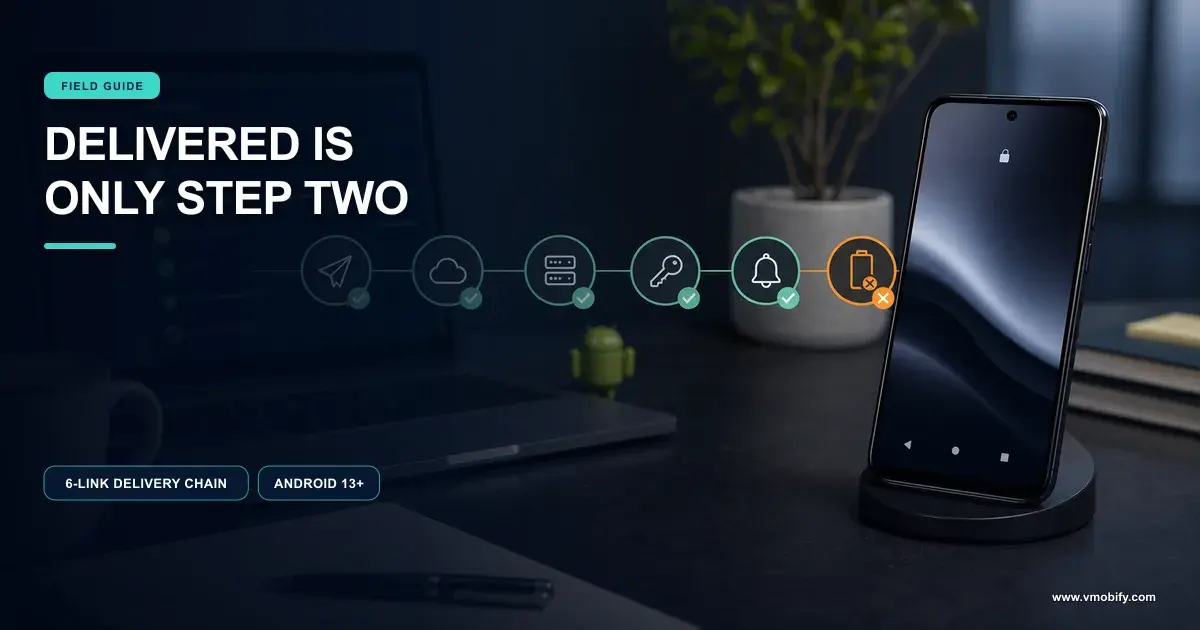
Because on Android the message reaching the device, the notification being drawn, and your code being called are three different events with three different failure modes. A "delivery rate" that does not say which of the three it counts is unusable as a comparator.
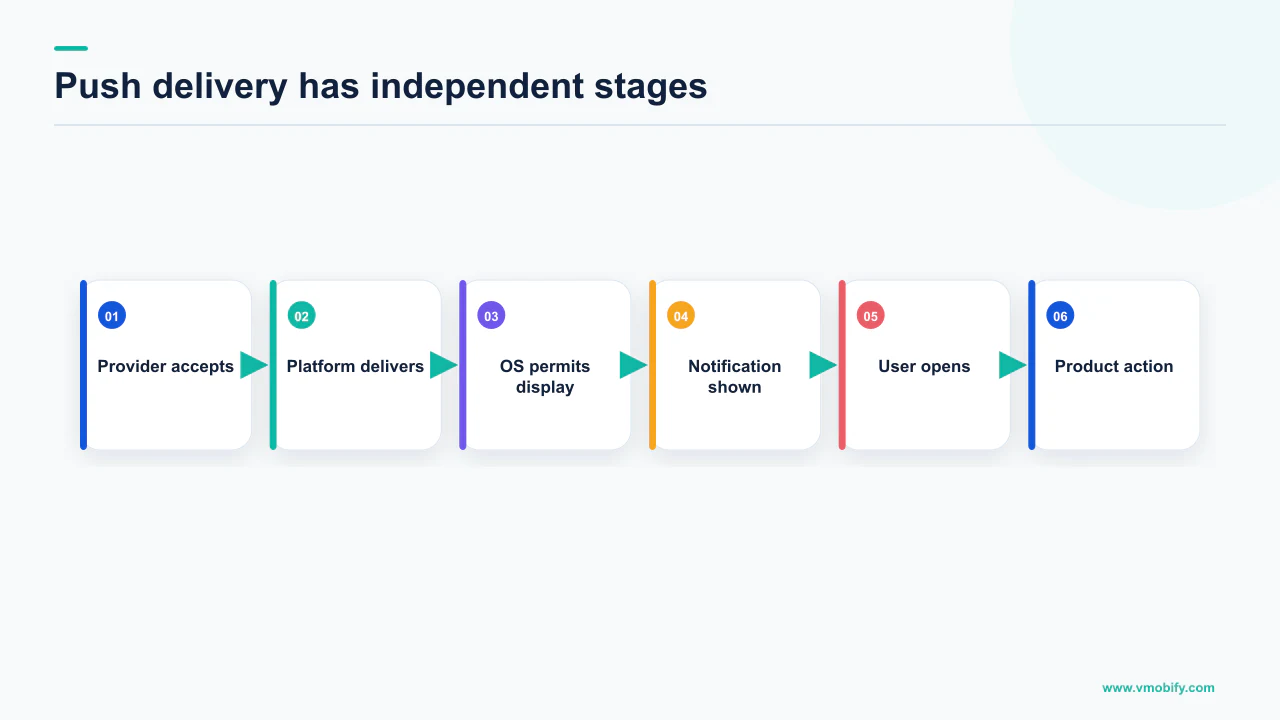
Firebase's documentation on receiving messages in an Android app sets out the split. When the app is in the foreground, FCM delivers all message types to onMessageReceived. When the app is in the background, a notification message is delivered to the device's system tray and the display is handled by the system rather than by your code; for a message carrying both a notification and a data payload, the notification goes to the system tray and the data payload is delivered in the extras of the intent of your launcher activity.
So an app that sends notification-payload messages and an app that sends data-only messages and draws its own notifications are instrumented at completely different points in the chain. The second app can count what it drew. The first one cannot, because it did not draw it.
Then there is the device's own scheduling. Android's Doze and App Standby documentation states that Doze "reduces battery consumption by deferring background CPU and network activity for apps when the device is unused for long periods of time" and suspends network access, with the system periodically exiting Doze for a brief maintenance window in which pending syncs, jobs and alarms run. On message priority it is specific: "FCM high priority messages let you wake your app to engage the user. In Doze or App Standby mode, the system delivers the message and gives the app temporary access to network services and partial wakelocks, then returns the device or app to the idle state." Normal priority messages "are delivered immediately if the device isn't in Doze. If the device is in Doze mode, they are delivered during the periodic Doze maintenance windows or as soon as the user wakes the device."
Display is also a user setting you cannot read off a benchmark. Android's notification channels documentation states that users have control over channel settings after creation and that you cannot change a channel's visual and auditory behaviours programmatically once created — only the user can, from system settings. An app with one channel and an app with eight expose different amounts of surface to switch off, and both report the result as "opted in". If your delivery looks wrong before any of this, our piece on Android push that is not being delivered works through the fault tree.
What do the delivery metrics actually count?
Firebase publishes precise definitions for its delivery metrics, and reading them shows why a headline percentage cannot travel between apps. The definitions carry conditions, and the conditions are exactly what gets stripped when a number goes onto a slide.
From Firebase's page on understanding message delivery:
- Sends — "The data message or notification message has been enqueued for delivery or has been successfully passed to a third-party service like APNs for delivery." Note what that means for iOS: handing the message to APNs is the end of Firebase's visibility.
- Received — "The data message or notification message has been received by the app", and the documentation states this is available only on Android devices with FCM SDK 18.0.1 or higher.
- Impressions — "The display notification has been displayed on the device while the app is in the background", available only for notification messages on Android.
- Opens — "The user opened the notification message", reported only for notifications received when the app is in the background.
Every one of those conditions is load-bearing. An impression is a background display of a notification message on Android; it is not a definition of "seen" and it does not exist for iOS in this dataset. An open is reported only for background arrivals — so a heavy foreground app measures a different denominator from a re-engagement app that only fires at people who are not in the app.
Firebase is also candid about coverage and lag. Message reporting data covers all messages with a notification payload and all labelled data messages, with unlabelled data messages lacking complete statistics. Reporting of many of the statistics is "subject to delays up to 24 hours due to batching of analytics data". And the documentation states that the FCM Data API metrics do not provide 100% coverage of all message scenarios, that they are intended to give insight into broad trends of message delivery, and that some message outcomes are not represented in the metrics at all, so the percentages will not sum to 100%.
Why do category and segmentation break the comparison?
Because the two things that move push engagement most — what the message is worth to the user, and who you chose to send it to — are precisely the two variables a benchmark cannot hold constant. This failure survives even if every measurement problem above were solved.
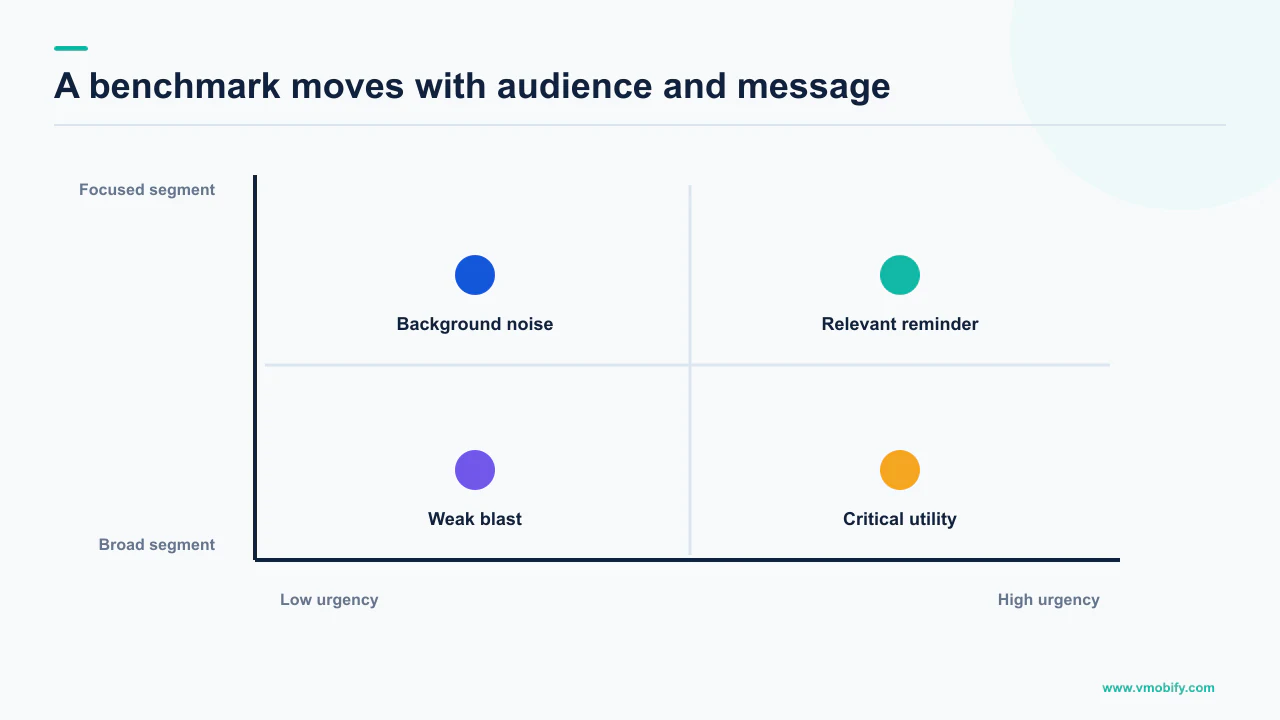
Worth is obvious enough: a payment confirmation and a "we miss you" message are both push, counted the same way, and nobody expects them to perform alike. Segmentation is the insidious one, because it moves the numbers in opposite directions:
Tightly segmented sending
- Sends only to users with a live reason to receive the message
- Reports a high open rate on a small denominator
- Total taps may be modest
- Looks excellent on a benchmark slide
Broad sending
- Sends to most of the addressable base
- Reports a low open rate on a large denominator
- Total taps may be higher in absolute terms
- Looks poor on the same slide
A team that improves its targeting will usually see its open rate rise and its send volume fall. A team chasing a published open rate can achieve it in an afternoon by sending less, without producing a single additional session. That is the specific way this benchmark, used as a target, makes a team worse — it rewards a ratio that a smaller denominator will always improve.
Base composition is the third uncontrolled variable, and it changes underneath you without anyone touching push: a new acquisition source, a new market, a shift in how many users sit on a version of Android that pre-granted the permission. Our note on how to read retention benchmarks makes the same argument about cohort composition.
In our portfolio the apps that get most from push are rarely the ones with the best-looking ratios. They are the ones where the notification is the fastest route to a thing the user already wanted, and where the team can say which sends produced sessions that would not otherwise have happened.
What should you measure instead?
Measure the chain, not a ratio — and hold every stage against your own history and your own holdout, because those are the only two comparators that control for the variables a benchmark cannot. The point is to replace a borrowed number with a local one that moves when you do something.
The chain has five stages, and each has a failure mode you can act on:
The last stage answers the question a benchmark is usually asked to answer. If you hold back a randomised slice of an eligible audience and send them nothing, the difference in sessions, retention or completed actions between the sent group and the holdout is the value of that campaign. It requires no external number, controls for everything about your base automatically, and survives every caveat in this article because both groups are measured identically.
A permanent global holdout — a small randomised share of your addressable base that receives no campaign push at all — gives you a standing answer to "is our push programme worth anything". Keep transactional and safety-critical messages out of it. No published benchmark tells you as much, and unlike the benchmark this is measured on your users.
If that instrumentation does not exist yet, that is the actual project. Our analytics work is mostly this: defining the denominators before anybody argues about the ratios.
How do you build your own opt-in baseline?
Fix the definitions first, then instrument the prompt as an experiment with one permanent constraint: on both platforms you generally get one explicit ask per install, so the experiment is about timing and context rather than repetition. Build it in this order.
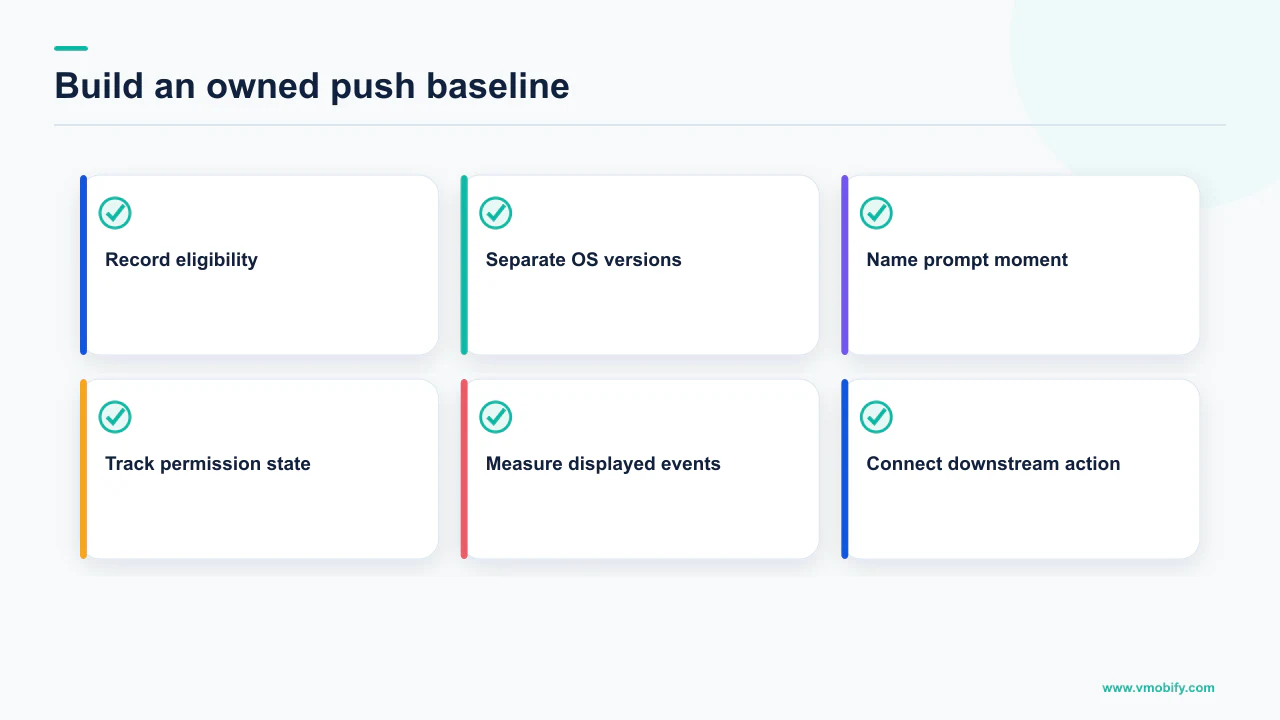
- Write down your denominators before you look at any number. Grant rate is granted over asked. Addressable base is currently-enabled over installed base. If your dashboard mixes them, every conversation after this will be about the wrong thing.
- Segment Android by how the permission was obtained. Separate fresh installs on Android 13 or higher that saw a real prompt from users whose devices upgraded and were pre-granted — remembering Google's conditions for that pre-grant: an existing notification channel and no explicit disabling by the user on 12L or lower. These are different populations and averaging them destroys the signal.
- Check your Android target level. If you target Android 13 or higher you control when the dialog appears, which is what makes timing testable. If you target 12L or lower the system chooses the moment for you, and a single "Don't allow" locks the user out until reinstall or until you update your app to target Android 13 or higher.
- Decide the iOS authorisation shape deliberately. Explicit alert authorisation and provisional authorisation produce different opt-in numbers, different delivery behaviour and different open rates by design. Record which one each cohort was asked for, or your iOS numbers will be uninterpretable later.
- Test the moment, not the copy. Google's guidance is to let users familiarise themselves with your app first, to trigger the prompt from a user action, and to ask in a context where it is explicitly clear what the notifications are used for; its examples include the user tapping an alert bell, following an account, or submitting a food delivery order. Apple states the same principle: ask in context rather than automatically on first launch.
What you end up with is your own baseline: a grant rate per platform and per prompt moment, an addressable base you trust, and an engagement picture annotated with the conditions the documentation attaches to each metric. It answers "are we improving" — the question the borrowed benchmark could never answer.
Two related decisions sit next to this one. Whether a message should be a push at all is covered in in-app messaging versus push, and the tooling choice that determines what you can even measure is in our review of push notification services.
How do you read a published benchmark safely?
Treat it as a claim with a hidden denominator, and ask five questions before it is allowed to influence a target. Published benchmarks are simply not measurements of your app.
The five questions:
- What is the denominator? Opt-ins over users asked, or over installs? Opens over messages sent, over messages delivered, or over messages displayed? If the answer is not stated, the figure cannot be reproduced and should not be a target.
- Which platform and which OS versions? An Android figure that does not distinguish pre-granted upgraded devices from fresh Android 13+ installs is a blend. An iOS figure that does not distinguish explicit from provisional authorisation is a different blend.
- Which message types? Transactional, triggered and broadcast campaigns do not belong in one average, and neither do notification-payload and data-only sends, which are instrumented at different points in the pipeline.
- Whose panel? A vendor's benchmark describes the apps that bought that vendor, which is a self-selected group with that vendor's default configuration and definitions.
- What was the send volume? Without it, a high open rate is indistinguishable from a small, well-targeted send — and you cannot tell whether the benchmark app is beating you or simply sending less.
The deeper reason to be strict here is that push is the one channel where chasing a ratio can permanently reduce your reach. A prompt fired early to lift an opt-in number spends the only explicit ask you get — Apple states that subsequent authorisation requests do not prompt the person, and there is no equivalent of a retargeting campaign for a user who has denied you.
If you are trying to work out whether your push programme is underperforming or simply mismeasured, that is usually a short diagnostic: define the denominators, split the Android base by permission provenance, and run one holdout. Tell us what your dashboard currently calls an opt-in, and we will tell you which of the four quantities in section one you are actually looking at. For the wider re-engagement picture that push sits inside, start with our re-engagement and win-back guide.
Frequently Asked Questions
What is a good push notification opt-in rate?+
We cannot give you a sourced figure, and we will not invent one. Neither Apple nor Google publishes an aggregate opt-in benchmark, and the numbers in circulation come from individual vendor panels with undisclosed denominators. More importantly, an opt-in rate is not comparable across apps: on Android it depends on how much of your base was pre-granted the permission at device upgrade versus prompted on a fresh Android 13 or higher install, and on iOS it depends on whether you requested explicit or provisional authorisation.
Why does my Android opt-in rate look better than a competitor’s?+
Often because of install age rather than product quality. Google states the system automatically pre-grants the notification permission when a user upgrades their device to Android 13 or higher, provided the app has an existing notification channel and the user had not explicitly disabled its notifications on a device running 12L or lower. Apps with a long-tenured base carry pre-grants; apps with mostly fresh installs on Android 13 or higher are measuring an actual prompt response.
Does provisional authorisation on iOS count as an opt-in?+
It counts as authorisation but not as permission to interrupt. Apple states that requesting provisional authorisation does not prompt the person and that the first call automatically grants authorisation, and that provisional notifications are delivered quietly — they do not interrupt with a sound or banner or appear on the lock screen, and appear only in Notification Center history. If the person then chooses Deliver Immediately, Apple states the system authorises your app to send notifications but does not give permission to show alerts, play sounds or badge the icon.
What is the difference between a delivered and a displayed notification?+
They are separate events with separate definitions. Firebase defines Received as the message having been received by the app, available only on Android devices with FCM SDK 18.0.1 or higher, and Impressions as the display notification having been displayed on the device while the app is in the background, available only for notification messages on Android. Delivery timing is also affected by Doze: Android states normal priority messages are delivered immediately if the device is not in Doze, and otherwise during periodic maintenance windows or when the user wakes the device.
Why do my Firebase push numbers disagree with my analytics tool?+
Because they are measuring different things under different conditions. Firebase states that its delivery metrics do not provide 100% coverage of all message scenarios, that they are intended to give insight into broad trends, that reporting is subject to delays of up to 24 hours due to batching of analytics data, and that some message outcomes are not represented at all so the percentages will not sum to 100%. Reconcile the definitions before treating the gap as a defect.
How do I benchmark push if I cannot compare to other apps?+
Compare to yourself and to a holdout. Instrument five stages — users asked, permission granted, currently addressable, displayed where the platform reports it, and incremental outcomes above a randomised group that receives no campaign push. The holdout controls for everything about your own base automatically, which is the exact thing an external benchmark cannot do. Keep transactional and safety-critical messages out of the holdout.
Can I ask for notification permission again if the user says no?+
Generally not in the same install. Apple states that the first authorisation request prompts the person and records the response, and that subsequent authorisation requests do not prompt. On Android, if your app targets 12L or lower and the user taps "Don’t allow" even once, Google states they are not prompted again until they uninstall and reinstall your app, or you update your app to target Android 13 or higher — in which case your app has complete control over when the dialog is displayed. This is why prompt timing matters more than prompt copy.
Sources
- Notification runtime permission | Android Developers — POST_NOTIFICATIONS on Android 13+, off by default on new installs, the conditions for automatic pre-grant on device upgrade, target-level differences and the documented exemptions.
- Create and manage notification channels | Android Developers — Channels required when targeting Android 8.0 or higher, user control over channel settings, and the inability to change channel behaviour programmatically after creation.
- Asking permission to use notifications | Apple Developer Documentation — The first request prompts and records the response while subsequent requests do not, plus the full documented behaviour of provisional authorisation and the Keep flow.
- UNAuthorizationOptions | Apple Developer Documentation — The option set that determines authorised features: badge, sound, alert, carPlay, criticalAlert, providesAppNotificationSettings and provisional, with announcement and timeSensitive deprecated.
- Understand message delivery | Firebase — Definitions and platform conditions for Sends, Received, Impressions and Opens, the up-to-24-hour batching delay, and the statement that coverage is not 100% and percentages will not sum to 100%.
- Receive messages in an Android app | Firebase — Foreground delivery to onMessageReceived versus background delivery of notification messages to the system tray and the launcher intent extras.
- Optimize for Doze and App Standby | Android Developers — Doze defers background network activity, high priority FCM messages wake the app, and normal priority messages wait for a maintenance window or a user wake.
About the author
Amol Pomane — Founder, Vmobify
Amol leads Vmobify, a mobile app growth agency that has driven 30M+ downloads and ranked 54K+ keywords across 300+ apps since 2013. He writes about ASO, paid user acquisition, retention, and the operational reality of scaling mobile apps in India and global markets.