Why the In-App Review Prompt Isn’t Showing
You call the review API, the code path runs, and no dialog appears. On both stores that is a documented outcome rather than a bug: Play enforces a quota it will not disclose, Apple caps the prompt and lets users switch it off entirely, and neither API reports back whether anything was shown. Here is the fault tree, in the order worth checking.

On this page
- Is the prompt broken, or working as documented?
- What does the Play API tell you when nothing appears?
- Why does the quota make nothing the expected result?
- Are you testing in a build that can show it?
- Why does the iOS prompt never appear in TestFlight?
- Which users can never see the prompt?
- Is your implementation breaking a documented rule?
- Where should the prompt actually fire?
- How do you measure something the API will not report?
- What carries the load when the prompt cannot?
- Frequently Asked Questions
Is the prompt broken, or working as documented?
In almost every case we are called into, the integration is correct and the platform decided not to show anything — which both Google and Apple document as a normal outcome rather than a failure. Neither API promises you a dialog, and neither will tell you afterwards that it withheld one.
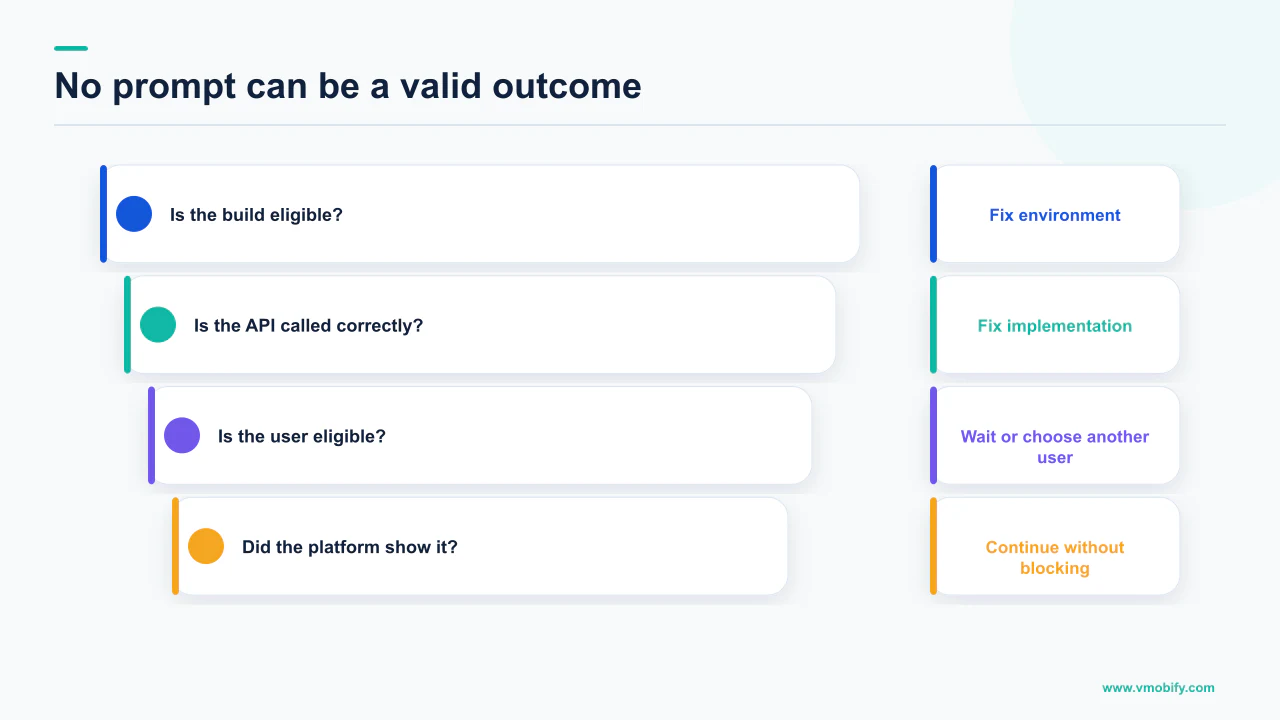
That is the first thing to internalise, because it inverts how you debug: you cannot reason from "no dialog appeared" to "the call failed". Google's In-App Review API documentation states that Play enforces a time-bound quota on how often a user can be shown the review dialog, and that calling the flow more than once in a short period — its own example is less than a month — might not always display a dialog. Apple's StoreKit documentation is blunter still: because this API may not present an alert, do not call it in response to a button tap or other user action.
So the question is never "why is it broken". It is "which of the documented reasons for silence applies to this build, this device and this user". There are four families, and they are worth checking in this order because the cost of checking rises sharply as you go down the list:
- The build. Test tracks, internal app sharing and TestFlight each change the behaviour, and one of them disables the prompt outright.
- The user. Quotas, prior reviews and a device-level opt-out all make an individual permanently or temporarily ineligible.
- The implementation. A stale token, a prohibited trigger, or a call placed where the platform tells you not to place one.
- The moment. Correct code firing at a point that produces nothing useful even when it does display.
Across the 300+ apps we have managed since 2013, the first family is where these reports usually resolve, and it is also the cheapest to rule out. Start there.
What does the Play API tell you when nothing appears?
Nothing at all about the dialog — Google states the API does not indicate whether the user reviewed or not, or even whether the review dialog was shown. That single sentence explains why teams burn days on this: they are looking for a signal that was never designed to exist.
The Kotlin and Java integration guide spells it out in the code comments themselves. When the flow finishes, the documentation says the flow has finished, the API does not indicate whether the user reviewed or not, or even whether the review dialog was shown, and that no matter the result you continue your app flow. The instruction that follows is equally firm: if an error occurs during the in-app review flow, do not inform the user or change your app's normal user flow.
There is exactly one place where Play will talk to you, and most implementations throw it away. The request stage — the call that obtains a ReviewInfo object before you launch anything — can fail with a ReviewException carrying an error code. Catch it and log it. It will not tell you whether the dialog appeared, but it will tell you whether you ever got as far as being able to ask.
Google states that the ReviewInfo object is only valid for a limited amount of time, and that your app should request one ahead of time — pre-cache it — but only once you are certain the app will launch the flow. Teams that fetch ReviewInfo at app start and launch the flow twenty minutes later have built a race against an undocumented expiry, and the symptom is exactly the one in this article's title.
So the realistic instrumentation on Android is: log the request outcome, log the moment you launched the flow, and accept that everything after that is opaque.
Why does the quota make nothing the expected result?
Because Play caps how often any given user can see the dialog, and Google explicitly refuses to publish the number. Its wording is worth quoting exactly, because it settles an argument that comes up in every integration review.
Google states that to provide a great user experience, Play enforces a time-bound quota on how often a user can be shown the review dialog, and that because of this quota, calling the launch method more than once during a short period of time — for example, less than a month — might not always display a dialog. Then the note: the specific value of the quota is an implementation detail, and it can be changed by Google Play without any notice.
We will not print a quota figure here, and neither should your internal documentation. Google has told you the value is not a contract. Any number circulating in a Slack thread or a vendor blog is somebody's observation from a sample of devices at a point in time, and building retry logic or a reporting baseline on it means building on something Google has reserved the right to change silently.
The design consequence is the one Google draws itself, and it is the single most commonly violated rule in this area:
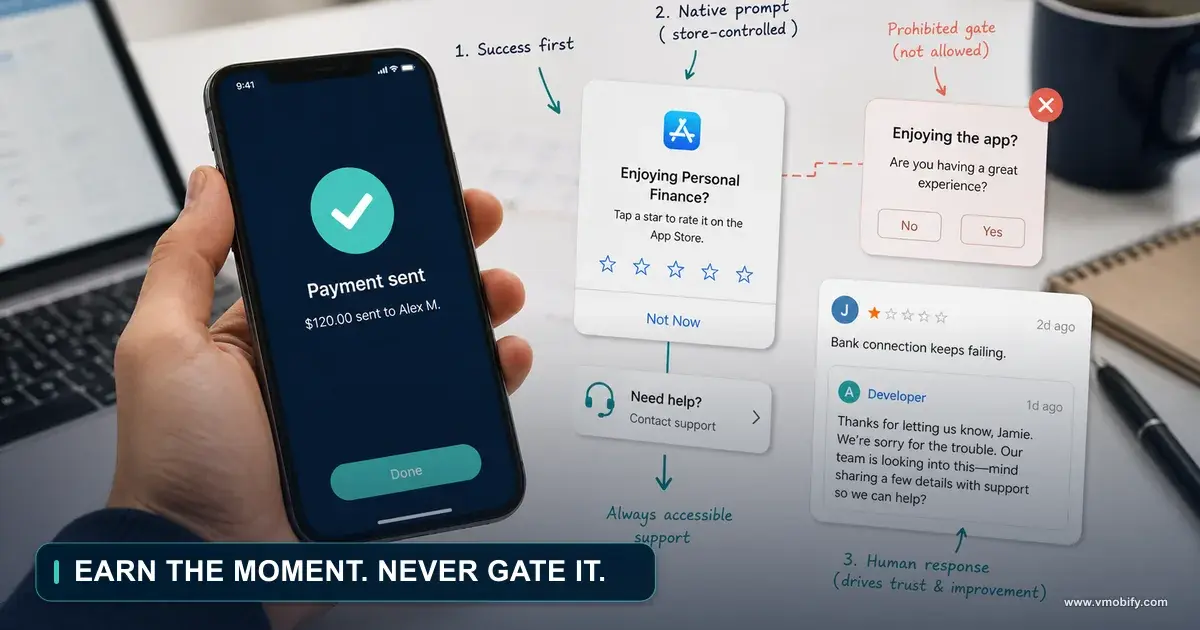
Google states you should not have a call-to-action option, such as a button, to trigger the API, because a user might have already hit their quota and the flow will not be shown — presenting a broken experience to the user. For that use case, redirect the user to the Play Store instead. A "Rate us" button wired to the in-app flow is not a bug in your code; it is a documented anti-pattern that produces a dead tap.
The same logic applies to retries. Calling again five minutes later does not improve your odds. The quota is per user and time-bound, so the only lever you control is choosing a better moment the next time that user reaches it.
Are you testing in a build that can show it?
On Android the distribution method decides the behaviour, and two of the three testing routes deliberately do not behave like production. This is where most "it does not work on my device" reports resolve, and it is a fast check.
Google's guide to testing in-app reviews sets out three routes and what each one does differently.
Internal test track
- The closest thing to production behaviour
- Google states the quota limits are not enforced if the app is downloaded from the internal test track
- Four conditions must all be met, listed below
- Use this to verify the real dialog
Internal app sharing and FakeReviewManager
- Internal app sharing skips some verification, for rapid iteration
- Google states that with an app installed this way, reviews cannot be submitted, and the button is disabled in the UI
- FakeReviewManager does not simulate the UI at all — it fakes the API result only
- Neither proves the dialog works
The four internal-test-track conditions are the ones people miss, and every one of them is a real-world failure we have seen:
- The user account is part of the internal test track. Adding the email to the wrong track, or to the wrong Google group, is the classic.
- The account is the primary account and it is selected in the Play Store. A test device with three signed-in accounts will fail this without any visible symptom.
- The account has downloaded the app from the Play Store, so it is listed in that user's Google Play library. A sideloaded APK does not qualify — though once the account has downloaded it once from the track, Google says you can deploy new versions locally to that device.
- The account does not currently have a review for the app. Your most enthusiastic tester, who rated the app in week one, is the least useful person to hand the test build to.
If your QA process is "install the APK from the build server and tap through", the prompt was never going to appear, and no code review will find the reason.
Why does the iOS prompt never appear in TestFlight?
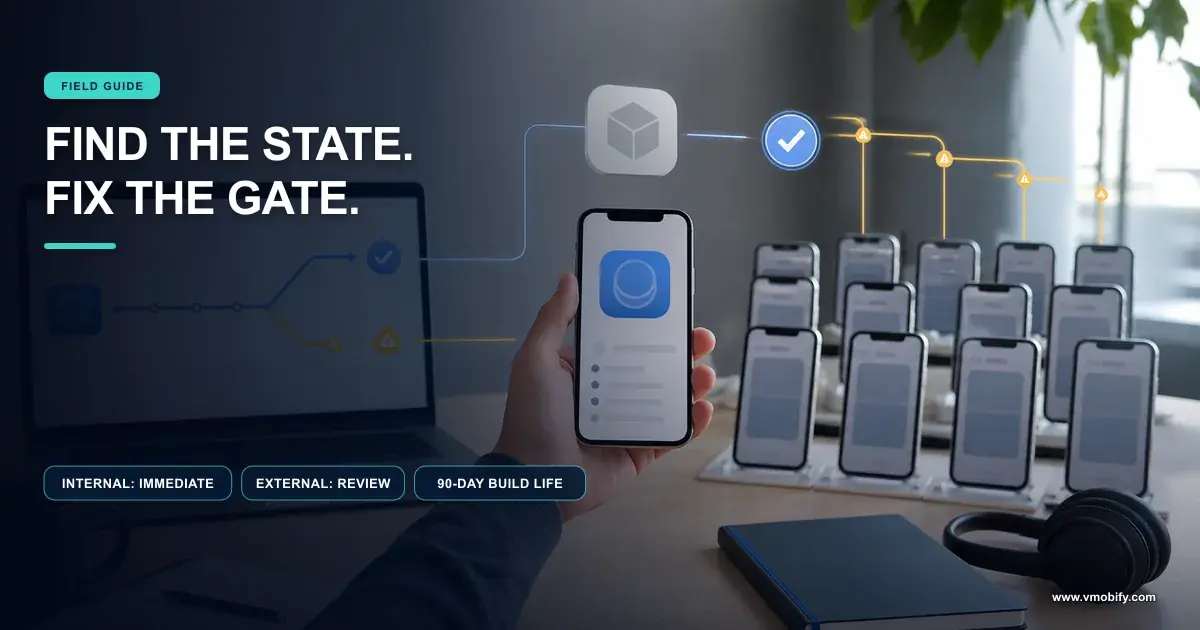
Because Apple documents that the review request has no effect in apps distributed for beta testing using TestFlight. It is not throttled there, or delayed, or subject to a quota you might eventually clear. It does nothing.
Apple's documentation for the StoreKit review request states that when your app calls the method while it is in development mode, StoreKit always displays the rating and review request view so you can test the user interface and experience — and then that this method has no effect in apps that you distribute for beta testing using TestFlight.
Read those two sentences together and the confusing bug report resolves itself. The engineer running a debug build from Xcode sees the dialog every time. The QA team on the TestFlight build never sees it once. Both are correct, and nobody's device is faulty.
Verify placement, timing and copy in a development build, where the view always appears. Verify the gating logic — the counters and version checks that decide whether you call at all — with logging, because that part still runs in TestFlight even though the view does not. Never treat a TestFlight run as evidence about the prompt itself. If your beta build has other delivery problems on top of this, our notes on TestFlight builds not reaching testers cover that separately.
This one detail probably costs the industry more engineering hours than the rest of the topic combined, because the failure is silent, reproducible and looks exactly like a broken integration. In our portfolio it has been a recurring answer to iOS review-prompt escalations we have received.
Which users can never see the prompt?
More than you would guess — Apple publishes explicit eligibility criteria, including a device-level opt-out that removes a user from your reachable population permanently. If your build is fine and your code is fine, this is the next fault to isolate.
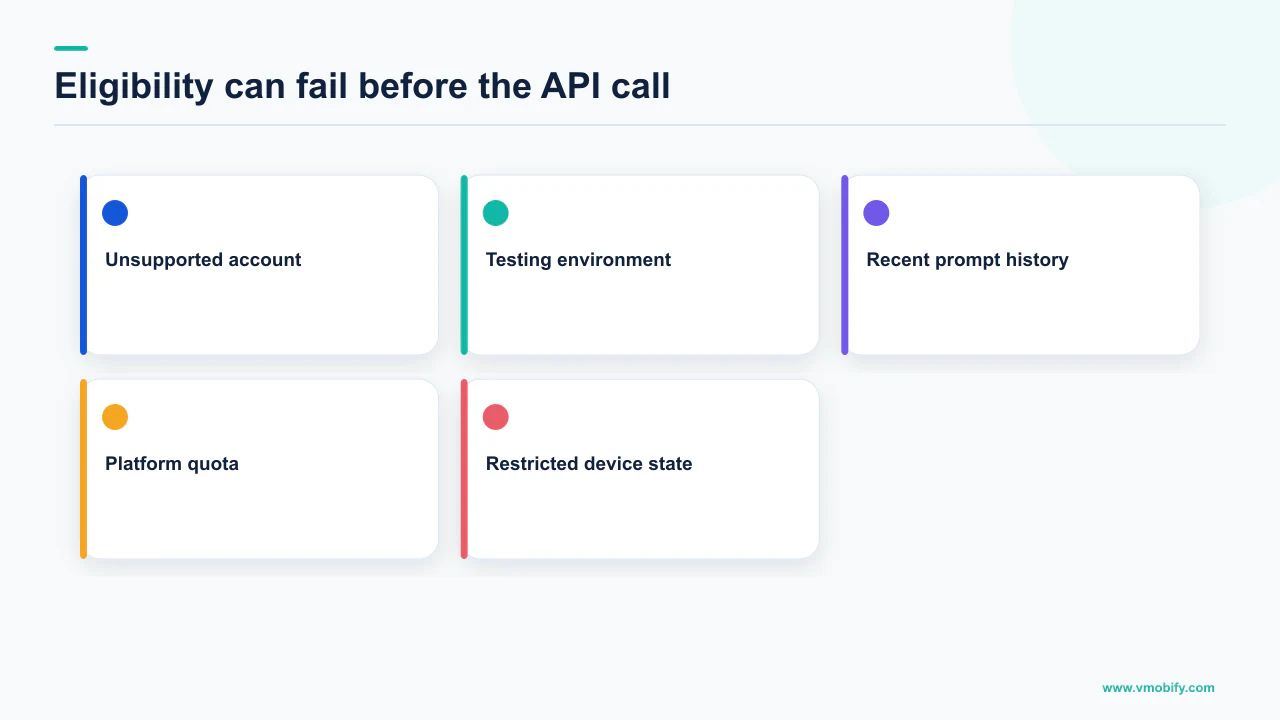
Apple's RequestReviewAction documentation lists the criteria StoreKit applies:
- If the person has not rated or reviewed your app on this device, StoreKit displays the request a maximum of three times within a 365-day period.
- If the person has already rated or reviewed your app on this device, StoreKit displays the request only if the app version is new and more than 365 days have passed since their previous review.
- People can disable requests for reviews from ever appearing on their device, which Apple states in its guidance on requesting App Store reviews. That is a system setting across all apps, not something you can detect or influence.
Android has a different eligibility question, which is device capability rather than user history. Google states that in-app reviews only work on Android devices — phones, tablets, and TVs with Google TV — running Android 5.0, API level 21, or higher that have the Google Play Store installed, plus ChromeOS devices that have the Play Store installed. It also states your app must use version 1.8.0 or higher of the Play Core library. An app shipping to devices without Play services, or to a market where a meaningful share of installs come from other stores, has a structurally smaller addressable population for the prompt than its install base suggests. If a large share of your Android installs arrive through alternative app stores, that gap is worth quantifying before anyone sets a ratings target.
The honest version of the maths here is directional. Neither platform reports how many of your users are ineligible on any given day, so any "we should be seeing X prompts a week" projection is an estimate built on an unknowable denominator. We do not publish one, because there is no primary source that supports a figure.
Is your implementation breaking a documented rule?
The four most common integration patterns in this area are all explicitly prohibited, and one of them makes the dialog look broken even when everything works. Check these before you open a support thread.
- A button that triggers the flow. Google says not to, because a user may have hit their quota and the flow will not show. Apple says not to call the API in response to a button tap or other user action, because it may not present an alert. Both platforms give you the same replacement: on iOS, a deep link to your product page with the query parameter appended, and on Android, a redirect to the Play Store.
- A question before the prompt. Google states your app should not ask the user any questions before or while presenting the rating button or card, including questions about their opinion, such as "Do you like the app?", or predictive questions, such as "Would you rate this app 5 stars". The "happy path only" filter that so many apps ship is out, and it is out on the store that will suspend you for review-policy problems.
- Anything drawn on or around the card. Google requires you to surface the card as-is, without tampering or modifying the existing design in any way, including size, opacity, shape or other properties; to add no overlay on top of or around the card; to keep the card and its background on the topmost layer; and, once surfaced, not to programmatically remove it. A custom modal presenter or a full-screen loading overlay that sits above everything is a realistic way to hide a dialog that did fire.
- A stale request token. The limited-validity
ReviewInfoobject again. Fetch it only when you are already confident you will launch the flow.
Item two is worth escalating to whoever owns product, not just engineering. Removing the pre-qualifying question usually reduces the average rating of prompted users, which is precisely the point: the store is asking for a representative sample, and our piece on generating ratings and reviews properly covers what to do about volume instead.
Where should the prompt actually fire?
After a user has completed something successfully, several times, on a version you have not already prompted them on — and never at launch or during onboarding. Apple publishes a worked example of exactly this, and it is more conservative than most teams expect.
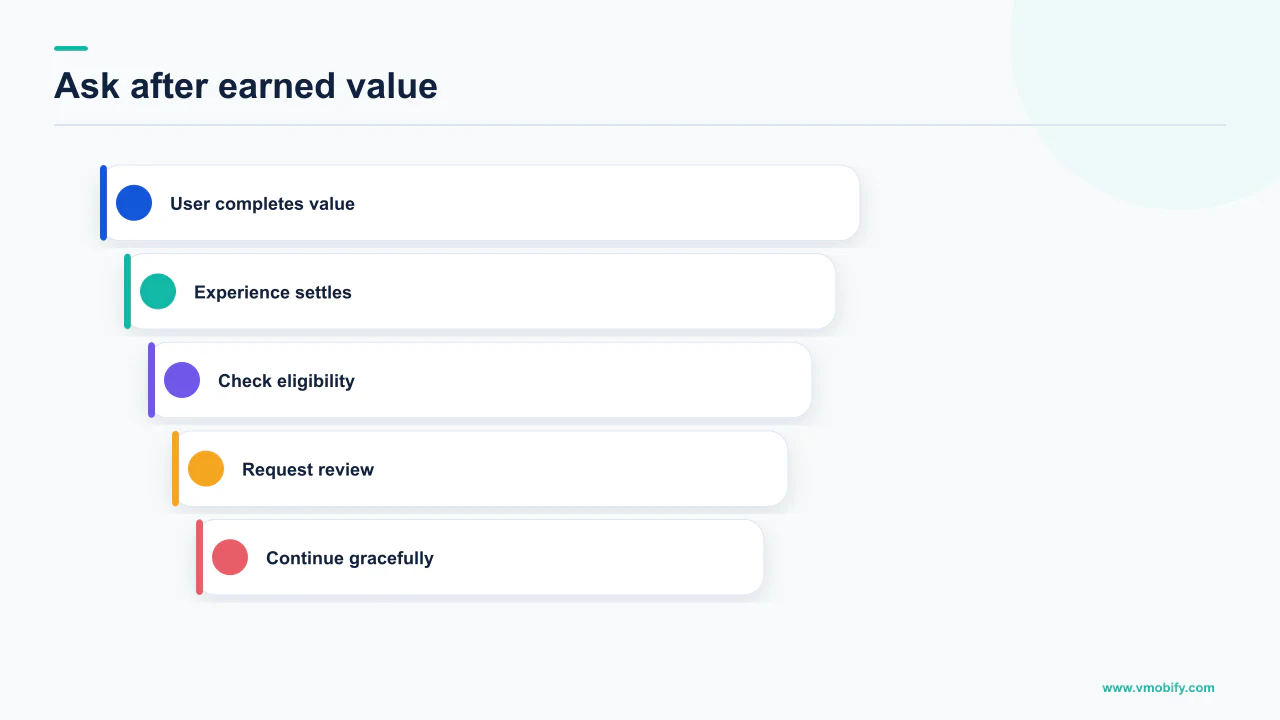
In Apple's sample project, the app presents the request only from the scene shown after a person completes a simulated three-step process, and only when three further conditions hold: the app has not shown a prompt for a version matching the current bundle version; the person has completed the process at least four times, a number Apple describes as arbitrary and adjustable; and the person has paused on the completion screen for a few seconds, which Apple says limits the possibility of the prompt interrupting them. The sample then delays the call by two seconds to avoid interrupting the person using the app.
Apple's Human Interface Guidelines add the pacing rule: ask only after people have demonstrated engagement, avoid asking on first launch or during onboarding because people have not had time to form an opinion, avoid interrupting a task, and consider allowing at least a week or two between requests, prompting again after people demonstrate additional engagement. Google's equivalent is shorter and points the same way: trigger the flow after a user has experienced enough of your app or game to provide useful feedback, and do not prompt excessively.
Put together, the placement question is a retention question rather than a ratings question. You are looking for the point in your product where a user has just succeeded at the thing they came for — which is the same moment your activation analysis should already have identified. Our work on finding the activation moment is the input to this decision, not a separate exercise.
How do you measure something the API will not report?
You measure your side of the boundary and correlate it with the store's numbers, because no other feedback loop exists. Any dashboard claiming a prompt-to-review conversion rate on either platform is inferring it, and you should know which parts are inferred.
What you can legitimately record, entirely from your own app:
What you cannot record is whether a dialog appeared, whether it was dismissed, or whether a rating was submitted. Treat that gap as permanent.
The correlation that does work is coarse but honest: change one thing — the screen, the completion threshold, the version gate — hold it for a defined period, and watch new ratings volume in Play Console and App Store Connect. Google notes new ratings are generally held back around 24 hours before posting publicly, so do not read the first day as a result.
There is no published, primary-source figure for what share of prompts convert to ratings on either store, because neither platform exposes the denominator. We have internal observations across our portfolio, but they are not a benchmark and we do not present them as one. If a proposal you are reading quotes a percentage here, ask which primary source it came from.
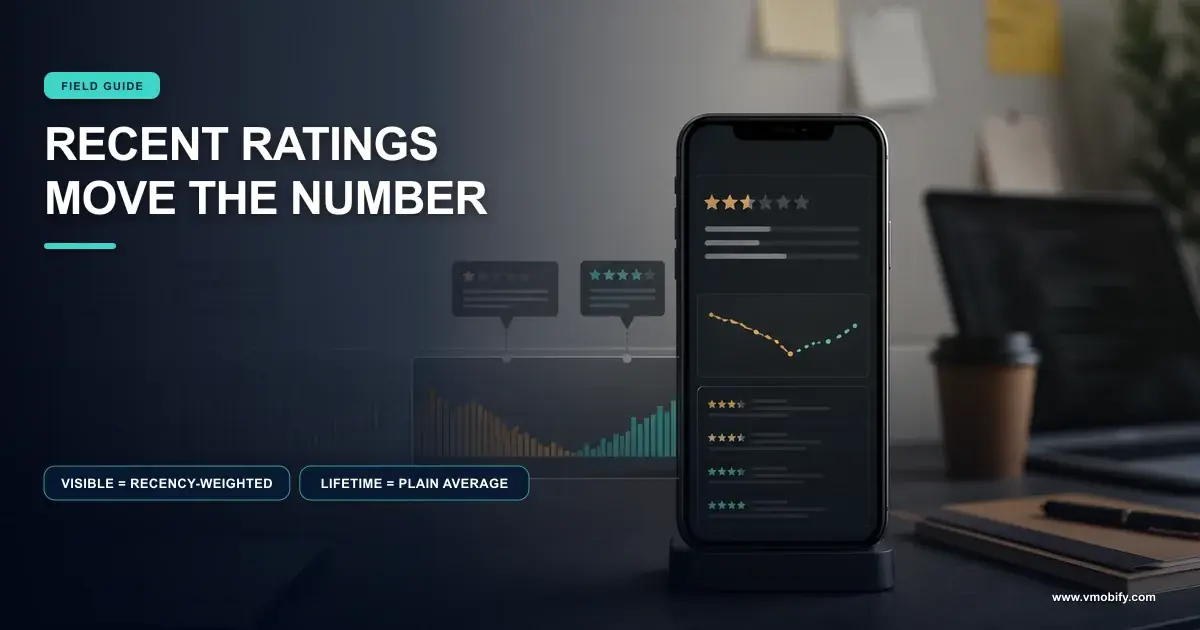
If your ratings volume is the real problem rather than the prompt, the diagnosis usually starts one level up, with what happened to the score itself — our piece on why an app rating drops covers the weighting behaviour that makes recent ratings matter so disproportionately.
What carries the load when the prompt cannot?
A user-initiated path that is not the API, and the review-reply channel — both documented, both underused, and neither subject to the quota that is blocking you. This is where a stalled ratings programme usually gets unstuck.
The first is the escape hatch both platforms hand you. Apple documents a persistent link to your product page — append the write-review query parameter to your App Store product URL — and suggests placing it in your app's settings or configuration screens. Google's instruction for the same use case is to redirect the user to the Play Store. That is how you build a "Rate this app" affordance that always works.
The second is replies. Google's ratings documentation states that users can only rate an app once, but they can update their rating or review at any time — and that developers must not solicit or promote ratings in replies, with violations able to result in app or account suspension. Telling a user which version fixed the problem they reported is factual and relevant; asking them to raise their score is not. The former converts existing negative ratings, which is worth more than adding neutral ones on top.
Fix the cause first. Move the prompt to a genuine success moment. Add a settings-screen deep link for the users who actively want to say something. Work the reply channel on the reviews describing the problem you just fixed. Only then judge whether the prompt itself is underperforming — because until those four are in place, the prompt is carrying weight that was never designed to sit on it.
Ratings act as a multiplier on every listing visitor you attract, including every visitor you paid for, so a stalled review prompt is an acquisition problem with a delay attached. Our guide to store listing conversion puts the score in context with the other levers, and our ASO work treats them as one system.
If you have ruled out the build, the user and the implementation and the prompt still will not appear, that is a short conversation with someone who has debugged it before — tell us what you are seeing and on which track.
Frequently Asked Questions
Why does nothing happen when I call the Play in-app review flow?+
Most often the quota, the build, or the account. Google enforces a time-bound quota on how often a user can be shown the dialog and states that calling the flow more than once in a short period, for example less than a month, might not always display one. The API also does not indicate whether the dialog was shown, so no dialog is not evidence of a failure.
Can I see whether the user actually left a rating?+
No. Google states the API does not indicate whether the user reviewed or not, or even whether the review dialog was shown, and instructs you to continue your normal app flow regardless. Apple's request is one the system may decline. The only signal available is the Play request stage, which can fail with a ReviewException error code worth logging.
Why does the iOS review prompt work in Xcode but not in TestFlight?+
Because Apple documents both behaviours. In development mode StoreKit always displays the rating and review request view so you can test the interface, and the method has no effect in apps distributed for beta testing using TestFlight. Verify the visuals in a development build and verify your gating logic with logging.
How do I test the Play in-app review dialog properly?+
Use the internal test track, where Google states the quota limits are not enforced. The account must be part of the track, be the primary account selected in the Play Store, have downloaded the app from the Play Store, and not currently have a review for the app. Internal app sharing cannot submit reviews and FakeReviewManager does not simulate the UI.
How often can the iOS prompt appear for one user?+
If the person has not rated or reviewed your app on that device, StoreKit displays the request a maximum of three times within a 365-day period. If they have already rated or reviewed it on that device, the request appears only if the app version is new and more than 365 days have passed since their previous review. People can also disable review requests entirely.
Can I add a Rate us button that opens the review prompt?+
Not one wired to the API. Google says not to have a call-to-action such as a button trigger the API because the user may have hit their quota, producing a broken experience, and to redirect to the Play Store instead. Apple says not to call its API in response to a button tap, and documents a product-page link with a write-review query parameter for that purpose.
Where should the prompt fire in my app?+
After repeated successful completion of something the user came to do. Apple's own sample requires a completed multi-step process, at least four completions, a version the user has not been prompted on, a pause on the completion screen and a two-second delay. Its guidelines add avoiding first launch and onboarding, and allowing at least a week or two between requests.
Sources
- Android Developers — Play In-App Review API — The time-bound quota described as an implementation detail changeable without notice, device and Play Core requirements, the ban on trigger buttons and pre-qualifying questions, and the card design rules.
- Android Developers — In-app reviews (Kotlin/Java integration) — States the API does not indicate whether the user reviewed or whether the dialog was shown, the error-handling instruction, and the limited validity of the ReviewInfo object.
- Android Developers — Test in-app reviews — Internal test track account conditions, the note that quota limits are not enforced there, the disabled submission under internal app sharing, and FakeReviewManager not simulating the UI.
- Apple — Requesting App Store reviews — Maximum of three prompts per 365 days, the device-level opt-out, the timing best practices, the sample gating conditions and the write-review product page link.
- Apple — RequestReviewAction — The full display criteria including the prior-reviewer case, the warning not to call it from a button tap, always displaying in development mode and having no effect under TestFlight.
- Apple — Human Interface Guidelines: Ratings and reviews — Best practices on asking only after demonstrated engagement, avoiding first launch and onboarding, and allowing at least a week or two between requests.
- Google Play — Ratings and reviews — Recency weighting of the displayed rating, the roughly 24-hour hold before ratings post publicly, users being able to update a rating, and the ban on soliciting ratings in replies.
About the author
Amol Pomane — Founder, Vmobify
Amol leads Vmobify, a mobile app growth agency that has driven 30M+ downloads and ranked 54K+ keywords across 300+ apps since 2013. He writes about ASO, paid user acquisition, retention, and the operational reality of scaling mobile apps in India and global markets.