The Play Console Declarations That Block Your Release
Your build is finished, uploaded and going nowhere. Most Play Console blocks are not code problems at all — they are unanswered declarations, and each one has a different owner, a different review queue and a different penalty for getting it wrong. This is the fault tree, taken from Google's own documentation.
On this page
- Which declaration is actually blocking you?
- What does the target API level deadline require?
- Can you get an extension?
- Why does the Data safety form catch so many teams?
- What triggers the Permissions Declaration Form?
- Do you actually need QUERY_ALL_PACKAGES?
- What about photos, videos and background location?
- How long does a declaration review take?
- How do you stop declarations blocking releases?
- Frequently Asked Questions
Which declaration is actually blocking you?
Play Console blocks releases through several independent mechanisms, and they fail in ways that look identical from the outside — a build that will not go live and an alert you have already read three times. Before you change any code, work out which of the four families you are in, because the remedies share nothing.
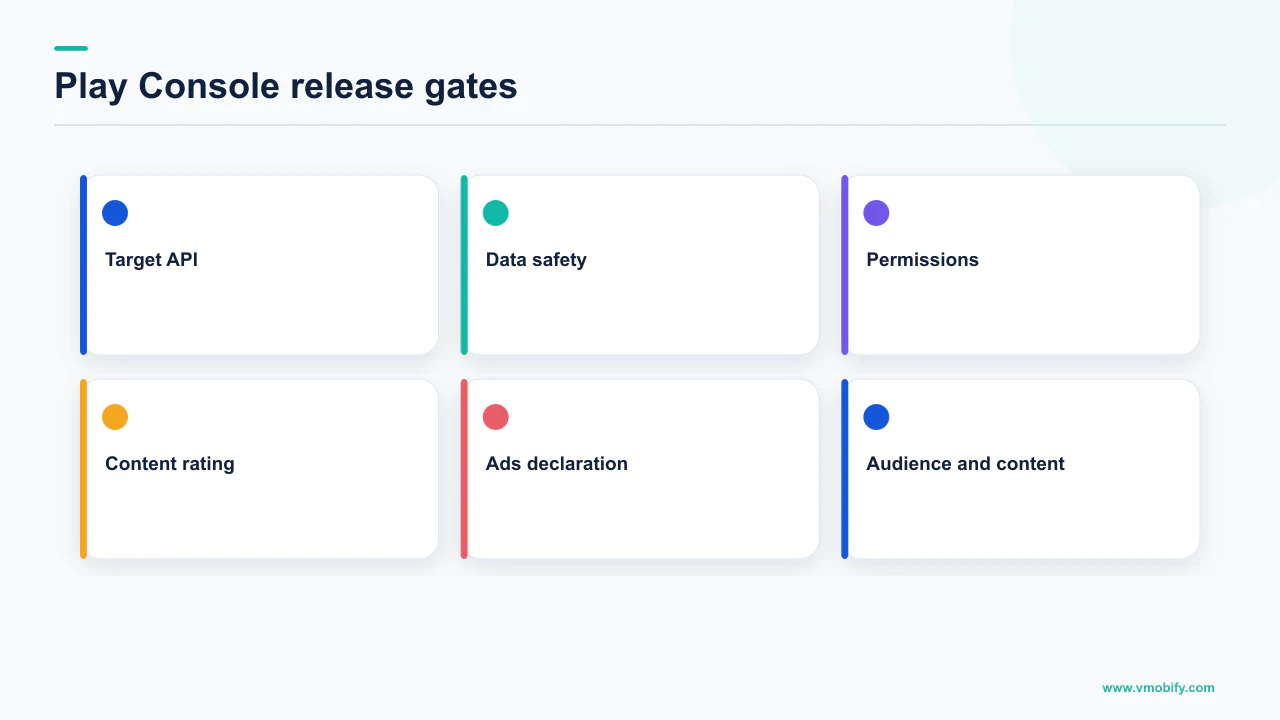
The families are: a platform requirement your build does not meet, a form you have not filled in, a form you filled in that a reviewer has not yet cleared, and a form you filled in that a reviewer disagreed with. Each has a different clock and a different worst case.
Build-level requirements
- Target API level, signing, bundle format
- Fails immediately at upload or is flagged as a policy warning
- Fixed by rebuilding, not by writing
- No reviewer is involved
Declaration forms
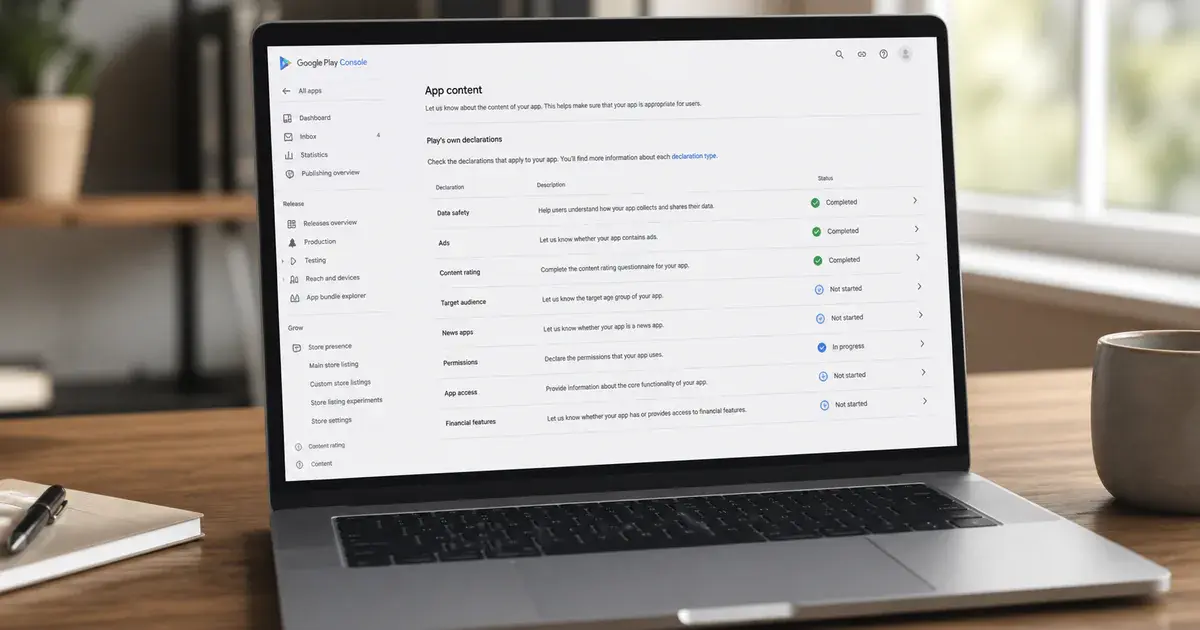
- Data safety, sensitive permissions, app content
- Blocks publishing until answered — sometimes including store listing edits
- Fixed by answering accurately, then waiting
- A human decides
Across the 300+ apps we have managed since 2013, the single most expensive pattern is a team treating a declaration block as a build problem — uploading new bundles repeatedly, each one resetting a review that was already in progress. If your alert mentions a form, stop building.
What does the target API level deadline require?
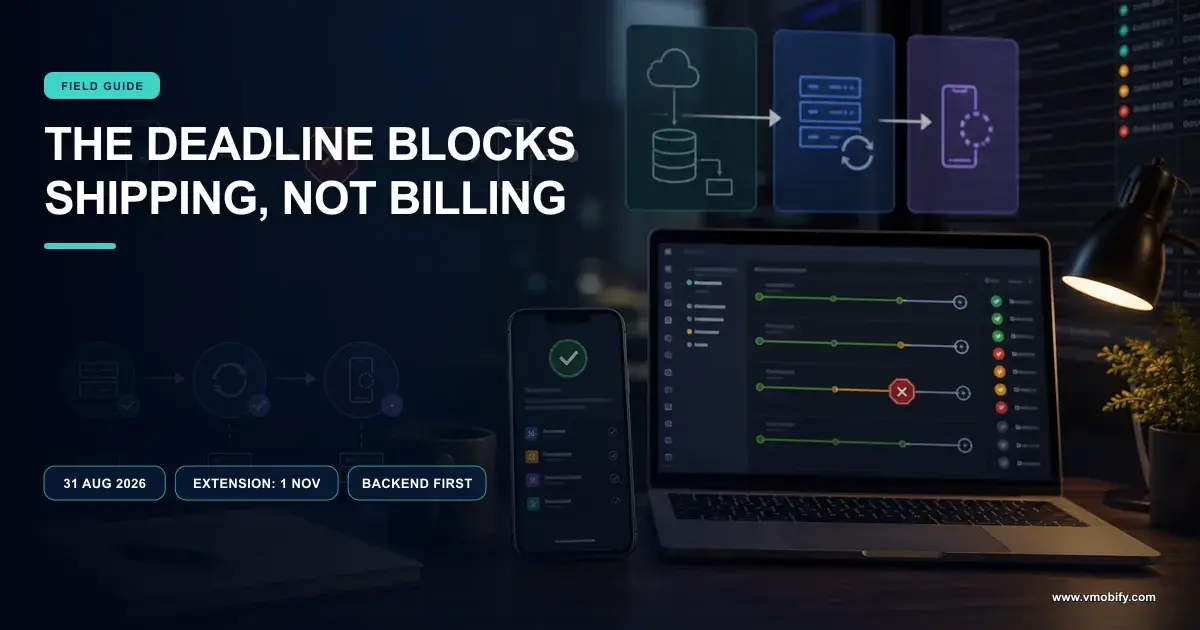
From 31 August 2026, new apps and app updates must target Android 16 (API level 36) or higher, and existing apps must target Android 15 (API level 35) or higher to remain available to new users on devices running a newer Android version than the app targets. Those are two separate rules with two separate consequences, and teams routinely conflate them.
Google's target API level requirements set out the exceptions alongside the headline numbers. Wear OS and Android Automotive OS apps need Android 15 (API level 35) or higher; Android TV and Android XR apps need Android 14 (API level 34) or higher. Permanently private apps restricted to users in a specific organisation and intended for internal distribution only are exempt.
The consequence for an existing app that falls short is not removal — it is a quiet loss of reach. Google states that apps targeting Android 14 (API level 34) or lower will only be available on devices running an Android OS version the same as or lower than the app's target API level. In practice that means your listing stops being installable for the newest devices, which are disproportionately the ones your paid acquisition is reaching.
Google's Play policy page on the same requirement describes what the user sees: a notification that this app is not available to install on their device because it was made for an older version of Android. That is the version of the problem that shows up in your install numbers before it shows up in your inbox — and if installs fell off a cliff without an obvious cause, our diagnosis of installs dropping overnight covers the wider fault tree.
We do not publish an estimate of how much install volume a given app loses at that point. The share depends entirely on your device mix, and any single percentage would be invented. Pull your own OS-version distribution from Play Console and you have the real number for your app, which is the only one worth acting on.
Can you get an extension?
Yes — Google states that if you need more time you will be able to request an extension to 1 November 2026, with extension forms accessible in Play Console later in 2026. It is a real escape hatch, but it is narrower than it sounds and it is not a general-purpose delay.
Two details decide whether it is available to you. First, the destination is fixed: the extension runs to 1 November 2026, not to a date you choose. Second, the route in is through a policy warning. Google states that only apps that are not compliant with the policy will receive a policy warning and notification in Play Console, and that the extension form is available through the details page of the warning or issue on the Policy status page.
An extension buys roughly two months. A target API level bump is rarely a two-month job when it goes well and frequently is when it goes badly, because behaviour changes in the intervening platform versions surface as runtime failures rather than compile errors. Treat the extension as insurance on a migration already under way, not as the migration.
That work also has a habit of colliding with other Play deadlines running in parallel. If you are also carrying a billing migration, our note on the Play Billing Library migration covers the sequencing question, because doing both in one release is how a two-month buffer disappears in a fortnight.
Why does the Data safety form catch so many teams?
Because it asks about data your app transmits, not data you knowingly collect — and Google requires you to declare collection and sharing carried out by third-party libraries and SDKs, irrespective of whether the data goes to you or to a third-party server. Almost every inaccurate declaration we have seen traces to that clause.
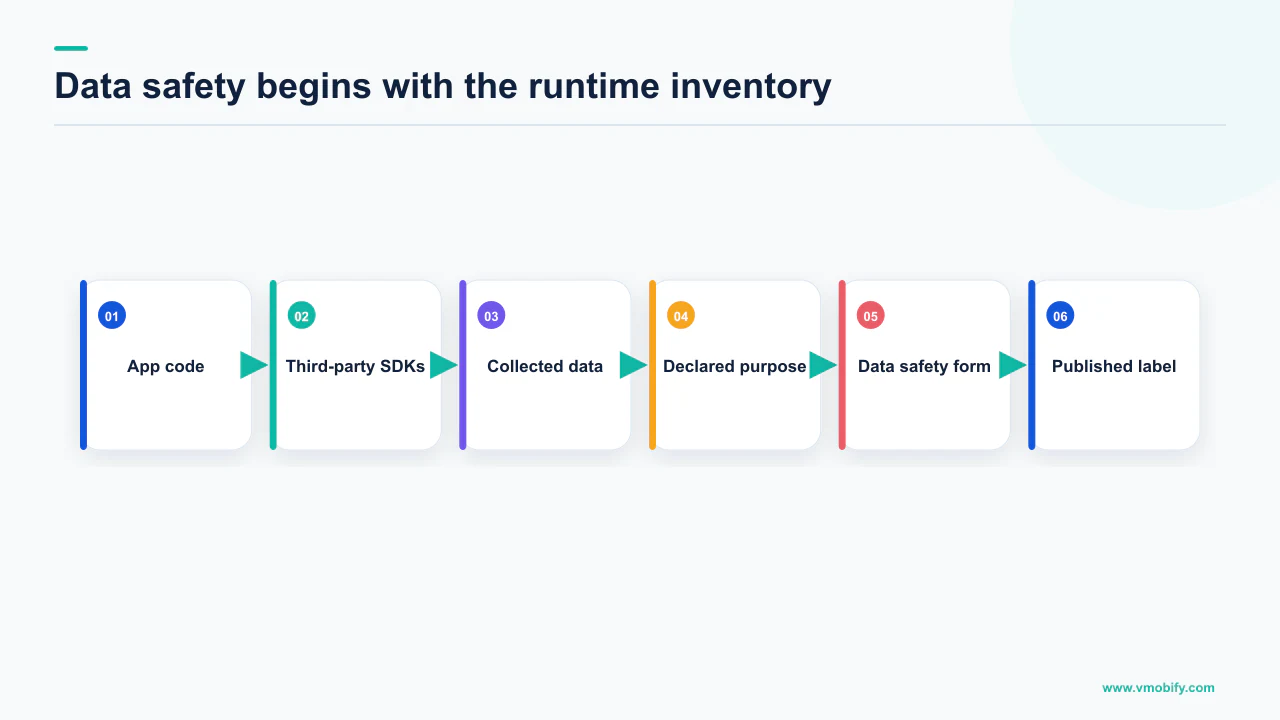
Google's Data safety documentation is unambiguous about ownership. All developers with an app published on Google Play must complete the Data safety form, disclosing how they collect and handle user data and how they protect it. Google states that you alone are responsible for making complete and accurate declarations, and that only you possess all the information required to complete the form.
The two definitions that decide most answers are worth committing to memory. Collection means transmitting data off the device. Sharing means transferring collected user data to a third party. Data that never leaves the handset is a different category from data your analytics SDK posts to a server, and the distinction is about transmission rather than intent.
That is why the declaration is a code question rather than a marketing question. The honest way to fill in the form is to enumerate every SDK in your build and establish what each one sends:
- List every dependency that touches the network. Attribution, analytics, crash reporting, ads, push, chat support, feature flags, session replay. Each is a potential declaration line.
- Read each vendor's own data-collection disclosure and treat it as the starting point, not the answer — configuration changes what an SDK actually sends.
- Verify on device. Watch the traffic from a real build. This is the step that finds the field nobody remembered enabling.
- Reconcile with your privacy policy. A form that contradicts your own published policy is a discrepancy waiting to be noticed.
- Re-run it when you add or upgrade an SDK, because the declaration describes the build you ship, not the build you audited last year.
The enforcement language is direct. Google states that when it becomes aware of a discrepancy between your app behaviour and your declaration, it may take appropriate action, including enforcement action, and that apps which do not become compliant are subject to policy enforcement such as blocked updates or removal from Google Play. That places an inaccurate declaration in the same territory as the escalations we describe in our guide to Play suspensions and terminations.
What triggers the Permissions Declaration Form?
Requesting a permission Google classes as high-risk or sensitive — its own examples are SMS and Call Log — and the block it produces is wider than most teams expect, because it can freeze your store listing as well as your binary. This is the declaration that surprises people hardest.
Google's permissions declaration guidance states that if your app requests the use of high-risk or sensitive permissions, you may be required to complete the Permissions Declaration Form and receive approval from Google Play, and that permission requests are evaluated during the release process after adding your Android App Bundle.
Then comes the clause worth reading twice. Google states that you cannot publish any changes to your app, including changes to your Store Presence — its examples are Store Listing, Pricing and Distribution — until you address the alert by creating a release that includes a Permissions Declaration or removes the permissions.
An unresolved permissions alert does not only stop your next build. It can stop a screenshot swap, a description rewrite, a price change and a country expansion. Any ASO test you had queued is queued behind a compliance question, which is a category of dependency most growth plans do not model.
There are two legitimate exits and one common mistake. The exits are declaring the permission with a justification, or removing the permission and shipping without it. The mistake is uploading a fresh bundle over a pending one to try to hurry things along: Google states that if you override a pending release with a new one, you may see additional delays to the review process.
The removal exit deserves more consideration than it usually gets. Permissions accumulate — inherited from an SDK, added for a feature that shipped and was cut, or copied from a manifest someone found. If the permission is not carrying a user-facing feature you can name in one sentence, taking it out is faster and cheaper than defending it, and it removes the block permanently rather than for one release cycle.
Do you actually need QUERY_ALL_PACKAGES?
Almost certainly not — Android's own documentation describes it as being for the rare cases where the <queries> element does not provide adequate package visibility, and Google Play treats it as a policy-restricted permission with a short, closed list of acceptable uses. This is the declaration most often submitted by teams who did not need to submit anything.
The mechanism first, because it explains why the permission appears in builds that never asked for it. Android's package visibility guidance states that when an app targets Android 11 (API level 30) or higher and queries for information about other installed apps, the system filters this information by default, so your app cannot detect all installed apps. That filtering affects queryIntentActivities(), getPackageInfo() and getInstalledApplications(), and it also affects explicit interactions such as starting another app's service.
The intended fix is narrow visibility: declare what you need with the <queries> element. The broad fix is QUERY_ALL_PACKAGES, and Android states plainly that if you publish your app on Google Play, use of this permission is subject to approval.
Google's policy page for the permission defines what qualifies. It gives visibility into the inventory of installed apps on a device, and functions when targeting API level 30 or higher on Android 11 or later. The acceptable use cases named are device search, antivirus apps, file managers and browsers, with limited exceptions for real-money gambling apps and financial transaction apps that require it for security purposes. The bar is that your app's core user-facing functionality requires broad visibility into installed apps, that this functionality is prominently documented and promoted in the app's description, and that you can justify why less intrusive methods will not work.
The penalties are stated in two tiers. Apps that fail to meet the policy requirements or do not submit the Permissions Declaration Form may be removed from Google Play. Deceptive and undeclared uses may result in suspension of your app and/or termination of your developer account.
In our portfolio, this permission usually arrives through a dependency rather than a decision. Run a merged-manifest report on a release build and find which module contributes it. Frequently the answer is an SDK you can configure differently, update, or remove — at which point the declaration question disappears rather than being answered.
If your genuine need is narrower than the policy — checking whether one specific app is installed, or handing off to a known partner app — the <queries> element covers it without a declaration and without a reviewer. That is a build change measured in hours against a policy argument measured in weeks.
What about photos, videos and background location?
Both are permission families where Google's stated position is that you should use a narrower mechanism first, and the declaration exists to justify why the narrower mechanism is not sufficient. Framing your answer any other way is how these get rejected.
On media, Google's photo and video permissions policy states that apps targeting Android 13 or later (API level 33+) may only request READ_MEDIA_IMAGES and READ_MEDIA_VIDEO if system pickers, such as the Android Photo Picker, are not sufficient for the app to provide core functionality. Apps whose core functionality does require broad access must submit a declaration demonstrating why the Android Photo Picker or other alternatives are not sufficient. Google's stated compliance date has passed — 28 May 2025 was the point at which full policy compliance became mandatory for all developers including those who had requested an extension, after which all apps are subject to removal from Google Play if not compliant.
The test in that sentence is not whether broad access is convenient. It is whether the picker breaks your core functionality. An app that lets a user attach one image to a message does not clear that bar; an app whose entire purpose is organising the user's library plausibly does.
Background location works the same way with a harsher penalty. Google's background location policy states that apps accessing location in the background must be approved via the permission declaration process in the developer console, submitted through the App content section under Sensitive app permissions. Background location may only be used when it provides significant benefit to users and is relevant to the core functionality of the app, and you should never request location permissions for the sole purpose of advertising or analytics. The consequence is stated directly: without that approval, app updates may be blocked and your app may be removed from Google Play.
That last rule has a growth implication people miss. If your location access exists to enrich audience targeting rather than to run a feature, the policy already answers the question, and the correct response is to remove the dependency rather than to write a persuasive justification. Targeting that relies on a permission you cannot defend is a liability sitting inside your acquisition stack — a related failure to the measurement gaps we cover in our attribution guide.
How long does a declaration review take?
Google's own guidance on the Permissions Declaration Form says a request may require up to several weeks to process, during which your new app or app update sits in pending publication status. That is the only review duration we will print, because it is the only one Google states.
We are asked constantly for an average — three days, ten days, a typical case. We do not have a sourceable figure and will not manufacture one. What we can say directionally, from repeated exposure, is that the variance is wide and that the largest controllable factor is the quality of the first submission rather than anything you do afterwards.
The planning consequence follows from Google's own wording rather than from a benchmark. If a permissions review can take several weeks and your release is blocked throughout, then any release containing a new sensitive permission is not a two-week release. It is a release whose date you do not control, and it should never be the same release that carries a marketing commitment.
- Separate the permission from the launch. Ship the feature that needs review on its own cycle, ahead of anything with a fixed date attached.
- Submit once, properly. Overriding a pending release with a new one may add further delay, so the fast path is a first submission that answers the question fully.
- Name the user-facing feature in one sentence. Every one of these policies is written around core functionality. If you cannot state the feature plainly, the reviewer cannot find it either.
- Make the app description match. The
QUERY_ALL_PACKAGESpolicy explicitly requires the core functionality to be prominently documented and promoted in the app's description. - Keep a clean release lane. Do not stack an unrelated hotfix behind a pending declaration, because the block applies to the app, not to the feature.
The same logic applies to the other queues you may be sitting in at the same time. Testing requirements, content declarations and review cycles run independently, and our note on the closed testing requirement covers the one that most often surprises new developer accounts.
How do you stop declarations blocking releases?
Treat the manifest and the SDK list as release-gated artefacts, reviewed before a build is cut rather than after Play rejects it. Every block described above is discoverable in your own repository days before Google mentions it.
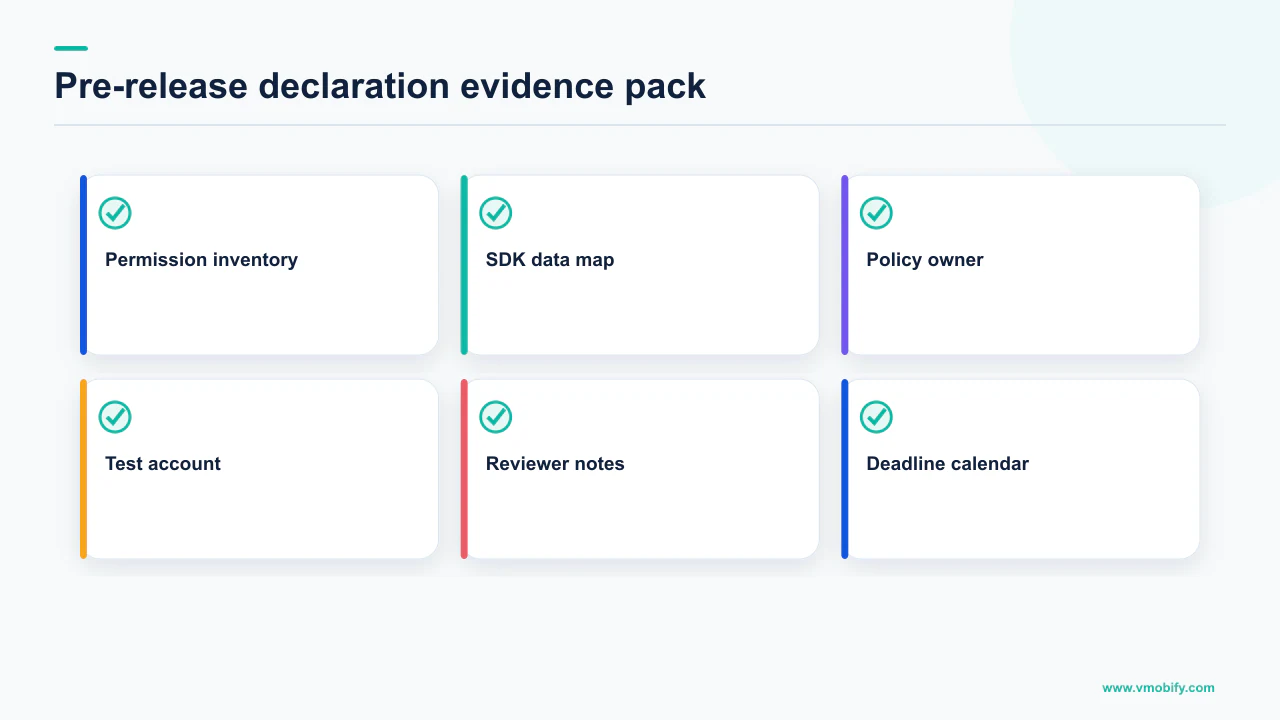
The mechanics are unglamorous and they work:
- Diff the merged manifest on every release. A new permission arriving through a dependency upgrade is the most common cause of a surprise declaration, and it is visible in a diff before it is visible in Play Console.
- Keep a written owner for each sensitive permission. One line naming the feature it serves. Permissions without an owner get removed at the next cleanup rather than defended at the next review.
- Re-open the Data safety form whenever the SDK list changes, because the declaration describes what your current build transmits and third-party transmission is explicitly in scope.
- Track the target API level as a calendar item, not a backlog item. It has a fixed date, a fixed replacement value and a fixed penalty, which makes it the easiest of these to schedule and the least excusable to miss.
- Never let a compliance release carry a campaign. Anything with a reviewer in the loop has an unknown completion date by definition.
There is a strategic point underneath the housekeeping. Each of these policies is written around the same test — does the app's core, user-facing functionality genuinely require this? An app that can answer that in one sentence for every sensitive permission it holds passes these reviews routinely. An app that has accumulated capability without accumulating justification will keep hitting the same wall in a new form, because the wall is the same wall.
That is also why the cheapest fix is usually subtraction. Removing an unused permission, dropping a dormant SDK or replacing broad access with a system picker eliminates the declaration entirely rather than winning it. Fewer things to defend means fewer queues to sit in — and the same discipline that keeps you out of these queues is what keeps you out of the harder ones we describe in common store rejection reasons.
If a release is currently stuck and you cannot tell which of these four families you are in, that is usually a fast diagnosis for someone who has read the alert before — send us the exact wording of the Play Console warning, or see how release compliance fits into the wider listing work in our ASO service.
Frequently Asked Questions
What target API level does Google Play require in 2026?+
From 31 August 2026, new apps and app updates must target Android 16 (API level 36) or higher. Existing apps must target Android 15 (API level 35) or higher to remain available to new users on devices running a newer Android version than the app targets. Wear OS and Android Automotive OS require API level 35 or higher; Android TV and Android XR require API level 34 or higher.
What happens if my existing app targets an older API level?+
It is not removed, but its reach shrinks. Google states that apps targeting Android 14 (API level 34) or lower will only be available on devices running an Android OS version the same as or lower than the app target. Users on newer devices see a notification that the app is not available to install because it was made for an older version of Android.
Can I get more time for the target API level requirement?+
Google states that if you need more time you will be able to request an extension to 1 November 2026, with extension forms accessible in Play Console later in 2026. Only non-compliant apps receive the policy warning, and the extension form is reached through the details page of that warning on the Policy status page.
Does the Data safety form cover data collected by SDKs I did not write?+
Yes. Google states you must reflect data collection or sharing carried out by third-party code in your app Data safety form, and that the form covers user data transmitted off device by libraries and SDKs irrespective of whether the data is transmitted to you or to a third-party server. Collection means transmitting off device; sharing means transferring collected data to a third party.
Why can I not edit my store listing while a permissions alert is open?+
Because the block is app-wide. Google states you cannot publish any changes to your app, including changes to your Store Presence such as Store Listing, Pricing and Distribution, until you address the alert by creating a release that includes a Permissions Declaration or removes the permissions.
Do I need QUERY_ALL_PACKAGES to check whether another app is installed?+
Usually not. Android documentation describes the permission as being for the rare cases where the queries element does not provide adequate package visibility, and declaring specific packages or intents in queries covers most interaction use cases without a declaration or a reviewer. Google Play limits acceptable uses to device search, antivirus apps, file managers and browsers, with limited exceptions for real-money gambling and financial transaction apps.
How long does Google take to review a permissions declaration?+
Google states a request may require up to several weeks to process, and that your new app or app update stays in pending publication status until it is reviewed. Google does not publish an average and we will not estimate one. It also warns that overriding a pending release with a new one may cause additional delays, so submit once and submit fully.
Sources
- Android Developers — Meet Google Play target API level requirements — The 31 August 2026 dates, API 36 for new apps and updates, API 35 for existing apps, form-factor exceptions and the extension to 1 November 2026.
- Google Play — Target API level requirements for Google Play apps — Policy warnings in Play Console, where the extension form appears, and the message users see on newer devices.
- Google Play — Use of high-risk or sensitive permissions — The Permissions Declaration Form, the block on Store Presence changes, the several-weeks review window and the penalty for overriding a pending release.
- Google Play — QUERY_ALL_PACKAGES permission policy — Acceptable use cases, the core-functionality and app-description requirements, and the removal, suspension and termination consequences.
- Android Developers — Package visibility filtering on Android — Default filtering from API level 30, the affected methods, the queries element and that QUERY_ALL_PACKAGES is for rare cases and subject to approval.
- Google Play — Provide information for Google Play Data safety section — Who must complete the form, third-party SDK transmission in scope, the collection and sharing definitions, and enforcement for discrepancies.
- Google Play — Photo and video permissions policy — READ_MEDIA_IMAGES and READ_MEDIA_VIDEO limited to cases where system pickers are insufficient, the declaration requirement and the 28 May 2025 compliance date.
- Google Play — Background location access policy — Approval via the permission declaration process, the core-functionality test, the advertising and analytics prohibition, and blocked updates or removal without approval.
About the author
Amol Pomane — Founder, Vmobify
Amol leads Vmobify, a mobile app growth agency that has driven 30M+ downloads and ranked 54K+ keywords across 300+ apps since 2013. He writes about ASO, paid user acquisition, retention, and the operational reality of scaling mobile apps in India and global markets.