Play Billing Library 8: What Breaks and By When
Google will not accept new apps or updates on Billing Library 7 or below from 31 August 2026, and there is a documented extension route to 1 November if you need it. Your live app keeps working either way — what you lose is the ability to ship. Here is exactly what version 8 removed, why restore purchases is the hard part, and the order to migrate in.
On this page
- What is the deadline, and what happens if you miss it?
- Will your live app stop working?
- What did version 8 actually remove?
- How do you restore purchases now?
- Why did Google refund your customer automatically?
- Do you need a backend to sell subscriptions on Android?
- What changed about product details?
- What migration order minimises risk?
- What happens after version 8?
- Frequently Asked Questions
What is the deadline, and what happens if you miss it?
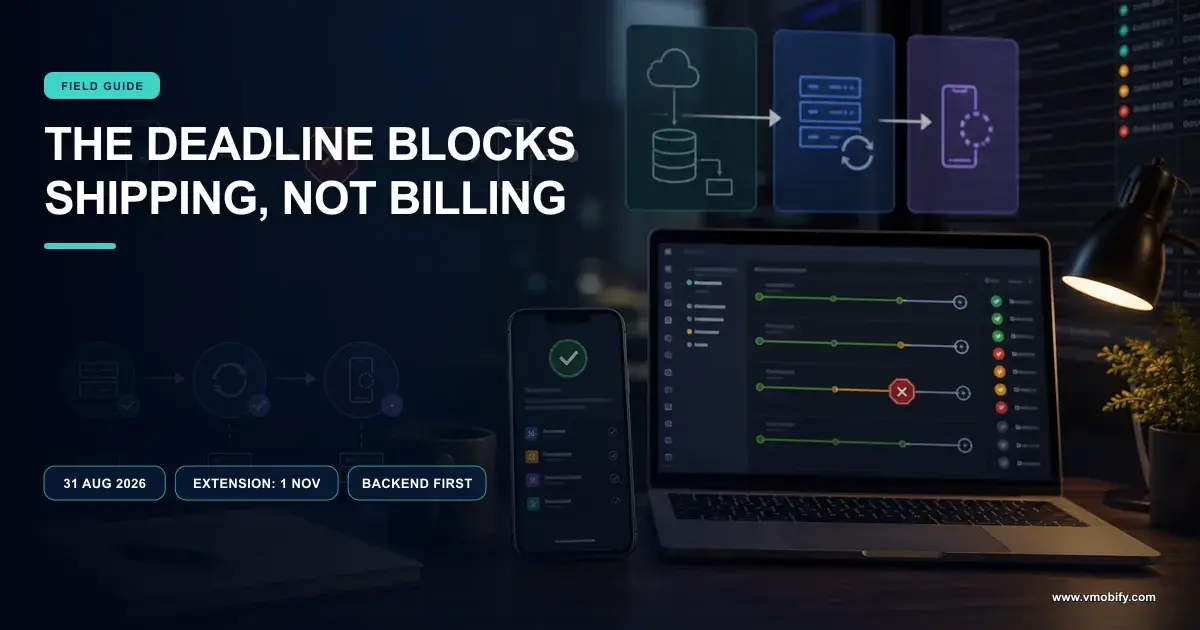
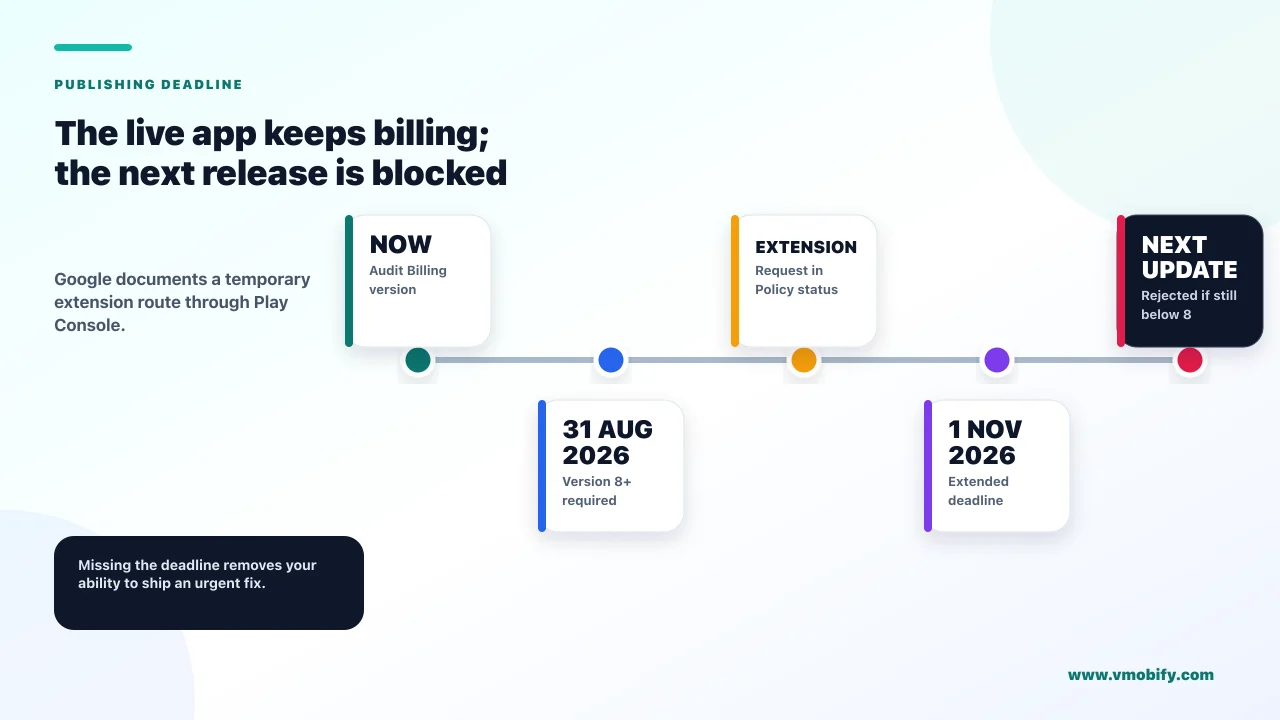
From 31 August 2026, new apps and updates to existing apps must use Play Billing Library version 8 or later — and if you need more time, Google documents an extension route to 1 November 2026. Missing it does not take your app down. It stops you shipping, which for most teams is the same thing by a slower route.
Google's Billing Library version deprecation FAQ publishes the schedule as a rolling annual cadence rather than a one-off event:
The extension is a real, documented mechanism rather than a favour. If your app uses an unsupported version you receive a warning in Play Console, and on that warning's details page, in the Policy status section, you can open the extension form to request additional time until the extension deadline. If you are reading this close to the date and cannot ship in time, that form is the first thing to open — before you start a rushed migration that risks your billing code.
Checking where you stand takes a minute and is worth doing before you read any further. Your Billing Library version is the com.android.billingclient:billing dependency in your app module's Gradle file — read the version actually resolved rather than the one declared, since a transitive dependency or a billing wrapper SDK can pull in a different one. If you use a third-party billing platform, the version that matters is whichever one it bundles, and that is a question for their release notes rather than yours. Play Console will also tell you: an unsupported version produces a warning, and the absence of that warning is reasonable evidence you are already compliant.
Across the 300+ apps we have managed since 2013, the pattern with these deadlines is consistent: the teams that get hurt are not the ones who miss the date, they are the ones who discover the date while trying to ship an unrelated hotfix. Billing deprecation blocks every update, including the urgent one you did not plan for.
Will your live app stop working?
No. Google states that existing published apps continue to work and that unmaintained APKs do not need updates — the restriction is on publishing, not on running. This distinction matters because the panic version of this deadline is much worse than the real one.
What you lose on the deadline is the ability to publish anything at all. That includes:
- Feature releases. Obviously, and usually the one people think of.
- Bug fixes and crash fixes. The one that actually costs you. A crash affecting a popular device becomes unfixable while you complete a billing migration you had not scheduled.
- Security patches and SDK updates forced on you by other deadlines, including target API level requirements.
- Anything your store listing depends on that ships in a binary.
So the honest framing is that this is a release-freeze risk rather than a revenue-outage risk. Your existing users keep buying. You simply cannot change anything about the app until you have migrated, and you do not get to choose when you next need to change something urgently.
A production incident in September, a one-line fix ready to ship, and a Play Console that will not accept the upload because your Billing Library is out of support. You are now doing an unplanned billing migration under incident pressure, which is the worst possible circumstance for changing payment code. Migrate before you need to, or file the extension now.
What did version 8 actually remove?
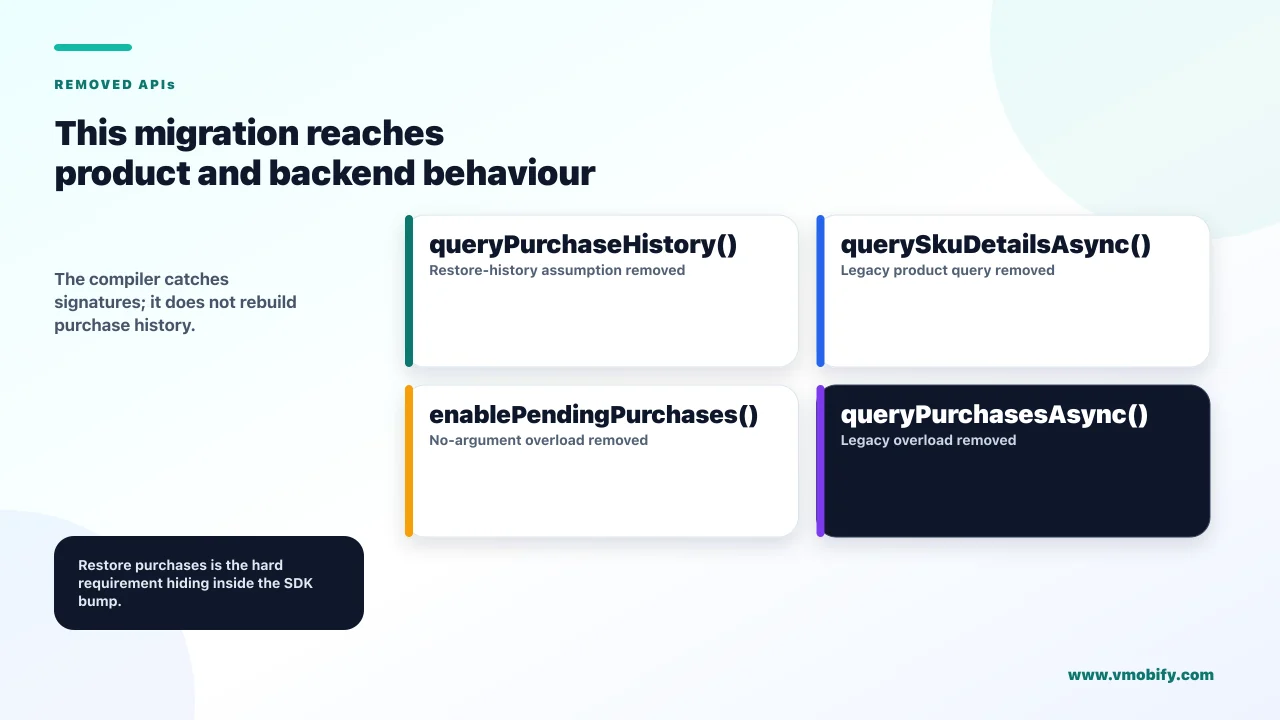
Four APIs, one of which — queryPurchaseHistory() — underpins how most Android apps restore purchases, which is why this migration is bigger than a version bump. If your migration plan is "update the dependency and fix the compile errors", the compile errors will tell you the truth quickly.
From Google's Play Billing Library release notes, version 8.0.0 removed:
queryPurchaseHistory()— removed entirely. It had been deprecated in 7.0.0 with notice that it would be removed in a future release.querySkuDetailsAsync()— removed, replaced byqueryProductDetailsAsync().BillingClient.Builder.enablePendingPurchases()with no parameters — removed, replaced by the form takingPendingPurchasesParams.- The overloaded
queryPurchasesAsync(String skuType, PurchasesResponseListener)— removed.
Version 8 also renamed "in-app items" to "one-time products" and added support for multiple purchase options and offers per product, which is a genuine capability gain rather than only a migration cost.
The reason to plan this properly rather than rushing it is that billing is the one area of an app where a subtle bug is both invisible and expensive. A broken restore flow does not crash, does not appear in vitals, and does not generate a support ticket from most affected users — they simply conclude they were charged for nothing and leave a one-star review. Our note on why app ratings drop covers what that looks like from the other side.
How do you restore purchases now?
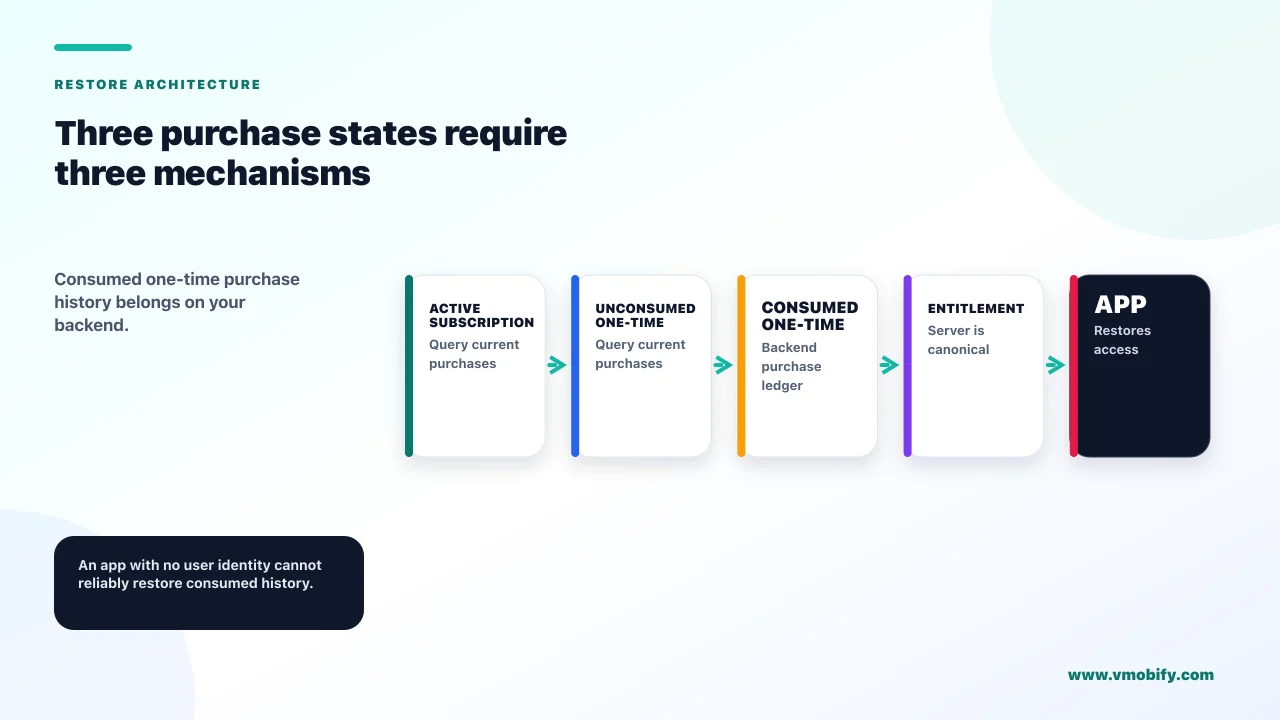
Through three separate mechanisms depending on what you are restoring — and for consumed one-time purchases, Google's guidance is that you keep the history on your own backend. That last one is the part with real product consequences, because it is not a code change at all.
Google's migration guidance for query purchase history splits the old single call into three paths:
- Active purchases to process — use
queryPurchasesAsync(QueryPurchaseParams, PurchasesResponseListener). This covers acknowledged and pending purchases and is the direct replacement for most day-to-day use. - Voided or cancelled purchases — use the voided purchases server developer API rather than anything client-side.
- Historical purchases — Google's wording is that if your app would like to track a user's purchase history, your app should keep track of the history on your app's backend.
Read that third one as a product requirement rather than an engineering note. If you sell one-time products and have no account system and no backend, a user who reinstalls has no route back to a consumed purchase, and neither do you. The platform is telling you it will not remember for you.
The voided purchases API has its own limit worth designing around: it only shows voided purchases that have occurred during the past 30 days, and older ones are not included regardless of the parameters you send. A revocation system that polls it monthly will miss things. Google's own guidance is to integrate it alongside real-time developer notifications rather than relying on polling alone.
If you are weighing whether to build all of this yourself, this is the migration where a third-party billing layer earns its fee for a lot of teams — we compare the trade-off in StoreKit versus RevenueCat. The decision is different for Android-only apps than for cross-platform ones, because cross-platform entitlement is the main thing you are buying.
Why did Google refund your customer automatically?
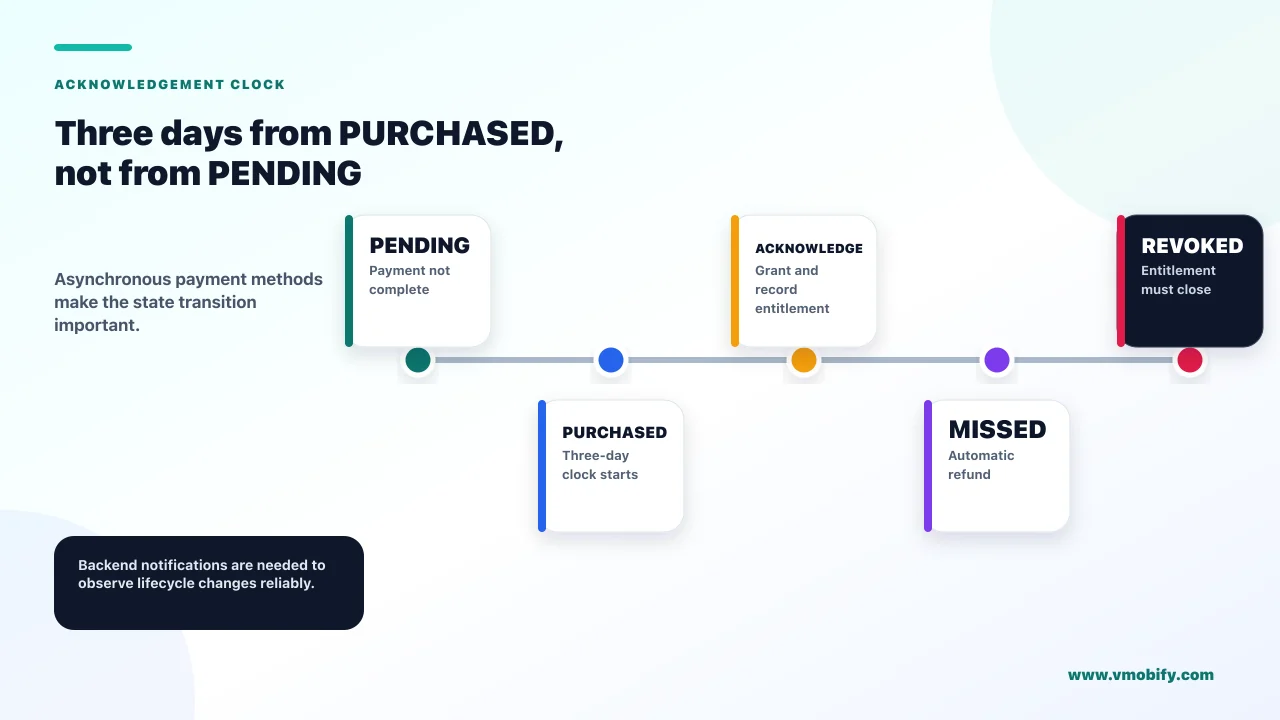
Because you did not acknowledge the purchase within three days, and Google's stated consequence is that the purchase is automatically refunded and entitlement revoked. This is the single most expensive billing bug on Android, and it is silent — the money simply goes back.
Google's billing integration guide sets out the sequence: verify the purchase, grant content to the user for completed purchases, notify the user, and notify Google that your app processed the purchase — which is done by acknowledging it, and must be done within three days so that the purchase is not automatically refunded and entitlement revoked.
Two timing details cause most of the failures we see:
- Pending purchases restart the clock. Google states you should acknowledge only when the state is
PURCHASED, not while a purchase isPENDING, and that the three-day window begins only when the purchase transitions from pending to purchased. Acknowledging a pending purchase is wrong; so is starting a three-day timer at the wrong moment. - Entitlement follows the same rule. Only grant entitlement when the purchase transitions from pending to purchased. Granting on
PENDINGmeans giving away product for a payment that may never complete.
Pending purchases matter far more in India than in card-first markets, because delayed and asynchronous payment methods are common. An implementation that was never really tested against a pending state can work perfectly for months and then fail for a whole payment method. Our guide to UPI autopay for app subscriptions covers the local payment mechanics in more detail.
Use Purchase.isAcknowledged() and Purchase.getPurchaseState() in your logging so you can see, in production, whether purchases are being acknowledged and when. Silent auto-refunds do not raise errors, so if you are not measuring acknowledgement you will find out from your revenue line rather than from your logs.
Do you need a backend to sell subscriptions on Android?
Effectively yes, and Google says so directly — receiving real-time developer notifications requires a backend server, and the notifications themselves do not contain enough information to act on. Teams planning a client-only subscription implementation should read this section before scoping.
Google's getting-ready guidance defines the mechanism: real-time developer notifications are a way to receive notifications from Google whenever there is a change in a user's entitlement within your app, leveraging Google Cloud Pub/Sub, with data either pushed to a URL you set or polled using a client library. To receive notifications, Google states, you need to create a backend server to consume the messages sent to your topic.
The part that surprises people is what arrives. Google states that you must call the Google Play Developer API after receiving a notification to get the complete status and update your own backend state, because these notifications tell you only that the purchase state changed and do not give complete information about the purchase. The data portion of a subscription notification is roughly 1KB.
So the minimum viable subscription stack on Android is: a Pub/Sub topic, a server that consumes it, credentials for the Developer API, and idempotent handling of notifications that may arrive more than once or out of order. That is a real piece of infrastructure, and underestimating it is the most common scoping error we see in subscription launches.
This is also the honest version of the build-versus-buy question. The argument for a billing platform is rarely about the client SDK; it is about not operating this backend. Whether that is worth paying for depends on how many platforms you sell on and how much server engineering you have — our monetisation playbook and our monetisation work both start from that question rather than from the SDK.
What changed about product details?
Version 8 changed what happens to products that cannot be fetched — they are now returned with a product-level status code instead of being silently omitted. This is the change most likely to slip through a migration untested, because the old behaviour hid the problem and the new behaviour surfaces it.
Google's release notes are specific: prior to version 8.0.0, queryProductDetailsAsync() did not return products that could not be fetched. With 8.0.0, unfetched products are returned with a new product-level status code, and this requires changes to ProductDetailsResponseListener.onProductDetailsResponse().
Consider what that means for existing code. A paywall built against the old behaviour assumed that everything in the response was displayable, because anything problematic simply was not there. The same code against version 8 receives entries it was never designed to handle, and the failure mode is a paywall rendering a product it cannot sell — which is worse than a paywall showing one option fewer.
Handle it explicitly rather than defensively. Check the status on each product, display only the ones that resolved, and log the ones that did not, because an unfetched product usually indicates a configuration problem in Play Console that you would otherwise never learn about. The old behaviour was not better; it was quieter.
The related change in version 9.0.0 is small but the same shape: DeveloperProvidedBillingDetails.getLinkUri() became nullable, so code must handle both null and empty string safely. Both changes reward reading the release notes rather than only fixing what fails to compile.
What migration order minimises risk?
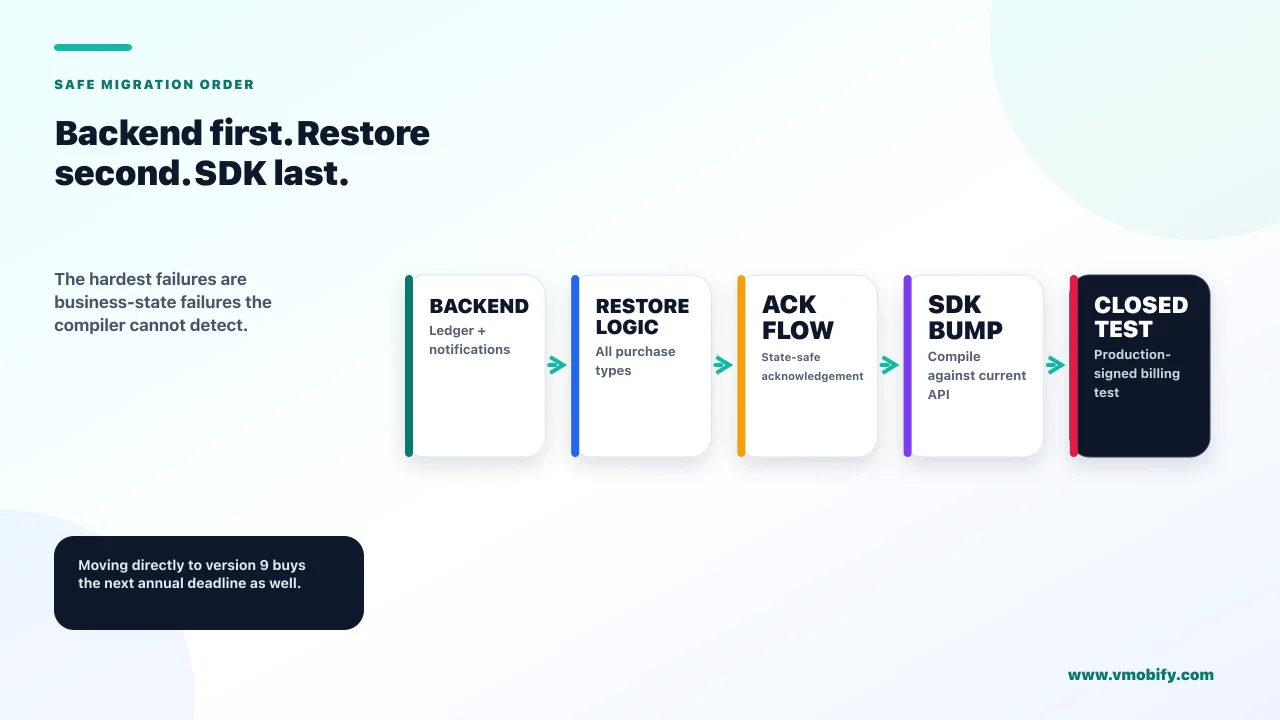
Backend first, then restore logic, then the SDK bump — because the hard parts are the ones the compiler will not tell you about. Doing it in the obvious order, starting with the dependency version, front-loads the easy work and leaves the risky work for the end of the sprint.
- Confirm your deadline position and file the extension if needed. Check the Play Console warning and the Policy status page. An extension costs a form; a rushed billing migration costs revenue.
- Build purchase-history persistence on your backend if you sell one-time products. Google's guidance is explicit that history tracking is now your responsibility, and this is the only step with a product dependency rather than a code one.
- Verify acknowledgement is correct today, before you change anything. Log
isAcknowledged()and purchase state in production. If you have a pending-purchase bug you want to find it against the code you understand, not the code you just rewrote. - Replace the removed APIs —
queryPurchasesAsyncfor active purchases, the voided purchases API server-side, andqueryProductDetailsAsyncwith explicit per-product status handling. - Test the pending path and the reinstall path. These are the two flows nobody tests and both are where the money is.
- Ship to a closed testing track first, because billing behaves differently outside a properly signed, Play-distributed build.
The step teams skip is the third one. Migrating billing code without first establishing whether your current acknowledgement behaviour is correct means that any post-migration revenue dip is unattributable — you will not know whether you introduced it or inherited it.
What happens after version 8?
The same deadline again, every year — version 8 must itself be replaced by 31 August 2027, and version 9 by 31 August 2028. This is not a one-off migration to survive; it is an annual maintenance obligation to schedule.
Google's published table makes the cadence explicit, with each major version getting a new-app-and-update deadline of 31 August and an extension deadline of 1 November, one year apart from the last. Version 9.1.0 is already current, released in June 2026, which means the target for next year's deadline already exists and can be adopted early.
The practical implication is a planning one. If billing migration is an unplanned fire drill every August, it will keep being one. Two habits fix it permanently:
- Put the August deadline in your roadmap as a recurring item, scheduled in the first half of the year rather than discovered in the second.
- Adopt the current major version well ahead of its deadline. Version 9 exists now, so migrating to 9 rather than to the minimum-viable 8 buys you an extra year of headroom for the same amount of work.
That second point is the one worth arguing for internally. The effort to move from 7 to 8 and from 7 to 9 is not meaningfully different, and one of those two outcomes puts you back in this conversation in twelve months. If you are doing the work anyway, do it once.
If subscription infrastructure is a bigger question for you than this specific migration — whether to run the backend at all, how to price, how to handle Indian payment methods — our guide to subscription monetisation strategy covers the wider decisions, and you can tell us where you are stuck if you would rather talk it through.
Frequently Asked Questions
Will my app be removed if I miss the Billing Library deadline?+
No. Google states that existing published apps continue to work and unmaintained APKs do not need updates. What is blocked is publishing — new apps and updates cannot use an unsupported version, so you lose the ability to ship any change including bug fixes.
Can I get more time to migrate?+
Yes. Google documents an extension deadline of 1 November 2026 for the version 8 requirement. If your app uses an unsupported version you receive a warning in Play Console, and the extension form is on that warning’s details page in the Policy status section.
What replaced queryPurchaseHistory?+
Three different things. Use queryPurchasesAsync for active purchases to process, the voided purchases server developer API for voided or cancelled purchases, and your own backend for historical purchases — Google states that if your app wants to track a user’s purchase history it should keep that history on your backend.
A customer was refunded automatically. What happened?+
The purchase was almost certainly not acknowledged within three days, which Google states results in an automatic refund and revoked entitlement. Check whether your acknowledgement handles pending purchases correctly — the three-day window begins only when the state moves from PENDING to PURCHASED, not when the purchase is first seen.
Do I need a server to sell subscriptions on Android?+
In practice yes. Google states you need a backend server to consume real-time developer notification messages, and that those notifications only tell you the purchase state changed — you must call the Google Play Developer API afterwards to get complete status. Plan for Pub/Sub, a consumer, API credentials and idempotent handling.
Why is my paywall showing a product it cannot sell after upgrading?+
Version 8 changed queryProductDetailsAsync so that products which cannot be fetched are now returned with a product-level status code instead of being omitted. Code written against the old behaviour assumed everything returned was displayable. Check the status per product, show only resolved ones, and log the rest.
Should I migrate to version 8 or version 9?+
Version 9, if you are doing the work anyway. The deadlines recur annually — version 8 must be replaced by 31 August 2027 — so migrating to the minimum-viable version puts you back in the same project in twelve months for a similar amount of effort.
Sources
- Android Developers — Play Billing Library version deprecation FAQ — The 31 August and 1 November dates, the annual cadence, and the extension form.
- Android Developers — Play Billing Library release notes — The version 8.0.0 removals and the queryProductDetailsAsync behaviour change.
- Android Developers — Migrate from queryPurchaseHistory — The three replacement paths and the instruction to keep history on your own backend.
- Android Developers — Integrate the Google Play Billing Library — The three-day acknowledgement rule and when the window actually starts.
- Android Developers — Getting ready for Play Billing — Real-time developer notifications, the backend requirement and the Developer API call.
- Google — Voided Purchases API — What it returns, the 30-day limit, and the recommendation to pair it with RTDN.
About the author
Amol Pomane — Founder, Vmobify
Amol leads Vmobify, a mobile app growth agency that has driven 30M+ downloads and ranked 54K+ keywords across 300+ apps since 2013. He writes about ASO, paid user acquisition, retention, and the operational reality of scaling mobile apps in India and global markets.