Your App Installs Dropped Overnight: A Diagnostic
Installs fell off a cliff, the app is still live, nothing was released, and nobody changed a campaign. There are seven documented causes, two of which restrict your distribution without removing your app, and one of which quietly makes you unavailable on newer devices. Here they are in the order that costs you the least time to check.
On this page
- Is it a real drop or a reporting problem?
- Did Google quietly limit your visibility?
- Did your app become unavailable on newer devices?
- Did technical quality cross a threshold?
- Did your conversion fall rather than your traffic?
- Did something change in your paid campaigns?
- Did the mix of who finds you change?
- How do you tell these apart in twenty minutes?
- What monitoring stops this being a surprise?
- Frequently Asked Questions
Is it a real drop or a reporting problem?
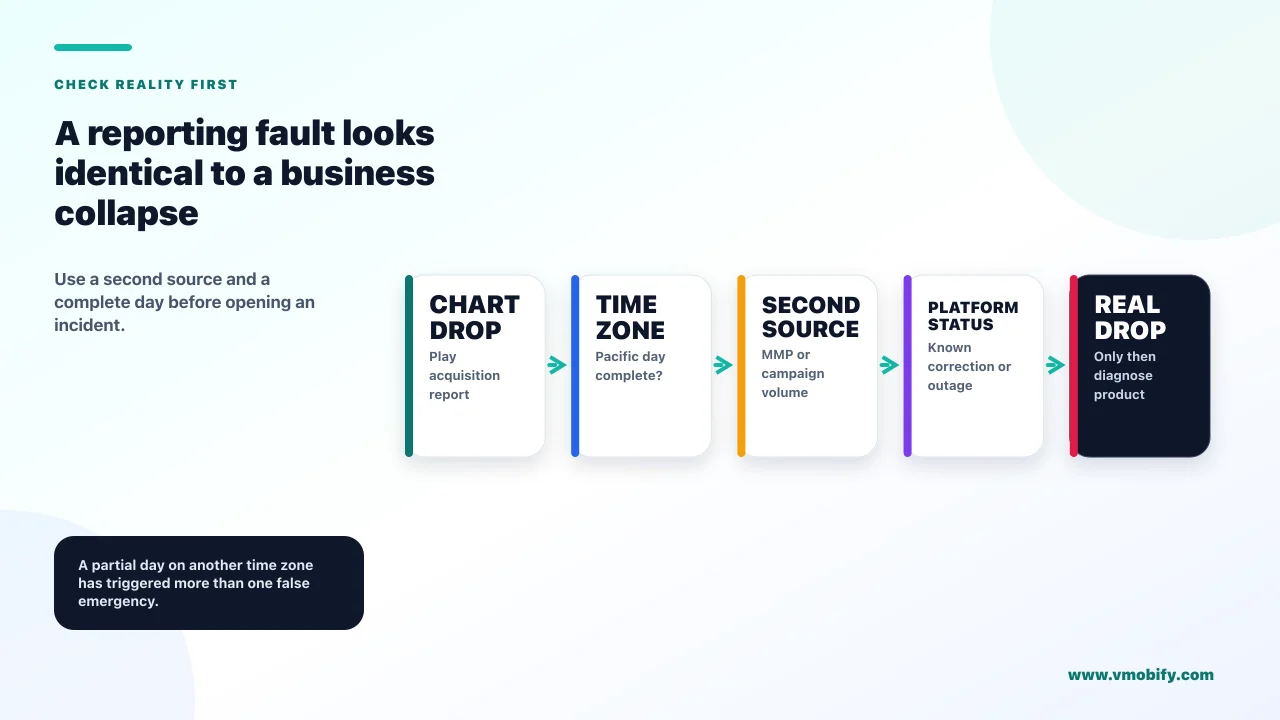
Check this first, because Google documents a history of statistics outages and corrections, and a reporting fault is indistinguishable from a business catastrophe on a chart. It takes two minutes and it has saved teams in our portfolio entire weeks of misdirected investigation.
Google's page on troubleshooting app statistics problems catalogues real incidents. A systems change in mid-2022 caused missed data across installs, acquisitions and engagement metrics, with partial recovery and some of it unrecoverable. Acquisition data was under-reported in an earlier period and corrected later. Deep link traffic was once incorrectly classified as organic Play Store traffic. Store listing preview installs were once not counted in Play Store search metrics.
So the first question is not "why did installs drop" but "did installs drop". Three checks settle it:
- Does a second source agree? Your MMP, your analytics, your own backend signups. If your servers saw the same fall, it is real. If only Play Console fell, suspect the report.
- Did every metric fall together, including unrelated ones? A genuine distribution problem hits installs. A reporting fault often takes several metrics with it in a way no real-world cause would.
- Is the drop suspiciously clean? Real demand curves are noisy. A vertical line to a flat floor, or a single day at zero surrounded by normal days, is the shape of a data gap.
Also remember the definitional trap before you panic. Google defines install events as the number of times your app was installed including devices where it had been installed previously, while user acquisitions counts only users who did not have your app on any other device. Those two move differently, and a team reading one while quoting the other reaches the wrong conclusion. We cover the full set of definitions in why Play Console shows more uninstalls than installs.
Did Google quietly limit your visibility?
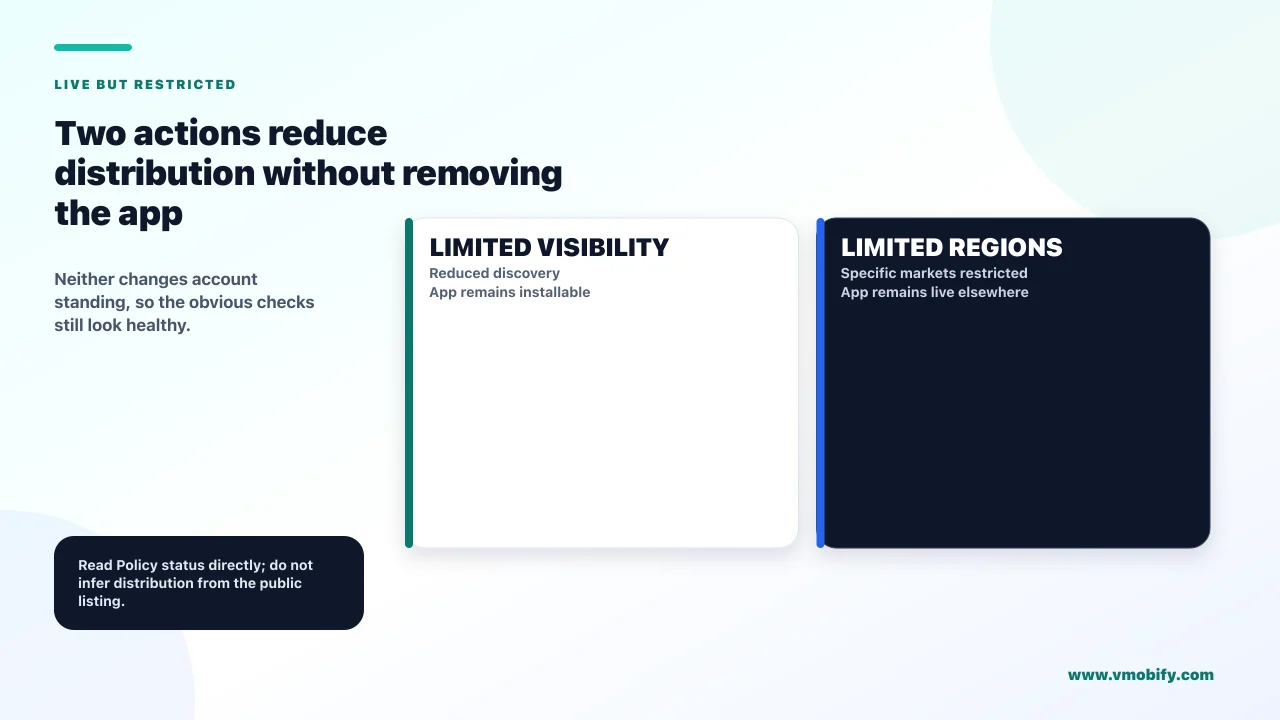
Google has two enforcement actions that restrict distribution while leaving your app live and installable — Limited Visibility and Limited Regions — and neither affects your account standing, so neither looks like an enforcement event. This is the cause founders almost never check, because the app is right there when they search for it by name.
Google's documentation on its enforcement process defines them precisely:
Limited Visibility
- "Your app's discoverability on Google Play is restricted"
- The app remains available and can be accessed by users with a direct link to the store listing
- Does not impact developer account standing
- Symptom: organic discovery collapses, direct traffic unaffected
Limited Regions
- The app can only be downloaded through Google Play in certain regions
- Users in restricted regions cannot find it; previous installers keep access without updates
- Does not affect account standing
- Symptom: installs vanish from specific countries only
The reason these hide so well is that every instinctive check comes back clean. The app is live. You can install it. Your account has no strike. If you search for your app by name while logged in on a device that already has it, everything looks normal — and the only thing that actually changed is whether people who were not looking for you can find you.
Google states that it provides relevant information about the action taken via email, along with instructions on how to appeal. So the notification exists. The problem is that it goes to whichever address is on the developer account, which in our experience is frequently a founder's personal inbox, a shared alias nobody reads, or an address belonging to someone who left. Check the Play Console policy status page directly rather than trusting that an email would have reached you.
If you find an enforcement action, the recovery path is a separate discipline — our guide to Play suspension and account termination covers the enforcement ladder and the appeal process.
Did your app become unavailable on newer devices?
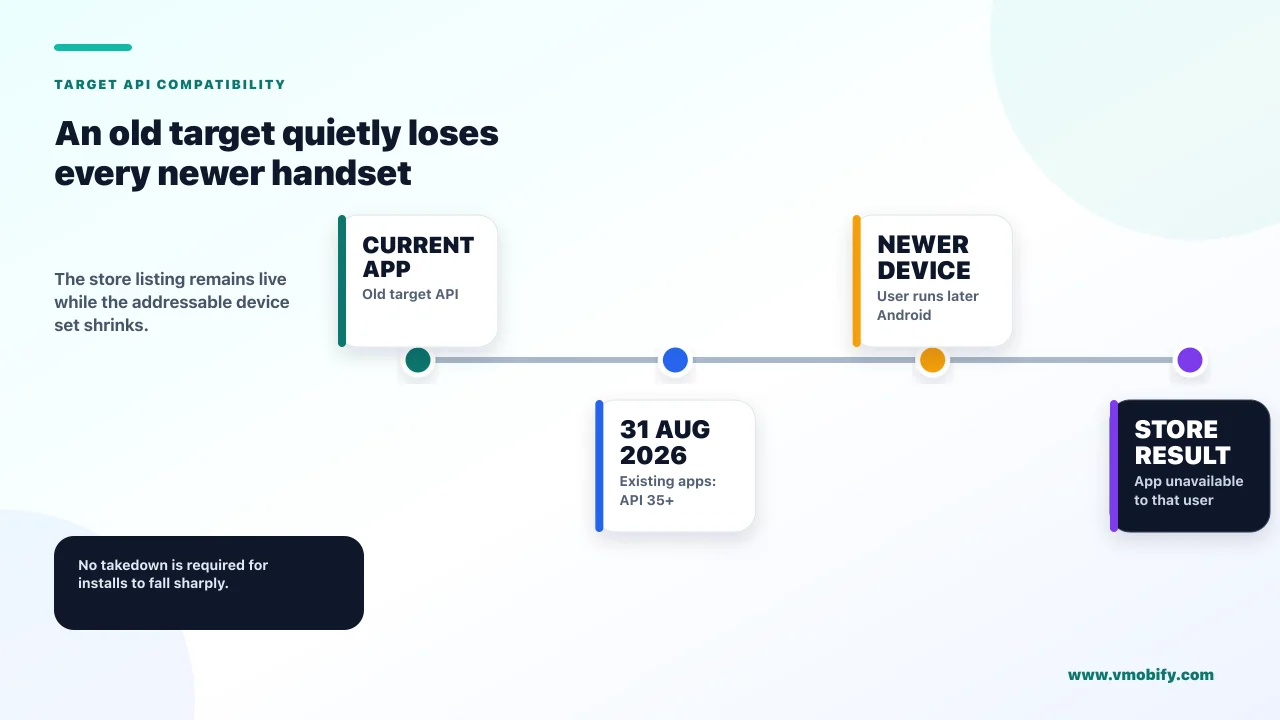
If your app targets an old API level, Google restricts it to devices running the same or lower Android version — which removes you from every new handset without removing you from the store. This is the most under-diagnosed cause of a slow-then-sudden organic decline, and the current deadline is live right now.
Google's target API level requirements set out the mechanism. From 31 August 2026, existing apps must target Android 15, API level 35, or higher to remain available to new users on devices running an Android version higher than the app's target. Apps targeting Android 14, API level 34, or lower will only be available on devices running an Android OS the same as or lower than the app's target API level. New apps and updates must target Android 16, API level 36, or higher.
Read the consequence carefully, because it is unusually sharp for something with no notification attached. Your app does not disappear. It becomes invisible to anyone on a newer phone. Since new phones are disproportionately the devices being bought right now, your addressable market shrinks continuously from the day it applies — and the shape on your chart is a decline that accelerates rather than a cliff, which makes it easy to blame on competition or seasonality.
Google documents an extension route to 1 November 2026, with extension forms accessible in Play Console. Permanently private apps restricted to a specific organisation for internal distribution are exempt.
31 August 2026 is also the date by which new apps and updates must use Play Billing Library 8 or later. Both have extensions to 1 November 2026 and both are requested through Play Console. If you are behind on one, check the other before you plan the work — doing them as one release is far cheaper than discovering the second in October. We cover the billing side in the Billing Library 8 migration.
Did technical quality cross a threshold?
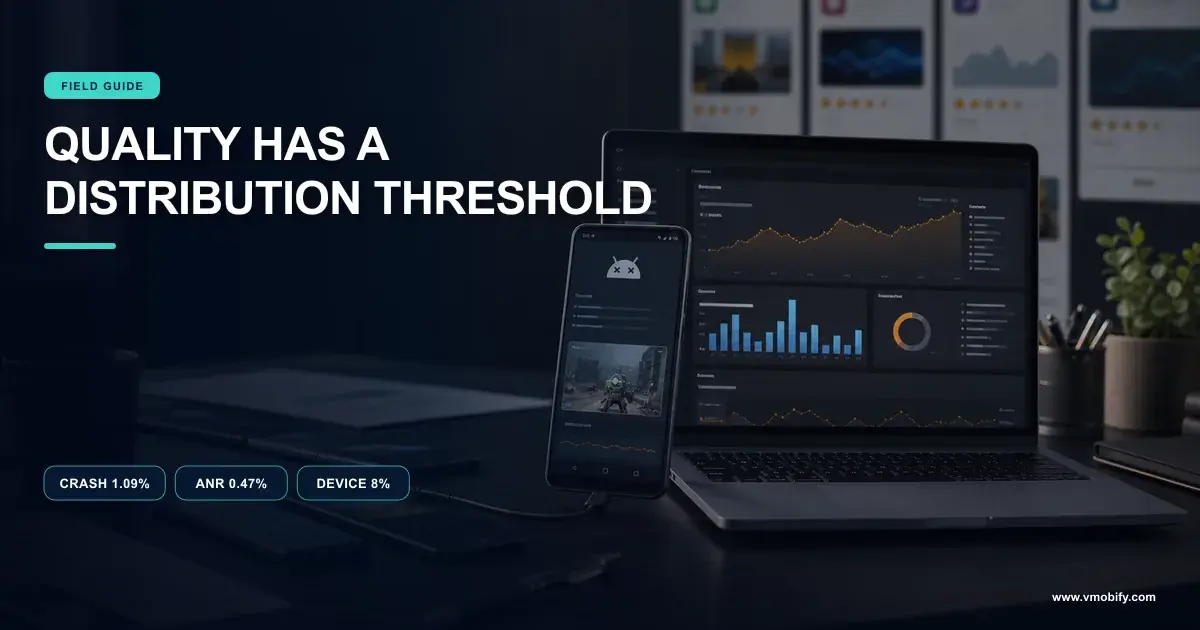
Google states that exceeding a bad behaviour threshold means Play may reduce the visibility of your title and may show users a warning on your store listing — so a bad release can suppress organic installs without anyone filing a bug. If your drop began within a few days of a rollout, start here.
The published thresholds are a user-perceived crash rate of 1.09% of daily users across all device models and 8% for a single device model, and a user-perceived ANR rate of 0.47% of daily active users across all models with 8% for a single model.
The per-device figure is the one that causes confusion during a drop investigation, because a team checks the overall crash rate, sees a healthy number, and rules technical quality out. A single popular handset breaching 8% is enough, and in markets where a handful of budget devices carry a large share of installs, that is not an edge case. Segment by device before you dismiss this.
Two properties of this cause shape how you investigate it. It is assessed on a 28-day basis, so both the onset and the recovery lag the underlying change by weeks — the release that caused it may be a month old. And it produces exactly the same chart shape as a demand problem, which is why it survives so many investigations that started by looking at marketing.
Our article on the vitals thresholds that decide distribution covers finding the responsible device and what to do about it, and why bad vitals act as a tax on acquisition covers what the same problem does to your paid numbers at the same time.
Did your conversion fall rather than your traffic?
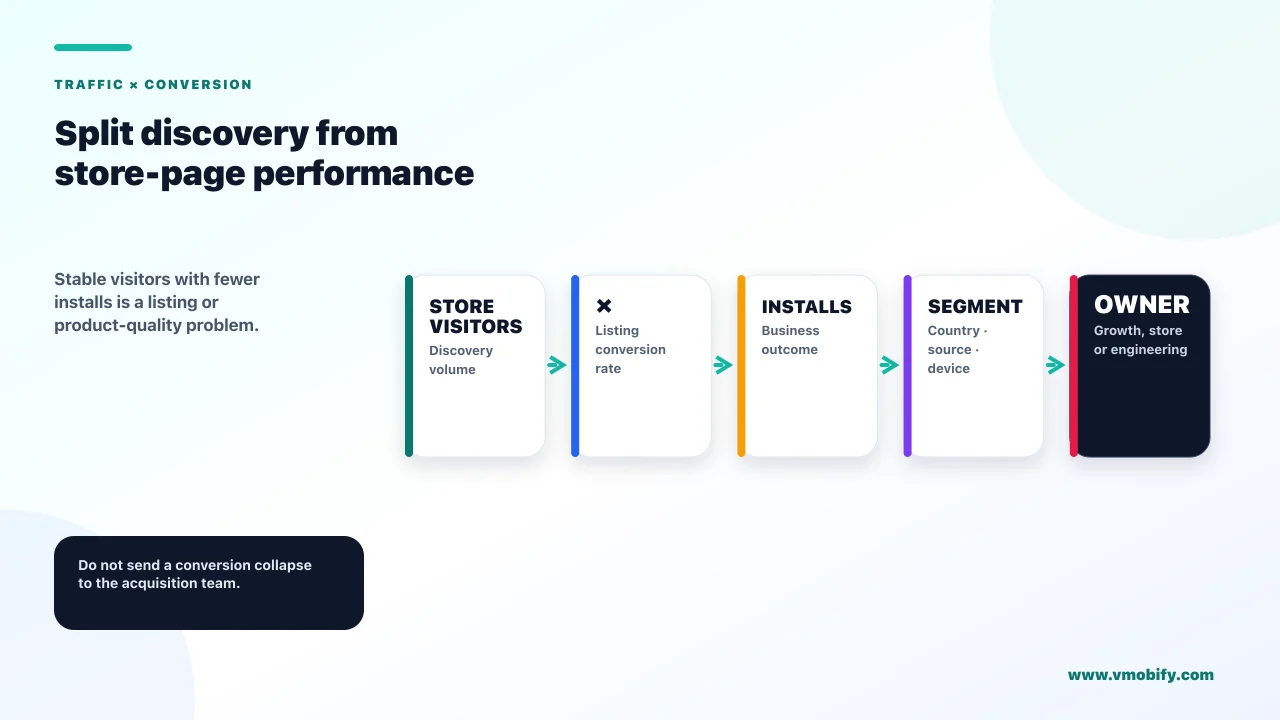
Installs are visitors multiplied by conversion, and confusing a conversion collapse with a traffic collapse sends you to entirely the wrong team. Play Console gives you both numbers, and separating them is the single highest-value split in this whole diagnostic.
If store listing visitors held steady while installs fell, your traffic is fine and something on the page stopped working. The usual candidates:
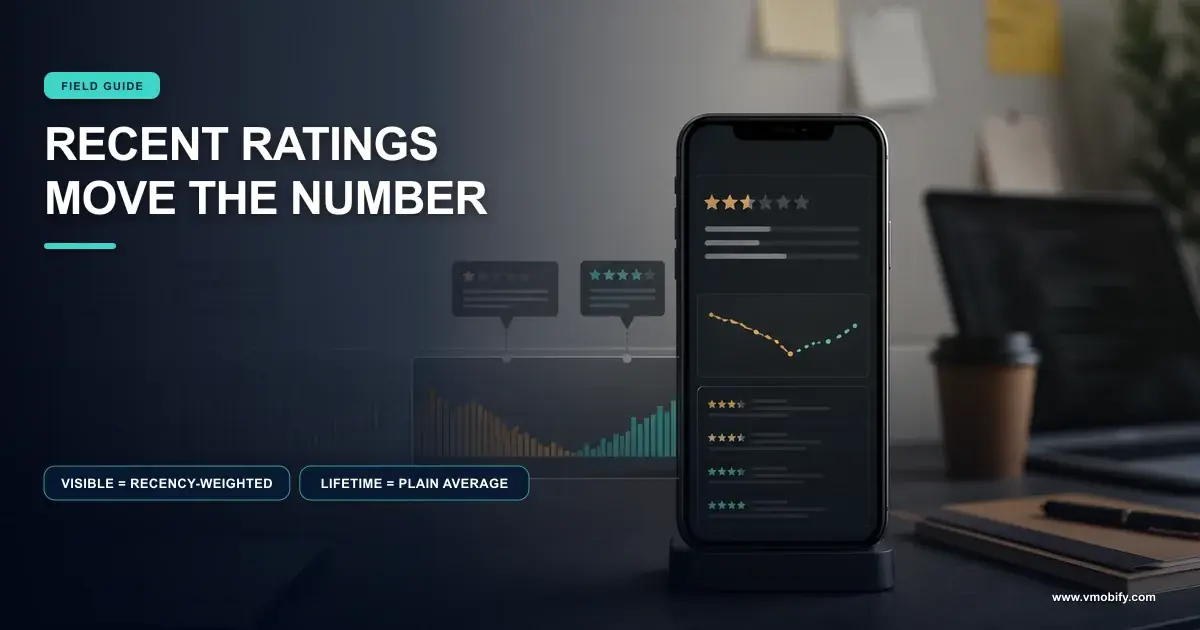
- The rating moved. Google states the rating users see is weighted toward more recent ratings, so a bad fortnight moves the displayed figure far more than a lifetime average would suggest. The rating is one of the most prominent conversion elements on the listing. Our piece on why app ratings drop covers the mechanism and the recovery.
- A quality warning appeared on the listing. The same vitals breach above can put a warning in front of every visitor.
- Someone changed the listing. Screenshots, icon, short description — a well-intentioned creative refresh that nobody A/B tested is a common and easily-reversed cause.
- Your app got bigger. Google documents that above 200MB, users on a mobile data connection see a dialog when installing informing them of the app's large size, and states that size can affect install and uninstall metrics.
If visitors fell and conversion held, the problem is upstream — discovery, enforcement, target API level, or paid delivery. That single fork eliminates roughly half the causes on this page in about a minute, which is why it belongs near the front of any real investigation.
Did something change in your paid campaigns?
If a meaningful share of your installs is paid, a campaign that stopped delivering looks exactly like an organic collapse on a blended chart. Split paid from organic before you conclude anything, because these are separate investigations with separate fixes.
Google's guidance on App campaign performance fluctuations lists ten causes: recent changes to account or campaign settings, conversion tracking setup and delay, bids and bid targets, budget settings, low creative coverage and diversity, targeting settings and overlaps, policy and ad review status, app status, other account issues, and auction dynamics.
Three of those deserve attention specifically in an overnight-drop scenario, because they can act instantly rather than gradually:
- Account issues. A billing failure or account suspension stops delivery immediately and completely. It is the first thing to check and the fastest to rule out.
- Policy and ad review status. New assets go back through review. A creative refresh shipped yesterday can put part of a campaign into a non-serving state today.
- Conversion tracking. If the signal your bidding depends on stopped arriving — a renamed event, an SDK change in a release — delivery degrades sharply and the cause is in your app rather than your ad account.
Note also that app status appears on Google's list, and its guidance under that heading is to check Android vitals for high crash rates and ANRs. The causes on this page are not independent: a vitals breach can suppress organic discovery and degrade paid delivery simultaneously, which is why a drop that hits both at once is more likely to be a product problem than a coincidence. Our full campaign diagnostic is in why your Google App campaign stopped spending.
Did the mix of who finds you change?
Play Console breaks acquisition down by channel and country, and a drop concentrated in one of those is a completely different problem from a drop spread evenly across all of them. This is the check that turns a vague decline into a specific hypothesis.
Google's acquisition reporting separates channels including Play Store organic, Google Ads, UTM-tagged traffic, Google Search organic and third-party referrers, with country breakdowns, refreshed daily on Pacific Time. Read the drop through that lens and the shape tells you where to look:
Concentrated drop
- One country only: suspect Limited Regions, a local competitor, or a regional payment or policy change
- One channel only: suspect that channel — a campaign, a referrer that stopped sending, a search ranking change
- Organic only, direct intact: strongly suggests Limited Visibility or a discovery-side problem
Even drop
- Across every channel and country at once
- Suspect conversion rather than traffic — something on the listing that every visitor sees
- Or a reporting fault, which is why that check comes first
The time-zone detail is worth holding on to during a fresh investigation. Reports refresh daily on Pacific Time, so "today's" number in your morning is a partial day measured on someone else's clock. We have watched more than one team declare an emergency over what turned out to be an incomplete day, and the check costs nothing.
One benign explanation belongs here too, and it is worth ruling in rather than out: seasonality and calendar effects. A festival, an exam period, a holiday, or the end of a competitor's campaign all move install volume without anything being wrong. Compare against the same period last year before assuming a fault — if you have a year of history, that comparison is more informative than anything else in this section.
How do you tell these apart in twenty minutes?
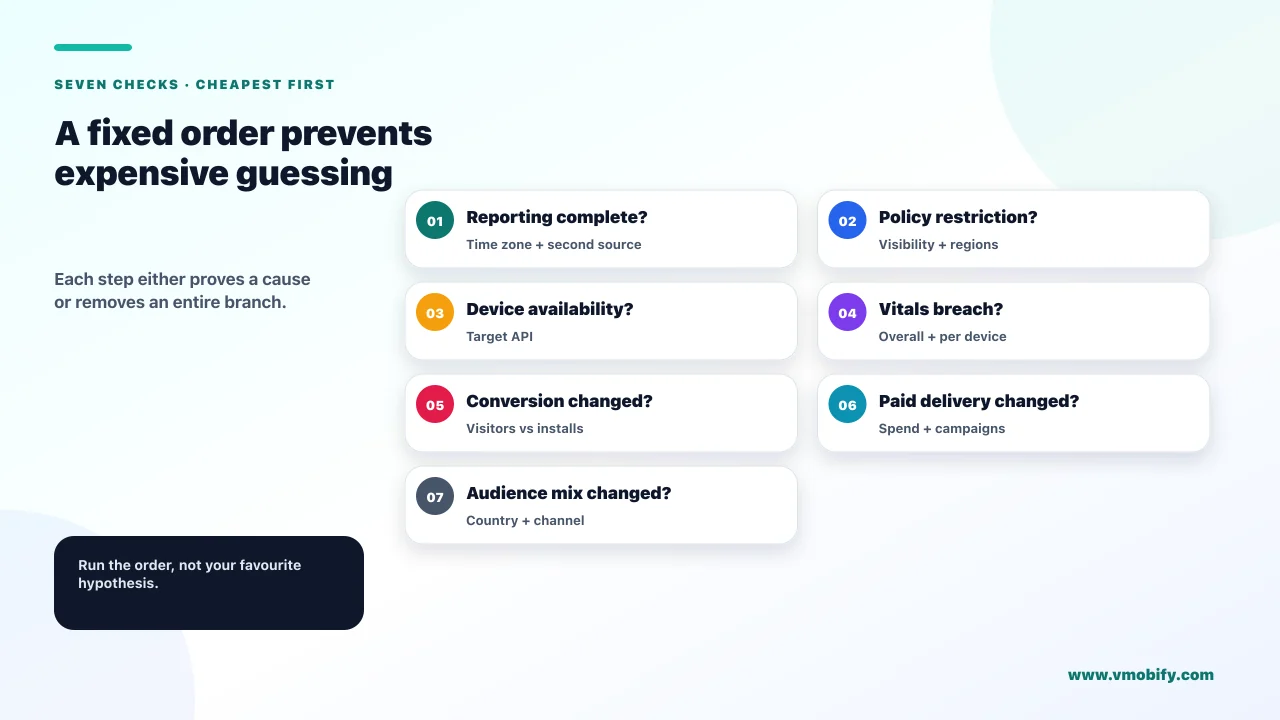
Run the checks in order of how quickly each one can be eliminated, not in order of how likely you think each one is. The expensive mistake in a drop investigation is starting with the hypothesis you find most interesting.
- Confirm the drop is real against a second data source. Two minutes, and it invalidates everything downstream if you skip it.
- Open Play Console policy status. Look for Limited Visibility, Limited Regions or any enforcement action. Do not rely on having received an email.
- Check your target API level against the current requirement. If you are below it, you have found at least part of your answer.
- Split visitors from installs. This fork eliminates about half the remaining causes immediately.
- Split paid from organic, and check ad account status and billing if paid is involved.
- Check vitals, segmented by device model — not just the overall figure.
- Check the rating, both the displayed figure and the trend.
- Segment by channel and country to localise whatever is left.
- Line all of it up against your release history and your campaign change log.
That last step is the one that most often produces the answer, and the one teams reach for last. In our portfolio, the majority of sudden install drops with no obvious cause resolve to something that shipped — a release, a listing edit, a creative refresh, an SDK update — within the preceding week. Build the timeline before you build the theory.
What monitoring stops this being a surprise?
Alerts on the four things that can restrict distribution silently, plus a change log you can line a chart up against. Every cause on this page is detectable before it becomes an emergency, and almost none of them announce themselves.
- Policy status, checked on a schedule. Limited Visibility and Limited Regions do not affect account standing and may not reach a monitored inbox. Someone should look at that page weekly, by name, as a task.
- Target API level, diarised annually. The requirement moves every year with a 31 August deadline and a 1 November extension. Put it in the roadmap in the first half of the year rather than discovering it in the second.
- Vitals with a device-level alert. Overall crash and ANR rates alone will not catch the per-model 8% threshold, and the 28-day assessment basis means an alert that fires late fires useless.
- Store listing conversion rate as a first-class metric. Visitors and installs plotted separately, so a conversion problem is visible on the day it starts rather than inferred a fortnight later.
- A change log everyone writes to. Releases, listing edits, campaign changes, SDK updates, pricing changes. Not a formal process — a dated list. It converts most of this diagnostic from investigation into lookup.
The change log is the highest-return item on that list and the one nobody wants to maintain. Across the 300+ apps we have managed since 2013, the difference between a two-hour diagnosis and a two-week one is almost always whether somebody wrote down what changed and when.
If your installs have dropped and the checks above have not localised it, that is usually a fast conversation for someone who has seen the pattern before — tell us what the chart looks like and when it started, or see how we approach store presence and organic discovery in our ASO work.
Frequently Asked Questions
My installs dropped but my app is still live. What restricts distribution without removing an app?+
Two documented enforcement actions. Limited Visibility restricts discoverability while the app stays available to anyone with a direct link, and Limited Regions restricts which countries can download it. Google states neither affects developer account standing, which is why they are so easy to miss.
Can my target API level cause installs to fall?+
Yes, and it is one of the least-diagnosed causes. From 31 August 2026 existing apps must target Android 15 or higher to remain available to new users on devices running a higher Android version. Below that, your app is only available on devices at or under your target level, so newer handsets stop seeing you.
How do I know whether the drop is a reporting problem?+
Compare against a second source — your MMP, your analytics or your own backend. Google’s troubleshooting page documents real statistics incidents including a 2022 systems change with some data unrecoverable. A suspiciously clean vertical drop to a flat floor is the shape of a data gap, not of demand.
My crash rate looks fine. Can vitals still be the cause?+
Yes. The per-device-model threshold is 8% while the overall crash threshold is 1.09%, so one popular handset can breach it while your headline number is healthy. Vitals are also assessed on a 28-day basis, so the release responsible may be several weeks old.
Should I look at paid or organic first?+
Split them before looking at either, because a blended chart hides which one moved. If paid is involved, check ad account and billing status first — those stop delivery instantly and completely, and take seconds to rule out.
Installs fell in one country only. What does that suggest?+
Most likely Limited Regions, a regional policy or payment change, or a competitor scaling locally. Play Console breaks acquisition down by channel and country, and a concentrated drop is a much more tractable problem than an even one — the concentration is the clue.
What is the single most useful thing to have in place before this happens?+
A dated change log covering releases, listing edits, campaign changes and SDK updates. Most sudden drops resolve to something that shipped in the preceding week, and having that list turns the whole diagnostic from an investigation into a lookup.
Sources
- Google Play — Enforcement process and action types — Limited Visibility and Limited Regions, and that neither affects account standing.
- Android Developers — Target API level requirements — The 31 August 2026 requirement and the device-availability consequence of falling behind.
- Google Play — Troubleshoot app statistics problems — Documented statistics outages, corrections and unrecoverable data.
- Google Play — View app statistics — Install events versus user acquisitions, and why the two move differently.
- Google Play — Acquisition reports — Channel and country breakdowns, and the Pacific Time daily refresh.
- Google Play — Monitor technical quality with Android vitals — The 1.09%, 0.47% and per-model 8% thresholds and the 28-day basis.
- Google Ads — Troubleshoot App campaign performance fluctuations — The ten campaign-side causes, including account issues and ad review status.
About the author
Amol Pomane — Founder, Vmobify
Amol leads Vmobify, a mobile app growth agency that has driven 30M+ downloads and ranked 54K+ keywords across 300+ apps since 2013. He writes about ASO, paid user acquisition, retention, and the operational reality of scaling mobile apps in India and global markets.
Check your store metadata
Run your current App Store or Play metadata through the free checker.
Open free tool