Why Your TestFlight Build Isn't Reaching Testers
You uploaded the build, your colleague installed it in minutes, and the fifty external testers you promised a link to have nothing. Nothing is broken. TestFlight has a documented set of build states, internal and external distribution follow different rules, and almost every "TestFlight is stuck" complaint is one of five states with a named fix.
On this page
- What are the states a TestFlight build can actually be in?
- Why can your colleague install the build when external testers cannot?
- What is "Missing Compliance" actually asking you?
- What does TestFlight App Review actually check?
- Why did your build vanish after ninety days?
- Why do subscriptions behave strangely for your testers?
- How many testers can you actually reach?
- What should a release-week TestFlight sequence look like?
- Which TestFlight mistakes cost the most time?
- Frequently Asked Questions
What are the states a TestFlight build can actually be in?
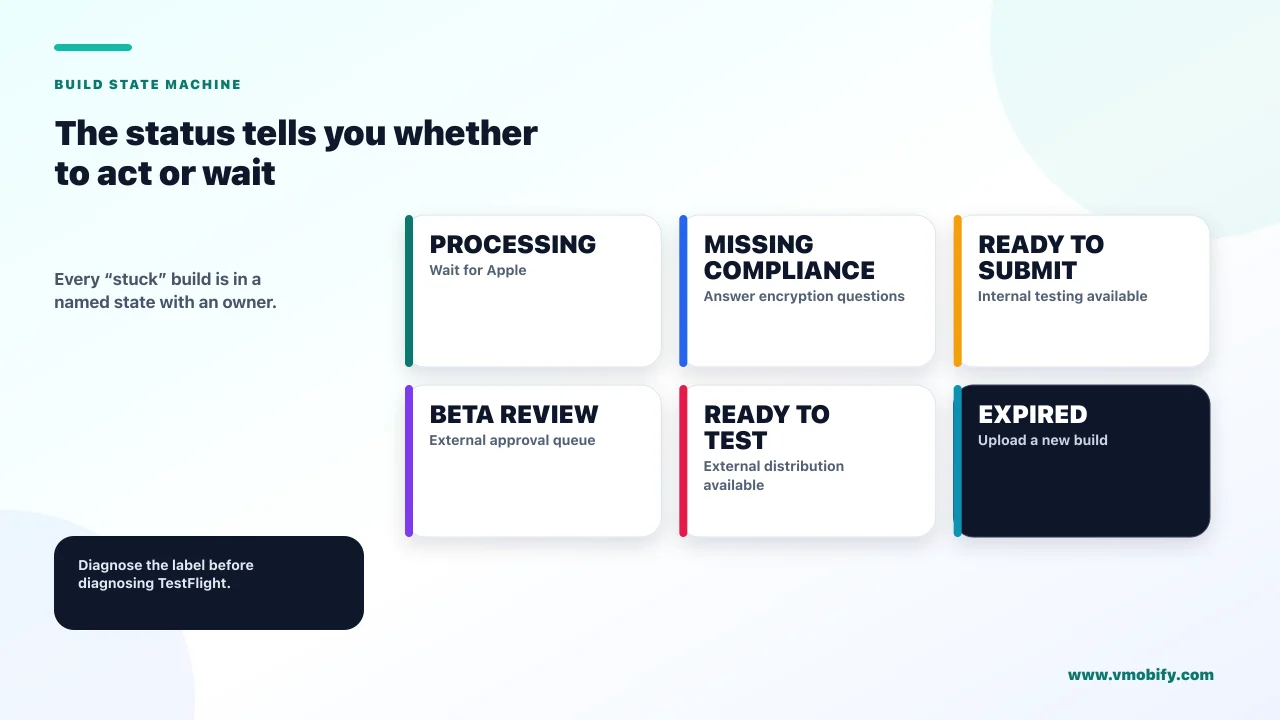
TestFlight is a state machine with a published list of states, and "my build isn't reaching testers" is always a question about which state you are in — not a question about whether TestFlight is working. The moment you stop treating it as a black box and start reading the status label, the problem usually resolves in minutes.
Apple publishes the full list in its app build statuses reference. Twelve values exist. Five of them account for almost every support thread we have seen:
- Missing Compliance — export compliance documentation has not been supplied. Action is needed from you.
- Ready to Submit — the build can go to internal testers right now, and can be submitted to TestFlight App Review for external testing. It is not stuck; it is waiting for you.
- Waiting for Review / In Beta Review — submitted to TestFlight App Review, and approval is required before external testing can begin.
- Expired — the build has passed its ninety-day availability window and cannot be used for testing.
- Rejected — TestFlight App Review rejected the build, and it can no longer be used in TestFlight at all. You upload a new one.
Two more are worth recognising because they look like platform faults and are not. Invalid Binary means Apple received the upload but it failed the upload requirements. Not Available for Testing means the provisioning profile is missing an application identifier — a signing problem wearing a TestFlight costume.
Across the 300+ apps we have managed since 2013, the pattern is consistent: teams describe a state as a failure when it is a queue position or an unanswered form. Read the label first. It tells you whether the ball is in your court or Apple's, and those two situations call for completely different responses.
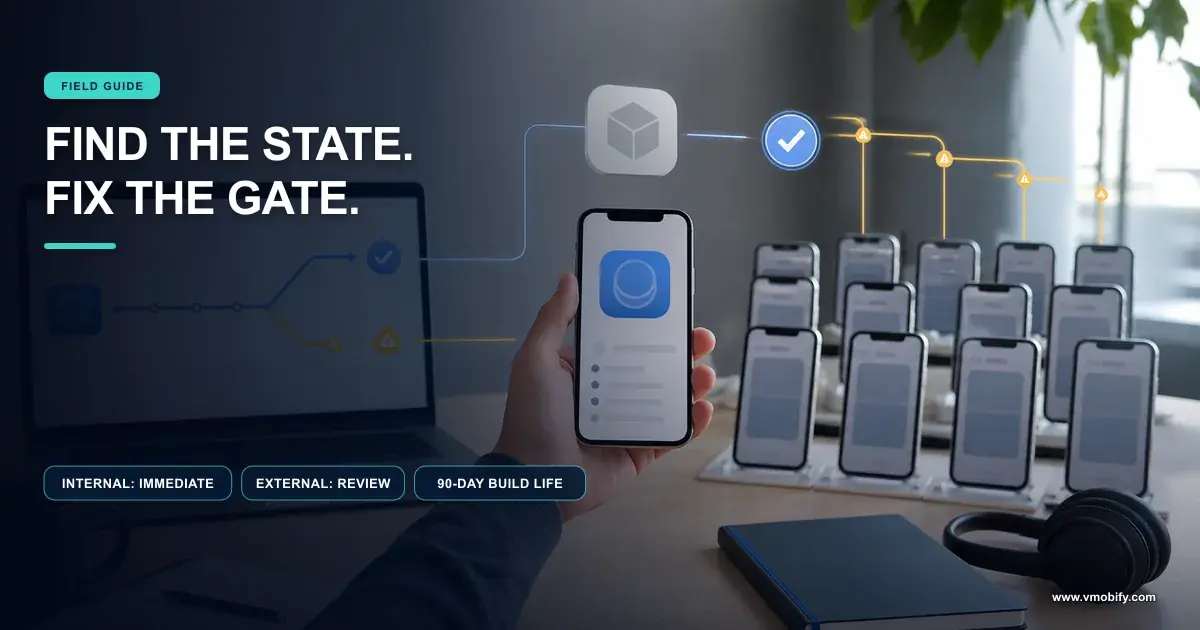
If the status names an action ("Missing Compliance", "Invalid Binary", "Not Available for Testing", "Ready to Submit"), it is yours to fix and you can fix it today. If it names a queue ("Waiting for Review", "In Beta Review", "In Compliance Review"), Apple's own documentation says no action is needed from you — stop refreshing and go and do something else.
Why can your colleague install the build when external testers cannot?
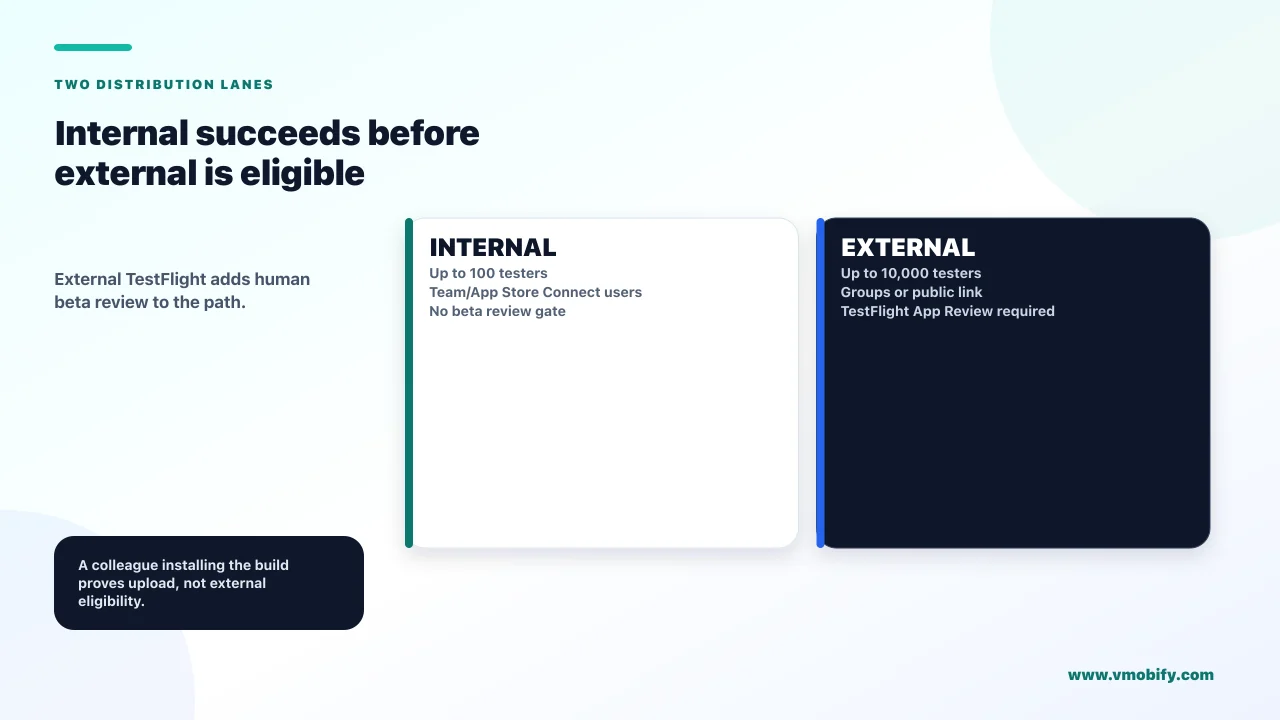
Because internal and external distribution are governed by different rules, and only external testing requires TestFlight App Review approval. This single asymmetry produces more confused founders than any other part of the system, because the first person to install a build is almost always a colleague — which makes the build look approved when it is not.
Apple states it plainly in the definition of the Ready to Submit status: the build "can be distributed to internal testers, or can be submitted to TestFlight App Review for external testing". Internal is immediate. External is gated. The status of a build that works perfectly for your team and reaches nobody outside it is doing exactly what it says.
Internal testers
- Who they are: App Store Connect users with access to your content — not arbitrary email addresses
- Ceiling: up to 100
- Review: not required to distribute
- Time to install: as soon as processing and compliance complete
External testers
- Who they are: anyone you invite by email or public link
- Ceiling: up to 10,000 per app
- Review: required — Apple says the first build you submit needs a full review, and later builds for the same version might not
- Time to install: after approval, not after upload
The practical consequence is a planning one. If your launch plan says "upload Thursday, testers Friday", it is only true for the people already inside your App Store Connect account. Everyone else is downstream of a review queue whose duration you do not control. We build beta timelines around the approval, not the upload, and we treat the internal install as a smoke test rather than as evidence that distribution works.
The second consequence is about who you recruit. Because internal testers must be App Store Connect users with access to your content, you cannot quietly promote your fifty most engaged users into that bucket to skip review. The bucket is for your team. If you want strangers testing the app — which is the entire point of a beta — you are on the external path and you will be reviewed. Our note on finding your first 100 app users covers the recruitment side of this in detail.
What is "Missing Compliance" actually asking you?
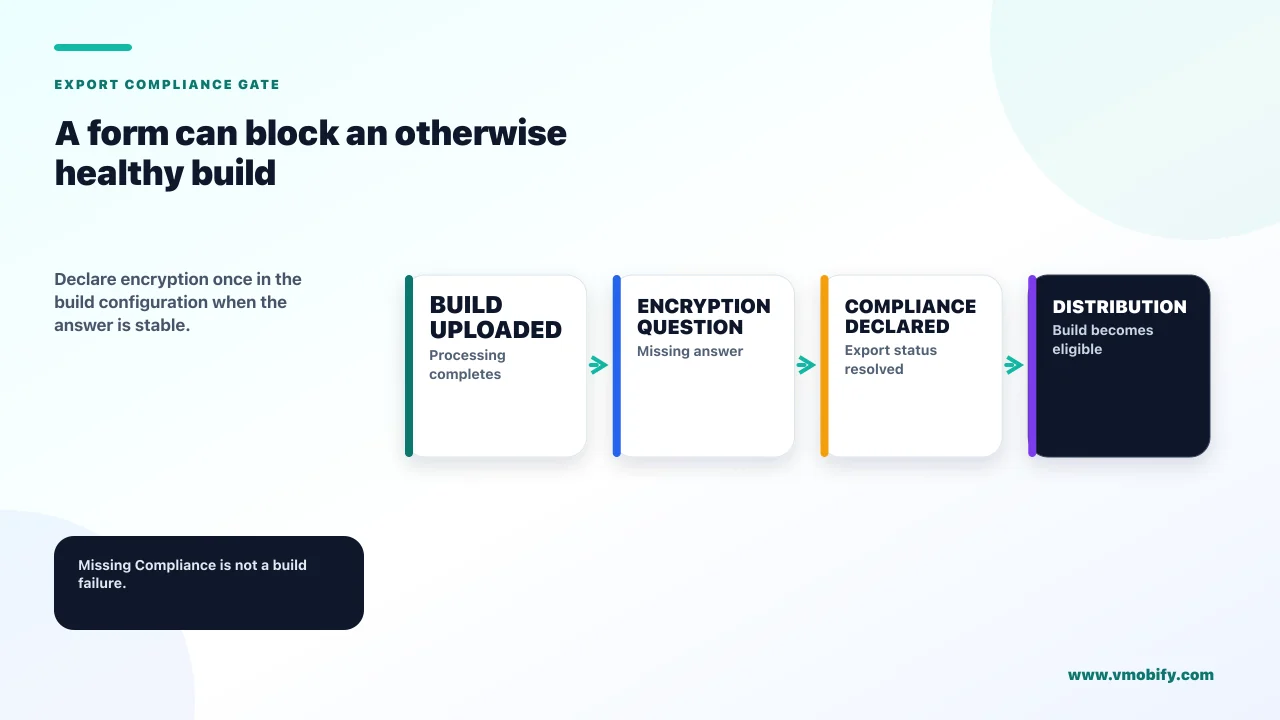
It is asking whether your app uses encryption, so Apple can satisfy export regulations — and it blocks a build that is otherwise perfectly fine until you answer. It is a form, not a fault, and it is the single most common reason a freshly uploaded build sits there doing nothing.
Apple's guidance on providing export compliance information for beta builds tells you to specify encryption use for your build to avoid the beta being marked as Missing Compliance. You can answer the questions in App Store Connect for each build, or you can specify the encryption settings in the app's Info.plist in Xcode and stop being asked every time.
Do the second one. Answering a modal on every upload is a small tax that eventually gets paid at the worst moment — the Friday evening build, by the one person who does not know the answer. Setting it once in the project means every subsequent upload lands in a usable state without a human in the loop.
This is an export-regulation declaration, not a checkbox to clear a warning. Most apps use encryption in some form — HTTPS traffic alone counts as a use, even though common exemptions exist for it. If you are not certain which exemption applies to your app, read Apple's encryption export guidance properly or ask counsel. Guessing on a compliance declaration to unblock a beta is a bad trade.
Two related statuses are the same story at a later stage. Waiting for Export Compliance Review and In Compliance Review both mean your documentation has been submitted and is being looked at, and Apple's reference explicitly says no action is needed on your end for either. Those are queues, not blocks.
What does TestFlight App Review actually check?
Substantially the same guidelines as a store submission, with two extra rules that catch teams out: betas must be intended for public distribution, and they must never be distributed in exchange for compensation. A TestFlight rejection is not a lighter class of rejection — a rejected build "can no longer be used in TestFlight" at all.
Section 2.2 of the App Review Guidelines is short and worth reading in the original. It says demos, betas and trial versions do not belong on the App Store and that TestFlight should be used instead; that any app submitted for beta distribution should be intended for public distribution and should comply with the App Review Guidelines; that apps using TestFlight cannot be distributed to testers in exchange for compensation of any kind, including as a reward for crowd-sourced funding; and that significant updates to your beta build should be submitted to TestFlight App Review before being distributed to your testers.
Read that last clause again, because it is the one that quietly invalidates a common workflow. Teams learn that "later builds for the same version might not" need a full review and conclude they can ship material changes to external testers indefinitely without review. The guideline says the opposite for significant updates. In our portfolio, the safe reading is: cosmetic and bug-fix builds ride the existing approval, and anything that adds a feature, changes onboarding or alters what a reviewer would have seen goes back through review deliberately.
The compensation rule is the one that ends campaigns. Paying testers, offering credits, or bundling beta access as a crowdfunding reward all fall on the wrong side of it. If you were planning to buy your way to beta feedback, the budget is better spent on the acquisition side of launch — our user acquisition service exists for exactly that, and it does not put your beta at risk.
Give the reviewer what a store reviewer would need. Apple's guidelines ask for demo account info if your app includes a login, and note that a fully-featured demo mode may be used in lieu of a demo account with prior approval. A beta gated behind a sign-up screen with no working credentials is a rejection waiting to happen, and it is the most avoidable one on this page.
Supply the test information properly too. Apple's page on providing test information states that the Beta App Description field is required, and that distributing to external testers means entering additional TestFlight test information for review. Thin, placeholder test information is a slow way to fail.
Why did your build vanish after ninety days?
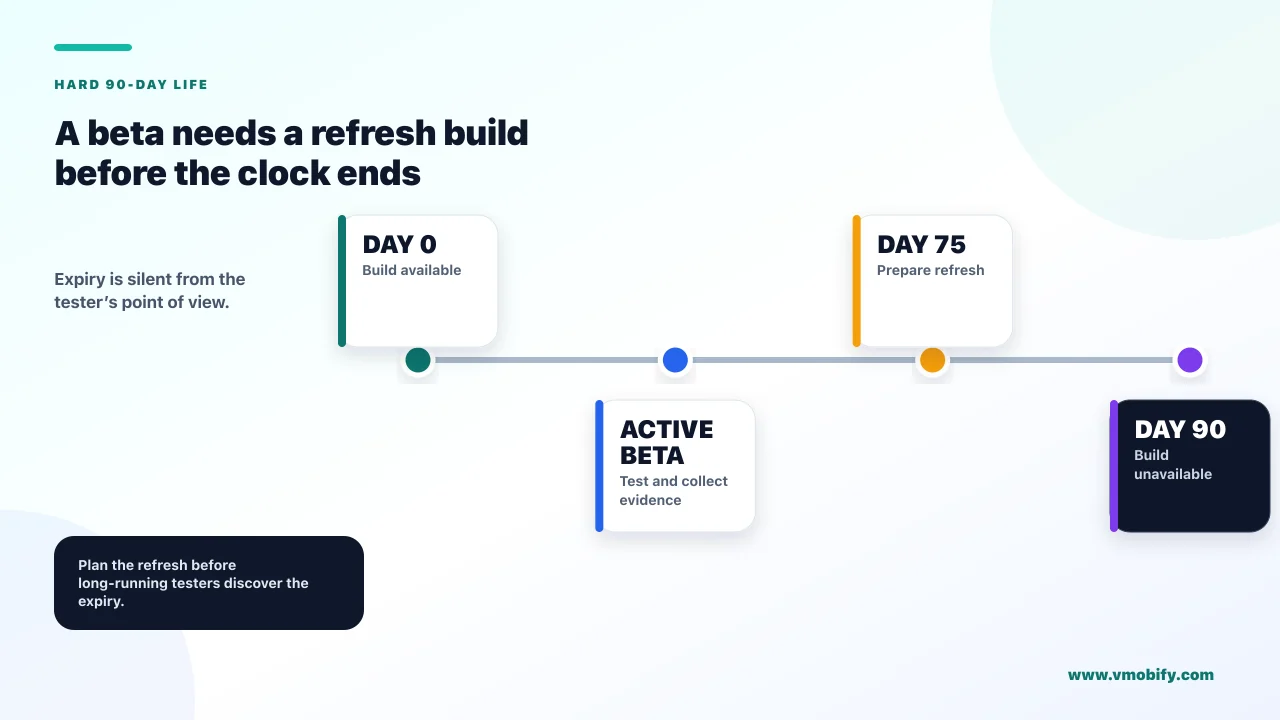
Because ninety days is the hard ceiling on a TestFlight build's life, and the expiry is silent from the tester's point of view. Apple's TestFlight documentation states that your build becomes unavailable for testers after 90 days, and the Expired status says the build cannot be used for testing because it has passed its ninety-day availability window.
For a two-week beta this never matters. For the two situations where it does matter, it matters a great deal.
- The long private beta. A closed group testing an app over a quarter will hit expiry mid-cycle, and the symptom is testers reporting that the app "stopped working" or disappeared, not an alert to you.
- The dormant build. A build kept around as a fallback or a reference is not a fallback after ninety days. If your rollback plan depends on an old TestFlight build, it has an expiry date you did not write down.
The fix is process, not configuration. Ship a fresh build on a cadence shorter than the window — we treat six weeks as the outer limit for any beta expected to run long — and put the expiry date of the oldest active build somewhere a human will see it. App Store Connect surfaces this: its group details page carries insight cards that flag when there are no compatible builds, when a public link is full, or when a build is about to expire. Those cards are the closest thing to a warning you will get, and they only help if somebody looks at the page.
Days a TestFlight build remains available to testers. Not ninety days from approval, and not ninety days from the last install — ninety days of availability, after which the build is Expired and a new upload is the only route back to testing.
Why do subscriptions behave strangely for your testers?
Because apps installed from TestFlight run against the sandbox, and sandbox subscriptions renew on a compressed clock that bears no relationship to your real billing periods. Nothing about your paywall is broken. You are watching a testing environment behave as designed, and the numbers it produces cannot be read as revenue signals.
Apple's guidance on testing subscriptions and in-app purchases in TestFlight sets out the acceleration precisely: subscriptions renew every 24 hours, up to 6 times within a one-week period, regardless of the subscription's actual duration. A one-week plan, a one-month plan and an annual plan all behave identically — six daily renewals, then auto-renewal switches off.
Two things follow, and both have burned teams in our portfolio.
- Never read TestFlight subscription numbers as revenue behaviour. Renewal rate, churn timing and lifetime value are all meaningless under a 24-hour clock. What you are testing is whether the purchase flow, the receipt handling and the entitlement logic work — not whether people will pay.
- Test the end of the cycle, not just the start. Because auto-renewal stops after six renewals, the sandbox hands you a compressed rehearsal of expiry and lapse. That is the code path nobody tests and everybody ships broken: what your app does the moment entitlement ends. Use the compressed clock deliberately for it.
One practical trap: testers must sign in with a Sandbox Apple Account in Developer settings after signing out of their production account under Media & Purchases, and a sandbox account can only be used to test apps within your own developer account. External testers will not do this correctly without written instructions. If purchase testing matters to your beta, write the steps out and send them with the invite. If it does not, tell testers to skip the paywall entirely so you are not fielding confused reports about charges that never happened. Our monetisation work starts from the assumption that the paywall is instrumented and tested before launch, not after.
How many testers can you actually reach?
Up to 100 internal testers and up to 10,000 external testers per app, with a public link you can cap anywhere between 1 and 10,000. The ceilings are generous enough that they are almost never the real constraint — recruitment is.
Apple's TestFlight overview sets the internal ceiling at 100 App Store Connect users with access to your content, and the external ceiling at 10,000 people. On the external side, App Store Connect lets you set a tester limit on a public link — a number between 1 and 10,000 — which is a genuinely useful control that most teams never touch.
Use it. An uncapped public link posted anywhere public is an invitation to fill your beta with people who will install once and never open the app again, and that noise is expensive in two ways: it dilutes your feedback, and it makes your crash and session metrics unreadable. A capped link is a way to run a beta in waves — 200 testers, fix what they find, another 500, fix again — rather than one undifferentiated flood.
The number that actually matters is not the ceiling but the active tester count. We have seen betas with 3,000 accepted invitations and forty people who opened the app twice. TestFlight reports installs, sessions over the last seven days, crashes and feedback submissions per build; those four numbers tell you whether you have a beta or a mailing list. If sessions are flat while invites climb, the recruitment channel is wrong, and no ceiling increase will fix it.
For how this fits a launch plan more broadly, our guides to soft launch strategy and publishing your first app cover the sequencing either side of the beta.
What should a release-week TestFlight sequence look like?
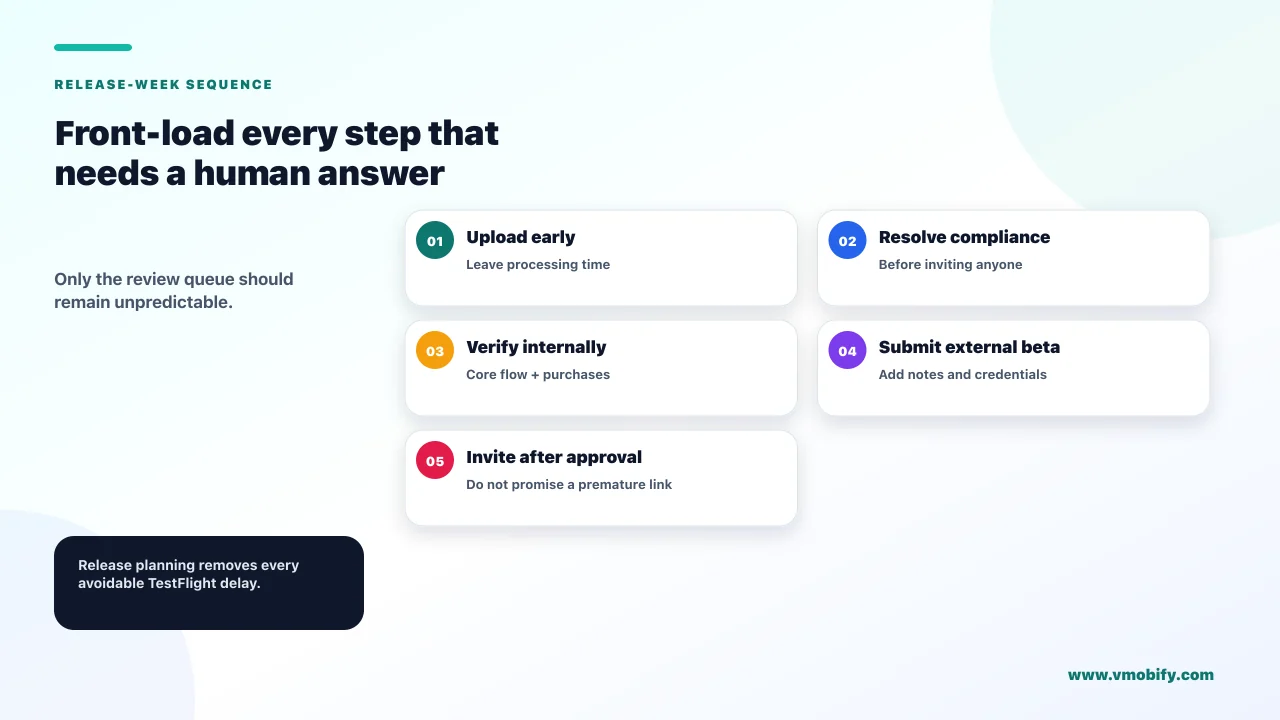
Front-load everything that requires a human answer, and treat the review queue as the only unpredictable step. Almost all TestFlight distress is caused by discovering a form, a missing credential or an expiry in the same hour you intended to distribute.
- Set encryption declarations in the Info.plist before you upload anything. This removes Missing Compliance from your life permanently rather than one build at a time.
- Upload, then wait for processing. Apple's documentation on uploading builds notes that a build needs to be processed before it appears in App Store Connect, and that you receive an email when that is complete. A build that has not appeared yet is not a missing build.
- Install internally as a smoke test. A Ready to Submit build goes to internal testers immediately. Use that to catch the obvious before a reviewer sees it — not as proof that distribution works.
- Write the test information and demo credentials properly. Beta App Description is required, and a login with no working account is the most common self-inflicted rejection.
- Submit for TestFlight App Review, then stop watching it. Waiting for Review and In Beta Review both explicitly require no action from you.
- Release to external testers in waves using a capped public link. First wave small enough that you can read every piece of feedback.
- Diary the expiry. Ninety days from availability, and plan a refresh build before it.
The step teams skip is the fourth one, and it is the one that costs days. In our portfolio the highest-leverage habit is keeping a permanent reviewer account — a real account, kept working, with its credentials stored where the person doing the submission can find them at 7pm. It costs nothing and it removes an entire category of rejection.
Which TestFlight mistakes cost the most time?
The expensive mistakes are all planning mistakes, not technical ones — they cost days rather than minutes, and none of them produce an error message. The technical states on this page each have a named fix and a short path to resolution. These do not.
Costs minutes
- Missing Compliance — answer the questions, or set the Info.plist key once
- Build not visible yet — processing, wait for the email
- Not Available for Testing — fix the provisioning profile, re-upload
- Invalid Binary — resolve the upload issue, redeliver
Costs days
- Planning the beta around the upload date rather than the approval date
- Submitting a login-gated build with no working demo account
- Treating a rejected build as fixable — it cannot be used in TestFlight again
- Discovering the ninety-day expiry through tester complaints
- Offering testers compensation, which puts the beta itself in breach
There is a sixth that belongs in neither column because it is a measurement failure rather than a distribution one: running a beta without deciding in advance what would make it a success. A beta that produces crash-free sessions and no opinions has told you the app does not crash, which you could have learned from ten internal testers. If the goal is to learn whether the product works for people who do not know you, the recruitment, the questions and the instrumentation all have to be designed before the invite goes out.
That is the part we do with clients before a launch, alongside the store listing itself — see our ASO work and the outcomes we have published. If you want a second pair of eyes on a launch plan before the build goes up, tell us what you are shipping.
Frequently Asked Questions
Why can my teammate install the TestFlight build but my external testers cannot?+
Because only external testing requires TestFlight App Review. Apple defines the Ready to Submit status as a build that can be distributed to internal testers, or submitted to TestFlight App Review for external testing. Your teammate is an internal tester, so they get it immediately; everyone else waits for approval.
How long does TestFlight App Review take?+
Apple does not publish a guaranteed turnaround, so plan around the approval rather than the upload. What Apple does say is that the first build you submit requires a full review and later builds for the same version might not, and that while a build is Waiting for Review or In Beta Review no action is needed from you.
What does Missing Compliance mean and how do I clear it?+
It means export compliance documentation has not been supplied for the build. You can answer the encryption questions against the build in App Store Connect, or specify the encryption settings in your app Info.plist in Xcode so you are not asked on every submission. Answer it truthfully — it is a regulatory declaration, not a warning to dismiss.
Can I pay testers or offer rewards for joining my beta?+
No. The App Review Guidelines state that apps using TestFlight cannot be distributed to testers in exchange for compensation of any kind, including as a reward for crowd-sourced funding. This puts the beta itself in breach, so route incentive budget into acquisition after launch instead.
Do I have to resubmit every new build for review?+
Not every build, but do not assume none. Apple says later builds for the same version might not require full review, while the guidelines separately say significant updates to your beta build should be submitted to TestFlight App Review before being distributed to testers. Treat bug fixes as riding the existing approval and anything a reviewer would notice as needing a fresh one.
My build disappeared for testers after a few months. What happened?+
It expired. Builds become unavailable to testers after 90 days, and the Expired status confirms the build can no longer be used for testing. There is no way to extend it — upload a new build. For long-running betas, plan a refresh well inside the window.
Why are subscription renewals happening every day in my beta?+
That is the sandbox behaving as documented. Apps installed from TestFlight run in a sandbox where subscriptions renew every 24 hours, up to six times in a one-week period, regardless of the real subscription duration. Use it to test expiry and entitlement handling, never to estimate retention or revenue.
Sources
- Apple — TestFlight overview, App Store Connect Help — Tester ceilings and the 90-day availability window.
- Apple — App build statuses reference — The full list of build states and what each one means.
- Apple — Provide export compliance information for beta builds — How to clear Missing Compliance and avoid it recurring.
- Apple — Invite external testers — External limits, public link tester caps and review requirements.
- Apple — Provide test information — The required Beta App Description and the metadata review sees.
- Apple — App Review Guidelines, section 2.2 Beta Testing — Compensation prohibition, significant-update rule and demo account expectations.
- Apple — Testing subscriptions and in-app purchases in TestFlight — The 24-hour renewal clock and the six-renewal ceiling.
- Apple — Add internal testers — Who qualifies as an internal tester and the 100-user ceiling.
About the author
Amol Pomane — Founder, Vmobify
Amol leads Vmobify, a mobile app growth agency that has driven 30M+ downloads and ranked 54K+ keywords across 300+ apps since 2013. He writes about ASO, paid user acquisition, retention, and the operational reality of scaling mobile apps in India and global markets.