Why AdMob Says Your Ad Serving Is Limited
Revenue fell off a cliff overnight, the Policy centre says ad serving is limited, and Google will not tell you why. There are exactly three documented causes, they call for completely different responses, and one of them is not a punishment at all. Here is how to tell which one you have — and what carries on paying while it runs.
On this page
- What is AdMob actually telling you?
- Which of the three causes do you have?
- What carries on earning while the limit runs?
- How is limited different from suspended and disabled?
- What counts as invalid traffic, and how do you cause it by accident?
- Which ad placements get apps flagged?
- Why is a brand new app limited before it has any traffic?
- What should you actually do in the first 48 hours?
- How do you build an ads setup that does not get limited again?
- Frequently Asked Questions
What is AdMob actually telling you?
That your account has entered a temporary, documented state with three possible causes — not that you have been punished, and not that your account is going away. The message is deliberately vague because Google will not describe its detection system, but the states themselves are published, and they are not interchangeable.
Google's page on ad serving limits frames the whole mechanism in one sentence: Google works hard to ensure an ads ecosystem that protects advertisers, publishers and users from fraud and bad ad experiences. A limit is a protective hold placed on demand while something is assessed. It is not an enforcement action, and it is explicitly not the same thing as a suspension or a disabled account.
Two facts from that page reframe the panic most founders arrive with. First, on duration: while this ad serving limit typically impacts publishers for less than 30 days, it may take longer in some cases. Second, on access: your account remains fully accessible throughout, and the Policy centre shows you the enforcement details.
In our portfolio the damage from a serving limit is rarely the lost revenue during the window. It is the panic response — republishing the app, spinning up a second AdMob account, buying traffic to "show Google real users" — every one of which makes the situation materially worse and at least one of which is permanently disqualifying. The correct first move is to read the Policy centre and find out which of three states you are in.
Do not open a second AdMob account to route around a limit. Google's guidance on disabled accounts states that publishers disabled for invalid activity are not allowed any further participation and may not open new accounts. A limit is recoverable. Being caught evading one is the fastest documented route to the state that is not.
Which of the three causes do you have?
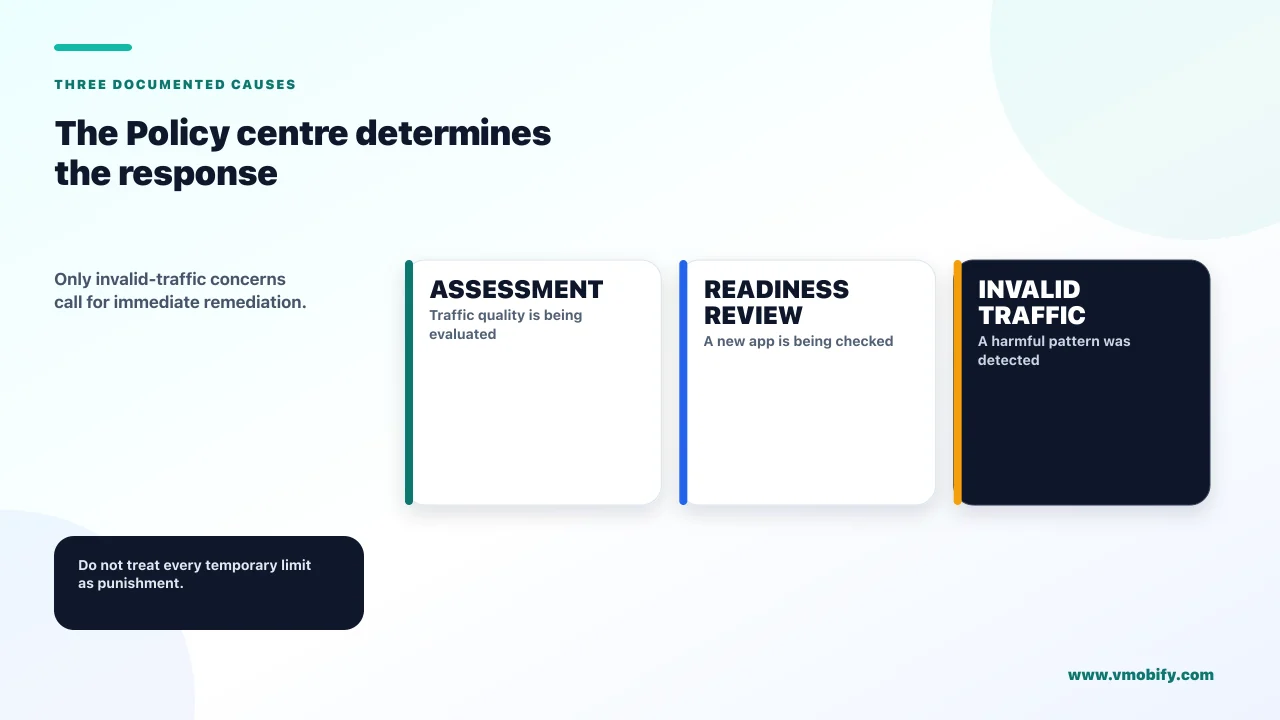
Google publishes exactly three scenarios, the Policy centre tells you which one applies, and they demand completely different responses. Diagnosing this correctly in the first hour is worth more than anything else on this page, because two of the three need patience and one needs investigation.
1. Account being assessed
- Google's wording: ad serving on your account is being temporarily limited while we assess your traffic quality
- Scope: the account
- What it means: a review, not a finding. Nothing has been concluded about you.
- Your job: keep building, stay compliant, wait
2. App not ready to show ads
- Google's wording: new apps must undergo an app readiness review before they can fully serve ads
- Scope: one app, and all ad demand for it
- What it means: a queue every new app sits in. Reviews generally take a couple of days, but in some cases Google may require more time.
- Your job: check the review status, resolve anything flagged
The third is the one that deserves your attention. Google's wording is that ad serving on your account is currently being limited due to invalid traffic concerns — and the same page carries the sentence that should shape your response: if invalid activity is detected on your account, or if any other issues are found, the account may be subject to further enforcement actions or may be permanently disabled.
That is the branch where waiting is the wrong strategy. The other two resolve on Google's clock regardless of what you do. This one is a warning that the clock is running on your investigation, and the outcome depends on whether the traffic pattern that triggered it is still happening.
Does the Policy centre say assessing traffic quality or invalid traffic concerns? The first is a review with no finding. The second is a finding. They read almost identically to a stressed founder at 11pm and they are not remotely the same message.
What carries on earning while the limit runs?
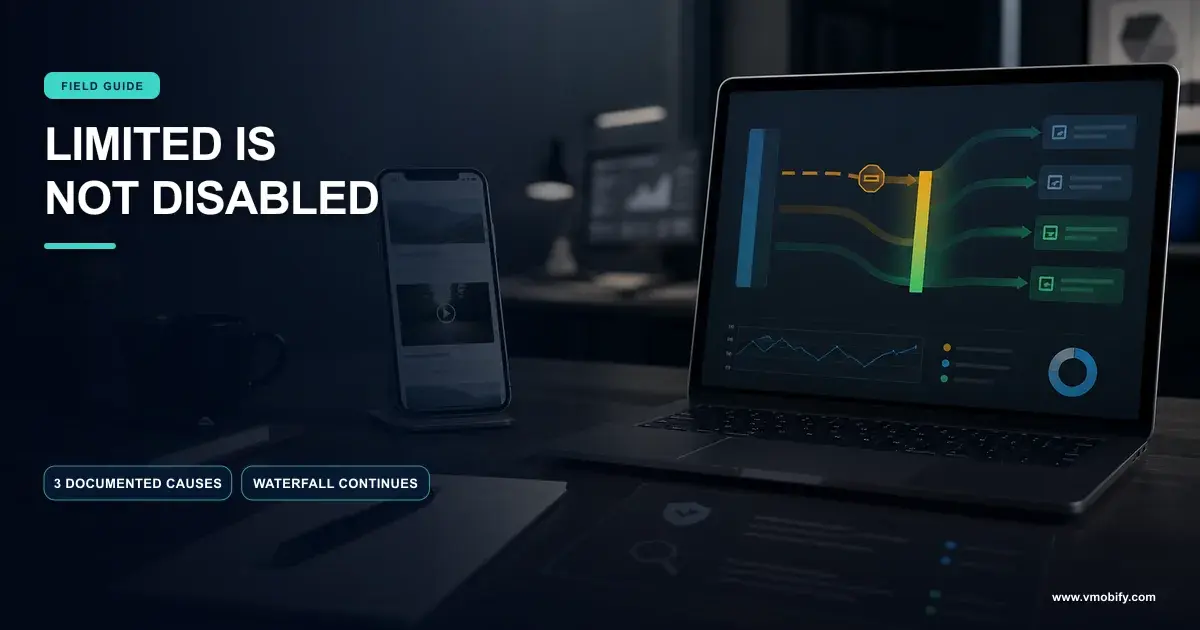
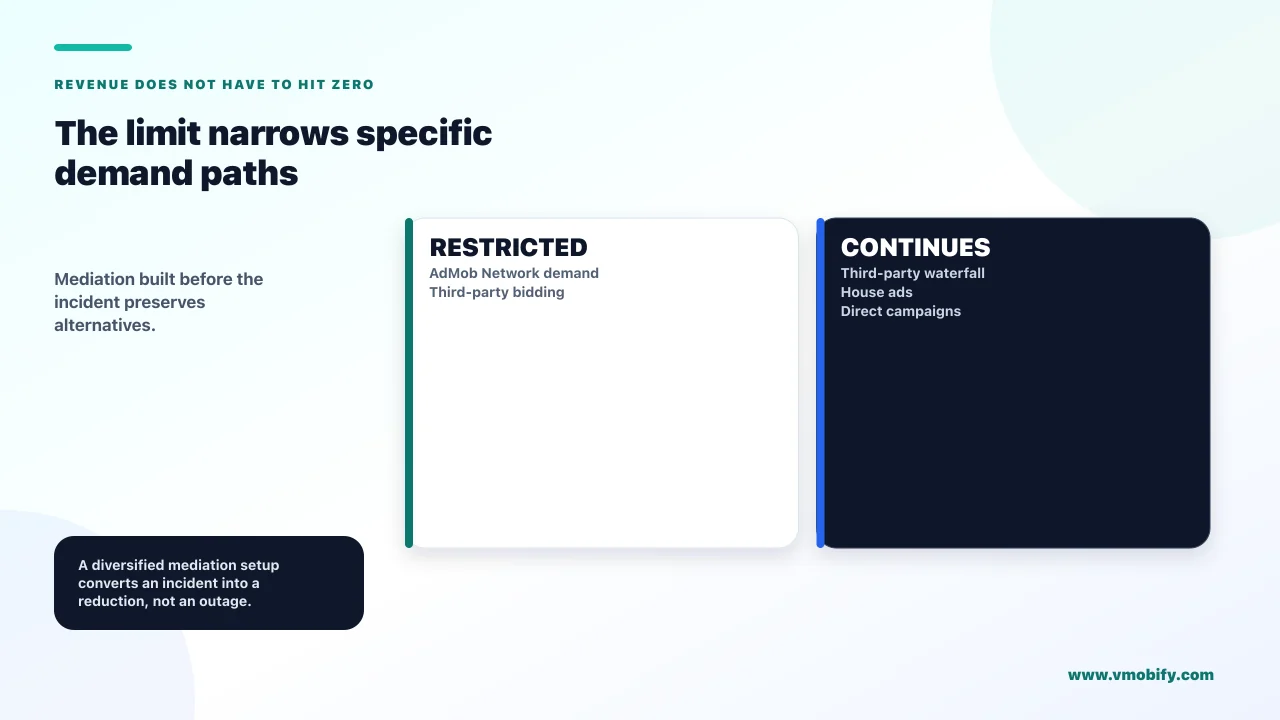
More than most publishers realise — a serving limit on the account restricts AdMob Network demand and third-party bidding, while third-party waterfall ad sources, house ads and direct campaigns are unaffected. This is the single most valuable and least discussed detail in Google's documentation, and it is the difference between a bad month and a catastrophic one.
The implication is direct. If your app is monetised entirely by the AdMob Network, an account-level limit takes your revenue to near zero and you have no lever at all. If you have live waterfall integrations with other ad sources, they keep filling. The publishers who ride out a limit without a crisis are the ones who built mediation before they needed it.
There is an important exception. The app-readiness scenario behaves differently: it applies to all ad demand for that individual app, so mediation does not rescue a brand new app sitting in its readiness review. Mediation is insurance against an account-level limit, not against the new-app queue.
This is the argument for AdMob mediation that has nothing to do with eCPM. The usual case for mediation is revenue optimisation — more competition per impression, higher clearing prices. The resilience case is stronger and almost never made: a single-source ads business has a single point of failure that can be pulled for up to thirty days by a process you cannot appeal or accelerate. Across the 300+ apps we have managed since 2013, ad revenue concentrated in one network is the most common unforced monetisation risk we find, and it costs nothing to fix while things are fine.
Set up at least one third-party waterfall source now, while your account is healthy. It takes an afternoon, it usually pays for itself in fill rate anyway, and it converts a future serving limit from an existential event into a line on a chart. Our monetisation work treats single-network dependency as a defect, not a simplification.
How is limited different from suspended and disabled?
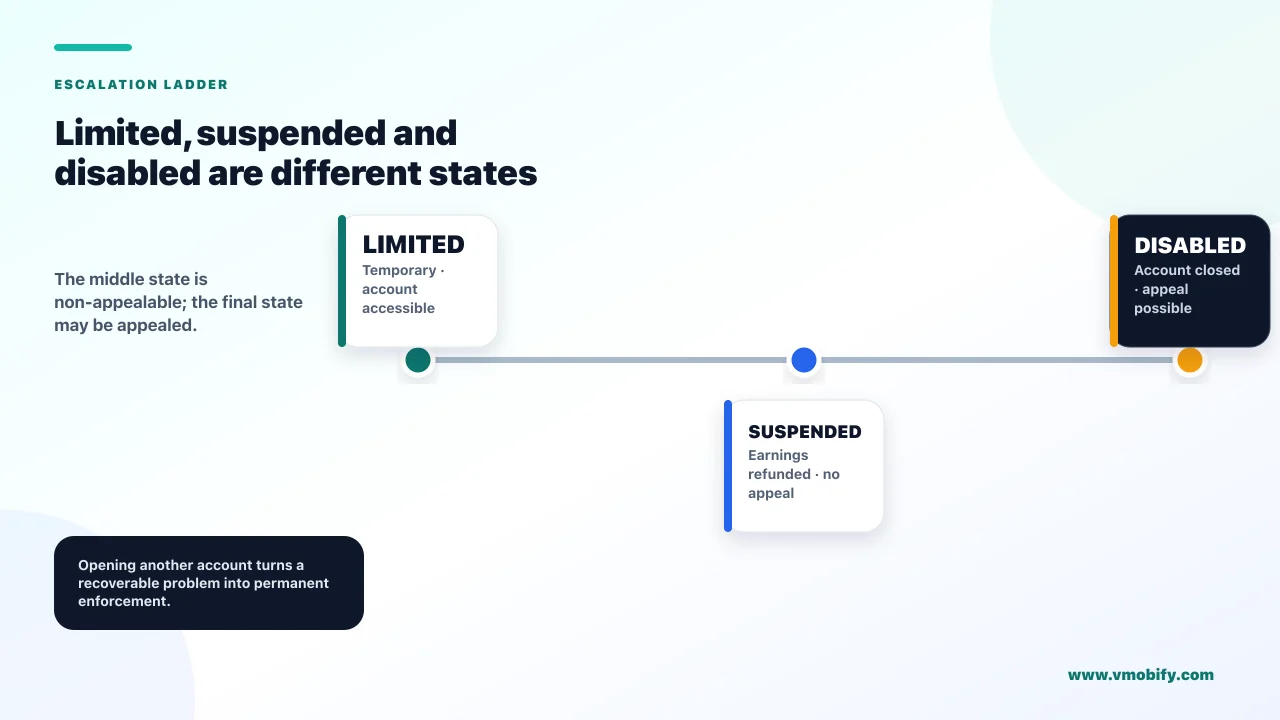
They are three rungs of an escalation ladder with very different consequences, and — counter-intuitively — the middle rung is the one you cannot appeal. Founders routinely use these words interchangeably. Google does not, and the difference decides what you should do next.
- Limited. Ad serving is restricted while something is assessed. The account stays fully accessible. Typically under 30 days. Earnings continue from unaffected demand. This is a hold.
- Suspended. Google's guidance on invalid activity suspensions states that where invalid traffic is determined, the account may be suspended and all account earnings refunded — and that the suspension gives you time to investigate the sources of invalid traffic and identify and block suspicious traffic. Critically: suspensions are non-appealable. There is no form. There is only the investigation.
- Disabled. Google's page on disabled accounts is the end of the road. Publishers disabled for invalid activity are not allowed any further participation and may not open new accounts. An appeal form exists, but Google states plainly that there is no guarantee the account will be reinstated — and that because it needs to protect its proprietary detection system, it is unable to provide publishers with any information about their account activity.
That last clause is the one to internalise. You will not be told what triggered it, at any rung. Every hour spent trying to extract an explanation from Google is an hour not spent auditing your own traffic, and the audit is the only thing that changes the outcome.
The suspension rung is where the naming trips people up. It sounds like the softer word and it is the harder state: earnings refunded, no appeal, and the burden entirely on you to find and stop whatever caused it. A limit, by contrast, is the state where Google is still asking rather than concluding.
What counts as invalid traffic, and how do you cause it by accident?
Any clicks or impressions that may artificially inflate an advertiser's costs or a publisher's earnings — and Google's definition covers accidental clicks alongside deliberate fraud. Most founders hit by this were not committing fraud. They built something that generated the wrong pattern, and intent is not the test.
Google's page on invalid traffic gives the examples directly. Clicks or impressions generated by publishers clicking on their own live ads. Repeated ad clicks or impressions generated by one or more users. Publishers encouraging clicks on their ads — which explicitly includes both language that encourages clicks and implementations that cause accidental clicks. Automated clicking tools, robots or other deceptive software.
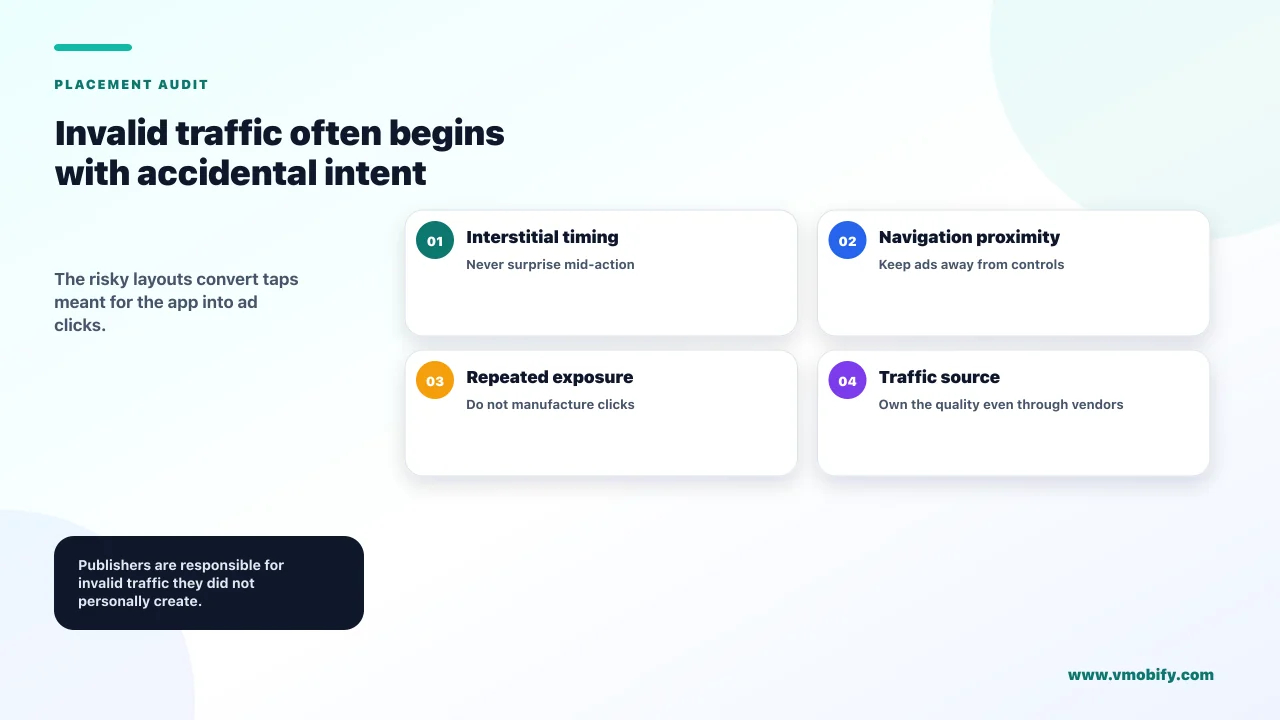
Read the third one twice. An implementation that causes accidental clicks is invalid traffic. No bad actor is required. The banner that sits a few pixels under a primary button, the interstitial that appears in the instant a user is already tapping — those are the mechanism, and they are design decisions, not attacks.
The other line that matters is about responsibility. Google states that it is your responsibility as the publisher to ensure that the traffic on your ads is valid — and this holds even where third parties generate that invalid traffic without your permission. That sentence has a specific practical consequence: if you are buying installs, the quality of that traffic becomes your ads problem. We have seen more than one app get limited within days of switching to a cheap install source, and the causal chain was never obvious to the founder because the two systems felt unrelated. If you are running paid acquisition alongside ad monetisation, source quality is a revenue-protection question, which is exactly how our user acquisition work treats it.
The most common first cause we find is the simplest one: someone on the team tapping ads in the live build to check they work. Google names publishers clicking on their own live ads as invalid traffic explicitly. Use test ad units in development, and make it a rule rather than a habit.
Which ad placements get apps flagged?
The ones that convert user intent into ad clicks — and Google publishes hard rules for interstitials that most apps in our portfolio were breaking before we audited them. If your limit says invalid traffic and you cannot find a bad traffic source, the cause is usually placement, not people.
Google's guidance on disallowed interstitial implementations is unusually specific, which makes it easy to audit against:
- Not on app load, not on app exit. Interstitials should only be placed in between pages of app content. The "show an ad when the app opens" pattern is directly named.
- No more than one interstitial after every two user actions. This is a stated frequency rule, not a guideline. It is also the one most monetisation-hungry builds violate by a wide margin.
- No consecutive interstitials. Placing an interstitial immediately after another interstitial was shown and closed by the user is prohibited.
- Never blocking core content or functionality. Ads should not be placed in a way that prevents viewing the app's core content.
- Only at logical breaks. Between pages, stages or levels — not during a task the user is in the middle of.
Audit this with a stopwatch rather than a spreadsheet. Play through your own app the way a real user would for ten minutes and count the interstitials and the actions between them. Every team we have run this exercise with has been surprised by the ratio, because the ad frequency was set to maximise revenue per session in a spreadsheet, and nobody sat through the result.
The frequency rule also happens to be good product advice. An app that interrupts every second action does not have a monetisation problem to optimise; it has a retention problem being subsidised by ad impressions that will not survive the cohort. We cover the balance properly in our guide to hybrid monetisation.
Why is a brand new app limited before it has any traffic?
Because every new app goes through an app readiness review before it can fully serve ads, and that is a queue rather than a judgement. This scenario produces a disproportionate share of the panic, because it lands on launch day when the founder has the least tolerance for an unexplained revenue hole.
Google's stated timeline is that reviews generally take a couple of days, though in some cases more time may be required. There is nothing to appeal and nothing to accelerate. The two useful actions are to check the review status in your AdMob account and to resolve anything flagged.
The planning consequence is worth building into your launch plan directly: do not model ad revenue from day one of a new app. Assume the first few days serve nothing, and make sure that assumption is in whatever forecast your board or your co-founder is looking at. A revenue line that starts at zero because of a documented review reads as a failed launch if nobody warned them.
Separately — and this is adjacent hygiene rather than the same mechanism — get your app-ads.txt file in place early. It has its own prerequisites that take time to satisfy: the app must be registered with Google Play or the App Store, and the store listing must include a developer website. The file must be formatted as specified by the IAB Tech Lab to be verified, and it can take up to 24 hours for AdMob to crawl and verify it. None of that is difficult, and all of it is annoying to discover during launch week.
Register the app, publish the developer website in the store listing, put app-ads.txt up, then ship. Doing it in that order costs nothing. Doing it in the reverse order costs you the first 24 hours of verification plus whatever the readiness review takes, stacked end to end, in the week you can least afford it.
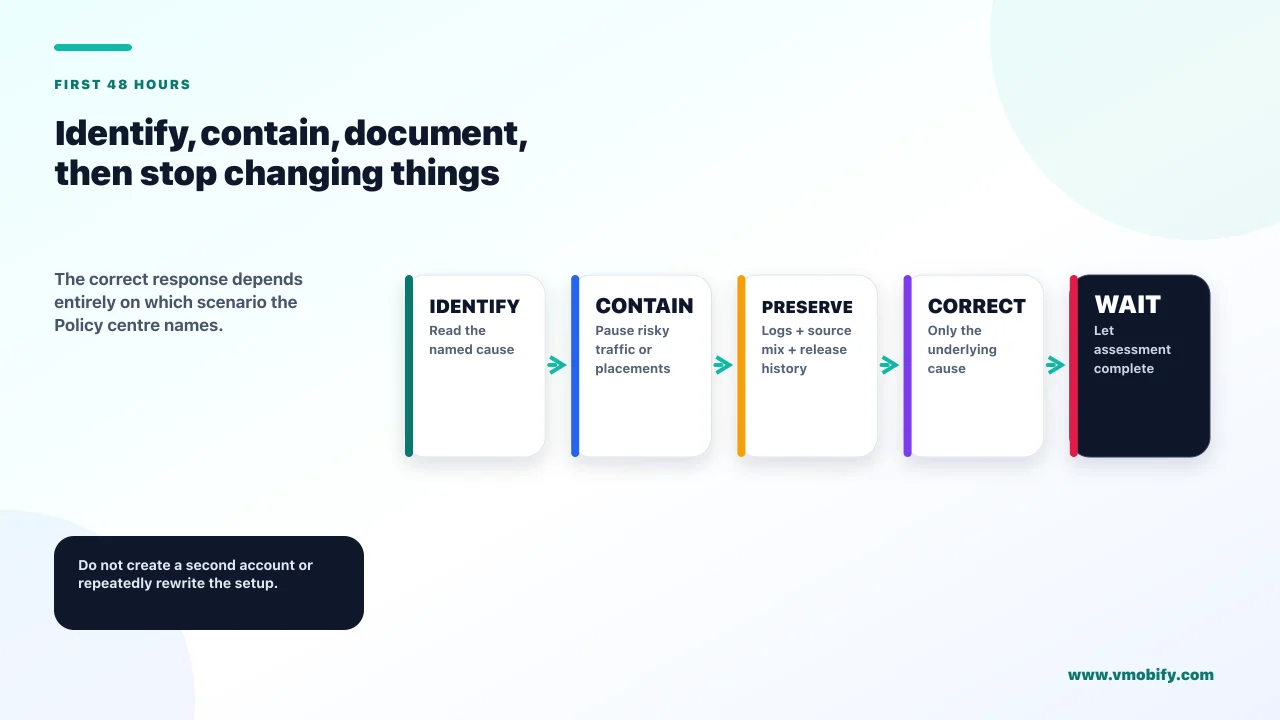
What should you actually do in the first 48 hours?
Identify the scenario, stop anything that could still be generating the pattern, and then leave it alone. The mistakes that turn a limit into a suspension are almost all committed in the first two days by someone trying to be helpful.
- Open the Policy centre and read the exact wording. Traffic-quality assessment, app readiness, or invalid traffic concerns. Everything downstream depends on this and it takes two minutes.
- If it is app readiness, stop. Check the status, fix anything flagged, and go and do something else. There is no action available to you.
- If it names invalid traffic, freeze your paid acquisition. Not permanently — but you cannot audit a traffic source that is still running. Pause, then look at which sources changed in the fortnight before the limit.
- Audit your own team's behaviour. Anyone testing ads on a live build, any device the app is being demoed on, any QA process that involves tapping a real ad. Move all of it to test ad units.
- Audit placements against the interstitial rules. Ten minutes of real usage, counting interstitials and the actions between them.
- Check what is still serving. Third-party waterfall, house ads and direct campaigns are unaffected by an account-level limit. If you have none of these live, this is the moment to set one up — not as a workaround, but because you have just learned what single-source dependency costs.
- Then wait, and keep shipping. Google's own guidance is to continue building your content and audience while complying with the policies. That is not a platitude; a limited account that keeps growing normally is the profile you want assessed.
What is not on that list: creating a new account, republishing under a new package name, removing and re-adding ad units, or contacting support for an explanation you have been told in advance will not be given. Each of those wastes the window at best, and the first one is disqualifying.
How do you build an ads setup that does not get limited again?
Separate the three risks — traffic quality, placement compliance and single-source dependency — and treat each as an ongoing check rather than a launch task. Every founder who has been through this once builds the same four habits, and they are all cheap.
- Test ad units everywhere but production. The single highest-frequency cause, and it is a configuration change rather than a discipline problem once it is set up properly.
- A placement audit on every release that touches the ad layer. Frequency against the one-per-two-actions rule, no app-open or app-exit interstitials, nothing consecutive, nothing over core content.
- Traffic-source hygiene as a monetisation control. If ad revenue is material, the quality of paid installs is a monetisation decision, not just an acquisition one. Cheap install sources have burned publishers who never connected the two.
- At least two live demand sources at all times. This is the resilience point, and it is the one that turns a repeat incident from a crisis into an inconvenience.
The framing that helps most is this: a serving limit is the ads ecosystem's equivalent of a smoke alarm. It is unpleasant, it is not a verdict, and the correct response is to find out what is smoking rather than to remove the alarm. The publishers who lose accounts are consistently the ones who treated the alarm as the problem.
If ad revenue is a meaningful share of your business and you have been through a limit once, it is worth having someone look at the whole monetisation stack rather than the incident — placements, mediation, source quality and the forecast that depends on all three. That is the work we do; you can see the outcomes we have published, read our comparison of the best app monetisation platforms, or just tell us what happened and we will tell you what we would check first.
Frequently Asked Questions
How long does an AdMob ad serving limit last?+
Google states that a serving limit typically impacts publishers for less than 30 days, though it may take longer in some cases. The app readiness review is faster — generally a couple of days, with more time required in some cases. There is no way to appeal or accelerate either one.
Will AdMob tell me what caused the limit?+
Not in any detail. The Policy centre tells you which of the three scenarios applies, but Google states that because it needs to protect its proprietary detection system, it is unable to provide publishers with information about their account activity. Plan to audit your own traffic and placements rather than to obtain an explanation.
Am I still earning anything while ad serving is limited?+
Usually yes. An account-level limit restricts AdMob Network serving and third-party bidding, while third-party waterfall ad sources, house ads and direct campaigns are unaffected. The exception is the new-app readiness review, which applies to all ad demand for that individual app.
Can I appeal an AdMob suspension?+
No. Google states plainly that suspensions are non-appealable. A suspension refunds all account earnings and is intended to give you time to investigate the sources of invalid traffic and block suspicious traffic. Disabled accounts are different — an appeal form exists, but Google states there is no guarantee of reinstatement.
I clicked my own ads while testing. Is that why?+
It may well be. Google names clicks or impressions generated by publishers clicking on their own live ads as invalid traffic, and intent is not the test. Move all ad testing to test ad units, and treat any device where the live build is demoed as a risk.
Can bad paid-install traffic get my AdMob account limited?+
Yes, and this catches founders out because the two systems feel unrelated. Google states it is your responsibility as the publisher to ensure the traffic on your ads is valid, even where a third party generated invalid traffic without your permission. If ad revenue matters, install-source quality is a monetisation control.
Should I create a new AdMob account to get serving back?+
No. This is the single worst response available. Publishers disabled for invalid activity are not permitted any further participation and may not open new accounts, so an evasion attempt risks converting a temporary, recoverable hold into a permanent loss of the platform.
Sources
- Google — Ad serving limits, AdMob Help — The three scenarios, the sub-30-day duration and what remains unaffected.
- Google — Invalid traffic, AdMob Help — Definition, examples and publisher responsibility for third-party traffic.
- Google — Invalid activity: Suspended account — Earnings refunded and suspensions stated to be non-appealable.
- Google — Invalid activity: Disabled account — No new accounts permitted, appeal available with no guarantee.
- Google — Disallowed interstitial implementations — The app-load, frequency and consecutive-interstitial rules.
- Google — Set up an app-ads.txt file for your app — Developer-website prerequisite and the 24-hour crawl window.
- Google — Guide to AdMob Mediation (bidding & waterfall) — How waterfall and bidding demand differ, which matters during a limit.
- Google — Set up and manage your Consent Management Platform — EEA, UK and Swiss consent requirements that gate ad serving separately.
About the author
Amol Pomane — Founder, Vmobify
Amol leads Vmobify, a mobile app growth agency that has driven 30M+ downloads and ranked 54K+ keywords across 300+ apps since 2013. He writes about ASO, paid user acquisition, retention, and the operational reality of scaling mobile apps in India and global markets.