How to Track App Uninstalls — And Whether You Can Find Out Who
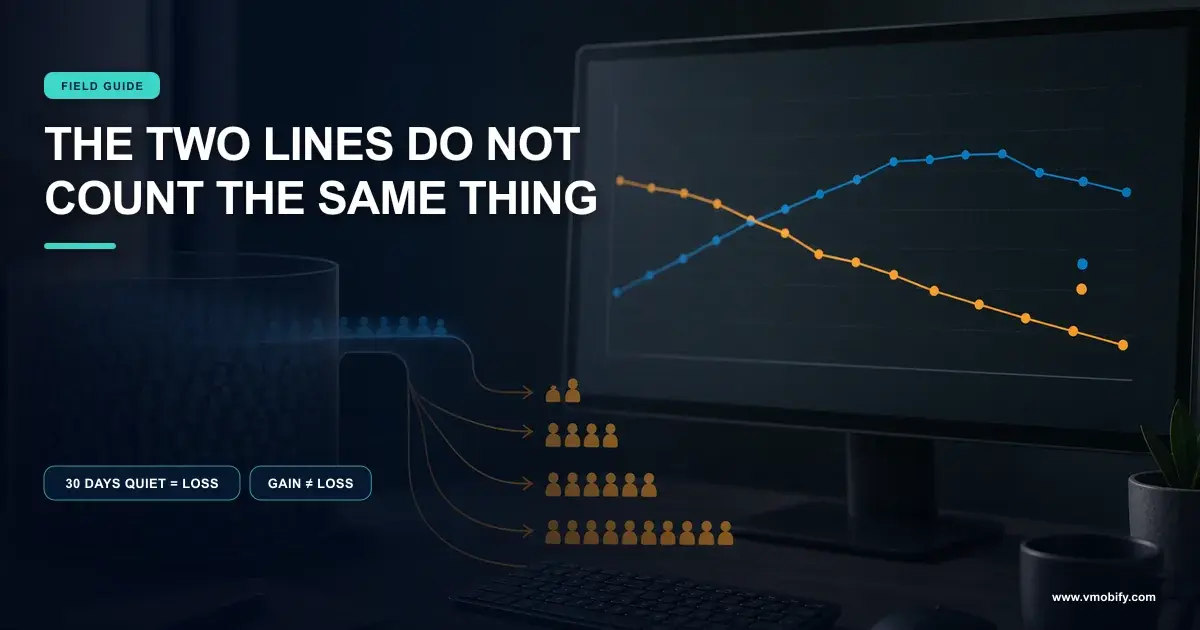
Both stores report something that looks like uninstalls, and neither reports the thing most teams think they are asking for. Apple counts Deletions from opted-in devices and hides small numbers on purpose; Google Play counts a user as lost after thirty days of silence, whether or not anything was uninstalled. This is what each number actually counts, and how far you can get towards identifying an individual leaver.

On this page
- Which uninstall number are you actually asking for?
- Does Apple report uninstalls at all?
- What does Google Play count as an uninstall?
- Why do the two stores never agree?
- Can you find out which user uninstalled?
- How reliable is a dead push token as a signal?
- What does that signal look like on iOS?
- How do you build an uninstall report you can defend?
- What should you do with the number?
- Frequently Asked Questions
Which uninstall number are you actually asking for?
There are three different questions hiding inside "how many people uninstalled", and every tool answers a different one — which is why your dashboards disagree before you have made a single mistake. Sorting them out first saves the argument later.
The three questions are: how many times was the app removed from a device, how many people stopped being users of the app, and which specific accounts left. Those are not versions of the same number. They have different denominators, different latencies, and — critically — different privacy ceilings. One of them is not answerable at all on iOS by design.
The device question
- Counts removal events, not people
- Apple reports this as Deletions
- Play reports it as device-level loss
- A multi-device user can appear more than once
The user question
- Counts people, not removals
- Play folds long silence into it
- Apple does not report it as a loss figure
- Includes people who did not uninstall anything
Most teams that ask us to "add uninstall tracking" want the third question — the named list — and the honest answer is that you can approximate it on Android, infer it lately and imperfectly on iOS, and never get it from either store's own analytics. Across the 300+ apps we have managed since 2013, resolving which question is being asked usually changes the brief more than any tooling decision that follows.
Everything below is taken from the platform documentation rather than from vendor marketing, because the vendor claims in this category are the least reliable part of the market. Where a figure is not published, we say so instead of estimating one.
Does Apple report uninstalls at all?
Yes — App Store Connect reports a metric called Deletions, and it is far more specific than most teams realise. The widespread belief that Apple publishes nothing on uninstalls is out of date, but the metric comes with conditions that decide how you may use it.
Apple's app usage metrics define Deletions as the number of times your app was deleted on devices running a minimum of iOS 12.3, macOS 11, tvOS 9 or visionOS 1. The definition then narrows twice. It includes deletions of the app from the Home Screen and deletions of the app through Manage Storage. And it states that data from resetting or erasing a device's content and settings is not included.
Read those clauses as a measurement contract. A user who wipes their phone and never reinstalls you is gone in every commercial sense, and they will not appear in Deletions. A user who clears you out of Manage Storage to free space — a deliberate storage decision rather than a rejection of your product — will. The metric measures a specific act, not the end of a relationship.
The second condition is bigger. Apple states that Analytics in App Store Connect provides usage data collected from users who have agreed to share their data, and that to protect user privacy, Analytics only shows data after a certain number of data points are available. So Deletions is a sample of consenting devices, not a census, and Apple does not publish the share of devices that consent. That means the absolute number is not comparable to your total install base, and any "uninstall rate" built by dividing one by the other is wrong. We do not print such a rate, because there is no published denominator that would make it honest.
Use it as a trend line against itself — this release versus last release, this week versus last week, one storefront versus another. Do not use it as a population count, do not divide it by installs, and do not compare its absolute value to an Android figure. The sampling and the thresholding both move in ways you cannot see.
Note also where Apple does not put uninstalls. Its app retention documentation defines retention purely as usage over time — the percentage of active devices that installed the app on the selected day and opened the app a certain number of days later — and adds that users who install your app but never open it do not qualify, and are not counted in the numerator or the denominator. Retention on iOS is silence-based. It never tells you whether the app is still installed.
What does Google Play count as an uninstall?
Play reports device-level and user-level loss, and the user-level figure quietly treats thirty days of silence as equivalent to an uninstall. This single definition is behind more misread Play Console charts than anything else in the product.
Google's statistics definitions are explicit about it. User loss is defined as the number of users who uninstalled your app from all of their devices or stopped using any devices that your app is installed on for over 30 days. Device loss is the number of devices from which users uninstalled your app, and Google adds that this includes when a device has not been used in over 30 days, making them inactive and counting as deactivation.
The companion definitions follow the same logic. Installed audience is the number of users who have your app installed on at least one device and have used the device — though not necessarily your app — in the past 30 days. Install base is the number of active devices on which your app is installed, where an active device is one that has been turned on at least once in the past 30 days.
Three consequences fall out of that, and they are all counter-intuitive:
- A dead handset counts as a loss. Someone who upgrades their phone and abandons the old one generates a device loss with no uninstall action at all.
- Your app being ignored is not the trigger — the device being ignored is. Installed audience counts users who used the device, not the app. An app nobody has opened in six months still sits inside the installed audience so long as the phone is switched on.
- Loss is lagged by up to a month by construction. A user who leaves today can only be counted thirty days from now, so a loss spike always points at something that happened weeks earlier.
That last point is the one to hold on to when reading any Play chart during an incident. It is also why device installs and uninstalls can look arithmetically impossible next to each other, which we unpick separately in why Play Console shows more uninstalls than installs.
Why do the two stores never agree?
Because one counts a specific deletion act on a consenting sample of devices, and the other counts an inactivity state across a full population — so the two figures are not measuring the same event. No integration work will reconcile them, and attempting it is wasted effort.
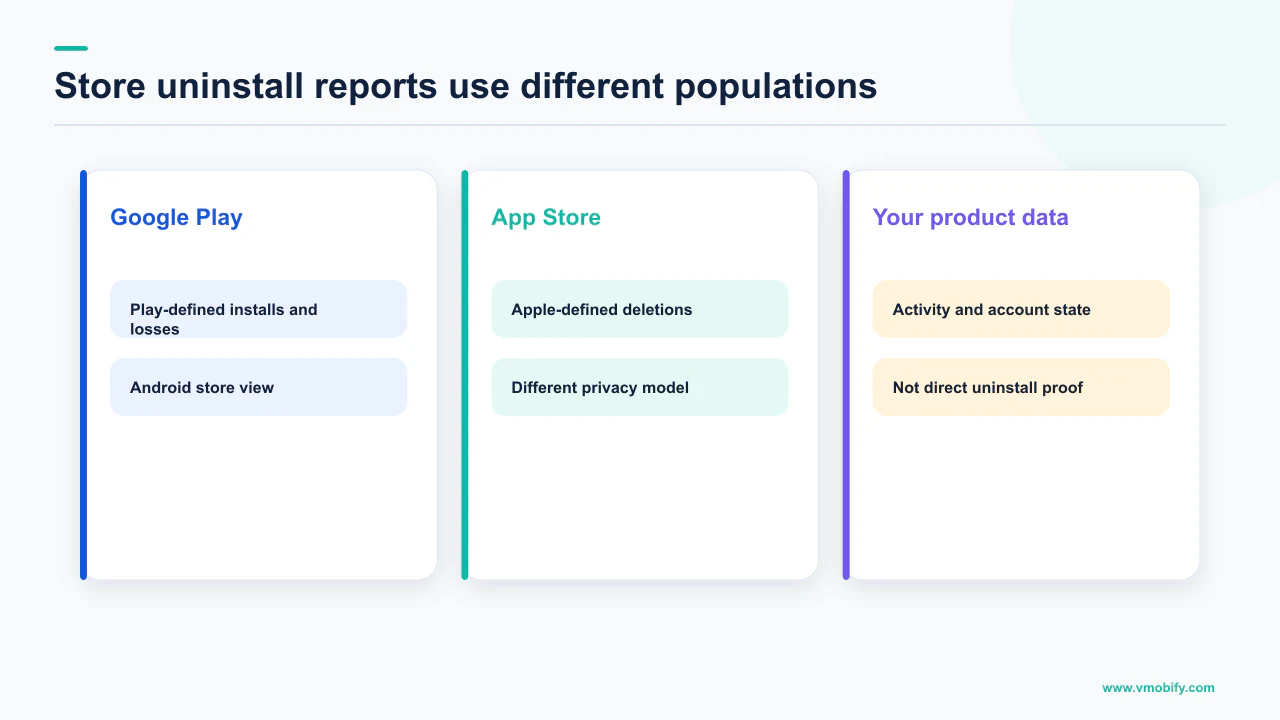
Line the definitions up and the gap is structural rather than technical:
Apple Deletions
- An event: the app was deleted
- Opted-in devices only, share unpublished
- Suppressed below a data-point threshold
- Device wipes excluded
- iOS 12.3+, macOS 11+, tvOS 9+ and visionOS 1+
Play user and device loss
- A state: uninstalled or silent 30 days
- Play-connected devices
- Lagged by the 30-day window
- Dead handsets included
- Reported at user and device level separately
There is a reporting delay to account for too. Google's documentation on the aggregated Statistics reports states that data is captured daily and posted within 3 to 7 days in monthly CSV files, so the exported series and the console view will not agree on a given morning either.
The practical rule we apply in our portfolio is to never build a cross-platform uninstall metric at all. Track Deletions against Deletions on iOS, loss against loss on Android, and compare only the direction of travel across the two. Any single blended number you construct on top of these definitions is a fabrication, and it will be quoted back at you in a board meeting as though it were measured. The same discipline applies across the rest of your funnel, which we cover in our guide to mobile app funnel analytics.
Can you find out which user uninstalled?
On Android you can get close enough to act on, using push infrastructure. On iOS you can get a delayed, imperfect version of the same signal, and you cannot get it from analytics at all. Neither store will ever hand you a list, and the reason is deliberate rather than incidental.
Start with what is ruled out. Apple's Analytics data comes only from users who agreed to share it, and Apple states that to protect user privacy, Analytics only shows data after a certain number of data points are available. A store analytics product that suppresses small numbers by design will not be producing individual identities, now or later.
Android has one direct, documented event. Firebase's automatically collected events reference lists app_remove, logged when an application package is removed — uninstalled — from an Android device. Two constraints matter before you build reporting on it: the event is Android only, and it belongs to your analytics property rather than to your own backend, so it tells you a removal happened in your audience rather than delivering a user record into your CRM.
The mechanism that does reach your own systems is push. When your server sends to a registration token that no longer belongs to a live installation, the platform tells you, and that response is a per-token fact you own. It is the closest thing to named uninstall detection that exists, and the next two sections are about how far you can trust it.
You are not detecting uninstalls. You are detecting tokens that stopped being deliverable, which is a superset of uninstalls. Say that out loud once, at the start, and nobody has to relitigate the number later when a re-engagement campaign under-delivers against it.
How reliable is a dead push token as a signal?
Reliable enough to clean your database and size a cohort, not reliable enough to call an uninstall — and Firebase's own thresholds explain why. The gap between "undeliverable" and "uninstalled" is where teams get the number wrong.
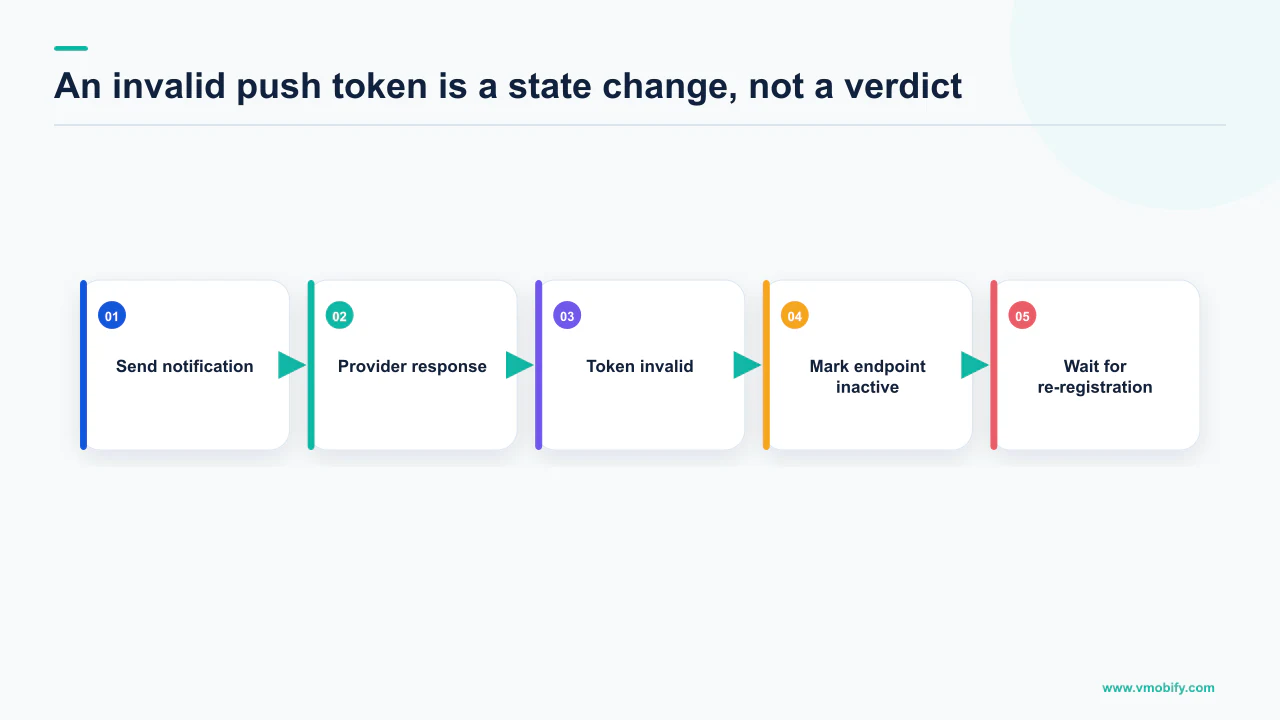
Firebase's guidance on managing registration tokens gives you the definitive responses. It instructs you to detect invalid responses from FCM and respond by deleting from your system any registrations that are known to be invalid or have expired, and it names two: UNREGISTERED (HTTP 404) and INVALID_ARGUMENT (HTTP 400). If you are certain that the message payload is valid and you receive either of these responses for a targeted registration, it is safe to delete your record of this registration.
Safe to delete the record. Not proof that the app was removed. Firebase separately defines staleness in time rather than in intent: stale registrations are associated with inactive devices that have not connected to FCM for over a month, and by default FCM considers a registration to be stale if its app instance has not connected for a month. For Android, when a registration has been inactive for 270 days, FCM considers it expired and garbage collects it.
Those numbers are Firebase's, and they are the only ones in this article that describe uninstall detection directly. There is no published figure for what share of dead tokens correspond to genuine uninstalls, so we do not print one — a device that has been off for six weeks, a user who revoked notification permission, a reinstall that minted a fresh token, and a genuine deletion can all land in the same bucket.
Firebase also tells you how to keep the signal timely. It recommends updating tokens on a schedule, noting that an update frequency of once per month strikes a good balance between battery impact and detecting inactive registration tokens. Without that refresh, the freshness of your uninstall cohort is whatever your send cadence happens to be, which for most apps means the signal arrives late and unevenly. If your sends themselves are unreliable you will misread all of this, and our piece on why Android push is not being delivered covers that failure mode first.
What does that signal look like on iOS?
APNs returns a 410 with a reason of Unregistered and — unusually — a timestamp saying when the token stopped being valid, which makes it the most precisely dated uninstall proxy available on either platform. Most teams throw that timestamp away.
Apple's documentation on handling notification responses from APNs defines status code 410 as meaning the device token is no longer active for the topic. Two reason strings sit under it. Unregistered means the device token is inactive for the specified topic, and Apple adds that there is no need to send further pushes to the same device token unless your application retrieves the same device token again. ExpiredToken means the device token has expired.
The valuable part is the response body. Apple documents a timestamp field as the time, represented in milliseconds since Epoch, at which APNs confirmed the token was no longer valid for the topic — and states that this key is included only when the error in the status field is 410. That is a dated event, not merely a flag, so you can place a lapse on a timeline against a release, a paywall change or a permission prompt change instead of only knowing that it happened at some point before your last send.
Apple is equally clear on what not to do with the other failures. Status 400 with BadDeviceToken means the specified device token is invalid, and to verify that the request contains a valid token and that the token matches the environment — a sandbox-versus-production mismatch, in other words, which is a bug on your side and not a user leaving. Apple instructs that you should not retry notification responses with the error codes BadDeviceToken, DeviceTokenNotForTopic, Forbidden, ExpiredToken, Unregistered or PayloadTooLarge.
Treat those two groups separately in your pipeline. 410 with a timestamp is a user-lifecycle signal worth storing. 400 BadDeviceToken is an engineering defect that will otherwise inflate your uninstall figure with your own configuration errors — which we have seen do exactly that on more than one app in our portfolio before anyone questioned the chart.
How do you build an uninstall report you can defend?
Store the raw platform responses with their dates, keep the platforms separate, and label every series by the definition that produced it. The build is short; the discipline is what makes it survive scrutiny.
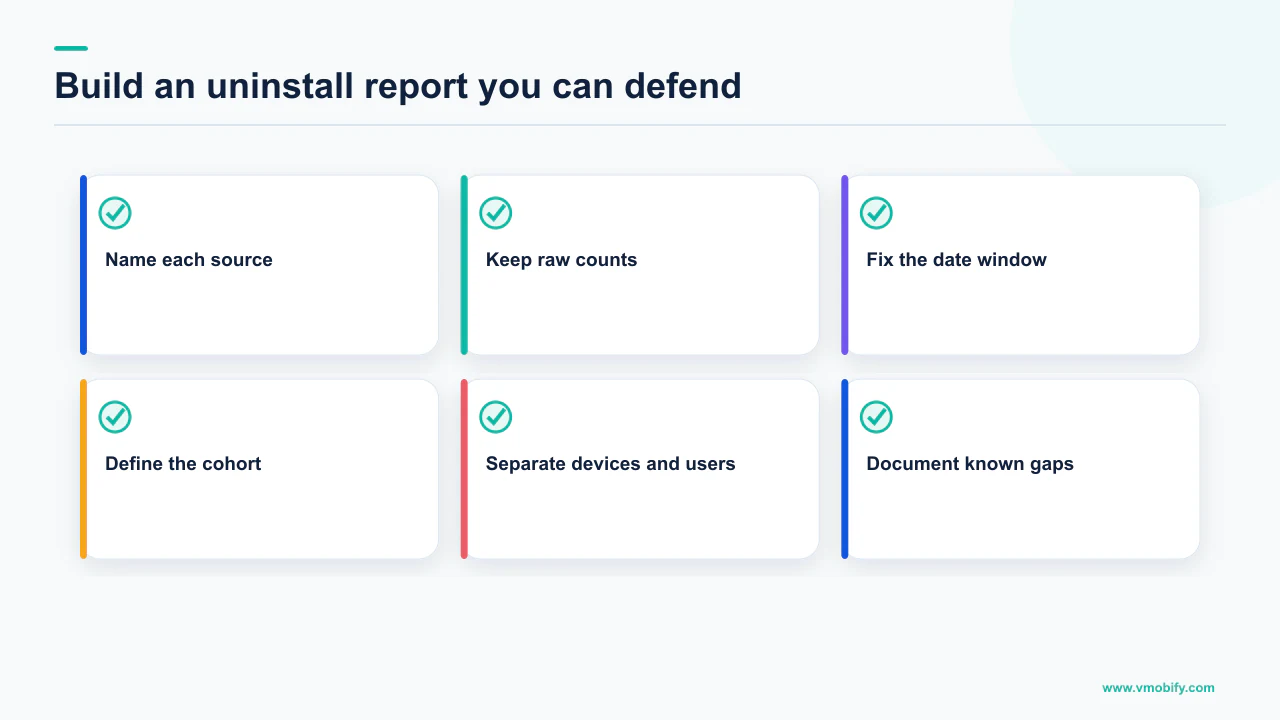
- Persist send responses per token, with a timestamp. Record the FCM error code or the APNs status and reason, plus the APNs 410 timestamp where you get one. This is the only part of the system that cannot be reconstructed later, so it goes first.
- Split undeliverable into two classes. Lifecycle signals —
UNREGISTERED, 410UnregisteredandExpiredToken— go into the cohort. Configuration failures such as 400BadDeviceTokengo into an engineering alert and nowhere near the retention chart. - Refresh tokens on a monthly cadence, following Firebase's stated balance between battery impact and detecting inactive registration tokens, so the cohort has a known freshness rather than an accidental one.
- Chart Deletions on iOS and user or device loss on Android as separate series, each with its definition written on the axis. Never sum them.
- Annotate the timeline with releases and permission-prompt changes, because the APNs timestamp is precise enough to line up against them and Play's thirty-day lag is not.
- Publish the caveats alongside the number. Apple's sample is opted-in and thresholded; Play counts silence as loss; a dead token is a superset of uninstalls. A report that carries its own limitations does not get overclaimed by the next person who opens it.
What we deliberately leave out is a benchmark. There is no primary source that publishes a defensible cross-app uninstall rate, and every figure circulating in the market is either a vendor's own panel or an unattributed number that has been copied enough times to look official. We will not print one. Where genuine published figures exist for the adjacent question of retention, we have collected them in our app retention benchmarks.
What should you do with the number?
Use it to date a cause and to size a win-back audience — not to grade the product, which it is too noisy and too laggy to do. The value of uninstall data is almost entirely diagnostic.
Dating a cause is the strongest use. If iOS 410 timestamps cluster in the days after a specific build, you have a version-level suspect and a much smaller search space than "retention is down". If Play user loss rises with no corresponding movement in device installs, ask whether a cohort of devices simply went quiet — a market where people change handsets, or a seasonal audience — before treating it as rejection. The same reasoning applies in reverse: an uninstall figure that does not move after a bad release is not reassurance, because both platforms' definitions delay the bad news.
Sizing a win-back audience is the second use, with one hard constraint. On Android an undeliverable token means you have lost your push channel to that person, so the campaign has to run over email, SMS or paid re-engagement instead. Building a push-based win-back for users you identified through push failure is a loop that cannot close, and we have watched teams ship it. Our guide to re-engagement and win-back covers the channels that remain, and choosing a push service matters here because your provider decides whether these raw responses are exposed to you at all.
What the number should never become is a target. It measures an act you cannot observe reliably, on a sample you cannot size, with a lag you cannot remove. The metrics worth managing sit upstream of it — activation, early sessions, the first week — and those you can measure honestly.
Before anyone presents an uninstall chart, ask which of the three questions it answers: device removals, user loss, or named leavers. If the answer is not immediate, the chart is mixing definitions and the conclusion drawn from it will not hold.
If your uninstall reporting is producing a number nobody can explain — or you need someone to say plainly which parts of it are measurable — that is a short conversation with someone who has taken these definitions apart before. Tell us what your two consoles are showing, or see how we treat measurement as its own workstream in our analytics work.
Frequently Asked Questions
Does Apple show app uninstalls in App Store Connect?+
Yes, as a metric called Deletions. Apple defines it as the number of times your app was deleted on devices running a minimum of iOS 12.3, macOS 11, tvOS 9 or visionOS 1, including deletions from the Home Screen and through Manage Storage. Data from resetting or erasing a device is not included, and the metric only covers users who agreed to share their data.
Why does Google Play show user loss when nobody uninstalled?+
Because the definition includes inactivity. Google defines user loss as the number of users who uninstalled your app from all of their devices or stopped using any devices that your app is installed on for over 30 days. A user who upgrades their handset and leaves the old one switched off produces a loss without ever removing your app.
Can I identify which specific user uninstalled my app?+
Not from store analytics on either platform. The closest workable signal is push: a token that returns UNREGISTERED on FCM or a 410 Unregistered from APNs is a per-user record you own. Treat it as undeliverable rather than uninstalled, because revoked notification permission, a long-powered-off device and a reinstall all produce the same failure.
What is the average app uninstall rate?+
There is no figure we are willing to print. Neither Apple nor Google publishes a cross-app uninstall benchmark, Apple's Deletions metric has no published sampling rate to build a denominator from, and Play's loss figures mix uninstalls with thirty days of device inactivity. Any percentage you see quoted is a vendor panel or an unattributed number, not a measured market rate.
How long does it take for an uninstall to appear in reporting?+
It varies by platform and by mechanism. Play's user and device loss definitions include a 30-day inactivity window, so a loss can only be confirmed a month after the fact, and Google states that aggregated Statistics report data is captured daily and posted within 3 to 7 days. Push-based detection appears only when you next attempt a send to that token.
Does Firebase have an uninstall event?+
Yes, on Android only. Firebase lists app_remove among its automatically collected events, logged when an application package is removed, that is uninstalled, from an Android device. It lives in your analytics property rather than arriving in your own backend, so it sizes a cohort rather than delivering user records for a campaign.
Should I use a dead push token to trigger a win-back campaign?+
Yes for sizing and targeting, but not over push — the failure that identified the user is the loss of that channel. Run win-back over email, SMS or paid re-engagement instead, and exclude configuration failures such as APNs 400 BadDeviceToken, which indicates an invalid token or an environment mismatch rather than a user leaving.
Sources
- Apple — App usage (App Store Connect Analytics) — Defines Deletions, including the Home Screen and Manage Storage cases and the exclusion of device resets.
- Apple — App retention (App Store Connect Analytics) — Retention is defined by opening the app, and users who never open it are excluded from both numerator and denominator.
- Apple — Analytics dashboard — States that data comes from users who agreed to share it, and is only shown once enough data points exist.
- Apple — Handling notification responses from APNs — Status 410 with Unregistered and ExpiredToken, the 410-only timestamp field, and the do-not-retry list.
- Google Play — Statistics and metric definitions — User loss, device loss, installed audience and install base, including the 30-day inactivity rule.
- Google Play — Download and export monthly reports — Aggregated Statistics reports include daily device and user uninstalls, posted within 3 to 7 days.
- Firebase — Manage FCM registration tokens — UNREGISTERED (404) and INVALID_ARGUMENT (400), the one-month staleness default, and 270-day Android expiry.
- Firebase — Automatically collected events — Defines app_remove, logged when an application package is removed from an Android device. Android only.
About the author
Amol Pomane — Founder, Vmobify
Amol leads Vmobify, a mobile app growth agency that has driven 30M+ downloads and ranked 54K+ keywords across 300+ apps since 2013. He writes about ASO, paid user acquisition, retention, and the operational reality of scaling mobile apps in India and global markets.