MVP Scope: How Thin Version One Can Be Before Stores Reject It
Every MVP guide tells you to cut scope until only one feature survives. Neither store has read that guide. Apple and Google both publish a floor below which an app is not a product, and version one has to clear it before a single user sees the listing.
On this page
- What does minimum viable mean to a reviewer?
- What does Apple’s minimum functionality rule actually say?
- Is a wrapped website ever acceptable?
- What is Google Play’s equivalent rule?
- Why does a thin app get read as spam?
- What actually gets version one rejected?
- How thin can the feature set be if the app is finished?
- What does the launch timeline look like on each store?
- How do you scope version one so it passes?
- Frequently Asked Questions
What does minimum viable mean to a reviewer?
Nothing. A reviewer has no concept of an MVP — they see a finished consumer product or they see a policy violation, and there is no third bucket. That mismatch is the single most common reason a first submission fails, and it is entirely predictable from documents both companies publish.
The founder's model is a ladder: ship the thinnest thing that proves the hypothesis, learn, add. It is a good model for building, but it is not one either store recognises. The store is not evaluating your hypothesis. It is evaluating whether the thing a user downloads today is worth the download.
Both companies write this floor down. Apple's App Store Review Guidelines devote section 4.2 to Minimum Functionality and section 4.3 to Spam. Google's Functionality, Content, and User Experience policy states plainly: "We do not allow apps that only have limited functionality and content."
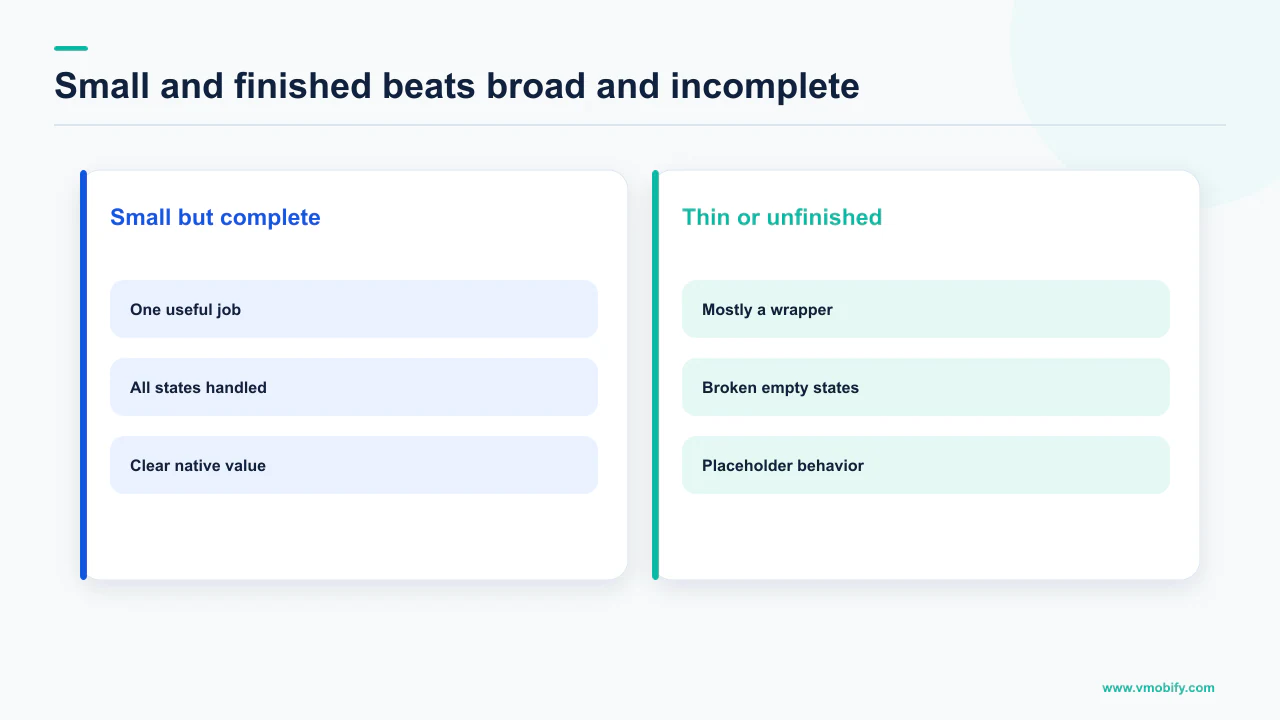
Stores do not object to a narrow app. They object to an unfinished one. Doing one thing completely passes. Doing five things partially does not. Almost every scope argument we have in the 300+ apps we have managed since 2013 resolves once a team accepts that sentence.
So the question in the title has a real answer, and it is not the one most roadmaps assume. Version one can be extremely narrow. It cannot be provisional. Everything below is the documented boundary between those two states, taken from the policy pages themselves rather than from folklore about what reviewers "usually" allow.
What does Apple’s minimum functionality rule actually say?
It sets three separate tests — app-like, useful, and lasting — and your app has to satisfy all of them, not the easiest one. The wording is short enough to quote in full, and worth reading as three clauses rather than a paragraph.
Guideline 4.2 reads: "Your app should include features, content, and UI that elevate it beyond a repackaged website. If your app is not particularly useful, unique, or 'app-like,' it doesn't belong on the App Store. If your App doesn't provide some sort of lasting entertainment value or adequate utility, it may not be accepted."
Break that into the tests it contains:
What clears 4.2
- Features, content and UI beyond a repackaged website
- Useful, unique or "app-like" — a native interface doing native work
- Lasting entertainment value or adequate utility, meaning a reason to open it twice
- Narrow scope, fully built
What fails 4.2
- A wrapper around a site you already have
- A single screen with a form on it
- Something with no reason for a second session
- Broad scope, half built
The "lasting" test is the one teams underestimate. Single-use apps are a legitimate category in some cases, but with no adequate utility to return to you are arguing against a written criterion rather than a reviewer's mood.
Two sub-clauses of 4.2 catch specific MVP shortcuts. Guideline 4.2.3(i) states "Your app should work on its own without requiring installation of another app to function" — which rules out the companion-app pattern where version one is a thin client for a desktop tool. Guideline 4.2.3(ii) requires that if your app needs to download additional resources in order to function on initial launch, you disclose the size of the download and prompt users before doing so. A stub binary that pulls the real app down on first run fails both.
Apple also closes the "we will beta it in public" route. Guideline 2.2 states that demos, betas and trial versions of your app don't belong on the App Store — use TestFlight instead. If your plan is to ship something incomplete and label it a beta, the label is the violation.
Is a wrapped website ever acceptable?
Rarely, and the exception is narrower than the sentence people quote from it. This is the most-attempted MVP shortcut in existence, so it is worth reading the actual clause instead of the summary.
Guideline 4.2.2 states: "Other than catalogs, apps shouldn't primarily be marketing materials, advertisements, web clippings, content aggregators, or a collection of links."
Note the two conditions travelling with that rule. The carve-out is for catalogs specifically, not for content apps generally. And the test is what the app is primarily — an app with meaningful native functionality that also renders some web content is a different object from an app whose substance is web content in a frame.
Apple's own App Review page lists web clippings and content aggregators among its named common rejection reasons, and asks that apps be engaging and use iOS-specific features. That is the operative instruction for anyone considering the wrapper route: the question is not whether a WebView appears anywhere in your app, it is whether removing the WebView would leave anything behind.
If your product genuinely is a web app, the native shell still has to earn its place. Offline state, push notifications, biometric sign-in, camera or file access, share-sheet integration, background sync, a native navigation model — pick the two that your users would actually notice and build them properly. Two real platform features beat ten cosmetic ones, and they are usually cheaper than the second half of your feature backlog.
The same logic decides whether you should have an app at all this quarter. If nothing on that list changes the experience, your growth problem is a web problem — our note on web-to-app funnels covers when the shift is worth funding.
What is Google Play’s equivalent rule?
Play calls it Limited Functionality, and it sits inside a policy that also bans apps which merely fail to work. Teams that treat Play as the lenient store because they assume its review is lighter are reading the wrong document. There is no human design review are reading the wrong document.
The Functionality, Content, and User Experience policy opens with the standard: "Apps should provide a stable, responsive, and engaging user experience. Apps that crash, do not have the basic degree of adequate utility as mobile apps, lack engaging content, or exhibit other behavior that is not consistent with a functional and engaging user experience are not allowed on Google Play."
It then names two separate failure modes, and the distinction is useful when you are deciding what to cut.
Limited Functionality and Content. The policy states "We do not allow apps that only have limited functionality and content," and gives as common violations: "Apps that are static without app-specific functionalities, for example, text only or PDF file apps"; "Apps with very little content and that do not provide an engaging user experience, for example, single wallpaper apps"; and "Apps that are designed to do nothing or have no function."
Broken Functionality. Separately: "We don't allow apps that crash, force close, freeze, or otherwise function abnormally," with examples including "Apps that don't install", "Apps that install, but don't load", and "Apps that load, but are not responsive."
Read together, those two sections describe the floor Apple describes, in different vocabulary. Play is not asking for more features. It is asking that whatever features exist are specific to being an app, and that they work. A text-only app is named as a violation not because text is thin, but because a document is not a product.
Google's core app quality guidelines give the practical checklist behind that standard, and describe themselves as defining "the minimum quality that all apps should meet". They include items no MVP roadmap ever lists — standard back-button and gesture navigation without custom onscreen back prompts, state preserved when the app is backgrounded and restored when it resumes, runtime permissions requested when the feature is used rather than at startup, and graceful degradation when a permission is denied. None of those are features. All of them are scope, and they are the scope that gets forgotten.
Why does a thin app get read as spam?
Because thinness and duplication produce the same artefact, and the anti-spam rules are written against the artefact rather than the intent. A team acting in good faith can trip a rule designed for someone acting in bad faith.
Apple's guideline 4.3(b) is explicit about the categories where the bar has been raised: "Certain kinds of apps, such as dating, flashlight, sound effects, wallpaper, simple timers, and fortune telling, are well established on the App Store and we will not accept new submissions unless they offer a meaningfully different or improved experience." It adds that Apple may remove such apps going forward if they are not updated, improved, or do not attract customers.
If your MVP is the first version of a dating product, a habit timer or a sound app, the minimum functionality question is not the binding constraint — 4.3(b) is. You have to be meaningfully different at launch, which is the opposite of the usual advice to ship the generic version first and differentiate later.
Guideline 4.3(a) catches a different plan: "Don't create multiple Bundle IDs of the same app (for example, submitting a separate map app for every city in the world instead of a single worldwide map that allows users to search any city)." The city-per-app pattern reappears constantly as a market-testing tactic. It is named in the rules as the example of what not to do.
Play's Spam policy reaches the same place from the duplication side: "We don't allow apps that merely provide the same experience as other apps already on Google Play. Apps should provide value to users through the creation of unique content or services."
The operational consequence for scoping is uncomfortable but clean. Your differentiator cannot be on the version two list. Whatever makes your app not-the-same-as-the-others has to be in the first binary, because it is the thing being assessed. Cut the second and third features if you must; the first one is load-bearing. This is where our pre-launch work usually starts, since the differentiator is also the positioning.
What actually gets version one rejected?
Incompleteness, far more often than thinness — and Apple publishes the proportion. This reorders the whole priority list, because most teams spend their pre-submission week adding features and none of it addresses the actual failure mode.
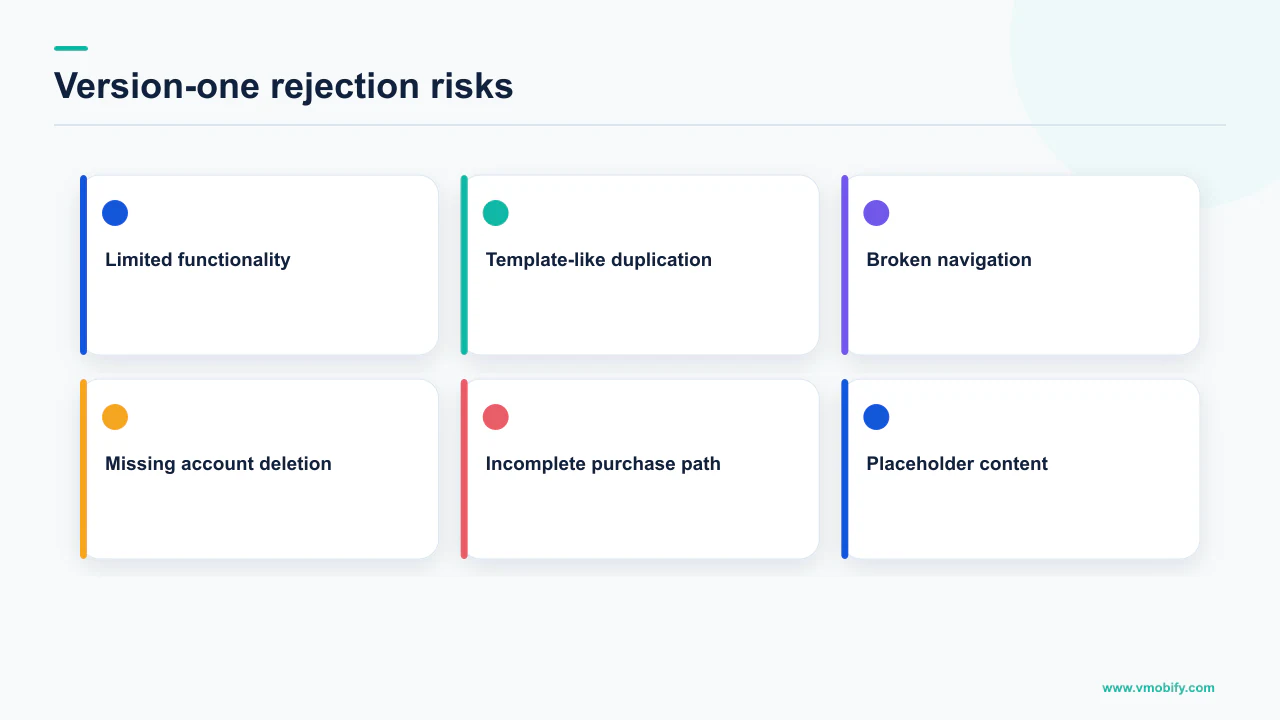
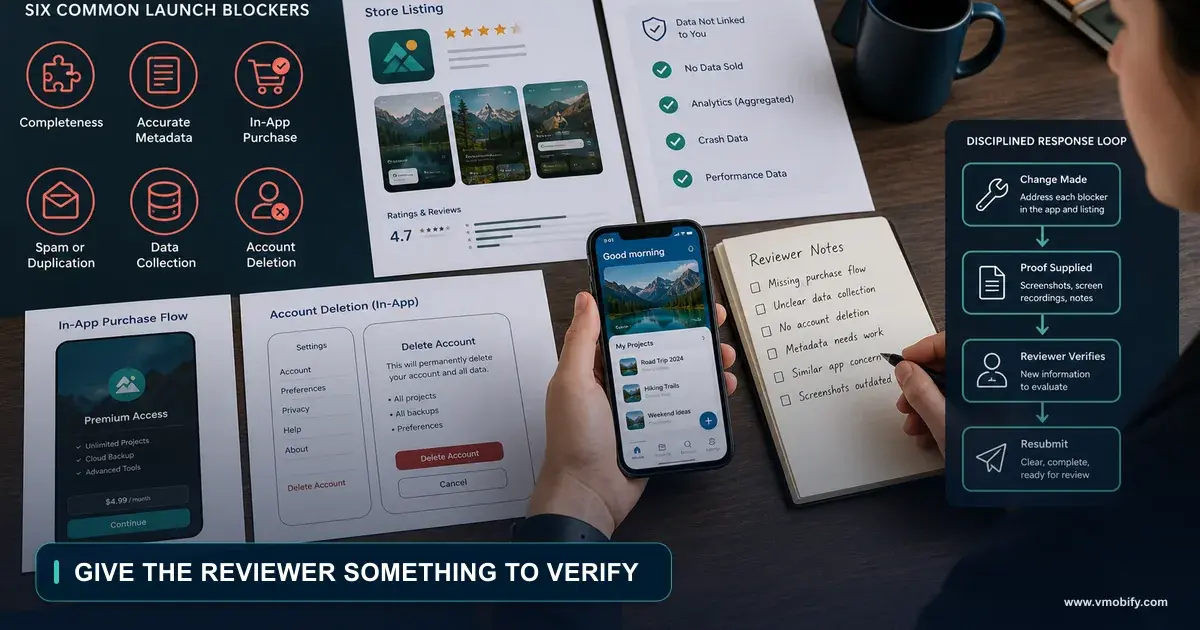
Apple's App Review page states that "over 40% of unresolved issues are related to guideline 2.1: App Completeness." Guideline 2.1(a) covers what that means: submissions should be final versions with all necessary metadata and fully functional URLs included, and "placeholder text, empty websites, and other temporary content should be scrubbed before submission." It asks you to test on-device for bugs and stability, and to include demo account info — and to turn on your back-end service — if your app includes a login. It closes with the outcome: "We will reject incomplete app bundles and binaries that crash or exhibit obvious technical problems."
Every item on the completeness list is a scoping decision disguised as an admin task. Both listing URLs have to resolve. Purpose strings for every permission have to be written. Screenshots have to depict the app that exists. Login-gated apps need working credentials and a live backend on review day — in our portfolio, reviewer credentials pointing at a staging environment switched off over the weekend is a recurring and entirely self-inflicted rejection.
The rest of Apple's named rejection reasons on that page read like a scoping brief rather than a compliance checklist: crashes and bugs, broken links, placeholder content, incomplete information, privacy policy issues, unclear data access requests, inaccurate screenshots, substandard user interface, web clippings and content aggregators, repeated similar apps, copycats, misleading users, and insufficient lasting value.
Note the ordering. The functionality objections sit near the bottom; the top of the list is things that were nearly done. We break the pattern down in our guide to why apps get rejected, and the recovery path in what to do when a build is stuck in review.
How thin can the feature set be if the app is finished?
One complete job, done natively, with a reason to return — that clears both policies as written. Neither store publishes a feature count, a screen count or a session-length threshold, and any article that gives you one has made it up.
What the documents do let you construct is a floor. Assemble it from the clauses already quoted rather than from opinion:
- One job a user can complete end to end. Not a partial flow with a "coming soon" state at the end of it. Apple asks for adequate utility; Play asks for a basic degree of adequate utility as a mobile app. A half-flow satisfies neither.
- A reason to open it again. Apple's wording is "lasting entertainment value or adequate utility". If your app has no second session, that clause is the one you will be arguing against.
- Something specific to being an app. Play names "static without app-specific functionalities" as a violation. Offline capability, notifications, device sensors, background work — at least one, working.
- It runs on its own. Apple 4.2.3(i) requires the app to work without requiring installation of another app; 4.2.3(ii) requires you to disclose the size and prompt the user if it must download resources to function on initial launch.
- It does not crash, freeze or hang. Play's Broken Functionality section names apps that don't install, install but don't load, and load but are not responsive. Apple rejects binaries that crash or exhibit obvious technical problems.
- The platform basics are present. Back navigation, state restoration, sensible runtime permission timing, graceful behaviour when permission is denied — the core app quality guidelines call this the minimum quality all apps should meet.
- The metadata is real. Working privacy policy and support URLs, accurate screenshots, no placeholder copy, live demo credentials if there is a login.
That is the entire floor, and it is notably short on features. A single-purpose utility that does one thing properly clears it; a four-tab product where two tabs are stubs does not.
You will find plenty of articles quoting a price range for a "minimum" app. We checked, and every band we could trace led back to an agency's own pricing page rather than to any independent dataset. There is no publishable figure, so we do not print one. The useful budgeting question is not what an MVP costs — it is which line items in the floor above your team has not yet accounted for, because those are what turn a two-week estimate into a two-month one.
What does the launch timeline look like on each store?
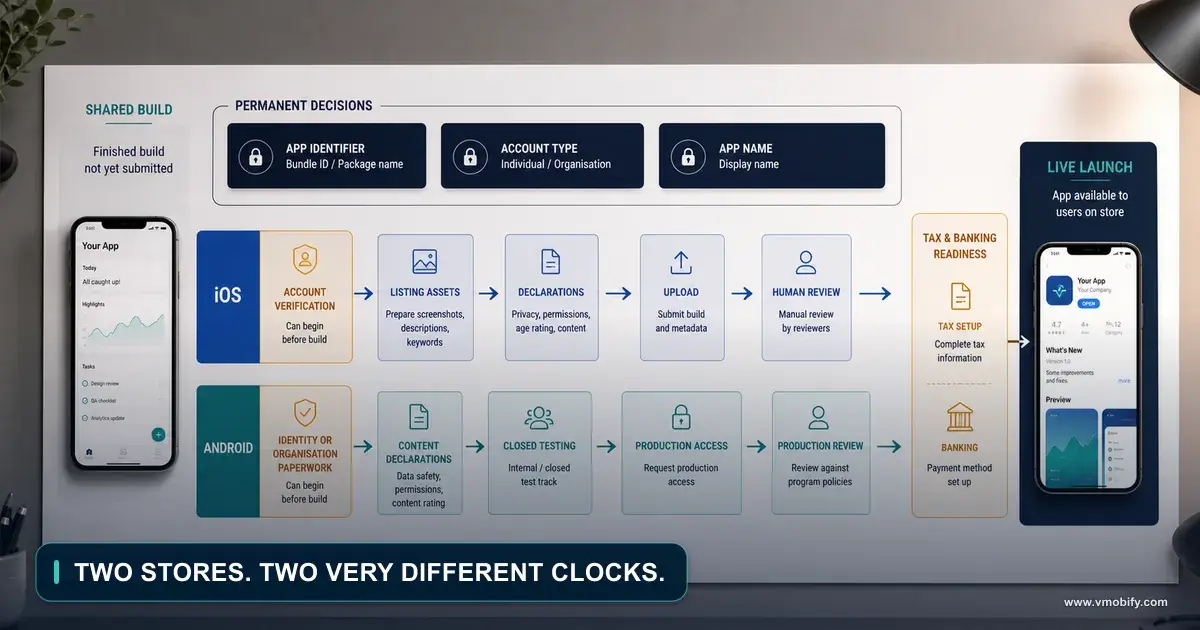
Asymmetric, and the asymmetry runs opposite to most people's expectations — Apple can be same-day, while a new personal Play account faces a documented minimum wait before production access exists at all. This single fact reorders launch plans more than any scoping decision.
On the App Store, Apple states that on average, 90% of submissions are reviewed in less than 24 hours. That is an average across submissions, not a promise about yours, and it says nothing about how long a rejection-and-resubmission loop takes. But the base case is fast.
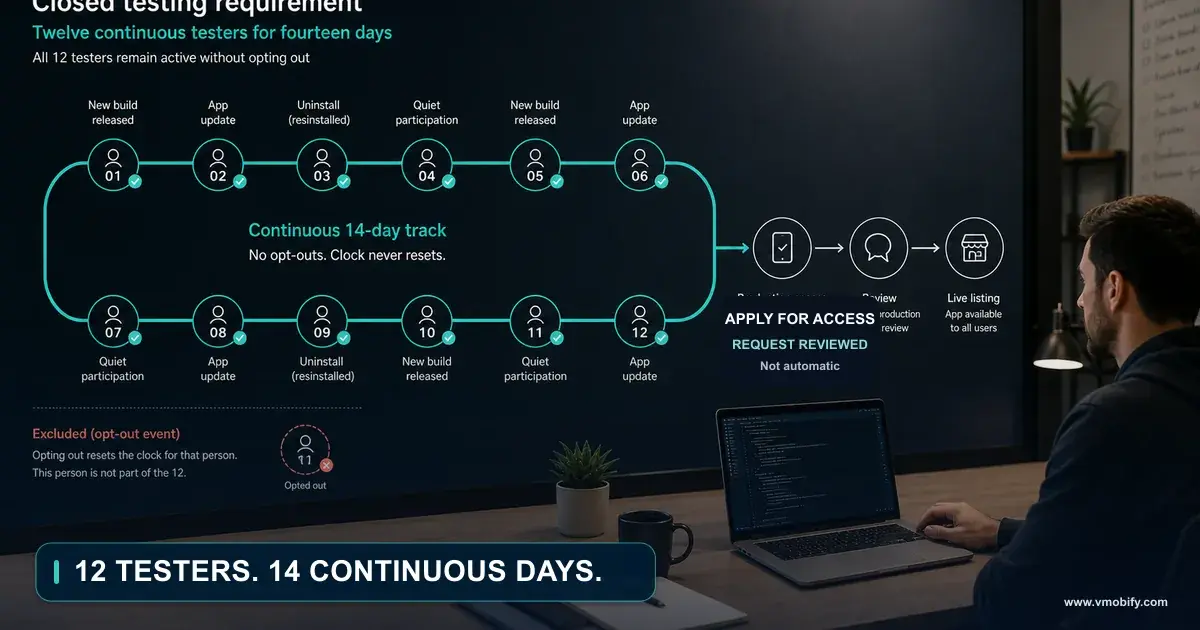
On Play, the constraint depends on your account type. Google's page on app testing requirements for new personal developer accounts applies to personal Google Play Console accounts created after 13 November 2023. Those accounts must run a closed test with a minimum of 12 testers who have been opted in continuously for at least 14 days before they can apply for production access, and features in Play Console including Production and Pre-registration remain disabled until the requirement is met. Google adds that testers who opt in, test for fewer than 14 days and then opt out do not count, and that if a tester opts out and opts back in later, the 14 days must be consecutive. Once you apply, Google says review typically takes seven days or less, but can occasionally take longer.
The 12-testers-for-14-days requirement is documented for personal Play Console accounts created after 13 November 2023. Quoting it as a universal Play rule is wrong, and quoting it without the account type is the version that ends up in a slide deck and misleads someone. Check which kind of account you actually have before you plan around it.
The planning consequence: on Play the tester cohort sits on the critical path, and recruiting should start before the build is finished. We cover the mechanics in the closed testing requirement, and the wider sequencing in publishing your first app.
How do you scope version one so it passes?
Draw the line by depth, not by breadth: keep one flow complete and delete the rest, rather than keeping every flow and shortening each one. Both policies punish the second shape and permit the first, so the cut you make determines the outcome more than the amount you cut.
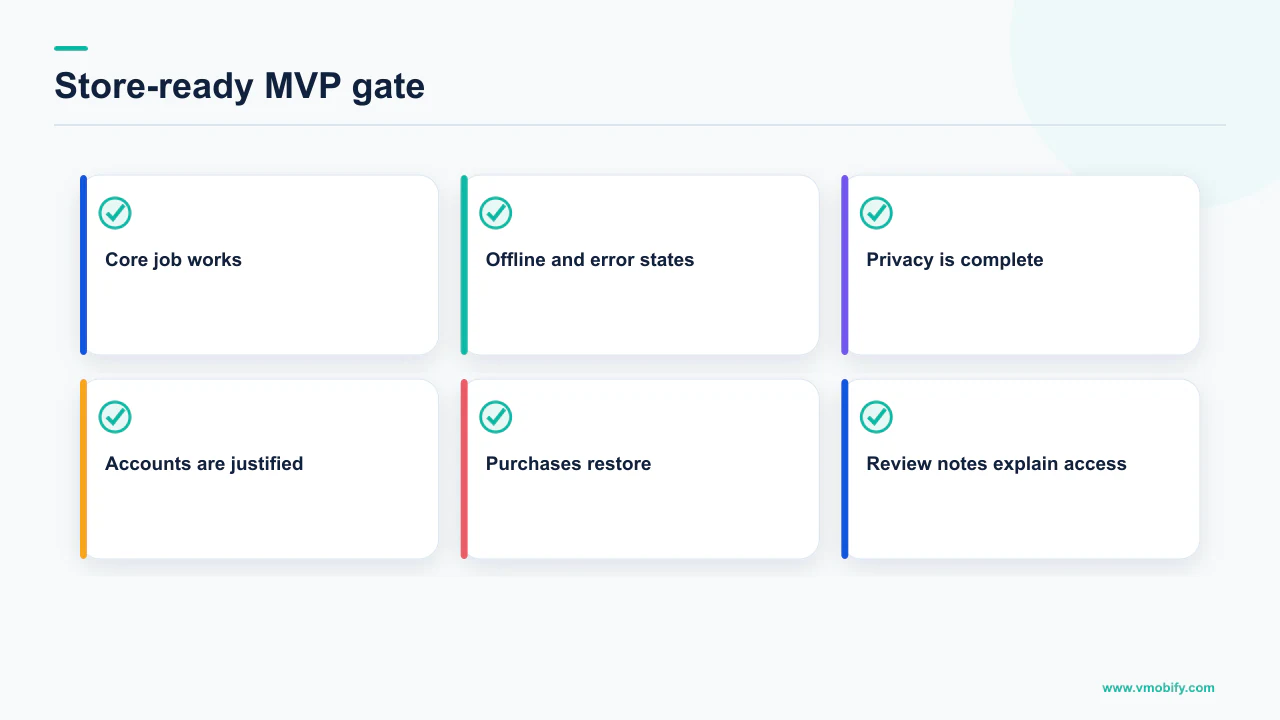
The practical version of that, in the order we run it:
- Name the one job. Write the single sentence a user would use to describe what your app did for them. If that sentence needs an "and", you have two jobs and version one has too much in it.
- Put the differentiator inside that job. Guideline 4.3(b) and Play's repetitive content rule both assess what makes your app not a duplicate. That cannot be scheduled for later.
- Delete every partial flow. A tab that opens an empty state with "coming soon" is worse than a missing tab. Reviewers read it as an unfinished submission, which is the area Apple singles out. Apple's own published figure is that over 40% of unresolved App Review issues relate to guideline 2.1, and largest rejection category.
- Budget the invisible scope. Back navigation, state restoration, permission timing and denial handling, offline behaviour, error states, the privacy policy page, the support page, purpose strings. None of it appears on a feature roadmap; all of it is required.
- Prove one platform capability. Notifications, offline, sensors, share integration — whatever makes the app defensibly an app rather than a page.
- Rehearse the reviewer's session. Fresh device, no account, no cached state, backend live, demo credentials valid, every URL in the listing opening. This is a half-day that saves a week.
- Only then ask what else to add. Usually nothing. The floor is a completeness bar, not a feature count, and teams that understand this ship narrower and faster than teams that do not.
The failure we see most often across our portfolio is not a team that scoped too small. It is a team that scoped small in the wrong dimension — five thin flows instead of one deep one — and then read the rejection as "we need more features". They add a sixth thin flow and get rejected again. The dimension was wrong, not the magnitude.
Two further consequences worth planning for. First, a store listing has to sell the narrow app you actually built, which is a positioning exercise before it is a design one; our ASO for new apps guide covers a listing with no ranking history to work with. Second, the reasons an app is rejected at review and the reasons it dies at week six are closely related, both being versions of "there was not enough here to come back to" — the pattern is set out in why apps fail in the first 90 days.
If you are deciding what to cut from a first release and want the decision checked against what the policies actually require, send us the scope, or see how we handle launch positioning and the listing itself in our ASO work.
Frequently Asked Questions
How many features does an MVP need to pass App Store review?+
Neither store publishes a feature count, and any number you see quoted is invented. Apple asks that the app be useful, unique or app-like and offer lasting entertainment value or adequate utility; Google asks for a basic degree of adequate utility as a mobile app with app-specific functionality. One job a user can complete end to end, with a reason to open the app again, satisfies both as written.
Can I submit a WebView wrapper around my existing website?+
It is the most-rejected shortcut there is. Apple guideline 4.2.2 states that other than catalogs, apps should not primarily be marketing materials, advertisements, web clippings, content aggregators, or a collection of links, and guideline 4.2 asks for features, content and UI that elevate the app beyond a repackaged website. If removing the WebView would leave nothing behind, the submission fails.
Is Google Play more lenient about thin apps than Apple?+
No. Google Play policy states it does not allow apps that only have limited functionality and content, and names static text-only or PDF apps, single wallpaper apps and apps designed to do nothing as common violations. Play also bans apps that crash, force close, freeze or otherwise function abnormally, including apps that install but do not load.
Can I launch a beta or trial version on the store while I finish it?+
Not on the App Store. Apple guideline 2.2 states that demos, betas and trial versions of your app do not belong on the App Store and directs you to TestFlight instead. Guideline 2.1 also requires that submissions are final versions with placeholder text and other temporary content scrubbed before submission.
Why did my complete app still get rejected?+
Most likely on completeness rather than functionality. Apple states that over 40% of unresolved App Review issues relate to guideline 2.1, App Completeness, which covers placeholder content, broken links, missing metadata, inaccurate screenshots and demo credentials that do not work against a live backend. Reviewers also reject binaries that crash or exhibit obvious technical problems.
Do I really need 12 testers for 14 days before launching on Google Play?+
Only if you have a personal Google Play Console account created after 13 November 2023. Google documents that those accounts must run a closed test with a minimum of 12 testers opted in continuously for at least 14 days before applying for production access, with Production and Pre-registration disabled until the requirement is met. Testers who opt out early do not count, and re-entry restarts the 14 consecutive days.
What does an MVP cost to build?+
We do not publish a figure, because we could not find one that traced back to anything other than an agency pricing page. There is no independent dataset we would stand behind, so printing a range would be inventing a number. The more useful budgeting exercise is to cost the invisible scope — back navigation, state restoration, permission handling, error states, privacy and support pages — which is what usually doubles a first estimate.
Sources
- App Review Guidelines - Apple Developer — Guideline 4.2 Minimum Functionality including 4.2.2 web clippings and 4.2.3, guideline 4.3 Spam, guideline 2.1 App Completeness and guideline 2.2 Beta Testing.
- App Review - Apple Developer — States that on average 90% of submissions are reviewed in less than 24 hours, that over 40% of unresolved issues relate to guideline 2.1 App Completeness, and lists common rejection reasons.
- Functionality, Content, and User Experience - Play Console Help — Google Play Limited Functionality and Content policy and the separate Broken Functionality section covering apps that crash, do not install or do not load.
- Spam - Play Console Help — Repetitive Content rule prohibiting apps that merely provide the same experience as other apps already on Google Play.
- App testing requirements for new personal developer accounts - Play Console Help — Closed test of at least 12 testers opted in continuously for 14 days, applying to personal Play Console accounts created after 13 November 2023, with Production and Pre-registration disabled until met.
- Core app quality guidelines - Android Developers — Describes the minimum quality all apps should meet, including back and gesture navigation, state preservation and restoration, and runtime permission handling.
- Enforcement Process - Play Console Help — Documents the escalation of Google Play enforcement from app removal to app suspension and developer account termination.
About the author
Amol Pomane — Founder, Vmobify
Amol leads Vmobify, a mobile app growth agency that has driven 30M+ downloads and ranked 54K+ keywords across 300+ apps since 2013. He writes about ASO, paid user acquisition, retention, and the operational reality of scaling mobile apps in India and global markets.