Native vs Flutter vs React Native: Pick a Stack by Constraints
Every stack comparison you have read is a benchmark argument, and benchmarks do not survive contact with your build flags. The decision that actually matters is which documented store constraints your app will run into: download size caps, the startup thresholds Android vitals treats as excessive, how a crash gets attributed, and whether the SDKs your growth stack depends on exist for your framework. Those are all published, and they decide more than framework speed does.
On this page
- Which constraints does a stack choice actually decide?
- How big is the app allowed to be?
- What does your framework cost you at cold start?
- Who does Google Play blame when vitals go bad?
- Where do dropped frames come from in each stack?
- Will the SDKs your growth stack needs exist?
- What does a cross-platform stack actually save?
- Which numbers can a comparison article not give you?
- How should you actually decide?
- Frequently Asked Questions
Which constraints does a stack choice actually decide?
Four things, all of them documented by the stores rather than by the frameworks: how large your download is allowed to be, how long you have before your startup is classified as excessive, how a defect is attributed to you, and which SDKs you are able to install at all. Framework speed is not on that list, and that is deliberate.
The standard comparison article opens with a benchmark. Someone built a list view in three stacks, measured frames on one device, and published a table. That table tells you almost nothing about your app, because it was produced with build flags, an architecture split, a device class and a workload that are not yours. We do not publish those numbers and we do not repeat other people's, which is a position worth stating plainly rather than apologising for.
What is publishable is the set of rules your app has to live inside. Google documents the compressed download sizes it will accept, the point at which it warns users on mobile data, the startup times Android vitals treats as excessive, and the crash and ANR rates at which distribution changes. Apple documents maximum build file sizes. Those are fixed constraints. Your stack determines how much of each budget the runtime consumes before your product code has done anything at all.
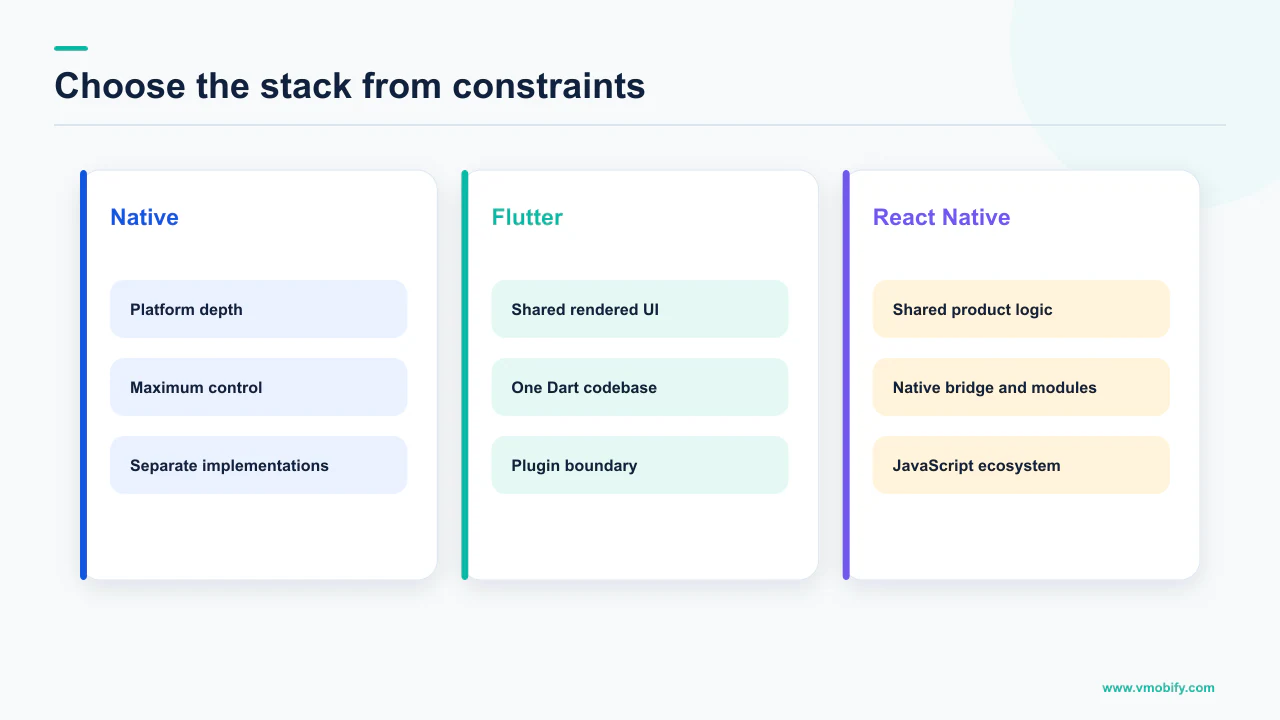
Stop asking which framework is fastest. Ask which framework leaves you the most headroom against the four published constraints for the app you are actually building, and whether the growth SDKs you depend on ship for it. Both questions have answers you can check today.
Across the 300+ apps we have managed since 2013, the stack argument almost never turns out to be the growth bottleneck people expected. What does bite is a runtime that pushed cold start past a threshold nobody was monitoring, or a plugin that never shipped for the framework, discovered a fortnight before launch. Both are avoidable at the decision stage.
How big is the app allowed to be?
Google Play caps a base module at 500MB compressed download size and the cumulative total for all modules and install-time asset packs at 4GB; Apple caps the uncompressed app at 4 GB when the minimum deployment target is iOS 9.0 or later, with the executable capped at 80 MB under that same target. Those are the outer walls. Almost nobody hits them. The number that actually shapes conversion sits far lower.
Google's guidance on staying within Google Play app size limits states that if your app is above 200MB in size, users on a mobile data connection will see a non-blocking dialog when installing the app from Google Play informing them of the app's large size. Two conditions travel with that sentence and must never be dropped: it applies to users on a mobile data connection, and the dialog is non-blocking. It is friction at the last step of your funnel, not a rejection.
The Play page also lists 500MB for individual feature modules, 1.5GB for individual asset packs, and a 30GB cumulative total for asset packs delivered on-demand or fast-follow — all as compressed download sizes. Apple's maximum build file sizes reference gives lower ceilings for older minimum deployment targets, which is why the target version has to be quoted alongside the number every time.
Here is the part where a comparison article would tell you that one framework adds a specific number of megabytes to your binary. We will not, because the honest answer is that the figure depends on your architecture splits, your resource shrinking, whether debug symbols were stripped, and how much of the runtime your code actually reaches. A single number published without that context is not a fact, it is a coincidence someone measured once.
Measure your own instead. Flutter's documentation on measuring your app's size is explicit that debug builds are large because of debugging overhead and are not representative, that you should upload a release bundle and read download and install sizes from the App size tab in Play Console, and that the reported Android download size is calculated for an XXXHDPI device on arm64-v8a. On iOS it points you at the App Thinning Size Report produced when you distribute an archive. Every stack has an equivalent path. Use it before you commit to one.
What does your framework cost you at cold start?
Android vitals considers a cold startup of 5 seconds or longer excessive, a warm startup of 2 seconds or longer, and a hot startup of 1.5 seconds or longer — all measured with time to initial display. That definition is what makes startup a stack question rather than a product one.
Google's page on app startup time defines TTID as the time it takes to display the first frame of the app's UI, and says the metric measures the time it takes for an app to produce its first frame, including process initialisation during a cold start, activity creation during a cold or warm start, and displaying the first frame. It adds that Android vitals can alert you in Play Console when your app's startup times are excessive.
Read that definition against a cross-platform runtime. Whatever has to be initialised before your first frame can be drawn is inside the measured window — engine bring-up, the JavaScript runtime, bundle loading, plugin registration. None of that is product work, and all of it is counted. A native app starts its budget with the framework already on the device; a cross-platform app spends part of the budget arriving.
That is a structural statement, not a benchmark, and it does not tell you the gap is large. On a modern device it may be irrelevant. On the low-RAM Android hardware that dominates install volume in India it may be the whole difference between compliant and excessive, and it is why we test acquisition-heavy apps on the devices the media buying will actually deliver, not on the phones the engineers carry.
Baseline Profiles improve code execution speed by about 30% from the first launch by avoiding interpretation and just-in-time compilation steps for included code paths — Google's wording, and the condition on included code paths is part of the claim. They apply to Android code, and libraries can ship their own. If your app is heavily non-Android code, that lever is smaller for you.
Whichever stack you choose, instrument startup before the store does it for you. Our breakdown of the vitals thresholds that decide distribution covers the monitoring setup, and why bad vitals behave like a tax on acquisition explains what excessive startup costs on the paid side.
Who does Google Play blame when vitals go bad?
You. There is no framework line in Android vitals, and the thresholds are absolute regardless of which layer produced the crash. This is the constraint that most often surprises teams who adopted a cross-platform stack to move faster.
Google's documentation on monitoring technical quality with Android vitals sets overall bad behaviour at 1.09% of daily users experiencing a user-perceived crash across all device models, and 0.47% of daily active users experiencing a user-perceived ANR across all device models. Per-device bad behaviour is at least 8% of daily users for a user-perceived crash on a single device model, and at least 8% of daily active users for a user-perceived ANR on a single device model. The conditions matter: the low figures are the all-device numbers, the 8% figures are per single device model.
The consequences are documented too. Exceeding the thresholds means your app is likely to be less discoverable on Google Play, a warning could be shown on your app's store listing, and where behaviour is bad on specific device models Google Play will steer users on those devices away from these titles and towards others that are more suitable.
Now apply that to a stack decision. A crash inside a community-maintained plugin, a native module you did not write, or an engine you do not control counts in exactly the same denominator as a crash in your own code. The distribution penalty is identical. What differs between stacks is not who is blamed, it is how quickly you can find and fix it — how many layers a stack trace crosses, whether symbols are available for all of them, and whether a fix means a patch you can ship or an upstream issue you can only file.
That is the real engineering-risk axis, and it is the one to interrogate in a stack review: for every dependency in the critical path, can your team fix a crash in it this week? Where the answer is no for something that runs at startup, you have taken on a distribution risk, not just a technical one.
Where do dropped frames come from in each stack?
From different threads, which is why the same symptom needs a different diagnosis depending on the stack. React Native documents its own failure mode with unusual candour, and it is worth quoting rather than paraphrasing.
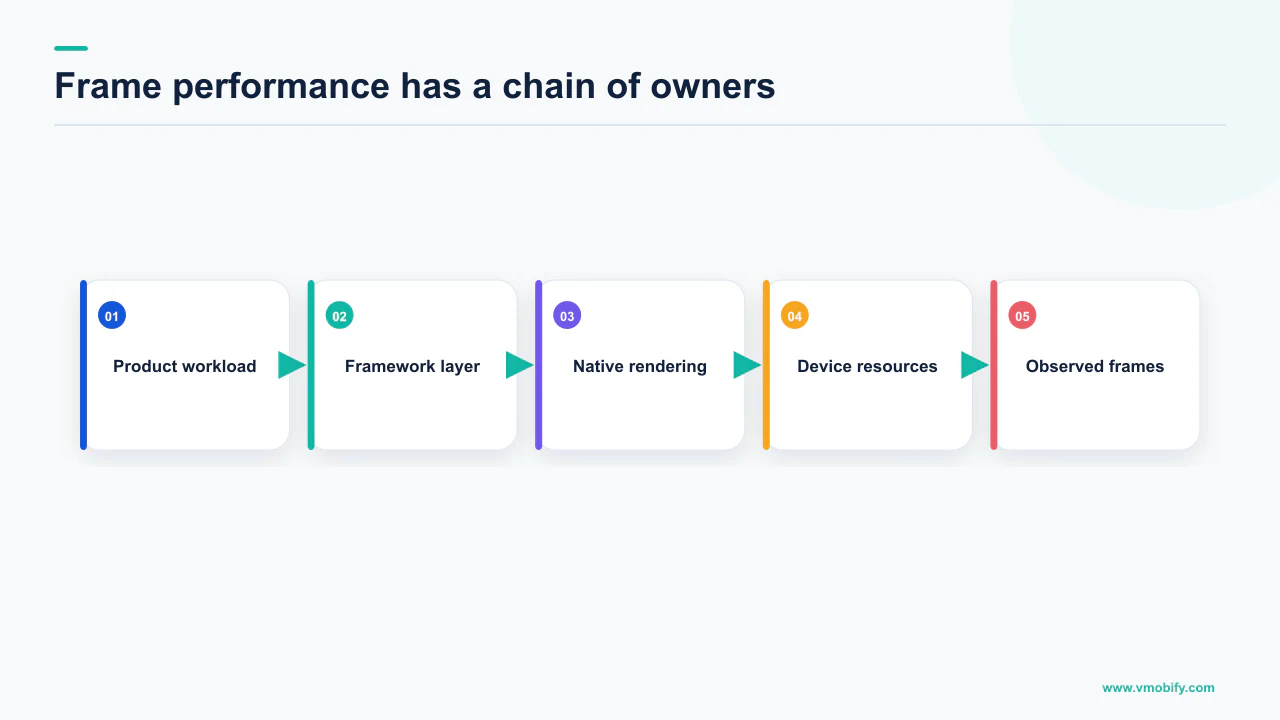
The React Native performance overview states that iOS and Android devices display at least 60 frames per second, which gives you and the UI system at most 16.67ms to do all of the work needed to generate the static image that the user will see on the screen for that interval. It then says that for most React Native applications business logic runs on the JavaScript thread, and that if the JavaScript thread is unresponsive for a frame, it will be considered a dropped frame.
The same page notes that native stack navigators perform better out of the box than JavaScript-based ones because the transition animations are executed on the native main UI thread, so they are not interrupted by frame drops on the JavaScript thread. That is a clean, sourced statement of the architecture trade-off, and it generalises: where the work runs decides what stalls it.
What this changes in practice
- A janky list is a threading question before it is a framework question
- Animation smoothness depends on which thread owns the animation
- Fixes are architectural, not cosmetic
What it does not tell you
- Nothing about how your app performs
- No comparable published figure for other stacks
- No basis for ranking frameworks
We are not going to complete that table with equivalent claims for the other two options, because we could not source them from primary documentation and inventing them would defeat the point of the article. What the React Native page establishes is the shape of the question: identify which thread does the work in your stack, and measure that thread on your lowest-spec target device. In our portfolio, that single habit resolves more perceived-performance complaints than any framework migration has.
Will the SDKs your growth stack needs exist?
Mostly, and much better than it used to be — but the exceptions are specific, published, and worth checking before you commit rather than during integration week. This is the constraint that is easiest to verify and most often skipped.
Firebase's own guide to getting started with Firebase in a Flutter project is a useful worked example, because it publishes a product-by-product availability table rather than a marketing claim. Analytics, App Check, Authentication, Cloud Firestore, Cloud Functions, Cloud Messaging, Cloud Storage, Crashlytics, In-App Messaging, Performance Monitoring, Realtime Database and Remote Config all appear as available. Dynamic Links and the ML Model Downloader appear as unsupported. The page also carries a caution that Firebase on Windows is not intended for production use cases, only local development workflows.
That is the exercise, and it takes an afternoon. Before you choose, list every SDK your growth stack genuinely depends on — attribution, analytics, push, remote config, paywall, ad mediation, consent — and for each one open the vendor's own documentation and answer three questions.
- Does an official plugin exist, published by the vendor? A community wrapper is a maintenance liability sitting inside your revenue path.
- Is every feature you need available, not just the SDK? Availability is per product, not per vendor, as the Firebase table shows.
- How fast does the plugin follow the native SDK? When a store deadline forces a native SDK upgrade, you ship when your plugin ships.
The third question is the one that causes real damage, because it converts someone else's release cadence into your compliance risk. If your attribution SDK needs a major version bump to stay compliant with a platform change, and the plugin for your framework lags, you cannot ship on time no matter how good your engineers are. Our guide to mobile attribution covers what that layer has to do; the point here is only that its availability is a stack constraint you can check in advance.
What does a cross-platform stack actually save?
The product surface, and not much else — the store-facing work does not halve, because none of it is shared. This is where the business case for cross-platform is usually overstated, and correcting it changes what you expect from the decision.
What genuinely consolidates is the screen-by-screen product build: one implementation of a flow, one set of view logic, one place to change a paywall. For a product with a lot of screens and modest platform integration, that is a real saving and the honest reason most teams choose it.
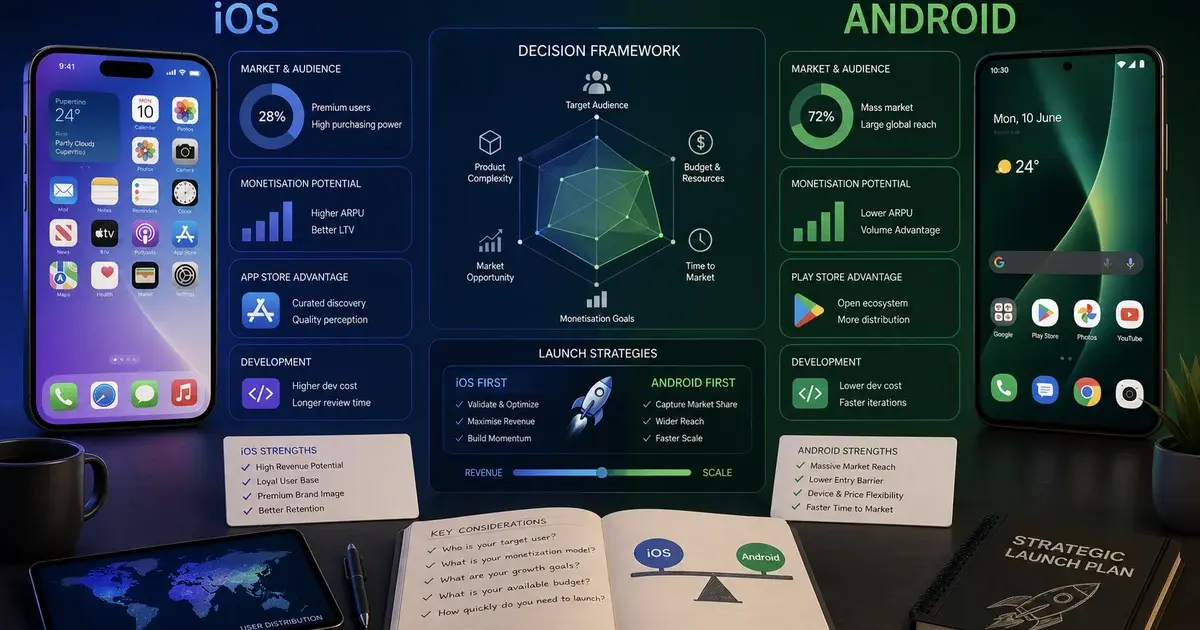
What does not consolidate is everything the stores own. Two review processes with different rules. Two store listings, two sets of screenshots, two localisation efforts. Two sets of quality metrics — Android vitals thresholds have no App Store equivalent, and the App Store has requirements Play does not impose. Two billing integrations with different subscription semantics. Two sets of platform release notes to track. We wrote about this split in launching on iOS versus Android, and it holds regardless of what the app is built in.
Count the work items in your next two quarters and mark each one as shared or platform-specific. The shared column is what a cross-platform stack compresses. If that column is small because your roadmap is dominated by store, payments and platform-integration work, the saving is smaller than the pitch, and the framework question matters less than the team question.
There is also the direction almost nobody plans for: what happens if you want to leave. A native codebase can adopt a cross-platform layer for one module. Going the other way — extracting a product from a runtime it was built into — is a rewrite. That asymmetry belongs in the decision even though it has no number attached to it, and it is the reason teams with a long horizon and heavy platform integration keep choosing native despite the higher headcount.
Which numbers can a comparison article not give you?
Any number about your app: binary size, cold start, frame timings and memory are all outputs of your build configuration and your target devices, and none of them are properties of a framework. Saying so is the most useful thing an article like this can do, because it redirects you to the measurement that would actually settle the argument.
Consider what changes a published size figure. Architecture splits, resource shrinking and code shrinking, whether debug symbols were separated out, how much of the runtime the app's code paths reach, the density bucket the store used to compute the download. Flutter's size documentation makes the last one explicit — the Android download size it describes is calculated for an XXXHDPI device on arm64-v8a, and end users' sizes vary with hardware. A single quoted megabyte figure that omits all of that is not comparable to anything, including itself on a different day.
Startup is worse, because it is measured on a device population rather than a device. TTID includes process initialisation and activity creation, both of which depend on how much memory pressure the phone is under. A figure from a flagship handset says nothing about whether you clear the 5 second cold start threshold on the hardware your installs actually land on.
You will not find a framework-versus-framework megabyte, millisecond or frames-per-second table in this article. We could not source one from primary documentation, and a number without its build configuration and device is not evidence. Everything above is either quoted from the platform owner or argued from architecture.
The replacement for a benchmark table is a two-week spike. Build the same non-trivial screen in the candidate stacks — one that hits your network layer and one real SDK, not a counter — then measure release builds on your lowest-spec target device. Read size from the App size tab in Play Console and from the App Thinning Size Report on iOS, and read startup from vitals once you have real users. That produces numbers about your app, which is the only kind that can settle the decision. If you want a second opinion on how to instrument it, our analytics work exists for exactly this.
How should you actually decide?
Run the four constraints against your specific app, in order, and stop at the first one that eliminates an option. Most decisions resolve before you reach the end, which is the point of ordering them.
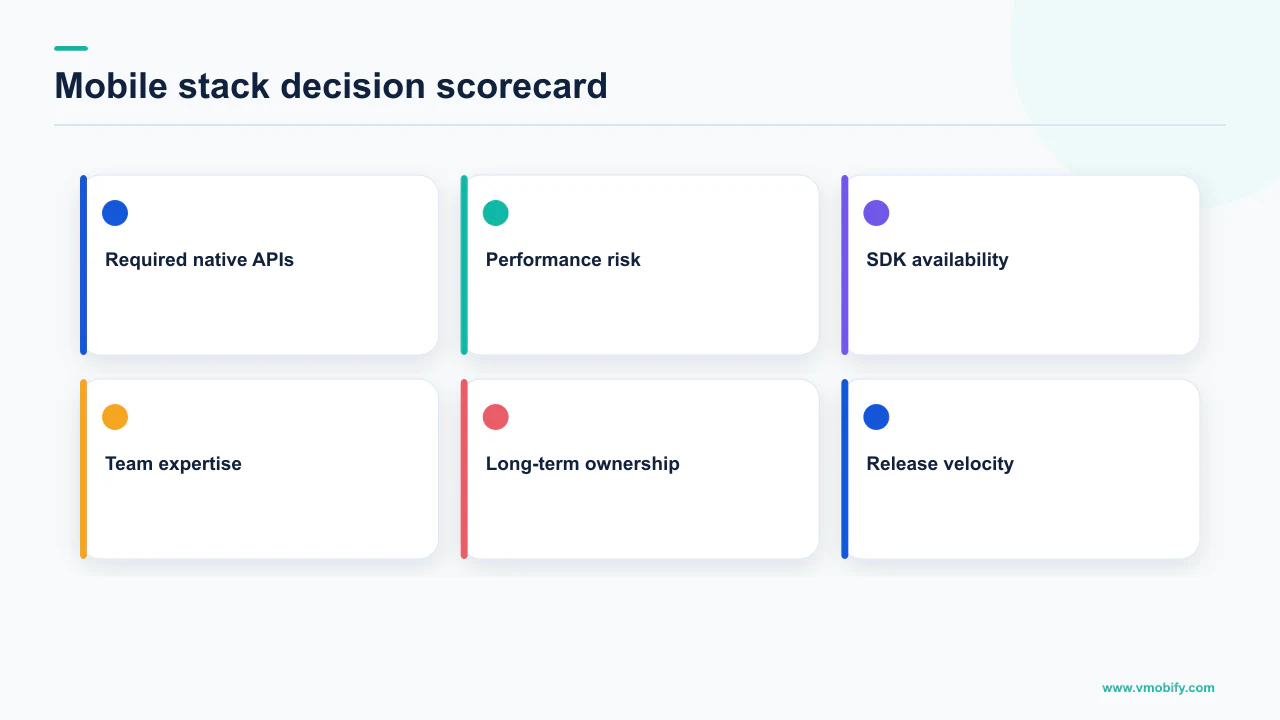
- Size. Estimate your asset weight. If you are heading toward the 200MB point where mobile-data users see a non-blocking install dialog, your delivery strategy — feature modules, asset packs, on-demand content — matters more than your framework, and needs designing now rather than later.
- Startup. Decide the device class you will be judged on, which for install-heavy markets is not a flagship. If a runtime's initialisation puts you anywhere near a 5 second cold start on that hardware, that is a first-order objection, and it is measurable in a spike.
- Attribution of defects. For every dependency on the startup path, ask whether your team can fix a crash in it this week. Vitals thresholds do not care which layer failed; the 1.09% all-device crash rate and 0.47% all-device ANR rate are yours either way.
- SDK availability. List the growth SDKs you cannot ship without and check each vendor's own availability table, per product rather than per vendor. Anything missing or community-maintained is a dated risk, not a detail.
- Only then, the team. If all four constraints are satisfiable in more than one stack, the answer is whichever one the people you have — or can hire — will ship and maintain fastest.
Notice what is absent from that list. Framework popularity, hiring-market narratives, and the benchmark table you started your research with. The first two are proxies for step five and belong there, honestly labelled. The third is noise dressed as evidence.
One closing caveat, because it is the mistake we see most often in our portfolio: a stack choice is not a growth strategy. A well-built app in any of the three options can fail on discovery, pricing or retention, and the fastest cold start in your category will not rescue a listing nobody reaches. Get the constraints right so the stack stops being a liability, then spend your attention on the parts of the funnel that actually move installs. If you want that reviewed against your own numbers, talk to us.
Frequently Asked Questions
Is Flutter or React Native slower than native?+
We cannot answer that with a number, and neither can anyone else without naming your build configuration and device. What is documented is the structure: whatever a runtime must initialise before your first frame is counted inside time to initial display, which is the metric Android vitals uses. Measure release builds of a realistic screen on your lowest-spec target device instead of trusting a published benchmark.
How much does a cross-platform framework add to app size?+
No honest single figure exists. Size depends on architecture splits, resource and code shrinking, whether debug symbols were stripped and how much of the runtime your code reaches. Flutter also notes that the Android download size shown is calculated for an XXXHDPI device on arm64-v8a and that end users vary. Build a release bundle and read your own numbers from the App size tab in Play Console.
What is the Google Play app size limit?+
Google lists compressed download size limits of 500MB for the base module, 500MB for individual feature modules, 1.5GB for individual asset packs, a 30GB cumulative total for on-demand and fast-follow asset packs, 4GB cumulative for all modules and install-time asset packs, and a 30GB cumulative total for asset packs delivered on-demand or fast-follow. Separately, apps above 200MB show users on a mobile data connection a non-blocking size dialog at install.
What is the maximum app size on the App Store?+
Apple documents a maximum uncompressed app size of 4 GB and a maximum executable file size of 80 MB when the minimum deployment target is iOS 9.0 and later. Lower ceilings apply to older minimum deployment targets, so the target version has to be quoted with the number. The condition is not optional detail — it changes the answer.
Does Google Play penalise an app for a crash inside a third-party plugin?+
The thresholds make no distinction. Overall bad behaviour is at least 1.09% of daily users experiencing a user-perceived crash across all device models, and Google states that an app exceeding the thresholds is likely to be less discoverable on Google Play, that a warning could be shown on the store listing, and that users on badly affected device models are steered towards other titles.
Do Baseline Profiles help a cross-platform app?+
Google states that Baseline Profiles improve code execution speed by about 30% from the first launch by avoiding interpretation and just-in-time compilation steps for included code paths, and that libraries can ship their own. The benefit applies to the Android code paths covered by the profile, so an app whose critical path is mostly outside that code gets less from it.
How do I check whether the SDKs I need support my framework?+
Open each vendor’s own documentation and check availability product by product rather than vendor by vendor. Firebase publishes exactly such a table for Flutter, where most products are available but Dynamic Links and the ML Model Downloader are unsupported. Then ask how quickly the plugin follows the native SDK, because a forced native upgrade means you ship when your plugin ships.
Sources
- Optimize your app’s size and stay within Google Play app size limits — Compressed download size limits per module and asset pack, and the non-blocking dialog shown to users on a mobile data connection above 200MB.
- Maximum build file sizes - App Store Connect Help — Maximum uncompressed app and executable sizes for iOS and iPadOS, listed per minimum deployment target.
- App startup time - Android Developers — The excessive cold, warm and hot startup thresholds, the TTID definition, and Play Console alerting on excessive startup.
- Monitor your app’s technical quality with Android vitals — Overall and per-device bad behaviour thresholds for user-perceived crashes and ANRs, and the discoverability consequences.
- Baseline Profiles overview - Android Developers — The roughly 30% code execution speed improvement from first launch for included code paths, and that libraries can ship profiles.
- Measuring your app’s size - Flutter — Debug builds are not representative, how to read download and install size in Play Console, the XXXHDPI arm64-v8a basis, and the iOS App Thinning Size Report.
- Performance Overview - React Native — The 16.67ms frame budget, the JavaScript thread dropped-frame definition, and native stack navigators animating on the main UI thread.
- Get started with Firebase in your Flutter project — Per-product availability for Flutter, including products listed as unsupported, and the caution on Windows support.
About the author
Amol Pomane — Founder, Vmobify
Amol leads Vmobify, a mobile app growth agency that has driven 30M+ downloads and ranked 54K+ keywords across 300+ apps since 2013. He writes about ASO, paid user acquisition, retention, and the operational reality of scaling mobile apps in India and global markets.