Subscription Cancellations and Win-Back: What the Stores Report
Your cancellation count and your churn count disagree, and both stores are technically right. Google Play fires one notification for voluntary and involuntary cancellation alike, while Apple splits the same event across a renewal-status change and a later expiry with a subtype attached. Until you read the payloads the way the documentation defines them, every win-back campaign you build is aimed at the wrong cohort.
On this page
- Which cancellation did you actually see?
- Where do users actually cancel?
- What does Google Play report when someone cancels?
- What does Apple report, and when?
- Does a cancellation mean access ends?
- Can you recover a subscriber before expiry?
- What win-back mechanisms exist after expiry?
- Why does involuntary churn look like cancellation?
- What should a cancellation stack look like?
- Frequently Asked Questions
Which cancellation did you actually see?
A cancellation on Google Play and a cancellation on the App Store are not the same event, are not reported at the same moment, and on Play are not even distinguishable from an involuntary loss without reading a second field. Almost every subscription dashboard we are asked to audit has conflated at least two of those things.
Three events get filed under one word in most setups.
Voluntary cancellation
- The user turned off renewal deliberately
- Access usually continues to the end of the paid period
- Recoverable while the subscription is still live
- This is the one worth surveying
Involuntary loss
- A payment failed and retries ran out
- The user never chose to leave
- Recoverable by fixing a payment method, not by discounting
- A win-back discount here is money given away
The third is expiry — the moment entitlement should stop, which can arrive days or weeks after the cancellation that caused it. Treating the cancellation timestamp as the churn timestamp compresses your retention curve and makes every cohort look worse than it is.
Across the 300+ apps we have managed since 2013, the most common subscription reporting defect is a backend that revokes access the moment a cancellation notification lands. Neither store asks you to do that, and it turns a recoverable subscriber into a certain one. Our guide to subscription monetisation strategy covers the commercial side once the plumbing is honest.
You will not find a churn benchmark in this article. Neither store publishes cancellation rates by category, and we do not print numbers we cannot source. A monthly churn benchmark for your vertical is a panel estimate or a vendor sample, not a store figure — it is not publishable, and treating it as a target is worse than having no target.
Where do users actually cancel?
On both platforms the cancellation surface belongs to the store, not to you — but both platforms document a way to send the user there from inside your app, and both expect you to provide it. The surface you cannot own is also the surface where your last intervention has to happen.
Google's about subscriptions guide is explicit that your app should include a link on a settings or preferences screen allowing users to manage their subscriptions. It documents two deep links: https://play.google.com/store/account/subscriptions for the full subscriptions centre, and a per-subscription form taking the product ID and package name, https://play.google.com/store/account/subscriptions?sku=your-sub-product-id&package=your-app-package. The user is then able to manage payment methods and access features including cancellation, resubscription and pause. The per-subscription link is the recommended one, and works for non-expired subscriptions, which you determine from subscriptionState.
Google adds that users can cancel on Google Play, and that you can also provide an option to cancel in your app or on your website. An in-app path is permitted but is not the only one, so your backend cannot assume cancellations arrive through your code.
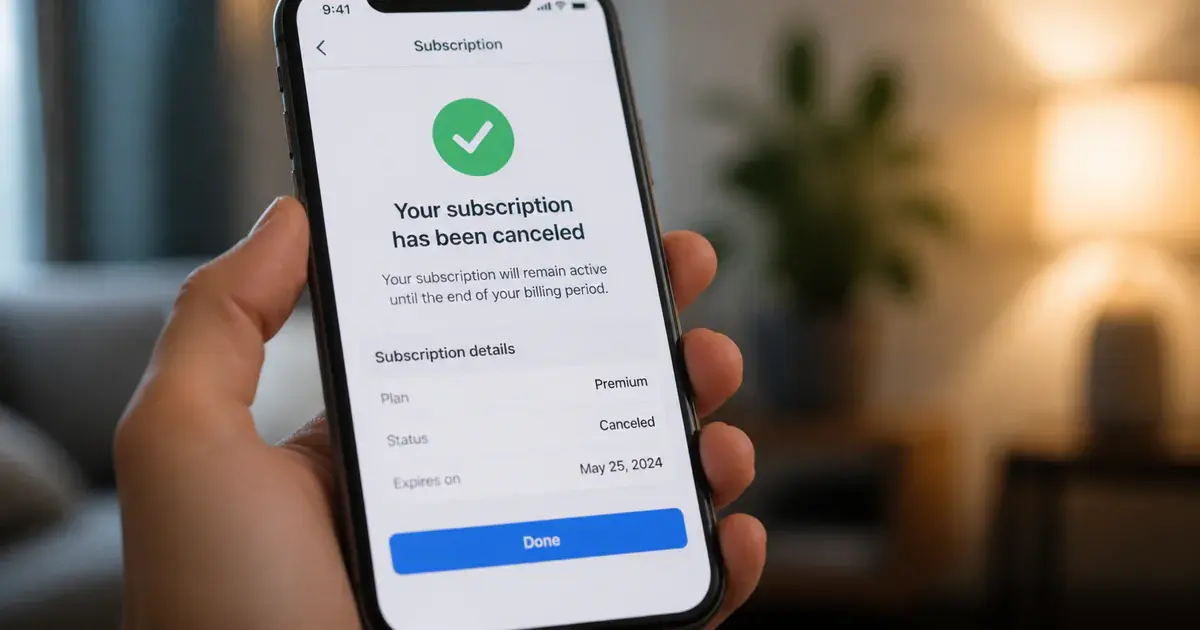
Apple's position is similar. Its auto-renewable subscriptions guide points at showManageSubscriptions(in:) to let subscribers manage a subscription within your app, and states that a dedicated in-app place to manage subscriptions lets you display other options complementing the system-provided management UI — its own example being that if they cancel, you might provide an offer to win them back, or a survey about their reasons for cancelling. The constraint is unambiguous: always make it easy for people to access the system-provided management UI where they can cancel if they wish.
You get to wrap the cancellation surface, not gate it. An interstitial that makes cancelling harder is not what either document describes; one that offers something and then hands the user to the store's own UI is.
What does Google Play report when someone cancels?
One notification type, SUBSCRIPTION_CANCELED, covering both voluntary and involuntary cancellation — the difference lives in a separate field on the subscription resource, not in the notification. This is the single most misread thing in Play Billing, and it silently poisons win-back targeting.
Google's real-time developer notifications reference defines type 3 as: a subscription was either voluntarily or involuntarily cancelled, sent when the user cancels in the voluntary case. The notification alone does not say which. To find out, call the Developer API and read canceledStateContext, which distinguishes user-initiated, system-initiated, developer-initiated and replacement cancellations.
The rest of the churn-relevant types matter because several are recoveries, not losses:
- (1) SUBSCRIPTION_RECOVERED — recovered from account hold or resumed from pause. A win, not a churn event.
- (5) SUBSCRIPTION_ON_HOLD and (6) SUBSCRIPTION_IN_GRACE_PERIOD — each documented as applying if that feature is enabled. Payment problems, not decisions.
- (7) SUBSCRIPTION_RESTARTED — the user restored a subscription cancelled but not yet expired.
- (10) SUBSCRIPTION_PAUSED and (11) SUBSCRIPTION_PAUSE_SCHEDULE_CHANGED — a pause is not a cancellation.
- (12) SUBSCRIPTION_REVOKED — revoked from the user before the expiration time. Entitlement genuinely ends immediately here.
- (13) SUBSCRIPTION_EXPIRED — the subscription has expired. This, not type 3, is your churn timestamp.
There is also a documented reason survey. The purchases.subscriptionsv2 resource carries userInitiatedCancellation.cancelSurveyResult — information provided by the user when they complete the cancellation flow. The enum lists an unspecified value plus five selectable reasons: not enough usage of the subscription, technical issues while using the app, cost related issues, the user found a better app, and other reasons. The free-text reasonUserInput field is only set for the "others" reason.
Those five reasons map to five different interventions. Cost is the only one a discount answers. Technical issues route to engineering and should be correlated against crash and ANR data. Not enough usage is an activation failure that a win-back offer will simply repeat. Found a better app is competitive intelligence. Store the reason on the user record at cancellation time.
What does Apple report, and when?
Apple splits the same story across two notifications separated by the remaining paid period: a renewal-status change at the moment of cancellation, and an expiry with a subtype naming the cause when access actually ends. That structure is more informative than Play's, and it is why a naive cross-platform pipeline reports two different churn shapes for identical user behaviour.
Apple's notificationType reference defines DID_CHANGE_RENEWAL_STATUS as indicating the customer changed the subscription renewal status: subtype AUTO_RENEW_ENABLED means they re-enabled auto-renewal, and AUTO_RENEW_DISABLED means they turned it off — or the App Store turned it off after the customer requested a refund. Carry that second clause with you. The event is not proof of a deliberate cancellation, and a win-back offer sent to someone who just requested a refund reads badly.
The EXPIRED notification is where the causes separate, and Apple documents four subtypes:
- VOLUNTARY — the subscription expired after the customer turned off subscription renewal. This is your true voluntary churn cohort.
- BILLING_RETRY — the subscription expired because the billing retry period ended without a successful billing transaction. Involuntary, and a discount is the wrong response.
- PRICE_INCREASE — the subscription expired because the customer did not consent to a price increase that requires customer consent. Note the condition: this applies to increases that require consent.
- PRODUCT_NOT_FOR_SALE — the subscription expired because the product was not available for purchase at the time the subscription attempted to renew. This one is your own configuration error, and it is the cheapest churn on this list to eliminate.
Apple adds that a notification without a subtype indicates the subscription expired for some other reason, so your handler needs a genuine default branch. Alongside the notifications, the App Store Server API exposes a subscription status value with five documented states: 1 active, 2 expired, 3 in a billing retry period, 4 in a Billing Grace Period, and 5 revoked, where the App Store refunded the transaction or revoked it from Family Sharing. A separate autoRenewStatus field carries 0 for automatic renewal off — the customer has turned off automatic renewal and it will not renew at the end of the current period — and 1 for on.
Read the two together and the state you care about becomes computable: status 1 with autoRenewStatus 0 is a live subscriber who has already decided to leave. That is your entire in-flight window on iOS.
Does a cancellation mean access ends?
No — on both platforms an ordinary cancellation stops renewal and leaves entitlement running until the paid period ends, and cutting access early is a documented mistake rather than a conservative choice. This is the bug we find most often, and it never surfaces as a bug report.
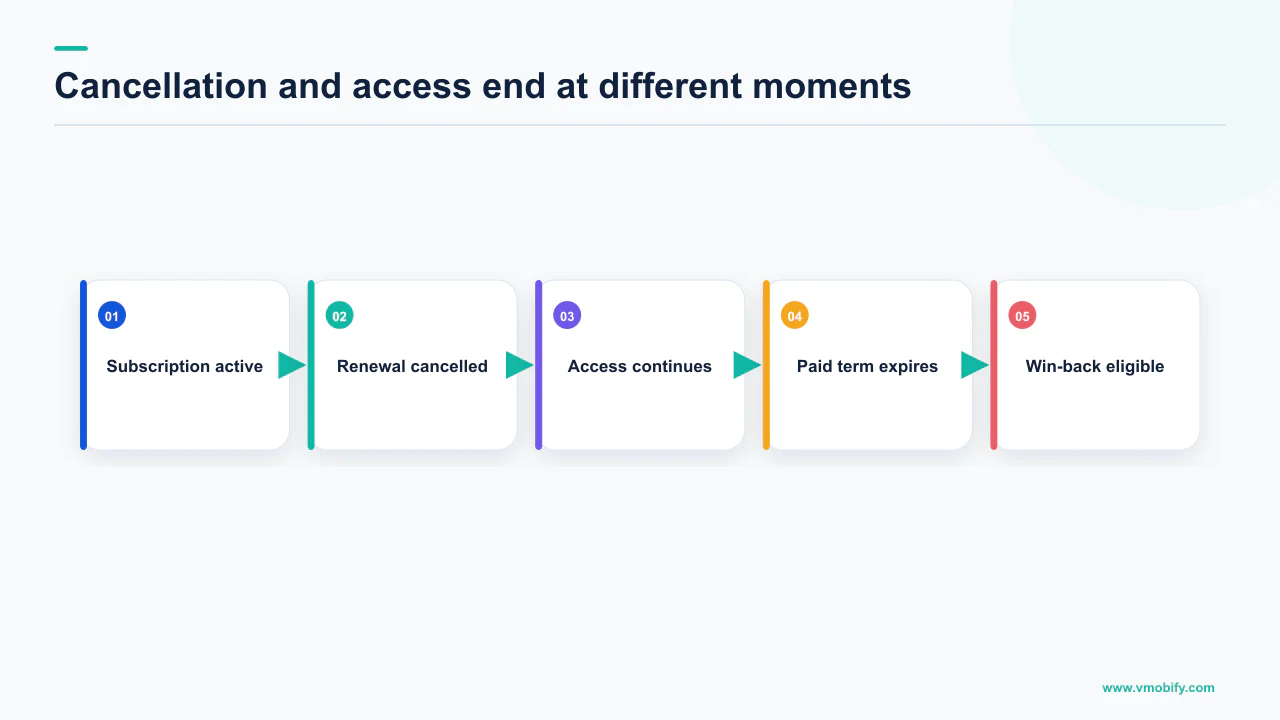
Google's table is blunt: for a cancel action, renewal stops and access is not revoked. The subscription lifecycle documentation states that when a subscription is cancelled the user retains access to the content until the end of the current billing cycle, and access should be revoked when the billing cycle ends. The field that tells you when is expiryTime, not the cancellation timestamp — and Google notes that if expiryTime is in the past, the user loses entitlement immediately.
The subscriptionsv2 resource says the same from the other direction: cancelTime is when the user cancelled, and the user might still have access after this time — use the line item expiry time to determine whether they do. Two fields, two meanings, and a backend that uses the first where it should use the second cuts off paying customers.
Revocation is the genuine exception: Play's SUBSCRIPTION_REVOKED is a subscription revoked before the expiration time, and Apple's status 5 covers one the App Store refunded or revoked from Family Sharing. Immediate removal is correct there.
Model a subscription with two independent fields: will it renew and until when is it entitled. Play gives you autoRenewEnabled and expiryTime; Apple gives you autoRenewStatus and the status value. Every entitlement bug we have chased here came from collapsing those into one boolean — and the gap between them is your in-flight win-back window, so a system that cannot represent it cannot run the campaign.
Can you recover a subscriber before expiry?
Yes, and this is the highest-yield window on both platforms because the user still has the subscription — Play documents a restore path that keeps the same purchase token, and supporting it is required. Most teams skip it and start at expiry, which is the harder problem.
Google's about-subscriptions guide states that for subscriptions cancelled but not yet expired you can allow subscribers to restore within your app by applying the same in-app purchase flow as for new subscribers, and that supporting restore is required for all developers. From the store side, while the subscription is cancelled but still active, users can restore it in the Play subscriptions centre by tapping Resubscribe — previously labelled Restore — which keeps the same subscription and purchase token.
The lifecycle documentation completes the picture: a restore undoes the cancellation and the subscription continues to renew as if it were not cancelled, you receive SUBSCRIPTION_RESTARTED, the same token is reused, and all cancellation fields are cleared. None of that requires a discount. The user is being offered their existing subscription back, not a new one.
Google is equally clear about the timing lever: using real-time developer notifications you can detect in real time when a user decides to cancel, and before their subscription has expired you can send them push notifications or in-app messages to ask them to resubscribe. That is a documented, sanctioned re-engagement trigger, and the one most subscription apps in our portfolio are not firing. If delivery rather than strategy is your blocker, our piece on re-engagement and win-back campaigns covers it.
On iOS the recovery is the user re-enabling renewal, producing DID_CHANGE_RENEWAL_STATUS with subtype AUTO_RENEW_ENABLED. Apple's guidance for the in-app management screen is to complement the system UI with an offer or a survey at exactly this moment. What you send matters less than whether you send anything before the clock runs out.
What win-back mechanisms exist after expiry?
Both stores ship a named post-expiry mechanism — Play's resubscribe plus a discounted win-back product, and Apple's win-back offers surfaced by the store itself — and each carries conditions that decide whether you can use them at all. These are different products needing separate implementation, not a shared "win-back" ticket.
On Google Play, resubscribe from the Play Store is documented as available to apps using Play Billing Library versions 2.0 and later, and Google states that all subscription SKUs for eligible apps have resubscribe enabled by default, with the ability to opt out at any time through Play Console. That is the opposite of the usual assumption, and it means the feature is probably already live for you. Resubscribe in Play Console or via the API. Google states that if enabled, users can resubscribe to the same product for up to one year after expiration by tapping Resubscribe in the subscriptions centre, and that this generates a new subscription and purchase token. Because it happens outside your app, read outOfAppPurchaseContext on the new token — it carries the expired subscription's obfuscated account identifiers and its expiredPurchaseToken, so you can link the new purchase to the right user — then acknowledge within three days. Google also names the discount mechanism: a product ID with special pricing, which it calls a winback SKU, offered in your app or notified outside it, such as in email.
On the App Store, win-back offers are a distinct offer type alongside introductory offers, promotional offers and offer codes, mapped by Apple to the re-acquire stage. Apple lists four discovery and redemption surfaces: your product page, plus editorial selections and personalised recommendations on the Today, Games and Apps tabs if you have been featured; in-app, where an offer sheet appears automatically to eligible customers with no additional work required; the customer's Apple account under Subscription settings; and a direct link whose URL is provided in App Store Connect.
That last figure is the most under-used number in subscription monetisation. Apple documents that during a subscriber's first year of service you receive 70% of the subscription price at each billing cycle minus applicable taxes, rising to 85% after a subscriber accumulates one year of paid service. It then states that if a subscription expires due to a cancellation or billing issue the days of paid service stop accumulating — but if it is renewed within 60 days, they resume from the recovery date. Win a long-tenured subscriber back inside that window and their accumulated service survives; on day 61 the clock restarts. The conditions travel with it: this covers auto-renewable subscriptions, days of paid service are specific to each subscription group, and free trials and renewal extensions are excluded. For teams enrolled in the App Store Small Business Program, Apple states the 85% rate applies regardless of accumulated service.
Why does involuntary churn look like cancellation?
Because both stores route failed payments through a retry sequence ending in the same notification a deliberate cancellation produces — on Play, in the same notification type. If you have never separated these, some fraction of your "churn" is an expired payment method, and no amount of paywall work will fix it.
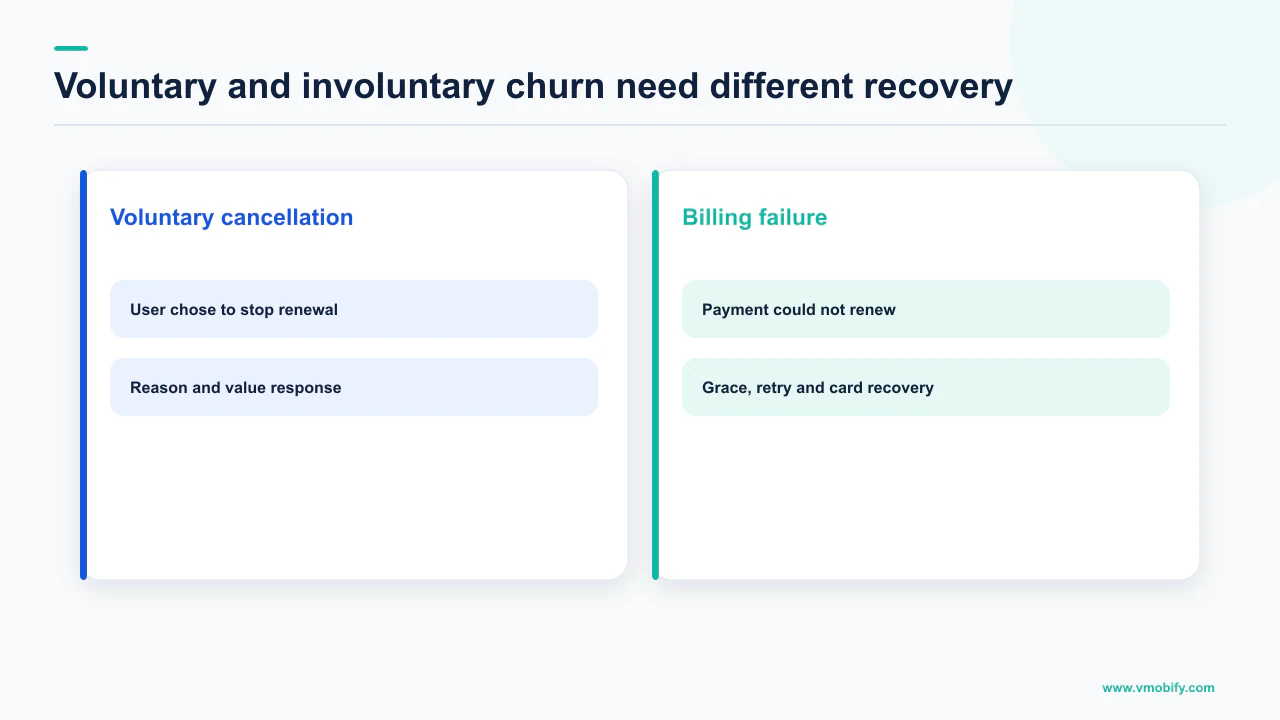
Play's sequence is documented state by state. Grace period is enabled by default on all auto-renewing base plans, and during it the user should still have access to their entitlement while Google notifies them and retries. Account hold is enabled by default with a length automatically calculated as 60 days minus any grace period duration, and when a subscription enters account hold you should block access immediately. If the user fixes their payment method you receive SUBSCRIPTION_RECOVERED with the same purchase token. If they do not, you receive SUBSCRIPTION_CANCELED followed by SUBSCRIPTION_EXPIRED. That is the collision: the involuntary path terminates in the voluntary path's notification.
Apple keeps them apart at expiry but not at failure. DID_FAIL_TO_RENEW indicates the subscription failed to renew due to a billing issue and enters the billing retry period; with subtype GRACE_PERIOD you continue to provide service through the grace period, and with an empty subtype it is not in a grace period and you can stop providing the service. Apple states the App Store continues to retry billing for 60 days, or until the customer resolves their billing issue or cancels their subscription, whichever comes first — all three conditions travel with that number. A recovery arrives as DID_RENEW with subtype BILLING_RECOVERY.
Pause is the other thing routinely miscounted. Play documents pause as enabled by default, with durations from one week to three months depending on the subscription recurrence period, and states that while paused the user does not have access and does not pay. A paused subscriber is neither churned nor active: counting them as churn understates retention, counting them as active overstates revenue. They need their own bucket and a resume nudge, not a win-back offer.
Merging all of this produces a dashboard that reports a demand problem when you have a payments problem. The fix is unglamorous — dunning messaging, an in-app card-update prompt, a correct read of the grace and hold states — and cheaper per recovered subscriber than any acquisition you could buy. Our work on paywall performance only pays off once this separation exists.
What should a cancellation stack look like?
Ingest the notifications, resolve every one against the server API before acting, keep renewal state and entitlement state separate, and run three interventions for three cohorts. Everything above collapses into a short build list.
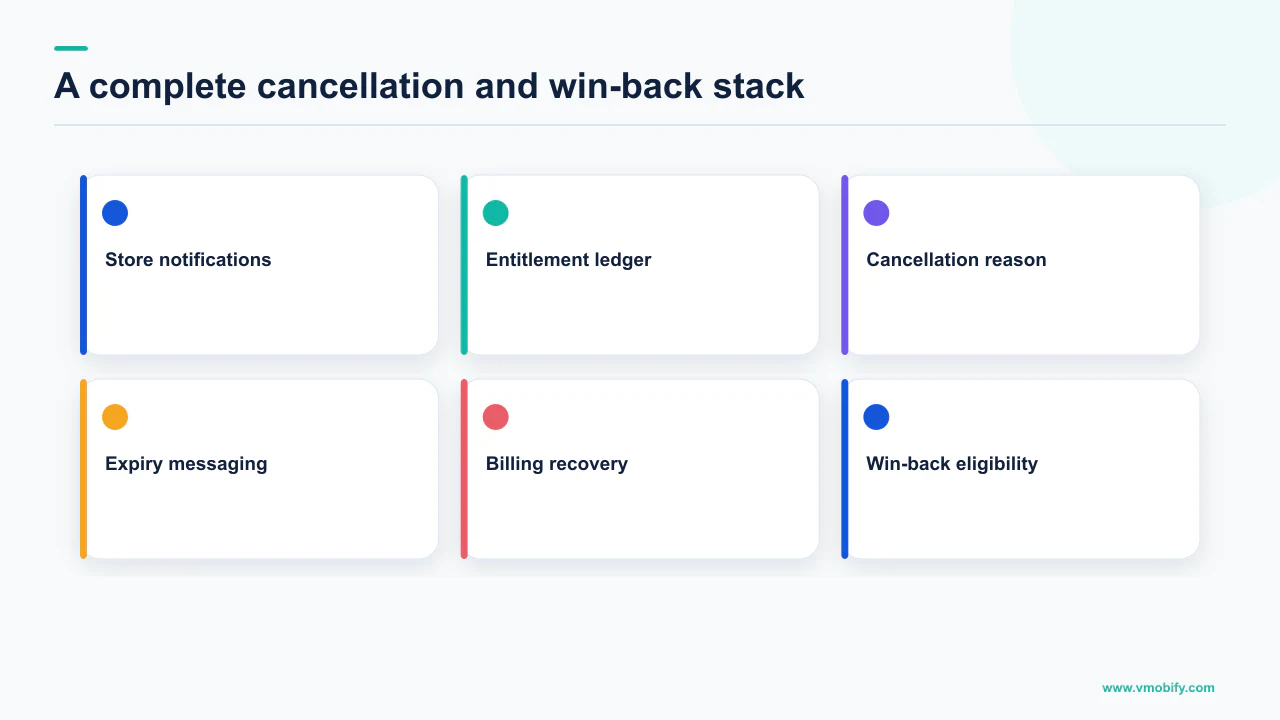
- Never act on a notification payload alone. On Play, resolve
SUBSCRIPTION_CANCELEDagainstpurchases.subscriptionsv2.getforcanceledStateContextand the survey reason. On Apple, pair it with the subscription status andautoRenewStatus. The notification says something changed; the API says what. - Store two clocks per subscriber. Will it renew, and until when is it entitled. Revoke on expiry or revocation, never on cancellation.
- Persist the cancellation reason when it arrives. Play's five survey reasons are the only first-party churn reason data either store gives you, and they route to different teams.
- Fire the in-flight intervention immediately. Cancelled but not expired is the cohort that still has a subscription to restore, and Play's restore keeps the same purchase token.
- Handle out-of-app resubscribes properly. Read
outOfAppPurchaseContextto link the new token to the existing account, and acknowledge within three days. A resubscribe you fail to link looks like a new user. - Separate dunning from win-back. Billing-retry expiry and grace period get a payment-method message. Voluntary expiry gets an offer. Never the reverse.
- Bucket paused subscribers separately and send a resume prompt, not a discount.
Two omissions are deliberate. There is no target churn rate here, because neither store publishes one and we will not print an estimate as a measurement. There is no win-back conversion benchmark either — that number is not publishable, so measure your own baseline and treat your second campaign as the comparison for your third.
What you can measure from day one is whether the plumbing is honest: does your churn timestamp match the store's expiry, does an involuntary bucket exist, and does anyone receive a message between cancellation and expiry. Those three questions catch more revenue than a pricing test. Want a second pair of eyes on the notification handling? Send us the state machine you have, or see our monetisation work. If you are weighing whether to build the ingestion yourself, our comparison of StoreKit against a managed subscription layer covers what you are buying, and if you sell in India, UPI Autopay adds a third cancellation surface.
Frequently Asked Questions
Does a Google Play cancellation notification mean I should cut off access?+
No. Google states that when a subscription is cancelled the user retains access to the content until the end of the current billing cycle, and that access should be revoked when the billing cycle ends. Use the expiryTime field rather than the cancellation timestamp. The exception is SUBSCRIPTION_REVOKED, defined as a subscription revoked from the user before the expiration time, where access should end immediately.
How do I tell a voluntary cancellation from a failed payment on Play?+
Not from the notification. Type 3, SUBSCRIPTION_CANCELED, is documented as covering a subscription that was either voluntarily or involuntarily cancelled. You have to call purchases.subscriptionsv2.get and read canceledStateContext, which separates user-initiated, system-initiated, developer-initiated and replacement cancellations. An involuntary loss reaches the same notification after grace period and account hold have run out.
What does Apple report when a customer cancels?+
DID_CHANGE_RENEWAL_STATUS with subtype AUTO_RENEW_DISABLED. Apple defines that subtype as the customer turning off subscription auto-renewal, or the App Store turning off auto-renewal after the customer requested a refund — so it is not proof of a deliberate cancellation. The cause is named later, on the EXPIRED notification, whose subtypes include VOLUNTARY and BILLING_RETRY.
Can a cancelled subscriber restore their subscription?+
On Google Play, yes, while the subscription is cancelled but not yet expired. Google states supporting restore is required for all developers, that users can restore in the Play subscriptions centre by tapping Resubscribe, and that this keeps the same subscription and purchase token. You receive a SUBSCRIPTION_RESTARTED notification and all cancellation fields are cleared from the subscription resource.
How long after expiry can someone resubscribe on Google Play?+
Google states that if resubscribe is enabled on the base plan, users can resubscribe to the same product for up to one year after expiration by tapping Resubscribe in the Play subscriptions centre, and that this generates a new subscription and purchase token. Because it happens outside your app, read outOfAppPurchaseContext to link the new token to the existing account and acknowledge the purchase within three days.
What is a good subscription churn benchmark for my category?+
Neither store publishes one, so we do not print a figure. Any category churn benchmark you are shown comes from a panel or a vendor sample rather than from Apple or Google, and applying it as a target is guesswork dressed as data. Measure your own voluntary and involuntary rates separately, then treat your own trend as the benchmark.
Should a paused Play subscriber count as churn?+
No, and they should not count as active either. Google documents pause as enabled by default with durations from one week to three months depending on the subscription recurrence period, and states that while paused the user does not have access to the subscription and does not pay. Give them their own bucket, and send a resume prompt rather than a win-back discount.
Sources
- Real-time developer notifications reference guide — Numbered SubscriptionNotification types, including type 3 covering voluntary and involuntary cancellation.
- Subscription lifecycle — Access continues to the end of the billing cycle after cancellation; grace period, account hold, pause, restore and out-of-app resubscribe handling.
- About subscriptions — Cancellation surfaces and deep links, restore being required, resubscribe for up to one year, and the winback SKU.
- REST Resource: purchases.subscriptionsv2 — canceledStateContext, cancelTime versus expiry, and an unspecified value plus five selectable CancelSurveyReason enum values.
- notificationType — App Store Server Notifications — DID_CHANGE_RENEWAL_STATUS subtypes, the four EXPIRED subtypes, DID_FAIL_TO_RENEW and DID_RENEW with BILLING_RECOVERY.
- Get All Subscription Statuses — Returns the status for all of a customer's subscriptions, organised by their subscription group identifier.
- status — App Store Server API — The five subscription status values, including billing retry, Billing Grace Period and revoked.
- Auto-renewable Subscriptions — App Store — Win-back offer discovery surfaces, showManageSubscriptions guidance, and the days of paid service rules including the 60-day resumption.
About the author
Amol Pomane — Founder, Vmobify
Amol leads Vmobify, a mobile app growth agency that has driven 30M+ downloads and ranked 54K+ keywords across 300+ apps since 2013. He writes about ASO, paid user acquisition, retention, and the operational reality of scaling mobile apps in India and global markets.