Does Google Play Auto-Translate Your App Listing?
Someone in Jakarta sees your listing in Indonesian and you never wrote a word of Indonesian. That is Google Play doing two different things under one word, and knowing which one is running on your listing decides whether you have a localisation problem or not. The text is the easy part; the screenshots, the in-app strings and the support inbox are where the money leaks.
On this page
- Does Google Play auto-translate your listing?
- What does the free machine translation service cover?
- What happens if you publish with no translations?
- What does the paid human translation service cost?
- Does any of this translate your in-app strings?
- Why do your screenshots stay in the default language?
- What breaks when only the text is translated?
- How should you sequence a localisation rollout?
- When is machine translation good enough?
- Frequently Asked Questions
Does Google Play auto-translate your listing?
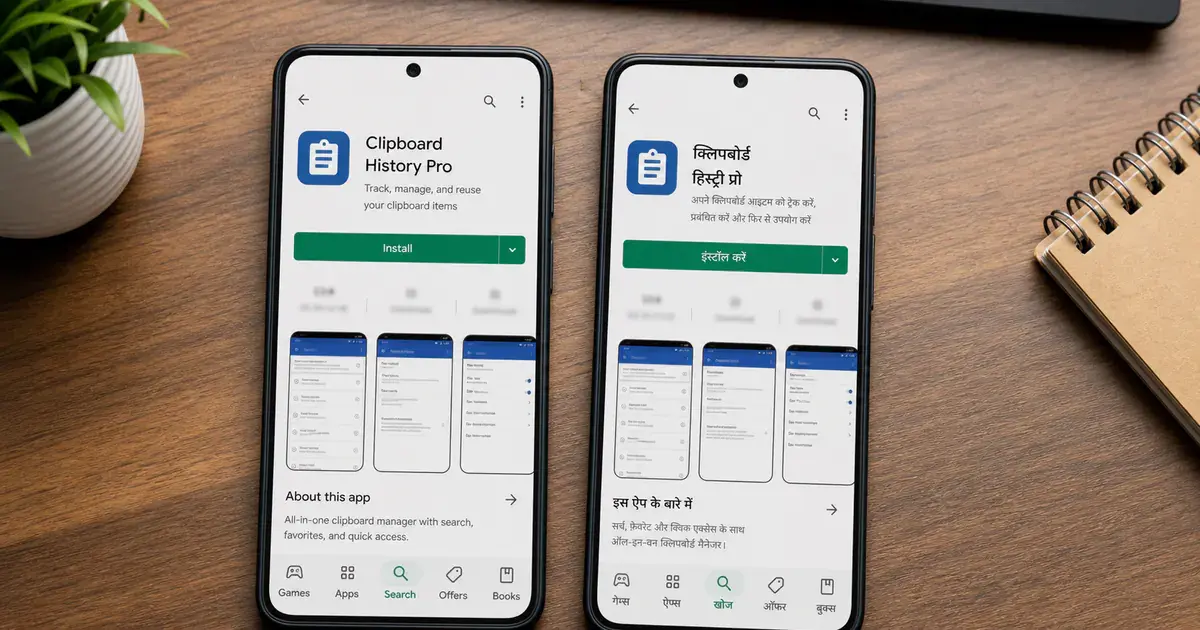
Two separate things happen under that one phrase, and only one of them is automatic — so the first job is working out which one is running on your listing. Teams see their app described in a language they never wrote and conclude that localisation is handled. It is not, and the difference between the two mechanisms is the difference between a translated listing and a translated impression of a listing.
Google's Translate and localize your app help page separates them cleanly.
Translations you order
- Free machine translation, or paid human translation
- You place the order in Play Console
- The result becomes your listing text in that language
- You can review and edit it before it ships
Translations Google shows anyway
- Runs when you have supplied nothing for that language
- Google states that if you do not add or purchase translations, "automated translations of your app's store listing will be available to Google Play users"
- Shown with a notification explaining that it is automated
- It is not stored as your listing copy
The second mechanism is the one that fools people. Your listing appears readable in a market you never targeted, installs from it are not zero, and nobody files a localisation ticket. What is actually happening is that Google is papering over a gap on the fly, with a visible label telling the user the text was machine-produced.
Google ranks the options in its own copy: "While it's best to use translations by native speakers, automated translations of your app's store listing will be available to Google Play users." That sentence concedes the fallback exists and tells you not to rely on it, in the same breath.
There is also a gap in the fallback itself worth knowing before you plan around it. Google states that "Automated translations aren't available in Armenian, Raeto-romance, Tagalog, and Zulu." If one of those is a market you care about, there is no safety net at all — an untranslated listing stays untranslated.
Across the 300+ apps we have managed since 2013, the most common localisation misdiagnosis is exactly this: a team believes it is localised in eleven markets because the listing reads in eleven languages, when it has supplied copy for one.
What does the free machine translation service cover?
Store listing text and in-app product text, into ten named languages, and Google states plainly that the output is not reviewed by a human. It is much narrower than the phrase "free translation" makes it sound.
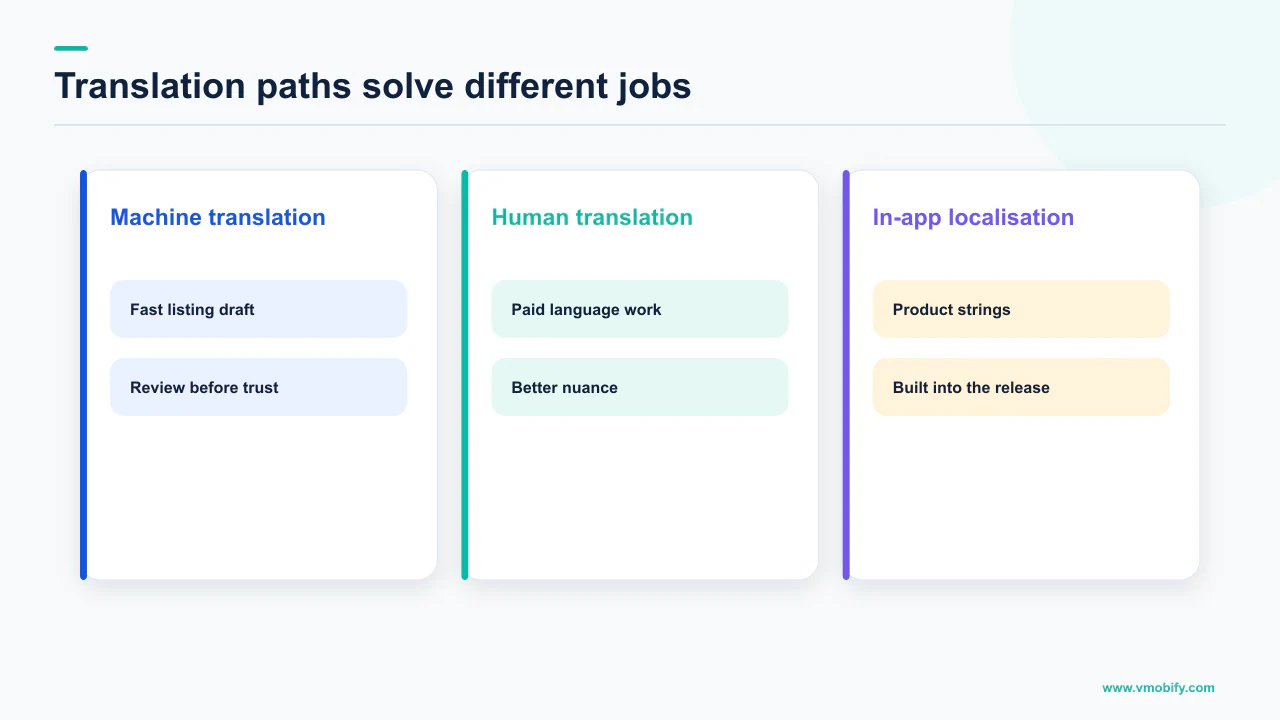
The wording from the help page is: "Using our free machine translation service, you can order instant, high-quality machine translations for your store listing and in-app products." Note the verb. You order it. Nothing happens to your listing until someone opens Play Console and asks for it.
The languages Google lists for this service are Arabic (ar), French (France) (fr-FR), German (de-DE), Indonesian (id), Italian (it-IT), Japanese (ja-JP), Portuguese (Brazil) (pt-BR), Spanish (Latin America) (es-419), Spanish (Spain) (es-ES) and Thai (th). That is ten. Read that list against your own install distribution before assuming your priority market is on it.
"As these are machine translations, they are not reviewed or approved by humans." That is Google's own sentence, on Google's own page, immediately alongside the service it is promoting. It is not a disclaimer to skim — it is the entire risk model of the feature.
Notice what is absent. Not your screenshots. Not your feature graphic. Not the strings inside the app. Not your support inbox or your privacy policy. The free service moves the words on the store page and the words attached to your in-app products, and stops.
For a market where you are testing demand, that boundary is fine — the listing is the only asset a browsing user sees before deciding. For a market you intend to operate in, treating the listing as the whole of localisation is how you end up with a translated store page leading to an English-only app, which converts installs into uninstalls. Our store localisation strategy guide covers where the line usually sits.
What happens if you publish with no translations?
Google shows users an automated translation of your listing with a notification explaining what it is — and your graphic assets fall back to your default language regardless. The text problem gets a patch. The image problem does not.
This is the sentence that decides how your listing behaves in every market you have not explicitly supplied copy for: "If you add text translations without localized graphic assets, your app's graphic assets show from the default language." The same fallback applies with even more force when you have supplied nothing at all.
Picture what a user in an unprepared market sees. A translated title and description carrying a badge saying a machine produced them, and directly beneath, a feature graphic and a full carousel of screenshots in English. The listing reads as half-finished because it is, and the missing half occupies most of the screen.
There is a second-order effect that is easy to miss. The machine translation is generated against your English copy, which means every keyword decision you made — every phrase you chose because it is what users in that category actually search for — was made in English and translated literally. Search behaviour does not survive that transformation: the obvious query in one language is frequently not the direct translation of the obvious query in another, which is why translated listings routinely rank for nothing in particular. Our piece on how Play's ranking system reads a listing goes into why the text field choices matter.
The honest reading of the fallback: it stops your listing being incomprehensible. It does not make it competitive, and Google positions it as what happens when you have not done the work, not as the work.
What does the paid human translation service cost?
Google's Play Console page states that "Ordering takes minutes, costs as little as USD 0.07 per word, and translations are completed within seven days" — and "as little as" is doing real work in that sentence. That figure is a floor, not a rate card.
The service itself is described as: "Using our paid human translation service, you can order translations for your store listing and in-app products from a professional third-party vendor." So the same two content types as the free service, routed through a vendor instead of a model.
Two conditions travel with the price and must not be dropped when you quote it internally. The USD 0.07 is explicitly a minimum, not a rate. And Google notes that "Translations aren't available for all source and target language combinations" — so the pair you need may not be orderable at any price.
Google's own Intro to the App Translation Service page gives figures that do not match the Play Console page: it says "translating a typical app and store description into one language may cost around USD50", that "the translation price is calculated on a per-word basis", that "A typical translation order is completed within 4-5 business days, but the completion time depends on many factors", and that "Prices may also vary by language pairs and the vendor you select."
We will not give you a single expected cost or turnaround for your app. Google's two pages state different completion times and different price framings, both hedge explicitly, and neither publishes the vendor rate table. Any confident number in this article would be an average we invented. Budget against the stated floor, treat the ceiling as unknown until you see a quote, and get the real figure from the order screen.
The paid service bills updates well. Google states: "When you place an order, we compare the text with your previous orders. Any existing text will be excluded from the order so you only pay for the new text." You can disable that reuse if you want everything re-translated. For a team shipping listing changes regularly, this is the difference between a per-release cost and a one-off one.
Supply context when you order. Google notes that "Adding a screenshot gives linguists context on how the text is displayed in your app." Translators working from a bare spreadsheet guess at context; translators looking at the screen do not.
Does any of this translate your in-app strings?
The listing services do not, but Play Console has a separate, opt-in feature that translates app strings with Gemini models at no charge — and it has to be switched on before it does anything. This is the newest piece of the picture and the one most teams have not looked at.
Google describes it as continuous app string translation using Gemini, at no cost. The mechanism is that once you have enabled it, whenever a new app bundle is uploaded to a draft release, translations are automatically generated using Gemini models and integrated into the app bundle. Translations stay consistent across versions, changing only when the source text is altered or new text appears.
The conditions that come with it matter as much as the offer:
- It is opt-in. You turn it on in Play Console under Grow users, then Translations, then App strings. Nothing happens to an app that has not enabled it.
- Selecting a language overrides what is already there. Google states that existing translations for the languages you select will be overridden. If you have paid for professional strings in Japanese, do not casually tick Japanese.
- Right-to-left is your problem, not the feature's. Google's note is direct: "If you select Right-to-Left (RTL) languages, ensure your app is RTL-ready." Translating the strings does not mirror the layout.
- Preview has a prerequisite. Google states that "Preview is available once you have an uploaded bundle in a draft release." You cannot evaluate the output before you have something to run it against.
- You keep editorial control. Translated strings can be edited directly, and specific strings can be excluded from translation by unchecking the Translate checkbox — which is how you protect brand names and legal wording.
- Size is not the objection. Google states that app strings translation using Gemini "doesn't affect the installable APK size."
None of it removes the engineering prerequisite. The Localize your app guide is unambiguous that a string must be a resource before anything can translate it, and attaches a hard consequence to getting the defaults wrong: "If an app is missing even one default resource, it doesn't run on a device that is set to an unsupported locale." Hardcoded strings are invisible to every translation route — and invisible in your own testing, because you read them fine.
Why do your screenshots stay in the default language?
Because nothing in the translation pipeline touches images — Google states that graphic assets show from the default language unless you supply localised ones. This is the largest gap between what teams think they bought and what they actually bought.
Screenshots are not decoration; for most visitors they are the listing. A user scrolling a category page decides in a second or two, almost entirely on the icon, the first screenshot and the star rating. If the screenshots are in a language they do not read, the translated description underneath is arguing with an audience that has already gone.
Google's Add preview assets to showcase your app page sets the requirements and the expectation together. You must provide a minimum of two screenshots across different device types to publish your store listing, and the guidance repeatedly says to localise the assets appropriately for different markets and languages. It also draws a sensible line for games: "In-game UI does not need to be localized per market, but any additional taglines or text overlays should be localized."
That line generalises well beyond games, and it is the practical shortcut. The expensive part of localising screenshots is re-capturing the app in every language; the part that moves conversion is the caption overlay. Localise the overlays first, re-capture the screens later or never, and you capture most of the gain for a fraction of the cost. Our screenshots guide covers how to build the caption layer so it is cheap to re-render per language.
Teams that treat screenshots as flat exported images pay full production cost per language and therefore localise two markets and stop. Teams that keep the caption text as a separate layer over a device frame pay a translation cost per language and a render, which is why they end up localised in a dozen markets. The decision that determines your localisation ceiling is a production one, made long before you order any translations.
For evidence rather than argument about which version wins in a market, Play's own store listing experiments will tell you, and localised assets are among the cleanest things to test.
What breaks when only the text is translated?
Layout, right-to-left rendering, per-app language settings, pricing and support — a list of things no translation order covers and every one of which is visible to the user. The listing is the shop window; these are the shop.
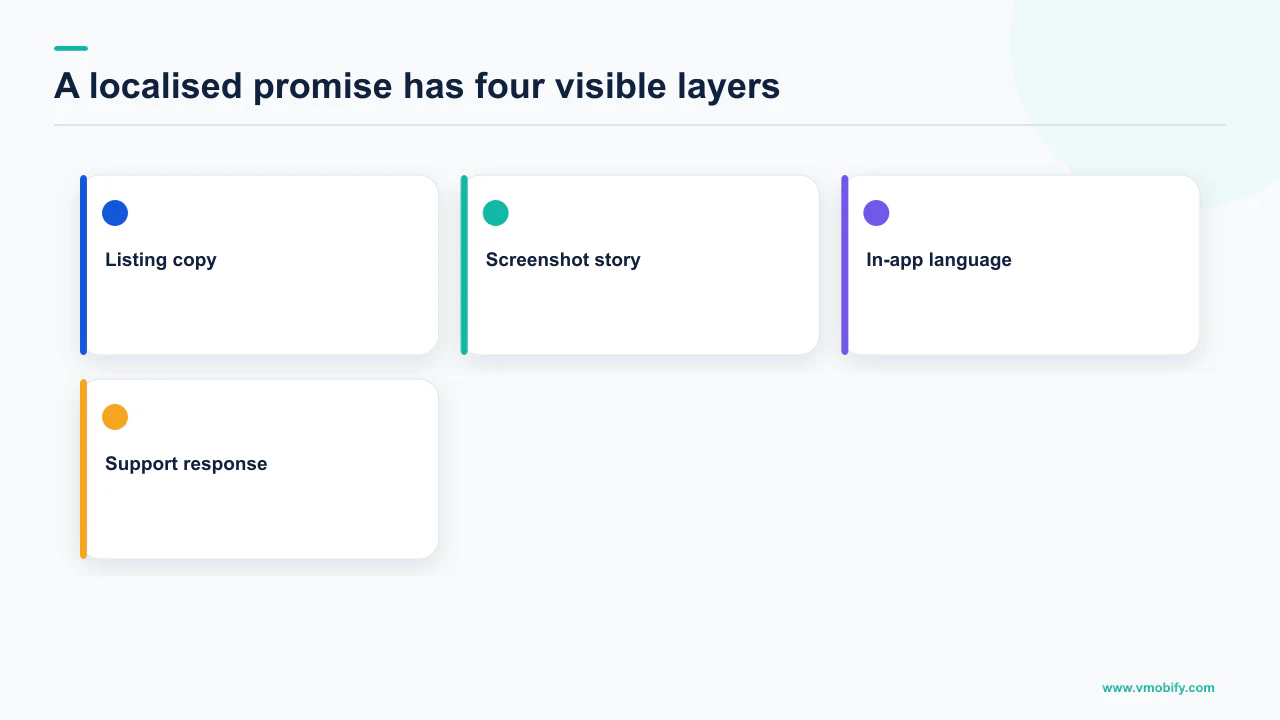
Text expansion breaks layouts silently. Translated strings are frequently longer than the English original, and a button that fits at one length clips at another. Android ships a testing mechanism for exactly this. The pseudolocales guide describes English (XA), which adds Latin accents to base English UI text, expands the original text, and brackets each message unit to expose issues caused by the expansion, and AR (XB), which sets the text direction of original left-to-right messages to right-to-left. Google lists what these surface: hardcoded strings, UI layout issues caused by text expansion, string concatenation showing as one message split across brackets, bidirectional text problems, and right-to-left problems such as elements not being mirrored or misplaced punctuation. We are not quoting an expansion percentage because that page does not publish one, and the figures circulating online are not sourced to Google.
Users cannot choose your app's language unless you declare it. Android's per-app language preferences documentation is direct about the consequence of skipping this on Android 13 and higher: "Omitting the android:localeConfig manifest entry signals that users shouldn't be able to set your app's language independent of their system language within their system settings." In markets where people run a device in one language and prefer apps in another — most of India — that omission quietly costs you the users you just translated for.
Price is a localisation decision, not a currency conversion. A translated paywall showing a price calibrated to a different economy converts badly no matter how good the translation is; we treat that as its own problem in purchasing-power-based pricing.
Support does not translate itself. Localising a listing invites reviews, emails and tickets in that language, and no Play Console feature answers them. This is the cost line left out of every localisation business case we review, and the one that recurs monthly.
How should you sequence a localisation rollout?
Prove demand with the cheapest possible listing translation, then spend real money only on the markets that responded. The sequence matters more than the budget, because the expensive assets should follow evidence rather than ambition.
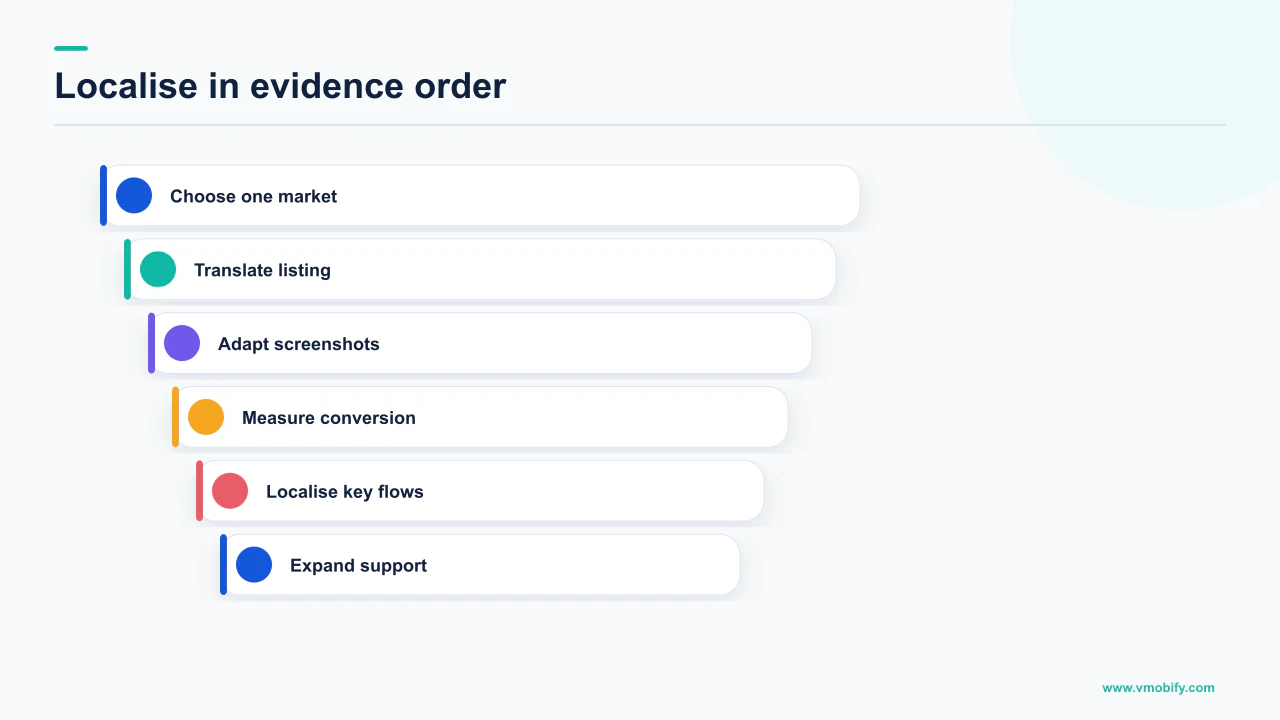
- Fix the resource layer before you translate anything. Move hardcoded strings into resources, ensure a complete default set — Google warns that a single missing default resource stops the app running on a device set to an unsupported locale — and run the app under both pseudolocales. Every later step is wasted on an app whose strings cannot be extracted.
- Order the free machine translation for candidate markets that are on the list of ten. It converts a fallback listing carrying a machine-translation notice into copy you own and can edit.
- Localise the screenshot captions, not the screenshots. Translate the overlay text and re-render. This is the highest-return step per rupee in the whole sequence, and it is the one most teams skip because they imagine it requires re-shooting the app.
- Let it run long enough to read. You are looking for a change in store listing conversion in that market, not install volume, because install volume moves for a dozen reasons that have nothing to do with your copy.
- Buy human translation for the markets that responded. The floor price is now being spent against demonstrated demand, and the reuse behaviour means later listing updates bill only for new text.
- Turn on app strings translation for those markets, carefully. Enabling it overrides existing translations for the languages you select, so check what you already have before ticking a box. Preview against a draft release bundle, edit what is wrong, exclude brand and legal strings.
- Only then localise the app experience properly — declare the locale config, staff the support inbox, review pricing, and consider whether a vernacular-first positioning is warranted rather than a translated one.
If you want to go further than language, Google's custom store listings allow a different listing per segment: you can create up to 50 custom store listing pages, targeted by criteria including country or region, install state, search keywords, pre-registration status and Google Ads campaigns, with app name, icon, descriptions and graphic assets all customisable. The constraint to plan around is that you can target multiple countries with one custom store listing, but you can only target a country with one custom store listing at a time.
When is machine translation good enough?
When the text is descriptive and the stakes of a slightly wrong word are low — and it stops being good enough at exactly the point where the words are load-bearing. Google's own framing supports both halves of that: it offers the free service and simultaneously states that translations by native speakers are best.
The useful test is what a given string is for.
Machine translation usually holds
- Feature lists and factual descriptions
- Settings labels and navigation
- Release notes
- Long description body copy
- Any market you are still testing
Where it stops holding
- The app title and short description, where every character is a ranking and conversion decision
- Screenshot captions — your strongest sales copy
- Paywall and pricing wording
- Legal, medical, financial and safety text
- Idiom, humour and anything brand-defining
The asymmetry is that the highest-value text in your listing is also the shortest. The 80-character short description does enormous work relative to its length, and it is precisely the dense, deliberate copy that literal translation flattens. Paying a human for a few dozen words at the top of the funnel while machine-translating the body copy underneath is not a compromise — it is the correct allocation.
There is one habit worth building regardless of which route you take: have somebody who actually speaks the language read the published listing on a real device. Not the spreadsheet, not the Play Console preview — the listing as a user in that market encounters it, screenshots included. In our portfolio that single check has caught localisation defects every process step around it missed, and it costs one conversation.
If you are weighing which markets justify the human spend, or your listing is being auto-translated in places you never chose and you want to know whether that is costing you anything, tell us which markets you are seeing installs from. Localisation sequencing is part of how we approach a listing in our ASO work, and you can see the market-entry cases in our results.
Frequently Asked Questions
Does Google Play translate my listing automatically?+
Partly, and only as a fallback. Google states that if you do not add or purchase translations, automated translations of your store listing will be available to Google Play users, displayed with a notification explaining that they are automated. That is different from the free machine translation you order in Play Console, which becomes your own listing copy that you can review and edit. Google also notes that automated translations are not available in Armenian, Raeto-romance, Tagalog and Zulu.
Which languages does the free machine translation service support?+
Google lists ten: Arabic, French (France), German, Indonesian, Italian, Japanese, Portuguese (Brazil), Spanish (Latin America), Spanish (Spain) and Thai. The service covers your store listing and in-app products. Google states plainly that as these are machine translations, they are not reviewed or approved by humans.
How much does Google Play human translation cost?+
Google's Play Console help page states that ordering takes minutes, costs as little as USD 0.07 per word, and translations are completed within seven days. Read "as little as" literally — it is a minimum, and Google's App Translation Service page separately says prices vary by language pair and vendor and gives a different typical turnaround of 4-5 business days. Get the actual figure from the order screen rather than budgeting against either page.
Will my screenshots be translated too?+
No. Google states that if you add text translations without localised graphic assets, your app's graphic assets show from the default language. Screenshots, the feature graphic and the icon are all yours to produce per language. The cheapest useful version is to translate the caption overlays and re-render, leaving the underlying app screens as they are.
Does any of this translate the text inside my app?+
The listing services do not, but Play Console has a separate app strings translation feature using Gemini models, offered at no cost, which generates translations when a new app bundle is uploaded to a draft release. It is opt-in, selecting a language overrides existing translations for that language, preview requires an uploaded bundle in a draft release, and Google notes it does not affect the installable APK size. Right-to-left support remains your responsibility.
What do I have to do in the app before translation is worth ordering?+
Get every user-visible string into resources, because hardcoded text cannot be extracted by any translation route. Android warns that if an app is missing even one default resource, it does not run on a device set to an unsupported locale, and the user sees an error message and a Force Close button. Then run the app under Android's pseudolocales to surface text expansion, concatenation and right-to-left problems before real translations arrive.
Can I show a different listing to different countries?+
Yes. Google's custom store listings let you create up to 50 custom store listing pages, targeted by criteria including country or region, install state, search keywords, pre-registration status and Google Ads campaigns, with the app name, icon, descriptions and graphic assets all customisable. You can target multiple countries with one custom store listing, but only one custom store listing can target a given country at a time.
Sources
- Translate and localize your app — Free machine translation and its ten languages, the paid service at as little as USD 0.07 per word within seven days, the graphic-asset fallback, the automated-translation fallback and its four exclusions, and app strings translation using Gemini.
- Intro to the App Translation Service — Per-word pricing basis, a typical order completed within 4-5 business days, price variation by language pair and vendor, and reuse of previous translations.
- Localize your app — Default resources in res/values, locale-qualified resource folders, and the warning that one missing default resource stops the app running on an unsupported locale.
- Per-app language preferences — Android 13 and higher per-app language settings, and that omitting android:localeConfig signals users should not be able to set the app language independently.
- Test your app with pseudolocales — English (XA) and AR (XB), and the localisation problems they surface: hardcoded strings, text expansion, concatenation, bidirectional and right-to-left issues. No expansion percentage is published.
- Add preview assets to showcase your app — Minimum of two screenshots to publish, the 80-character short description limit, asset specifications, and guidance to localise descriptions and text overlays per market.
- Create custom store listings to target specific user segments — Up to 50 custom store listing pages, the targeting criteria available, the customisable elements, and the one-listing-per-country constraint.
About the author
Amol Pomane — Founder, Vmobify
Amol leads Vmobify, a mobile app growth agency that has driven 30M+ downloads and ranked 54K+ keywords across 300+ apps since 2013. He writes about ASO, paid user acquisition, retention, and the operational reality of scaling mobile apps in India and global markets.
Check your store metadata
Run your current App Store or Play metadata through the free checker.
Open free tool