Does Your App Need a Website? Where One Is Required
Most founders ask this as a marketing question and get a marketing answer. The useful answer is mechanical: a developer website is a documented precondition for AdMob to verify your app-ads.txt file, and a domain you control is the only place the two stores will look for the files that make deep links open your app. Neither store makes a website mandatory to publish, which is exactly why the requirement gets discovered late.
On this page
- Do the stores actually require a website?
- Why does AdMob make a website a monetisation prerequisite?
- Where exactly does the crawler look for your file?
- What breaks in deep linking without a domain you control?
- What does Apple need on that same domain?
- What can a website do that a store listing cannot?
- What is the minimum website that satisfies all of this?
- When is a website not your bottleneck?
- What should you build first?
- Frequently Asked Questions
Do the stores actually require a website?
Not to publish — and that single fact is why the question keeps getting answered wrongly. You can ship on both stores without owning a domain, so teams treat a website as a marketing nicety and defer it. The requirements that do exist are attached to monetisation, deep linking and review policy rather than to the publish button, so they surface weeks after launch when something more expensive is already blocked.
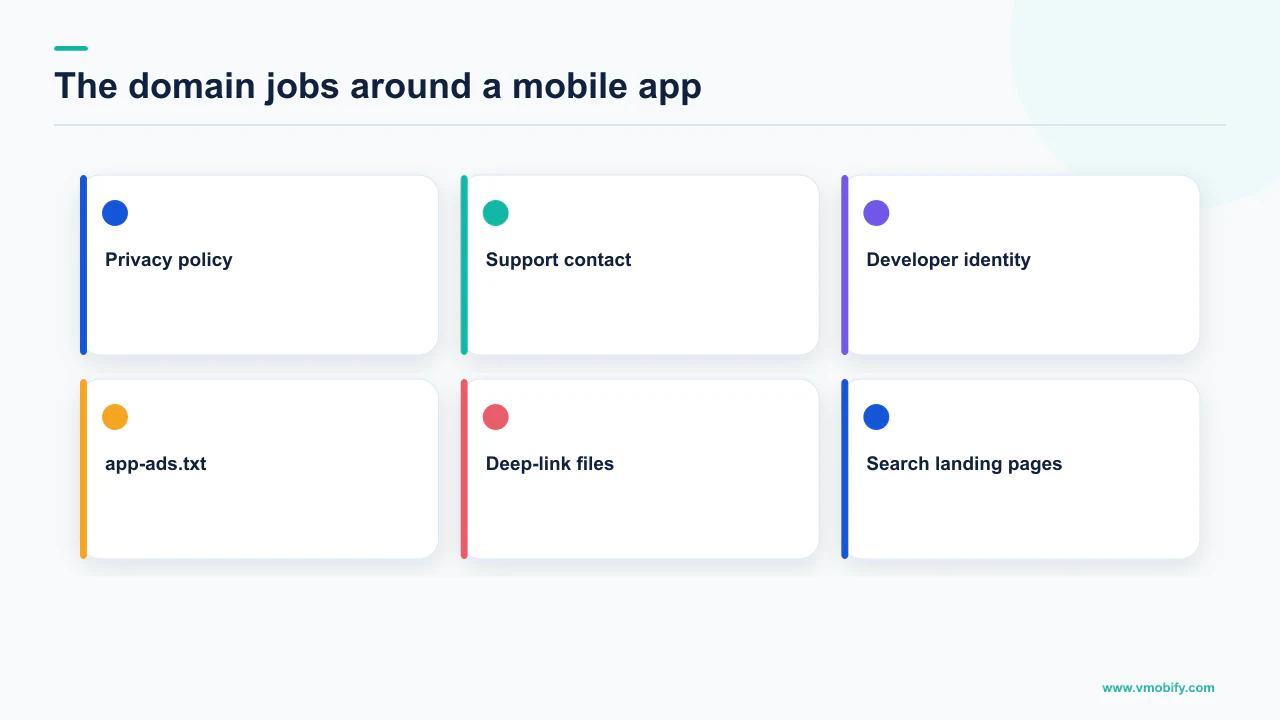
On Google Play, the store listing rules are explicit about what is compulsory and what is not. Google's guidance on creating and setting up your app states that a contact email address is required, and that to provide your users with the best support experience Google also highly recommends including a website where users can contact you. Read that carefully: the email is required, the website is recommended. A website URL sits alongside a phone number in the same optional contact details block.
Apple's position is different in shape. The App Store Review Guidelines address developer information under 1.5, telling you that people need to know how to reach you with questions and support issues, and to make sure your app and its Support URL include an easy way to contact you. Under 5.1.1(i), all apps must include a link to their privacy policy in the App Store Connect metadata field and within the app in an easily accessible manner.
What is genuinely compulsory
- Play: a contact email address
- Apple: a Support URL with an easy way to contact you
- Apple: a privacy policy link in App Store Connect and in the app
- Neither store demands a full marketing site to publish
What quietly becomes compulsory later
- A developer website in the listing, before AdMob will verify app-ads.txt
- A domain you can serve files from, for Android App Links
- The same for Apple universal links
- Somewhere to host the privacy policy the guidelines require a link to
Note what those Apple requirements imply even at their most minimal. A Support URL and a privacy policy link are URLs, and URLs have to be served from somewhere. Plenty of apps satisfy both with pages hosted by someone else. The question is not whether you can avoid a domain — it is what you lose by avoiding one, and the losses start the moment you try to earn ad revenue or open a link in your app.
Why does AdMob make a website a monetisation prerequisite?
Because app-ads.txt proves who owns an app by asking a domain to vouch for it, and the store listing is where the two are joined. This is the hardest requirement in the article and the one most likely to be discovered after you have already sold inventory.
AdMob's documentation on setting up an app-ads.txt file opens with two conditions for AdMob to find and verify your file. Your app must be registered with Google Play Store or the Apple App Store, and — quoting it directly — "The app store listing must include a developer website".
Google explains why on the same page: a developer website is how the app-ads.txt standard establishes who owns an app, and it must be linked in your store listings in Google Play or the App Store in order for AdMob and other ad platforms to establish your app's ownership. The domain is the proof. Without it there is nothing to check.
The listing field and the file are two separate steps, and Google documents delays on both. If you added or updated your developer website within your app store listing in Google Play, allow up to 24 hours for AdMob to detect these changes. Separately, it can take up to 24 hours for AdMob to crawl and verify your app-ads.txt files, and Google states you need to wait at least 24 hours for the status to update. Plan this before a monetisation launch, not during one.
Where the URL goes differs per store, and Google names both fields. On Google Play you add the website URL in the store listing contact information, under Grow users, Store presence, Store settings. On the Apple App Store you add it in the marketing URL field, editable when releasing a new version or launching a new app. Google gives a check for each: confirm the Developer Website URL is linked in the app support area of your Play page, and that the "Developer Website" link displays at the bottom of your App Store page.
The file itself has a format rule you cannot improvise around. Google states your app-ads.txt file must be formatted as specified by the IAB Tech Lab in order to be verified, and that your publisher ID must be included and formatted correctly. A malformed line is an unverified file.
Across the 300+ apps we have managed since 2013, this is the most common reason an otherwise healthy ad stack underperforms on price with nothing visibly broken. Nothing errors; the file simply is not verified, and buyers who filter on authorised sellers bid less or not at all. If your account shows other symptoms too, our piece on what ad serving limited actually means is the companion diagnosis.
Where exactly does the crawler look for your file?
At the hostname taken from your listed developer website, with documented rules for subdomains, for www and m prefixes, and for redirects. Most failed verifications we are asked to look at are a mismatch between where the file lives and where the crawler looks.
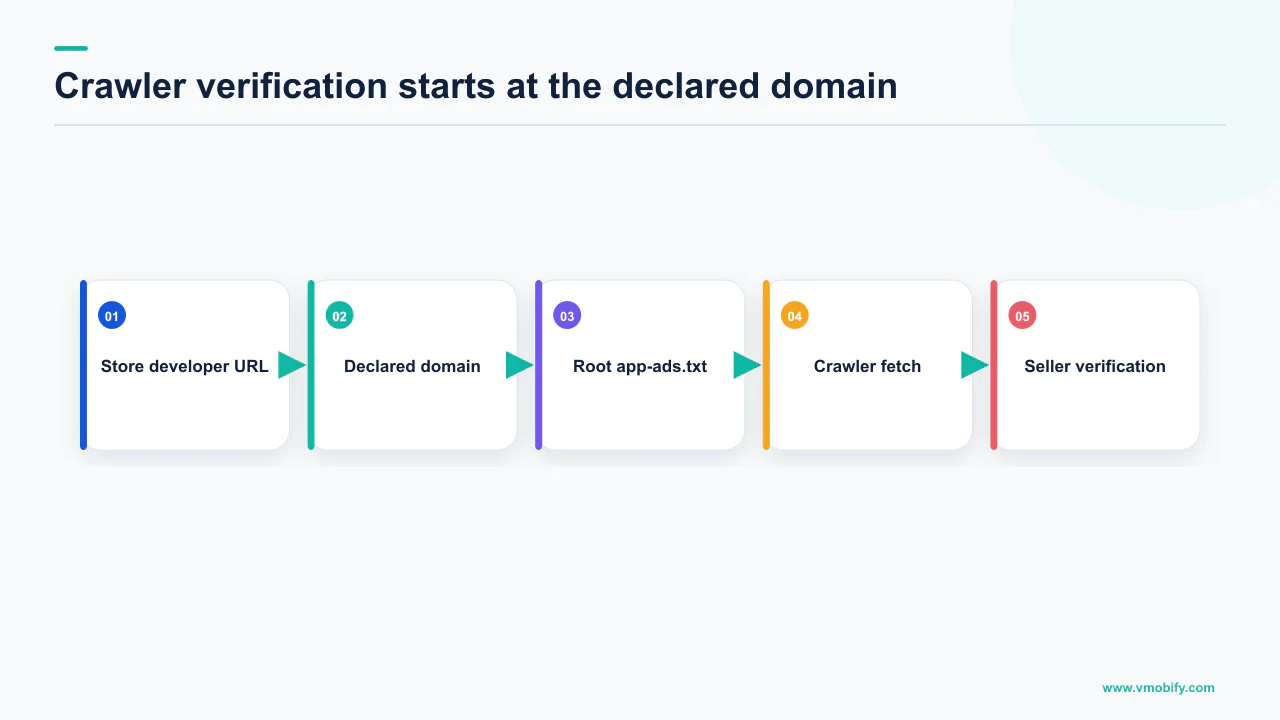
Google is specific. The crawler checks for your file based on the developer website in the store listing, and in accordance with the app-ads.txt specification it checks the URL patterns https://hostname/app-ads.txt and http://hostname/app-ads.txt. The hostname is the website's domain or, in certain circumstances, a subdomain. You do not need to list the full app-ads.txt URL in the listing; AdMob crawls using the hostname portion of the website's URL.
The subdomain rules are where implementations go wrong:
- Crawling goes up to the first-level subdomain only. Google's worked example: if the developer website is http://support.help.example.com/game, the crawler checks help.example.com and then example.com. It notes that help.example.com is at the first subdomain level and used for crawling, while support.help.example.com is at the second subdomain level and not used for crawling.
- The specification excludes "www." and "m." subdomains as locations where crawlers check for files. A developer website of https://www.example.com/game sends the crawler to example.com, not to www.example.com.
- Redirects are permitted, and are the fix for the point above. Google states your web server may redirect the crawler to an app-ads.txt file hosted elsewhere, including a "www." subdomain, and lists valid destinations that include another subdomain and subdirectory, a different file name, and another domain with multiple subdomains.
That last bullet contradicts the intuition people bring from other verification files, where redirects break everything. Here they are a documented escape hatch. The check Google offers is low-tech: enter your app-ads.txt URL in a browser, and if the file displays, it is likely AdMob will find it. Google also documents a route for teams with no suitable web host — if you do not have a website that allows uploading the file at root level, you can use Firebase Hosting for it. That does not remove the requirement to name a developer website in the listing.
Open the listing and confirm the developer website link is actually visible on the public store page. Then open the hostname the crawler would derive from that URL, with /app-ads.txt appended, in a browser. Then check the status inside AdMob, remembering that up to 24 hours can pass on either the listing change or the crawl. Three checks, in that order, resolve nearly every case.
What breaks in deep linking without a domain you control?
Verified Android App Links — because verification is a file your server has to serve, at a fixed path, over HTTPS, with no redirects. This is the second hard requirement, and unlike app-ads.txt it degrades user experience directly rather than revenue.
Android's documentation on declaring website associations is unambiguous about the location and the serving conditions. You must publish your JSON verification file at https://domain.name/.well-known/assetlinks.json, and Google lists what to be sure of:
- The assetlinks.json file is served with content-type application/json.
- It must be accessible over an HTTPS connection, regardless of whether your app's intent filters declare HTTPS as the data scheme.
- It must be accessible without any redirects — Google spells this out as no 301 or 302 redirects.
- If your app links support multiple host domains, you must publish the file on each domain.
Note the contrast with app-ads.txt, and do not carry a habit from one file to the other. Redirects are a documented workaround for the ad file and a documented failure for the link file: same domain, two files, two opposite rules.
The file content is equally exact: it declares the relation delegate_permission/common.handle_all_urls against a target carrying your package_name and sha256_cert_fingerprints. Google flags the trap on that fingerprint — if you use Play App Signing, the fingerprint produced by running keytool locally will usually not match the one on users' devices, and the correct Digital Asset Links snippet is in Play Console under Release, Setup, App signing. Our post on Play App Signing and the SHA-1 that breaks sign-in covers the same fingerprint problem in its other guise.
Timing is documented too, and it is not instant. Android's page on verifying App Links tells you to wait at least 20 seconds for the asynchronous verification process to complete after installing. For later changes, the update latency depends on the OS version: on Android 15 (API level 35) and higher the system periodically re-verifies domains in the background, and changes can take up to seven days to propagate to all end-user devices due to caching and scheduled re-verification; on Android 14 (API level 34) and lower the system does not perform periodic background re-verification, and updates to the file are typically only picked up when the app is installed or updated.
Read the second half again if you have an older install base. On Android 14 and lower, fixing a broken assetlinks.json does not repair existing installs on its own, because the file is typically only picked up at install or update — which turns a configuration mistake into something you ship a release to clear. The wider mechanics are in our guide to mobile app deep linking.
What does Apple need on that same domain?
An apple-app-site-association file, in the .well-known directory, over HTTPS with a valid certificate and no redirects — and Apple adds a CDN in front of it that changes your testing assumptions. Universal links are the iOS equivalent of the Android requirement, and they need the same asset: a domain you can publish files on.
Apple's guidance on supporting associated domains sets out the file and its conditions. You create a file named apple-app-site-association, without an extension, place it in your site's .well-known directory, and — in Apple's words — "You must host the file using https:// with a valid certificate and with no redirects." For universal links, list the app identifiers for your domain in the applinks service.
Two details are easy to miss and both cost days:
- Every subdomain is its own association. Apple states that if your site uses multiple subdomains — its examples are example.com, www.example.com and support.example.com — each requires its own entry in the entitlement, and each must serve its own apple-app-site-association file. There is no wildcard shortcut on the file side.
- Your server is not who devices talk to. Starting with macOS 11 and iOS 14, apps no longer send requests for apple-app-site-association files directly to your web server. Instead they send these requests to an Apple-managed content delivery network dedicated to associated domains. Apple documents an alternate mode to bypass the CDN during development if your web server is unreachable from the public internet.
The CDN has its own clock, and Apple publishes it: Apple's content delivery network requests the apple-app-site-association file for your domain within 24 hours, and devices check for updates approximately once per week after app installation.
Neither store reads your association file live at the moment a link is tapped. Apple's CDN fetches within 24 hours and devices refresh roughly weekly after installation; Android 15 and higher re-verifies in the background with propagation of up to seven days, while Android 14 and lower typically picks up changes only at install or update. Deep link configuration is therefore a pre-launch task, never a launch-day one.
Nothing in either specification can be satisfied by a page on a site you do not control. You cannot add a .well-known directory to a store listing, and most third-party page builders do not expose the path. That is where "do we need a website" stops being a marketing question.
What can a website do that a store listing cannot?
Carry the pre-store audience, hold the pages policy requires you to link to, and hand a user off into an app they already have installed. Once the domain exists for the mechanical reasons above, these become free.
The clearest documented example on iOS is Apple's Smart App Banner, added with a meta tag in the head element of the pages where you want it. Apple describes the behaviour precisely: if the app is already installed, tapping the banner simply opens the app; if not, tapping takes the user to the app's App Store entry, and when they return to your website a progress bar appears in the banner. Banners automatically determine whether the user's device supports your app, and if it does not, or the app is unavailable in the user's location, the banner does not appear.
The optional app-argument parameter is the part worth building around. Apple documents it as a URL that provides context to your native app, so a user with the app installed can jump from your website to the corresponding position in it — passing the document's entire URL, or a query string so a search continues in the app. Two constraints: you cannot display Smart App Banners inside a frame, and they do not appear in the iOS simulator.
Beyond that, a domain is where the remaining obligations land:
- The privacy policy Apple requires you to link to has to be a live URL, and one you can update without waiting on a review cycle.
- The Support URL that guideline 1.5 asks to include an easy way to contact you is a page you would rather own than rent.
- Search demand that exists before your app does has nowhere to land otherwise.
- Anything you want to test quickly can be changed on a page you control in hours rather than through a store review.
That last group is the actual growth argument, and we treat it separately from the compliance one on purpose. If you want the acquisition case rather than the requirement case, our post on web-to-app funnels covers where the traffic comes from and how it is measured.
What is the minimum website that satisfies all of this?
One domain, HTTPS with a valid certificate, four files or pages, and the ability to write to the root and to .well-known. Everything above resolves to a surprisingly small build, and teams over-scope it into a design project that then never ships.
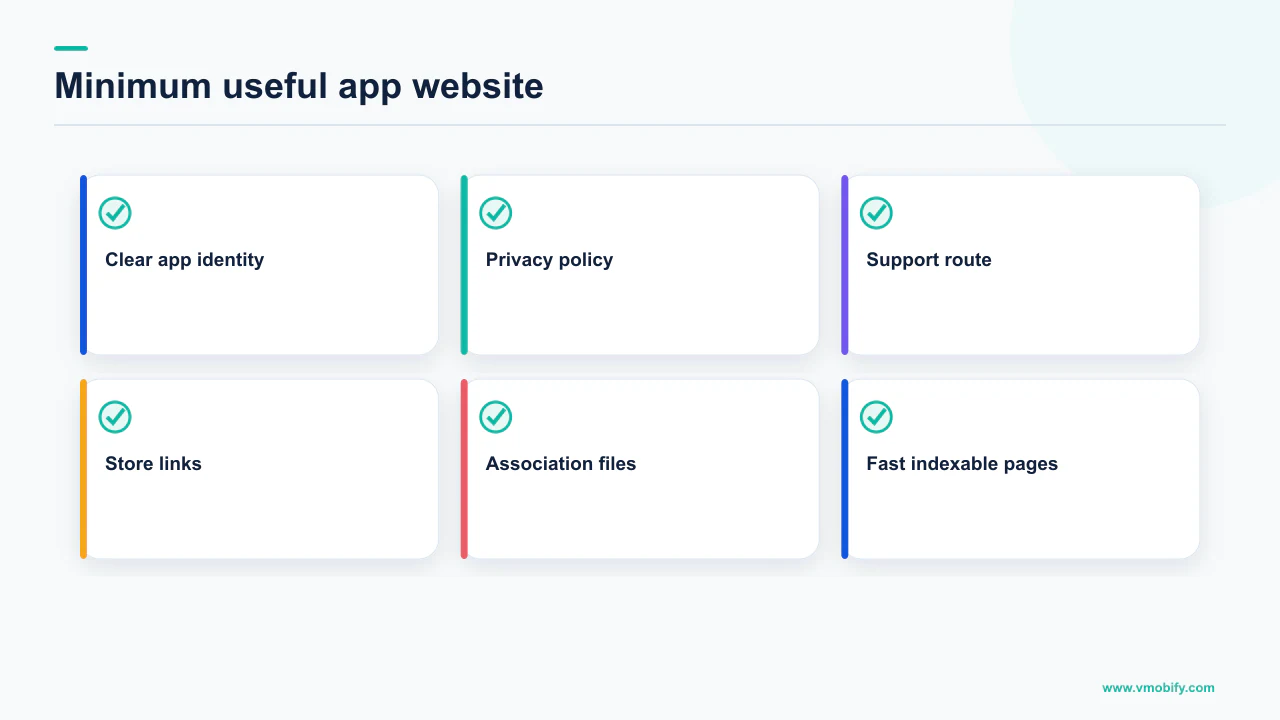
- A domain on HTTPS with a valid certificate. Apple requires the certificate explicitly for the association file; Android requires HTTPS for assetlinks.json regardless of the scheme in your intent filters.
- /app-ads.txt at the root of the hostname the crawler derives from your listing, in IAB Tech Lab format, containing your correctly formatted publisher ID. Remember the crawler drops "www." and "m." prefixes, and that a redirect to the file's real home is allowed.
- /.well-known/assetlinks.json, served as application/json, over HTTPS, with no 301 or 302 redirects, on every host domain your links use, carrying the fingerprint from Play Console if you use Play App Signing.
- /.well-known/apple-app-site-association, no file extension, over HTTPS with a valid certificate and no redirects, published separately for every subdomain in your entitlement.
- A privacy policy page and a support page, the first required by guideline 5.1.1(i) as a link in App Store Connect metadata and inside the app, the second what guideline 1.5 asks your Support URL to provide.
- The developer website URL entered in both listings — Play's store listing contact details and App Store Connect's marketing URL field — then verified on the public store pages, because that is where AdMob reads it from.
That is the whole compliance surface, and it is a static site. In our portfolio the teams who treat it as one ship it quickly and never think about it again; the teams who fold it into a brand redesign are the ones still blocked on app-ads.txt verification a quarter later, while paying for installs into an ad stack that cannot be verified.
AdMob: up to 24 hours to detect a listing change, and up to 24 hours to crawl and verify the file, with a documented instruction to wait at least 24 hours before reading the status. Apple: the CDN requests your association file within 24 hours and devices check approximately weekly after installation. Nothing here is same-day, so nothing here belongs in launch week.
When is a website not your bottleneck?
When you are not running ads through app-ads.txt, not using verified deep links, and your growth is entirely inside store search. This is a real case and it deserves saying plainly, because the honest answer to the title is conditional rather than universal.
If your app is a paid utility or a subscription product with no ad monetisation, no campaigns pointing at in-app content and an acquisition plan built on store search and paid installs, none of the requirements above bind you today. You still need a privacy policy URL and a Support URL for Apple and a contact email for Play, but those can be hosted anywhere.
The argument against deferring is a sequencing one rather than a growth one. Every requirement here carries a documented delay, and each becomes urgent at the moment you are least able to absorb one:
- The day you switch on ad monetisation, app-ads.txt becomes load-bearing and it has a 24-hour clock on the listing change and another on the crawl.
- The day you send your first re-engagement campaign, unverified links open a browser instead of your app, and on Android 14 and lower a fix to the file is typically only picked up when the app is installed or updated.
- The day a policy question arrives, you want the privacy policy on a URL you can edit immediately.
We do not publish a figure for how often this bites, because we do not have a defensible one and an article that refuses external benchmarks should not print unsourced internal ones. Directionally: in our portfolio the website is rarely the thing a team regrets building, and often the thing they regret deferring. The related question — whether that site should also be an acquisition channel — is genuinely separate and depends on whether your category has web search demand at all. Treat the two decisions independently.
What should you build first?
The domain and the four files, before your first monetisation or re-engagement milestone rather than after it. Order matters more than scope here, because every item has a queue behind it.
- Domain and HTTPS first, with the valid certificate Apple names explicitly.
- Add the developer website to both listings and confirm it renders publicly, using the checks Google gives for each store.
- Publish the three files, then verify each in a browser before trusting any dashboard.
- Test the links on a device, waiting at least 20 seconds after installing for Android's asynchronous verification, and using the Play Console fingerprint rather than a local keytool one if you use Play App Signing.
- Only then design the site. The compliance surface does not care what it looks like, and shipping it first stops a design cycle from blocking a revenue milestone.
The pattern behind all of this is that both platforms delegate the questions they cannot answer themselves — who owns this app, which app may open this link — to a domain, because a domain is the only identity a third party can independently check. That is why a website is a technical dependency rather than a marketing preference, and why the answer to the title is "not to publish, but yes to almost everything you will want to do next".
If you are working out the sequence around a launch, our pre-launch marketing guide covers what has to be in place before the store page goes live, and the revenue side is in our monetisation work. If your app-ads.txt is failing verification and you have already checked the listing, the hostname and the format, send us the three URLs and we will tell you which of the three is wrong.
Frequently Asked Questions
Can I publish an app on Google Play and the App Store without a website?+
Yes. Google Play requires a contact email address and only highly recommends a website where users can contact you. Apple requires a Support URL that includes an easy way to contact you and, under guideline 5.1.1(i), a privacy policy link in the App Store Connect metadata field and within the app. Those URLs can be hosted anywhere, so no domain of your own is strictly needed to publish.
Why will AdMob not verify my app-ads.txt file?+
The most common cause is the precondition Google states up front: your app must be registered with Google Play Store or the Apple App Store, and the app store listing must include a developer website. AdMob derives the hostname it crawls from that listed website. Check the link is visible on your public store page, then open that hostname with /app-ads.txt appended in a browser, then check the status in AdMob after the documented 24-hour windows.
Where does AdMob look for the file if my website URL has a subdomain?+
Crawlers probe up to one subdomain level from the developer website. Google's example: a developer website of http://support.help.example.com/game leads the crawler to check help.example.com and then example.com, because the second subdomain level is not used for crawling. The specification also excludes www. and m. subdomains as locations where crawlers check for files.
Are redirects allowed for these files?+
It depends on the file, and the two rules are opposites. AdMob states your web server may redirect the crawler to an app-ads.txt file hosted elsewhere, including a www. subdomain or another domain. Android requires that assetlinks.json is accessible without any redirects, specifying no 301 or 302 redirects, and Apple requires that apple-app-site-association is hosted over https with a valid certificate and with no redirects.
How long does a change to my deep link association file take to reach users?+
On Android 15 (API level 35) and higher the system periodically re-verifies in the background and changes can take up to seven days to propagate to all end-user devices. On Android 14 (API level 34) and lower there is no periodic background re-verification, and updates are typically only picked up when the app is installed or updated. On iOS, Apple's CDN requests your file within 24 hours and devices check for updates approximately once per week after app installation.
Do I need one association file per subdomain?+
On iOS, yes. Apple states that if your site uses multiple subdomains, each requires its own entry in the entitlement and each must serve its own apple-app-site-association file. On Android, Google states that if your app links support multiple host domains you must publish the assetlinks.json file on each domain.
What is the smallest website that meets every requirement?+
A single HTTPS domain with a valid certificate serving four things: app-ads.txt at the root in IAB Tech Lab format with your publisher ID, assetlinks.json in .well-known as application/json with no redirects, apple-app-site-association in .well-known with no file extension, and a privacy policy plus support page. Then enter that domain in Play's store listing contact details and App Store Connect's marketing URL field.
Sources
- Set up an app-ads.txt file for your app - Google AdMob Help — States the store listing must include a developer website, the IAB Tech Lab format requirement, the crawler hostname and subdomain rules, redirect handling, and the 24-hour detection and crawl windows.
- Create and set up your app - Play Console Help — Contact details section: a contact email address is required and a website is highly recommended, added under Store settings.
- Declare website associations - Android Developers — assetlinks.json location, content-type application/json, HTTPS requirement, no 301 or 302 redirects, per-domain publication, and the Play App Signing fingerprint caveat.
- Verify App Links - Android Developers — Auto-verification behaviour, the 20-second wait after install, and the update latency difference between Android 15 and higher and Android 14 and lower.
- Supporting associated domains - Apple Developer Documentation — apple-app-site-association filename and .well-known location, https with a valid certificate and no redirects, per-subdomain files, and the Apple-managed CDN with its 24-hour fetch and roughly weekly device checks.
- App Store Review Guidelines - Apple Developer — Guideline 1.5 on Support URL and contact information, and guideline 5.1.1(i) requiring a privacy policy link in App Store Connect metadata and within the app.
- Promoting apps with Smart App Banners - Apple Developer Documentation — Meta tag placement, behaviour when the app is or is not installed, the optional app-argument parameter, and the frame and simulator limitations.
About the author
Amol Pomane — Founder, Vmobify
Amol leads Vmobify, a mobile app growth agency that has driven 30M+ downloads and ranked 54K+ keywords across 300+ apps since 2013. He writes about ASO, paid user acquisition, retention, and the operational reality of scaling mobile apps in India and global markets.