Firebase Remote Config, A/B Testing and Rollouts
You changed a value in the Firebase console, the console says published, and a large share of your users are still on the old behaviour. Nothing is broken. Remote Config has a value priority order, a client cache and an activation step, and each of them is doing exactly what it is documented to do. This is how to read the mechanism, and why a config change still deserves the discipline of a release.
On this page
- What does Remote Config actually change?
- Why is your app still showing the old value?
- How often does the SDK actually fetch?
- When should you activate a fetched value?
- What separates a rollout from an A/B test?
- How long must an experiment run to mean anything?
- Which limits will you actually hit?
- Why is a config change still a release decision?
- What should your rollout discipline look like?
- Frequently Asked Questions
What does Remote Config actually change?
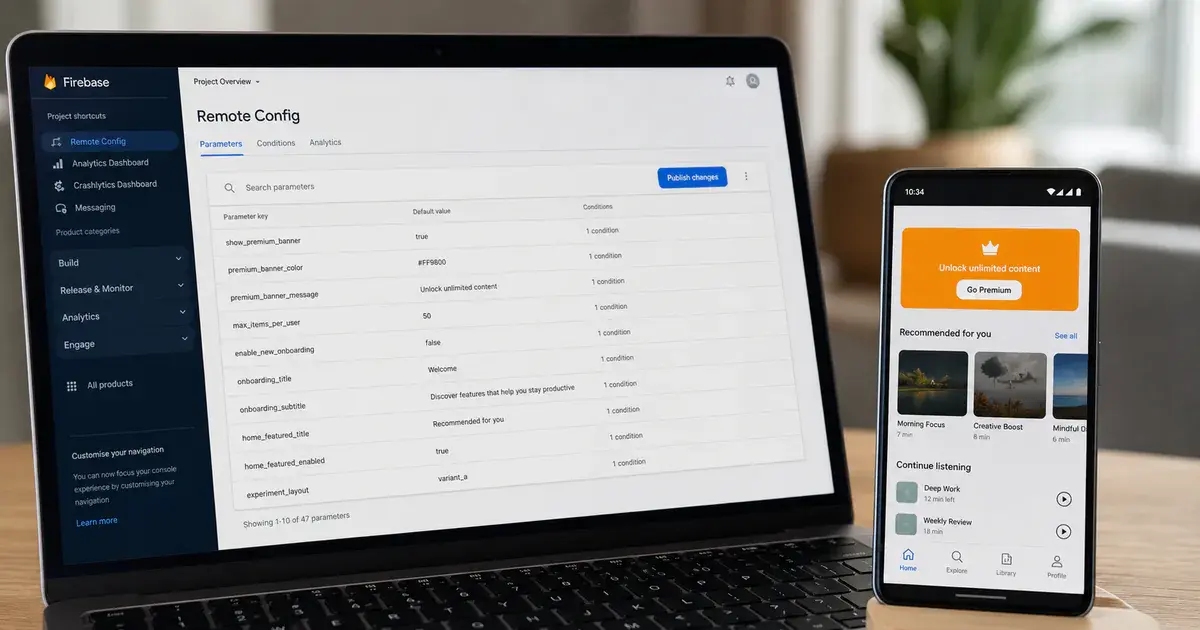
It changes values that your already-shipped binary knows how to read — nothing more. Firebase describes Remote Config as a way to "change the behavior and appearance" of your app without publishing an update — a quoted phrase, so the behavior and appearance of your client app or server without requiring users to download an app update. Every word of that is load-bearing, and the word that gets skipped is behaviour: the behaviour has to already exist in the build sitting on the user's phone.
This is the misreading we correct most often. A team writes the flag, then discovers the off branch was never implemented properly because nobody expected it to ship. Remote Config gives you a switch between two code paths that both had to be built and tested.
Firebase's own list of use cases is a good sanity check on scope. It names launching new features with the percentage rollout mechanism to safely release functionality to a subset of users; defining platform and locale-specific promo banners; providing custom onboarding experiences and rewards based on the date and time a user first opens the app; testing new functionality on a limited internal testing group using custom user properties; and using JSON to configure complex entities or login systems.
Notice the shape of that list. Every item is a value — a percentage, a banner, a JSON blob, an audience — consumed by logic that already exists. None is a new screen.
Before you add a parameter, ask what happens if the fetch never succeeds. If the answer is "the feature is broken", it is not a config value, it is a release. If the answer is "the user sees the current experience", you have a genuine flag. Across the 300+ apps we have managed since 2013, that one question has killed more bad flags than any review process.
The parameter types are deliberately narrow, which reinforces the point. Remote Config accepts String, Boolean, Number and JSON. JSON is the escape hatch teams reach for when they want to push something structural, and it is where config debt accumulates fastest — a schema with no compiler enforcing it, changed from a web console, consumed by three app versions at once.
Why is your app still showing the old value?
Because a published value only wins after it has been both fetched and activated — until then the app uses its in-app default, and Firebase says so explicitly. The console showing "published" describes the server state. It says nothing about any device.
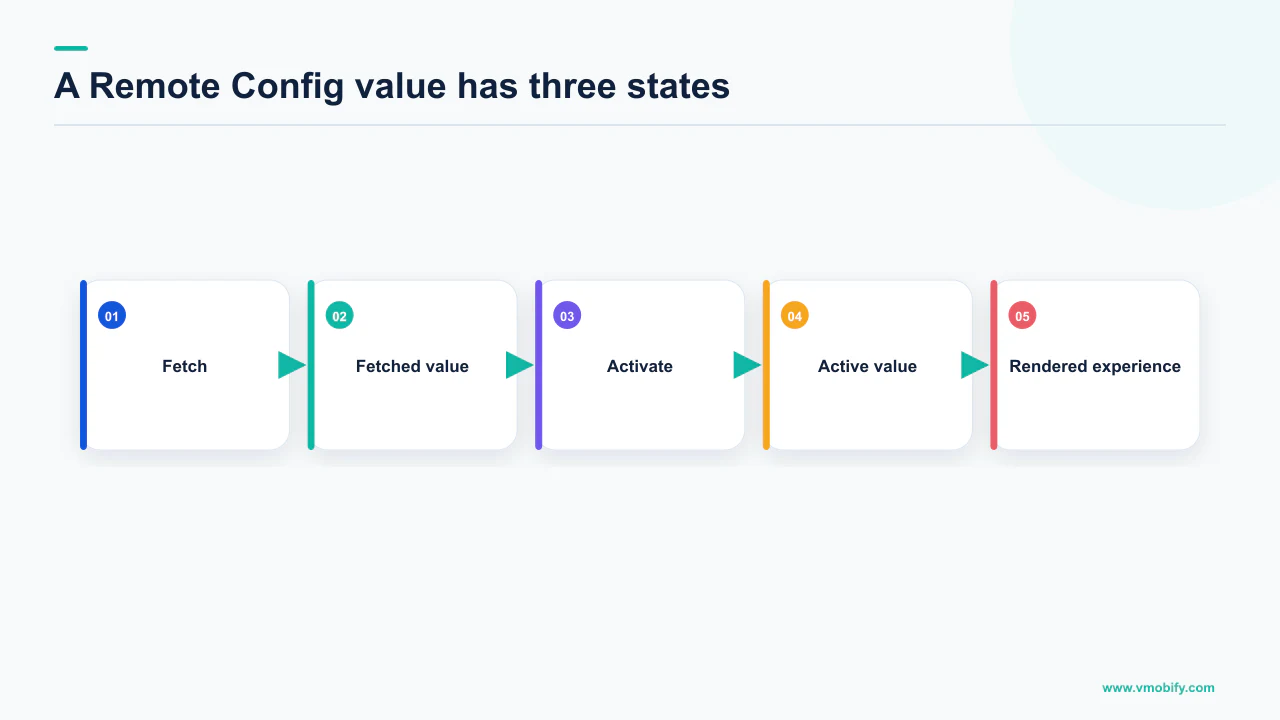
The parameters and conditions documentation sets out the order in two stages. On the backend, conditional values are applied for any conditions that evaluate to true; if several conditions match, the topmost one in the console takes precedence; otherwise the parameter's default value is served. Then in the app, the resolution order is:
- Fetched and activated values from the backend. Both verbs, in order. A value that has been fetched but not activated is sitting in the client cache doing nothing.
- In-app default values. Firebase states that if no value was fetched from the backend, or if values fetched have not been activated, the app uses the in-app default value.
- Static type defaults. If you set no in-app default at all, you get the language's zero value —
0for an int,falsefor a boolean. This is where silent disasters live.
A paywall gated on a boolean with no in-app default does not show on first launch. A price multiplier with no in-app default is zero. Nobody writes that bug deliberately; it emerges from omitting one line.
Because the topmost matching condition wins, reordering conditions in the console silently changes what every matching user receives — with no code change, no build, and no reviewer. Two conditions that both match a user are not a merge; they are a race decided by list position. Treat the ordering of your condition list as production configuration, because it is.
If your Firebase numbers and your app's observed behaviour disagree more generally, the resolution order is only one of several candidates — we work through the others in why your Firebase numbers look wrong.
How often does the SDK actually fetch?
Far less often than you assume, because the client caches values and honours a minimum fetch interval, and the server throttles apps that ask too much. This is the mechanism behind almost every "the change did not propagate" ticket.
Firebase's config loading strategies guide is blunt about the risk: do not send mass numbers of simultaneous fetch requests, which could result in the server throttling your app. It also confirms that ordinary fetches run according to the default minimum fetch interval, and that Remote Config's one-minute timeout may be too long for a quality app startup.
Here is a number we are not going to print. The exact default minimum fetch interval is specified in the platform-specific get started guides, which are rendered as a tabbed page we could not retrieve in full for this article. We are not going to reproduce a figure from memory when the whole point of the section is that the figure decides your propagation time. Read it off your platform's get started page and off your own FirebaseRemoteConfigSettings, and treat whatever is in your code as the real answer — because a value you set overrides the default anyway.
What is documented and stable is the escape hatch. The real-time Remote Config documentation states that the SDK can receive updated parameter keys and values as soon as they are published on the server, and that this fetch is similar to the fetch call you can make with the SDK, but bypasses any caching or minimumFetchInterval setting.
Two constraints come with it. Real-time Remote Config limits projects to 20 million concurrent open connections; beyond that, incremental real-time connection requests may be rejected, and the client SDK will automatically fall back to the standard fetch mechanism. And there is a floor on SDK version — real-time updates are available for the Firebase SDK for Apple platforms v10.7.0 and above, so a chunk of your installed base on older builds will never see them.
A flag you intend to use as an emergency switch has a propagation time equal to your fetch interval, plus the share of users who open the app at all in that window, plus the share on an SDK version that supports real-time updates. That is not a number you can look up, but one you measure once, on your own app, and then design around.
When should you activate a fetched value?
At a moment the user is not looking at the thing you are about to change — which for most apps means next launch, not this one. Firebase documents three loading strategies, and the difference between them is entirely about what the user experiences.
Fetch and activate on load
- Call the combined fetch-and-activate at startup
- Simplest to implement
- Firebase describes this works best when changes do not cause dramatic visual changes
- Values can land mid-render
Activate behind a loading screen
- Show a loading screen, fetch and activate in the completion handler, then dismiss
- Prevents the user seeing the swap
- Firebase advises setting your own timeout, since its one-minute timeout may be too long for a quality startup
- You are trading startup time for correctness
Load new values for next startup
- Activate cached values immediately, fetch asynchronously for the next session
- Firebase calls this the most user-friendly approach and says it minimises user wait time
- One session of lag, always
- The default choice for most apps
The guidance that matters most is the anti-pattern list. Do not update a UI element while the user is viewing or interacting with it. Do not rely solely on network connectivity — always set in-app defaults. And do not fire mass simultaneous requests.
The third strategy is our default, for behavioural reasons rather than technical ones. An app that changes shape mid-use produces support tickets that never mention configuration, because the user has no vocabulary for what happened. A one-session delay is invisible; a button that moves under a thumb is not. Our notes on the UX decisions that hold retention cover the pattern.
What separates a rollout from an A/B test?
A rollout is a risk-management tool that asks whether the new thing is safe; an A/B test is a measurement tool that asks whether it is better. They share plumbing, they share a quota, and teams routinely run the wrong one.
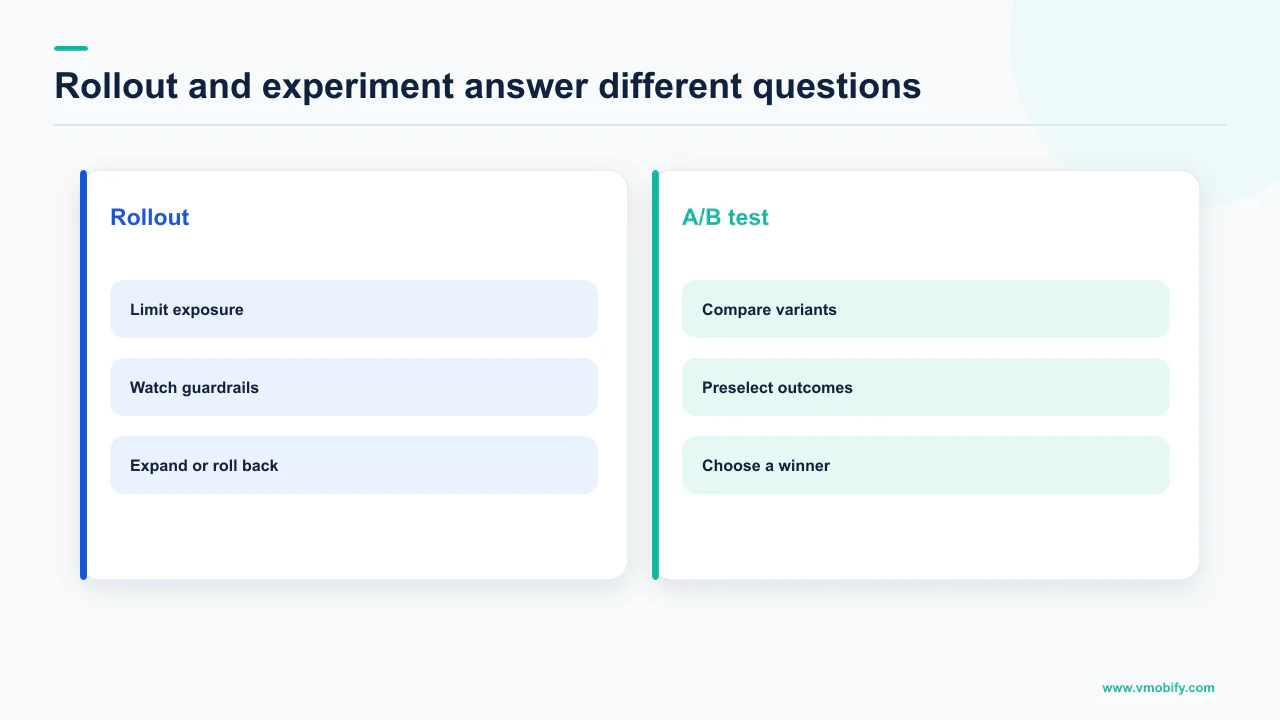
Firebase's rollouts documentation defines the first: Remote Config rollouts give you the ability to safely and gradually release new features and updates to your app, through staged rollouts that gradually increase the percentage of users exposed to a new feature over time, reducing the risk of unexpected issues. The monitoring story is explicit — use Crashlytics to monitor potential issues such as crashes, non-fatal errors and non-responsive apps, and use Google Analytics to monitor metrics like revenue and engagement. Rollback functionality lets you roll back to a previous version of the feature for all or a specific segment of affected users.
An A/B test does something different. It splits a defined share of your matching user base between a baseline and variants, attaches a goal metric, and waits long enough to say something statistically meaningful about the difference.
- Use a rollout when you already decided. The feature is going out. You are controlling blast radius and watching stability, not asking a question.
- Use an A/B test when you have not decided. There is a real alternative you would ship instead, and a metric that would change your mind.
- Do not use a rollout as a test. A 10 per cent rollout with no baseline, no goal metric and no fixed duration produces a chart, not a result. We see this constantly, and the chart always gets over-read.
They also compete for the same budget: A/B Testing experiments and Remote Config rollouts share the total experiment limit of 24. That is a real constraint on an app running seasonal promos, paywall tests and a staged release at once, and it forces the prioritisation conversation earlier than most teams expect. Our comparison of the mobile A/B testing tools worth using covers when Firebase's limits push you elsewhere.
How long must an experiment run to mean anything?
Fourteen days for a Remote Config experiment — Firebase states the threshold in plain text, and it is the number most teams violate. The documentation says that after your experiment has run for a while (at least 7 days for FCM and In-App Messaging or 14 days for Remote Config), data on this page indicates which variant, if any, is the leader.
That is a floor, not a target, and it exists because of what the metrics are. Firebase's A/B testing guide lists built-in objectives including crash-free users, estimated ad revenue, estimated total revenue, purchase revenue, and retention windows running from one day through fifteen days and beyond. You cannot measure a fifteen-day retention window in a five-day experiment. The floor is arithmetic, not caution.
The setup decisions are made once and cannot be quietly revised later without invalidating the run. You enter the percentage of your app's user base matching the criteria that will be divided between baseline and variants, from 0 to 100. You can target by app version, build number, languages, country or region, user audiences, user properties, and first-open timing on supported SDK versions. You pick one goal metric and up to five additional non-goal metrics.
Results are reported as a percentage difference from baseline alongside a probability to beat baseline, described as the estimated probability that a given variant beats the baseline for the selected metric. Firebase does not publish a probability threshold at which a variant is declared a winner, and we are not going to invent one. It does note that even if your experiment has not created a clear winner, you can still choose to release a variant to all of your users — which is an honest acknowledgement that most experiments end ambiguously.
Decide in advance what probability, on which metric, would make you ship the variant — and what result would make you kill it. Doing this after the numbers arrive is how a 51 per cent probability becomes a launch. In our portfolio, teams that write the rule down first run fewer experiments and act on far more of them.
Pricing and paywall experiments carry extra traps that are specific to the store, not to Firebase; we cover those in the paywall A/B testing guide.
Which limits will you actually hit?
The experiment cap and the condition count, long before the parameter cap. The published limits are generous in the dimensions nobody stresses and tight in the ones every growing team does.
From Firebase's parameter and template documentation, the ceilings are: up to 3,000 Remote Config parameters per template type; up to 2,000 conditions per project; a parameter key length maximum of 256 characters, which must start with an underscore or a letter; a total parameter value string length that cannot exceed 1,000,000 characters per project; up to 100 custom signals per instance, with custom signal names up to 250 characters and values up to 500 characters (250 for a regex). Firebase stores up to 300 lifetime versions of your Remote Config templates per template type, and when that limit is exceeded the earliest versions are deleted.
- 3,000 parameters is not your problem. No healthy app approaches it. If you are close, the issue is that nobody deletes dead flags.
- 2,000 conditions can become your problem. Conditions multiply with markets, tiers and cohorts, and each one is a branch someone has to reason about when reading the console.
- The 1,000,000-character total is a JSON problem. Teams that push structured payloads through Remote Config find this ceiling; teams that push booleans never do.
- 24 combined experiments and rollouts is the real constraint, and it is a portfolio decision rather than an engineering one.
The 300-version cap matters because of what it does to your audit trail. Firebase creates a new versioned template every time you update parameters and stores the previous one for retrieval or rollback. A team publishing several times a day rolls past 300 versions inside a few months, and the earliest versions — the state your app was in when something first went wrong — are deleted. If your incident review depends on the config as it stood in March, export it yourself. Firebase's retention is a convenience, not an archive.
What belongs in Remote Config at all is a wider tooling question, set out in the app growth tools stack.
Why is a config change still a release decision?
Because it changes what users experience, it reaches production with no build, no review and no staged store rollout, and its rollback is itself a new change that has to propagate. Everything that makes Remote Config useful also removes the friction that normally catches mistakes.
Look at what rollback actually is. Firebase documents it precisely: rolling back from version 10 to version 6 effectively creates a new copy of version 6, differing from the original only in that its version number is 11. You do not return to a previous state. You publish a new state that resembles a previous one — and that new publish has to reach devices through the same fetch interval, the same activation step and the same offline users as the change that caused the incident.
Breaking your app takes one console publish and a fetch cycle. Fixing it takes one console publish and a fetch cycle. Those look symmetrical until you notice that during the second cycle your users are in the broken state, and that the users slowest to fetch are also the ones you cannot contact. Speed of propagation is a property you should have measured before you needed it.
The other missing friction is review. A store release passes through a build, a code review, a QA pass, a review queue and a staged rollout. A config change passes through a text field and a button. The same person can, in one afternoon, change a value that alters revenue for every user on the platform, and there is no diff for anyone to read the next morning unless you built one.
Three practices close most of that gap, and none of them requires tooling:
- Every parameter has a named owner and a stated safe value. The safe value is the in-app default, and it should be the behaviour you would accept indefinitely.
- Config changes get announced where releases get announced. Not because someone will object, but so that the next person debugging a metric knows a change happened.
- Flags have expiry dates. A flag that has been at 100 per cent for two quarters is dead code in two places at once, and it is still a branch that can be flipped by accident.
If a config change coincides with a stability regression, the diagnosis path runs through vitals rather than the console — the Android vitals thresholds are where that starts.
What should your rollout discipline look like?
Ship the code dark, prove the safe path works with no network, expand in stages against a stability metric, then decide with an experiment if there is still a question worth answering. The sequence matters more than any individual step.
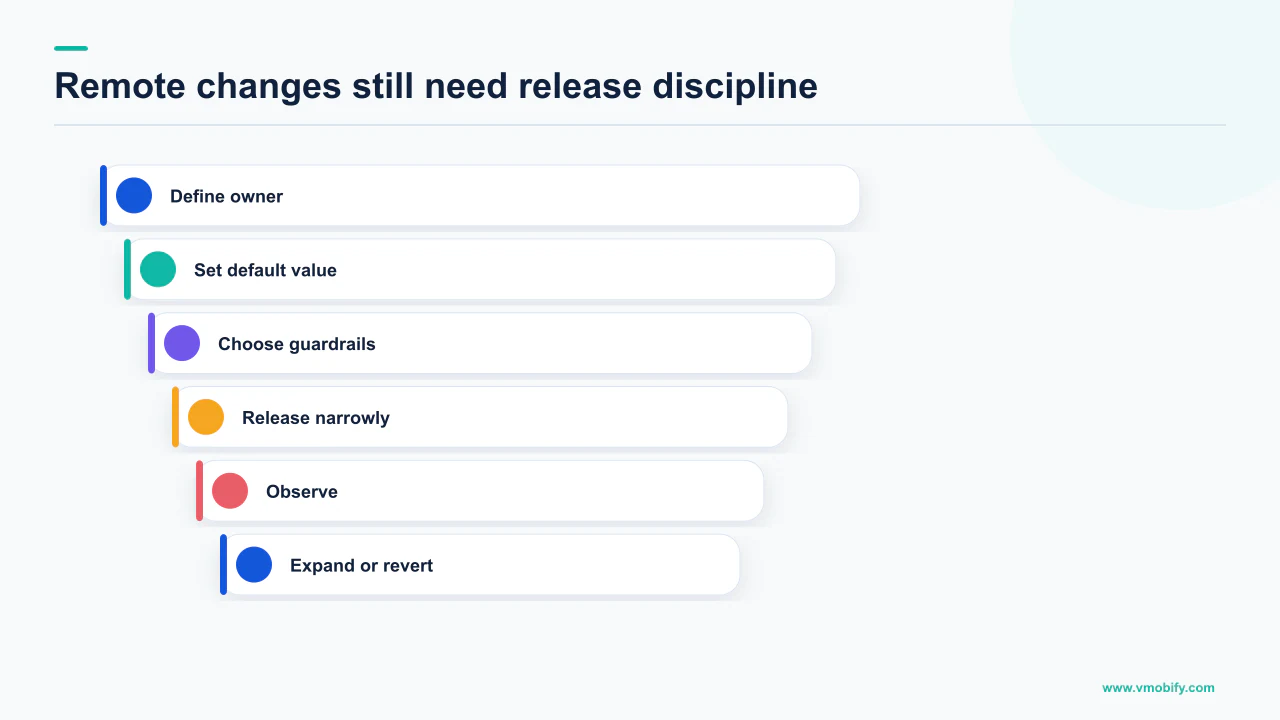
- Ship both branches in the binary and test the off state properly. The off state is what most of your users will run for most of the rollout, and it is the state nobody QAs.
- Set an in-app default for every parameter. Firebase is explicit that you should not rely solely on network connectivity. The static type default —
false,0— is never a deliberate product decision. - Test with the network off. Install fresh, disable connectivity, launch. What you see is what a real user on a bad connection sees on first open, and it is the state your defaults define.
- Start the staged rollout small and watch Crashlytics and Analytics, exactly as Firebase's rollout guidance describes: crashes, non-fatal errors and non-responsive apps for safety, revenue and engagement for value.
- Expand on stability, not on enthusiasm. The question at each stage is whether anything broke, not whether the metric looks nice at low volume.
- If a real alternative exists, run an experiment and let it run 14 days. Set the goal metric and the decision rule before launch, and accept an ambiguous result as a result.
- Delete the flag when the decision is made. Retire the parameter, remove the dead branch, and reclaim one of your 24 slots.
What holds this together is treating the config surface as production: an owner, a change log, a rollback path with a measured propagation time, a retirement policy. That is the list you would write for a deployment pipeline, because that is what it has become.
If you want the experiment design and the instrumentation checked before you commit a quarter of your roadmap to it, that is the kind of review we do — see how we approach it in our analytics work, or tell us what you are trying to test.
Frequently Asked Questions
I published a value in the console. Why has my app not changed?+
Publishing changes the server state only. Firebase resolves values in the order fetched-and-activated backend value, then in-app default, then static type default. A value that has been fetched but not activated does nothing, and a client that has not fetched since the publish still holds the old value. Check that your code calls activate, and check the minimum fetch interval you set.
What happens if the fetch fails or the device is offline?+
The app uses your in-app default value. If you never set one, it falls through to the static type default for the language — 0 for an int, false for a boolean. Firebase explicitly warns against relying solely on network connectivity and tells you to always set in-app defaults. Test this by installing fresh, disabling the network and launching.
Does real-time Remote Config ignore the fetch interval?+
Yes. Firebase states the real-time fetch is similar to the SDK fetch call but bypasses any caching or minimumFetchInterval setting. It has its own limits: projects are capped at 20 million concurrent open connections, beyond which incremental connection requests may be rejected and the SDK falls back to standard fetching, and it requires a recent SDK version.
How long should a Firebase A/B test run?+
Firebase states that after an experiment has run for at least 7 days for FCM and In-App Messaging, or 14 days for Remote Config, the data indicates which variant is the leader. Fourteen days is a floor rather than a target — retention objectives run to fifteen days and beyond, so a shorter run cannot measure them at all.
What is the difference between a rollout and an A/B test?+
A rollout gradually increases the percentage of users exposed to a feature to reduce the risk of unexpected issues, monitored through Crashlytics and Google Analytics, with rollback to a previous version. An A/B test compares a baseline against variants on a goal metric to decide which to ship. They share a combined limit of 24, so running a rollout as a substitute for a test wastes a slot and produces no answer.
How many parameters and conditions can I have?+
Up to 3,000 Remote Config parameters per template type and up to 2,000 conditions per project. Parameter keys are limited to 256 characters and must start with a letter or underscore, and total parameter value string length cannot exceed 1,000,000 characters per project. Firebase stores 300 lifetime template versions per template type, deleting the earliest beyond that.
Can I roll back a bad config change instantly?+
Not instantly. Firebase documents that rolling back from version 10 to version 6 creates a new copy of version 6 numbered 11, which then has to reach devices through the same fetch and activation cycle as the change that caused the problem. Measure how long that cycle actually takes on your app before you rely on a flag as an emergency switch.
Sources
- Firebase — Remote Config overview — Defines Remote Config as changing app behaviour without an app update; states the 3,000 parameter, 300 version and 24 experiment limits.
- Firebase — Remote Config parameters and conditions — Value priority order, topmost matching condition wins, supported data types, and the parameter, condition and character limits.
- Firebase — Remote Config loading strategies — The three loading strategies, the one-minute timeout, the warning about mass simultaneous fetches and server throttling.
- Firebase — Get real-time Remote Config updates — Real-time fetches bypass caching and minimumFetchInterval; 20 million concurrent connection cap and fallback behaviour.
- Firebase — Remote Config rollouts — Staged rollouts, Crashlytics and Analytics monitoring, rollback, the shared limit of 24 with A/B tests, and SDK version floors.
- Firebase — Create Remote Config experiments with A/B Testing — The 14-day and 7-day thresholds, exposure percentage, targeting options, goal metrics and probability to beat baseline.
- Firebase — Manage Remote Config template versions — The 300 lifetime version limit, deletion of earliest versions, and that rollback creates a new version number.
- Firebase — Remote Config use cases — The documented use cases, including percentage rollouts, locale-specific banners and JSON configuration.
About the author
Amol Pomane — Founder, Vmobify
Amol leads Vmobify, a mobile app growth agency that has driven 30M+ downloads and ranked 54K+ keywords across 300+ apps since 2013. He writes about ASO, paid user acquisition, retention, and the operational reality of scaling mobile apps in India and global markets.