The App Growth Stack: Every Tool by Funnel Stage (Free-First)
The app growth tooling landscape is overwhelming until you organise it by funnel stage. This is the vendor-neutral, free-first map of every layer — ASO, user acquisition, attribution, analytics, engagement and monetisation — with a starter stack you can run for almost nothing and a clear signal for when each layer is worth paying to upgrade.
On this page
- Why should you think about app growth tools as a stack by funnel stage?
- Which tools power the ASO layer?
- Which tools power the user acquisition layer?
- Which tools power the attribution and MMP layer?
- Which tools power the product and marketing analytics layer?
- Which tools power the engagement and CRM layer?
- Which tools power the monetisation layer?
- What does a free or under-budget starter stack look like?
- What does an India-focused budget stack look like?
- When should you upgrade each layer?
- How do the layers connect, and which mistakes cost the most?
- Frequently Asked Questions
Why should you think about app growth tools as a stack by funnel stage?
Organising tools by funnel stage turns an overwhelming market of hundreds of overlapping products into six clean layers, each with one job — and that structure tells you exactly what to buy, what to skip, and where data has to flow between tools. The reason teams overspend on software is that they shop by category name rather than by the question each tool answers.
Every app, regardless of vertical, moves a user through the same sequence: someone discovers your listing (ASO), you pay or earn your way to the install (user acquisition), you work out which spend produced which user (attribution), you understand what those users do (analytics), you bring them back and deepen the habit (engagement), and you turn the relationship into revenue (monetisation). Six stages, six layers. Once you see the stack this way, the tooling stops being a shopping list and becomes a pipeline.
The practical payoff is twofold. First, you stop paying twice for the same signal — a surprising amount of "growth software" is just a prettier dashboard over data Apple, Google and your own backend already give you. Second, you can see the joins. Your attribution layer feeds your analytics layer; your analytics layer feeds your engagement layer; your monetisation layer feeds them all back the revenue numbers that decide where user acquisition spends next. A tool that does not connect to the layers either side of it is usually a tool you do not need yet.
Across our 300+ apps managed since 2013, the single most common waste we find on a new client audit is not underspending — it is a drawer full of half-used subscriptions bought because a category sounded important, with no thought to whether the layer above or below could already do the job. This guide is the map we use to clear that drawer: vendor-neutral, free-first, and organised so you only ever pay for a layer once you have proven you have outgrown the free version of it. Prices throughout are quoted as ranges and change constantly, so treat every figure as a ballpark to verify, not a quote.
Which tools power the ASO layer?
The ASO layer needs three things — keyword demand data, a way to test your listing creative, and rank tracking — and the most valuable tools for the first two are free and first-party, so you only ever pay for the third. This is the cheapest layer in the whole stack to do well.
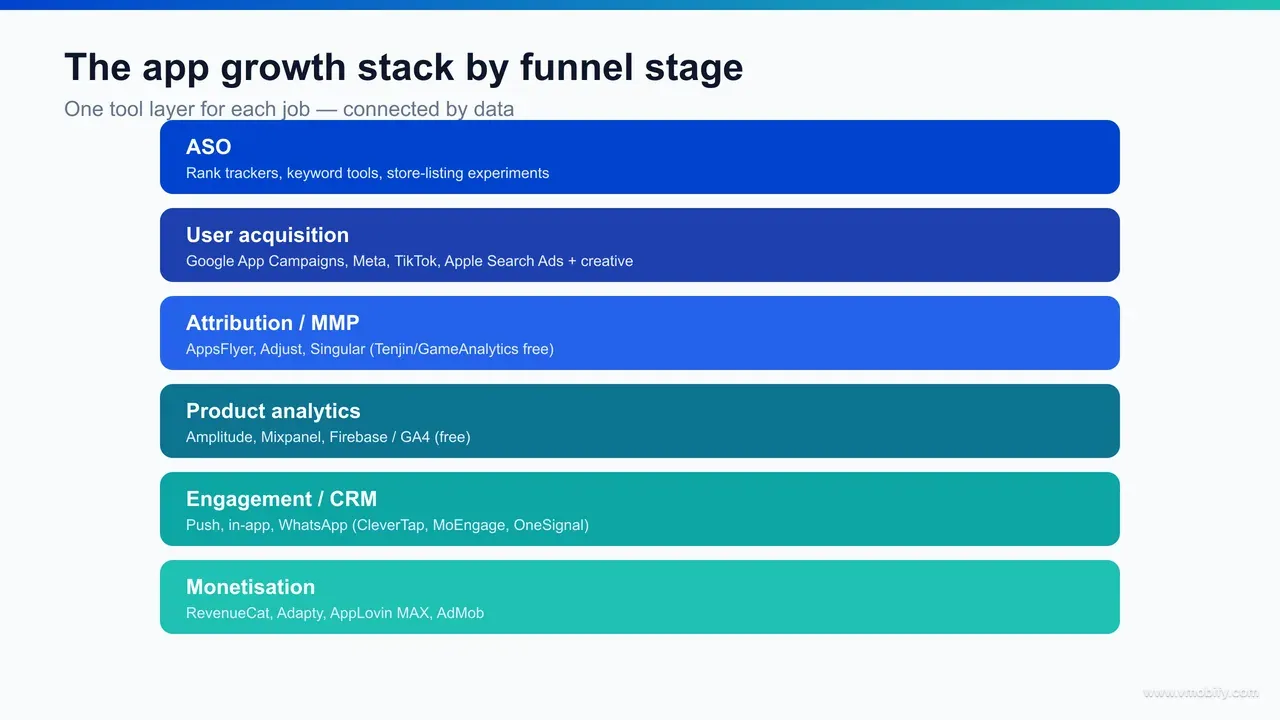
For keyword demand on iOS, nothing beats Apple Search Ads, which exposes Apple's own keyword popularity indicator — a relative score from 1 to 5 — during campaign setup — real iOS search volume, free, without spending a rupee on ads. On Android, Google withholds an equivalent public index, so you triangulate from Play Console acquisition reports, Play Store autocomplete and Google Trends. For listing creative, Google Play Console store-listing experiments A/B test your icon, screenshots and descriptions on live Play traffic at no cost, and App Store Connect product page optimisation does the iOS equivalent.
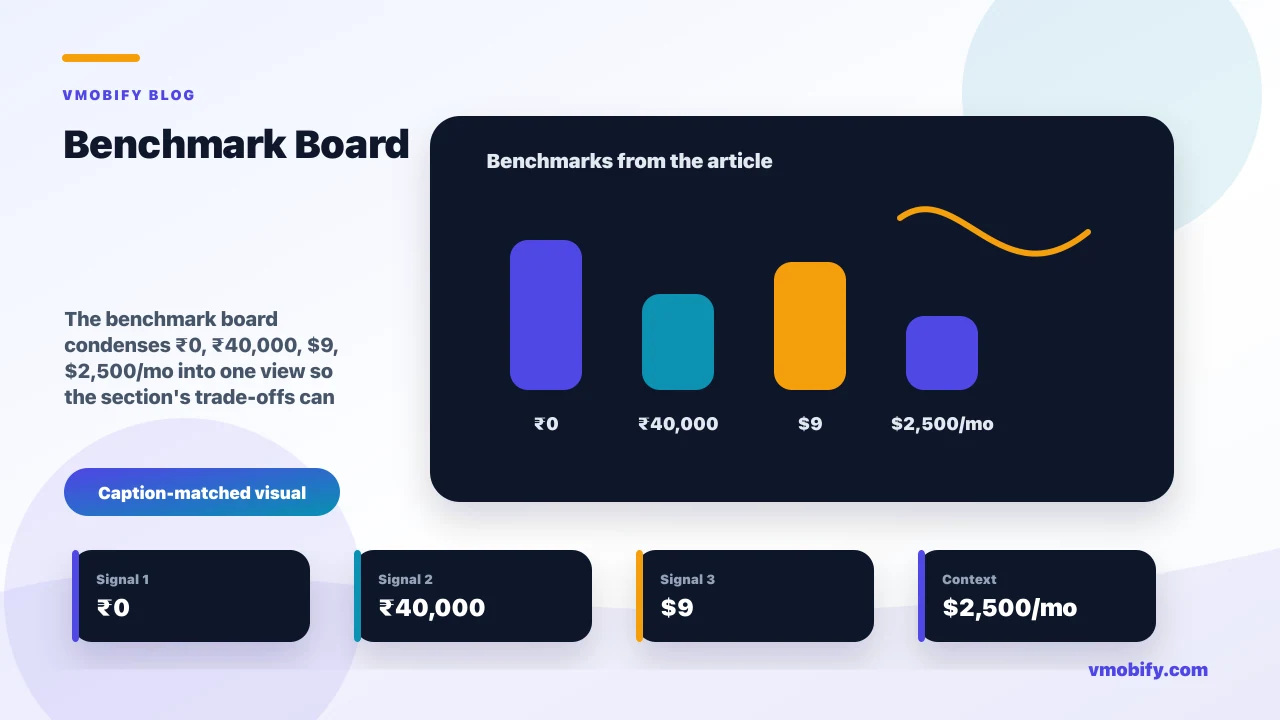
The one paid line worth carrying early is a rank tracker — checking positions by hand across keywords and countries does not scale. Budget rank trackers sit in roughly the $9-18/mo range; enterprise intelligence suites such as Sensor Tower or AppTweak run far higher and only earn their keep once you manage several apps or need competitor download estimates. We have written the full free-first ASO playbook separately — see the best free ASO tools that actually move rankings — because this layer alone has enough depth to fill a guide.
- Keyword demand (free): Apple Search Ads popularity, Play Console acquisition reports, store autocomplete, Google Trends.
- Creative testing (free): Play Console store-listing experiments, App Store Connect product page optimisation and custom product pages.
- Rank tracking (cheap): a budget tracker at $9-18/mo; an enterprise suite only at multi-app scale.
If you do nothing else with this section, internalise the rule: the demand and conversion-testing tools are free because they are the stores' own data. You pay only to automate the watching, never to read the signal. That principle — pay for automation, not for access to data you already own — repeats at every layer below, and it is the exact discipline our ASO team applies before any tool is bought: research and test on free first-party data first, automate the parts that genuinely do not scale by hand second, and let competitor intelligence wait until it is changing what you ship.
Which tools power the user acquisition layer?
The user acquisition layer is dominated by four self-serve ad platforms — Google App Campaigns, Meta, TikTok and Apple Search Ads — plus a creative-production toolchain, and all four ad platforms are free to set up; you pay only for the media you buy. There is no "UA software" to license here; the platforms are the tools, and the skill is in the creative and the measurement feeding them.
Google App Campaigns (formerly UAC) is the broadest-reach channel for Android-first growth, automatically placing ads across Search, Play, YouTube and the display network from a single asset set. Meta's Advantage+ app campaigns are the strongest social-intent channel, TikTok is where younger, video-native audiences and the cheapest early creative tests live, and Apple Search Ads owns the highest-intent placement on iOS — the App Store search result itself. Most scaling apps run two or three of these in parallel, which is precisely the moment the attribution layer below stops being optional.
The creative toolchain matters more than the platform choice, because on every one of these channels creative is now the main lever the algorithm cannot optimise for you. A free-first creative stack is genuinely capable: Canva or CapCut for static and video edits, the platforms' own creative tools for variations, and a simple naming convention so you can tell which concept won. You do not need a paid creative-automation suite until you are shipping dozens of variants a week. The honest framing we give clients is that the money in UA is in the media and the creative iteration, not in software — so spend your tooling budget on measuring what the media bought, which is the next layer.
One India note that belongs here: on iOS, Apple's privacy framework caps how much you can measure per install, while Android still allows richer signal, so an India-first, Android-heavy app should weight its early UA tests and creative testing toward the channel where it can actually read the result. Our user acquisition team runs exactly this multi-channel testing structure, and the tooling underneath it is deliberately lean.
Which tools power the attribution and MMP layer?
The attribution layer answers the one question that decides where every UA rupee goes next — which spend produced which user — and it is built on mobile measurement partners (MMPs) at the top, the platforms' own privacy frameworks underneath, and genuinely capable free options for teams not yet at paid-MMP scale. This is the layer to get right first, because every layer downstream reads its output.
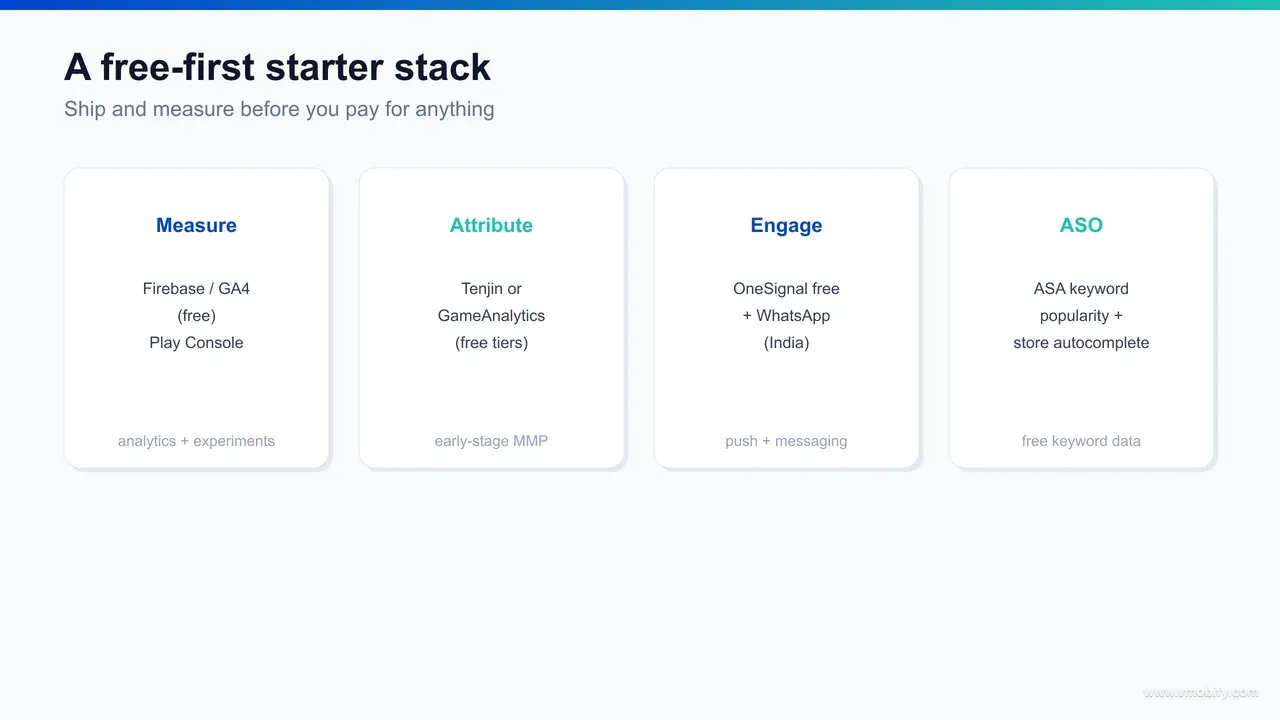
The three paid MMPs that dominate the market are AppsFlyer, Adjust and Singular. They unify install and in-app-event attribution across all your ad channels into one source of truth, deduplicate clicks, and integrate the partner SDKs so each ad platform gets the postbacks it needs. They are excellent and they are not cheap — pricing is usually volume-based and starts in the hundreds of dollars a month, scaling with your install and event count. The decision rule is simple: a paid MMP earns its place the moment you run more than one or two paid channels at once and can no longer trust each platform's self-reported numbers, which always over-count.
Below the MMPs sit the platform privacy frameworks you must design around regardless of which tool you pick. On iOS, SKAdNetwork (and its successor AdAttributionKit) governs deterministic attribution without device identifiers, while Google's Privacy Sandbox is moving Android in a similar direction. Any MMP you choose has to speak these fluently — they are the rails, not an optional extra.
For teams not yet at paid-MMP scale, the free options are real, not toys. Tenjin offers a free attribution tier popular with indie and gaming teams, and GameAnalytics bundles attribution-adjacent measurement for games at no cost. They lack the depth and support of a paid MMP, but for a single-channel or two-channel app they close the loop well enough to make decisions. We cover the full mechanics of this layer — SKAdNetwork, postbacks, choosing between providers — in our mobile attribution guide, which is the companion read for anyone setting this layer up properly.
Which tools power the product and marketing analytics layer?
The analytics layer is where you stop counting installs and start understanding behaviour — funnels, retention, cohorts, feature usage — and the free first-party option here, Firebase with Google Analytics 4, is good enough that most apps never need to pay for this layer at all. The paid tools add depth and speed, not a different source of truth.
Google Analytics for Firebase (GA4) is free, cross-platform, and ships with crash reporting, remote config and A/B testing in the same console — which is why it is the default analytics backbone for the majority of apps we onboard. It handles event tracking, funnels, retention cohorts and audience definitions without a per-event bill. For most teams it is the only analytics tool they need for a long time.
The paid product-analytics tools — Amplitude and Mixpanel chief among them — earn their place when your product questions get harder than GA4 answers comfortably: complex multi-step behavioural funnels, flexible cohort comparison, retention curves you can slice a dozen ways, and the kind of self-serve querying a growth team lives in daily. Both have free tiers that are genuinely usable up to a monthly-event ceiling, then move to volume-based pricing that climbs quickly. The right trigger to upgrade is not "we should have proper analytics" — it is "we have a dedicated person asking behavioural questions GA4 makes slow to answer."
- Free backbone: Firebase / GA4 — events, funnels, retention, cohorts, crash reporting, plus A/B testing and remote config in one console.
- Paid depth: Amplitude or Mixpanel when behavioural querying becomes a daily job; both have free tiers, then volume-based pricing.
- The join: this layer should ingest your attribution data so you can split retention and revenue by acquisition source — the single most valuable cross-layer view in the stack.
The mistake we see most often in this layer is the reverse of overspending: teams pay for Amplitude or Mixpanel and then instrument them so thinly that GA4 would have answered every question they actually ask. The value of an analytics tool is the quality of the events you send it, not the price of the licence. Get your event taxonomy right first — that is what our analytics team sets up before any tool decision — and the free backbone will carry you further than you expect.
Which tools power the engagement and CRM layer?
The engagement layer brings users back and deepens the habit through push, in-app messages, email and — in India especially — WhatsApp, and it splits cleanly into a free starting tier (OneSignal, Firebase Cloud Messaging) and full lifecycle CRM platforms (CleverTap, MoEngage, Braze) you graduate to when messaging becomes a real operation. This is the layer where Indian apps and global apps diverge most, because of WhatsApp.
At the free end, Firebase Cloud Messaging sends push for nothing and OneSignal's free tier covers push, basic in-app messaging and email up to generous limits — enough for most early-stage apps to run a complete re-engagement programme without spending. These cover the mechanics of sending; what they do not give you is sophisticated segmentation, journey orchestration, and the analytics to optimise it all in one place.
That is what the full CRM platforms add. CleverTap and MoEngage are both India-founded and India-strong, with deep WhatsApp integration, behavioural segmentation, and lifecycle journey builders; Braze is the global enterprise equivalent. They unify push, in-app, email, SMS and WhatsApp into a single orchestration layer that fires messages off the behavioural events your analytics layer defines. They are priced for scale — typically monthly-active-user-based, climbing into serious money — so the trigger to adopt one is operational: when "sending the right message to the right cohort at the right moment" has become a recurring job rather than an occasional broadcast.
For an Indian app, the WhatsApp question dominates this layer. With open and response rates that dwarf email and push, WhatsApp is frequently the highest-ROI engagement channel in the country, and the practical choice is whether to use a CRM platform's WhatsApp integration or a standalone WhatsApp Business API provider. Either way, WhatsApp is the channel an India-first engagement stack should be built around, not bolted onto — a point we return to in the India budget stack below.
Which tools power the monetisation layer?
The monetisation layer divides by business model: subscription and IAP apps run a subscription-management tool (RevenueCat, Adapty) over the store billing APIs, while ad-funded apps run an ad network with mediation (AppLovin MAX, Google AdMob) — and both categories have a free or free-to-start option that covers you until real revenue scale. The job of this layer is to maximise revenue per user and feed that number back up the stack.
For subscriptions and in-app purchases, implementing StoreKit and Google Play Billing directly is free but fiddly — receipt validation, renewals, grace periods, refunds and cross-platform entitlement are exactly the edge cases that quietly leak revenue. RevenueCat and Adapty wrap all of that into one SDK with a paywall and analytics layer on top. RevenueCat is free up to a monthly-tracked-revenue threshold (commonly cited around $2,500/mo in tracked revenue, which changes — verify the current tier), then takes a small percentage above it; Adapty is priced similarly. The trigger to adopt one is when subscription revenue is large enough that a billing edge-case costs more than the tool does.
For ad monetisation, an ad network plus mediation is the model. Google AdMob and AppLovin MAX are the two dominant mediation platforms — they auction each ad impression across multiple demand sources to lift your effective CPM, and both are free to use because they make money on the ad spend flowing through them. Mediation is the lever most ad-funded apps underuse: a single demand source leaves money on the table, while a properly configured auction across several networks routinely lifts effective CPM by double digits at no extra licence cost, which is the closest thing to free revenue this layer offers.
The India angle in monetisation is the payment rail. UPI is now the default way Indians pay, and recurring app subscriptions increasingly run on UPI Autopay e-mandates — the NPCI Autopay framework governs the mandate limits and authentication rules that decide whether your renewal succeeds. For an India-first subscription app, getting the UPI Autopay flow right is as load-bearing as the paywall itself, because a mandate that fails silently is churn you never see coming. Whichever model you run, the number this layer must report back up the stack is revenue per user by segment — benchmark it by vertical so you know whether your ARPU and LTV are healthy or quietly lagging your category before you decide where to push acquisition spend next.
What does a free or under-budget starter stack look like?
A complete, genuinely working growth stack can run almost entirely free at the start: Apple Search Ads and Play Console for ASO, the native ad dashboards for UA, Tenjin or GameAnalytics for attribution, Firebase/GA4 for analytics, OneSignal's free tier for engagement, and AdMob mediation or RevenueCat's free tier for monetisation — with one cheap rank tracker as the only fixed cost. You do not need to pay for a single layer until you have outgrown its free option.
Here is the free-first stack, layer by layer, that we would hand a pre-revenue or early-stage team:
- ASO: Apple Search Ads keyword popularity, Play Console store-listing experiments, store autocomplete — all free — plus a budget rank tracker at $9-18/mo, the one fixed cost.
- User acquisition: the native dashboards for Google App Campaigns, Meta, TikTok and Apple Search Ads — free to run; you pay only for media — with Canva or CapCut for creative.
- Attribution: Tenjin's free tier (or GameAnalytics for games), running over SKAdNetwork and Google's Privacy Sandbox.
- Analytics: Firebase / GA4 — free, with crash reporting and A/B testing in the same console.
- Engagement: Firebase Cloud Messaging plus OneSignal's free tier for push, in-app and email.
- Monetisation: AdMob or AppLovin MAX mediation for ad apps; RevenueCat's free tier for subscription apps.
The total fixed cost of that stack is roughly the price of one rank tracker — call it under $20/mo — and it covers all six layers competently. Everything else is either free first-party data or media spend you would pay regardless of tooling. The point is not that free tools are as deep as paid ones; it is that for an app still proving its loop, depth you cannot yet act on is depth you should not yet pay for.
In our portfolio, the apps that scaled almost all started on a stack close to this one and added paid layers only when a specific limitation bit. The discipline that matters is wiring the free tools to talk to each other — attribution feeding analytics, analytics feeding engagement — so that when you do upgrade a layer, you are slotting a better tool into a working pipeline rather than building the pipeline from scratch.
What does an India-focused budget stack look like?
An India-focused budget stack keeps the free-first backbone but reweights two layers — it builds engagement around WhatsApp instead of email, and it tilts UA and analytics toward Android, where the audience and the measurable signal both concentrate — so an Indian indie developer can run all six layers for close to ₹0 until real scale arrives. The structure is the same; the emphasis is different.
Start from the same free backbone: Firebase/GA4 for analytics, Tenjin for attribution, the native ad dashboards for UA, Apple Search Ads and Play Console for ASO, and AdMob mediation for ad revenue. That covers four of the six layers for nothing. The two layers that deserve India-specific thought are engagement and monetisation.
On engagement, WhatsApp is the channel to build around. Open and response rates in India routinely outperform push and email by a wide margin, so an Indian app's re-engagement budget is better spent on WhatsApp message credits than on a premium CRM seat early on. OneSignal's free tier handles push and in-app to start; layer a WhatsApp Business API provider on top when you are ready to run lifecycle journeys, and graduate to an India-strong CRM like CleverTap or MoEngage only when orchestration across channels becomes a full-time job. The sequencing keeps your fixed costs near zero while still using the country's highest-ROI channel.
On monetisation, the rail is UPI. For a subscription app, recurring billing should run on UPI Autopay e-mandates under the NPCI framework, and for an ad-funded app, AdMob or AppLovin MAX mediation maximises CPM without any licence fee. The honest budget reality for an Indian indie developer is that the entire stack — Firebase, Tenjin, OneSignal, native ad dashboards, AdMob — costs effectively nothing in software, leaving your spend for the two things that actually move the needle: media and WhatsApp credits. We see this lean structure repeatedly outperform heavier stacks among India-first teams, because the money goes to reach and retention rather than to dashboards. If you want this built and measured properly for your app, that is the kind of India growth work our team does — talk to us about your specific case.
When should you upgrade each layer?
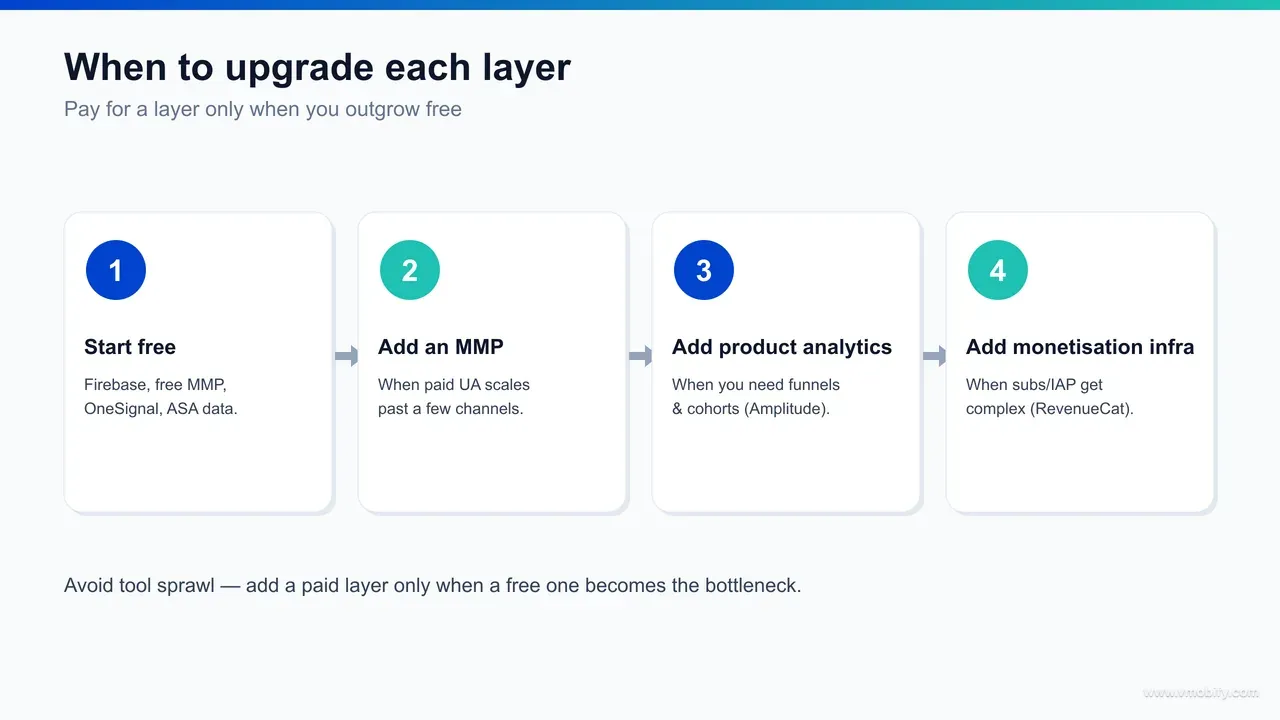
Upgrade each layer on a specific trigger, never on a calendar or a vague sense that you "should have proper tools" — the trigger is always the moment the free option stops being able to answer a question you now need answered to make money. Here is the upgrade signal for each layer, in the order it usually fires.
- Attribution → paid MMP: upgrade the moment you run more than one or two paid channels at once and can no longer trust each platform's self-reported, over-counted numbers. This is usually the first paid layer because it gates every spend decision.
- Analytics → Amplitude/Mixpanel: upgrade when a dedicated person is asking behavioural questions daily that Firebase/GA4 makes slow to answer — flexible cohorts, complex funnels, self-serve querying. Not before.
- Engagement → CleverTap/MoEngage/Braze: upgrade when lifecycle messaging across channels has become a recurring job rather than an occasional broadcast, and segmentation in OneSignal's free tier is the bottleneck.
- Monetisation → RevenueCat/Adapty paid tier: upgrade when subscription revenue is large enough that a single billing edge-case — a failed renewal, a cross-platform entitlement bug — costs more than the tool does.
- ASO → enterprise suite: upgrade only when you manage multiple apps or competitor download intelligence is directly driving your roadmap. Most single-app teams never reach this trigger.
- UA → creative-automation tooling: upgrade when you are shipping dozens of creative variants a week and manual production is the bottleneck on spend.
Notice the common shape: every trigger is a limitation you can feel, not a milestone on a roadmap. If you cannot name the specific question the free tool failed to answer this week, you are not ready to pay — and buying anyway is how the unused-subscription drawer fills up. The right sequence for most apps is attribution first, then analytics or engagement depending on whether your bottleneck is understanding users or re-engaging them, with monetisation tooling arriving when revenue makes the edge-cases expensive.
How do the layers connect, and which mistakes cost the most?
The layers connect in a loop — attribution tells analytics which source each user came from, analytics tells engagement which cohorts to message and monetisation which segments pay, and monetisation feeds the revenue numbers back to user acquisition to decide where spend goes next — and the two mistakes that wreck this loop are tool sprawl and paying too early. A stack is only as good as the joins between its layers.
The data flow is the whole point of thinking in a stack. Your MMP passes the acquisition source into your analytics tool, so you can split retention and revenue by channel — the single most valuable view in the stack, because it tells UA which channels buy users who actually stay and pay. Your analytics tool defines the behavioural cohorts your engagement tool fires messages at, so a "viewed paywall but didn't buy" segment becomes a WhatsApp journey. Your monetisation tool reports revenue per user back up, closing the loop so that UA optimises for paying users, not just installs. Break any one of those joins and you are flying blind in that part of the funnel, regardless of how good the individual tool is.
Two mistakes break the loop more than any others:
Tool sprawl
- Paying for overlapping dashboards nobody reads — two analytics tools, a CRM and a separate push tool doing the same job, an enterprise ASO suite for a single app.
- Each subscription feels small; together they are a five-figure annual bill for data you already have for free elsewhere.
- Audit your stack against the six layers and cut anything that duplicates a layer you already cover.
Paying too early
- Buying a ₹40,000-a-month CRM or a volume-priced MMP before you have the channel count, event volume or revenue to justify it.
- The tool then sits underused, and worse, the spend crowds out the media and creative budget that would actually have grown the app.
- Every paid layer should follow a limitation you have already hit, not anticipate one you might.
The discipline that avoids both is the same one this whole guide is built on: map every tool to a single layer, run the free option until it visibly fails, and upgrade one layer at a time on a trigger you can name. Do that and your stack stays lean, your data flows end to end, and your money goes where growth actually comes from. If you want a second pair of eyes on your current stack — what to cut, what to wire together, and which one layer to upgrade next — that audit is exactly what our team does, and you can book a walk-through of yours to see where the joins are leaking.
Frequently Asked Questions
What is an app growth stack?+
An app growth stack is the set of tools you use across the six funnel stages of mobile growth — ASO, user acquisition, attribution, analytics, engagement and monetisation. Organising tools by stage rather than by brand stops you buying overlapping software and shows where data needs to flow between layers.
Can you run a complete app growth stack for free?+
Largely, yes, at the start. Apple Search Ads and Play Console cover ASO, the native ad dashboards cover UA, Tenjin or GameAnalytics covers attribution, Firebase/GA4 covers analytics, OneSignal's free tier covers engagement, and AdMob or RevenueCat's free tier covers monetisation. The only common fixed cost is a budget rank tracker at roughly $9-18 a month.
Which layer of the growth stack should I set up first?+
Attribution, because every other layer reads its data — analytics splits behaviour by source, engagement targets cohorts, and UA decides spend based on which channels produce users who stay. A free MMP like Tenjin is enough until you run several paid channels at once.
When is a paid MMP like AppsFlyer or Adjust worth it?+
When you run more than one or two paid acquisition channels simultaneously and can no longer trust each platform's self-reported, over-counted numbers. Below that, a free attribution tier closes the loop well enough to make decisions. Pricing is volume-based and typically starts in the hundreds of dollars a month.
What is the best engagement tool for an Indian app?+
Build the engagement layer around WhatsApp, which has far higher open and response rates than push or email in India. Start with OneSignal's free tier for push, add a WhatsApp Business API provider for journeys, and graduate to an India-strong CRM like CleverTap or MoEngage only when cross-channel orchestration becomes a full-time job.
What does Vmobify do across the growth stack?+
We set up and run each layer end to end — ASO, user acquisition, attribution and analytics — wired so the data flows between them, and we audit existing stacks to cut sprawl and upgrade the one layer that needs it. You can see our services at /services/aso, /services/user-acquisition and /services/analytics, or talk to us about your specific stack.
What is the biggest mistake teams make with growth tooling?+
Two tie for biggest: tool sprawl (paying for overlapping dashboards nobody reads) and paying too early (buying a volume-priced suite before you have the channel count or revenue to justify it). Both drain budget that should go to media and creative. Upgrade each layer only on a limitation you have actually hit.
Sources
- Google Ads — App campaigns Help — How Google App Campaigns place ads across Search, Play, YouTube and display
- Apple Search Ads — First-party keyword popularity data and the highest-intent iOS UA placement
- Meta — Advantage+ app campaigns — Meta's app-install campaign product for the UA layer
- Apple — SKAdNetwork documentation — The iOS privacy-preserving attribution framework every MMP must support
- Google — Analytics for Firebase (GA4) — Free cross-platform analytics backbone with funnels, retention and A/B testing
- Google Play Console Help — Store-listing experiments and acquisition reports for the ASO layer
- NPCI — UPI Autopay — E-mandate framework governing recurring app subscriptions on UPI in India
- Apple — App Store Connect — First-party iOS analytics and product page optimisation for the ASO layer
About the author
Amol Pomane — Founder, Vmobify
Amol leads Vmobify, a mobile app growth agency that has driven 30M+ downloads and ranked 54K+ keywords across 300+ apps since 2013. He writes about ASO, paid user acquisition, retention, and the operational reality of scaling mobile apps in India and global markets.
Check your store metadata
Run your current App Store or Play metadata through the free checker.
Open free tool