The Best Free ASO Tools That Actually Move Rankings
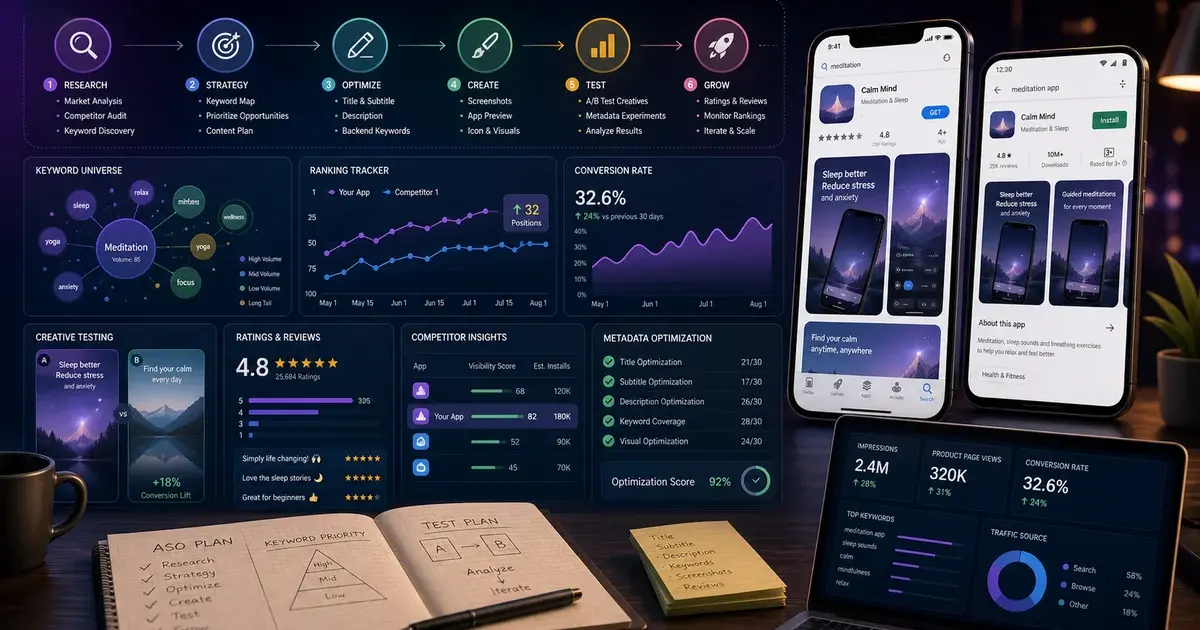
Most paid ASO suites repackage data the stores already give you for free. Here are the three free first-party tools that actually move rankings — Apple Search Ads keyword popularity, Play Console experiments and the App Store Connect search-term report — plus a complete ASO stack for under $30 a month.
On this page
- Why should you start ASO with free tools instead of a paid suite?
- What three free first-party tools can paid ASO lists never replicate?
- How do you do free keyword research on Android specifically?
- How do you mine store autocomplete and Google Trends for free keyword demand?
- How do you research competitors for free?
- How do you mine reviews for free to improve your listing?
- How does the Apple Search Ads keyword popularity tool work?
- How do you A/B test your store listing free with Play Console experiments?
- What does App Store Connect analytics actually tell you?
- What free tools help with localisation and vernacular ASO?
- How do you build a complete ASO stack for under $30 a month?
- When are paid enterprise ASO suites actually worth it?
- Frequently Asked Questions
Why should you start ASO with free tools instead of a paid suite?
Most paid ASO suites repackage data the app stores already hand you for free — so for any app spending under roughly six figures a year on growth, the free first-party tools should be your foundation, not an afterthought. The expensive dashboards add convenience and competitor intelligence, but the raw signal underneath the polish comes from Apple and Google, and you can read it directly.
This matters most for early-stage teams. When you are pre-revenue or running lean, a $200-a-month ASO subscription is hard to justify against an unproven listing. The honest answer we give founders is that the paid tool will not tell you anything actionable that the free first-party data cannot — until your catalogue or your competitor set grows large enough to need automation. Until then, the money is better spent on the listing itself.
Across our 300+ apps managed since 2013, the pattern is consistent: the teams that rank are not the ones with the priciest tools, they are the ones who actually read their own store data and test against it. A founder who reads their own store conversion data every week beats a competitor paying for a suite they log into once a quarter.
There is also a subtle accuracy advantage to working from first-party data. Paid suites model competitor downloads and keyword volumes from panels and statistical inference, which means a margin of error you never see. The store's own numbers for your own app carry no estimation error — when App Store Connect says a term drove your impressions, it drove your impressions. Building your strategy on the exact data, then layering estimates only where you genuinely need competitor visibility, is simply more rigorous.
That is the lens for this guide. We start with the three free tools no paid list can replicate, then build a complete budget stack around them. If you want the full methodology behind these tactics, our complete ASO optimisation guide is the companion piece, and our ASO team runs exactly this playbook for clients.
What three free first-party tools can paid ASO lists never replicate?
The three tools at the centre of any serious free ASO workflow are Apple Search Ads keyword popularity, Google Play Console store-listing experiments, and the App Store Connect search-term report — all free, all first-party, and impossible for a third-party suite to reproduce because they are Apple and Google's own data. Every paid tool either estimates this data or buys access to fragments of it; you can read the source.
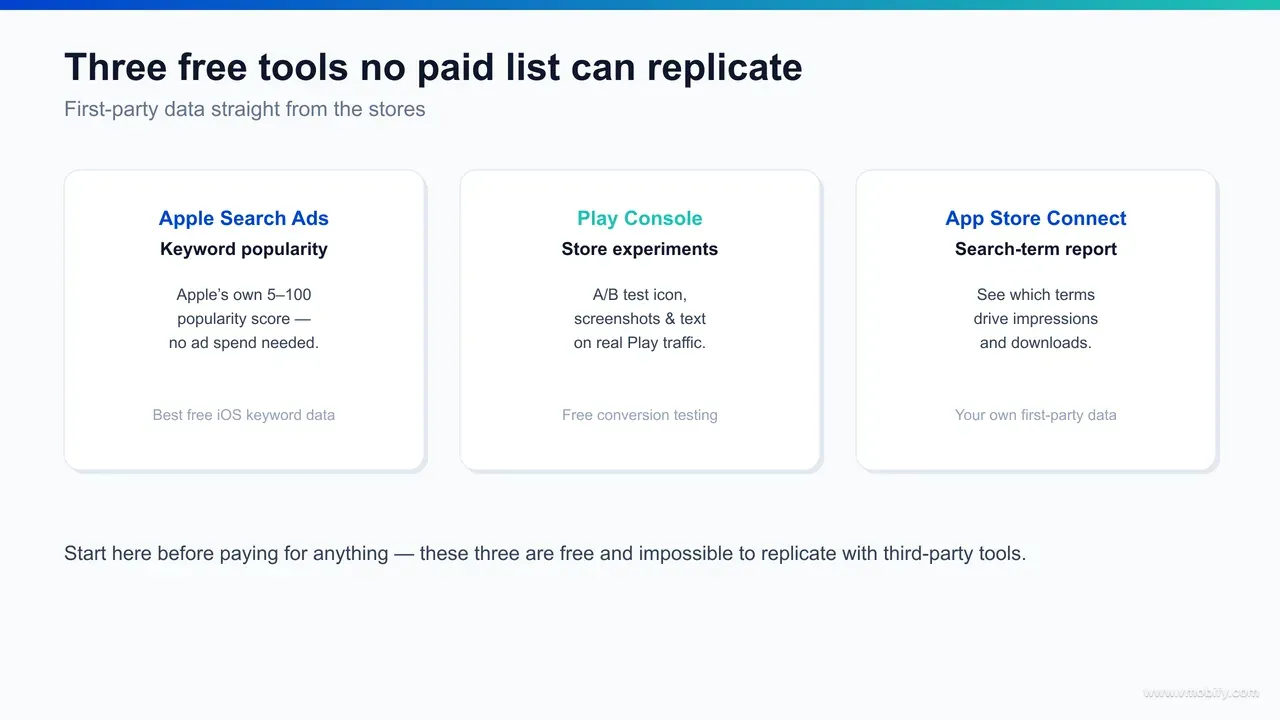
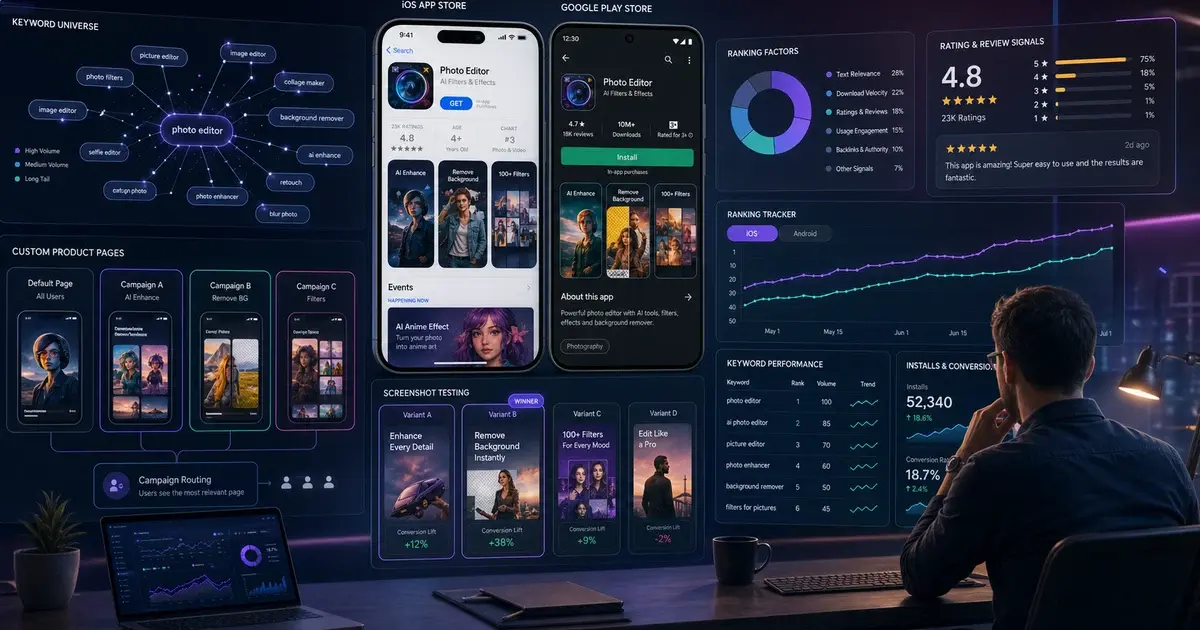
The first is the Apple Search Ads keyword tooling. When you build a campaign you get Apple's own popularity index for any search term on a 1-to-5 scale — a direct read on how much real iOS search volume a keyword carries. You never have to actually spend on ads to see it. No third-party iOS keyword estimate is more authoritative, because every other tool is reverse-engineering what Apple shows you here for nothing.
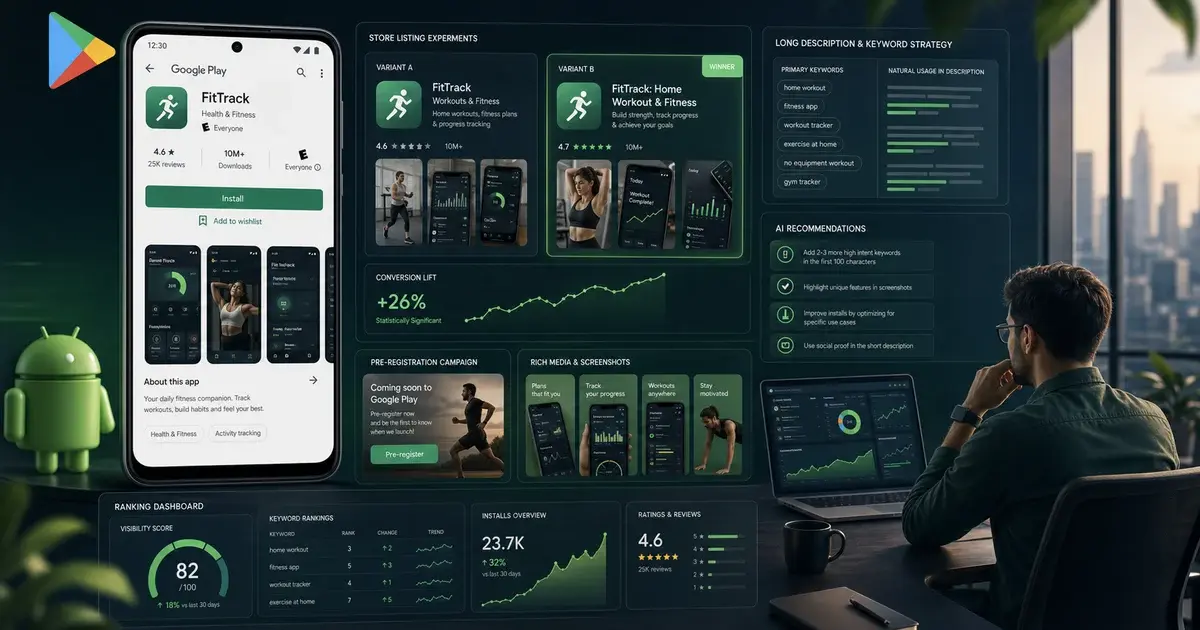
The second is Play Console store-listing experiments, which A/B test your icon, screenshots and descriptions on live Play Store traffic and report a statistically scored winner. The third is the App Store Connect search-term and impressions report, which tells you exactly which terms drove your impressions and which converted. Together they cover keyword demand, conversion testing and performance measurement — the whole ASO loop.
Notice how cleanly they map onto the two app ecosystems. Apple Search Ads and App Store Connect give you the demand signal and the performance signal for iOS; Play Console experiments give you the conversion signal for Android. Run all three and you are measuring keyword demand on one store, listing conversion on the other, and your own attributed performance on both — without paying for a single dashboard. The reason no paid list leads with these is commercial, not technical: a tool vendor cannot sell you access to data you already own.
How do you do free keyword research on Android specifically?
Google does not give Android a public keyword-popularity indicator the way Apple does, so free Android keyword research means triangulating three signals: Play Store autocomplete, your Play Console acquisition reports, and Google's web search tools used as a demand proxy. There is no single 1-to-5 number for Play — but the free signal is all there if you assemble it.
Start inside Google Play Console itself. The store-performance and acquisition reports show how users reached your listing, split between Play Store search and explore, and surface a sample of the actual search terms that led people to your page. That is first-party Android search data attributed to your own app — the closest Play equivalent to the App Store Connect search-term report, and it is free with your developer account. Read it the same way: the terms quietly driving installs are the ones to reinforce in your title and short description.
Layer Play Store autocomplete on top. Because Play search and Google web search share infrastructure, the autocomplete suggestions in the Play search bar track genuine demand closely, and Google Keyword Planner and Google Trends give you web-volume ranges and seasonality for the same terms. Android keyword research leans on these web proxies more heavily than iOS does, precisely because Play withholds the in-store index that Apple Search Ads exposes. In India, run that autocomplete pass in Hindi and your priority regional languages too — a Hindi-first user often types a transliterated or vernacular phrase rather than the English one you assumed.
The Android field structure also changes how you spend the research. Play weights your title, short description and full description for indexing, so unlike iOS — where a hidden keyword field does the work and repetition is wasted — you can reinforce a priority term across the long description.
Map your researched terms to those three fields by priority before you write a word, and your Android metadata stops being a guess and starts being a deliberate bet on demand you can actually see.
How do you mine store autocomplete and Google Trends for free keyword demand?
The app store search bar is a free keyword-discovery tool: its autocomplete suggestions are ranked by real user demand, so typing seed terms into App Store and Play Store search surfaces the exact phrases people actually use. It costs nothing and reflects live searcher behaviour rather than an external estimate.
The method is simple. Type a root term — "budget", "workout", "invoice" — into each store's search and read the autocomplete list top to bottom; the order roughly tracks popularity. Append letters (a, b, c) to a seed to pull a longer tail. Do it on both stores, because iOS and Android searchers phrase things differently, and do it per country if you target more than one market. Twenty minutes of this builds a seed list that no paid tool generated for you. In India, repeat the pass in Hindi and your priority regional languages, and switch your device to each target storefront, because both stores surface different autocomplete per country — the en-IN suggestions rarely match the en-US ones.
To gauge demand and seasonality, two free Google tools help on the web side. Google Keyword Planner gives search-volume ranges for web queries, a useful proxy for category-level demand and for naming decisions. Google Trends shows whether interest in a term is rising, flat or seasonal — invaluable for timing a feature push or a localised launch.
Use these for direction, then validate intent inside the stores themselves, because web search volume and in-store search volume are not the same thing. Category terms with huge web volume often convert poorly in-store because the searcher intent differs. Autocomplete tells you what users type in the store; Apple Search Ads popularity tells you how heavy that demand really is. Cross-reference the two and you have keyword research most paid users never bother to do.
Two more free sources round out discovery, each substantial enough to deserve its own method: your competitors' listings are a ready-made keyword bank, and your own and your rivals' reviews are full of the natural-language phrasing users actually search. Both are covered in detail in the sections that follow — the point to hold here is that neither costs a rupee, and together with autocomplete they let you build your entire keyword seed list from live user behaviour rather than any external estimate.
How do you research competitors for free?
Free competitor research is entirely manual and entirely doable: read the listings of the apps ranking above you, watch their update history, and note which keywords they win — the stores expose all of it without a paid intelligence suite. The one thing free tools cannot estimate is a competitor's download volume; almost everything else is readable by hand.
Begin with the listings themselves. For each of your seed keywords, search both stores and record the top three to five apps, then read their titles, subtitles, short descriptions and the first two lines of their long descriptions. Those fields are where competitors deliberately place their target keywords, so a careful read of five rivals hands you a ranked keyword bank you did not have to model. Note the phrases that recur across several competitors — repetition is a strong signal a term converts in your category.
Next, use the stores' own discovery surfaces. The App Store's "You Might Also Like" and Play's "Similar apps" rails map the competitive set around any app for free, often surfacing rivals you had not considered. The top-charts and category rankings show who is winning your space, and an app's "What's New" notes and version history reveal how often a competitor ships and what they are betting on — a feature cadence you can read straight off the listing without any tool at all.
Finally, run a manual rank check. Search your priority terms from a clean device or a fresh storefront and record where each competitor sits; repeat weekly and you have a free, if laborious, rank-tracking panel for the handful of terms that matter most. A manual teardown like this, done on a schedule, routinely out-performs a rival paying for competitor intelligence they never act on — the data is only ever worth what you do with it, and free data acted on beats paid data ignored every time.
How do you mine reviews for free to improve your listing?
Your reviews and your competitors' reviews are a free, high-signal source of the exact natural language users search and the exact objections that block installs — and both stores let you read and filter them at no cost. The wording customers use to praise or complain is the wording they also type into search.
Pull your own reviews first. The App Store Connect Ratings and Reviews view and the Google Play Console reviews dashboard both let you filter by rating, language and recency, so you can isolate the phrases that recur. Verbs and nouns that show up again and again — "splitting bills", "offline mode", "track expenses" — are candidate keywords and candidate screenshot captions in one. In Indian markets reviews arrive in a mix of English, Hindi and regional languages, and that vernacular phrasing is exactly what your localised metadata should mirror. If real users describe the job your app does in a phrase you are not targeting, that is a free keyword the data just handed you.
Read the one- and two-star reviews as conversion research, not just bug reports. Recurring complaints are objections your store listing should pre-empt: if reviewers keep saying the app is confusing to set up, a screenshot showing a three-step onboarding answers the doubt before the install. Mining the negatives turns your listing copy into a quiet rebuttal of the exact hesitations costing you downloads.
Then read your competitors' reviews the same way. Their one-star reviews are a map of unmet needs you can position against; their five-star reviews tell you which benefits land hardest in your category. Some of the sharpest screenshot headlines in the stores were lifted almost verbatim out of a competitor's review section — the user wrote the high-converting copy already, and reading it costs nothing.
How does the Apple Search Ads keyword popularity tool work?
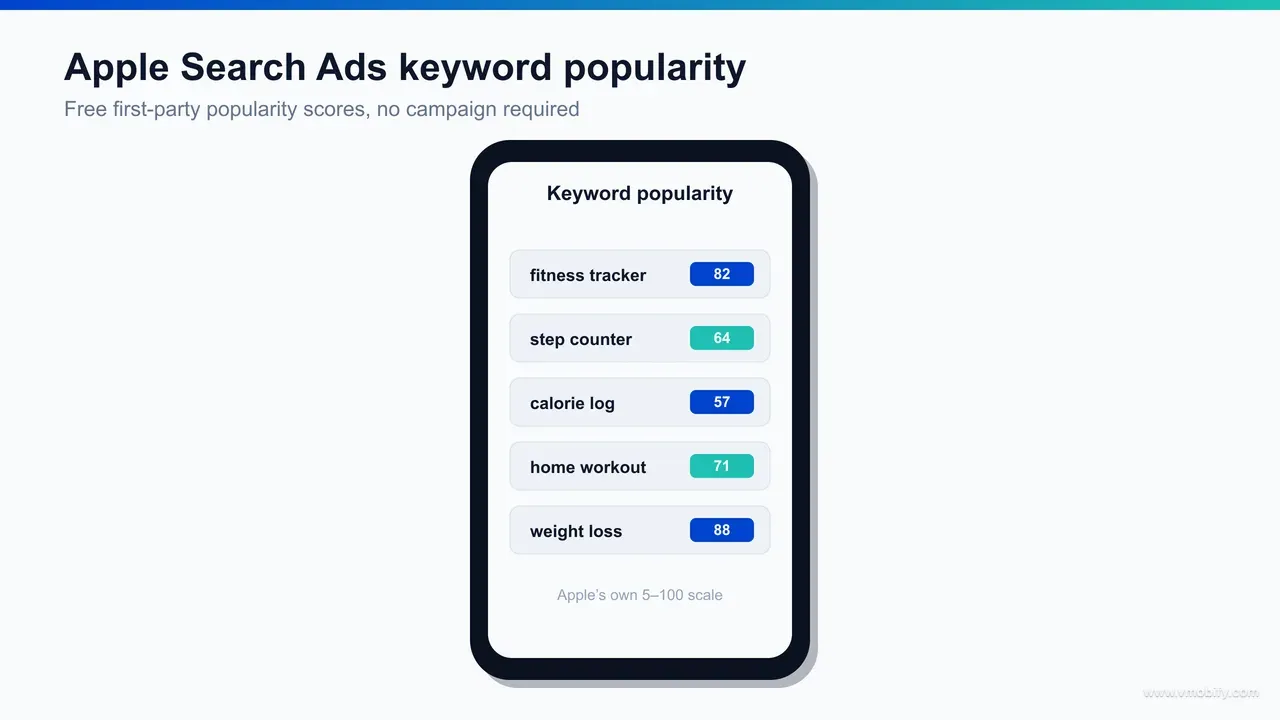
Apple Search Ads shows a keyword popularity score on a 1-to-5 scale for any search term, drawn from Apple's own App Store search volume — and you can read it during campaign setup without ever spending on ads. This makes it the single most authoritative free source for iOS keyword research, full stop.
To reach it, open an Apple Search Ads account and start building a campaign. As you add keywords, Apple displays a popularity index for each one; a higher number means more real iOS searches. You are reading Apple's first-party demand signal — the exact data every third-party iOS keyword tool is trying to approximate. You can review these numbers and then simply not launch the campaign; the research costs nothing.
Read popularity alongside relevance, not in isolation. A term scoring near the top is high-volume but usually fiercely contested, so a smaller app often wins more installs from mid-popularity terms with tight intent than from a head term it will never rank for. The skill is finding keywords with enough demand to matter and little enough competition to actually rank — the popularity index is half of that equation, your category and competitor set are the other half. Popularity is storefront-specific, too: check the index for the India App Store if that is your market, because a term that scores high in the US storefront can carry far lighter real demand in a single country, and the reverse happens just as often.
A rough working band helps. Terms in the very high range are typically broad, generic and dominated by incumbents, so a new app burns its limited metadata space chasing impressions it will not convert. The sweet spot for most apps sits in the middle of the scale: specific enough that the searcher knows what they want, popular enough that winning the term moves real install volume. Map every candidate keyword to its popularity score and its competitive density before you write a single line of your title, and your metadata stops being a guess.
One practical note: Search Match and the broad suggestions Apple offers during setup are themselves a discovery engine, surfacing related terms you had not considered. Feed those back into your title and subtitle, then watch the App Store Connect search-term report to see which ones convert. That closes the loop between Apple's demand data and your own performance data — entirely for free.
How do you A/B test your store listing free with Play Console experiments?
Play Console store-listing experiments split your live Play Store traffic between your current listing and up to several variants, then report which one converts more installs at a confidence level Google calculates for you — all at zero cost. This is the only free way to test conversion on real store visitors instead of guessing what they prefer.
You set them up inside Play Console under store presence. You can test your app icon, feature graphic, screenshots, short description and full description, either on your default listing or on localised ones. Google routes a defined share of incoming traffic to each variant and measures first-time installs, so you are optimising the metric that actually pays you rather than a proxy. Running a separate experiment per major locale is worth the effort in multi-language markets, because the creative that wins in English rarely wins unchanged in a vernacular listing.
A few rules keep these tests honest. Test one element at a time so you can attribute the result — an icon test and a screenshot test running together muddy each other. Let the experiment run long enough to reach Google's confidence threshold; ending early on a flattering-but-noisy lead is the most common mistake we see. And size your traffic share to your volume: a low-traffic app needs a larger split to finish in a sensible window.
There is one structural caveat worth knowing: Play experiments measure installs, but your default listing also influences how the store's algorithm ranks you, so a variant that converts better on test traffic is usually — though not always — the one to ship. Trust the install lift, but sanity-check that a winning variant has not quietly narrowed who clicks in the first place. When the numbers are close, the simpler, clearer creative tends to age better than the clever one.
The icon is usually the single highest-impact variable because it shows in search, on the charts and on the home screen, so it is where many teams start. For the Android-specific levers worth testing first, our roundup of the best ASO hacks for Android apps goes deeper. Experiments are free, repeatable and compounding — treat them as a permanent habit.
What does App Store Connect analytics actually tell you?
App Store Connect reports App Store search as an aggregate acquisition source — it does not break performance down by individual search term, and any guide telling you to read your ASC search-term report is describing a feature that does not exist. What it does give you is the funnel for that source: impressions, product page views, downloads and the conversion rate between them, which answers a different and still useful question.
This is a correction worth making loudly, because the claim is repeated across a lot of ASO writing. Apple's own acquisition sources documentation lists App Store search as one source type alongside browse and referrers, with no keyword-level breakdown anywhere in App Analytics. If you want per-term data on iOS, the only first-party route is Apple Ads, and that reports on terms you bid on rather than terms you rank for organically.
Inside App Analytics you can break performance down by source type — App Store search, App Store browse, web referrers and app referrers — and by territory and device. The signal that matters is the gap between impressions and conversions. A source that drives a wall of impressions but few downloads usually means you are surfacing for intent your listing does not satisfy — a creative or relevance problem rather than a keyword one.
Read it as a feedback loop against your keyword field, indirectly. You cannot see which term did it, but the direction still tells you something: if search impressions rise after a metadata change and downloads do not, you surfaced for intent you cannot satisfy. If both rise together, it worked.
Read it monthly once a listing stabilises, weekly during an active optimisation push, and always against what you changed. If you reworked your subtitle three weeks ago, the movement since then is your evidence that the change worked or it did not. Treated as a running log rather than a one-off snapshot, aggregate source data turns ASO from guesswork into a measured loop — slower than per-term data would be, but honest about what it can and cannot tell you.
Pair it with the impressions report to separate two different problems: low impressions means a discoverability gap to fix with keywords, while high impressions and low conversion means a creative gap to fix with screenshots and your first-line copy. Our walkthrough of how to do ASO for an app shows how to action both. This is the measurement half of the free stack — the part that tells you whether the other half worked.
What free tools help with localisation and vernacular ASO?
Localisation is one of the highest-return free moves in ASO, and both stores hand you the tooling for nothing: extra localised keyword and metadata fields, localised store-listing experiments, and per-country search data — which matter enormously in a multi-language market like India. You are not buying a translation tool; you are using metadata real estate the stores give away.
On iOS, App Store Connect lets you add localised metadata per language, and crucially each localisation carries its own keyword field — so adding English (UK) alongside English (US), for example, roughly doubles the hidden keyword characters Apple indexes for that storefront. Filling every relevant localisation is free additional keyword space most teams leave empty. On Android, Play Console custom store listings let you tailor the title, descriptions and creative by country or language, and you can A/B test those localised listings with the same free experiments you run on your default.
For the language itself, free machine translation is a starting draft, never the finished metadata. Translate a keyword literally and you will miss how people actually search — the colloquial or transliterated term usually out-performs the dictionary one. Validate every translated keyword against in-store autocomplete in that language and storefront, because autocomplete reflects what local users genuinely type. That free validation step is the difference between localised metadata that ranks and a literal translation that does not.
India makes the case sharply. A single app may serve users searching in English, Hindi and several regional languages, and the same intent is phrased completely differently across them. Across the Indian apps in our portfolio, building localised keyword sets from vernacular autocomplete and vernacular reviews — rather than translating the English list — has repeatedly unlocked installs the English-only listing never reached. The tooling is free; the discipline of validating every translated term in-store is what makes it pay.
How do you build a complete ASO stack for under $30 a month?
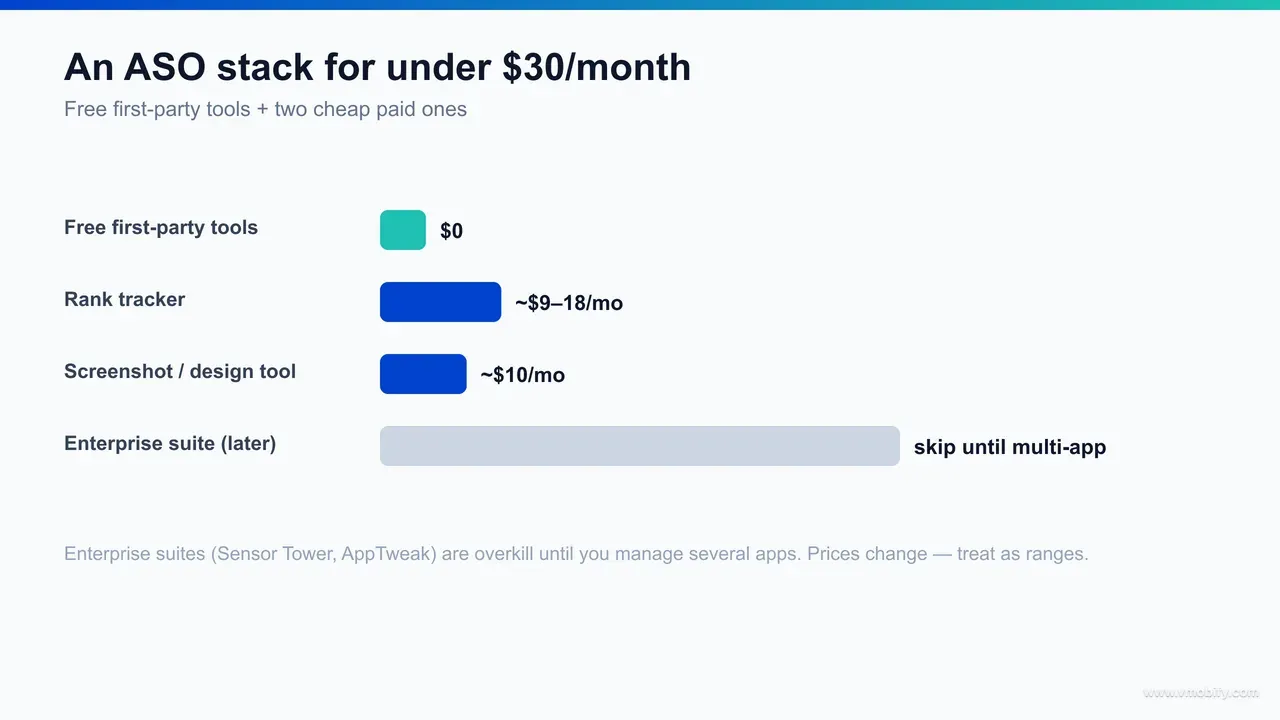
A complete, genuinely useful ASO stack costs under $30 a month: a rank tracker at roughly $9-18/mo, a screenshot and design tool at around $10/mo, and the three free first-party tools doing the analytical heavy lifting. That is the whole kit a single-app team needs to compete.
The rank tracker is the one paid line worth carrying early, because checking positions by hand across keywords and countries does not scale. Budget rank trackers in the $9-18/mo range cover keyword ranking history, a competitor or two, and basic visibility scoring — enough to see whether your changes moved anything. You do not need an enterprise seat to track twenty keywords for one app.
The design tool is your second line. A general-purpose template tool at about $10/mo, or a free tier plus a one-off purchase, is enough to produce store-ready screenshots and an icon you can A/B test in Play Console. You are not buying ASO software here — you are buying the ability to ship test variants quickly, which is what turns free experiments into wins.
Everything else is free: Apple Search Ads for keyword popularity, Play Console experiments for conversion testing, App Store Connect for performance data, and store autocomplete for keyword discovery. All prices here are ballparks that change often, so treat them as ranges, not quotes. The free first-party layer is the part that never expires.
The stack only pays off if you run it on a cadence. A workable weekly rhythm looks like this:
- On Monday, read your App Store Connect search-term report and Play Console acquisition data against whatever you changed the week before.
- Midweek, fold any surprising converting terms into your title and subtitle and queue a single new Play Console experiment.
- At month-end, refresh your keyword seed list from store autocomplete and re-check competitor listings for changes.
The rank tracker runs in the background flagging movement, and the design tool turns each insight into a shippable test variant the same day. None of that needs an enterprise seat — it needs the discipline to look every week. A cheap stack run on a schedule comfortably out-optimises an expensive one opened once a quarter.
Spend the money where it buys you speed, not a prettier version of free data. A rank tracker saves hours of manual position checks; a design tool lets you ship a test variant the same day you have the idea. Both shorten the loop between insight and action, which is the only thing that compounds. Under $30/mo, deliberately spent, beats a $200 suite used passively.
When are paid enterprise ASO suites actually worth it?
Enterprise ASO suites such as Sensor Tower, AppTweak, AppFollow and MobileAction are genuinely powerful, but they are overkill until you manage multiple apps, need deep competitor intelligence, or have to automate work that does not scale by hand. For a single-app team focused on its own listing, they rarely pay for themselves.
What they add is breadth and automation, not a different source of truth. They estimate competitor keywords and downloads, track thousands of terms across many countries automatically, monitor and reply to reviews at scale, and roll market data into one dashboard. Every one of those is a convenience layer over data that — for your own app — you can already read for free in the first-party tools. The value is real when the manual version stops being feasible.
The honest decision rule we give clients: pay for a suite when you manage several apps, when competitor intelligence directly drives your roadmap, or when the volume of keywords and markets makes manual tracking impossible. Below that threshold, a budget rank tracker plus the free first-party tools does the same job for a fraction of the cost. Be vendor-neutral about it — no suite has a monopoly on the signal.
It is also worth separating the two jobs people lump together. Knowing your own performance is solved entirely for free by the first-party tools. Knowing your competitors' performance — their keyword estimates, download trends and creative changes — is the one job the free tools genuinely cannot do, and it is the real reason to pay. So frame the purchase precisely: you are buying competitor and market intelligence, not basic ASO capability. If competitor intelligence is not yet changing what you ship, you are not yet ready to pay for it, however good the dashboard looks in a demo.
In our portfolio, the apps that scaled did so on disciplined use of free data long before any suite entered the picture; the tools followed the growth, not the other way round. Start free, prove the listing, and upgrade only when the manual work genuinely breaks. If you want this run for you end to end — keyword research, experiments and measurement — that is what our ASO service does, and you can talk to our team about your specific app.
Frequently Asked Questions
What is the best free ASO tool?+
For iOS keyword research, Apple Search Ads is the best free tool — it gives Apple's own keyword popularity scores on a 1-to-5 scale without any ad spend. For conversion testing, Google Play Console store-listing experiments are the best free option. Both are first-party data no paid tool can replicate.
Can you do ASO without paying for any tools?+
Yes. Apple Search Ads keyword popularity, Play Console store-listing experiments, the App Store Connect search-term report, and store autocomplete cover keyword research, conversion testing and measurement at zero cost. A paid rank tracker is a convenience, not a requirement, when you start.
How do I see keyword popularity in Apple Search Ads for free?+
Open an Apple Search Ads account, start building a campaign, and add keywords. Apple shows a popularity score on a 1-to-5 scale for each term during setup. You can read these numbers and then decline to launch the campaign — the research itself costs nothing.
Are Play Console store-listing experiments really free?+
Yes. Store-listing experiments are built into the free Google Play Console and let you A/B test your icon, screenshots and descriptions on live Play Store traffic, with Google calculating the winner at a confidence level. There is no extra charge.
How much should I spend on ASO tools when starting out?+
A working stack costs under $30 a month: roughly $9-18 for a rank tracker and around $10 for a screenshot and design tool, with the free first-party tools doing the analysis. All prices are ballparks that change often, so confirm current rates before committing.
Do I need Sensor Tower or AppTweak for ASO?+
Not when you manage a single app. Enterprise suites are worth it once you run multiple apps, need deep competitor intelligence, or must automate keyword and review tracking at scale. Below that, the free first-party tools plus a budget rank tracker do the same core job.
Is Google Keyword Planner useful for app ASO?+
It is useful for direction, not as your primary source. Keyword Planner shows web search-volume ranges and Google Trends shows seasonality, both helpful for naming and timing. Always validate against in-store demand using Apple Search Ads popularity and store autocomplete, since web and in-store search behave differently.
Sources
- Apple Search Ads — Keyword popularity index (1-to-5 relative indicator) and Search Match for free iOS keyword research
- Apple — App Store Connect — First-party app analytics, including search-term and impressions data
- Apple — App Store Connect Help — Official documentation for App Analytics and performance reports
- Google Play Console Help — Run store listing experiments — Free A/B testing of icon, screenshots and descriptions on live Play traffic
- Google Play Console Help — Store listing setup and Play Console feature documentation
- Google Keyword Planner — Free web search-volume ranges as a category-demand proxy
- Google Trends — Free interest-over-time and seasonality data for keyword timing
About the author
Amol Pomane — Founder, Vmobify
Amol leads Vmobify, a mobile app growth agency that has driven 30M+ downloads and ranked 54K+ keywords across 300+ apps since 2013. He writes about ASO, paid user acquisition, retention, and the operational reality of scaling mobile apps in India and global markets.
Check your store metadata
Run your current App Store or Play metadata through the free checker.
Open free tool