Best ASO Hacks for Android Apps to Rank Higher on Google Play
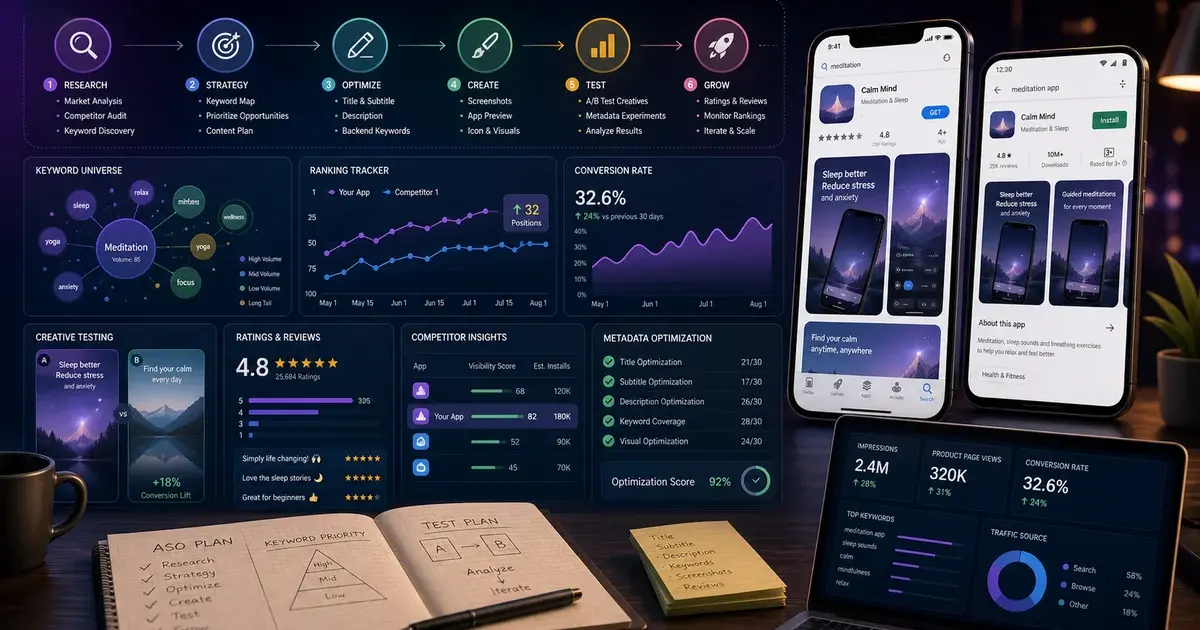
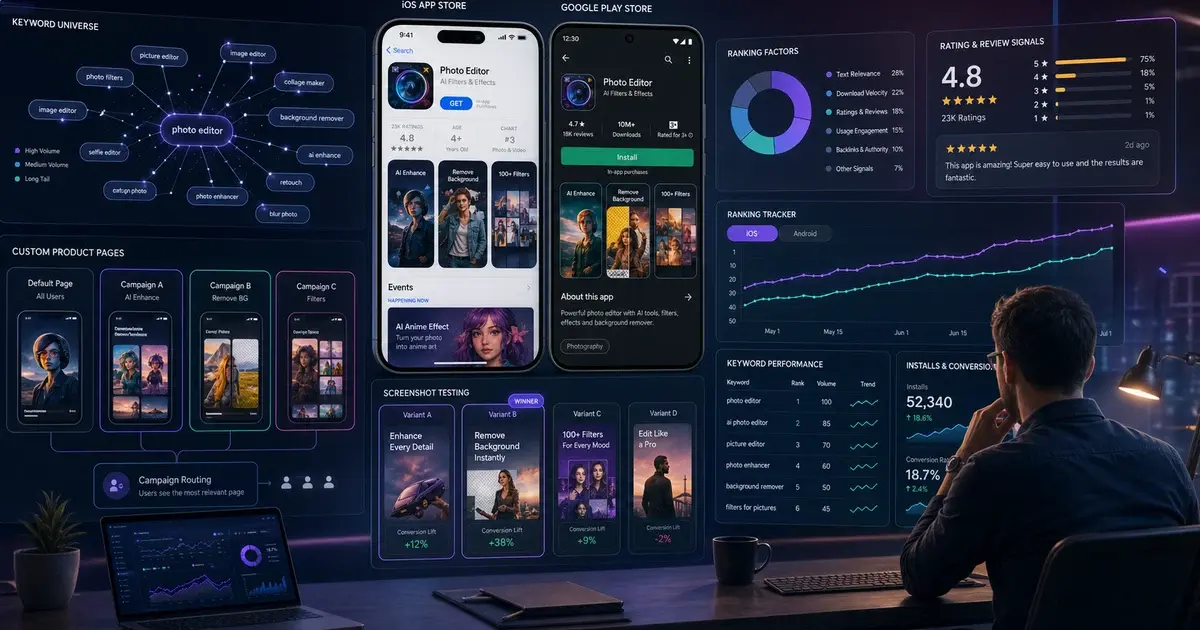
Google Play has its own algorithmic quirks that savvy ASO practitioners use to rank higher and convert more. This guide covers the best Android-specific ASO hacks — from AI recommendation signals and long description keyword density to Store Listing Experiments and pre-registration — that are producing measurable ranking lifts in 2026.
On this page
- How has the Google Play algorithm changed in 2026?
- How do you master keyword indexing on Google Play?
- Why are the feature graphic and short description the most ignored ASO assets?
- How do Store Listing Experiments give Android an edge over iOS?
- How does Android pre-registration build a ranking head-start?
- How do you engineer ratings velocity on Google Play?
- How do you optimise for Google Play AI recommendations?
- How do you use Android localisation as an ASO multiplier?
- Frequently Asked Questions
How has the Google Play algorithm changed in 2026?
Google Play's 2026 ranking algorithm has shifted decisively toward behavioural quality signals, with AI-driven recommendations now weighting retention rate, crash rate, and ratings velocity as heavily as textual keyword relevance. Understanding this shift is the prerequisite for every hack in this guide — each tactic targets one or more specific algorithm inputs that the 2024–2026 updates have re-weighted.
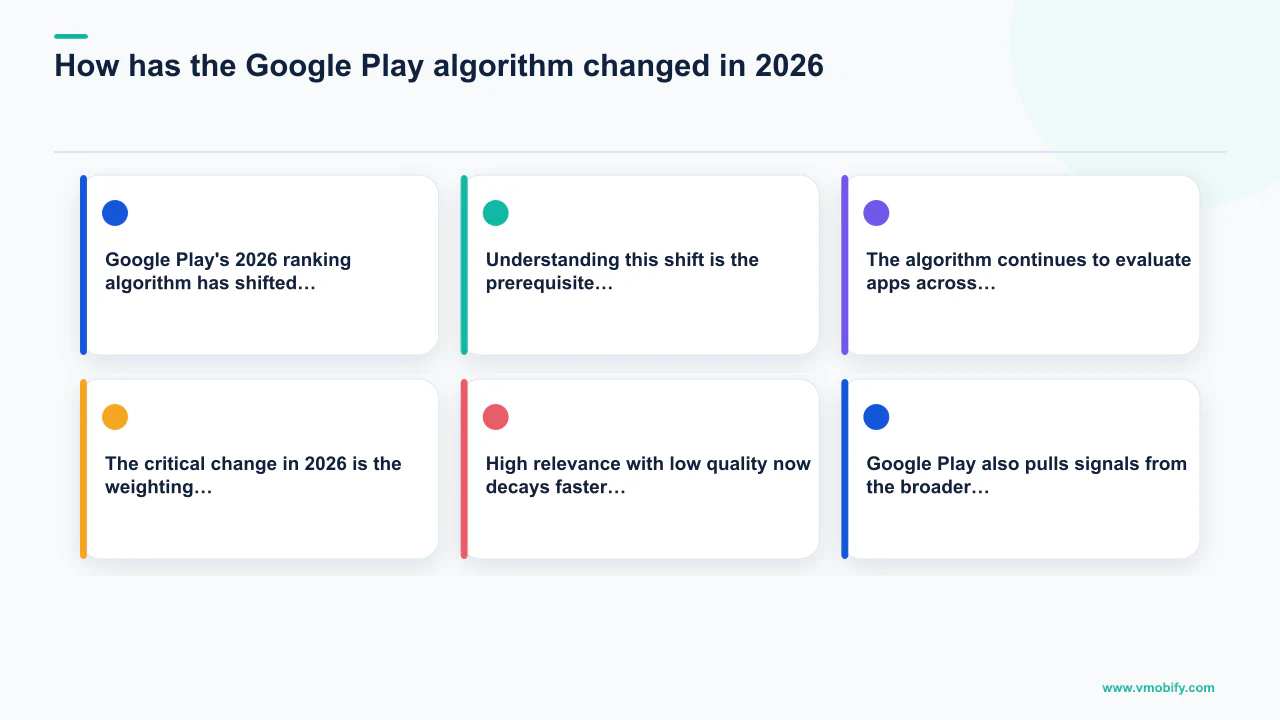
The algorithm continues to evaluate apps across three broad categories: relevance (does this app match what the user searched for?), quality (do users install, engage with, and retain this app after downloading?), and popularity (how many users are actively installing this app right now?). The critical change in 2026 is the weighting between these three. High relevance with low quality now decays faster than ever — rankings earned purely on keyword signals drop within weeks if retention and engagement metrics are poor.
Google Play also pulls signals from the broader Google ecosystem in a way iOS cannot. Your app's web presence — Play Store page backlinks, mentions in Google Search, engagement with your developer website — feeds into the quality score. Developers who treat their Play Store presence as part of their broader web presence consistently outrank those who optimise the listing in isolation.
Across our portfolio of 300+ apps managed since 2013, the single most common reason a well-keyworded app stalls in rankings is poor post-install quality metrics. Fix the product and onboarding before investing heavily in metadata — the algorithm amplifies quality, it does not substitute for it.
How do you master keyword indexing on Google Play?
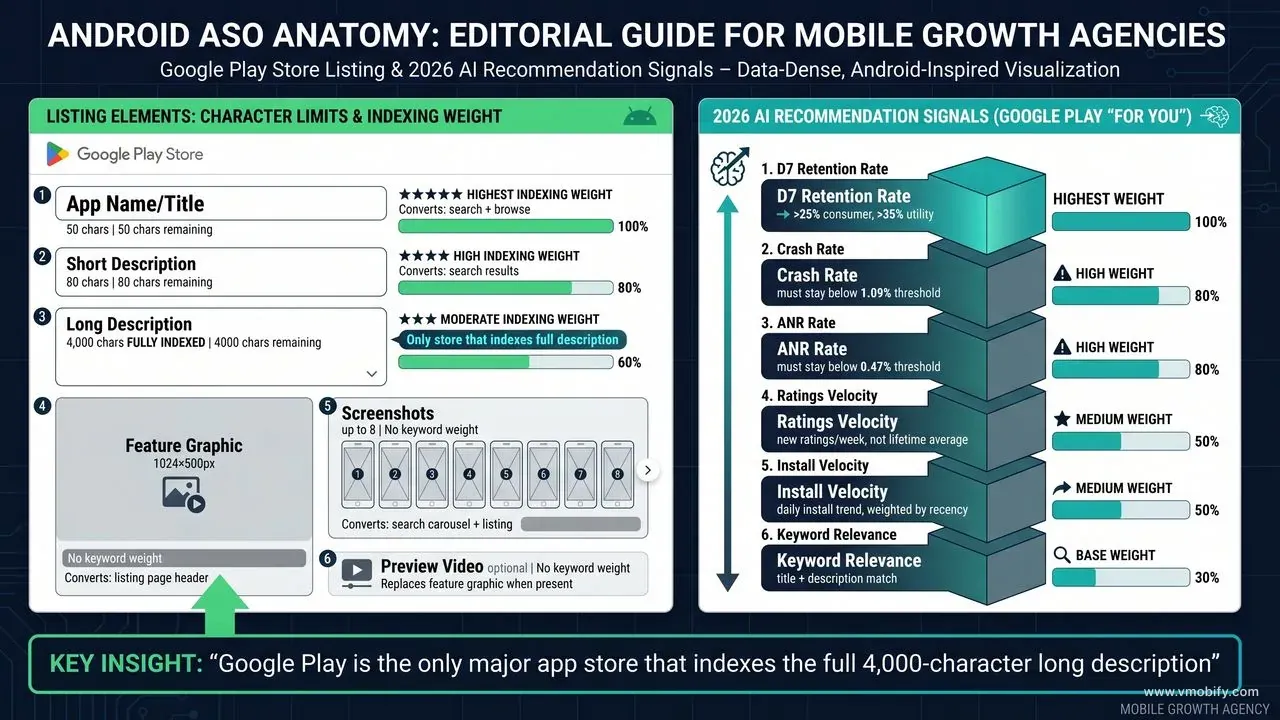
Google Play indexes keywords from three metadata fields — title (50 chars, highest weight), short description (80 chars, high weight), and long description (4,000 chars, moderate weight) — and there is no separate keyword field, which means every indexed keyword must live inside human-readable copy. This tight integration between keyword strategy and copywriting is what separates Android ASO from iOS ASO, and it is where the biggest ranking gains are found.
Title keyword weight: Keywords in the title receive an estimated 3–5× higher indexing weight than the same keywords in the long description, according to research from AppTweak's ASO blog. Treat your 50-character title budget as the most valuable real estate in your entire Google Play listing. The structure that works consistently: "[Brand Name] – [Primary Keyword] [Secondary Keyword]". A fitness app titled "FitPlan – Home Workout & Training" captures brand, primary category keyword, and use-case keyword in 44 characters.
Long description keyword density: Google Play is the only major app store that fully indexes the long description — all 4,000 characters — making it a significant ranking surface that iOS ASO does not have. For each primary keyword, aim for three to five natural mentions distributed across the description. Keywords appearing only once may not receive full indexing weight. However, the same phrase appearing ten or more times triggers spam filters and can produce ranking penalties — write for humans first, then verify keyword distribution.
- Use Google Play Console's "Suggested keywords" feature — Google directly tells you terms it associates with your app category, and these suggestions reflect actual search behaviour on the platform.
- Repeat target keywords in both the short description and the first paragraph of the long description — the opening lines of the long description carry disproportionate indexing weight.
- Include keyword variations — synonyms, related terms, plural forms — throughout the description body to capture the broadest possible indexing surface without repeating exact phrases.
- After updating metadata, allow 5–7 days for Google's crawlers to re-index before measuring keyword rank changes. Premature judgements lead to unnecessary further changes that reset the clock.
A productivity app we manage went from ranking outside the top 50 to ranking #6 for its primary keyword in nine weeks — purely from title restructure, short description rewrite, and redistributing keyword mentions in the long description. No new ad spend involved.
Why are the feature graphic and short description the most ignored ASO assets?
The feature graphic (1024×500 px) and the short description (80 chars) are the two most under-optimised surfaces in Android ASO — both appear prominently before a user reads a single word of your full listing, yet the majority of Android apps treat them as low-priority afterthoughts.
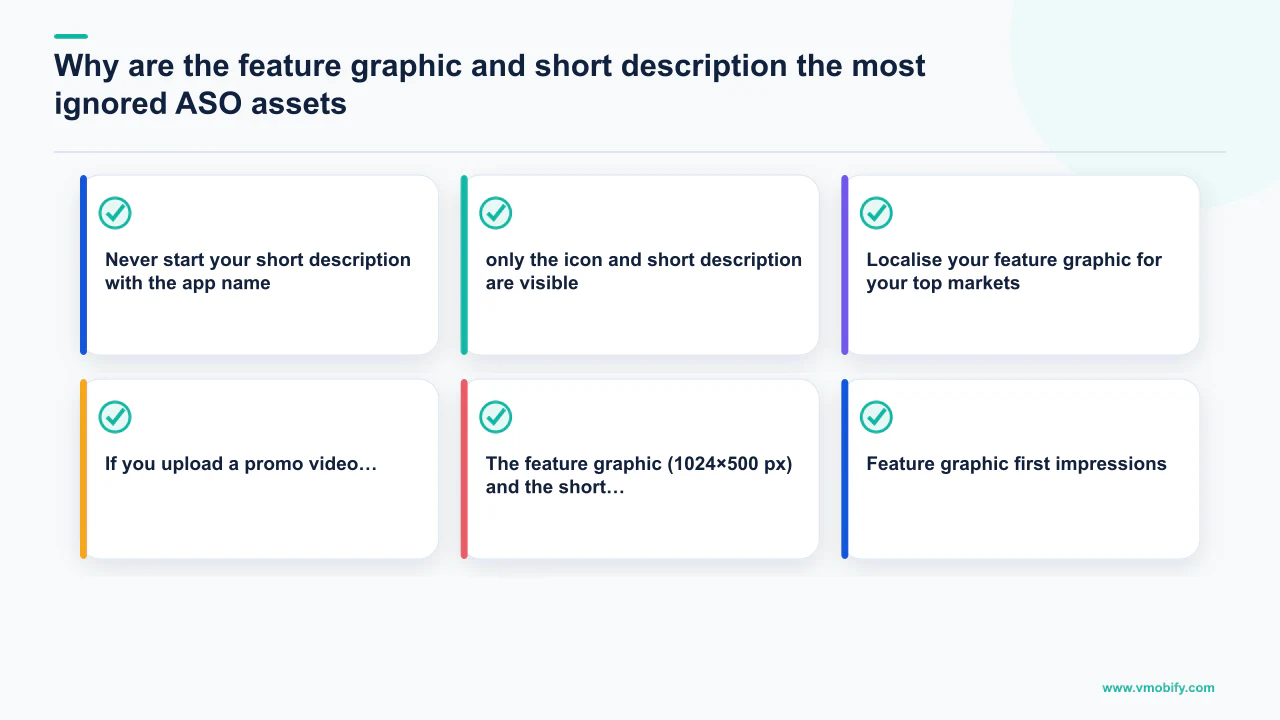
Feature graphic first impressions: When no promo video is uploaded, the feature graphic is the largest visual element a user sees on your Play Store listing — a 1024×500 banner displayed at the top of the page. Unlike iOS, which has no equivalent surface, Android gives you this prime real estate to communicate your core value proposition with a hero image, benefit headline, or compelling scene from the app. In our portfolio, apps that invest in a well-designed feature graphic — clear messaging, strong visual hierarchy, brand-consistent design — see 12–18% higher listing conversion rates compared to apps using the default placeholder or a generic screenshot crop.
Short description precision: The 80-character short description serves two critical functions simultaneously: it carries high indexing weight (second only to the title) and it displays in search results and at the top of the listing page — visible before the user expands the full description. Most developers treat it as a tagline. The formula that consistently outperforms: "[Action verb] + [primary benefit] + [key differentiator]." Example: "Track workouts, build muscle, and reach your fitness goals faster." This contains natural keyword phrases ("track workouts," "fitness goals"), a clear benefit, and reads compellingly to a human in under five seconds.
- Never start your short description with the app name — it wastes characters the algorithm needs for keyword indexing.
- Include at least one power word in the short description (free, fast, instant, proven, trusted) — these measurably improve click-through from search results where only the icon and short description are visible.
- Localise your feature graphic for your top markets — replacing English caption text with localised equivalents measurably improves conversion in non-English speaking markets, and Google Play supports per-locale feature graphics.
- If you upload a promo video, it autoplays in place of the feature graphic — test both states (with video and without) to understand which drives higher listing conversion for your specific audience.
Apps with no feature graphic uploaded are penalised in browse and editorial placements on Google Play. Even a basic branded banner is far better than the blank grey default that Google substitutes. This is a five-minute fix that most Android developers never do.
How do Store Listing Experiments give Android an edge over iOS?
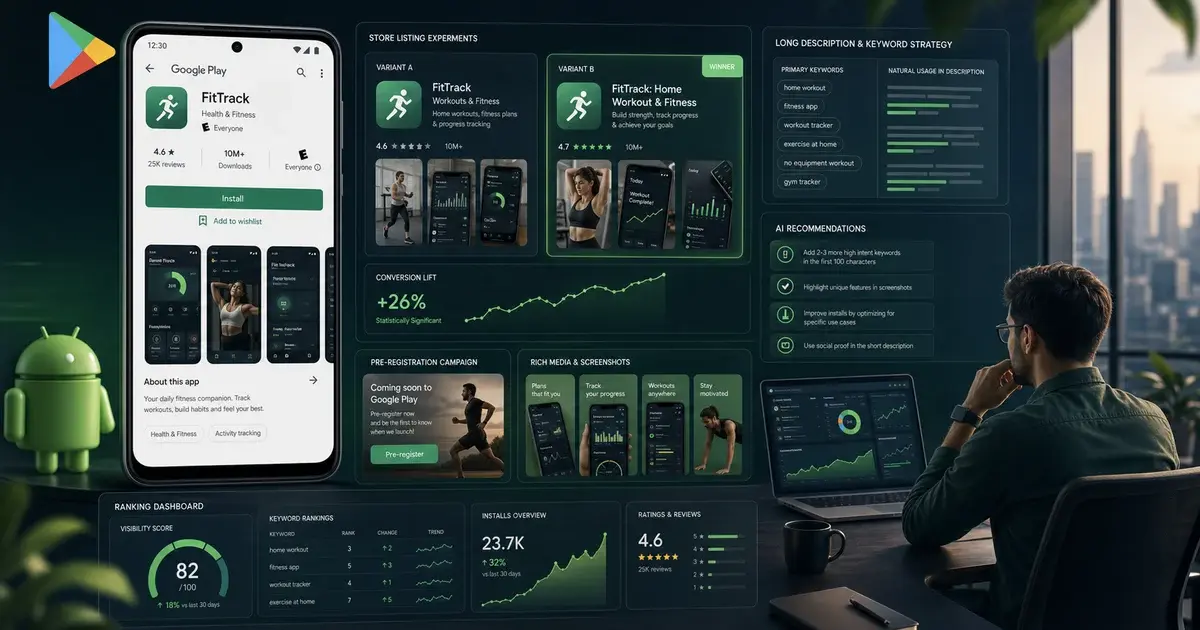
Google Play's Store Listing Experiments let you A/B test your icon, screenshots, feature graphic, short description, and long description against real Play Store traffic at zero cost — a native capability that gives Android ASO practitioners a structural advantage iOS cannot match at this level of granularity.
Apple offers Product Page Optimisation (PPO) on iOS, but it is limited to testing icons, screenshots, and preview videos. Google's equivalent covers every visual and textual element, including the feature graphic — a surface iOS does not have at all. The practical implication: a disciplined Android ASO team can run five to six experiments per quarter, compounding marginal conversion gains across every install source simultaneously.
According to research published by SplitMetrics, well-run store experiments produce 10–25% conversion lifts — and those lifts apply to every install source you have: organic search, paid UA, creator referrals, and direct link traffic. The sequencing we run across our portfolio:
- Icon first. Biggest visual weight in search results and browse surfaces. Test a bold colour variant against the current icon — even a single-variant test at 50/50 traffic split produces statistically significant results within two weeks for apps above 1,000 daily visitors.
- Screenshots 1 and 2 next. Only screenshots visible in search results without scrolling. Lead with the core value proposition on screenshot 1, social proof or a key metric on screenshot 2. Text captions in bold, high-contrast colours outperform text-free screenshots in almost every category we have tested.
- Feature graphic third. Test benefit-led copy versus scene-from-the-app imagery. Different audiences respond differently — productivity apps tend to convert better on benefit copy; entertainment apps tend to convert better on aspirational visuals.
- Short description last. Smallest conversion swing among the five elements, but once the bigger wins are locked in, a 3–5% lift from description optimisation compounds into a meaningful annual install delta.
Google Play Experiments
- Test: icon, screenshots, feature graphic, short + long description
- Traffic: real Play Store visitors
- Cost: free, built into Play Console
- Limit: one experiment active per listing element at a time
- Winner deployment: one-click from the console
Apple PPO (iOS equivalent)
- Test: icon, screenshots, preview video only
- Traffic: real App Store visitors
- Cost: free, built into App Store Connect
- Limit: one test active at a time
- Winner deployment: one-click from App Store Connect
The discipline that separates good ASO teams from average ones is testing one element at a time and waiting for statistical significance — typically two to four weeks — before drawing conclusions. Running three changes in parallel and guessing which one worked is how teams cycle through experiments without accumulating learnable improvements. Our ASO service runs structured experiments with pre-defined hypotheses and minimum sample sizes for every portfolio app.
How does Android pre-registration build a ranking head-start?
Android pre-registration is a Play Store-native feature that lets users sign up for your app before it launches — and those accumulated pre-registrations drive a launch-day install spike that establishes early keyword rankings before your first organic user finds you. iOS offers a comparable App Store pre-order feature, though the mechanics differ: pre-orders are charged and downloaded automatically on the release date, whereas Google Play pre-registrations send an opt-in notification and auto-install only on eligible devices with the setting enabled.
When a user pre-registers on Google Play, they receive a launch notification automatically. Auto-installation happens for users who have the feature enabled on their device — not all pre-registrants will become installs without opening the notification, so realistic conversion from pre-registrant to install typically runs 60–80% of total sign-ups. For a well-promoted pre-registration campaign — seeded through social media, creator partnerships, and paid traffic to the Play Store listing — this means launching with hundreds or thousands of day-one installs rather than starting from zero.
The ranking implications are significant. Google Play's algorithm uses install velocity as a recency signal. An app that receives 2,000 installs on day one from pre-registrations is treated as a fast-growing, high-relevance app, which earns early placements in search results and browse surfaces that cold launches simply cannot access. Across our portfolio we have seen well-executed pre-registration campaigns establish top-10 keyword rankings within the first week of a launch — rankings that would typically take three to four months of sustained ASO work to achieve organically.
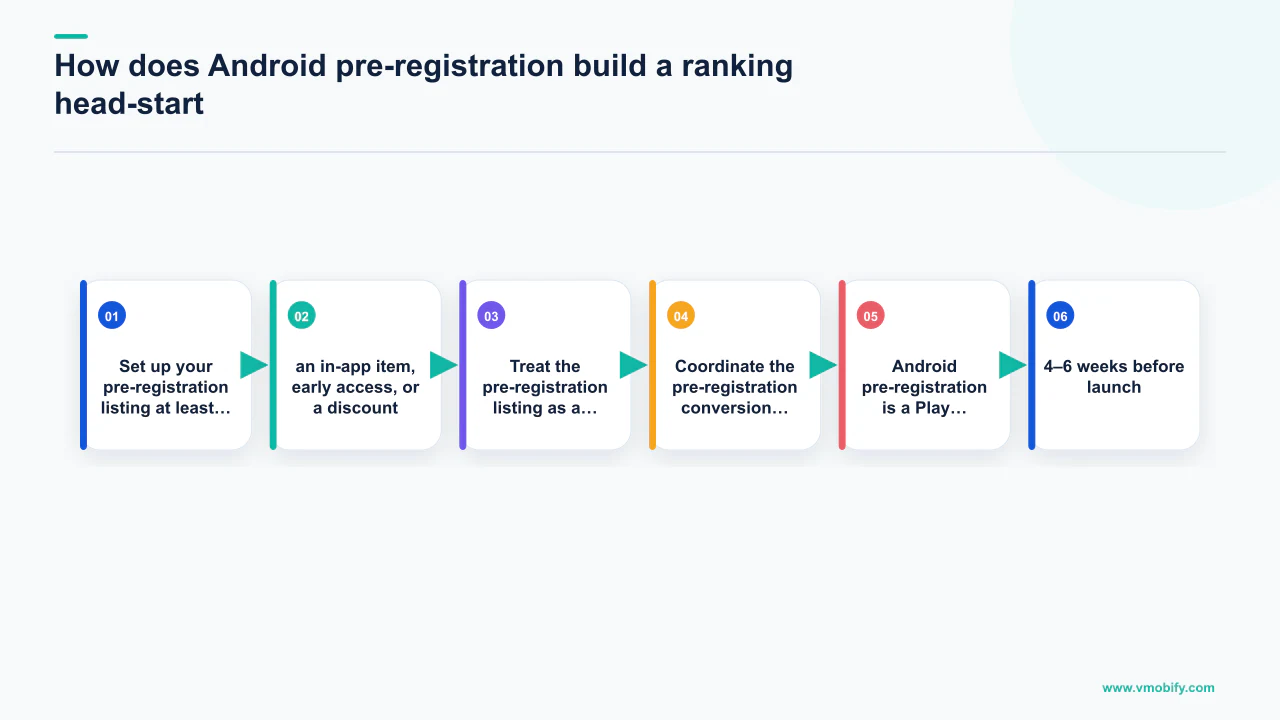
- Set up your pre-registration listing at least 4–6 weeks before launch to give paid and organic traffic time to accumulate a meaningful pre-registrant pool.
- Offer a launch incentive visible on the pre-registration listing — an in-app item, early access, or a discount — to improve pre-registration conversion rate from listing visitors.
- Treat the pre-registration listing as a conversion test bed: the icons, screenshots, and feature graphic you test during pre-registration will determine which creative set you launch with, giving you data before the high-stakes launch window.
- Coordinate the pre-registration conversion to installs with a paid UA burst on launch day — the combined effect of organic pre-registration installs and paid installs in the same 24-hour window sends an outsized velocity signal.
A gaming app we launched in Q1 2026 accumulated 4,200 pre-registrations over five weeks of social and influencer seeding. On launch day, those converted to installs alongside a paid burst campaign, driving the app to rank #3 for its primary keyword within 72 hours. The equivalent organic ranking would have taken four months from a cold start.
How do you engineer ratings velocity on Google Play?
Ratings velocity — the rate at which your app receives new positive ratings — is a direct Google Play ranking signal, and an app with 500 total ratings but 50 new five-star ratings in the past 30 days will systematically outrank an app with 2,000 total ratings but no recent activity. Google's algorithm interprets recent rating activity as evidence of current relevance and user satisfaction — it is a freshness signal as much as a quality signal.
In-App Review API implementation: Use the Google Play In-App Review API to prompt users to rate without leaving the app. Trigger the prompt at moments of clear user success: after completing their first key action, reaching a meaningful milestone, or returning for the fifth session. The timing of the prompt predicts the rating almost as reliably as the product quality — never prompt after an error, a paywall encounter, or a frustrating UX moment. This differs from iOS (which uses SKStoreReviewManager with stricter OS-level throttling): Android gives you more control over prompt timing, which is an advantage that most Android teams underuse.
Review response as a ratings velocity hack: Systematically responding to one- to three-star reviews with helpful, solution-oriented replies — and following up with the user — results in approximately 25–30% of those users voluntarily upgrading their rating. This requires no product changes and is one of the highest-leverage rating improvement tactics available. Assign dedicated review monitoring with a target of responding to all negative reviews within 24 hours. A well-maintained review response culture can shift your average rating by 0.3–0.5 stars within 60 days, and each 0.1-star improvement above 4.0 typically delivers a 3–5% conversion lift across all install sources.
- Target a minimum 4.3 stars — ratings below 4.0 are penalised in Google Play's ranking model, and apps below 3.0 stars lose browse visibility entirely per Google Play's developer policy.
- Use sentiment analysis on review text to identify the most common pain points — fixing even one or two high-frequency complaints can produce a noticeable rating improvement within 30 days and costs far less than a ratings campaign.
- Report fake or policy-violating negative reviews through the Play Console reporting tool — legitimate removals can meaningfully move your average rating without any product or marketing effort.
A 4.5★ app converts 30–40% better than a 3.8★ app for the same keyword. If you spend ₹10 per install across 100,000 monthly installs at a 3.8★ rating, achieving 4.5★ delivers roughly 35,000 additional installs at the same spend. There is no paid channel that returns ROAS like that.
How do you optimise for Google Play AI recommendations?
Google Play's AI-powered "For You" recommendations — surfaced on the home tab, search results, and the Explore section — now weight D7 retention rate, crash rate, and ratings velocity as primary signals alongside keyword relevance, meaning apps with strong engagement reach discovery surfaces they previously could never access through metadata alone.
The practical shift this creates is significant. Apps that historically ranked only in search (because they were well-keyworded but not algorithmically trusted) now have a path to browse discovery if their post-install quality metrics are strong. Conversely, apps that historically relied on browse placement — through editorial featuring or category charts — are now competing on the same behavioural signals as search-driven apps. The algorithm has unified the playing field.
Four signals dominate the AI recommendation layer in 2026, based on Google's own developer best-practice documentation:
- D7 retention rate — the percentage of users who return to the app seven days after first install. Target above 25% for consumer apps; above 35% for utilities and productivity tools. This is the most heavily weighted single metric in the recommendation engine.
- Crash rate — Android Vitals tracks crash rate and ANR (Application Not Responding) rate. Apps that exceed Google Play's "bad behaviour thresholds" are actively demoted. A crash rate above 1.09% or ANR rate above 0.47% crosses the threshold per Google's documentation.
- Ratings velocity — new ratings per week, not lifetime rating. An app accumulating 50+ new ratings weekly at 4.5★ gets surfaced in "trending" and "popular" recommendation tiles that have nothing to do with keyword matching.
- Structured long description — the AI recommendation engine uses your long description to classify your app into contextual clusters. Clear, benefit-oriented paragraphs with natural language (not keyword-stuffed sentences) allow the AI to accurately categorise your app and surface it to semantically relevant audiences.
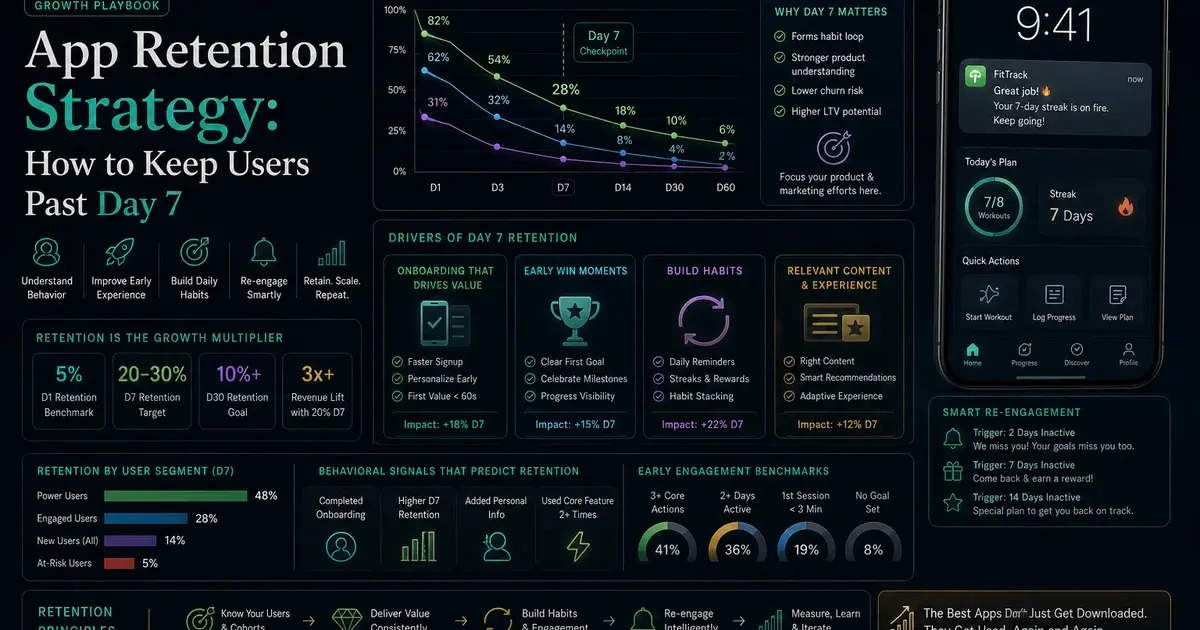
The teams in our portfolio seeing the strongest AI recommendation performance in 2026 are treating D7 retention improvement as an ASO task — not just a product task. Every onboarding improvement that lifts retention is an algorithmic ranking improvement. See our guide to app retention strategy for the specific onboarding mechanics that move D7 most reliably.
Across our 300+ apps under management, the apps that improved D7 retention by 10+ percentage points through onboarding changes saw an average 22% increase in organic installs from browse and recommendation surfaces within 90 days — without any change to their keyword metadata. Behavioural quality is now an ASO lever, not just a product metric.
How do you use Android localisation as an ASO multiplier?
Android localisation is an ASO multiplier, not just a translation task — localised Play Store listings consistently deliver 30–50% more installs in target geographies, and Google Play's automatic description translation feature creates both a risk and an opportunity that most Android teams handle incorrectly.
Google Play offers automatic machine translation of your long description into every language you publish in, which sounds like a free win. The risk: machine translation of keyword-dense copy produces awkward, unnatural sentences that confuse both users and Google's own search index. The opportunity: by providing your own high-quality translated descriptions with native keyword research for each target language, you gain a keyword indexing advantage over every competitor who is relying on auto-translation. Native-language keyword research always surfaces high-volume terms that a straight translation of your English keywords misses entirely.
Two localisation layers compound together on Google Play. Store-listing localisation (title, short description, long description, screenshots, and feature graphic in the target language) is the fast win — achievable in one to two weeks per market and immediately improves both ranking and conversion. UI localisation (in-app strings, locale-appropriate currency, right-to-left support) is the longer payoff — apps that only localise the store listing see installs but bleed users in the first session when they find the app UI is still in English.
The highest-ROI Google Play markets to localise for Android apps first, based on volume and CPI efficiency across our portfolio:
India + South Asia
- Languages: Hindi, Tamil, Telugu, Bengali, Marathi
- ~750M smartphone users (Statista)
- Lowest CPI globally; highest Android install volume
- Best for: fintech, gaming, edtech, quick-commerce
Southeast Asia
- Languages: Bahasa Indonesia, Thai, Vietnamese, Filipino
- Mobile-first markets with strong Android penetration
- Mid CPI; strong retention in social and commerce apps
- Best for: super-apps, content, social commerce
LATAM
- Languages: Spanish (LATAM), Portuguese (BR)
- Brazil and Mexico drive the lion's share of Android installs
- Mid CPI; growing fintech and gaming verticals
- Best for: fintech, gaming, streaming
MENA + Turkey
- Languages: Arabic (RTL required), Turkish
- High disposable income in GCC; large youth populations
- Mid-high CPI but strong LTV for premium apps
- Best for: gaming, streaming, luxury commerce
The pattern that works across our portfolio: localise the Play Store listing first for the top three target markets, measure install lift and D7 retention over 30 days, then commit to full UI localisation only for the markets that demonstrate above-baseline retention. Localising a Hindi UI for an app that does not retain Hindi-speaking users is wasted engineering time. Also note: Google Play's per-locale Custom Store Listings allow up to 50 locale-specific listing variants — including custom screenshots and feature graphics — which is a native capability that compounds the localisation investment without requiring separate app binaries.
If you want an expert team to build and run a full Android ASO programme — keyword strategy, Store Listing Experiments, pre-registration, and retention-led ranking — talk to the Vmobify team. We have driven over 30 million downloads for 300+ apps and have Google Play-specific experience across fintech, gaming, edtech, and consumer verticals. See our case studies for the categories we have scaled, or read our wider guide to ASO for apps for the full cross-platform framework.
Frequently Asked Questions
What is the most important metadata field for Google Play keyword ranking?+
The app title carries the highest indexing weight — estimated at 3–5× more than the long description. Your primary keyword must appear in the title. The short description carries the second-highest weight and is also visible in search results. The long description is indexed in full (up to 4,000 characters), so it provides the broadest keyword coverage, but it cannot compensate for a weak title.
How is Store Listing Experiments different from iOS Product Page Optimisation?+
Google Play Store Listing Experiments let you test the icon, screenshots, feature graphic, short description, and long description against live Play Store traffic. Apple's Product Page Optimisation is limited to icon, screenshots, and preview video. Android also lets you run separate experiments on each element independently. The practical advantage is that Android ASO teams can run more granular, higher-frequency experiments and accumulate conversion improvements faster.
How many keyword mentions should a long description contain?+
Aim for three to five natural mentions of each primary keyword across the 4,000-character description. One mention may not receive full indexing weight. More than ten repetitions of the same phrase can trigger spam filters and result in ranking penalties. Distribute mentions naturally across paragraphs — first mention in the opening paragraph, subsequent mentions woven into supporting sections. Never repeat the same phrase in consecutive sentences.
What retention rate does Google Play look for in its AI recommendations?+
Based on Google's developer documentation and performance patterns across our portfolio, D7 retention above 25% for consumer apps and above 35% for utility and productivity apps tends to unlock strong recommendation placement. There is no single published threshold, but apps below 15% D7 retention rarely appear in browse or "For You" surfaces regardless of keyword quality. Crash rate is equally important: keep it below 1.09% and ANR rate below 0.47% to avoid Android Vitals demotion.
Does pre-registration actually help Google Play rankings?+
Yes — pre-registrations drive a launch-day notification to sign-ups, and auto-install on eligible devices creates an install-velocity spike that Google's algorithm interprets as rapid growth. Realistic conversion from pre-registrant to confirmed install runs 60–80% depending on device settings. A well-promoted campaign that accumulates thousands of sign-ups before launch can establish top-10 keyword rankings within the first week — a timeline that would typically take three to four months of organic ASO from a cold start. The key is pairing pre-registration conversions with a paid UA burst on launch day to maximise the velocity signal.
How does Google Play handle ratings differently from the App Store?+
Google Play's In-App Review API gives developers more control over prompt timing than iOS's SKStoreReviewManager, which is throttled more aggressively by the operating system. Android developers can trigger the review prompt at specific moments of user success without the OS suppressing it as quickly. Google also factors ratings velocity (new ratings per week) as a ranking signal — not just the lifetime average — so recent review activity matters. Apps below 3.0 stars lose browse visibility entirely.
Should I use Google Play automatic translation or write my own localised descriptions?+
Always write your own localised descriptions for your top three markets. Google Play's automatic machine translation produces awkward copy that underperforms in search ranking and conversion. More importantly, machine translation of your English keywords misses high-volume native-language search terms that a native keyword research exercise would surface. The incremental cost of professional translation and localised keyword research is repaid within 30–60 days by the install lift — particularly in high-volume markets like India and Brazil.
Sources
- Google Play Launch Best Practices — Official Google guidance on store listing, Store Listing Experiments, and In-App Review API.
- Google Play Developer Content Policy — Play Store policies including ratings thresholds and metadata spam guidelines.
- Google Ads App Campaigns Help — Official UAC setup, creative requirements, and bidding documentation.
- SplitMetrics ASO Research — Independent research on store conversion experiment uplift ranges (10–25%).
- AppTweak ASO Blog — Industry research on keyword indexing weights and metadata best practices.
- AppsFlyer Performance Index — Annual benchmark on channel performance, retention rates, and CPI by category.
- Statista — India Smartphone Users — India smartphone user forecast, used for localisation market sizing.
- StoreMaven ASO Research — Store listing conversion research including feature graphic and screenshot impact data.
About the author
Amol Pomane — Founder, Vmobify
Amol leads Vmobify, a mobile app growth agency that has driven 30M+ downloads and ranked 54K+ keywords across 300+ apps since 2013. He writes about ASO, paid user acquisition, retention, and the operational reality of scaling mobile apps in India and global markets.
Check your store metadata
Run your current App Store or Play metadata through the free checker.
Open free tool