Best A/B Testing Tools for Apps: Store-Listing vs In-App Testing
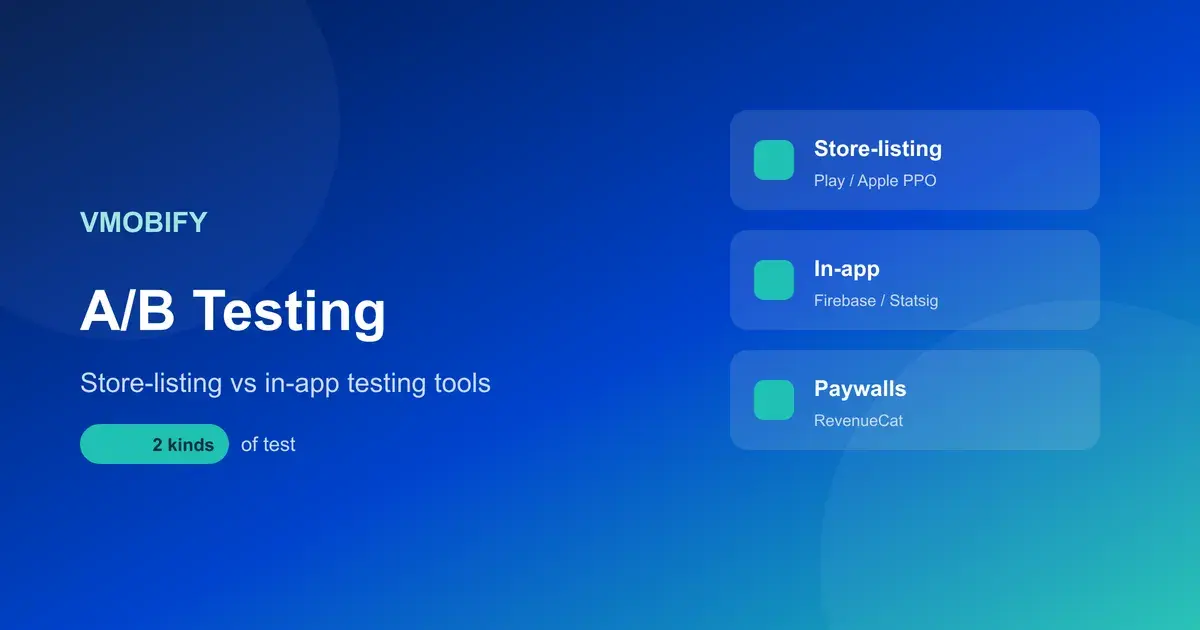
Most teams conflate two completely different jobs: testing your store listing (icon, screenshots) and testing what happens inside the app (features, flows, paywalls). They need different tools. Here is a vendor-neutral map of which tool to reach for, what is free, and the iOS-versus-Android gap that changes everything.
On this page
- Why are store-listing and in-app A/B testing different things?
- How do you A/B test your store listing on Google Play?
- How do you A/B test your store listing on iOS?
- Which tools test in-app features and flows?
- Which tools handle paywall A/B testing?
- How do you pick a tool by what you are testing?
- What can you A/B test for free first?
- How much sample size and significance do you actually need?
- How does iOS A/B testing differ from Android?
- How do you run a clean A/B test?
- What mistakes ruin app A/B tests?
- Frequently Asked Questions
Why are store-listing and in-app A/B testing different things?
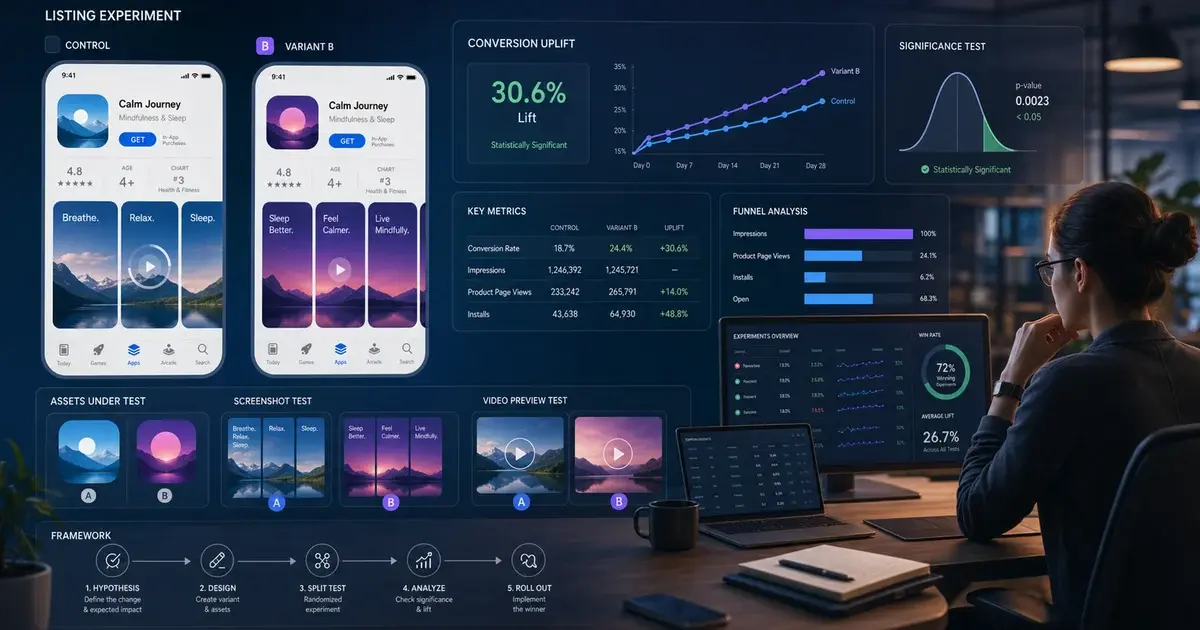
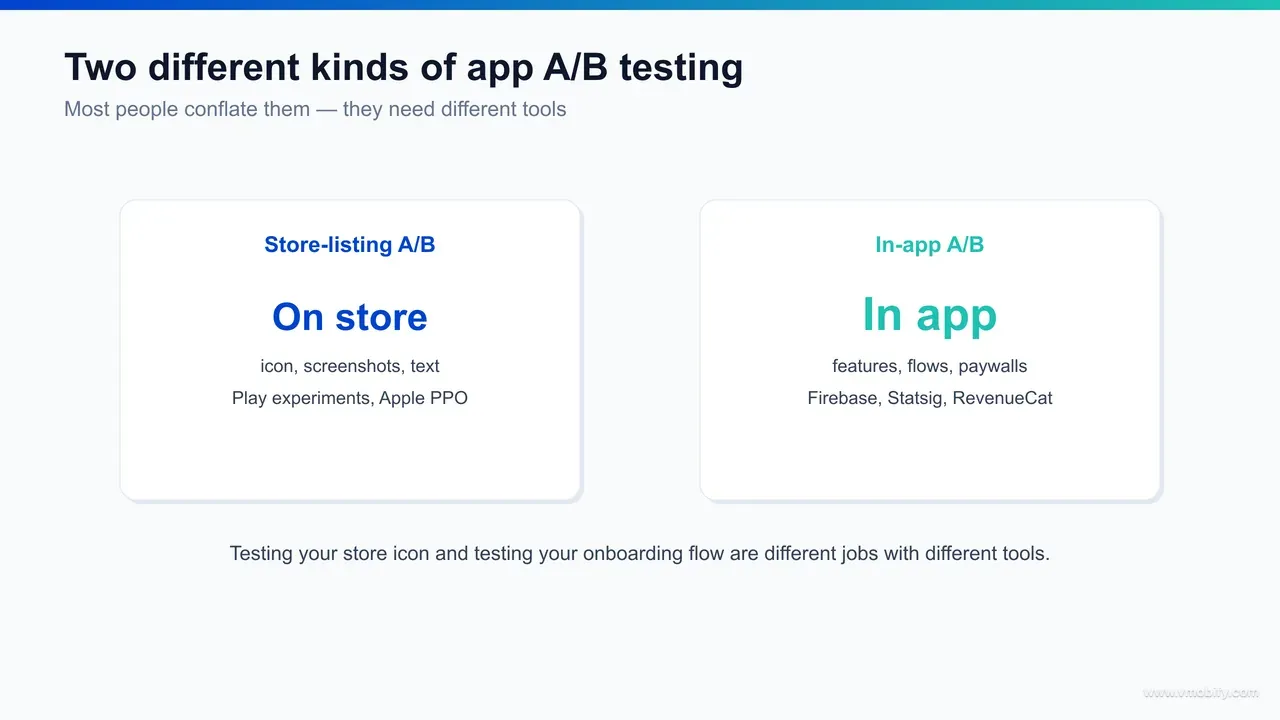
App A/B testing splits into two unrelated disciplines: store-listing testing, which optimises the icon, screenshots, video and text a user sees on the App Store or Google Play before they install, and in-app testing, which optimises the features, flows, onboarding and paywalls a user experiences after they open the app — and almost no single tool does both well. The most expensive mistake we see is a team buying one product and assuming it covers the other.
The two live on opposite sides of the install event. A store-listing test changes whether a user who reached your product page taps "Get" or "Install" — it is a conversion-rate problem governed by the store's own experimentation surface, because only Apple and Google control what real store visitors are shown. An in-app test changes what a user does once they are inside — whether they finish onboarding, reach the aha moment, or start a subscription — and that is governed by your own SDK, your feature flags and your analytics, because it is your code deciding what each user sees.
That single distinction determines everything downstream: which tool you pick, who runs the test (ASO versus product or growth engineering), what metric you judge, and even how the statistics work. Store-listing tests read a binary conversion on store traffic you do not control the volume of. In-app tests read multi-step behavioural funnels on traffic you can target, segment and ramp at will.
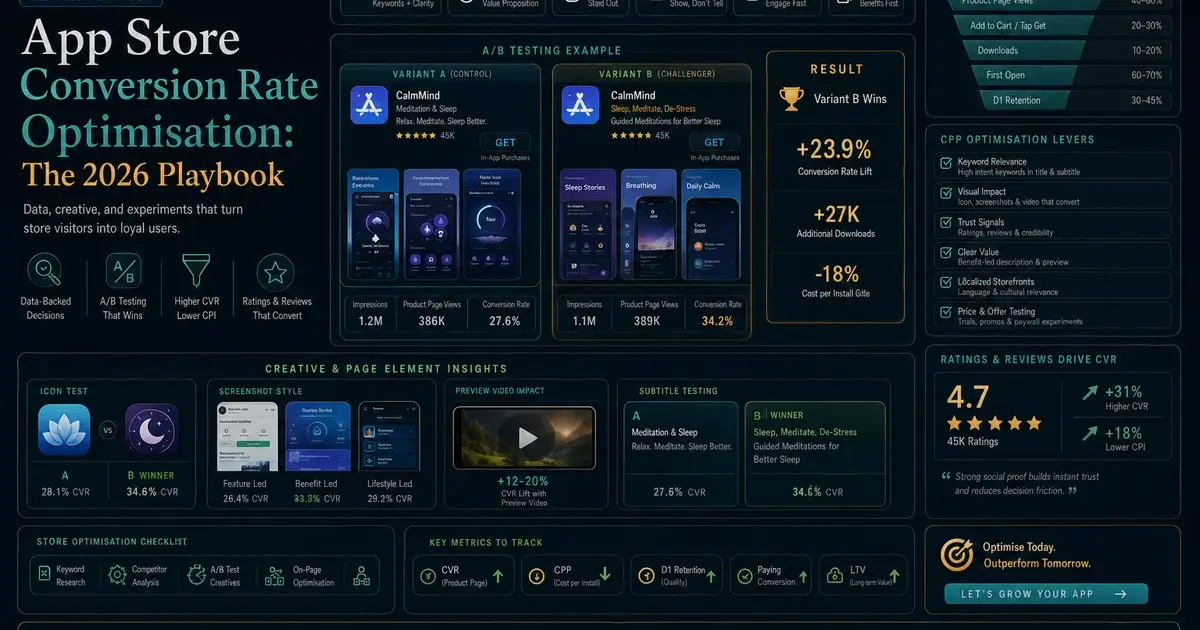
Across our 300+ apps managed since 2013, the teams that move fastest keep these two programmes deliberately separate — separate tools, separate owners, separate test logs — and stop trying to make one platform serve both jobs. This guide is a vendor-neutral map of the tools in each category, what is free, and how to choose. If you want the discipline that sits underneath the tooling, our ASO A/B testing framework covers how to sequence and read store-listing tests specifically, and this post focuses on which tools to reach for and when.
How do you A/B test your store listing on Google Play?
On Android the answer is almost always Google Play Console Store Listing Experiments — Google's native, free A/B testing surface that runs variants against a slice of real store traffic and reports a statistically backed winner, with no third-party tool required to ship a decision. It is the strongest native store-testing product either platform offers, and it should be your default before you spend a rupee.
Store Listing Experiments let you test your icon, screenshots, feature graphic, promo video, short description and full description, with support for multiple treatment variants run simultaneously against the control. Google splits incoming store traffic across the variants, measures first-time installs, and surfaces confidence intervals natively — the documentation for running these experiments lives in the Play Console Help Center, and Google's broader guidance on structured store experimentation sits in its launch best practices.
Setting one up is deliberately simple. In Play Console you open Store presence, choose Store listing experiments, name the test, pick the listing attribute to vary — your default graphics or a specific localised listing — and upload your variants against the current control. You then set the fraction of store visitors who enter the experiment and the target metric, which for most listing tests is first-time installs. Play handles the random split, the holdback control and the significance maths for you, and once a variant has earned the call you apply it to the live listing with a single action rather than re-uploading assets by hand.
Two things make the Play surface genuinely good. First, it tests against the actual organic and paid audience that will see your live listing, so a winner here is far more likely to hold in production than a winner from recreated paid-traffic pages. Second, you can run localised experiments — test a variant in one country or language while the rest of the world keeps the control — which makes it the cheapest reliable lever for an India-facing or multi-market app, where local pricing imagery and vernacular text often move conversion more than a redesign.
The practical constraints are traffic and concurrency. Low-volume listings need longer windows to reach significance, and you should not run overlapping experiments on the same assets because they interfere. Hold for 95% confidence before shipping even when Play flags a "winner" earlier — Google's default decision threshold is more permissive than we are comfortable with. In our portfolio, Store Listing Experiments is the workhorse that produces the majority of Android conversion lifts, and we rarely need a paid tool on Android at all.
How do you A/B test your store listing on iOS?
On iOS, the native option is Apple's Product Page Optimization (PPO) inside App Store Connect — but it is meaningfully more limited than Google Play's experiments, which is why iOS store-listing testing often pairs PPO with third-party paid-traffic tools for pre-launch and higher-volume concept screening. The native-first principle still holds; you just hit its ceiling sooner on Apple.
PPO lets you test up to three treatment variants against your original product page, measuring against a portion of real App Store traffic, as set out in Apple's Product Page Optimization documentation. It can test screenshots, app preview videos and the app icon. The catch on the icon is real and frequently misunderstood: every icon you want to test must already be included in your app binary and submitted with a build, so you cannot spin up an icon experiment as freely as you can on Android. PPO also does not let you A/B test the description or subtitle text live, and it runs one active test at a time per app.
A few setup details catch teams out. PPO splits a percentage of your organic App Store traffic across the treatments — you choose the share, but you cannot cleanly exclude branded-search or campaign visitors, so a mix of intent is folded into the read. Reporting is conversion-based against impressions and downloads, and a winning treatment can be promoted to the default page when the test ends. Because the icon, screenshots and preview videos all ride on a submitted build, any creative you did not pre-bundle means waiting for the next release before you can test it at all — which is why iOS creative testing has to be planned a build cycle ahead rather than spun up on demand.
Apple's Custom Product Pages are a complementary, not duplicate, tool. They are not an A/B test in themselves — they are alternate versions of your product page, each with its own URL, that you point different acquisition campaigns at. Used with Apple Search Ads, you can effectively run higher-volume creative comparisons by assigning different Custom Product Pages to different keyword or campaign groups, which gives you far more data than PPO's organic-traffic test on the same app.
This is where third-party tools earn their place on iOS specifically. Paid-traffic testing platforms in the SplitMetrics and Storemaven mould drive controlled paid traffic to recreated product-page mock-ups, which lets you validate a concept before launch (when you have no listing at all) or screen six creative directions down to two before committing the survivor pair to a real PPO test. Treat them as a hypothesis-generation layer, not the binding decision — a creative that wins on Instagram-sourced paid traffic does not automatically win on App Store search, because the audience intent differs. We cover the upstream conversion mechanics in our guide to app store conversion-rate optimisation, which feeds whatever you decide to test here.
Which tools test in-app features and flows?
For testing what happens inside the app — onboarding variants, feature rollouts, navigation changes, button placement — the free-first starting point is Firebase A/B Testing built on Remote Config, with Statsig, Optimizely and Amplitude Experiment as the heavier platforms teams graduate to for server-side targeting, deeper statistics and larger experiment volumes. Unlike store-listing tools, these run inside your own SDK and decide per-user what each session sees.
The category breaks down roughly like this:
Firebase A/B Testing (free)
- Google's experimentation layer on top of Remote Config and integrated with Google Analytics. It lets you serve different config values, UI strings, feature flags or flows to randomised user cohorts and measure the effect on engagement, retention or revenue goals. The mechanics are documented in the Firebase A/B Testing docs. For most apps starting structured in-app testing, this is the obvious first tool because it is free, cross-platform and ships with analytics you probably already use.
Statsig
- a feature-flagging and experimentation platform with a strong free tier and a sequential-testing statistics engine that suits teams running many overlapping experiments. Favoured by product-engineering-led growth teams that want flags and experiments in one place.
Optimizely
- an enterprise-grade experimentation platform (Feature Experimentation) with mature server-side testing, advanced targeting and governance — the heavier, paid choice for larger organisations with dedicated experimentation functions.
Amplitude Experiment
- experimentation bolted onto Amplitude's analytics, so behavioural cohorts you already define in analytics become targeting and analysis segments for tests. Strong when your team already lives in Amplitude for product analytics.
Mechanically, a Firebase experiment wraps a Remote Config parameter. You define the parameter — a feature flag, a UI string, or a JSON blob describing a whole flow — create variants with different values, choose the activation event and a goal metric pulled from Google Analytics, then set the share of eligible users who enter the test. The SDK fetches and caches each user's assigned variant, so they see a stable experience for the duration rather than flipping between treatments, and you can ramp the winner to 100% of users from the console without shipping a new build. Targeting by app version, country, language or analytics audience keeps the cohorts clean, which matters because a leaky cohort is the in-app equivalent of mixing traffic sources in a store test.
The choice between them is mostly about scale and where your team already works, not raw capability. A pre-seed app testing one onboarding variant a month is well served by Firebase and should not buy an enterprise platform. A Series B app running twenty concurrent experiments across server and client needs the targeting, governance and statistics that Statsig, Optimizely or Amplitude provide. In our portfolio we start almost every in-app testing programme on Firebase and only migrate when experiment volume, server-side needs or statistical rigour genuinely outgrow it.
Which tools handle paywall A/B testing?
Paywall A/B testing is a distinct category with its own tools — the subscription platforms RevenueCat and Adapty let you build, swap and experiment on paywalls remotely (placement, trial structure, plan duration, price) without shipping an app update, and crucially they tie results to lifetime value rather than first-screen conversion. Using a generic in-app testing tool for paywalls usually means you can change the screen but cannot measure the revenue properly.
The reason paywalls get their own tooling is that the thing you are optimising — subscription revenue — only resolves over weeks. A general feature-flag tool can show paywall variant A or B, but it will not natively reconcile trial starts, trial-to-paid conversion, renewals and refunds into a lifetime-value comparison. The subscription platforms are built around exactly that ledger, which is why they own this niche. RevenueCat and Adapty both let product or growth teams edit paywalls and run experiments from a dashboard, so a marketer can test a trial offer without a release cycle.
In practice both platforms decouple the paywall from the binary. You design the paywall remotely, attach it to a placement in the app — onboarding, a feature gate, a settings upsell — and split incoming users across variants from the dashboard. The SDK reports trial starts, conversions, renewals and refunds back into the same ledger, so the experiment view can show revenue per user and the conversion at each stage rather than a single tap rate. That is precisely the part a generic flag tool cannot replicate: it can serve variant A or B of the screen, but it has no view of the renewal six weeks later that decides which variant actually won. Pricing on these platforms is usage-based, so check current pricing for your tracked-revenue tier before assuming the experimentation layer is free at your scale.
What makes paywall testing different in practice is the metric and the window. Soft paywalls convert more users but a hard paywall can produce higher one-year value, so a paywall test crowned on Day 1 conversion will systematically pick the lower-revenue option. These tests must run at least one full renewal cycle and be judged on revenue per user or LTV — the structural detail and 2026 benchmarks are in our deep dive on paywall optimisation benchmarks, which this post deliberately does not repeat.
The practical takeaway: do not try to force paywall experiments through your store-listing tool or a generic feature-flag platform. Run them on a subscription platform built for the job, judge them on retained revenue, and keep them in their own programme. We have seen teams "win" a paywall test on trial starts and quietly lose money for a year because the tool they used could not see the renewal — the right tool prevents that whole class of error.
How do you pick a tool by what you are testing?
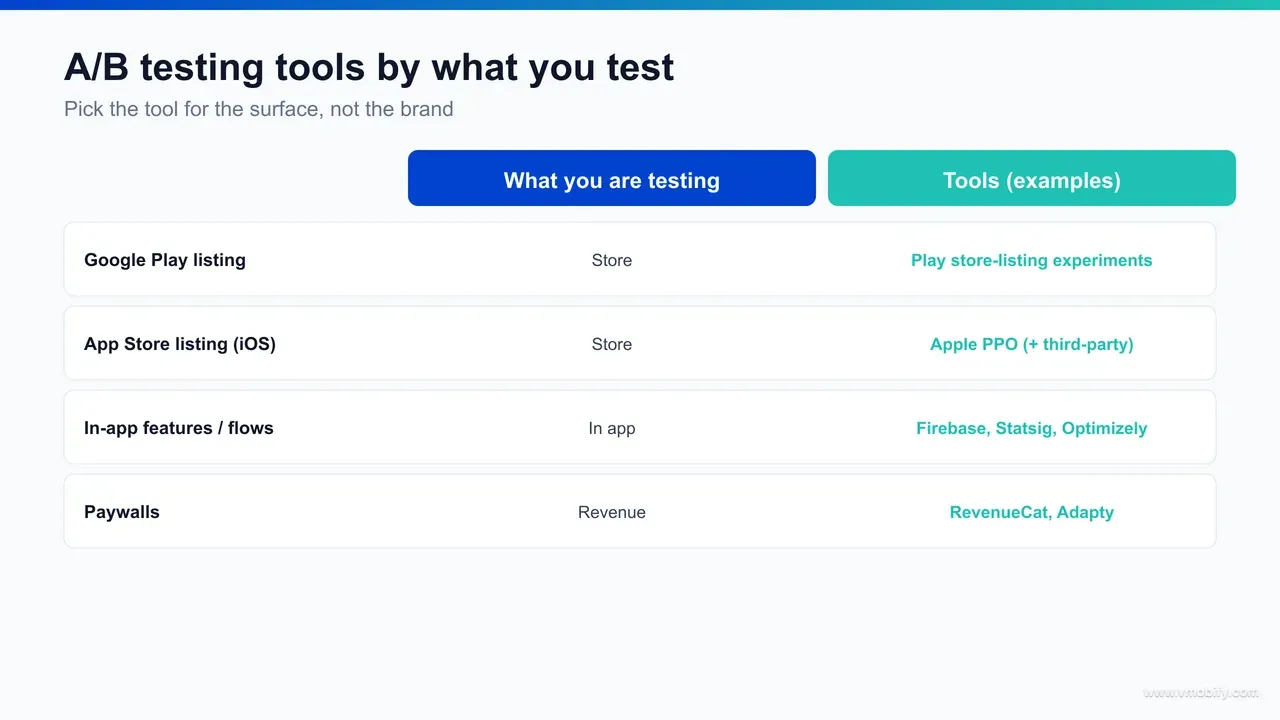
Pick the tool by the artefact under test, not by brand: if you are changing something a user sees before installing, use a store-listing tool (Play Experiments or Apple PPO); if you are changing something inside the app, use an in-app tool (Firebase, Statsig, Optimizely, Amplitude); if you are changing a subscription offer, use a paywall tool (RevenueCat, Adapty). The question "which is the best A/B testing tool for apps?" has no single answer because it depends entirely on what you are testing.
A simple decision path covers almost every case:
- Testing the icon, screenshots, preview video or store text → Google Play Console Store Listing Experiments on Android; Apple Product Page Optimization on iOS, with a third-party paid-traffic tool for pre-launch or concept screening.
- Testing onboarding, a new feature, navigation, copy inside the app, or a flow → Firebase A/B Testing to start free; Statsig, Optimizely or Amplitude Experiment at scale.
- Testing a paywall, trial, price or plan structure → RevenueCat or Adapty, judged on lifetime value over a renewal cycle.
- Testing acquisition creative (ad-side) → the ad network's own experiments (Google Ads, Meta, Apple Search Ads) — a fourth category outside the scope of store-and-app testing but worth naming so you do not confuse it with listing tests.
The owner follows the tool. Store-listing tests belong with your ASO team; in-app and paywall tests belong with product, growth engineering or monetisation. Trying to run all of it through one person or one platform is the structural mistake that stalls testing programmes. In our portfolio the apps that compound the most wins keep three small, separate testing tracks running in parallel rather than one overloaded one — and the marginal tooling cost of doing so is low, because the highest-value entry point in each track is free.
What can you A/B test for free first?
You can run a serious A/B testing programme across all three categories without paying for a tool at all: Google Play Store Listing Experiments is free, Apple Product Page Optimization is free, Firebase A/B Testing with Remote Config is free, and both major paywall platforms have free or usage-based tiers that cover early-stage volumes. Paid tools buy you scale, depth and convenience — not the ability to test in the first place.
A free-first stack looks like this:
- Store listing, Android: Play Console Store Listing Experiments — free, native, multi-variant, on real traffic. There is rarely a reason to pay for Android store-listing testing.
- Store listing, iOS: Apple PPO — free and native, with the limitations noted above. Add a paid paid-traffic tool only when you need pre-launch validation or volume PPO cannot supply.
- In-app: Firebase A/B Testing on top of Remote Config — free, and powerful enough to run onboarding, feature and flow tests for years before you outgrow it. Remote Config is what lets you change behaviour per cohort without an app update.
- Paywall: the subscription platforms meter by revenue or tracked users, so a pre-revenue or early app can run paywall experiments before it pays anything material.
The discipline is to exhaust the free native tools before buying anything. We routinely audit teams paying for a third-party store-testing suite while their free, more representative Play Experiments sit unused — spend that adds cost without adding accuracy. The same logic applies to free ASO tooling generally; our roundup of free ASO tools covers the keyword and metadata side of the free-first stack that feeds whatever you decide to test. Start free, prove the programme works, and let real constraints — experiment volume, server-side targeting, statistical depth — pull you up to paid tools, rather than buying capability you have not yet earned the need for.
How much sample size and significance do you actually need?
You need enough sample for the expected effect to clear statistical noise — in practice roughly 1,000+ unique visitors or users per variant per week as a working minimum, a 95% confidence threshold before shipping, and a sample size sized up front with a power calculation rather than guessed. No tool, free or paid, rescues a test that never had the traffic to detect the effect you were looking for.
The core ideas, kept practical:
- Read confidence intervals, not point estimates. "Variant B at 28% versus 25%" tells you nothing alone. If the intervals overlap, the test is inconclusive regardless of which number is higher. Every credible tool reports intervals — use them.
- Hold 95% confidence before shipping. 80-90% is "directionally interesting, retest harder," not a ship decision. Native tools sometimes flag winners earlier; resist it.
- Size the test before launching. If your baseline install rate is 25% and you want to detect a 5% relative lift at 80% power and 95% confidence, you need on the order of 10,000 visitors per variant. At 3,000 store visitors a week, that is a multi-week test — plan for it or test a bigger expected effect.
- Use Bayesian readings on low-traffic apps. Below roughly 1,000 visitors per variant per week, a frequentist test may never converge; a Bayesian "probability B beats A" is a more honest read. Statsig and the subscription platforms lean this way by default.
Two numbers set the sample you need before you start: the baseline conversion rate and the minimum detectable effect — the smallest lift that would actually change your decision. A smaller target effect needs disproportionately more traffic, which is why chasing a 1% relative lift on a low-volume listing is usually futile while a 10%-plus swing is detectable in days. Decide both up front and run the power calculation honestly. If the maths says the test would take three months at your current traffic, the right move is to redesign for a bolder change rather than start a test you cannot finish — an underpowered test that you stop early is worse than no test, because it hands you a confident-looking number with none of the rigour behind it.
The biggest difference between store-listing and in-app tests here is the denominator. Store tests are limited by how much traffic the store sends your product page — you cannot turn it up. In-app tests run on traffic you can ramp and target, so you have more control over reaching significance, but you also face the multiple-comparison risk of running many experiments at once. Either way, the framework discipline — pre-registering the hypothesis, threshold and duration before you look at data — matters more than the specific tool, and we go deep on it in the ASO A/B testing framework.
How does iOS A/B testing differ from Android?
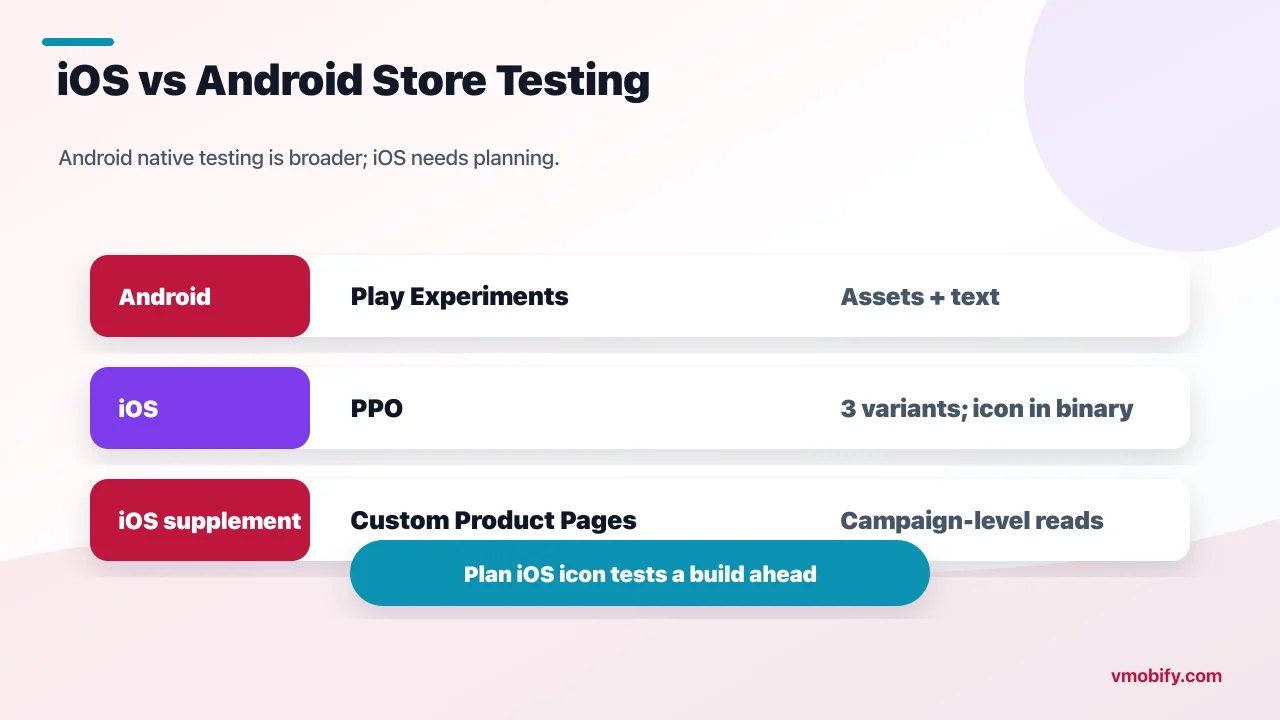
The single biggest platform difference is store-listing testing: Google Play offers a genuinely capable native experiment that tests almost every listing asset including text on live traffic, while Apple's Product Page Optimization is narrower — three variants, icons must ship in the binary, no live text test, one experiment at a time — so iOS leans harder on Custom Product Pages and third-party paid-traffic tools to fill the gap. In-app testing, by contrast, is broadly the same on both platforms because it runs in your own SDK.
The concrete asymmetries on the store side:
- Variant count and assets: Play Experiments support multiple variants and test screenshots, graphics, video and both descriptions; PPO caps at three treatments and cannot A/B the subtitle or description text live.
- Icon testing: on Android you can swap listing icons freely in an experiment; on iOS every test icon must be bundled in the submitted binary, so icon tests require a release and more planning.
- Localisation: Play lets you run experiments in specific countries or languages cleanly; on iOS you typically achieve market-specific creative comparisons through Custom Product Pages tied to campaigns rather than a native localised experiment.
- Volume workaround: because PPO traffic is limited and its design is narrow, iOS teams frequently route Apple Search Ads campaigns to different Custom Product Pages to generate higher-volume creative reads, then validate the survivor in PPO.
The in-app picture is far more symmetric. Firebase, Statsig, Optimizely and Amplitude all run cross-platform, so an onboarding or paywall test behaves the same on both operating systems — the only real differences are SDK integration details and the fact that iOS subscription economics and ATT-affected attribution differ from Android. The takeaway for a cross-platform app: budget for a richer third-party store-testing layer on iOS specifically, and expect your Android store-listing programme to do more with the free native tool. We have seen this gap repeatedly in our portfolio — Android conversion programmes run almost entirely on free Play Experiments, while iOS programmes need a bit more scaffolding to reach the same testing cadence.
How do you run a clean A/B test?
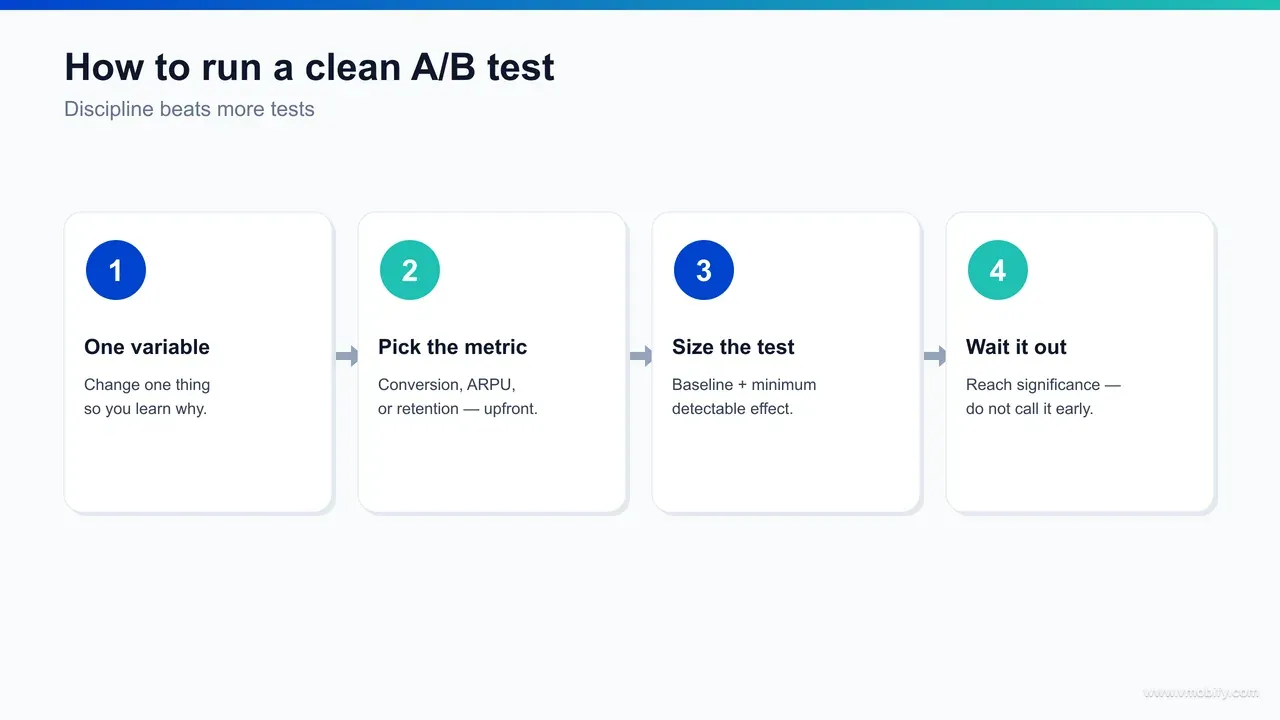
A clean A/B test — store-listing or in-app — changes exactly one variable, pre-registers its hypothesis and success bar before launch, runs long enough to clear day-of-week and novelty effects, and is read once at the planned end date rather than peeked at daily. Tooling executes the test; this discipline is what makes the result trustworthy, and it transfers across every tool in this guide.
The repeatable sequence we run on every engagement:
- Write the hypothesis first. "We believe a benefit-led first screenshot will lift install rate 10%+ versus the current feature-led one, because users decide on outcome." Now a win or loss both teach you something.
- Change one variable. Icon or screenshot, not both. One onboarding step, not a redesign. Two single-variable tests beat one tangled multi-variable test on the same traffic, because only the former tells you what caused the change.
- Pre-register the success bar. Decide the lift and confidence that equal a winner — "5% relative lift at 95% confidence" — before you see data, so you cannot move the goalposts to the result you wanted.
- Run a power calculation and set the duration. Minimum seven days to clear day-of-week mix, ideally 14 to clear novelty effects, longer for low-traffic apps or paywall LTV reads. Match the window to the test type — placement and creative read in days, paywall LTV needs a renewal cycle.
- Read once, at the end. Check conversion against impressions or downstream behaviour, segment by traffic source where the tool allows, document the result in a shared log, then decide. No daily peeking, no early stop.
The reason this matters more than the tool: a sophisticated paid platform run without this discipline produces false winners just as readily as a free one. Conversely, free Play Experiments or Firebase run with it produce decisions that hold. The teams in our portfolio that compound wins are not the ones with the most expensive stack — they are the ones who never stop a test early.
What mistakes ruin app A/B tests?
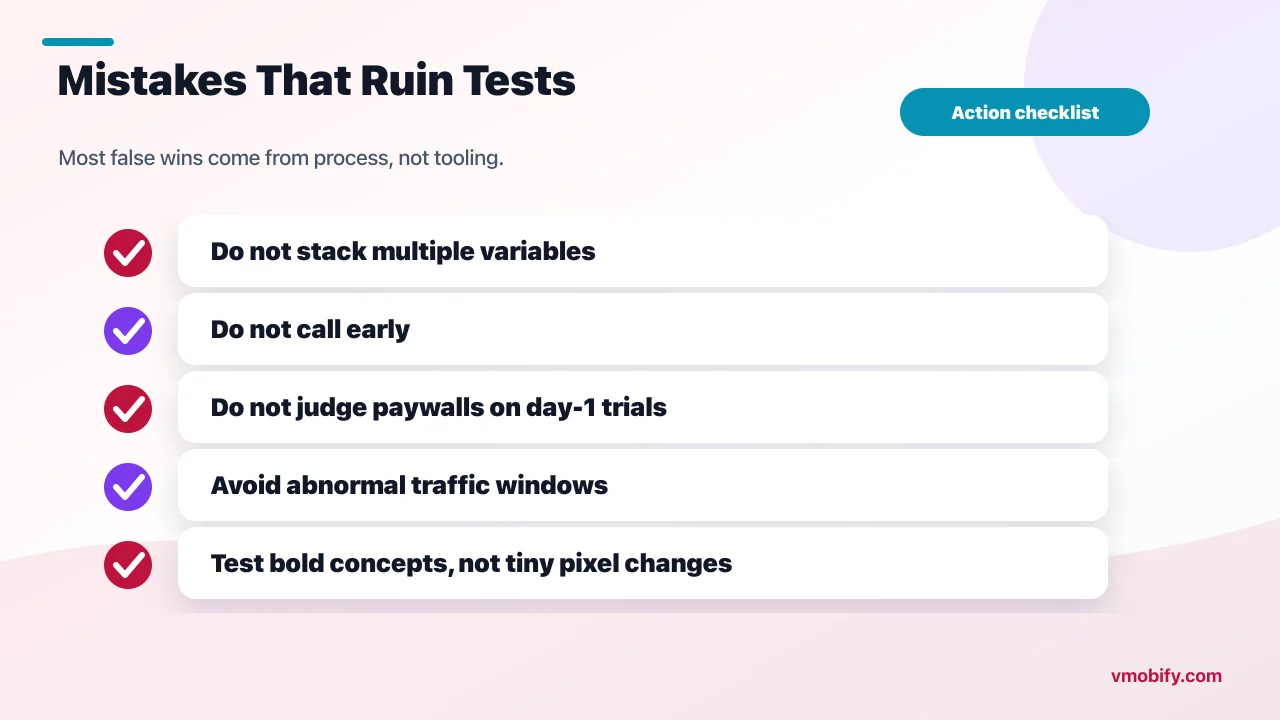
The two mistakes that ruin more app A/B tests than any others are testing too many things at once and calling the result early — followed closely by using the wrong category of tool, judging on the wrong metric, and running through an atypical traffic period. Every one is preventable, and none is a tooling problem.
- Testing too many variables at once. Stacking a new icon, new screenshots and a new subtitle into one test produces an uninterpretable winner — you cannot tell what drove the lift, so nothing transfers. Change one thing.
- Calling it early. Checking daily and stopping at the first green number inflates your false-positive rate from 5% to 30%+. This is the most damaging and most common error. Pre-commit to a duration and read once.
- Using the wrong category of tool. Trying to test a paywall through a store-listing tool, or store creative through an in-app SDK, simply cannot measure what matters. Match the tool to the artefact.
- Judging on the wrong metric. A paywall test won on Day 1 trial starts often loses on lifetime value; a store test "won" on conversion can lose on net installs if impressions fell. Read the metric that actually pays.
- Testing through a spike. A launch, a promotion or a press mention distorts both variants asymmetrically. If traffic goes abnormal mid-test, restart once it normalises rather than reading through the noise.
- Variants too subtle to detect. If the visible difference is under ~10% of the canvas or flow, the test rarely reaches significance. Test genuinely different concepts; save pixel-pushing for design polish.
The meta-mistake behind all of these is treating A/B testing as a marketing activity rather than an experimental discipline. The tools — free or paid, store-side or in-app — are the easy part; the rigour is the hard part and the part that pays. If you want a testing programme built and operated across all three categories — store listing, in-app and paywall — with the right tool in each track and the discipline to make the results hold, that is exactly the work our ASO and growth team runs, and you can talk to us directly about your stack.
Frequently Asked Questions
What is the best A/B testing tool for apps?+
There is no single best tool because there are two different jobs. For store-listing tests use Google Play Store Listing Experiments (Android) or Apple Product Page Optimization (iOS); for in-app feature and flow tests use Firebase A/B Testing to start, then Statsig, Optimizely or Amplitude Experiment at scale; for paywalls use RevenueCat or Adapty. Pick by what you are changing.
What is the difference between store-listing and in-app A/B testing?+
Store-listing testing optimises the icon, screenshots, video and text a user sees on the App Store or Google Play before installing — it improves install conversion and is run with the stores native tools. In-app testing optimises features, onboarding, flows and paywalls inside the app after install, and runs through your own SDK such as Firebase or a paywall platform.
Is there a free A/B testing tool for app store listings?+
Yes. Google Play Console Store Listing Experiments and Apple Product Page Optimization are both free and native, running against real store traffic. For in-app tests, Firebase A/B Testing on Remote Config is free. You can run a serious programme across all three categories before paying for anything.
Can I A/B test my app icon on iOS?+
Yes, through Apple Product Page Optimization, but with a constraint: every icon you want to test must already be bundled in your submitted app binary. That makes iOS icon tests less flexible than Android, where you can swap listing icons freely inside a Play experiment.
How long should an app A/B test run?+
A minimum of seven days to clear day-of-week traffic effects, ideally 14 to clear novelty effects, and longer for low-traffic apps. Paywall and lifetime-value tests must run at least one full renewal cycle, because the revenue difference only appears after the first renewal.
Why does Google Play have better store-listing testing than iOS?+
Play Store Listing Experiments support multiple variants, test almost every asset including description text on live traffic, and allow clean localised experiments. Apple Product Page Optimization is narrower — three treatments, icons must ship in the binary, no live text test, one experiment at a time — so iOS teams supplement it with Custom Product Pages and third-party paid-traffic tools.
Do I need a paid A/B testing tool?+
Not to start. The native store tools and Firebase cover most teams for a long time. Paid tools — Statsig, Optimizely, Amplitude on the in-app side, or paid-traffic platforms on the iOS store side — buy scale, server-side targeting, deeper statistics and pre-launch validation, not the basic ability to test. Exhaust the free native options first.
Sources
- Google Play — Run store listing experiments — Native, free A/B testing of icon, screenshots, video and text on Play
- Google Play — Launch best practices — Official guidance on structured store-listing experimentation
- Apple — Product Page Optimization — Native iOS store-listing A/B test: variants, icon-in-binary and limits
- Apple — Custom Product Pages — Campaign-specific product pages used to supplement PPO on iOS
- Firebase — A/B Testing — Free in-app experimentation on features, flows and onboarding
- Firebase — Remote Config — The configuration layer that powers per-cohort in-app tests without an update
- App Store Connect — Developer resources — Official documentation covering PPO setup, limits and product-page tools
About the author
Amol Pomane — Founder, Vmobify
Amol leads Vmobify, a mobile app growth agency that has driven 30M+ downloads and ranked 54K+ keywords across 300+ apps since 2013. He writes about ASO, paid user acquisition, retention, and the operational reality of scaling mobile apps in India and global markets.
Check your store metadata
Run your current App Store or Play metadata through the free checker.
Open free tool