The Firebase Analytics Event Plan: Decide Before You Log
Most Firebase event plans are a list of screens somebody walked through, which is why nobody opens the dashboard six months later. A plan that survives contact with a real product starts from the decision each event is meant to settle, not from the interface. Here is the four-column template we use, and the documented limits that quietly decide what you are allowed to put in it.
On this page
- Why do most event plans fail before the first line of code?
- What are the four columns every event row needs?
- Which events do you not have to write?
- How do you name an event so it survives the limits?
- Which parameters belong on the event, and which do not?
- What does the "(other)" row tell you about your plan?
- Why does retention decide the plan before you ship it?
- How do you verify the plan actually fires?
- Who owns the plan after launch?
- Frequently Asked Questions
Why do most event plans fail before the first line of code?
Because they are written as an inventory of the interface rather than a list of decisions, and an inventory has no stopping condition. Somebody walks the app screen by screen and writes a row for every tap. Three hundred rows later the plan looks thorough and answers nothing.
The symptom shows up about two quarters after launch. Someone asks a commercial question — why did activation fall in the Hindi cohort — and the events turn out to exist but not to join, because nobody decided in advance which question they were for. Data that is present and useless is worse than none: it costs engineering time and buys a false sense of coverage.
An event plan is not documentation of the product. It is a set of commitments about which arguments you intend to be able to settle: whether to keep a feature, whether to change an onboarding step, whether a paid channel is buying users who behave like your good ones. If you cannot name the decision, the row does not belong in the plan, however easy the event is to log.
For each proposed event, write the sentence: "We will look at this to decide whether to ____." If the blank cannot be filled with something a named person could act on this quarter, delete the row. In our experience this removes a large share of a first-draft plan, and nobody misses any of it.
The second failure is subtler. Teams treat the plan as a document rather than a schema, so nothing enforces it. Two engineers implement the same idea under different names, a rename ships without a migration, and the reports quietly split. That is a large share of the confusion behind Firebase numbers that look wrong — not a platform defect, but a plan that was never binding on the code.
Across the 300+ apps we have managed since 2013, the analytics setups that still answer questions three years on share one property: the plan was short, decision-led, and treated as a contract that a pull request could violate.
What are the four columns every event row needs?
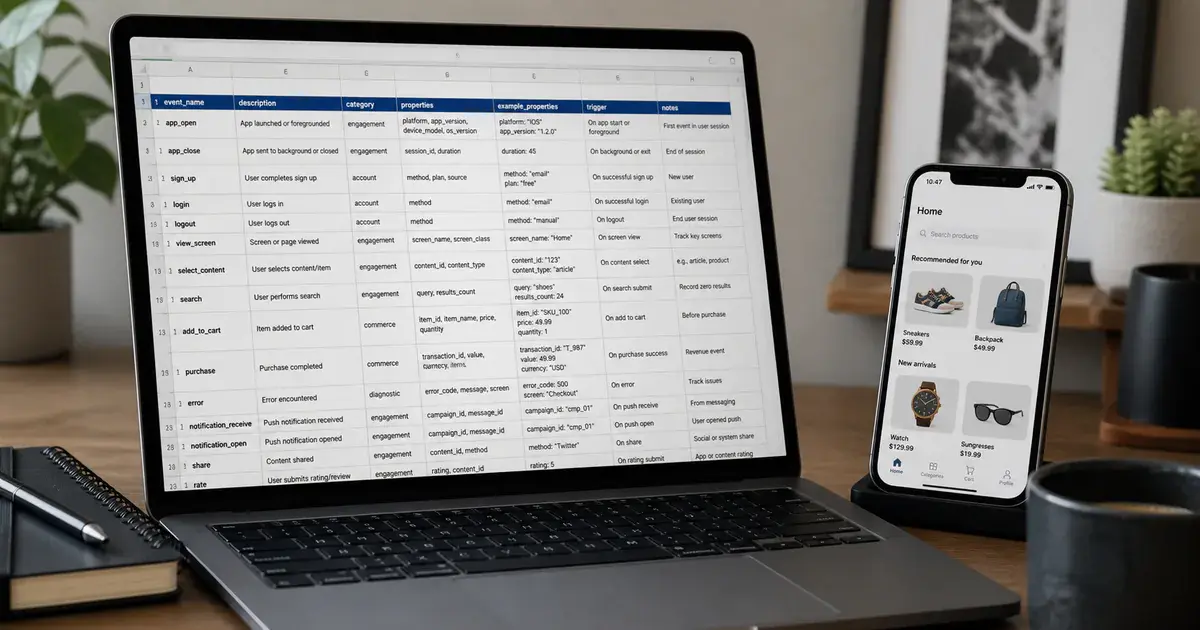
Question, trigger, source of truth, and owner — in that order, because the order forces the thinking that makes the row useful. Everything else on a tracking plan is optional detail; these four are what stop a row from rotting.
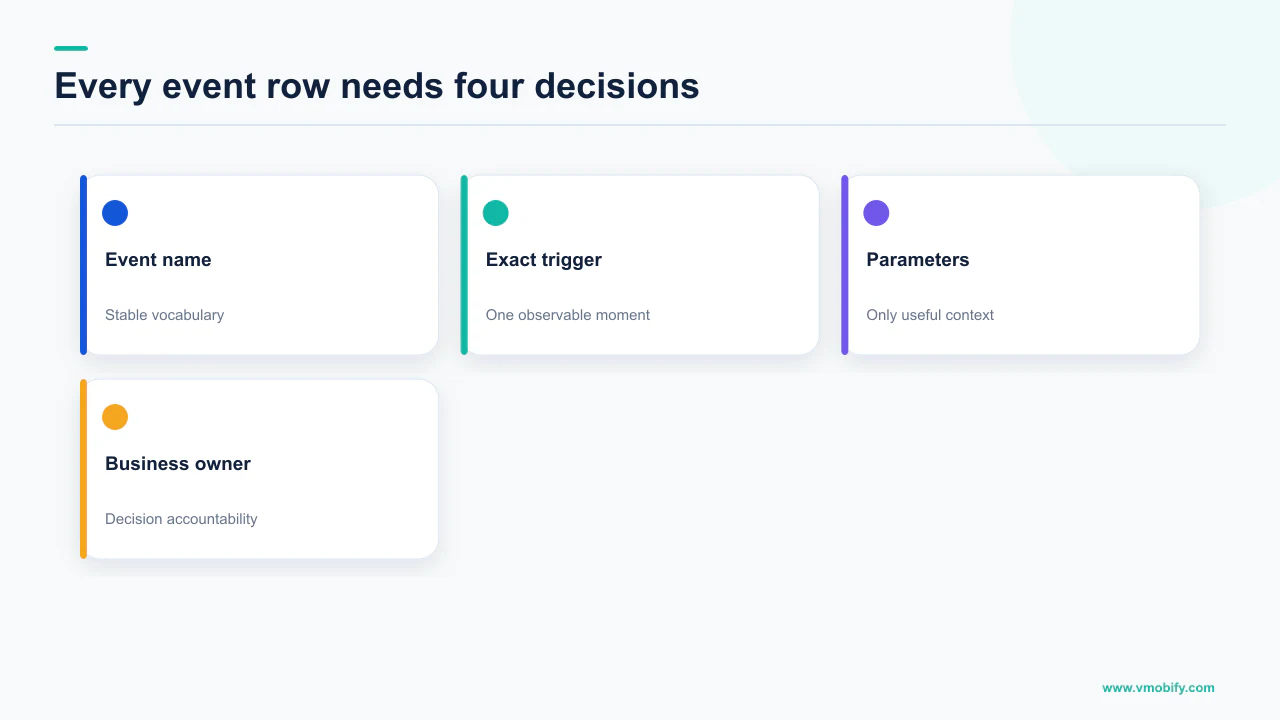
Question
- The decision this event exists to settle, in one sentence
- Written before the event name, not after
- If two rows share a question, you probably need one row
- No question, no row
Trigger
- The precise moment in the code where it fires
- Server confirmation or client intent — state which
- Named to a function or a callback, not a screen
- Ambiguity here becomes a counting dispute later
Source of truth
- Which system wins if the numbers disagree
- Payments belong to billing, not to the client
- Installs belong to your attribution provider
- Decided in advance, not during the argument
Owner
- A named person, not a team
- Answers when the event breaks or changes meaning
- Reviews the row at each release that touches it
- Unowned events are the first to drift
The trigger column earns its place immediately. Consider a purchase. Fired when the user taps Pay, it counts intent; fired on the payment gateway callback, it counts revenue; fired when your server confirms entitlement, it counts something closer to fulfilment. All three are defensible. Shipping without choosing is not, because the person reading the chart in eight months will not be the person who wrote the code.
The source-of-truth column exists because analytics tools are not accounting systems. Firebase is where you go to understand the shape of a funnel, not to reconcile revenue, and a plan that says so ends a recurring argument before it starts. The same discipline makes a funnel analysis defensible rather than merely plausible.
Keep the plan in the repository next to the code. A schema file the client reads is better still, because then a typo is a build failure rather than a silent new event name appearing in the console a week later.
Which events do you not have to write?
More than most teams realise — Google states that Analytics automatically logs some events for you and that you do not need to add any code to receive them. Every row you can delete from the plan is a row that cannot drift, cannot be misnamed, and costs no engineering time.
The published list of automatically collected events already covers much of what a first-draft plan includes by hand: first_open, session_start, screen_view, user_engagement, app_update, os_update, in_app_purchase, the notification and ad families, and store-subscription events such as app_store_subscription_renew. Some are platform-specific — app_remove, app_clear_data and app_store_refund are listed as Android only — worth knowing before you build a cross-platform chart on one.
There is a trap attached, and Google names it: if you send both automatically collected and manually logged in_app_purchase events for the same purchase, duplicate events can be reported. That is a common cause of a monetisation dashboard reading roughly double the real figure — not lag, the same purchase counted twice, and it will not resolve itself.
Before writing a single custom event, print the automatic list and strike from your draft plan everything already covered. Then check that nothing you kept duplicates something automatic under a different name. The remaining rows are the events that are genuinely specific to your product, and they are usually a much shorter list than the first draft.
What survives is the interesting part: the moments unique to how your app creates value. A completed KYC step, a first portfolio added, the point at which a new user has understood what the product is for. Those cannot be automatic, because only you know where they are — which is why they are the events worth arguing about when you define your activation moment.
How do you name an event so it survives the limits?
Short, lowercase, snake_case, object-then-action, and inside the documented character and volume limits — which are tighter than most teams assume. Naming looks like a bikeshed until the limits bite, at which point renaming is an unbudgeted migration.
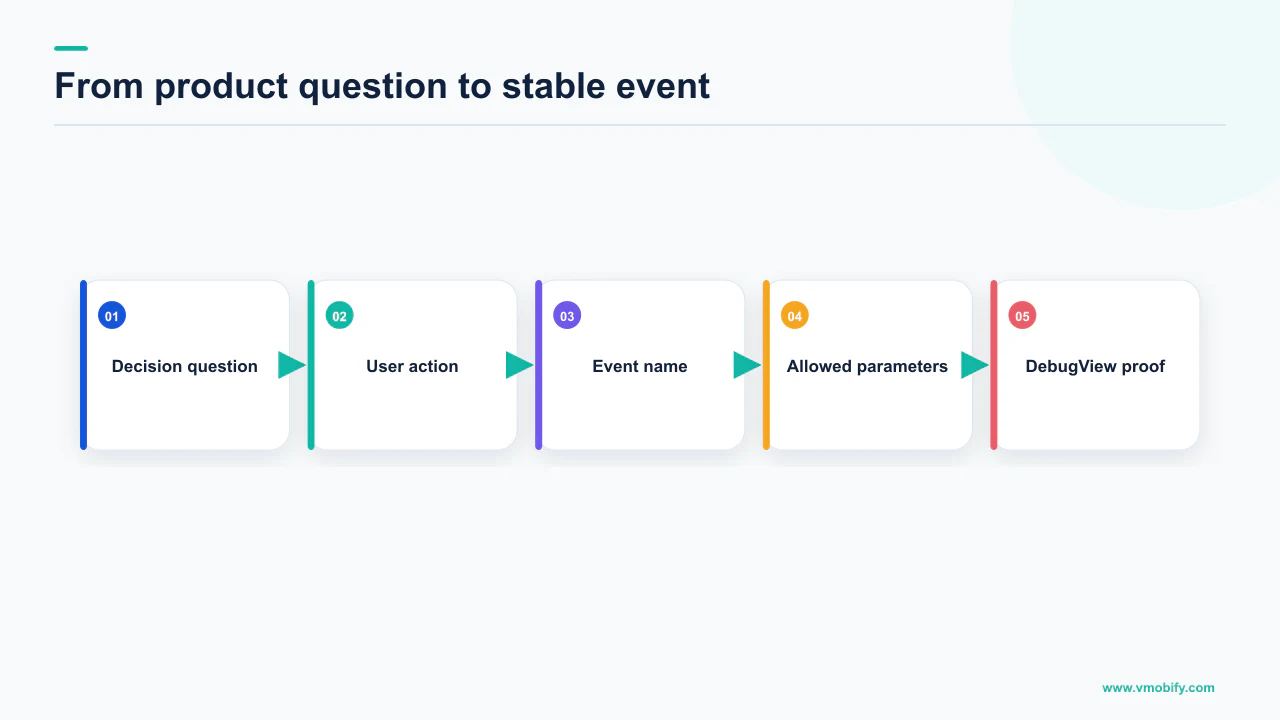
Google publishes the constraints on its event collection limits page. The ones that shape a plan for an app data stream:
Parameter names are also capped at 40 characters. Google adds a warning about event-name length: if you mark an event as a key event and it exceeds 40 characters, the event will not be reported as a key event because the appended suffix will be missing. That is a silent failure on exactly the events you care most about, caused by nothing more interesting than a long name.
Firebase documentation states you may log up to 500 different Analytics event types in your app, with no limit on total event volume, and that event names are case-sensitive — logging two events whose names differ only in case results in two distinct events. That last sentence is the one to put in your code review checklist. Checkout_Started and checkout_started are two separate events, they will both look plausible in the console, and each will hold half your data.
Use object_action in past tense: cart_updated, kyc_submitted, plan_selected. Objects group alphabetically in the console, which makes the events list navigable at fifty rows. Never encode a variable in the name — video_watched with a parameter for the video, not video_42_watched, which spends your 500-name budget on data that belongs in a parameter.
The 500-name budget is generous for a disciplined plan and trivially exhausted by an undisciplined one. Names built by string concatenation are the usual culprit, and they are hard to spot in review because each line of code looks reasonable on its own.
Which parameters belong on the event, and which do not?
Parameters describe the occurrence; user properties describe the person — and confusing the two produces reports that cannot answer the question they were built for. This is the single most common structural error we find in inherited setups.
A parameter belongs on the event when it varies with each occurrence: which plan was selected, which step failed, how long it took. A user property belongs on the user when it is a durable attribute you will want to segment all their events by: subscription tier, acquisition cohort, onboarding completion. Ask whether you would want to filter every other event by it. If yes, it is a user property.
The limits differ sharply, and they should influence the design. Event collection limits allow 25 event parameters per event, and 25 user properties per property overall — a much scarcer resource, with user property names capped at 24 characters and values at 36. Twenty-five user properties across an entire product is not many, so spend them on segmentation dimensions you are sure about rather than on anything you might want later.
Then the registration step that catches teams out: sending a parameter is not the same as being able to report on it. Google's guidance on custom dimensions and metrics puts the ceiling at 50 event-scoped custom dimensions and 25 user-scoped custom dimensions on a standard property, and notes that after 24 to 48 hours you can start to report on the new dimension. Plan for that delay; a parameter registered on the morning of a launch review will not be showing anything useful by the afternoon.
Google is explicit that you should not use a custom dimension to create a distinct identifier for each user. Identifiers are the fastest way to wreck the reporting for everything else in the property, for reasons the next section explains. If you need per-user detail, that is a job for your data warehouse, not for the reporting interface.
Write the parameter list into the plan alongside the event, with types and allowed values. A parameter whose permitted values are enumerated can be validated in code, and validation in code is the only mechanism that keeps a schema honest under deadline pressure.
What does the "(other)" row tell you about your plan?
It tells you a dimension in your plan has too many distinct values, and that some of your data has been condensed into an unreadable bucket rather than lost. The row is a design verdict on your event plan, delivered months after you shipped it.
Google's documentation on high-cardinality dimensions gives the working number: any dimension with more than 500 values should be considered a high-cardinality dimension. It also states plainly that the 500 values per dimension is not a limit, but a guidance — so do not treat 499 as safe. The mechanism is that a high-cardinality dimension significantly increases the cardinality of all the tables storing that dimension, and increases the likelihood that those tables will have some data condensed in the (other) row.
Notice the scope of that sentence. It is not only the offending dimension that suffers — one badly chosen custom dimension degrades reports that have nothing to do with it, which is why the (other) row so often surfaces in a report nobody has touched in months.
The usual offenders are predictable once you know what to look for:
- Anything user-unique. User IDs, device IDs, session IDs, order IDs registered as dimensions.
- Free text. Search queries, support messages, and error strings that include a stack trace or a timestamp.
- Concatenations. A parameter built as screen plus variant plus locale multiplies out to more values than any of its parts.
- Unbounded catalogue keys. Product SKUs in a large catalogue, content IDs in a media library.
Google's recommended avoidance resolves the tension directly: if you need to measure high-cardinality data, consider sending the data through event parameters and user properties, without registering the data in custom dimensions. Collect it, let it flow to your warehouse, and do not ask the reporting interface to slice by it. The same page advises using existing dimensions before creating custom ones, and using standard reports whenever possible.
If you are already staring at an (other) row, the repair options are covered in our piece on why Firebase numbers look wrong. For a plan being written today, the point is that this is preventable at design time and effectively not repairable in retrospect.
Why does retention decide the plan before you ship it?
Because the data retention setting governs how far back you can ever ask a question, and the shorter of the two options a standard property offers is short enough to remove year-on-year analysis from a property nobody has changed. This is a configuration decision, but it is an event-plan decision in disguise.
Google's page on data retention sets out the options: user-level data can be set to 2 months or 14 months, and for all other event data you can set retention to 2 months or 14 months, with 26, 38 and 50 months available on 360 properties. The retention period applies to user-level and event-level data associated with cookies, user identifiers such as User-ID, and advertising identifiers. Google also notes that when you change the setting, Analytics waits 24 hours before implementing the change, and during that 24-hour period you can revert your change and your data will be unaffected.
The nuance that trips people up is what retention does not touch. Google states the setting does not affect standard aggregated reports, including primary and secondary dimensions, even if you create comparisons. So headline charts keep working while the detailed exploration you needed cannot reach past the window. It reads like a data loss bug and it is a settings default.
Set retention to the longest option your property allows, and link BigQuery, on the day the property is created. Firebase documentation on linking BigQuery states that data prior to linking to BigQuery is not available for import. There is no retrospective fix for either decision, which makes them the highest-value hour in the whole setup.
Once BigQuery is linked, each day raw event data for each linked app populates a new daily table in the associated dataset, and raw event data is streamed into a separate intraday table. That export is what turns the high-cardinality data you deliberately did not register into something you can still analyse.
Treat both settings as line items in the event plan itself, with the same owner column as the events. In our portfolio the properties configured this way at creation are the only ones that can answer a question about a cohort from two years ago, and the difference is not skill, it is one afternoon at the right time. The same logic applies to the attribution side of the stack, covered in our mobile attribution guide.
How do you verify the plan actually fires?
In DebugView, on a real device, event by event against the plan — before the release ships, because the standard reporting path is far too slow to be a feedback loop. Verification is the step that distinguishes a plan from a wish.
Firebase documentation explains why waiting is not viable: events logged by your app are batched together over the period of approximately one hour and uploaded together, and the console dashboard updates periodically throughout the day. DebugView exists precisely to remove that delay, showing a stream of events logged in the last 60 seconds, an event-count stream over 30 minutes, and a panel with the top events and current user properties for the selected device.
- Turn on debug mode on the device. On Android, run
adb shell setprop debug.firebase.analytics.app PACKAGE_NAME. On Apple platforms, add the-FIRDebugEnabledcommand line argument in Xcode. - Walk the plan, not the app. Execute each row in order. You are checking the plan against reality, not exploring the interface, and the difference in what you find is substantial.
- Check the parameters, not just the event. An event that fires with the right name and an empty or misspelled parameter passes a casual glance and fails every report built on it.
- Confirm user properties are set before the events that need them, since a property applied after the fact does not retroactively label the events already sent.
- Turn debug mode off. On Android,
adb shell setprop debug.firebase.analytics.app .none.; on Apple platforms,-FIRDebugDisabled. Debug events are included in your daily BigQuery export by default, so a device left in debug mode pollutes the warehouse quietly.
Make this a release gate rather than a task. Any pull request touching an event or a parameter should carry a DebugView screenshot showing the event with its parameters, reviewed against the plan row. It is the only control we have found that reliably stops schema drift, because it moves verification to the moment the change is made rather than the moment somebody notices a chart looks odd. The pattern generalises beyond Firebase: whichever tools you settle on — our comparison of mobile analytics tools covers the trade-offs — the plan is only real if something checks it before users do.
Who owns the plan after launch?
One named person, with the authority to block a release that breaks the schema — otherwise the plan degrades at roughly the speed the product changes. It is the fourth column for a reason, and the one most often left blank.
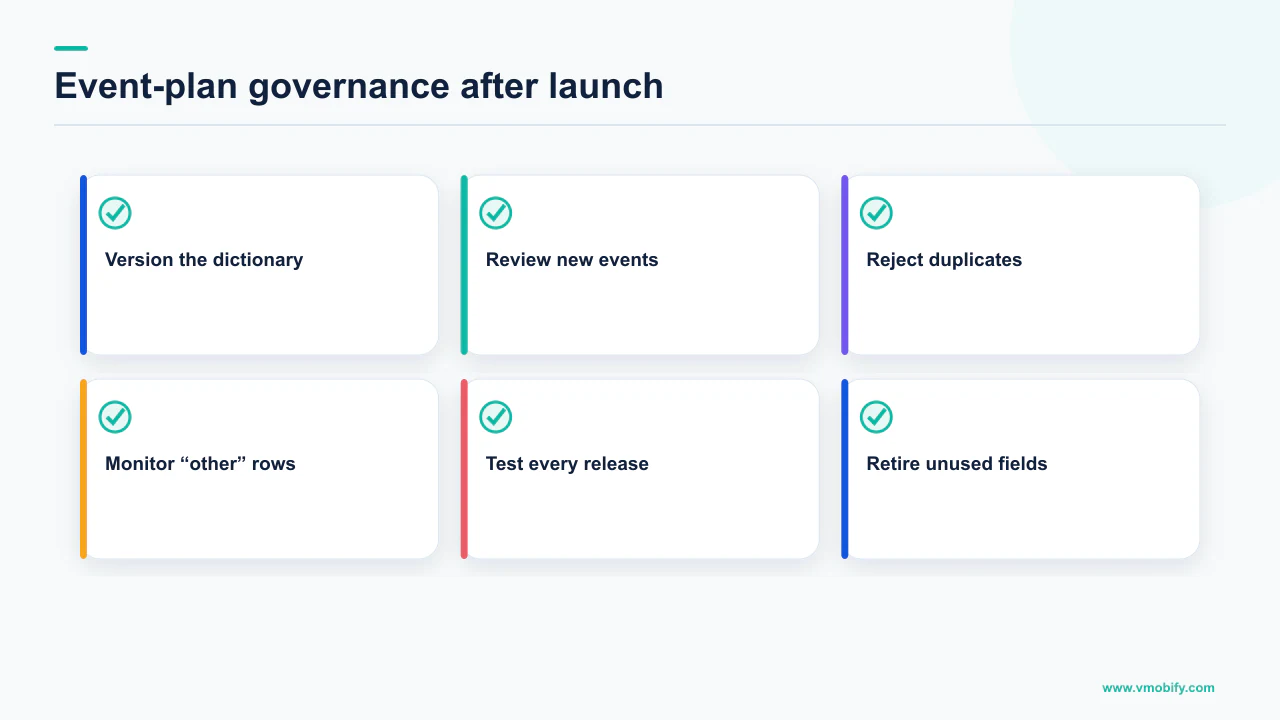
Analytics decay is not dramatic. Nobody deletes an event. A screen is rewritten and the event is not re-added, a parameter changes meaning because the underlying field was repurposed, and a new engineer adds purchase_complete because they could not find purchase_completed. Each change is individually defensible. Six months of them leaves a property producing numbers nobody trusts, which is functionally identical to having no analytics while still costing engineering time.
The operating model that holds up is unglamorous:
- The plan lives in the repository, versioned with the code, so a change to it appears in a diff and gets reviewed like a change to anything else.
- Event names come from a single constants file or generated schema. Never a string literal at the call site. This alone eliminates the case-sensitivity duplicates that Firebase documentation warns about.
- Adding an event requires filling in all four columns. The question column is the gate: a proposed event with no decision attached does not get merged.
- Deprecation is explicit. Mark the row dead, note the date and last version that sent it, and leave it in the file. Readers of an old chart need to know when it stopped.
- Quarterly review of what is unused. Events nobody queried in three months are removal candidates, and the review usually finds the rows with no owner are the rows with no users.
The owner does not have to be an analyst. On smaller teams it is usually the product lead, and that works, because the job is mostly saying no to rows without questions. What does not work is assigning it to a team, since a plan owned by everyone is reviewed by nobody.
Inheriting a property that has already drifted? List what the console actually receives and reconcile it against what anybody looks at. That gap is the real plan, and it is nearly always shorter than the document. We run this as a standing exercise in our analytics work — or send us the event list and we will tell you which rows are load-bearing.
Frequently Asked Questions
How many custom events can a Firebase app have?+
Google documents 500 distinctly named events per app user for app data streams, and Firebase documentation states you may log up to 500 different Analytics event types in your app with no limit on total event volume. The budget is comfortable for a disciplined plan and easily exhausted by names built through string concatenation, which is why variable data belongs in parameters rather than in event names.
What is the "(other)" row in my Firebase or GA4 report?+
It is where data is condensed when a dimension has too many distinct values. Google says any dimension with more than 500 values should be considered high-cardinality, and that the 500-value figure is guidance rather than a hard limit. Because a high-cardinality dimension increases the cardinality of every table storing it, one bad dimension can push data into the (other) row in reports unrelated to it.
Should I use an event parameter or a user property?+
Use a parameter when the value varies with each occurrence — which plan, which step, which error. Use a user property for a durable attribute you would want to filter every other event by, such as subscription tier or acquisition cohort. The limits reinforce the split: 25 event parameters per event, but only 25 user properties for the whole property, with names capped at 24 characters and values at 36.
Why can I not report on a parameter I am already sending?+
Sending a parameter and registering it as a custom dimension are separate steps. Google puts the ceiling at 50 event-scoped and 25 user-scoped custom dimensions on a standard property, and notes that after 24 to 48 hours you can start to report on the new dimension. Register the dimensions your plan depends on well before the review that needs them.
What data retention setting should I choose?+
The longest your property allows. Standard properties offer 2 or 14 months for both user-level and other event data, with 26, 38 and 50 months available on 360. Note that Google says the retention setting does not affect standard aggregated reports, so your headline charts keep working while deeper exploration cannot reach past the window — which is why the problem is usually discovered far too late.
How do I check my events are firing correctly before release?+
Use DebugView. Enable it with adb shell setprop debug.firebase.analytics.app PACKAGE_NAME on Android or the -FIRDebugEnabled launch argument on Apple platforms, then walk the tracking plan row by row and check both the event and its parameters. Without it you are waiting on hourly batching and a dashboard that updates periodically through the day. Disable debug mode afterwards, because debug events go into the daily BigQuery export by default.
Do I need BigQuery if I am only running a small app?+
It is worth linking on day one regardless of size, because Firebase documentation states that data prior to linking to BigQuery is not available for import. The export also gives you somewhere to analyse the high-cardinality data Google advises you not to register as custom dimensions, which is what makes a deliberately restrained reporting plan workable rather than limiting.
Sources
- Google Analytics — About high-cardinality dimensions — The 500-value guidance, how the (other) row forms, and the advice to send high-cardinality data without registering it.
- Google Analytics — Data retention — Retention options for user-level and event data, the 24-hour delay on changes, and the exemption for standard aggregated reports.
- Google Analytics — Event collection limits — Distinct event names per app user, parameters per event, user property counts, and all character limits quoted here.
- Firebase — Log events — The 500 event types statement, case-sensitivity of event names, and that some events are collected automatically.
- Firebase — Automatically collected events — The full automatic event list, platform restrictions, and the duplicate in_app_purchase warning.
- Firebase — Debug your Analytics implementation (DebugView) — Enabling and disabling debug mode on Android and Apple platforms, what the streams show, and the BigQuery export note.
- Google Analytics — Custom dimensions and metrics — Event-scoped and user-scoped custom dimension limits and the 24 to 48 hour delay before reporting.
- Firebase — Link BigQuery to Firebase — Daily and intraday tables, and that data prior to linking is not available for import.
About the author
Amol Pomane — Founder, Vmobify
Amol leads Vmobify, a mobile app growth agency that has driven 30M+ downloads and ranked 54K+ keywords across 300+ apps since 2013. He writes about ASO, paid user acquisition, retention, and the operational reality of scaling mobile apps in India and global markets.