Why Your AI-Built App Got Rejected, and What Apple Said
Your rejection notice cites a guideline number and explains almost nothing. This is what Apple actually publishes, which guidelines genuinely catch agent-built apps, and why the statistic everyone quotes about AI apps does not exist.
On this page
- What does Apple actually publish?
- Why is the 28% spam statistic fabricated?
- Has anyone published a rejection rate for AI-built apps?
- What is guideline 4.3 actually about?
- What changed with guideline 2.5.2?
- How does minimum functionality catch these apps?
- What is the account deletion twist?
- Which paperwork rejections reset your clock?
- How long does review actually take?
- How does Play enforce in parallel?
- What can your agent fix from a rejection letter?
- What belongs on the pre-submission checklist?
- Frequently Asked Questions
What does Apple actually publish?
Apple publishes real numbers in its transparency report, and they do not say what most articles claim they say.
Apple publishes an App Store Transparency Report. The most recent one covering a full year of review data reports 2024 figures, and those are the only official rejection numbers that exist. Everything else you have read is someone's estimate.
Here is what the report says.
| Figure | Number |
|---|---|
| App submissions reviewed | 7,771,599 |
| Submissions rejected | 1,931,400 |
| Rejection rate | 24.9% |
| Rejections citing Performance | 1,235,471 |
| Rejections citing Legal | 445,696 |
| Rejections citing Design | 378,300 |
| Rejections citing Business | 209,845 |
| Rejections citing Safety | 116,105 |
| Apps approved after an initial rejection | 295,109 |
Two things to note before anyone builds an argument on top of this.
First, this is 2024 data. It predates the surge. In Q1 2026 alone Apple saw roughly 235,800 new apps, up 84% year over year, with Apple processing over 200,000 a week at peak. The 24.9% figure is a baseline from a calmer year, not a reading of the room today. If someone tells you the current rejection rate, ask where they got it, because Apple has not published one.
Second, the five category figures add up to 2,385,417. That is 454,017 more than the 1,931,400 total rejections. That is not an error in the report — it means a single rejection can cite more than one guideline category. This is my arithmetic on Apple's published figures, not a statement Apple makes, but the implication is unavoidable: these are not slices of a pie. Each number is the count of rejections that cited that category, and they overlap. Treat every percentage derived from them as "share of rejections that mentioned this", never as "share of rejections caused by this".
That distinction is exactly where the most widely repeated statistic in this entire subject falls apart. The general guideline breakdown is in the guidelines that actually block launch.
The primary reference for this is Apple App Store Transparency Report, 2024 (PDF) — worth reading in full rather than taking a summary of it, because the details here change more often than the shape of the advice does.
Why is the 28% spam statistic fabricated?
The most repeated figure in this topic does not survive arithmetic against Apple’s own table.
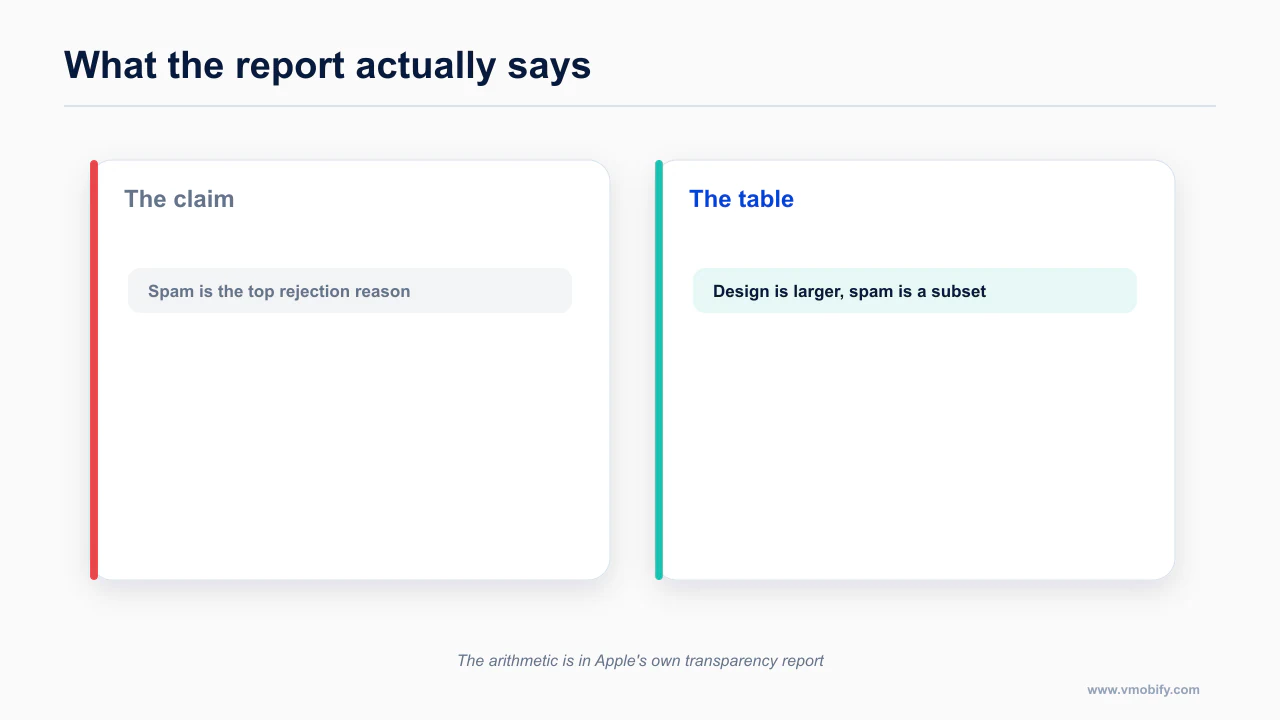
You will see this claim in blog posts, LinkedIn threads, newsletters and at least one conference deck: 28% of App Store rejections are now for spam, usually attached to a line about AI slop flooding the store.
There is no such number. Not in the transparency report, not in Apple's developer communications, nowhere. And you can prove it is impossible in about thirty seconds of arithmetic using Apple's own published figures.
Work it through.
- Spam is guideline 4.3. Guideline 4 is Design. So every 4.3 rejection is, by definition, a Design rejection.
- Design rejections in the reporting year: 378,300.
- Total rejections: 1,931,400.
- 378,300 ÷ 1,931,400 = 19.6%.
So 19.6% is the share of rejections that cited Design in total — the entire category. That includes 4.1 copycats, 4.2 minimum functionality, 4.3 spam, and everything else under Design. Guideline 4.3 is a subset of that 19.6%, and there is no published breakdown of how large a subset.
For "28% of rejections are spam" to be true, 4.3 alone would have to exceed the entire Design category by a wide margin. It cannot. The ceiling on 4.3 is 19.6%, and the real figure is certainly well below it because 4.2 and 4.1 rejections are common enough that plenty of practitioners have received them personally.
The number is fabricated. Do not repeat it, and treat any post that does as a post whose other numbers you have not verified either.
While we are here, one more.
Has anyone published a rejection rate for AI-built apps?
No such figure exists, which makes every percentage you have seen about AI apps an invention.
There is no figure — from Apple, from Google, from Sensor Tower, from Appfigures, from anyone — for what percentage of AI-built or vibecoded apps get rejected. Not a high one, not a low one, not one at all.
This is not a case of the data being hard to find. The data cannot exist in a form anyone outside Apple could compile, because neither store asks you to declare that an agent wrote your code, and neither store has any reliable way to detect it. Apple knows how many apps it rejected. It does not know, and has not claimed to know, how many of them came out of Claude Code, Cursor, Replit or Rork.
So when you read "X% of AI-generated apps are rejected", the honest translation is: someone made that up, or someone extrapolated from their own small sample and dropped the caveat somewhere between the draft and the headline. Anyone quoting a figure here is guessing.
What is documented is that the volume of submissions roughly doubled year over year while the number of apps with meaningful usage stayed flat. Supply exploded. Demand did not. That is the pressure the guidelines are being enforced under, and it explains the enforcement pattern far better than a secret anti-AI policy would.
What is guideline 4.3 actually about?
Guideline 4.3 is about category saturation rather than code quality, which is why rewriting the app rarely fixes it.
This is the section to read twice, because 4.3 is the rejection that ends projects, and almost everyone misreads it.
Developers see the word "spam" in the guideline title and assume Apple is accusing them of shipping junk. Then they go back to the agent, ask it to improve the code, add features, polish the UI, and resubmit — and get rejected again under the same guideline, because the code was never the issue. 4.3 is Apple saying: there are already enough of these.
The clearest documented case sits in Apple's own developer forums. A solo student developer built a dating app. Two years of work. On review, the reviewers acknowledged the app was useful — that is not a paraphrase of a vague signal, that acknowledgement was part of the exchange. It was rejected under 4.3 anyway, purely for being in a saturated category. The developer escalated to the App Review Board. The appeal was denied on the same grounds. The same app was then submitted to Google Play and approved without issue.
Sit with the shape of that outcome. Two years of work. Reviewers who agreed it was useful. An appeal to the highest review escalation Apple offers. Denied, because the category was full. And the identical binary shipped fine on Android.
That is what you are up against, and it has nothing to do with whether your agent wrote clean TypeScript.
Now consider what agents build when you ask them for an app idea, or when you give them a one-line prompt and let them fill in the blanks.
- Habit trackers
- AI chat wrappers
- Calorie and macro counters
- Journaling apps
- Dating apps
- Meditation timers
- Flashcard and spaced-repetition apps
Every one of those categories is saturated. Those are precisely the defaults, because they are the most heavily represented app concepts in any model's training data and they are the easiest things to describe in a prompt. The tool that makes building nearly free steers you, by default, straight into the one guideline that no amount of building can satisfy.
There is no technical fix. There are only product decisions.
- Be genuinely differentiated in a way a reviewer can see in the first thirty seconds of using the app, not in your description text.
- Be narrow. A calorie counter is saturated. A calorie counter for people managing a specific medical diet, with the domain content actually built in, is a different submission.
- Have something a reviewer cannot get from the other 4,000 apps in that category — proprietary data, a real integration, an actual community, a licensed content library.
- If you cannot articulate that in one sentence, you will get 4.3, and you will get it again after the rewrite.
Feeding the rejection letter back to your agent works well for mechanical problems. For 4.3 it fails completely, and it fails in an expensive way, because the agent will confidently produce another round of changes and you will burn another review cycle finding out they were irrelevant. If your rejection is 4.3, stop coding and go talk to a human about the product.
The documentation worth reading before you act on this is App Store Review Guidelines — worth reading in full rather than taking a summary of it, because the details here change more often than the shape of the advice does.
What changed with guideline 2.5.2?
2.5.2 governs code that changes behaviour after review, and enforcement tightened noticeably in 2026.
If you use a prompt-to-app builder rather than building directly, this section is your platform risk.
In March 2026, Apple silently blocked updates for Replit and Vibecode, citing guideline 2.5.2 — the rule that prohibits an app from downloading, installing or executing code that introduces or changes functionality.
The specific objection, as reported, was narrower than the panic suggested. Apple's problem was that apps generated inside those tools rendered in embedded web views rather than external browsers, and in Vibecode's case, that the tool generated software specifically for Apple devices. Both companies were reportedly close to approval again after agreeing to open generated content externally rather than in-app.
A third builder, Anything, was removed from the App Store on 26 March, reinstated on 3 April, and then removed again — the second removal reportedly because it could not market itself as an app maker. Its co-founder, Dhruv Amin, described it as a long saga and said that post-December, his company and everyone else in the category started getting their updates blocked. The team went through four technical rewrites.
Now the part that most coverage left out, and the part that should change how you read all of this: Apple explicitly told MacRumors there is no rule targeting vibe coding. This was enforcement of an existing guideline, not a new policy aimed at AI. That is Apple on the record, and it is consistent with everything else in the pattern — 2.5.2 has been in the guidelines for years and has always applied to apps that execute code they fetched at runtime.
Whether it is enforced consistently is a different question, and here the sharpest observation came from Hacker News commenters rather than from any vendor: Swift Playgrounds and Pythonista both run arbitrary user code, and both are fine. Swift Playgrounds is Apple's own. Pythonista has been on the store for over a decade.
The honest conclusion is not that Apple has a hidden rule. It is that 2.5.2 is enforced at Apple's discretion, and discretion moves with volume and visibility. A code-execution app that is small and quiet has always been tolerated. A code-execution app that markets itself as a way to mass-produce App Store submissions, during a year when submissions doubled, attracts a different level of attention.
What this means for you, concretely.
- If your project lives inside a hosted prompt-builder with no source export, the platform's compliance problems become your compliance problems, on the platform's timeline, not yours. Three of the major builders were blocked or removed within a single quarter of 2026.
- Source export is the single most important feature to check before you commit to a builder. Not the model quality, not the preview flow. Can you get a real Expo project out of it and build it yourself?
- If your own app executes code fetched at runtime — a plugin system, user-authored scripts, remote-configured logic that changes behaviour rather than content — you are inside 2.5.2 whether or not you thought of yourself as building a code-execution app. Render anything user-generated that behaves like a program in an external browser, not an in-app web view.
The development build cliff post covers the mechanics of owning your own build pipeline, which is the practical answer to platform risk.
This is documented directly in Apple Developer Forums thread 821221 — worth reading in full rather than taking a summary of it, because the details here change more often than the shape of the advice does.
How does minimum functionality catch these apps?
Guideline 4.2 catches the thin-wrapper pattern, and a WebView is the fastest way into it.
Guideline 4.2 requires apps to provide enough native functionality to justify existing as an app rather than a website. It is the wall that web-first AI builders walk into.
The pattern is predictable. A tool generates a web app. The web app is genuinely good. You wrap it in Capacitor or a WebView shell to get it into the store. Review opens it, sees a website in a native container, and rejects under 4.2.
This is not an AI-specific rule and it is not new. It is the same guideline that has rejected restaurant-menu wrappers and brochure apps for a decade. What is new is how many people arrive at it accidentally, because the tool that built the thing never mentioned that "deploy to mobile" and "pass App Review" are different problems.
Worth knowing before you pick a builder: some of the most popular AI app tools cannot produce native mobile output at all. Lovable, for instance, builds web only — there is no React Native or Expo path, only an open feature request. Anything you ship to the App Store from a web-only builder is a wrapper, and wrappers are where 4.2 lives.
If you are already in this position, the fix is real native functionality, not a better wrapper: offline behaviour, push notifications that matter, camera or sensor use, native navigation, share sheets, widgets. A reviewer is asking one question — why does this need to be an app? Answer it in the app, not in the review notes.
What is the account deletion twist?
5.1.1(v) requires in-app account deletion, and the 2026 version has a consequence for subscription apps.
If your app lets a user create an account, it must let them delete it from inside the app. That has been in force since 30 June 2022. It is not new, it is not negotiable, and it is one of the most reliably caught issues in review because it is trivial to test.
Here is the 2026 twist that catches vibecoded apps specifically: reviewers now check that the deletion actually erases backend data, not just that a button exists and signs you out.
This is close to a signature failure of agent-built apps. Ask an agent for account deletion and you will very often get exactly what you asked for — a settings row, a confirmation dialog, a call to the auth provider's sign-out or user-delete method — and no server-side cascade at all. The auth record goes. The user's rows in every other table stay. Their uploaded files stay in the bucket. Their entries in your analytics pipeline stay.
Before you submit, test it like a reviewer would.
- Create a fresh account through the normal signup flow.
- Generate real data — a few records, an uploaded image, whatever your app stores.
- Delete the account from inside the app.
- Then go to your database and check every table, and your storage bucket, and confirm the rows and files are gone or genuinely anonymised.
- Confirm the deletion path also handles the accounts created via Sign in with Apple, which is where a surprising number of implementations quietly diverge.
If the data is still there, you have not implemented account deletion. You have implemented a logout button with a scary label. The billing-state detail is in account deletion with an active subscription.
For the authoritative version, see Apple Developer Forums thread 818253 — worth reading in full rather than taking a summary of it, because the details here change more often than the shape of the advice does.
Which paperwork rejections reset your clock?
Some rejections are not about the app at all, and they cost the same time as the ones that are.
None of these are interesting. All of them cost you a full review cycle, which is the expensive part.
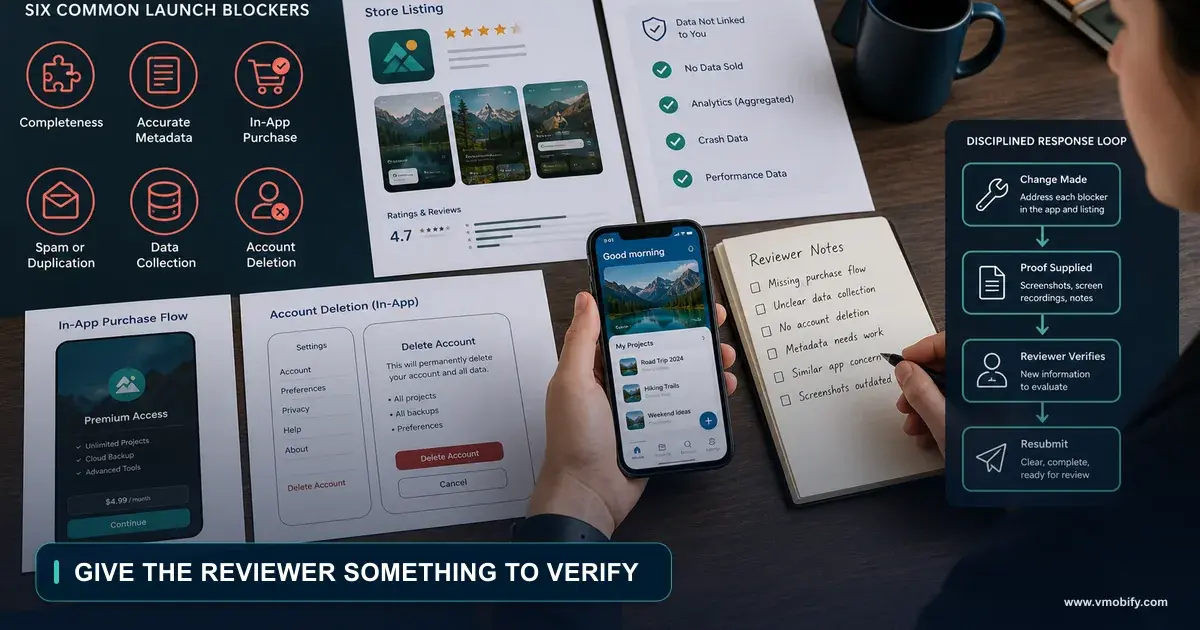
- Missing or non-working test account credentials. If any part of your app is behind a login, reviewers need working credentials in the review notes. Not expired ones. Not ones behind an email verification step they cannot complete.
- Dead support or marketing URLs. These get filled with placeholders during development and never revisited. Both must resolve and both must look like they belong to the app.
- Screenshots that do not match the build. This is guideline 2.3. Agent-built apps generate screenshots early, then the UI changes six times, and nobody regenerates them.
- Default permission strings. The scaffolded
NSCameraUsageDescriptionthat still says something generic, or worse, still contains the template text. Every permission string must explain what your app does with that permission, in your app's language. - Features that need a live backend that is not live. Staging URLs left in the build, or an API key with a rate limit that the reviewer trips.
- Anything gated behind a region, invite code or waitlist that the reviewer cannot get past.
Each of these is a full round trip. If your app is going to get rejected, you want it rejected for something that teaches you something.
How long does review actually take?
Apple publishes a figure, developers report a wider spread, and both can be true.
You have probably seen "App Store review now takes 45 days" or similar. Here is the careful version, because this is a place where the anecdote and the documentation genuinely diverge and both matter.
What is anecdote: the specific long review-time figures circulating in 2026, including the 45-day number. These are driven by individual developers reporting their own worst cases. There is no dataset behind them. Do not plan around them and do not repeat them as fact.
What is documented: multi-week individual stalls, reported in Apple's own developer forums, in threads that Apple staff participate in. These are real, verifiable, and they are individual cases rather than an average — a submission enters a state where it sits in review for weeks with no communication and no rejection.
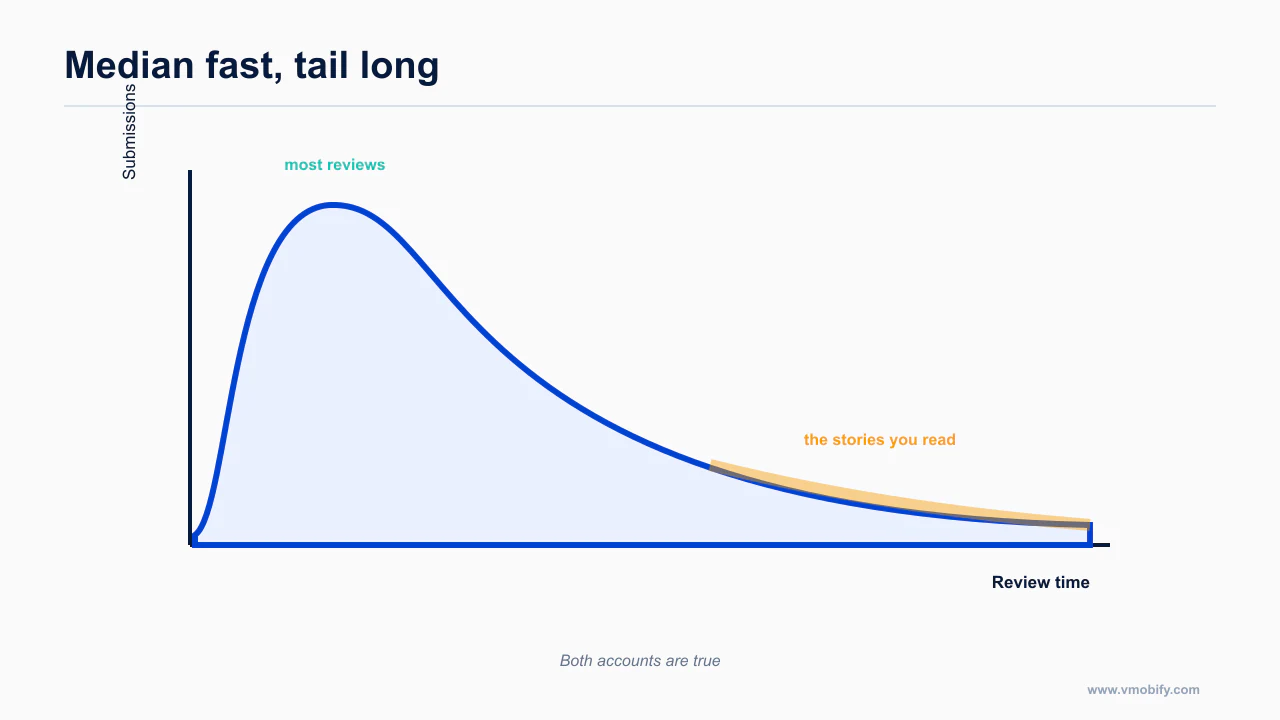
What Apple says: Apple still publicly states that around 90% of submissions are reviewed within 48 hours.
All three of those things are true at once, and they are not actually in conflict. A distribution where most submissions clear in two days and a tail of them stalls for weeks produces exactly this — a reassuring average and a forum full of people whose app has been in review since the 14th.
The planning implication is straightforward: assume 48 hours, budget for two weeks, and never schedule a launch, a paid campaign or a press date against a submission that has not been approved yet. If you are stalled, the documented escalation paths are the App Review contact form and, for time-sensitive cases, an expedited review request — which is a limited resource, so spend it on a real emergency rather than on impatience.
The source that settles this is App Store sees 84% surge in new apps as AI coding tools take off — 9to5Mac — worth reading in full rather than taking a summary of it, because the details here change more often than the shape of the advice does.
How does Play enforce in parallel?
Play runs its own enforcement on a different schedule, and an app can pass one store while failing the other.
Google is not the soft option. It is a different set of problems.
Thin AI wrappers are treated as spam. Play's policy targets apps that rehash existing apps or provide no useful functionality beyond wrapping a third-party model. The tells are exactly what an agent produces by default: a generic chat UI, marketing copy that leads with the model name rather than what the app does, and screenshots that are just text bubbles. Enforcement includes retroactive sweeps, so an approved app is not a permanently safe app.
Disclosure is required in the UI. If your app generates conversational or editorial content with a model, you have to disclose that in the interface, not only in the listing.
Data Safety mismatch is a top rejection cause. Your Data Safety declaration must match what the binary actually does — including SDKs your agent added without telling you. This is worth a specific check, because "add analytics" is a one-line prompt that can pull in a dependency that collects an advertising identifier you never declared.
The dated deadlines, the age-rating overhaul, the social media declaration, privacy manifests and the Play target API floor all live in the 2026 mobile compliance calendar, which is the companion to this post. If you are preparing a first submission, read both.
And if your rejection touches data handling at all, the vibecoded app security post covers the underlying problems — keys in the bundle, tokens in plaintext storage, entitlements checked client-side — that turn a compliance question into an incident.
What can your agent fix from a rejection letter?
An agent can fix some rejection classes directly and cannot touch others at all.
Paste the rejection into Claude Code and it will do something. Whether that something is useful depends entirely on which guideline you got.
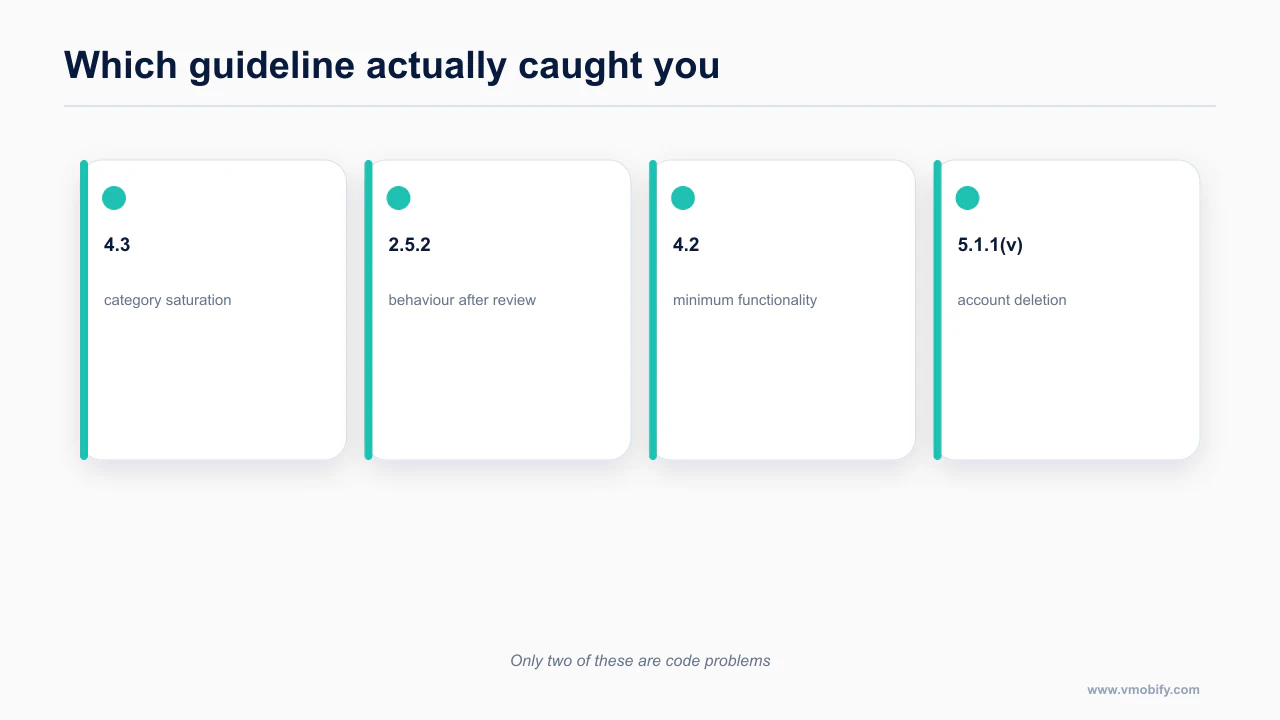
Works well. Missing permission strings, missing account deletion UI and the backend cascade behind it, broken links, empty states, offline handling, input validation, screenshot regeneration, Data Safety declaration reconciliation against the actual dependency list, replacing an in-app web view with an external browser open. These are mechanical, the correct answer is knowable from the codebase, and the agent has all the context it needs.
Works partially. 4.2 minimum functionality. An agent can add native capability, but it cannot tell you which native capability makes your app worth existing. You have to decide that; it can implement it.
Fails completely. 4.3. There is no code change that makes your category less crowded. An agent asked to fix a 4.3 rejection will produce plausible, confident, useless work, and it will cost you review cycles. This is a product problem, and the only honest response is to change the product or change the market.
One habit that pays for itself: when you do rewrite for review, ask the agent to check the edge cases reviewers hit that demos never do — offline, invalid input, empty states, expired sessions, permission denied then re-requested. The sharpest framing of this failure mode belongs to the team at Appbot: builders ship demo-ready, not review-ready, and apps that would have passed a year ago are now getting rejected. Nothing about your app changed. The bar moved because the queue got longer.
What belongs on the pre-submission checklist?
Every item on the checklist exists because it has caused a rejection.
Run this before every submission, not just the first one. Copy the checklist below into your repository or project tracker so each release has its own evidence.
Product and category, before anything else
- Can you name, in one sentence, what your app does that the top ten apps in your category do not?
- Is your category saturated? Habit trackers, AI chat, calorie counters, journaling, meditation, flashcards and dating all are.
- Is that differentiation visible inside the first thirty seconds of using the app, without reading the description?
- Would a reviewer who has already seen forty apps like yours today notice the difference?
Functionality
- Does the app do enough natively to justify not being a website? (4.2)
- If any content is generated or user-authored and behaves like code, does it open in an external browser rather than an in-app web view? (2.5.2)
- Does every screen have a designed loading, empty, error and offline state?
- Does the app behave correctly with no network, with invalid input, and with an expired session?
Accounts and data
- If the app supports account creation, is there in-app account deletion? (5.1.1(v))
- Have you created a test account, generated data, deleted it, and then verified in the database and storage that the data is actually gone?
- Does deletion work for Sign in with Apple accounts specifically?
- Does your privacy declaration match every SDK actually in the build, including ones the agent added?
Paperwork
- Working test credentials in the review notes, verified today, not last month.
- Support URL and marketing URL both resolve and both look like they belong to this app.
- Screenshots match the current build. (2.3)
- Every permission usage string describes what your app actually does with that permission — no template text.
- No staging endpoints, debug menus or feature flags left switched on in the release build.
- The build you are submitting is the build you tested, from a clean install on a device that has never run the app.
Store-specific
- Apple: age rating questionnaire completed, and the social media declaration answered if your app has a feed or any interaction with user-generated content.
- Apple: privacy manifest present, with third-party required-reason API declarations consolidated where the dependency did not supply them correctly.
- Play: target API level meets the current enforced floor.
- Play: Data Safety form reconciled against the actual dependency list.
- Play: if you are on a personal developer account created after 13 November 2023, the closed testing requirement is satisfied before you try to promote to production.
Before you resubmit after a rejection
- Identify the guideline number, not just the sentence.
- Decide whether it is mechanical, partial or product. Only the first is safe to hand to your agent unsupervised.
- If it is 4.3, do not resubmit the same app. Change the product or the market.
- If it is 2.5.2, change how generated content is rendered before you argue.
- If you genuinely believe it is a mistake, the App Review Board exists — but know from the documented case above that "the reviewers agreed it was useful" is not, on its own, a winning appeal.
The thing worth remembering out of all of this: 295,109 apps were approved after being rejected in the reporting year. Rejection is a normal step in shipping, not a verdict on your app. What determines whether you get through is whether you are fixing the thing that was actually wrong — and for that, you have to read the guideline number, not the vibe of the letter. The dated version of the surrounding policy work is the 2026 compliance calendar, and the wider path is the mobile shipping pillar.
Frequently Asked Questions
Does Apple reject apps for being built with AI?+
There is no evidence of that and no published figure supporting it. Agent-built apps get rejected for the same reasons as any other app, and are simply less likely to have run a compliance pass.
Where does the 28% spam figure come from?+
Nowhere reliable. Apple’s own table puts Design as the larger category with spam as a subset, so the figure does not survive the arithmetic it claims to be based on.
How do I fix a 4.3 rejection?+
Usually not by changing code. 4.3 concerns category saturation, so the answer is differentiation of what the app does, or a different category, not a rewrite.
Why did my WebView app get rejected?+
Minimum functionality. If the app is largely a wrapper around a website, it falls under 4.2 regardless of how well the wrapper is built.
How long does App Store review really take?+
Apple reports the large majority within a couple of days. Developers also report multi-week stalls. Both are true: the median is fast and the tail is long.
Can my agent fix a rejection from the letter alone?+
Sometimes. Missing declarations, account deletion and metadata issues are fixable. Category saturation and business-model objections are not code problems at all.
Does passing App Store review mean Play will pass?+
No. Play enforces separately and on its own schedule, so an app can be live on one store and blocked on the other.
Sources
- Apple App Store Transparency Report, 2024 (PDF)
- App Store Review Guidelines
- Apple Developer Forums thread 821221
- Apple Developer Forums thread 818253
- App Store sees 84% surge in new apps as AI coding tools take off — 9to5Mac
- Dedicated mobile apps for vibe coding have so far failed to gain traction — Tech
- RevenueCat State of Subscription Apps
- App Store Connect Help
About the author
Amol Pomane — Founder, Vmobify
Amol leads Vmobify, a mobile app growth agency that has driven 30M+ downloads and ranked 54K+ keywords across 300+ apps since 2013. He writes about ASO, paid user acquisition, retention, and the operational reality of scaling mobile apps in India and global markets.