The 2026 Mobile Compliance Calendar Nobody Told You About
Four store rules landing across 2026 catch exactly the app a coding agent builds by default. Each one blocks updates rather than launches, which is why teams meet them late. Here are the dates, what each blocks, and the order to handle them in.

On this page
- What is on the 2026 compliance calendar?
- Why does Apple’s age rating overhaul block updates?
- What does the social media declaration require?
- What does Expo not do for you on privacy manifests?
- What happens now that Play target API 36 has passed?
- What is in Play’s July 2026 policy pack?
- How does the 12 testers, 14 continuous days rule work?
- Why does a Data Safety mismatch keep costing you?
- Where does account deletion fit on this list?
- What should you do about this in the next week?
- Frequently Asked Questions
What is on the 2026 compliance calendar?
Four rules land across 2026 and each blocks updates rather than launches, which is why teams meet them later than they should.
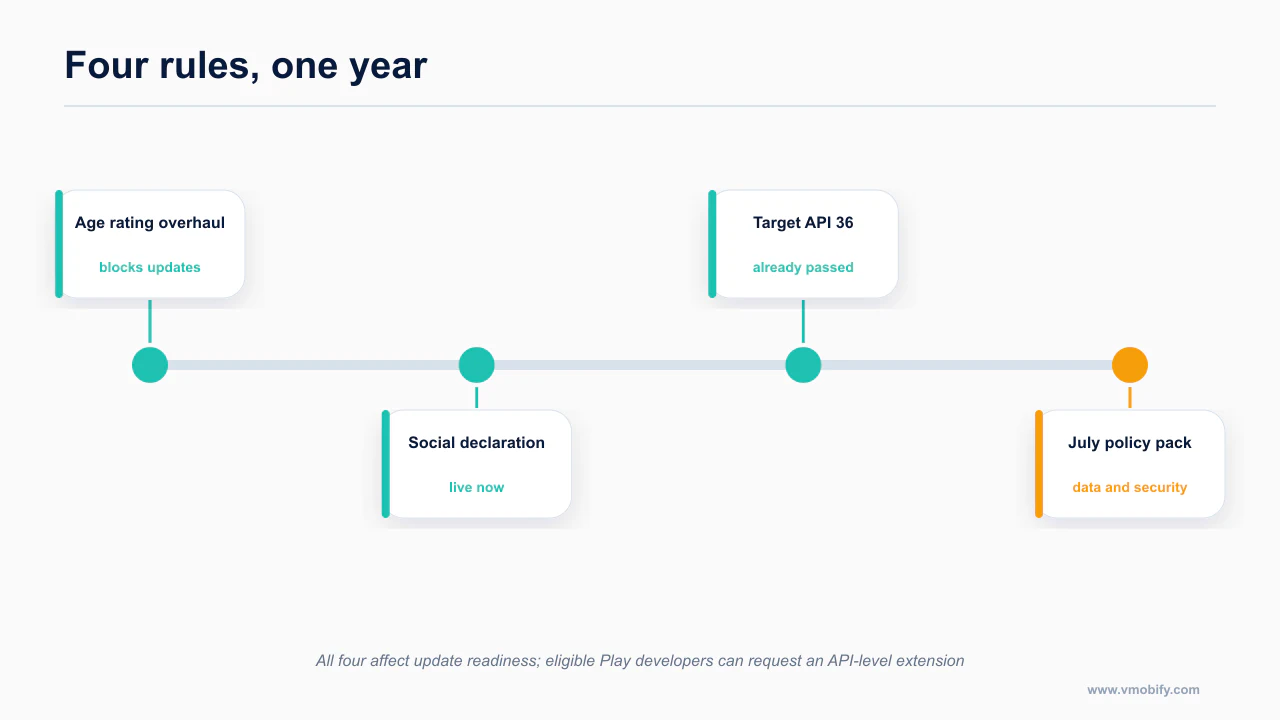
Paste this into your tracker. Dates are the effective or deadline date, not the announcement date.
| Date | Store | Rule | What it blocks if you ignore it | Status as of 5 Sept 2026 |
|---|---|---|---|---|
| 30 Jun 2022 | Apple | Account deletion, guideline 5.1.1(v) | Rejection at review | In force. 2026 twist below |
| 31 Jan 2026 | Apple | Age rating overhaul — new 13+/16+/18+ bands, four new questions | Blocked from submitting updates until answered | Deadline passed |
| ~mid-2026 onward | Apple | Privacy manifest (PrivacyInfo.xcprivacy) with required-reason API declarations | Rejection at upload or review | In force |
| 31 Aug 2026 | Google Play | Target API level 36 | Cannot publish new apps or updates | Deadline passed — this is a floor now |
| ~mid-Aug 2026 | Google Play | July 2026 policy pack: third-party AI calls under User Data policy, mandatory content ratings, app registration | Rejection, or removal | In force, verify details yourself |
| Sept 2026 | Apple | Social media declaration | Forced rating and time-allowance bucket; rejection if undeclared | Live now |
| Ongoing | Google Play | 12 testers, 14 continuous days (personal accounts created after 13 Nov 2023) | Production and pre-registration stay disabled | In force |
| Ongoing | Google Play | Data Safety declaration must match the binary | Top Play rejection cause | In force |
Now the detail, in the order you will hit it. The build-side path these sit at the end of is the Claude Code mobile pillar.
Why does Apple’s age rating overhaul block updates?
Deadline: 31 January 2026. Passed.
Apple restructured age ratings. The old 4+ / 9+ / 12+ / 17+ scheme gained new bands — 13+, 16+ and 18+ — sitting on top of 4+ and 9+. That alone would be a metadata change. What makes this a deadline rather than a nicety is the questionnaire.
Four new mandatory questions were added, covering:
- in-app controls (parental controls, content filtering, communication limits)
- capabilities (what the app can technically do, independent of what it is for)
- medical or wellness content
- violence
If you have not answered them, you are blocked from submitting updates. Not warned. Not down-ranked. Blocked. This is the one that catches people who shipped in 2025, went quiet for six months, then came back to push a bug fix and found the submit button unavailable.
The clause that matters if an agent built your app: apps with AI assistants or chatbots must account for the frequency of sensitive content the assistant can produce. Not whether your app is about sensitive content — whether the model behind your chat feature can produce it, and how often.
Think about what that means for the default vibecoded app. You wired a general-purpose model into a chat screen. You did not fine-tune it, you did not add a content filter, and your system prompt is two sentences. The honest answer to "can this produce sensitive content, and how often" is not "never". If you answered the questionnaire as though your app were a calculator, you have declared something you cannot support, and that is a worse position than an inconvenient rating.
What to do, concretely.
- Open App Store Connect and complete or re-check the age rating questionnaire for every app you own, including the ones you are not actively updating.
- If you have a chat or assistant feature, answer the sensitive-content questions based on what the underlying model can emit, not what your prompt asks it to emit.
- If a higher band is the honest answer, take the higher band. A 13+ app that ships beats a 4+ app that gets pulled.
- Add a content filter or moderation layer if the rating is genuinely costing you the audience you need — that is a product change, and it is the only legitimate way to lower the answer.
The questionnaire and its effect on releases are described in App Store Connect Help, and the underlying policy in the App Store Review Guidelines. Complete it on a low-stakes update rather than the one you need out on a deadline: the questionnaire asks about content your app may only contain conditionally, and answering it accurately sometimes means checking what a third-party SDK can surface. Teams that answer optimistically get a rating they then have to defend.
What does Expo not do for you on privacy manifests?
In force.
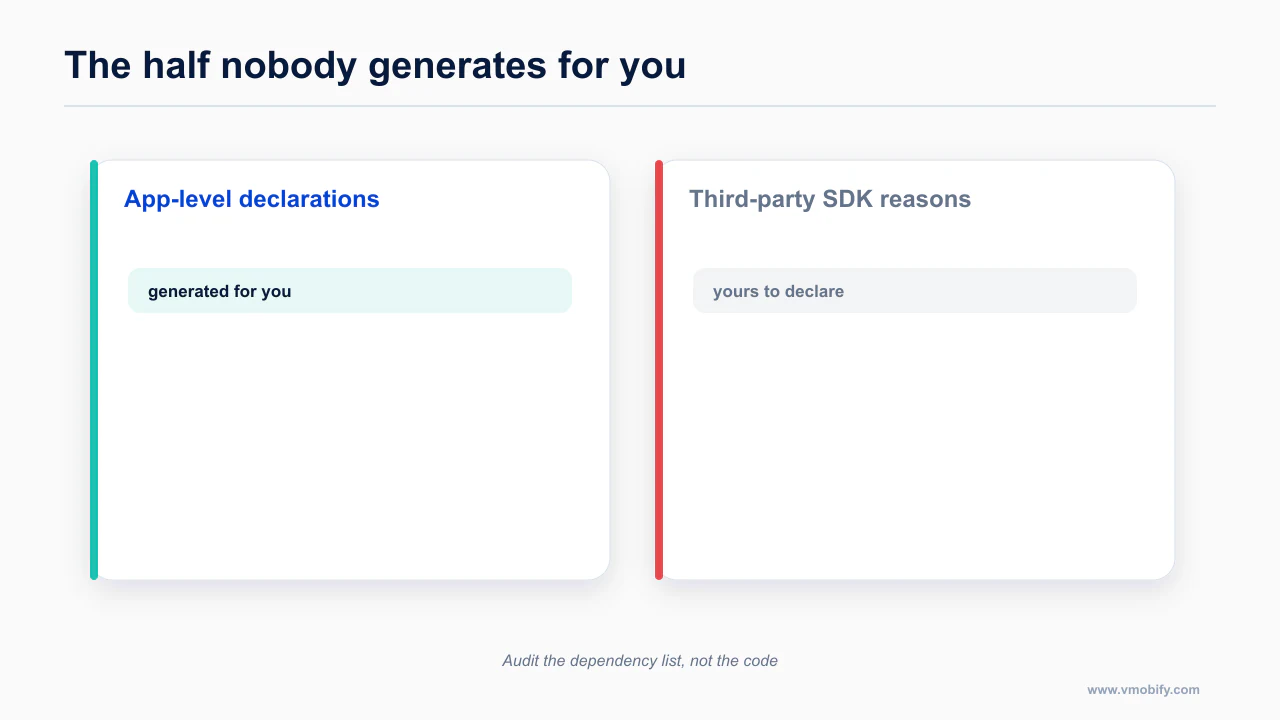
PrivacyInfo.xcprivacy is Apple's privacy manifest. It declares the data your app collects, the tracking domains it contacts, and — the part that trips people up — your reasons for calling required-reason APIs.
There are five required-reason API categories you are most likely to touch:
UserDefaults- file timestamp APIs
- system boot time
- available disk space
- active keyboard information
Every one of those is something a normal app uses for normal reasons. UserDefaults alone is in essentially every React Native app, because that is what AsyncStorage sits on top of.
Two things about this on Expo that the documentation states and most tutorials do not.
Expo does not fully automate the manifest. You configure expo.ios.privacyManifests in your app config yourself. This is not a case of prebuild working it out from your dependency graph. If you have never opened that config key, you probably do not have the declarations you need.
Apple does not correctly parse all the PrivacyInfo files included by static CocoaPods dependencies. That is the documented behaviour, and its consequence is specific and annoying: a third-party SDK can ship a perfectly correct privacy manifest of its own, and Apple's tooling will not pick it up. So the reasons for those third-party APIs must be manually consolidated into your own manifest. You are declaring, in your file, on behalf of dependencies you did not write.
The practical workflow.
- List every native dependency in your project, not just the ones you added deliberately. Agents add dependencies quietly.
- For each one, find out whether it uses any of the five required-reason API categories. The dependency's own
PrivacyInfo.xcprivacy, if it ships one, is the fastest source. - Consolidate those reasons into your
expo.ios.privacyManifestsconfig, alongside your own. - Rebuild and confirm the manifest is present in the built app, not just in the config.
This is a good task to hand to an agent, with one instruction that matters: tell it to enumerate dependencies from the lockfile and the Pods directory, not from what it remembers about your project. The failure mode here is a plausible-looking manifest that covers the four libraries the model thought of.
Apple's requirements are in the privacy manifest documentation, and Expo's coverage of what it does and does not generate is in the Expo privacy guide. The practical gap is the required-reason API declarations for third-party SDKs: Expo emits the app-level file, but each SDK you added is your responsibility to declare. Audit the dependency list rather than the code, because the SDK that triggers a required-reason API is rarely the one you were thinking about.
What happens now that Play target API 36 has passed?
Deadline: 31 August 2026. Passed.
Google Play requires new apps and updates to target a recent API level, and the current requirement is API 36. The deadline was 31 August 2026. It is now September.
That framing matters. This is not an upcoming task to put on a roadmap. It is an enforced floor. If your targetSdkVersion is below 36, you cannot publish — not a new app, not an update to an existing one. Existing installs keep working; you just cannot ship to them.
Why this catches agent-built projects specifically: build configuration is exactly the kind of detail a model reproduces from training data, and training data is by definition older than the current deadline. Ask for an Android build config and you may well get a target SDK that was correct eighteen months ago. It will build. It will run. It will be refused at upload.
Check it in one place, before you spend a build.
- Read the effective
targetSdkVersionfrom your merged manifest or Gradle config, not from a comment. - On Expo, confirm what the current SDK's Android build properties actually resolve to, and whether any config plugin is overriding them.
- Bump, then test — target SDK bumps change runtime behaviour, particularly around permissions, background work and storage access. A build that compiles is not a build that behaves.
The current requirement and its schedule are published in Google's target API level requirements. Raising the target level is rarely a one-line change: it usually surfaces permission and background-execution behaviour that changed several releases earlier and was masked by the old target.
What is in Play’s July 2026 policy pack?
Effective around mid-August 2026. Flagging this one honestly: the details here come from secondary sourcing rather than a single primary policy page, so verify the specifics against the Play Console and the developer program policy before you rely on them. The direction of travel is not in doubt; the exact wording may differ from what is summarised here.
The substance, as reported:
- Third-party AI calls now fall under the User Data policy. If your app sends user data to an external model endpoint, you must disclose that endpoint in Data Safety and obtain explicit consent before the data is transferred. Not consent buried in a privacy policy. Consent, before transfer.
- Content ratings are mandatory.
- Target API 36 is required, which is the same requirement as above, arriving from a second direction.
- App registration is required, with global removal as the consequence of not completing it.
The first item is the one that changes how you build. The default vibecoded architecture calls a model API — often directly from the client, which is a security problem in its own right — with whatever the user typed. Under this policy, that call is a data transfer to a third party, and it needs a disclosure and a consent gate in front of it.
What that looks like in practice.
- A consent screen or clearly-labelled control the user passes before any prompt leaves the device, with the destination named.
- A Data Safety declaration listing the model provider as a third party you share data with, and the categories of data you send.
- A code path that genuinely does not call the endpoint if consent was refused. Reviewers test this.
The policy text lives in the Google Play Developer Program Policy, with the enforcement mechanics in Play Console Help.
How does the 12 testers, 14 continuous days rule work?
In force, ongoing.
If you are on a personal Google Play developer account created after 13 November 2023, you must run a closed test with at least 12 testers for 14 continuous days before you can promote to production.
The details that catch people:
- The 14 days must be continuous. A tester opting out breaks the streak, and the streak restarts.
- Production and pre-registration stay disabled until the requirement is met. This is not a review step you can expedite.
- Twelve real testers who accept the invitation and keep the app installed is harder than it sounds when you are solo. Start recruiting before you need them.
This is not a rejection risk. It is a schedule risk, and it is the single most common reason a first Android launch slips by two weeks. Organisation accounts are not subject to it, which is worth knowing before you register a personal account for something you intend to run as a business.
Two details catch people. The fourteen days must be continuous, so a tester who uninstalls mid-run can reset the clock, and the count is of testers actually opted in rather than invited. Recruit more than twelve, confirm each has accepted, and start the run before you need production access rather than when you are ready to ship. Treating it as a fortnight of elapsed calendar time you have to plan around, rather than a checkbox, is the difference between shipping on your date and shipping two weeks later.
Why does a Data Safety mismatch keep costing you?
In force, ongoing, and the top Play rejection cause.
Your Data Safety declaration must match what your binary actually does — including SDKs your agent added without telling you.
This is a maintenance problem, not a one-time form. Every time a dependency is added, your data collection surface may change. "Add crash reporting" or "add analytics" is a one-line prompt that can introduce an advertising identifier, a device identifier or a location read that you never declared.
Make it a release-checklist item: before each submission, diff your dependency list against the last release, and for anything new, check what it collects. An agent is good at this if you point it at the lockfile diff and ask specifically what data each new dependency collects and transmits.
Play's Data Safety expectations are set out in the Data Safety form documentation. The failure mode is drift rather than deceit: you declare accurately at launch, then add an analytics or ads SDK six months later and the declaration silently stops matching what the app collects. Re-check it whenever the dependency list changes, not on a calendar.
Where does account deletion fit on this list?
In force since 30 June 2022, but enforced differently in 2026.
If your app supports account creation, it must support in-app account deletion. That is old. What is new is that reviewers now check the backend actually deletes, rather than accepting that a button exists.
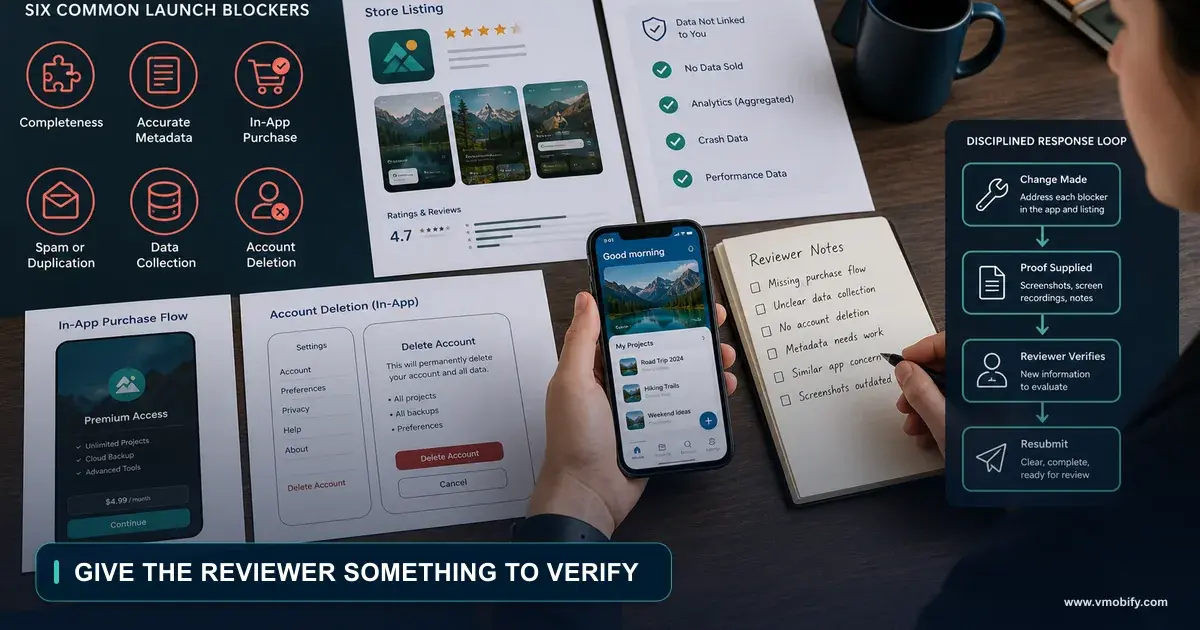
This is a signature agent failure, because "add account deletion" produces a settings row, a confirmation dialog, and a call to the auth provider — with no server-side cascade. The auth record disappears; the user's data does not. Test it the way a reviewer would: create an account, make data, delete, then look in your database and your storage bucket. Full detail is in the rejection post. The full billing-state version of this is account deletion with an active subscription.
What should you do about this in the next week?
Work the list in blocking order rather than date order: whatever stops your next update ships first.
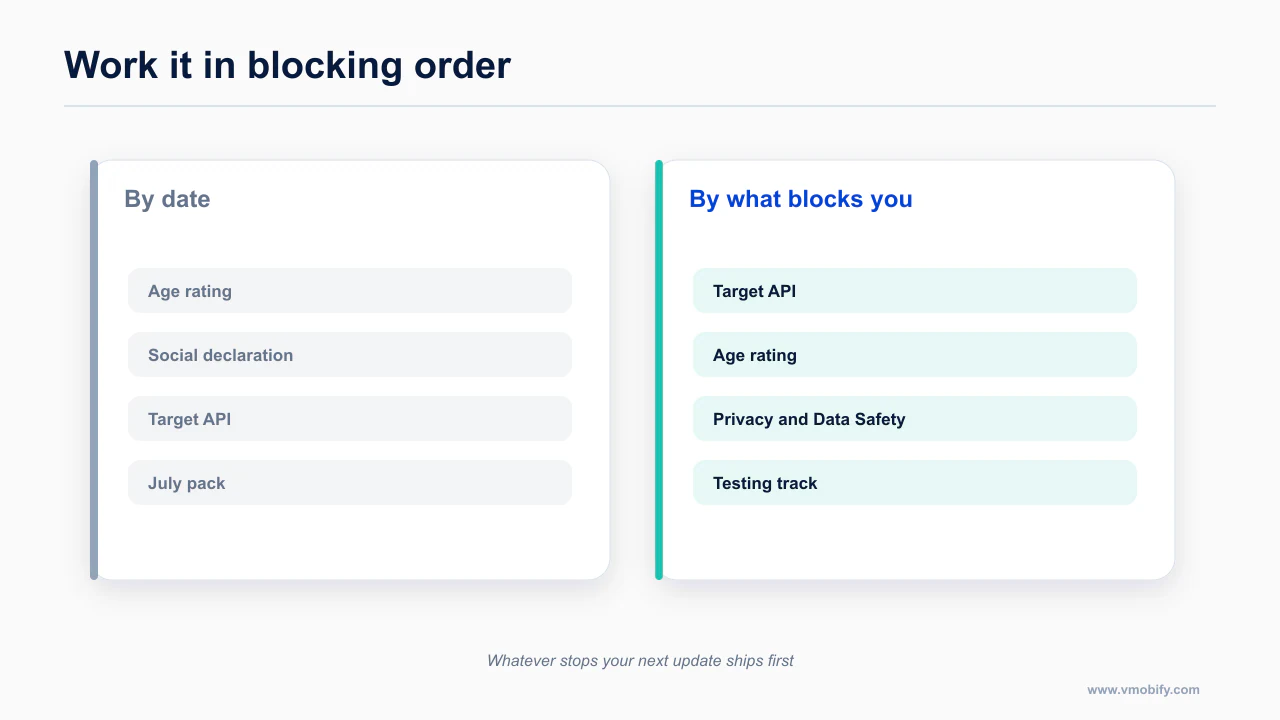
If you have an app in the store or about to be, in this order:
- Open App Store Connect and complete the age rating questionnaire. If it is unanswered, everything else is academic because you cannot submit anyway.
- Decide your social media declaration honestly, based on whether users can redistribute, amplify or discover each other's content. Then either declare it or remove the mechanic.
- Check your Android target SDK against 36. One number. It either publishes or it does not.
- Audit your privacy manifest against your real dependency list, consolidating third-party required-reason declarations into your own file.
- Put a consent gate in front of any third-party model call, and reconcile Data Safety against your dependencies.
- If you are on a personal Play account created after 13 November 2023, start the 12-tester clock now rather than when the build is ready.
Use this blocking-order list together with the detailed mobile app compliance checklist before submission.
Store rules change quarterly and this post is dated 5 September 2026. Treat every date here as a prompt to check the primary source, not as a substitute for checking it. Run this alongside the wider compliance checklist and the guidelines that actually block launch.
A workable order: check whether your target API level blocks an update today, because that one is already live and freezes everything else. Complete the age rating questionnaire next, on a release you do not urgently need. Then audit the dependency list against your privacy manifest and Data Safety declaration together, since both fail for the same reason and the same audit answers both. Leave the testing-track requirement until last unless you are on a new personal account, in which case it moves to the front and sets your earliest possible release date.
Frequently Asked Questions
Which 2026 rule is most likely to catch me first?+
The age rating overhaul, because it blocks updates rather than new submissions. Apps that have shipped for years hit it the moment they try to release a fix.
Does Expo handle privacy manifests automatically?+
Partly. It generates the app-level manifest but not the required-reason declarations for third-party SDKs, which is where submissions fail.
What happens if my app is below Play target API 36?+
You cannot ship an update. The app stays available to existing users but is frozen until you raise the target level.
Does the 12 tester rule apply to my existing account?+
It applies to new personal developer accounts. Organisation accounts and established accounts are treated differently, so check your account type before planning.
Can I fix a Data Safety mismatch after launch?+
Yes, and you should immediately. It is enforced continuously rather than at a deadline, so a mismatch is a standing risk rather than a missed date.
Is the social media declaration only for social apps?+
No. It catches any app with user-to-user contact, which includes comments, direct messages and shared content in apps nobody would call social.
What order should I work through these?+
Blocking order, not date order. Whatever stops your next update ships first, then the continuous requirements, then the ones with future deadlines.
Sources
About the author
Amol Pomane — Founder, Vmobify
Amol leads Vmobify, a mobile app growth agency that has driven 30M+ downloads and ranked 54K+ keywords across 300+ apps since 2013. He writes about ASO, paid user acquisition, retention, and the operational reality of scaling mobile apps in India and global markets.
What does the social media declaration require?
Effective: September 2026. That is this month.
This is the newest of the four and the one most likely to catch you by surprise, because the trigger condition is much broader than "is this a social network".
Apple's condition is the ability to redistribute, amplify, or interact with user-generated content through a social feed or similar discovery method. If your app has that, three things follow:
Read the trigger again and then look at your app. A feed and a like button qualifies. A recipe app where users post their versions and other users can browse and favourite them qualifies. A fitness app with a shared activity timeline qualifies. A journaling app with public entries and a discovery tab qualifies.
Every one of those is a shape an agent produces when you say "add a social feature". Feeds, likes, comments, follows and a discovery tab are the most heavily represented social pattern in any training set, so that is what comes back, and it comes back complete with an amplification mechanic you did not think of as amplification.
The third consequence is the one to weigh commercially. Being sorted into the Social Media Time Allowance bucket means that when a parent or a user sets a screen-time limit on social media, your app counts against it even if you publish as Health & Fitness or Education. You do not get to opt out by category.
So the decision is a product decision, made deliberately rather than by default.
Worth checking even if you are certain it does not apply: the declaration is triggered by user-to-user contact rather than by calling yourself a social app, so comment threads, shared lists, in-app messaging and user profiles can all bring an app into scope. If your app has any surface where one user's content reaches another, answer the questionnaire on that basis rather than on how you describe the product.