Which Mobile Design System Gets the Best AI Output?
The design system that produces the best agent output is not the fastest one. It is the one the agent can read. Here is why that is the deciding factor, and how seven mobile options rank against it.

On this page
- Why does read beat remember?
- Why is React Native Reusables best overall?
- What does NativeWind get right and wrong?
- Where does Expo UI fit?
- What is the Material 3 Compose import trap?
- How does native SwiftUI perform?
- Is gluestack a reasonable choice?
- Why does Tamagui produce the worst agent results?
- What is the ranking, and what should you actually run?
- Frequently Asked Questions
Why does read beat remember?
An agent writes better against a system it can read in your repository than one it has to recall from training.
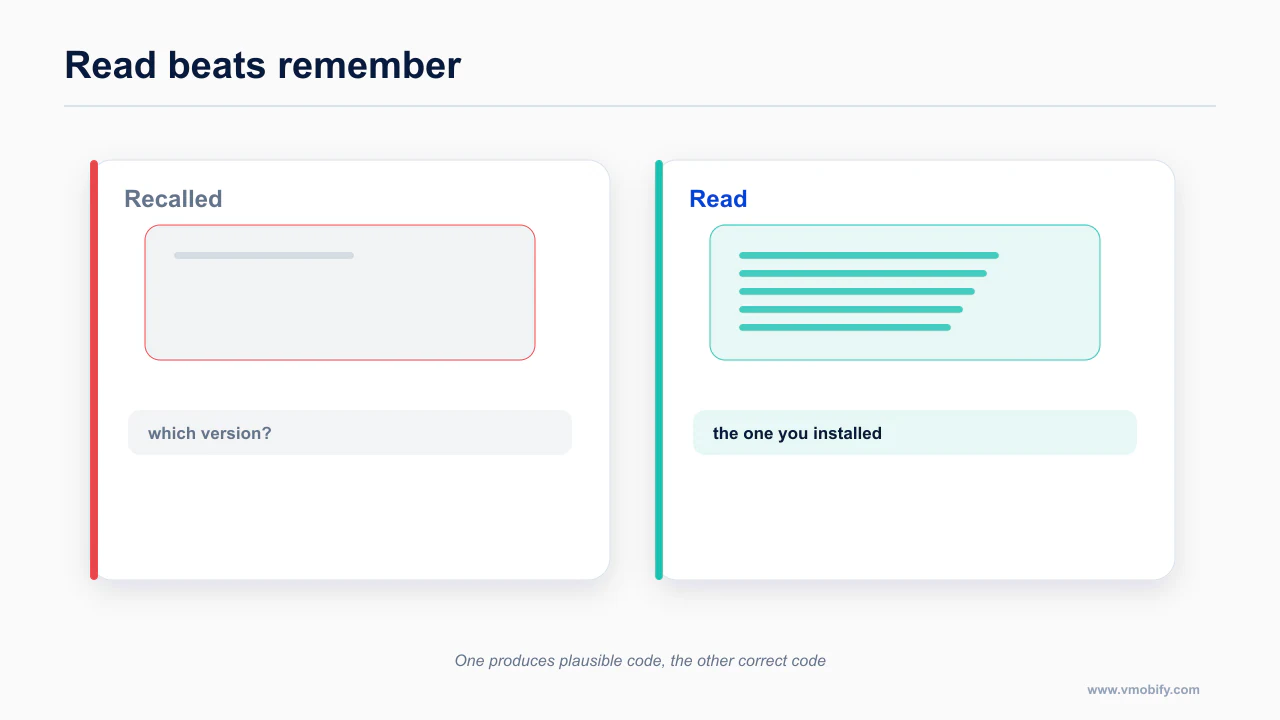
When a component lives in node_modules, the model is working from memory. It recalls that the library has a Button, guesses that the variant prop is called variant, guesses that one of the values is primary, and writes something plausible. Sometimes it is right. Sometimes it invents a prop that has never existed, and you find out at runtime.
When a component lives in your repo as a file, the model opens it. There is no guessing. The prop names are in the file, the variants are in the file, your modifications to it are in the file. The model is doing lookup, not recall — and lookup does not hallucinate.
This is the whole reason shadcn works so well on the web, and the property transfers to mobile intact. It also explains the second-order effect: as your team edits those local components, the agent's mental model stays correct automatically, because the source of truth and the thing it reads are the same object.
Everything below is a ranking against that criterion, plus the platform realities that modify it. The same principle drives the caching approach in fetchable design docs for agents.
The reason is mundane. An agent working against a library it must recall is reconstructing an API surface from training data of uncertain vintage, and it has no way to check whether the version it remembers matches the version you installed. An agent working against components in your repository is reading the current implementation, including whatever local modifications you made. One of those situations produces plausible code and the other produces correct code.
This also explains why the ranking does not track popularity. A widely used library with a large published surface still forces recall; a smaller library whose components sit in your source tree does not. Readability beats familiarity, and it beats it consistently enough to be the primary criterion rather than a tiebreaker.
Why is React Native Reusables best overall?
Copy-in components sit in your repo, which means the agent reads the actual implementation rather than recalling an API.
Reusables takes shadcn's copy-into-your-repo model and applies it to React Native, on top of NativeWind and Radix-style primitives. Components arrive as editable local files rather than a package dependency.
That is the entire pitch and it is enough to put it first. Your agent reads components/ui/button.tsx before it writes a button. It cannot get the API wrong because it is looking at the API. When you change the button, the agent's next output reflects the change without you updating any instructions.
The secondary benefits are real too. Because the components are yours, an agent can extend them — adding a loading state, adding a haptic on press, adding a proper 44 pt hit target — and the change persists as code review rather than as a prompt you have to remember to repeat.
If you are building a React Native app in 2026 and an agent is writing most of it, this is the default choice and the burden of proof is on anything else.
The primary reference for this is Expo SDK documentation — worth reading in full rather than taking a summary of it, because the details here change more often than the shape of the advice does.
What does NativeWind get right and wrong?
NativeWind produces the best raw output of any option and imports some web habits that do not belong on mobile.
NativeWind gives you the best raw generation quality of any styling approach in React Native, for two reasons that have nothing to do with design.
First, Tailwind class strings are the densest-represented UI idiom in the training data. The model has seen more of them than any other way of styling anything. Ask for a card with a shadow and rounded corners and it produces the right classes without thinking.
Second — and this is underrated — class strings are self-validating in a useful direction. A typo'd Tailwind class is inert. It does nothing. It does not crash, it does not throw, it does not corrupt anything. Compare that to a typo'd prop on a bespoke component API, which can throw at render or silently apply a default you did not want. When agents make mistakes, you want the mistakes to be visually obvious and harmless. NativeWind's failure mode is exactly that.
It compiles to StyleSheet, so you are not paying a runtime tax for the ergonomics.
The weakness is twofold. There are no component semantics — a View with classes is still a View, and nothing in it encodes that this is a button, or that a button needs a minimum touch target, or that a switch has a role for screen readers. You get styling correctness without behavioural correctness.
And the deeper problem: Tailwind habits import web anti-patterns. The model has learned Tailwind from an ocean of web code, and web conventions come along for the ride. Hover states that do nothing on a touch device. Full-width edge-to-edge buttons, which are now explicitly against Apple's guidance under iOS 26 — the direction is inset buttons that harmonize with the hardware corner curvature, and the default Tailwind CTA does the opposite. Desktop-scale tap targets. Density that assumes a mouse.
The fix is not to avoid NativeWind. It is to pair it with Reusables for semantics and to put the platform rules in context explicitly, because NativeWind will not supply them.
The documentation worth reading before you act on this is expo/skills — worth reading in full rather than taking a summary of it, because the details here change more often than the shape of the advice does.
Where does Expo UI fit?
Expo UI renders real SwiftUI and real Compose, with the trade-off that training coverage is thin.
@expo/ui went stable in SDK 56, released on 22 May 2026, and it is the most interesting entry on this list because of what it does underneath.
It renders real SwiftUI on iOS and real Jetpack Compose on Android. Not a JavaScript approximation of a native control — the actual platform component. The universal layer covers Host, Row, Column, ScrollView, Switch, Slider, sheets and FieldGroup, plus drop-in replacements for seven community packages.
The consequence is the one worth internalizing: you inherit Liquid Glass and Material 3 Expressive for free rather than reimplementing them. When Apple ships a visual refresh to a native control, your app gets it. That is a very different maintenance position from reimplementing iOS 26 chrome in JavaScript and chasing it every point release — which is exactly what agents attempt, badly, when they try to hand-roll glass effects they half-remember.
The caveats are honest ones. It is a first iteration. The primitives do not map one to one with what you might expect from a full component library. Web support is experimental.
And the agent-specific caveat, which is the important one here: training-data coverage is thin, so agents hallucinate props. A library that shipped stable in May 2026 is barely present in any model's training set. The model knows the name, has a fuzzy sense of the shape, and confidently invents the rest.
The mitigation is straightforward and it is the same one from stop feeding your agent empty pages: pin the agent to the docs. Put the Expo UI documentation in a reference file, instruct the agent to read it before touching an @expo/ui component, and do not let it work from memory. Expo also ships an expo-ui skill in its official skills set, which is the cheapest way to get this right.
Use it selectively rather than universally. The surfaces where native fidelity actually matters — sheets, pickers, switches, anything that should pick up platform styling automatically — are where it earns the extra care.
This is documented directly in Apple Human Interface Guidelines — worth reading in full rather than taking a summary of it, because the details here change more often than the shape of the advice does.
What is the Material 3 Compose import trap?
Material 3 gives you semantic safety and one import mistake that produces confusing failures.
On Android, Material 3 Compose is strong for agent work for a reason that has nothing to do with readability: the component names encode the correct behaviour.
FilledTonalButton is not a styled box. NavigationBar is not a Row with icons. These components enforce the 48 dp minimum touch target, apply the correct type scale role, and participate in dynamic color, without the agent having to know any of that. Semantic naming is a form of guardrail — the model picks a component by name and inherits correctness it never reasoned about.
Two failure modes to guard against.
The M2/M3 import trap. Mixing androidx.compose.material (Material 2) and androidx.compose.material3 imports is the classic agent mistake, and it produces code that compiles while looking subtly wrong. It shows up alongside deprecated signatures — Divider and LinearProgressIndicator are the usual suspects. Add a lint rule or a review check for M2 imports; do not rely on catching it by eye.
Version pinning matters more than usual right now. Material 3 Expressive is a moving target. Its expressive components landed in compose-material3 1.5.0-alpha19 on 6 May 2026, with alphas continuing through 1.5.0-alpha27 on 26 August 2026 — but the last stable release is still 1.4.0. Which means M3 Expressive is production-usable only on an alpha dependency. That is a real decision with real risk, not a footnote. If you take it, pin the exact alpha and tell your agent which one, because the API is still moving under it.
There is also a specific accessibility trap in Google's own recommended pattern. Checkbox, RadioButton, Switch, Slider and Surface enforce their minimum touch target internally only when they are interactive. Passing onCheckedChange = null — which is precisely the idiom in the recommended row-toggleable pattern, where the row owns the click — removes that padding. An agent that copies the snippet without the outer .toggleable modifier ships sub-48 dp targets and no error tells it so. That one is covered in full in the mobile UI/UX rules AI agents get wrong.
For the authoritative version, see conorluddy/LiquidGlassReference — worth reading in full rather than taking a summary of it, because the details here change more often than the shape of the advice does.
How does native SwiftUI perform?
SwiftUI is strong until the training cutoff, at which point the failures become confident rather than obvious.
SwiftUI is a genuinely good target for agents up to a point, and the point is iOS 18.
Pre-iOS-18 idioms come out well. NavigationStack, .sheet, .presentationDetents — agents get these right consistently, because there is a decade of SwiftUI code in the training data and the patterns are stable.
Then you hit iOS 26 and it falls off a cliff. Liquid Glass post-dates most training data. What you get is one of two failure modes: iOS 17-era chrome that looks a generation old, or confident hallucination of APIs that do not exist. .liquidGlass() is not a modifier. The real one is .glassEffect(_:in:isEnabled:), alongside Glass.regular and Glass.clear, GlassEffectContainer(spacing:), .buttonStyle(.glass) and .glassProminent, .tabBarMinimizeBehavior(.onScrollDown), .tabViewBottomAccessory { } and ToolbarSpacer(.fixed/.flexible).
The fix is the same as everywhere else on this list: supply the API list rather than hoping. Give the agent the modifier surface as a reference file, plus the two rules it violates most — Liquid Glass belongs to the controls and navigation layer only, never the content layer, and the guidance is to use it sparingly and never stack glass on glass.
The cutoff behaviour deserves emphasis because it inverts the usual failure mode. Most tooling degrades gradually — output gets worse, but recognisably so. SwiftUI output does not degrade; it stays fluent and becomes wrong, because the model writes the API it learned with complete confidence and no signal that the version it is targeting differs from yours. Stating a minimum OS version in the rules file is the cheapest available correction, and it is worth doing even when you think the agent should be able to infer it.
Is gluestack a reasonable choice?
gluestack is a defensible second choice for reasons that are mostly about structure.
v2 moved to NativeWind and to copy-in components, which is a substantial improvement over v1 for agent purposes specifically. It now sits on the right side of the read-versus-remember line.
It is a reasonable second choice behind React Native Reusables. If you are already on it, there is no strong argument to migrate. If you are choosing fresh, Reusables has the cleaner story.
Why does Tamagui produce the worst agent results?
Tamagui has the best runtime performance in this list and the worst agent output, and the reason is instructive.
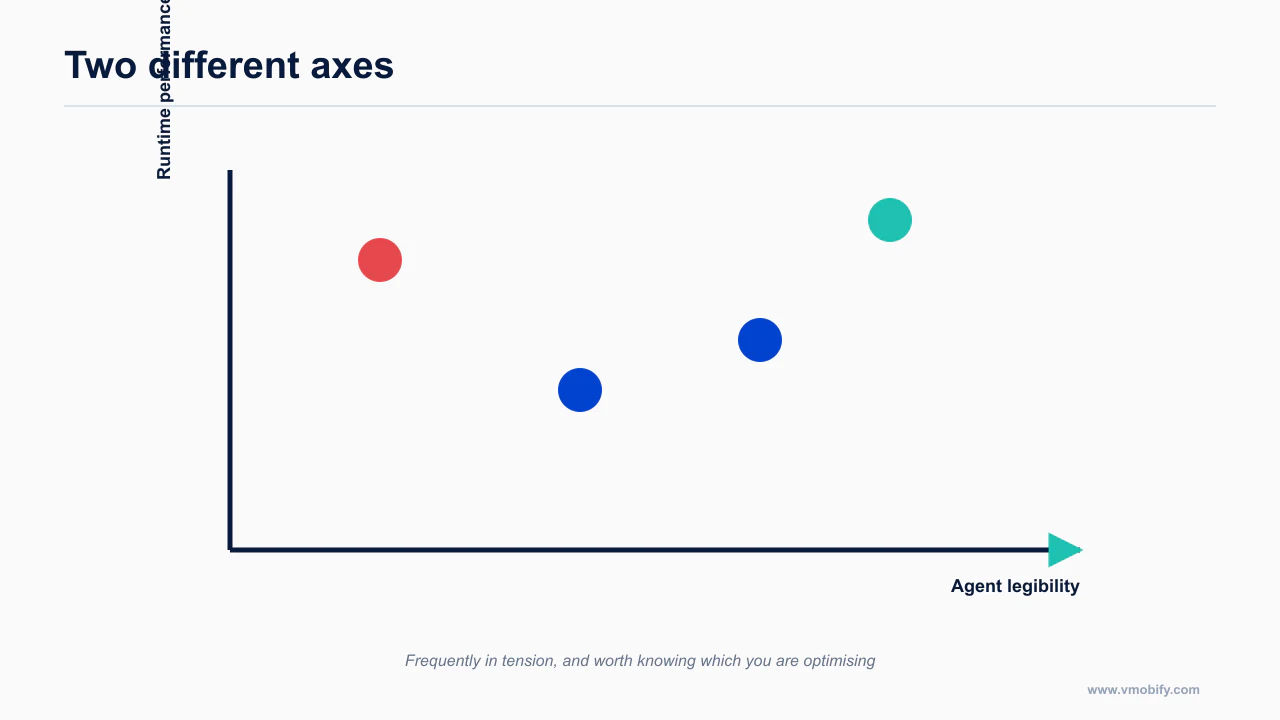
Tamagui has the best performance characteristics of anything in React Native. It also produces the worst agent output of anything on this list, and the two facts share a cause.
The performance comes from a compiler and a large bespoke API: styled() configuration, tokens, themes and shorthands, all defined in tamagui.config.ts. To write correct Tamagui, the model has to hold that config in context and reason against it. It usually cannot, so it guesses, and the prop-name hallucination rate is high.
This is the read-versus-remember problem in its purest form. The config is a file, but it is a file that has to be understood in full rather than looked up locally, and its vocabulary is specific to your project rather than shared across the training data.
The verdict: use Tamagui when a human owns the config and reviews the output. Do not hand it to an agent as the primary authoring surface and expect the performance benefit to survive the debugging cost.
The source that settles this is Android developer documentation — worth reading in full rather than taking a summary of it, because the details here change more often than the shape of the advice does.
The lesson generalises past this one library. A system optimised for compile-time work tends to express itself through configuration and generated types, which is exactly the shape an agent reads least well: the meaning lives in a build step rather than in the source the agent can see. Runtime performance and agent legibility are not merely different axes, they are frequently in tension, and knowing which one you are optimising for prevents a decision that quietly costs you the other.
What is the ranking, and what should you actually run?
The ranking follows readability, which is not the same order you would get ranking by performance.
| Library | Agent output | Why |
|---|---|---|
| React Native Reusables | Best overall | Components are local files the agent reads |
| NativeWind v4 | Best raw styling | Densest training idiom; typos are inert; no semantics |
Expo UI (@expo/ui) | Good, if pinned | Real SwiftUI and Compose; thin coverage, so hallucinated props |
| Material 3 Compose | Strong on Android | Semantic names encode behaviour; watch M2 imports and alpha pinning |
| SwiftUI native | Strong with a cutoff | Excellent pre-iOS-18; supply the iOS 26 API list |
| gluestack-ui v2 | Reasonable | Now NativeWind-based and copy-in |
| Tamagui | Worst | Large bespoke API the model must remember |
The stack I would set up today for agent-first React Native: Expo, with React Native Reusables on NativeWind for velocity and accuracy across the app, dropping to @expo/ui on the handful of surfaces where native fidelity matters — sheets, pickers, switches, and anything that should pick up Liquid Glass or M3 Expressive automatically without you writing a line of it.
Then two supporting pieces, because the library choice alone does not get you there. A design-system skill covering the platform rules that no library enforces, from the mobile UI/UX rules AI agents get wrong. And a references/ folder with pinned docs for anything the model's training data does not cover, per stop feeding your agent empty pages.
If a Figma file is part of your pipeline, Figma to mobile code covers where that fits — briefly, at the token layer, not the generation layer. For the framework decision underneath all of this, see Flutter, SwiftUI or React Native, and for the project setup that makes any of it stick, the Expo and Claude Code setup that prevents 80% of problems.
The full path from idea to store is in how to actually ship a mobile app with Claude Code in 2026. Whichever you choose, the rules that stop the output failing on device are in the mobile UI/UX rules agents get wrong, and the setup is the Expo and Claude Code setup.
One caveat on all of this: the ordering reflects how much material exists for a model to have learned from and how legible each system is in a repository, and both of those move. Treat the ranking as a snapshot with a stated reason rather than a durable fact, and re-test the assumption if you are choosing a system you expect to live with for years.
Frequently Asked Questions
Why does a copy-in library beat an installed one for agents?+
Because the code is in your repository. The agent reads the actual component rather than recalling an API surface it may remember from an older version.
Is NativeWind or Tamagui better?+
For agent output, NativeWind by a wide margin. For runtime performance, Tamagui. They are different questions and the answer flips depending on which you are asking.
What is the Material 3 import trap?+
Importing from the wrong Material package produces components that look right and behave subtly differently. The failure is confusing because nothing errors.
Does Expo UI produce real native components?+
Yes, real SwiftUI and real Compose. The trade-off is that there is less published material for an agent to have learned from, so output is less reliable.
Should I switch design systems for better agent output?+
Only if you are early. The switching cost usually exceeds the output gain, and the gap narrows as training coverage grows.
How do I improve output with the system I already have?+
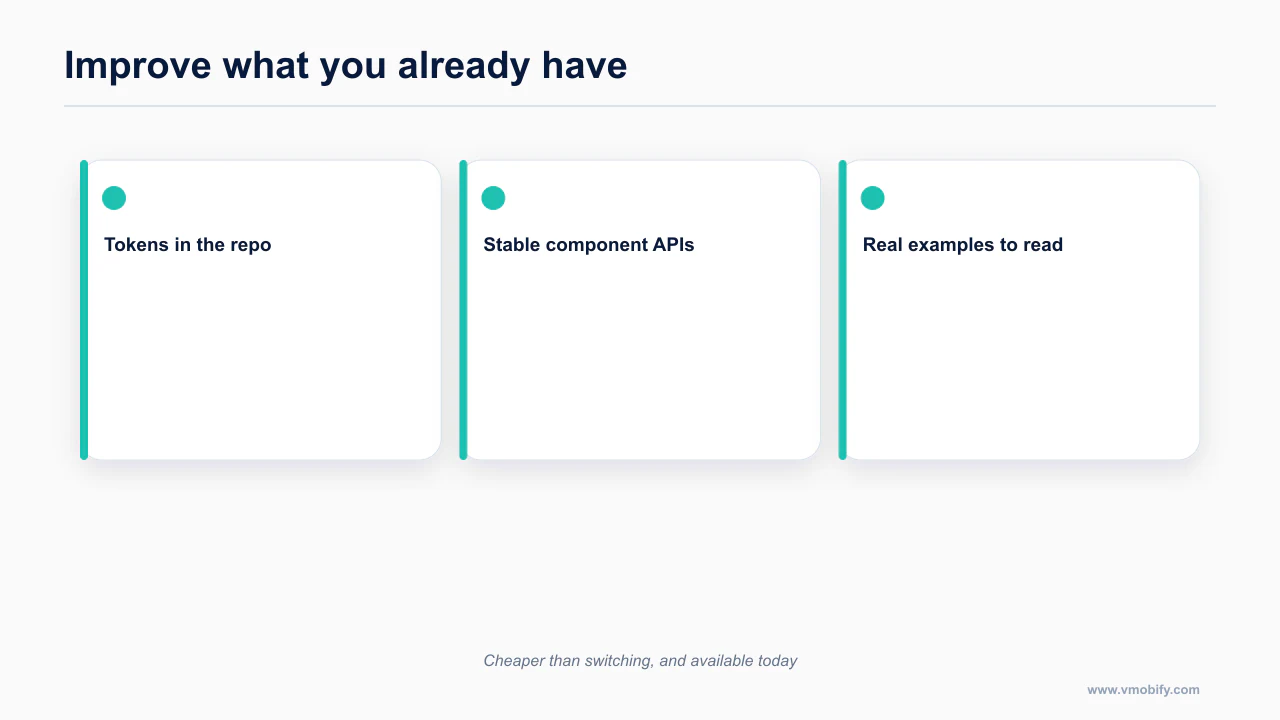
Put the tokens in the repo, keep component APIs stable, and let the agent read real examples from your codebase rather than describing them in prompts.
Does this ranking change over time?+
Yes. It tracks published material and training coverage, both of which move. Re-check the assumption rather than treating any ranking as durable.
Sources
About the author
Amol Pomane — Founder, Vmobify
Amol leads Vmobify, a mobile app growth agency that has driven 30M+ downloads and ranked 54K+ keywords across 300+ apps since 2013. He writes about ASO, paid user acquisition, retention, and the operational reality of scaling mobile apps in India and global markets.