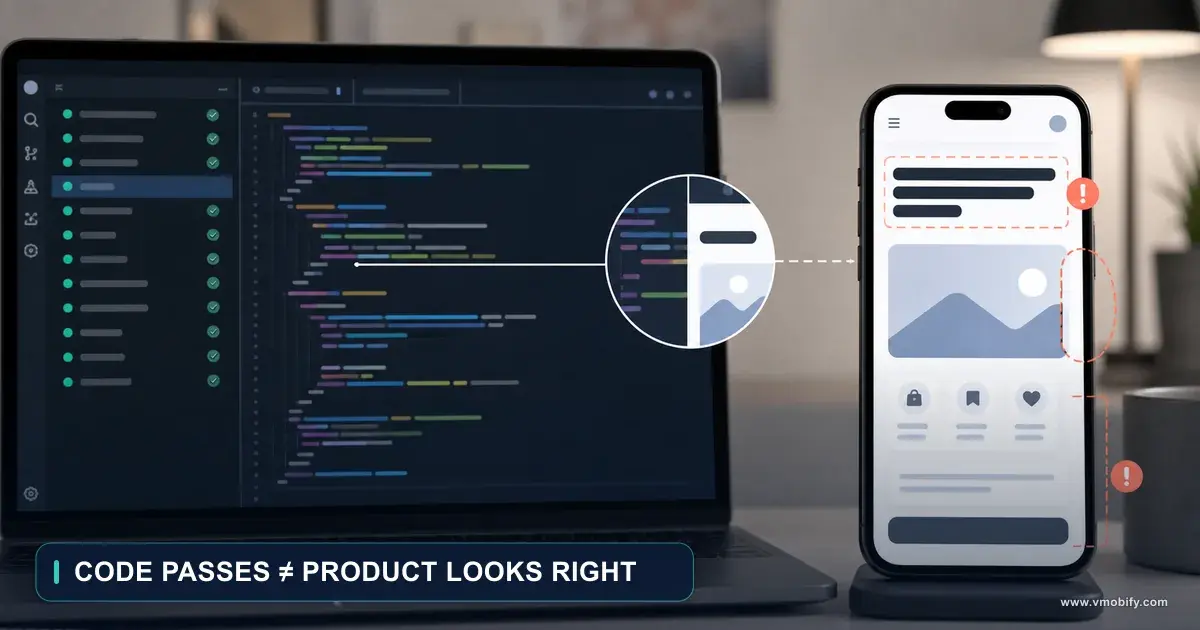
Automated Code Review for Mobile Repos With Claude Code
A reviewer with no memory of writing the code catches what the author cannot. This is how to run one on mobile pull requests, the runner cost trap that surprises people, and an honest account of what it does not catch.

On this page
- What does a clean-context reviewer catch?
- How do you set it up?
- What is the macOS runner cost trap?
- How do path filters narrow the trigger?
- What other cost controls are worth applying?
- What does the workflow file look like?
- What should the mobile review prompt say?
- How do you give the reviewer live data?
- Should you run CodeRabbit alongside it?
- What does this setup not catch?
- Frequently Asked Questions
What does a clean-context reviewer catch?
A reviewer with no memory of writing the code sees it as a reader would, which is exactly the perspective the author has lost.
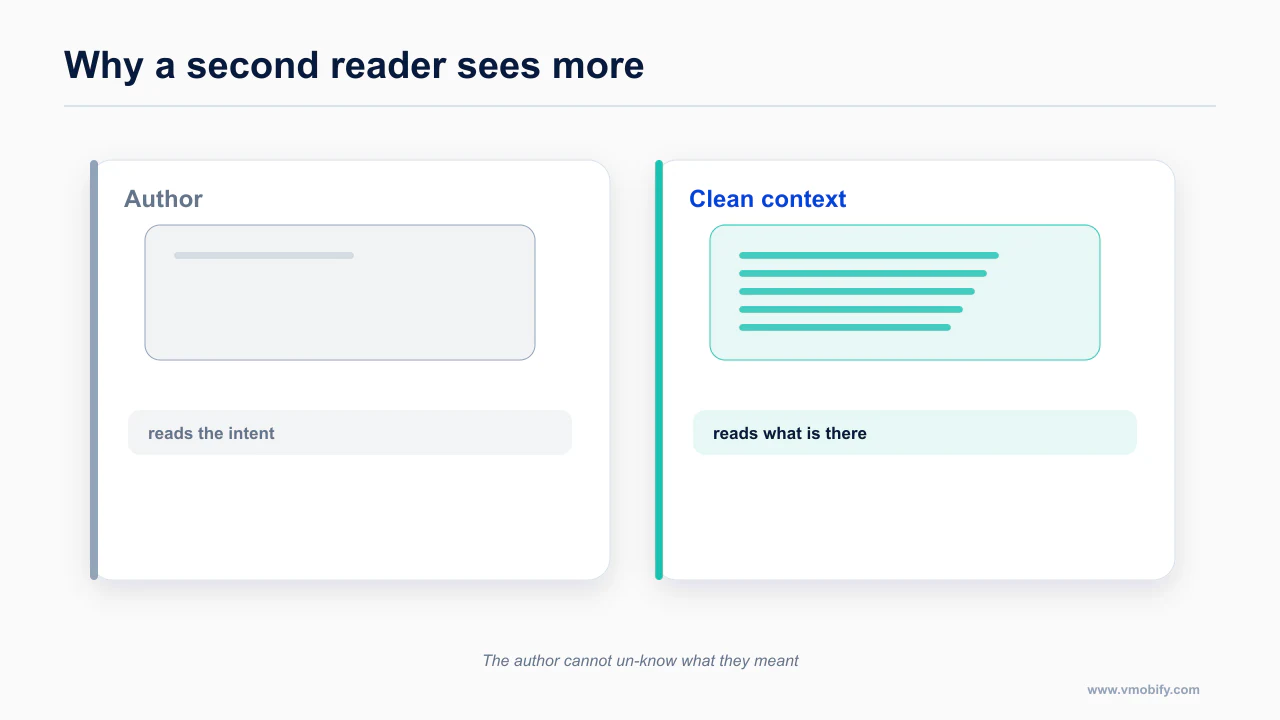
Before the YAML, be clear about what you are buying, because it is easy to set this up and then be vaguely disappointed.
An automated reviewer is good at things that are mechanical, checkable and boring. Did this diff add a permission? Did the lockfile change without the manifest changing? Is there a network call in a component body? Did minSdk move? Are there credentials in a config file that just got committed? These are exactly the checks a human skips at 6pm on a Friday, and exactly the ones that cost you a store rejection or a support thread later.
It is not good at judging whether your architecture is right, whether the feature is worth building, or whether the abstraction will hold up in six months. Do not build a workflow that pretends otherwise, because a reviewer that produces confident opinions about design decisions gets muted within a fortnight, and then it is not reviewing anything.
A concrete version of the difference. An agent adds an image picker to a profile screen. The diff is thirty lines: a dependency, a permission string, a handler, a state update. The authoring agent reviews it and reports that the feature works, which is true. A clean-context reviewer with mobile criteria reports four things instead — a new photo-library permission with a placeholder usage description, a dependency that appeared in the lockfile without a manifest change, a decode running on the main thread, and a strongly captured self in the completion handler. None of those stop the feature working. All four are the kind of thing that surfaces later as a rejection, a crash cluster or a one-star review about the app freezing.
Set the expectation at "a very consistent checklist that never gets tired" and it earns its place permanently. The limits of review as a quality mechanism are covered in why code review cannot judge visual quality.
How do you set it up?
Setup is short, and the decisions that matter are about scope rather than configuration.
The fastest path is the one Anthropic documents: run
claude /install-github-appfrom inside your repository. This needs repository admin rights — it installs a GitHub App and writes the secrets and workflow scaffolding. If you are not an admin on the repo, that is the blocker to solve first; there is no way around it from the CLI.
What you end up with is anthropics/claude-code-action@v1 wired to trigger on pull requests and on a trigger phrase in comments.
The inputs the action actually accepts, verified against the action itself:
anthropic_api_keyclaude_code_oauth_tokenpromptclaude_argstrack_progressuse_sticky_commentclassify_inline_commentssettingsadditional_permissionstrigger_phrase(defaults to@claude)label_triggerassignee_triggerbranch_prefixplugin_marketplacespluginsuse_commit_signing/ssh_signing_keyuse_bedrock/use_vertexpath_to_claude_code_executable
A few of those are worth calling out for this use case.
use_sticky_comment keeps the review in a single updating comment rather than adding a new one on every push. On a branch that goes through eight force-pushes, this is the difference between a readable PR and a wall.
classify_inline_comments puts findings on the lines they refer to instead of in one long block at the bottom. For mobile review, where a finding is usually "this specific line blocks the main thread", inline is substantially more useful.
track_progress gives you a live checklist as the review runs, which matters mostly because a mobile review prompt has a lot of sections and you want to see it did not stop after three of them.
label_trigger and assignee_trigger let you run the expensive review on demand rather than on every push — useful once you have a sense of your actual spend.
You can also get structured output by passing --json-schema inside claude_args, which is the hook to use if you want to feed findings into your own tooling rather than only into a PR comment.
mcp_config is deprecated
State this plainly because a lot of circulating examples still use it: mcp_config is deprecated. Do not copy an example that sets it.
The supported ways to attach MCP servers now are:
claude_args: --mcp-config '{...}', passing the configuration through to the CLI directly, or- the
settingsJSON input
This matters for mobile specifically, because MCP is how you give the reviewer access to crash data and device state — which is the section below. If you wire it the deprecated way you will be rewriting it soon.
The primary reference for this is anthropics/claude-code-action — worth reading in full rather than taking a summary of it, because the details here change more often than the shape of the advice does.
What is the macOS runner cost trap?
macOS runners bill at a large multiple of Linux, which turns an innocuous trigger into a monthly surprise.
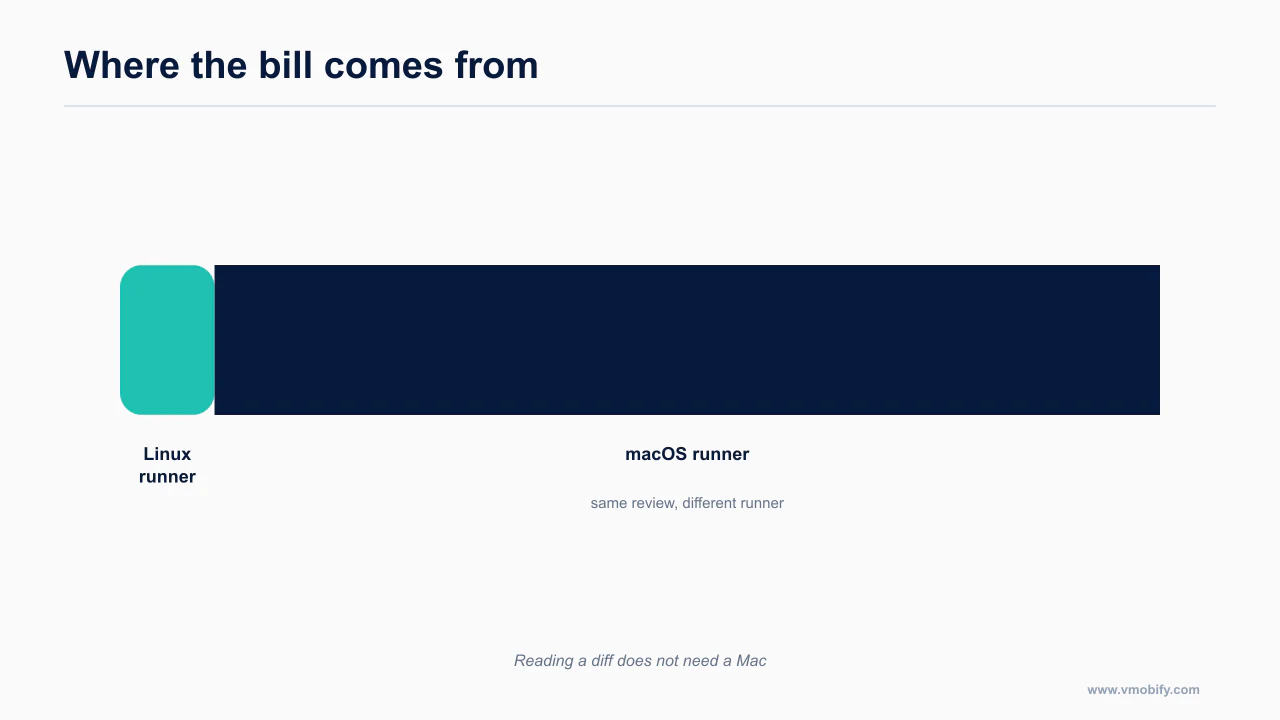
This is the item that turns a good idea into a surprising invoice, and almost nobody mentions it.
GitHub-hosted macOS runners bill at a 10x minute multiplier. One minute on macos-latest costs the same as ten minutes on ubuntu-latest. That multiplier is a billing decision, not a performance one, and it applies to every minute the job is alive — including the minutes spent checking out, installing dependencies and waiting.
The instinct for an iOS repo is to run everything on macOS. Resist it for review, because the review does not need Xcode. Reading a diff, reasoning about [weak self], spotting a permission added to Info.plist, noticing that Podfile.lock changed — all of that is text analysis. It requires no simulator, no toolchain and no code signing.
So the split is:
- Review runs on
ubuntu-latest. It reads text. - Build and test run on
macos-latest, because compiling and running an iOS app genuinely requires a Mac.
If you have a single macOS job doing lint, review, build and test together, splitting the review out is the single largest CI cost reduction available to you, and it costs you nothing in review quality.
The Android side has an equivalent worth knowing: ReactiveCircus/android-emulator-runner gives you a hardware-accelerated emulator on Actions, and Linux runners need KVM enabled for it. That is a build-and-test concern, not a review concern, and it belongs in the cheap-runner tier where it can stay.
The documentation worth reading before you act on this is Claude Code documentation — worth reading in full rather than taking a summary of it, because the details here change more often than the shape of the advice does.
How do path filters narrow the trigger?
Filtering by path is the single most effective cost control, because most pull requests do not need a mobile reviewer at all.
A review that runs on every documentation typo trains you to ignore it. Filter the trigger so it fires when mobile code changes and stays quiet otherwise.
The set worth starting from:
ios/**android/**lib/**(Flutter)src/**(React Native)**/*.gradle**/Podfile.lock
The two lockfile-adjacent entries earn their place. A dependency change is the most under-reviewed high-risk diff in mobile — it is where new permissions arrive, where app size jumps, where minSdk quietly moves, and where an SDK you never chose starts collecting data you then have to declare in Data Safety. A Podfile.lock diff with no other change should still get a review; that is exactly the PR a human waves through.
This is documented directly in GitHub Actions billing — worth reading in full rather than taking a summary of it, because the details here change more often than the shape of the advice does.
What other cost controls are worth applying?
Beyond the runner choice, a few settings keep the bill proportionate to the value.
Picking the cheap runner is the big lever. Three smaller ones are worth setting at the same time, because together they decide whether this stays on in month three.
Skip drafts. Add ready_for_review to your trigger types and let draft pull requests run nothing. A branch that gets pushed eleven times while you think out loud should not be reviewed eleven times. You want the review at the moment you are asking someone else to look, which is exactly what marking a PR ready means.
Consider label_trigger for expensive repositories. Running on every synchronize is the right default for a small repo with a few PRs a week. On a busy repo, moving to a label — apply needs-review and the workflow fires — turns an ambient cost into a decision you make. assignee_trigger does the same thing keyed on assignment.
Keep the prompt scoped to the diff. The instruction in the prompt below to review only what the diff changes is not just about noise; it also bounds how much of your repository the reviewer reads. A prompt that invites a wander through the codebase costs more and returns less.
The combination that works for most solo and small-team mobile repos: ubuntu-latest, paths filters, ready_for_review plus synchronize, and a sticky comment. That is a review on every meaningful change, at a cost that does not make you think about switching it off.
What does the workflow file look like?
Read this before you copy anything below. The YAML that follows is a construction built from the documented action inputs. It is not an official Anthropic sample, and Anthropic has published no mobile-specific example. Every input in it is real; the arrangement is mine. Check it against the action's own README before you rely on it, and expect the input surface to move.
# CONSTRUCTED EXAMPLE — not an official Anthropic sample.
# Built from the documented inputs of anthropics/claude-code-action@v1.
# Verify against the action's README before use.

name: Mobile PR review

on:
  pull_request:
    types: [opened, synchronize, reopened]
    paths:
      - 'ios/**'
      - 'android/**'
      - 'lib/**'
      - 'src/**'
      - '**/*.gradle'
      - '**/Podfile.lock'

jobs:
  review:
    # ubuntu, deliberately: the diff needs no Xcode, and macOS runners
    # bill at a 10x minute multiplier.
    runs-on: ubuntu-latest
    permissions:
      contents: read
      pull-requests: write
      issues: write
    steps:
      - uses: actions/checkout@v4
        with:
          fetch-depth: 0

      - uses: anthropics/claude-code-action@v1
        with:
          anthropic_api_key: ${{ secrets.ANTHROPIC_API_KEY }}
          use_sticky_comment: true
          classify_inline_comments: true
          track_progress: true
          prompt: |
            <the mobile review prompt from the next section>
Two notes on the shape of it.
fetch-depth: 0 is there so the reviewer can see history rather than only the tip commit. Some of the most useful checks — did this lockfile drift, has this permission been here all along or is it new — need more than one commit of context.
The permissions block is minimal on purpose: read the code, write to the PR. A reviewer does not need write access to your repository contents, and giving it any is an unnecessary risk surface.
What should the mobile review prompt say?
The prompt decides what the reviewer looks for, and a generic prompt produces generic review.
This is the part that makes it a mobile reviewer rather than a generic one. A generic prompt produces generic findings; specificity in, specificity out.
You are reviewing a pull request in a mobile application repository.
Review only what this diff changes. Do not comment on pre-existing code
unless the diff makes an existing problem materially worse.

Work through every section. If a section has no findings, say so explicitly
rather than skipping it.

1. MAIN-THREAD BLOCKING
   Flag any synchronous work introduced on the main or UI thread: file I/O,
   JSON parsing of non-trivial payloads, image decoding, database queries,
   cryptographic work, or network calls. On iOS check for work dispatched to
   the main queue that does not need to be there. On Android check for work in
   lifecycle callbacks and composable bodies. In React Native, flag heavy
   synchronous work on the JS thread and anything that will run inside a
   render pass.

2. MEMORY AND RETAIN CYCLES
   In Swift and Objective-C, flag every escaping closure that captures self
   strongly where [weak self] is warranted — especially inside completion
   handlers, Combine sinks, Task blocks, and notification observers. In Kotlin
   and Java, flag listeners, callbacks and coroutine scopes that outlive their
   host. In React Native, flag subscriptions, timers and event listeners added
   without a matching cleanup in the effect's teardown.

3. COMPOSE RECOMPOSITION
   For Jetpack Compose changes, flag unstable parameters passed to composables,
   lambdas allocated inside composable bodies, state reads that widen the
   recomposition scope unnecessarily, and expensive work not wrapped in
   remember or derivedStateOf.

4. DEPENDENCY AND LOCKFILE DRIFT
   If Podfile.lock, Package.resolved or a gradle lockfile changed, report every
   dependency added, removed or version-bumped. For each addition, say what the
   dependency does and flag whether it plausibly collects user data — because
   that triggers a Data Safety and privacy-manifest obligation. Flag any
   lockfile change with no corresponding manifest change, and any manifest
   change with no corresponding lockfile change.

5. PERMISSIONS
   List every permission or usage-description key added to Info.plist or
   AndroidManifest.xml in this diff. For each, identify the code path in this
   diff that uses it. A new permission with no corresponding usage is a store
   review risk and should be flagged as high severity. Flag any usage-description
   string that is a placeholder or generic.

6. APP SIZE
   Identify anything in this diff likely to move binary size measurably: new
   dependencies, bundled assets, uncompressed images, added fonts, embedded
   models or data files. Give a rough direction and magnitude rather than a
   precise number.

7. SECRETS AND CONFIG
   Flag any credential-shaped string added to the diff. Pay specific attention
   to google-services.json, GoogleService-Info.plist, .env files, xcconfig
   files and CI configuration. Say for each whether it is genuinely public
   configuration or a real secret that must not be committed.

8. PLATFORM VERSION FLOORS
   Flag any change to minSdkVersion, targetSdkVersion, compileSdkVersion, the
   iOS deployment target, or a Podfile platform line. State which existing
   users would be cut off by the change.

FORMAT
Group findings by severity: critical, high, medium, nit. Each finding gets a
file path, a line number, one sentence on why it matters on a phone
specifically, and a concrete fix. If the diff is clean, say so in one line —
do not manufacture findings to look useful.
The last instruction is not decoration. A reviewer that feels obliged to produce output will produce output, and a stream of invented nits is how these tools get switched off. The security items worth putting in the prompt are in the mobile security guide.
How do you give the reviewer live data?
Connecting the reviewer to live data changes it from a linter into something that can check claims.
Everything so far is static analysis of a diff. The step that makes the review noticeably better is letting it correlate the diff with what is actually happening in your app.
Two MCP servers are worth wiring in, both attached through claude_args: --mcp-config '{...}' or the settings JSON — not the deprecated mcp_config input.
Sentry. Available as a plugin (claude plugin install sentry-mcp@sentry-mcp) or over HTTP at https://mcp.sentry.dev/mcp/{org}/{project}. It gives the reviewer search_events and search_issues, event inspection, traces and Seer root-cause analysis. Sentry has iOS, Android, React Native and Flutter SDKs, so the crash-to-fix loop is clean across the stacks that matter here.
What that changes about a review: instead of "this closure captures self strongly", you can get "this closure captures self strongly, and there are 340 events in the last week on a crash in this same file". The second version gets fixed.
One caveat that will bite you: the natural-language search tools need your own LLM provider key via EMBEDDED_AGENT_PROVIDER. Without it, those specific tools do not appear at all, and you will be confused about why the reviewer is ignoring an obvious instruction to search issues.
Maestro. The MCP is bundled with the CLI — claude mcp add maestro -- maestro mcp, no separate package — and exposes list_devices, inspect_screen, take_screenshot, run, cheat_sheet and the cloud-run tools. This is device access rather than crash data: the reviewer can run a flow against the change and look at the result.
Be realistic about where this belongs. Driving a device needs a device, which means it does not belong in the cheap ubuntu-latest review job — it belongs in the macOS build-and-test job, or in a local pre-push pass. Keep the PR reviewer reading text and let the device work happen where a device already exists. There is more on that loop in driving simulators and devices from Claude Code.
If you use assertWithAI in those flows, remember it is experimental and defaults to optional: true, meaning a failed assertion does not fail your run. That default is a false-confidence generator if you forget it is there.
For the authoritative version, see GitHub Actions workflow syntax — worth reading in full rather than taking a summary of it, because the details here change more often than the shape of the advice does.
Should you run CodeRabbit alongside it?
Running two reviewers is defensible if they are looking for different things.
CodeRabbit is worth pairing rather than choosing between, because it does a different job: it runs actual linters and gives you deterministic findings, where the Claude reviewer gives you reasoning.
Mobile-relevant linters it runs: SwiftLint, detekt, ESLint and Oxlint. For an iOS, Android or React Native repository that is respectable coverage of the mechanical layer.
The CLI installs via curl -fsSL https://cli.coderabbit.ai/install.sh | sh or brew install coderabbit, then cr auth login. Two commands matter for agent use:
coderabbit review --agentemits structured JSON designed for an agent to consume. This is the real integration point: Claude Code runs the review, reads the JSON, and works through the findings with full repository context — rather than you copying comments out of a web UI.cr review --lightis a fast local pass, useful before you push rather than after.
The free tier is rate-limited daily, which is fine for a solo developer and constraining for a team.
Now the gap, and it is a real one: CodeRabbit lists no Dart or Flutter tooling. No Dart analyzer, no Flutter lints. If you are a Flutter team, the linting half of this pairing simply does not cover your primary language, and the correct response is to lean harder on the Dart side of your own toolchain — the official Dart MCP server ships inside the Dart SDK (claude mcp add --transport stdio dart -- dart mcp-server) and exposes analyzer diagnostics directly, though it is explicitly experimental and needs Dart 3.9+.
That is not a criticism of CodeRabbit so much as a fact to plan around. Flutter is consistently the least-served stack in agent tooling, which is part of the framework choice calculation whether or not anyone frames it that way.
What does this setup not catch?
An automated reviewer does not see the running app, which bounds what it can tell you.
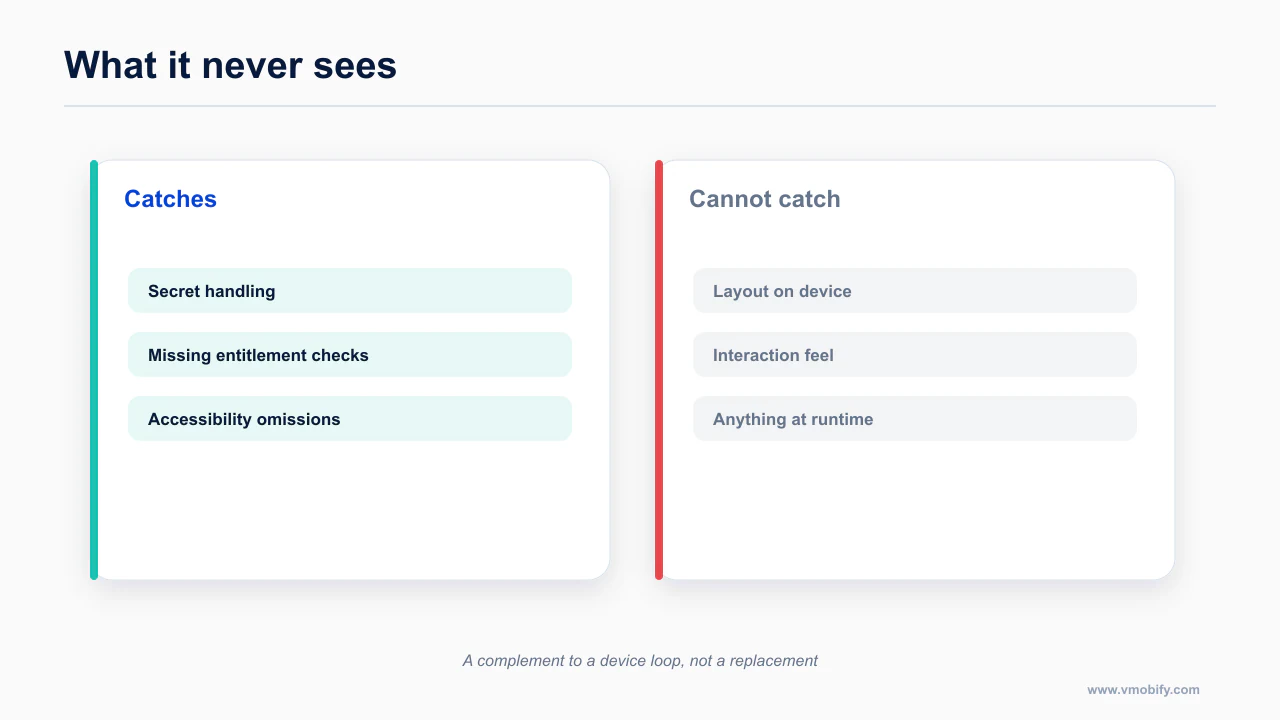
Three limits worth stating so you calibrate correctly.
It does not replace a human on anything that requires taste. It will not tell you the feature is wrong, the flow is confusing, or the abstraction will not survive the next requirement.
It does not catch what is not in the diff. A permission added three months ago is invisible to a diff reviewer. That is what the one-off audit in the security post is for; run it periodically, not once.
It does not know your product. It cannot tell you that the screen you just changed is the one where 40% of your users drop off. Only your own analytics can, and correlating that with code changes is still a human act.
What it does do, reliably, is check thirty boring things on every single change without getting bored. Over a year of an agent-assisted codebase, that is worth considerably more than it sounds.
The workflow YAML and clean review prompt are included in the examples above so you can adapt them directly to your repository. The loop that does see the running app is giving your agent eyes, and the wider path is the mobile shipping pillar.
Frequently Asked Questions
Why does a second agent catch things the first missed?+
Because it has no memory of writing the code. The author reads what they intended; a clean-context reader sees what is actually there.
Do I need macOS runners for mobile review?+
Usually not for review itself. Reading a diff does not require a Mac; building an iOS app does. Keep the reviewer on Linux and the builds separate.
How much does this cost to run?+
It depends almost entirely on trigger scope. Reviewing every pull request on macOS runners is expensive; reviewing mobile paths on Linux is not.
What should the review prompt include?+
The mobile-specific things you actually care about — safe areas, entitlement checks, secret handling, accessibility — rather than a general request to review the code.
Is the workflow file official?+
No. It is a construction shown as a starting point, and is labelled as such. Treat it as an example to adapt rather than a sample to copy.
Can it replace human review?+
No. It catches a consistent class of defects reliably, which frees human review for the things that need judgement rather than replacing it.
Does it catch visual problems?+
No. It never sees the app run. Visual and interaction defects need a device loop, which is a different tool doing a different job.
Sources
About the author
Amol Pomane — Founder, Vmobify
Amol leads Vmobify, a mobile app growth agency that has driven 30M+ downloads and ranked 54K+ keywords across 300+ apps since 2013. He writes about ASO, paid user acquisition, retention, and the operational reality of scaling mobile apps in India and global markets.