Every Claude Code Skill, Plugin and MCP for Mobile
A verified directory of what actually exists for mobile development in Claude Code — skills, plugins and MCP servers — with the corrections that most published lists get wrong and the context cost of installing them all.

On this page
- How should you read this directory?
- What is the difference between skills, plugins, MCP and AGENTS.md?
- Which five corrections are worth publishing?
- Why is Expo the strongest option in the category?
- Which React Native skill sets are worth installing?
- How good is the Flutter tooling for agents?
- What are the best iOS design-rule sources?
- What exists for Android, and what is worth it?
- How do you let an agent drive a simulator or device?
- What covers backends, crashes and revenue?
- What is the token budget nobody warns you about?
- Which three stacks should you actually run?
- What does this directory not fix?
- Frequently Asked Questions
How should you read this directory?
Read it as a shortlist rather than a shopping list, because the cost of installing everything is paid before you type a word.
Three labels run through everything below.
- Official means the vendor or framework team publishes and maintains it. Expo's skills, Flutter's agent plugins, Appium's MCP server, the Dart MCP server that ships inside the Dart SDK.
- Community-built means someone outside the vendor made it. That is not a criticism. Some of the best things here are community-built. It matters because it changes who you are trusting with your credentials, and how likely the thing is to still work in six months.
- Unconfirmed means the claim exists but I could not trace it to a primary source. Star counts are the big one. Almost every star count circulating about these repositories was unverifiable at research time, which is why you will not find a leaderboard in this post.
One standing caveat before the list: I am not publishing star counts as evidence of quality, and neither should you. Check the repository yourself before you install something that will read your source code.
What is the difference between skills, plugins, MCP and AGENTS.md?
Four mechanisms get called the same thing, and knowing which is which tells you where your mobile rules belong.
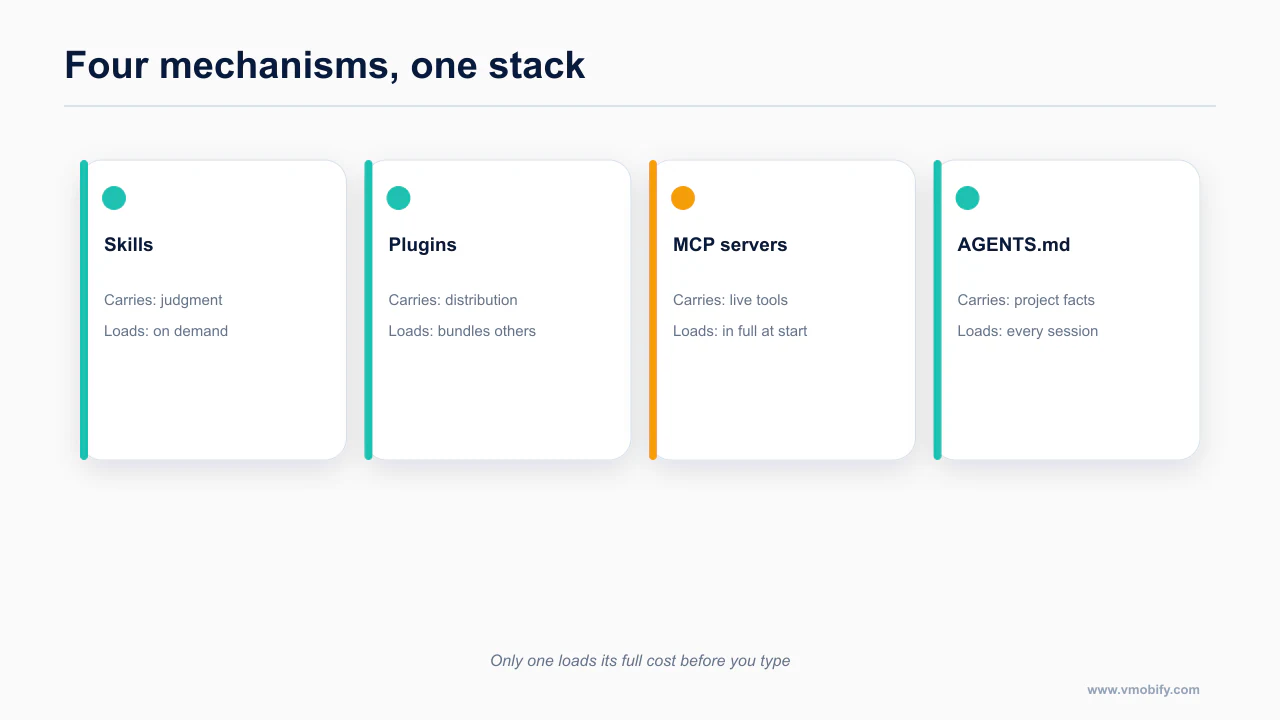
Four things get called "extensions" and they do genuinely different jobs. Getting this straight is the difference between an agent that reads three files and one that burns half its context window on tool definitions before you type a word.
Skills are knowledge. A skill is a Markdown file (SKILL.md, usually with supporting references/) that teaches the agent how to do something correctly in your stack. It costs tokens only when loaded. expo-router and compose-performance are skills. They do not touch your machine; they change what the model knows.
Plugins are bundles. A plugin packages skills, slash commands, subagents, hooks and sometimes MCP wiring under one install. The Very Good Ventures Flutter plugin is the clearest example in mobile: skills plus a reviewer agent plus /bloc and /testing commands plus hooks, all from one command. You install a plugin from a marketplace, which is just a Git repository with a manifest.
MCP servers are hands. Model Context Protocol servers give the agent things it can do: build an iOS target, tap a coordinate on a simulator, query your Supabase database, read a Sentry stack trace. They run as a process or a remote HTTP endpoint, they hold credentials, and every tool they expose costs context on every turn.
AGENTS.md is your house rules. Not an extension at all: a plain file in your repository that says which Expo SDK you are pinned to, which router you use, where components live, and which patterns are banned. Skills tell the agent how React Native works in general. AGENTS.md tells it how your app works. Post 3 in this series is entirely about writing that file, and includes a full template: the Expo and Claude Code setup that prevents 80% of problems.
The practical consequence: prefer skills over MCP servers whenever the job is knowledge rather than action. A skill you do not load costs nothing. An MCP server you installed and forgot costs tokens on every single turn. The desktop-side version of this taxonomy is in the Claude Code design plugins and skills guide.
Which five corrections are worth publishing?
Five claims circulate widely in this space and do not survive checking against the repositories themselves.
These are the claims I went to check and found wrong. If you have read a mobile Claude Code roundup in the last few months, you have probably absorbed at least two of them.
The vercel-labs React Native skill has 33 rules, not 16
The number that circulates is 16. The actual repository, vercel-labs/agent-skills, carries 33 rules across 8 sections, and they live at skills/react-native-skills — not at the repository root, which is why people counting from a top-level listing get a smaller number.
The eight sections, counted: List Performance (8 rules, marked critical), UI Patterns (9), State (5), Animation (3), Config (3), Rendering (2), Monorepo (2), Navigation (1). Each rule is its own file under rules/<id>.md with a why, a wrong example and a right example.
One honest wrinkle: the repository's own sub-README says 34, contradicting the count you get from the files. Thirty-three is the number I counted. Either way, it is not 16, and if you skipped this skill because you thought it was a thin list, go back.
XcodeBuildMCP moved from cameroncooke to getsentry
Every tutorial written before the transfer points at github.com/cameroncooke/XcodeBuildMCP. The project now lives at github.com/getsentry/XcodeBuildMCP. The old URL redirects, so nothing visibly breaks, which is exactly why the stale attribution keeps propagating.
This matters beyond credit. The package now sends Sentry telemetry by default. There is an opt-out environment variable, XCODEBUILDMCP_SENTRY_DISABLED, and if you work under a client NDA you want to know that before you install rather than after.
Ignite ships no agent files at all
Infinite Red's Ignite is a genuinely good React Native boilerplate and it keeps showing up on lists of "agent-ready starters." It is not one. AGENTS.md, CLAUDE.md and .claude/settings.json all 404 in that repository. There is no agent configuration in it to inherit.
Use Ignite because you like Ignite. Do not use it expecting agent scaffolding. The agent-ready Expo starter is the plain one:
npx create-expo-app@latestThat scaffolds a CLAUDE.md containing just @AGENTS.md, plus a .claude/settings.json with the Expo plugin enabled. More on why that indirection is the right way round in post 3.
There is no official Google or Android adb MCP server
If a list tells you to install "the Android MCP server," ask whose. Google does not publish one. Every adb-driving MCP server for Android is community-maintained, and the ones I looked at are thin.
Android Studio's Agent Mode confuses this further. It is a real, capable agent — it fixes build errors iteratively, deploys to devices, takes screenshots, reads Logcat, runs adb shell input. But it is an MCP client, not a server. It consumes MCP servers; you cannot call it from Claude Code. It is a separate agent loop that happens to live in your IDE.
The practical answer for Android from Claude Code is mobile-next/mobile-mcp, covered below. Android is, by a wide margin, the weakest MCP category in mobile, and pretending otherwise wastes your afternoon.
The Google Ads MCP is read-only
This one leaks in from the growth side of the stack, and a surprising amount of secondary content implies otherwise. Google's official Ads MCP server is open source, runs over stdio, and exposes three tools: list_accessible_customers, search (GAQL), and get_resource_metadata.
There are no mutations. None. You cannot create an App campaign, upload creative assets, or set a target CPI through it. For anything that writes, you call the Google Ads API directly.
pipx run --spec git+https://github.com/googleads/google-ads-mcp.git google-ads-mcpInstall it for reporting, by all means. Do not build a campaign-management workflow on top of it and then wonder why the agent keeps apologising.
Why is Expo the strongest option in the category?
Expo has the most complete first-party agent story in mobile: documented setup, an official MCP server and a maintained skill set.
Expo is the only mobile plugin in Anthropic's official marketplace. I verified that by reading anthropics/claude-plugins-official/.claude-plugin/marketplace.json — the only other mobile-adjacent entry is a kotlin-lsp language server, which is a language server, not a mobile toolkit.
claude plugin install expo@claude-plugins-officialIf you would rather take the skills without the plugin wrapper:
npx skills@latest add expo/skills --skill '*'What you get. Roughly 25 skills. The free, open-source ones cover the framework: expo-overview, expo-router, expo-ui, expo-native-ui, expo-design-system, expo-animation, expo-dom, expo-module, expo-upgrade, expo-project-structure, expo-data-fetching, expo-dev-client, expo-brownfield, expo-app-clip, expo-web-to-native, and expo-examples. A second group covers EAS, which is a paid service: eas-app-stores, eas-hosting, eas-observe, eas-simulator, eas-update-insights, eas-workflows. The plugin also bundles the Expo MCP server.
This is official, from the Expo team, and it is the single highest-value install in this entire post.
The Expo MCP server and its three real limits
claude mcp add --transport http expo https://mcp.expo.dev/mcpThen run /mcp to complete the OAuth flow.
It exposes over 30 tools. The ones that change how you work: read_documentation, add_library (which wraps npx expo install, so version resolution is correct rather than whatever the model remembers), workflow_create, build_run, build_submit, testflight_crashes, store review reading and replying, local screenshot and tap and find-by-testID, React Native DevTools access, and an Expo Router sitemap.
Now the limits, because they are the part that gets left out.
- Documentation search requires a paid EAS plan. The server is on the free plan now, but that specific capability is gated.
- One dev-server connection at a time. If you have a second tool holding the connection, the agent's local automation silently does nothing useful.
- iOS local automation is macOS simulators only. No physical devices. And it requires SDK 54 or newer.
None of those are dealbreakers. All three are things you want to know before you spend forty minutes wondering why find by testID returns nothing.
This is documented directly in expo/skills — worth reading in full rather than taking a summary of it, because the details here change more often than the shape of the advice does.
Which React Native skill sets are worth installing?
vercel-labs/agent-skills is community-built, and the strongest general React Native rule set I found.
npx skills add vercel-labs/agent-skillsThirty-three rules, as covered above, with List Performance marked critical — which is correct, because list rendering is where agent-written React Native falls over first. If you install one non-Expo React Native skill, install this.
software-mansion-labs/skills is from the authors of Reanimated, Gesture Handler and Screens. That pedigree is the reason to take it seriously: these are the people whose libraries the agent is going to misuse.
/plugin marketplace add software-mansion-labs/skills
/plugin install skills@swmansion
react-native-best-practices is the substantive skill in the bundle. The others — radon-mcp, detour, fishjam, typegpu, rnrepo — are vendor-adjacent, which is fine, but do not install the set expecting five general-purpose wins.
maikotrindade/awesome-react-native-skills covers seven areas: core, ecosystem, expo, reusables (NativeWind v4 and shadcn-style components), performance, testing, brownfield.
/plugin marketplace add maikotrindade/awesome-react-native-skills
/plugin install awesome-react-native-skills@awesome-react-native-skills
It is community-built by a single maintainer and it overlaps heavily with the two above. Reasonable third pick, not a first one.
metro-mcp is the best React Native-specific runtime server, and it is community-built.
claude mcp add metro-mcp -- npx -y metro-mcpIt talks to Metro over the Chrome DevTools Protocol, which gets you console output, network activity, exceptions, JavaScript evaluation, Redux state, the React tree, device automation and test recording for Appium, Maestro or Detox. Requirements: React Native 0.70 or newer running Hermes. The failure mode is structural — Hermes allows exactly one CDP connection, so this conflicts with any other debugger you have attached. Close React Native DevTools before you use it.
For the authoritative version, see vercel-labs/agent-skills — worth reading in full rather than taking a summary of it, because the details here change more often than the shape of the advice does.
How good is the Flutter tooling for agents?
flutter/agent-plugins is official, from the Flutter team.
npx skills add flutter/agent-plugins --skill '*' --agent universal --yesOr through the marketplace:
claude plugin marketplace add flutter/agent-plugins
claude plugin install dart-flutter@dart-flutter
Ten skills: integration tests, widget tests, widget previews, responsive layouts, layout-issue fixes, layered architecture, JSON serialization, HTTP, declarative routing, localization. Solid, unglamorous coverage of the things Flutter agents actually get wrong.
VeryGoodOpenSource/vgv-ai-flutter-plugin has the richest structure of any Flutter option I looked at, from any ecosystem.
claude plugin marketplace add VeryGoodOpenSource/very-good-claude-code-marketplace && claude plugin install vgv-ai-flutter-pluginFourteen skills covering Bloc, testing, navigation, theming, security and accessibility, plus a flutter-reviewer subagent, plus slash commands (/bloc, /testing, /green-gate), plus hooks and MCP wiring. It is community-built by an agency, and it is opinionated in the way agency tooling is opinionated. If you already work in Bloc, that is an advantage.
evanca/flutter-ai-rules sources its rules strictly from official documentation — Flutter, Dart, Firebase, Bloc, Riverpod, Provider, Mockito — and ships pre-combined sets under 6,000 characters for IDE global configuration. There is no one-line install; you copy folders.
The author's own caveat is the interesting part, and it is worth repeating because most rule collections do not admit it: the rules can contradict each other on architecture, deliberately, because the collection is non-opinionated. If you feed the whole thing in, you have handed the agent both sides of the Riverpod-versus-Bloc argument and asked it to pick.
FlutterFlow/flutterflow-claude wraps the flutterflow ai CLI.
/plugin marketplace add FlutterFlow/flutterflow-claude
/plugin install flutterflow@flutterflow
Note this one carefully: despite living in the FlutterFlow GitHub organisation, it is community-built, and its own README says so. Organisation ownership is not the same as vendor maintenance, and this is the clearest example of that trap in mobile.
The Dart MCP server ships inside the Dart SDK, which is the most elegant distribution story in this whole post.
claude mcp add --transport stdio dart -- dart mcp-serverAnalyzer diagnostics, symbol resolution, running-app introspection through the Dart Tooling Daemon, hot reload, pub.dev search, pubspec management, test running, formatting. It requires Dart 3.9 or newer and it is explicitly marked experimental by the Dart team — their word, not mine. One documented gap: on Flutter web, the flutter_driver finder commands (screenshots, taps) are unsupported.
There is no awesome-list dedicated to Flutter AI tooling. flutter/agent-plugins is the de-facto hub because nothing else has claimed the spot.
What are the best iOS design-rule sources?
twostraws/SwiftUI-Agent-Skill is from Paul Hudson of Hacking with Swift, community-built, and it has the best framing in the entire category. It is explicitly built around the mistakes LLMs actually make — navigation, layout, animation, state, VoiceOver, deprecated APIs — rather than around a tour of the framework.
/plugin marketplace add twostraws/SwiftUI-Agent-Skill
/plugin install swiftui-pro@swiftui-agent-skill
Or:
npx skills add https://github.com/twostraws/swiftui-agent-skill --skill swiftui-proPrisma-Labs-Dev/apple-skills is the broadest Apple coverage available: SwiftUI, UIKit, Swift Testing, Concurrency, SwiftData, HealthKit, Combine, StoreKit, MapKit, TipKit, App Intents, WidgetKit, UserNotifications, EventKit, PhotosUI, CoreHaptics, BackgroundTasks and XCUITest.
claude plugin marketplace add Prisma-Labs-Dev/apple-skillsIt includes a dedicated hig skill and a Liquid Glass iOS 26 reference, which together make it the best iOS design-rule source I found anywhere. It targets iOS 26 and Swift 6, so it is not the right choice if you are maintaining something older. Community-built.
conorluddy/LiquidGlassReference is not a skill. It is a complete iOS 26 Liquid Glass Swift and SwiftUI API reference with do and don't guidance and the three-condition test for when .clear is appropriate. The author's stated purpose is "a document I can point Claude at," which is exactly how to use it.
One caveat you should carry: it was last updated 2025-11-16, so it may lag iOS 26 point releases. Check the date before you trust an API signature from it.
199-biotechnologies/swiftui-claude-skills covers iOS 26 Liquid Glass, animations and UI patterns. Its "AI-swarm verified" claim is self-assessed marketing, not an audit. Treat accordingly.
XcodeBuildMCP and the trailing subcommand
claude mcp add XcodeBuildMCP -- npx -y xcodebuildmcp@latest mcpLook at the end of that command. The trailing mcp is a subcommand, and omitting it is the single most common setup failure with this server. The install appears to succeed and the server never speaks MCP.
It builds, tests and runs iOS and macOS targets, controls simulators, captures logs and drives UI automation. Requirements: macOS 14.5 or newer, Xcode 16.x or newer, Node 18 or newer. Two behaviours to know: it skips Swift-macro validation by default, and physical devices need signing preconfigured — the server does not solve provisioning for you. And, as covered in the corrections, it sends Sentry telemetry unless you set XCODEBUILDMCP_SENTRY_DISABLED.
joshuayoes/ios-simulator-mcp still appears on lists.
claude mcp add ios-simulator npx ios-simulator-mcpIt does simulator UI interaction, inspection, screenshots and video, macOS only, and it requires Facebook's IDB installed separately — a step most write-ups omit. Pin version 1.3.3 or newer; earlier versions carry command-injection CVEs. It is largely superseded by XcodeBuildMCP, and I would only reach for it if XcodeBuildMCP fails you for a specific reason.
The source that settles this is software-mansion-labs/skills — worth reading in full rather than taking a summary of it, because the details here change more often than the shape of the advice does.
What exists for Android, and what is worth it?
chrisbanes/skills comes from a Google Android and Compose engineer. It is a personal repository, not official Google, and that distinction matters here more than usual because the quality is high enough that people assume otherwise.
npx skills add chrisbanes/skillsFifteen skills: compose-state-and-effects, compose-performance, compose-component-design, compose-animations, compose-focus-navigation, compose-ui-testing-patterns, kotlin-concurrency-and-flow, kotlin-control-flow, kotlin-api-design, plus workflow skills. Apache 2.0.
The gotcha: there was a breaking taxonomy change in which old entrypoints were removed. Any tutorial referencing the previous skill names is now dead, and the failure looks like the skill not existing rather than a helpful error.
rcosteira79/android-skills is community-built and has the best freshness signal I found in any repository in this post.
/plugin marketplace add rcosteira79/android-skills
/plugin install android-skills@android-skills
Twenty-three skills covering Compose, coroutines, flows, testing, debugging, Kotlin Multiplatform, Retrofit and Ktor, Room and DataStore, Hilt and Koin. The reason to take it seriously is a line in its own documentation: the Compose docs were rebased on live source verification instead of upstream's bundled AndroidX snapshots. That is someone doing the unglamorous work of checking that the rules still match the framework.
hamen/material-3-skill is the best-maintained Material 3 agent skill I could find.
npx --yes skills add hamen/material-3-skill --skill material-3 -yMore than 30 components, all M3 tokens, and a ten-category Material Design 3 compliance audit. Compose-primary with Flutter as a secondary target. Version 1.1.1, dated 2026-06-29.
new-silvermoon/awesome-android-agent-skills requires manual folder copying and covers architecture, Compose UI, accessibility auditing, XML-to-Compose migration, RxJava-to-coroutines migration, recomposition analysis and Gradle optimisation. Community-built, useful, more work to install.
ahmed3elshaer/everything-claude-code-mobile carries an m3-expressive skill: spring motion, shape morphing, emphasized type, expressive color, and the 28 new or enhanced components. Last updated 2026-06-14. Worth knowing about if you are chasing M3 Expressive, with the large caveat that M3 Expressive is only production-usable on an alpha Compose dependency at time of writing.
Several other Compose skill repositories exist — aldefy/compose-skill, Meet-Miyani/compose-skill, anhvt52/jetpack-compose-skills, Drjacky/claude-android-ninja. They exist; I could not verify them meaningfully. I am listing them for completeness rather than recommending them.
Worth checking against maikotrindade/awesome-react-native-skills — worth reading in full rather than taking a summary of it, because the details here change more often than the shape of the advice does.
How do you let an agent drive a simulator or device?
Giving the agent a way to run and observe the app closes the loop that otherwise ends at a screenshot.
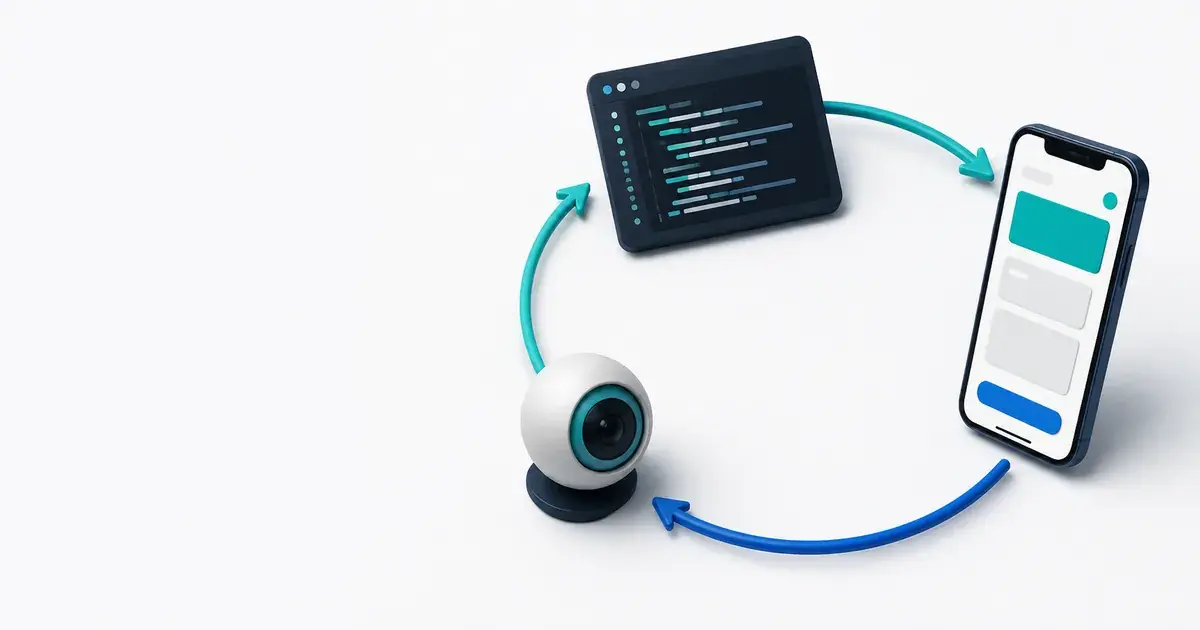
This is where a mobile agent stops guessing. The full treatment is in give your agent eyes; here is the selection logic.
mobile-next/mobile-mcp is the platform-agnostic option and the most reliable Android path for Claude Code.
claude mcp add mobile-mcp -- npx -y @mobilenext/mobile-mcp@latestIt handles iOS and Android, simulators, emulators and real devices, accessibility snapshots with screenshot fallback, screen recording and crash reports. Node 20 or newer. Two honest limits: real iOS devices need go-ios plus WebDriverAgent plus a tunnel, which is a heavy setup, and accessibility-tree quality varies a lot by app. It is community-built and it is the one I would install first for Android.
XcodeBuildMCP wins when you are on macOS building an iOS target and you want build, run and log capture in the same server as the automation. See above for the trailing-subcommand trap.
Maestro is the test-automation path, and its MCP server is official and bundled with the CLI — there is no separate package to install.
curl -fsSL "https://get.maestro.mobile.dev" | bashclaude mcp add maestro -- maestro mcpTools: list_devices, inspect_screen (which returns the view hierarchy as JSON), take_screenshot, run (inline YAML or a file), cheat_sheet, list_cloud_devices, run_on_cloud, get_cloud_run_status, open_maestro_viewer. The loop that makes it valuable: the agent inspects a live simulator, generates YAML, runs it, reads the failure and corrects itself. Cloud tools need authentication, and some hosts need JAVA_HOME set.
Maestro also offers assertWithAI and extractTextWithAI, which take a screenshot and evaluate a natural-language assertion instead of diffing pixels. They need MAESTRO_CLI_AI_KEY. They are experimental, and the default is optional: true, which means a failed assertion does not break CI. That default is a false-confidence generator. If you use them, set it explicitly.
appium/appium-mcp is official, Apache 2.0.
claude mcp add appium-mcp -- npx -y appium-mcp@latestDevice discovery and preparation, session create and attach, element discovery through locators and vision, gestures, text input, screenshots and video, install and launch, and test-code generation from natural language. It bundles UiAutomator2 and XCUITest. The setup cost is real: Node 22 or newer, JDK 8 or newer, the Android SDK, and Xcode for iOS.
Patrol MCP is the Flutter equivalent, released 2026-03-31.
dart pub add --dev patrol_mcpYou then point the MCP entry at an executable launcher script, which is also how FVM setups work. Tools: run with hot restart, screenshot, native-tree, status, quit. It wraps patrol develop and has been tested with Claude Code, Cursor, Copilot and Gemini CLI. Two limits: the agent can get stuck mid-session, and it is mobile-only — Flutter web support is waiting on a framework fix.
Detox has no official MCP server. For React Native gray-box testing the agent pattern is simply running detox build and detox test -c <config> through Bash and reading the output, which works fine.
npm i -g detox-cliOn macOS you also need:
brew tap wix/brew && brew install applesimutilsDetox 20.x is compatible with the new architecture on React Native 0.77 through 0.84. There is an AI path through Detox Copilot and Wix Pilot, which turn natural-language steps into Detox actions; I could not verify the Pilot configuration myself, so treat that specific piece as unconfirmed.
Visual regression has no MCP server anywhere — not for Emerge Tools Snapshots, not for Paparazzi or Roborazzi, not for swift-snapshot-testing, not for Percy. The working agent pattern is to run the tool through Bash and then have Claude read the diff PNGs directly, because Claude Code can view images. That is a genuinely good workflow and it needs no server at all. The full closed loop is covered in giving your agent eyes.
What covers backends, crashes and revenue?
The server-side and revenue tooling is where MCP earns its context cost, because that data is genuinely live.
These are the servers that make an agent useful after the app builds.
Supabase is remote-hosted now; the old npx path is superseded.
claude mcp add --scope project --transport http supabase "https://mcp.supabase.com/mcp?features=docs,account,database,debugging,development,functions,branching"Supabase's own documentation warns that connecting this to production carries security risk. Take that at face value. Add ?read_only=true and scope to a single project with ?project_ref=<id> unless you have a specific reason not to. An agent with write access to your production database is a category of mistake that does not have an undo.
Convex auto-starts through its plugin, or:
npx convex mcp startTools cover status, tables, data, runOneoffQuery, functionSpec, run, logs, insights and environment variables. Production is restricted to safe operations by default, which is the right default. insights is unavailable when you are authenticating with CONVEX_DEPLOY_KEY.
Firebase, including Crashlytics:
claude plugin install firebase@firebaseOr:
claude mcp add firebase npx -- -y firebase-tools@latest mcpYou get crashlytics_get_issue, crashlytics_list_events, crashlytics_batch_get_events, crashlytics_get_report, issue notes and state, plus Remote Config template get and update. It is experimental with no SLA — Google's framing — and it can hang during tools/list on large datasets, which is a filed issue (firebase-tools#9663). Firebase A/B Testing is entirely absent from the MCP surface. Unity projects need --only crashlytics to keep the tool list manageable.
Sentry:
claude plugin install sentry-mcp@sentry-mcpOr:
claude mcp add --transport http sentry https://mcp.sentry.dev/mcp/{org}/{project}search_events and search_issues take natural language and turn it into queries, plus event inspection, triage, traces, and Seer root-cause analysis. Sentry has iOS, Android, React Native and Flutter SDKs, which gives you a clean crash-to-fix loop with the agent in the middle.
The catch worth knowing: the natural-language search tools require your own LLM provider key, set through EMBEDDED_AGENT_PROVIDER. Without it, those specific tools simply do not appear, and the failure reads as "the server is broken" rather than "you skipped a config step."
RevenueCat is official.
claude plugins marketplace add RevenueCat/ai-toolkit
claude plugins install revenuecat
The MCP endpoint is https://mcp.revenuecat.ai/mcp. You get project, app, product and offering CRUD, chart and experiment analysis, and 13 SDK integration skills spanning iOS, Android, Kotlin Multiplatform, Flutter and React Native, plus paywall, entitlement and troubleshooting skills. There is also a separate revenuecat-play-billing plugin.
Two limits: paywall create and update route through RevenueCat's own assistant, "Rico," not through general MCP tools, and charts and analytics are not covered by the official server. If your plan was "the agent redesigns the paywall," adjust it.
What is the token budget nobody warns you about?
MCP tool definitions load in full at session start, so a generous install list spends your context before you type.
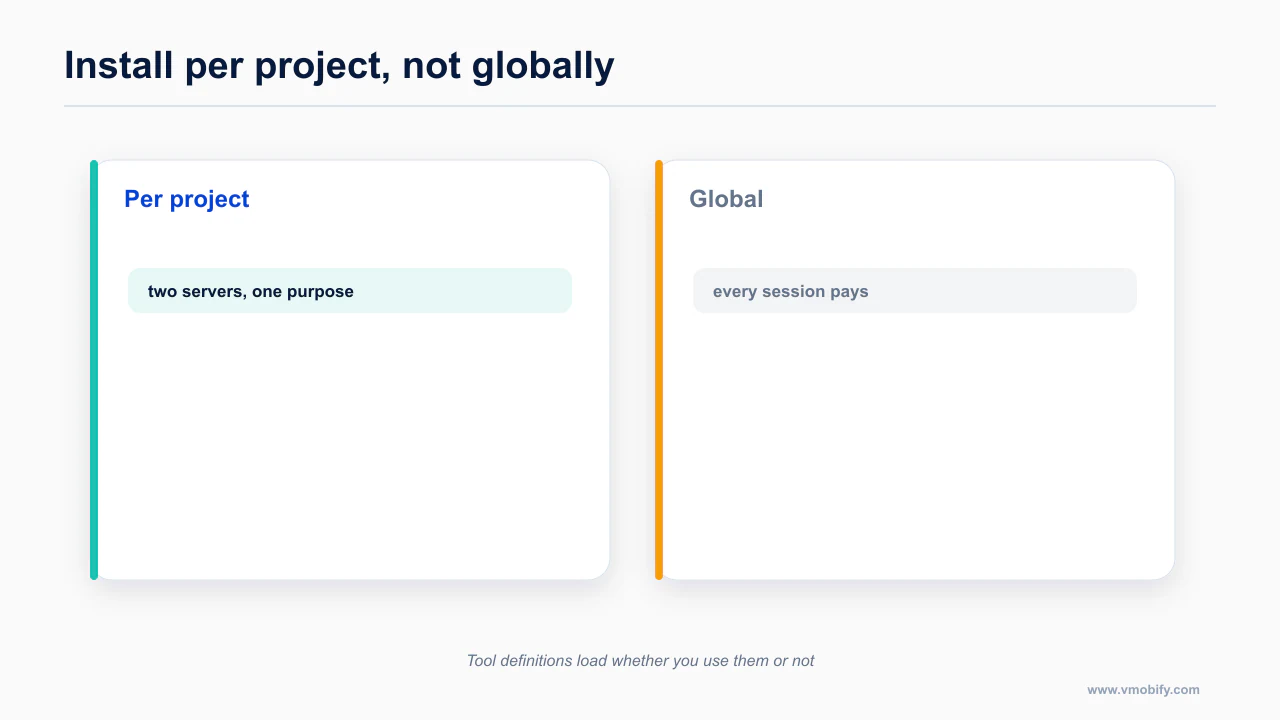
Every MCP server you connect injects its tool definitions into context on every turn. Skills load on demand; MCP tools do not.
This is why the TikTok Ads MCP is the cautionary tale of 2026: its flat server exposes roughly 400 tools. TikTok's own documentation recommends the flat variant for Claude. Four hundred tool definitions will wreck your context window before the agent reads a single file of your code. Use the layered variant, which exposes around 40.
The same arithmetic applies in miniature to your mobile stack. Expo MCP is 30-plus tools. Appium is a large surface. Firebase without --only is enormous. Mixpanel is 60-plus. Stack four of those and you have spent your working memory on a menu.
Practical rules that have held up:
- Install MCP servers for actions, install skills for knowledge. When in doubt, it is a skill.
- Scope servers to the project (
--scope project) so you are not carrying your Supabase tools into an unrelated repository. - Use the vendor's scoping flags.
--only crashlyticsfor Firebase, the layered TikTok endpoint, feature query parameters on Supabase. - Disconnect what you are not using this week. This is a five-second action that people treat as a permanent configuration decision.
Documented in steve228uk/metro-mcp — worth reading in full rather than taking a summary of it, because the details here change more often than the shape of the advice does.
Which three stacks should you actually run?
Three stacks cover most situations, and each is defined by what it deliberately leaves out.
Below are three .mcp.json files. Label them honestly when you share them: these are my constructions, assembled from the documented install commands above, not vendor-published sample files. The endpoints and package names are verbatim from the sources; the assembly is mine.
Stack one: Expo and React Native, solo builder
Expo plugin plus the vercel-labs skills, and three servers. This is the default I would recommend to most people reading this.
{
  "mcpServers": {
    "expo": {
      "type": "http",
      "url": "https://mcp.expo.dev/mcp"
    },
    "mobile-mcp": {
      "command": "npx",
      "args": ["-y", "@mobilenext/mobile-mcp@latest"]
    },
    "supabase": {
      "type": "http",
      "url": "https://mcp.supabase.com/mcp?read_only=true&features=docs,database,debugging,development,functions"
    }
  }
}
Then, on the knowledge side:
claude plugin install expo@claude-plugins-official
npx skills add vercel-labs/agent-skills
Note the read_only=true on Supabase. Turn it off deliberately, for a specific task, not as your standing configuration.
Stack two: native iOS on macOS
XcodeBuildMCP for build-run-log, Maestro for the test loop, Sentry for the crash-to-fix cycle.
{
  "mcpServers": {
    "XcodeBuildMCP": {
      "command": "npx",
      "args": ["-y", "xcodebuildmcp@latest", "mcp"],
      "env": {
        "XCODEBUILDMCP_SENTRY_DISABLED": "true"
      }
    },
    "maestro": {
      "command": "maestro",
      "args": ["mcp"]
    }
  }
}
Skills:
claude plugin marketplace add Prisma-Labs-Dev/apple-skills/plugin marketplace add twostraws/SwiftUI-Agent-Skill
/plugin install swiftui-pro@swiftui-agent-skillThe trailing mcp in the XcodeBuildMCP args is the thing that breaks. It is in there. Leave it.
Stack three: Flutter
The Dart MCP server, which you already have if you have the SDK, plus Patrol for device testing.
{
  "mcpServers": {
    "dart": {
      "command": "dart",
      "args": ["mcp-server"]
    }
  }
}
Skills:
npx skills add flutter/agent-plugins --skill '*' --agent universal --yesAnd, if you work in Bloc:
claude plugin marketplace add VeryGoodOpenSource/very-good-claude-code-marketplace && claude plugin install vgv-ai-flutter-pluginRemember the Dart server is experimental by its maintainers' own description, and that Flutter web loses the flutter_driver finder commands.
What does this directory not fix?
No amount of tooling supplies the judgement about what to build, and none of it removes the compliance work.
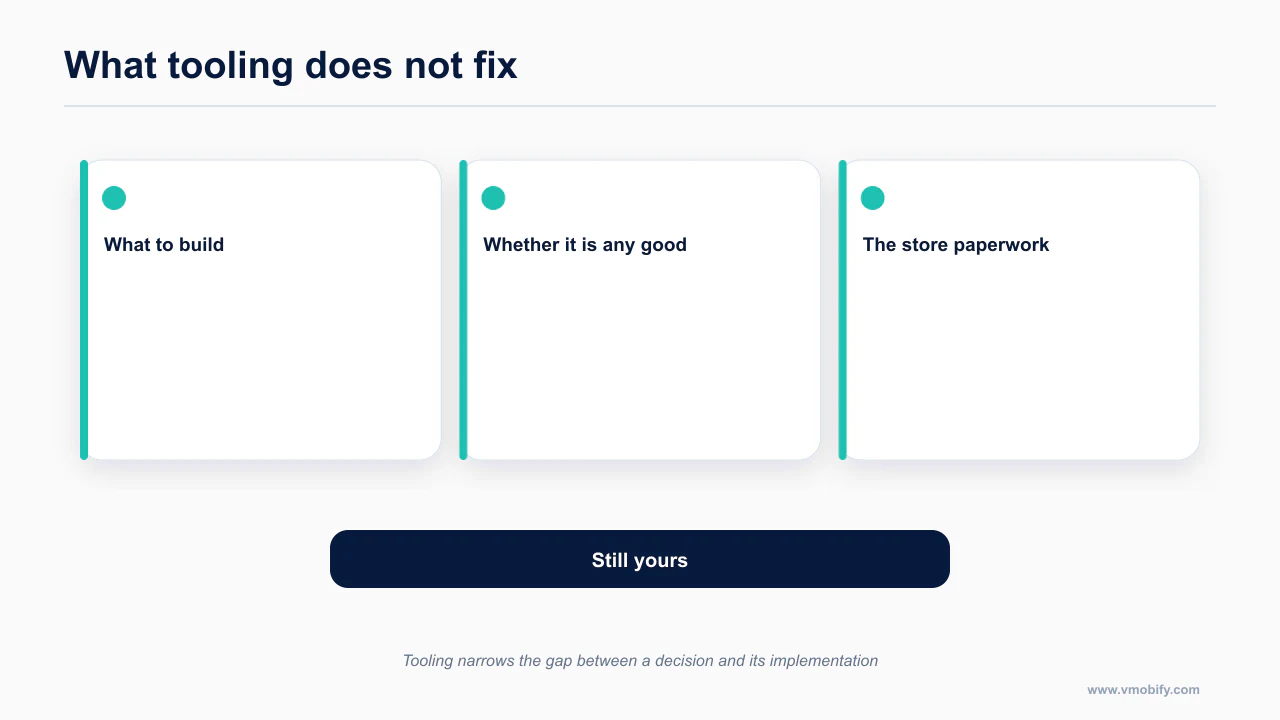
A good parts list does not make a good app. The strongest thing you can do after installing any of this is write the file that tells the agent about your project — which is the subject of the next post, the Expo and Claude Code setup that prevents 80% of problems, including a complete MOBILE-AGENTS.md template you can paste.
Two other places this directory is deliberately silent. Mobile design guidance for agents is the weakest category in the ecosystem, and I would rather write it than list two weak options: the mobile UI/UX rules AI agents get wrong. And none of these tools help with the reason vibecoded apps get rejected, which is a product problem: why your AI-built app got rejected.
Re-check anything here before you build on it. MCP servers ship monthly and repositories get renamed — as XcodeBuildMCP just demonstrated. This page is dated for a reason. The path this tooling sits inside is the mobile shipping pillar, and the compliance work it cannot touch is in the 2026 compliance calendar.
Frequently Asked Questions
Should I install every MCP server on this list?+
No. Tool definitions load at session start whether you use them or not, so a long install list costs you context on every session. Install per project, not globally.
What is the difference between a skill and an MCP server?+
A skill carries judgement and loads its body only when relevant. An MCP server carries tools and loads its full definitions at session start. One is cheap and advisory, the other is expensive and live.
Do I need AGENTS.md if I have skills installed?+
Yes. AGENTS.md carries the project-specific facts — stack, versions, folder layout, commands — that a general skill cannot know. They do different jobs.
Is Expo genuinely better supported than bare React Native?+
For agent work, yes. It has documented agent setup, an official MCP server and a maintained skill set, none of which bare React Native has as first-party material.
Why is the Flutter design layer thinner?+
The official Flutter plugin is solid for build and run, but there is less published design-rule material for agents to load than exists for iOS or React Native.
How often does this directory go stale?+
Fast. MCP servers ship monthly and skill repositories move. Treat any directory, including this one, as a snapshot and check the repository before installing.
Can tooling replace knowing the platform?+
No. Tooling narrows the gap between a decision and its correct implementation. It does not supply the decision, and it does not do the compliance work.
Sources
About the author
Amol Pomane — Founder, Vmobify
Amol leads Vmobify, a mobile app growth agency that has driven 30M+ downloads and ranked 54K+ keywords across 300+ apps since 2013. He writes about ASO, paid user acquisition, retention, and the operational reality of scaling mobile apps in India and global markets.