Meta Says 4,000 Installs. Your MMP Says 2,600.
Money left the account, the campaign is live, and two dashboards disagree by 35%. Somebody is going to ask which number is true, and the honest answer is that all of them are — because Meta, your MMP, Play Console and Google Ads each count a different event and call it an install. Here is what each one actually measures, how much gap is normal, and how to reconcile them in half an hour.
On this page
- Why will Meta and your MMP never agree?
- What is Meta actually counting as an install?
- Which four numbers should you line up first?
- Why are your purchases being counted twice?
- What iOS plumbing do founders skip?
- What does Play Install Referrer actually settle?
- How big a gap is normal, and when is it fraud?
- What does a 30-minute reconciliation look like?
- Which number belongs in a board update?
- Frequently Asked Questions
Why will Meta and your MMP never agree?
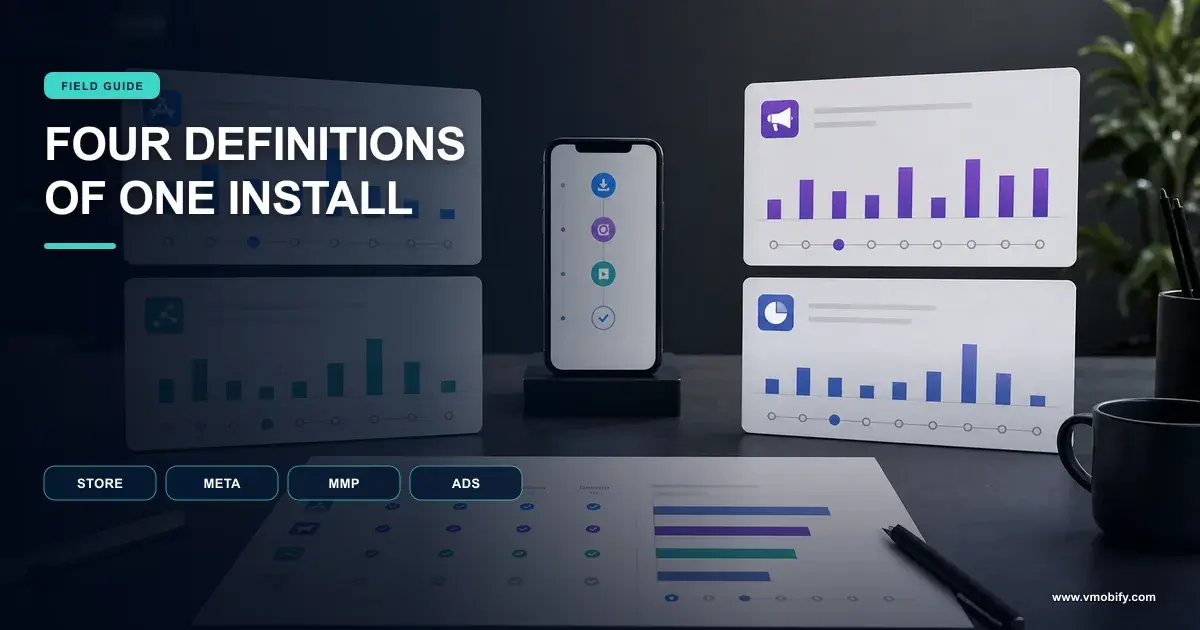
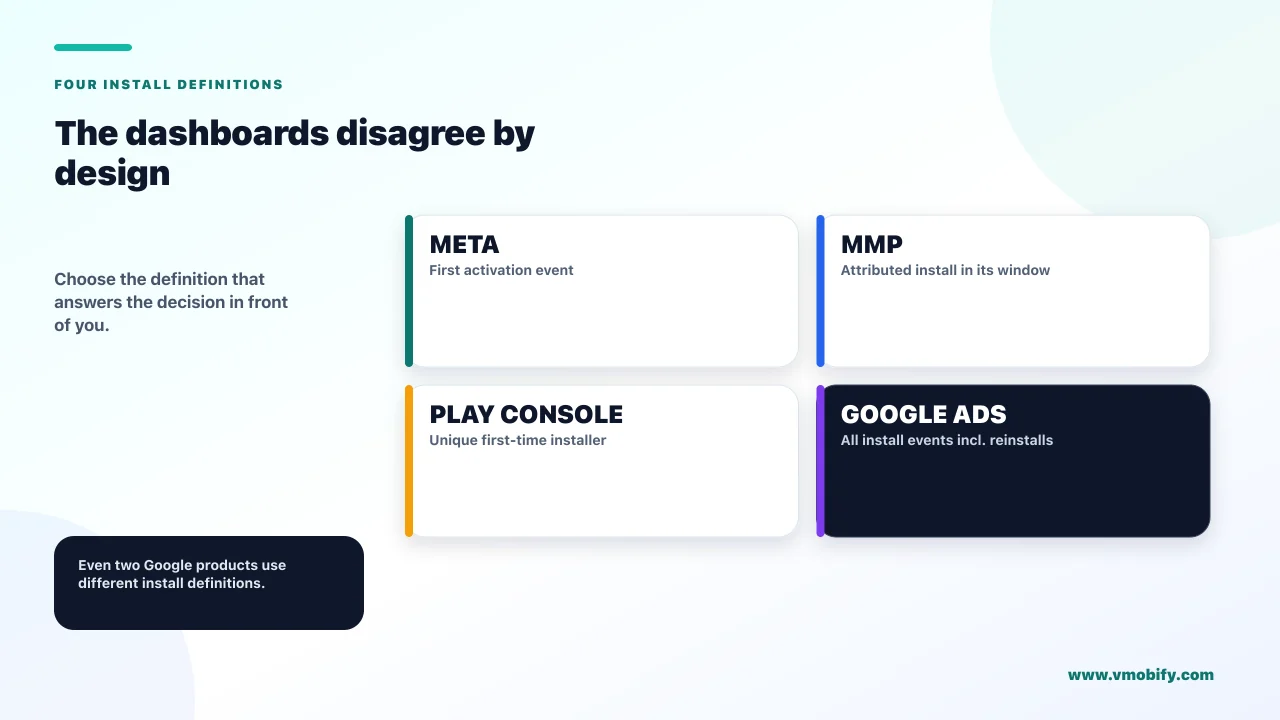
Because they are not measuring the same event, and at least four systems in your stack each define the word "install" differently — all of them documented, none of them wrong. The discrepancy you are looking at is not a bug to be fixed. It is a translation problem to be understood once and then managed.
Line up the definitions and the argument usually ends inside ten minutes:
What each system counts
- Meta: an App Install event, which its SDK logs the first time a person activates your app or the app first starts on a particular device
- Your MMP: installs it can attribute to a source within its own configured lookback windows
And the two Google numbers
- Play Console: unique first-time installers — unique users, so one person on two devices is one installer
- Google Ads: all install events, which Google states includes reinstalls and installs on multiple devices
Google's own Play Console documentation makes that last contrast explicitly, noting that its first-time installer metric differs from Google Ads data because the Ads figure includes all install events, including reinstalls and installs on multiple devices. Two Google products, one company, two different numbers by design.
Once you accept that, the question changes from "which dashboard is lying" to "which definition do I want for this decision". In our portfolio, the teams that argue about attribution for months are almost always teams that never wrote the four definitions down. The ones that resolve it in an afternoon are the ones who did.
"These are four different metrics with the same name." Then name which one you are using and why. An investor or agency arguing that your MMP number is wrong because Meta says something else is arguing that a unique-user count should equal an event count. It should not, and it never will.
What is Meta actually counting as an install?
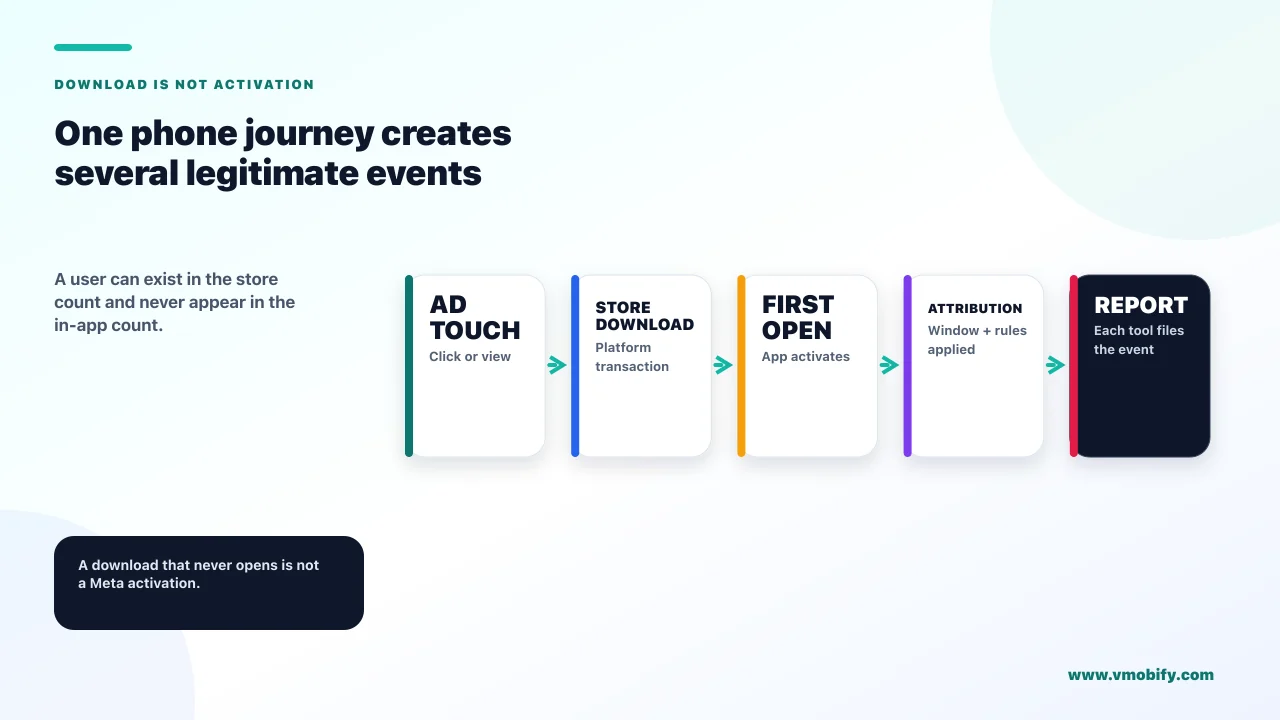
An app activation, not a store install — and that single fact explains a large share of every Meta-versus-MMP gap you will ever see. Most founders assume Meta is counting downloads from the store. It is not; it is counting the SDK waking up.
Meta's documentation on getting started with app events on Android defines its automatically logged App Install event as the first time a new person activates your app, or the first time your app starts on a particular device. There is no store transaction in that definition anywhere.
Three consequences follow directly, and each one moves the number:
- A device that installs but never opens is not a Meta install. It is a Play Console install. This gap is real and it is larger than teams expect, especially on low-end devices and slow connections.
- The same person on a second device is a second Meta install and a second Google Ads install event, but still one Play Console first-time installer.
- Meta counts activations it can see, whether or not your MMP attributes them to Meta. Your MMP is deciding source; Meta is counting events. These are different jobs.
The same page is worth reading for two more automatically logged events, because they cause their own confusion later. App Launch is logged when someone opens your app, with a specific rule that a second app launch event within 60 seconds of the first is not logged. And In-App Purchase is automatically logged when a purchase processed by Google Play has been completed — which is the beginning of the double-counting problem covered below.
Which four numbers should you line up first?
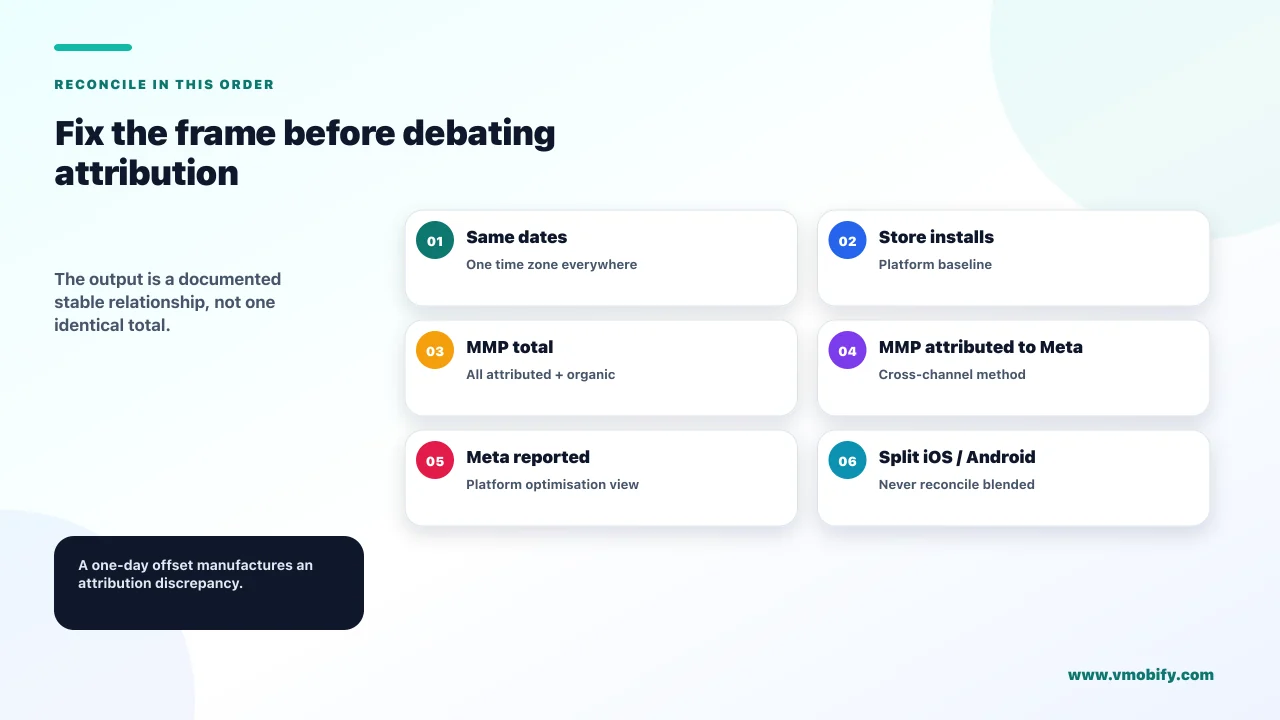
Store installs, Meta-reported installs, MMP-attributed installs, and MMP total installs from all sources — in that order, over the same date range, in the same time zone. Skipping this step is why most attribution debugging goes nowhere: teams start comparing individual campaigns before establishing whether the totals are even close.
- Store installs. Play Console first-time installers, or App Store Connect units. This is your ceiling — no attribution system can credibly claim more installs than the store recorded, and if one does, stop and investigate that before anything else.
- MMP total installs, all sources. This should be in the neighbourhood of the store number. A large shortfall here is an SDK or integration problem, not an attribution problem, and it invalidates every downstream comparison.
- MMP installs attributed to Meta. The number you would actually report as paid performance.
- Meta-reported installs. Only now is this comparison meaningful.
Fix the time zone before you start. Meta, your MMP and the stores can each be reporting on a different day boundary, and a one-day offset on a growing campaign manufactures a discrepancy that has nothing to do with attribution. It is the single most common false alarm we see, and it costs teams days.
The order matters because each step localises the fault. If step one and step two disagree, your measurement is broken and no amount of window-tuning will help. If they agree and steps three and four disagree, you have a genuine attribution question — which is the rest of this article. Our comparison of AppsFlyer, Adjust and Singular covers where each MMP's defaults sit, and our attribution guide covers the underlying model.
Click-through and view-through lookback windows are configurable, they differ between ad platforms and MMPs, and they are the largest single lever on the size of your gap. Read your own configuration in both systems rather than trusting any article — including this one — to tell you what your windows are. Two systems with different windows will disagree permanently and correctly.
Why are your purchases being counted twice?
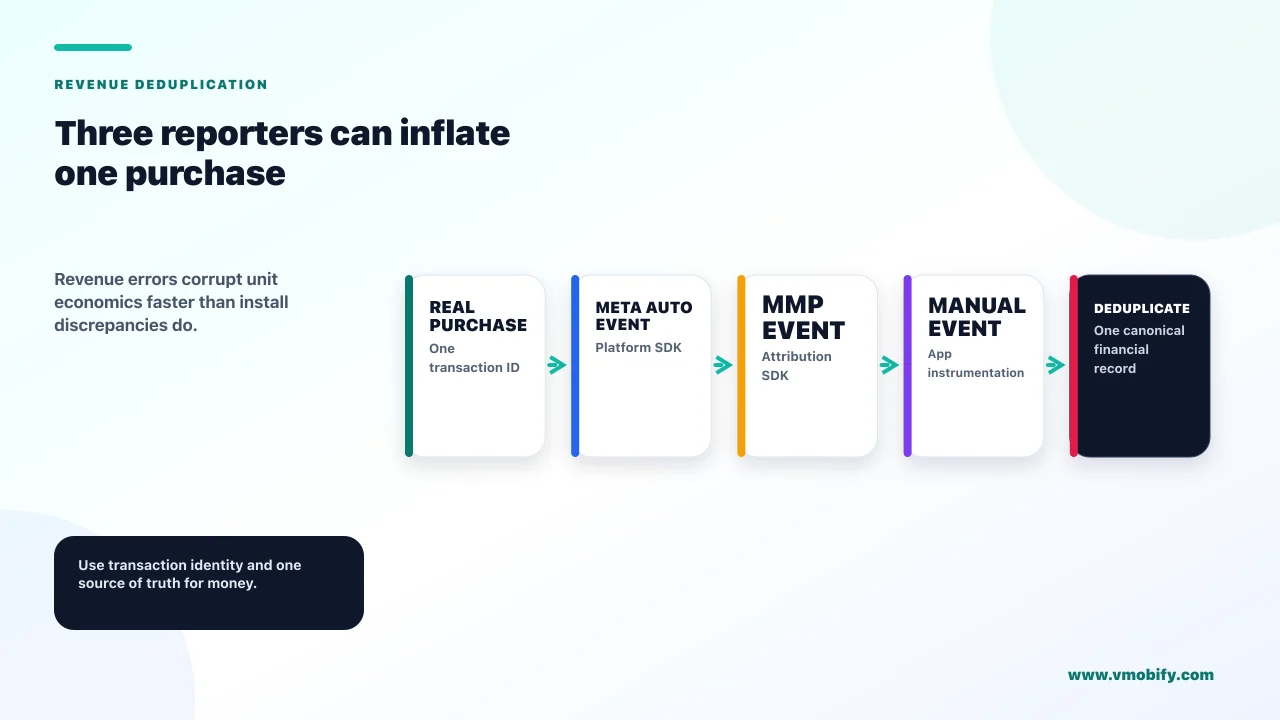
Because the Meta SDK logs purchases automatically, your MMP logs them, and someone on your team probably logs them manually as well — three independent reporters of the same event, with no shared deduplication. Revenue that looks too good is the symptom, and it is far more damaging than an install discrepancy because it corrupts your unit economics.
Meta's Android app events documentation states that certain app events are automatically logged and collected for Events Manager unless you disable automatic app event logging, and that In-App Purchase is automatically logged when a purchase processed by Google Play has been completed. Nobody has to write that code for it to fire.
The failure pattern is predictable. A developer integrates the Meta SDK — purchases now log automatically. A growth lead integrates the MMP and maps purchase events — purchases now log again. Then someone adds an explicit purchase call because the dashboard "seemed to be missing some". The result is a revenue figure inflated by an integer multiple, discovered months later when the finance number and the marketing number are put on the same slide.
- Decide on one source of truth per event before you integrate anything. For revenue this should be the billing system, not an ads SDK.
- Turn off what you are not using. Meta documents disabling automatic logging via
AutoLogAppEventsEnabledin the manifest orsetAutoLogAppEventsEnabled(false), and notes that where the flag and the Events Manager toggle conflict, the toggle value is honoured. Know which of the two is actually in force. - Audit what is firing, not what you think is firing. The gap between the two is where this bug lives.
This is the part of measurement worth paying attention to early, because an install discrepancy costs you an argument and a revenue discrepancy costs you a strategy. We treat event ownership as a design decision rather than an integration detail in our analytics work.
What iOS plumbing do founders skip?
The advertiser-tracking flag, the client token, and the consent state that gates both — and skipping any of them degrades what Meta will do with your events. On iOS the gap between "the SDK is installed" and "the SDK is working as intended" is wide, and nothing on your dashboard announces which side you are on.
Meta's iOS app events setup documentation is specific. You supply an App ID and a client token — the token found under Settings, Advanced, Client Token in the App Dashboard. From iOS 14.5 you must set Settings.shared.isAdvertiserTrackingEnabled = true if the device provides consent, and false if tracking is not authorised. Separately, FacebookAdvertiserIDCollectionEnabled controls advertiser ID collection and can be managed in the Info.plist or programmatically.
The consequence of getting this wrong is stated by Meta plainly in its guidance on the advertising tracking flag: if you do not set the Advertiser Tracking Enabled parameter indicating that an iOS 14.5 and later event is opted in for tracking, Meta may restrict its use of that event.
Read that as it is written. Your event still fires. Your SDK still reports. What changes is what Meta is permitted to do with it downstream — which shows up as weaker optimisation and a wider gap, with no error message anywhere in the chain. This is why an iOS campaign can look structurally worse than its Android twin for reasons that have nothing to do with the audience.
Confirm three things on iOS: the client token is set, the ATT prompt is actually being presented, and the tracking flag is being updated from the real authorisation status rather than hard-coded. We have seen the flag hard-coded to false in a production build for months. Every diagnosis made against that data was worthless. Our comparison of AdAttributionKit and SKAdNetwork covers what measurement remains when consent is denied.
What does Play Install Referrer actually settle?
On Android it is the closest thing to a neutral referee you have, because the data comes from Google Play rather than from any advertising party — and it includes server-side timestamps that a client cannot fake. When two dashboards disagree on Android, this is the tiebreaker.
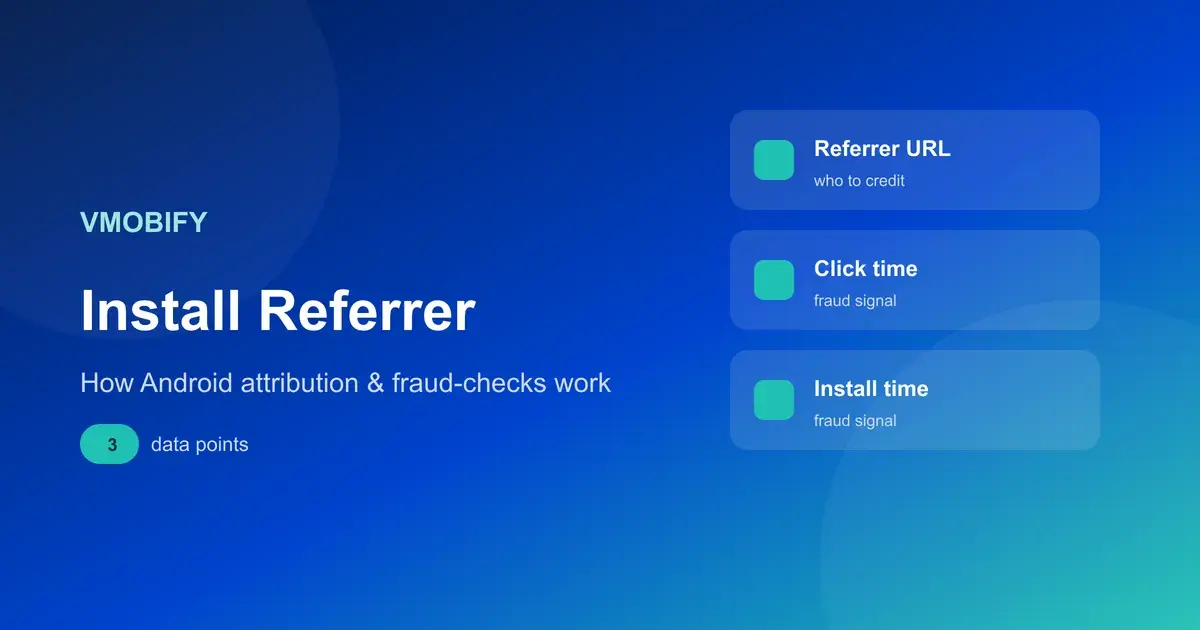
Google's Play Install Referrer API returns the referrer URL of the installed package, the timestamp of when a referrer click happened, the timestamp of when installation began — both of those available client-side and server-side — the app's version at first install, and whether the user interacted with your instant experience in the past 7 days.
The server-side timestamps are the underused part. Client-side timestamps come from a device whose clock can be wrong or deliberately manipulated; the server-side pair comes from Google. When you are trying to establish whether a click genuinely preceded an install by a plausible interval — which is the core question in both attribution disputes and click-injection fraud — those are the numbers to reason from.
Two operational details from Google's Install Referrer Library documentation matter for implementation. The referrer information is available for 90 days and will not change unless the application is reinstalled. And you should invoke the API only once, during the first execution after install, to avoid unnecessary calls.
There is no equivalent on iOS. That asymmetry is not a gap in your setup — it is the platform, and it is why iOS attribution debates end in probability while Android debates can end in evidence. Our post on the Play Install Referrer covers implementation in full.
How big a gap is normal, and when is it fraud?
Any stable gap explained by the definitions above is normal; a gap that changes shape suddenly, or that has the wrong internal structure, is the one to investigate. We deliberately do not publish a "normal discrepancy percentage" here, because the honest answer is that it depends entirely on your platform mix, your consent rate, your windows and your app's open rate — and every published benchmark we could find traced back to a vendor with no methodology attached.
What is diagnostic is not the size of the gap but its behaviour:
- Stable gap, consistent direction. Almost always definitional. Document it, apply it as a known factor, move on.
- Gap that changed on a specific date. Something shipped. A release, an SDK update, a window change, a consent-prompt change. Find the date first, then find what happened on it — this is far faster than reasoning about attribution theory.
- Installs with implausible click-to-install intervals. On Android, compare the server-side referrer click and install-begin timestamps. Clicks arriving in the seconds before an install that the user could not have initiated is the signature pattern worth escalating.
- A source whose installs convert to nothing. Volume that never produces a second session or an in-app event is the oldest signal there is.
The last two are where measurement questions become fraud questions, and they need a different response from anything else on this page. Our guide to mobile ad fraud prevention covers the patterns and what to do about them. The important discipline is not to reach for fraud as an explanation before the definitional and configuration causes are ruled out — in our experience most suspected fraud in a first paid campaign turns out to be a lookback-window difference and a time-zone offset.
What does a 30-minute reconciliation look like?
Six steps, run in order, ending with a written statement of your known gap that you can reuse every month instead of re-litigating it. The output is not agreement between the systems — that is not achievable — it is a documented, stable relationship between them.
- Fix the frame. Same date range, same time zone, in every system. Write down which time zone you chose.
- Record the four numbers. Store installs, MMP total, MMP attributed to Meta, Meta reported. In that order.
- Read your actual attribution windows in both the ad platform and the MMP, and write them down. Not what you think they are — what the settings say.
- Check the platform split. iOS and Android behave so differently that a blended number hides the cause. Do this per platform or you will chase ghosts.
- Verify the iOS plumbing — client token, ATT prompt presented, tracking flag driven by real authorisation status.
- Write one paragraph stating the expected relationship between the four numbers and why. That paragraph is the deliverable.
Do it once properly and the recurring cost drops to near zero, because next month's question is answered by comparing against the documented relationship rather than by starting again. Across the 300+ apps we have managed since 2013, this document is the single cheapest artefact in growth measurement and one of the rarest.
If the numbers still do not reconcile after this, the problem is almost certainly integration rather than attribution, and it is worth getting a second pair of eyes on the implementation before spending more money against data you do not trust. That is a short conversation — tell us what the four numbers are and we will usually know where to look.
Which number belongs in a board update?
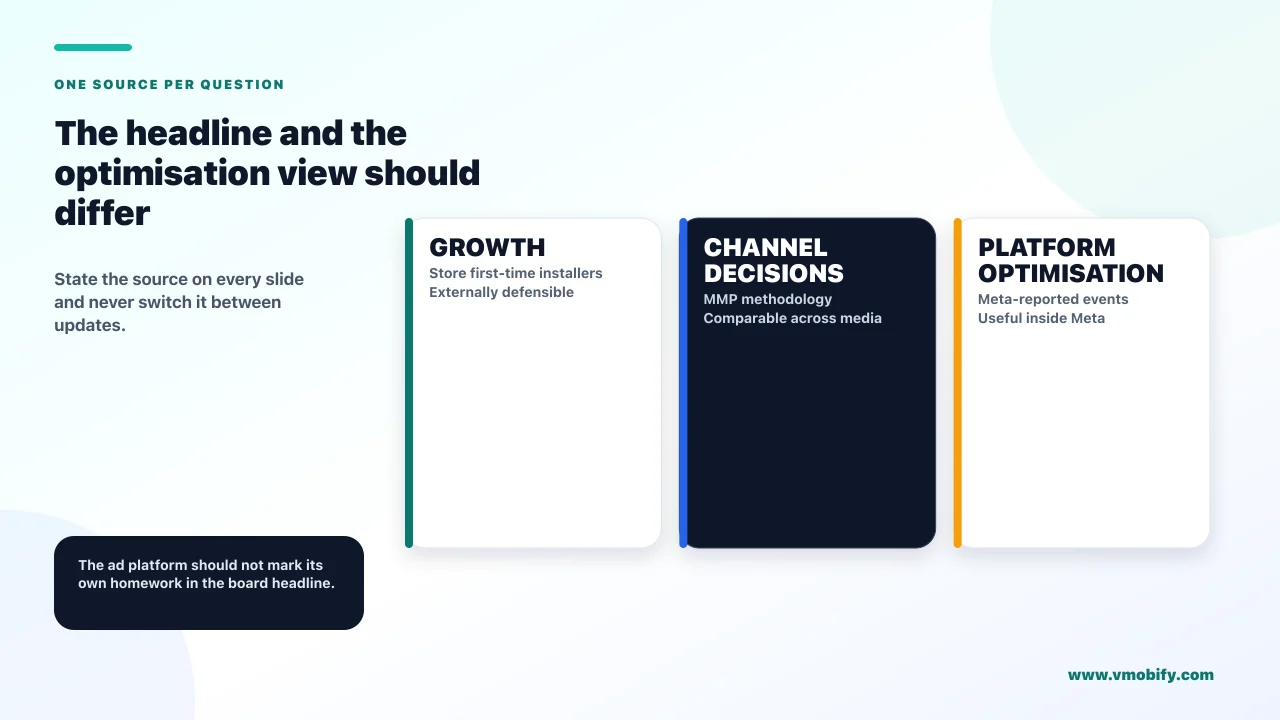
The store number for growth, your MMP for channel decisions, and never the ad platform's own figure as your headline. The reporting choice matters more than the reconciliation, because it determines whether next quarter's decisions are made on a defensible basis.
The reasoning is straightforward. The store is the only party with no incentive in the outcome and the only one that observes the actual transaction, which makes Play Console first-time installers or App Store Connect units the right top-line growth number. Your MMP is the only system that applies one consistent methodology across every channel, which makes it the right basis for deciding where the next rupee goes. And the ad platform is marking its own homework — useful for optimising inside that platform, and structurally the wrong choice for a headline.
Two practices make this survivable in front of an audience:
- Name the source on the slide. "Installs (Play Console, first-time installers)" ends an entire category of meeting. A bare number invites the argument.
- Never change source between updates. A switch from MMP to platform numbers between two board decks reads as a growth jump that did not happen, and it is very hard to recover credibility from once noticed.
The deeper point is that no attribution system answers whether the spend caused the growth — they all answer where to file installs that already happened. When the stakes get high enough, the question becomes incrementality, which is a different measurement entirely and the subject of our guide to incrementality testing and MMM. Our Meta app install campaigns guide covers the build side once the measurement is trustworthy.
Frequently Asked Questions
Why does Meta report more installs than my MMP?+
Usually because they are counting different things. Meta logs an App Install event the first time a person activates your app on a device, while your MMP reports installs it can attribute to a source inside its configured lookback windows. Different windows, different definitions and different time zones all widen the gap without anything being broken.
Which install number should I treat as the truth?+
For growth reporting, the store — Play Console first-time installers or App Store Connect units, because the store observes the actual transaction and has no stake in the answer. For deciding where to spend, your MMP, because it applies one methodology across every channel. The ad platform’s own number is for optimising inside that platform.
Why is Play Console lower than Google Ads for the same campaign?+
By design. Google states that its Play Console first-time installer metric differs from Google Ads data because the Ads figure includes all install events, including reinstalls and installs on multiple devices. Play Console counts unique users, so one person installing on two devices is one installer and two Ads install events.
My revenue looks too high in Meta. What causes that?+
Almost always double or triple counting. Meta automatically logs In-App Purchase when a purchase processed by Google Play completes, your MMP maps purchase events too, and many teams add a manual call as well. Pick one source of truth per event — for revenue, the billing system — and disable the others.
What is the single most-skipped iOS setup step?+
Driving the advertiser tracking flag from the real ATT authorisation status. Meta requires it set to true where the device provides consent and false where tracking is not authorised, and states that without it Meta may restrict its use of the event. Hard-coded values in production are common and invisible on every dashboard.
How do I prove an install came from a click on Android?+
Use the Play Install Referrer API, which returns both client-side and server-side timestamps for the referrer click and the install beginning. The server-side pair comes from Google rather than the device, so it is the right basis for judging whether the interval between click and install is plausible.
What percentage discrepancy is acceptable?+
We deliberately do not publish a number, because every benchmark we could trace came from a vendor with no methodology attached and the real answer depends on your platform mix, consent rate, windows and app open rate. Judge the behaviour instead: a stable gap is definitional, a gap that changed on a specific date means something shipped that day.
Sources
- Meta for Developers — Getting started with app events on Android — How Meta defines App Install, App Launch and the automatic In-App Purchase event.
- Meta for Developers — Getting started with app events on iOS — Client token, isAdvertiserTrackingEnabled and advertiser ID collection.
- Meta for Developers — Advertising tracking enabled — Meta may restrict its use of events without the tracking parameter set.
- Meta for Developers — Aggregated Event Measurement for iOS — AEM implementation via the Facebook SDK for iOS.
- Google — Play Install Referrer API overview — The referral content Google Play returns, including server-side timestamps.
- Google — Play Install Referrer Library — The 90-day availability window and the call-once guidance.
- Google — IGetInstallReferrerService reference — The exact bundle fields returned, client and server side.
- Google Play Console — Acquisition report definitions — First-time installers as unique users, and why Google Ads figures differ.
About the author
Amol Pomane — Founder, Vmobify
Amol leads Vmobify, a mobile app growth agency that has driven 30M+ downloads and ranked 54K+ keywords across 300+ apps since 2013. He writes about ASO, paid user acquisition, retention, and the operational reality of scaling mobile apps in India and global markets.
Model an install budget
Turn CPI and activation assumptions into acquisition scenarios.
Open free tool