How to Make an AI Agent Implement a Design Without Damage
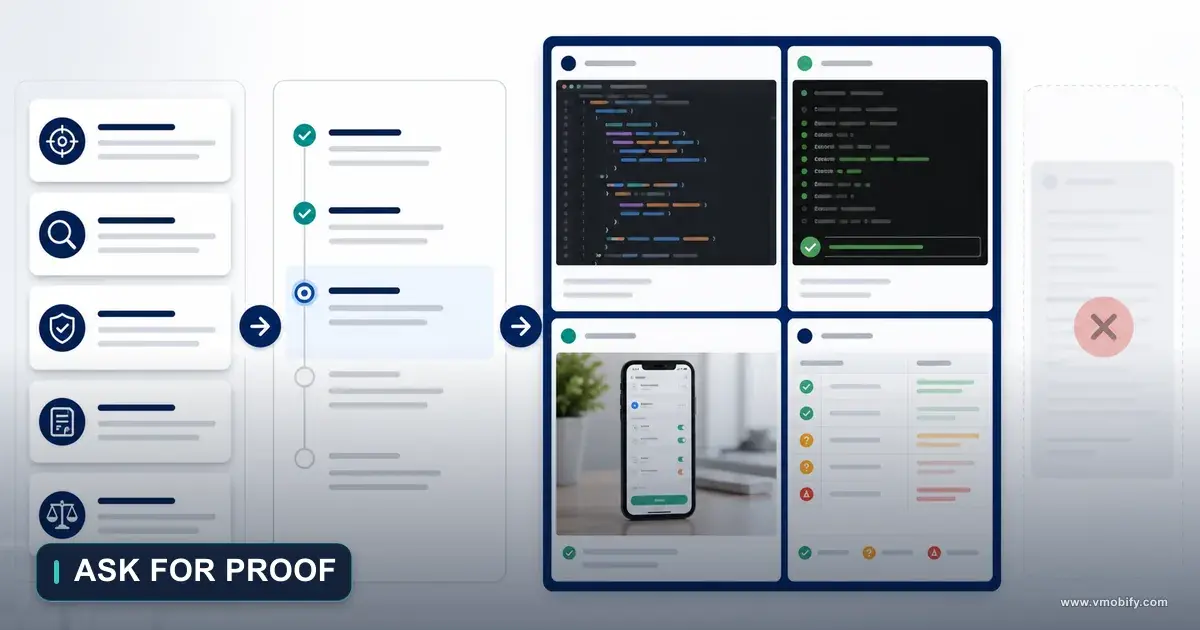
Give an AI coding agent a beautiful screenshot and it will reproduce the visible surface while quietly breaking everything the screenshot cannot show — normalised units, edit identity, offline retries, entitlement checks, accessibility order. This is the five-contract, nine-phase workflow we use to turn an approved design decision into a bounded patch instead of an uncontrolled reconstruction.
On this page
- Why is a screenshot not an implementation brief?
- What are the five contracts an agent needs before it edits code?
- Phase 1 — how do you freeze the decision before any code is written?
- Phase 2 — what should the agent discover before it edits anything?
- Phase 3 — what belongs in the preservation ledger?
- Phase 4 — which changes are allowed and which need escalation?
- Phase 5 — how do you make the agent map every state?
- Phase 6 — what does the smallest coherent patch actually mean?
- Phase 7 — how do you stop the agent building parallel architecture?
- Phase 8 — which tests protect the behaviour a design cannot see?
- Phase 9 — how do you compare the runtime against the decision?
- What does the complete implementation prompt look like?
- How should one contract serve both iOS and Android?
- What does a safe redesign look like end to end?
- How do you review the diff by risk rather than file count?
- When should the change sit behind a flag or a staged rollout?
- Which mistakes cost the most here?
- Frequently Asked Questions
Why is a screenshot not an implementation brief?
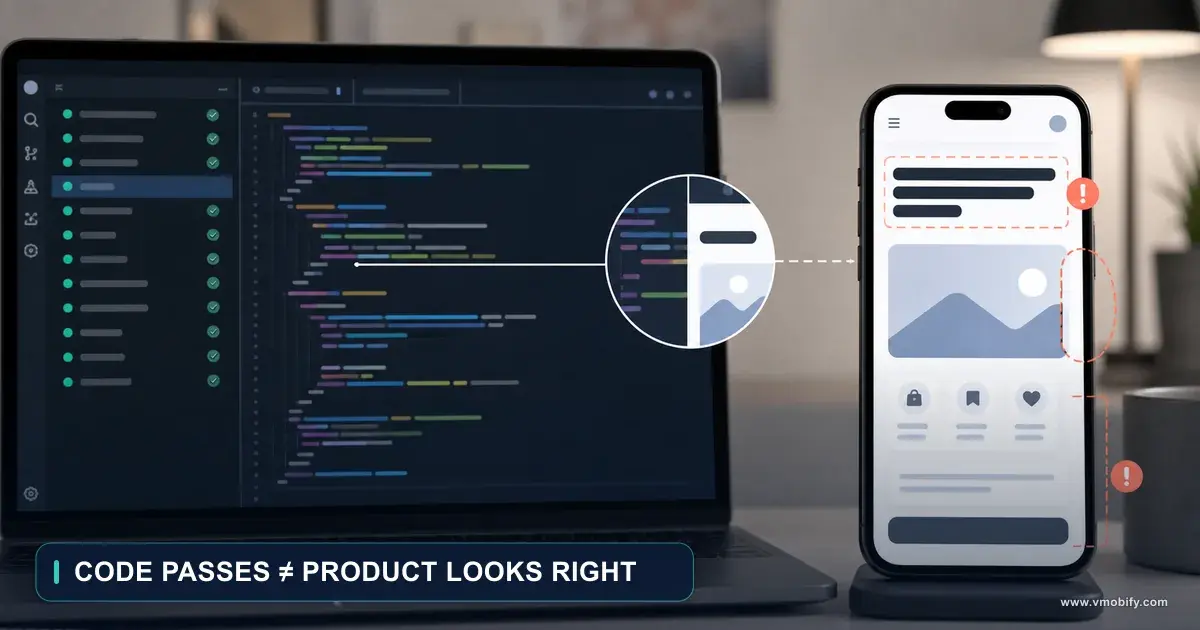
Because a screenshot shows one state of one screen at one moment, and almost everything that makes the product actually work is invisible in it — so before an agent edits code you give it five contracts instead: product, data, design, technical and verification. A design authorises visual and interaction intent. It does not authorise reconstruction.
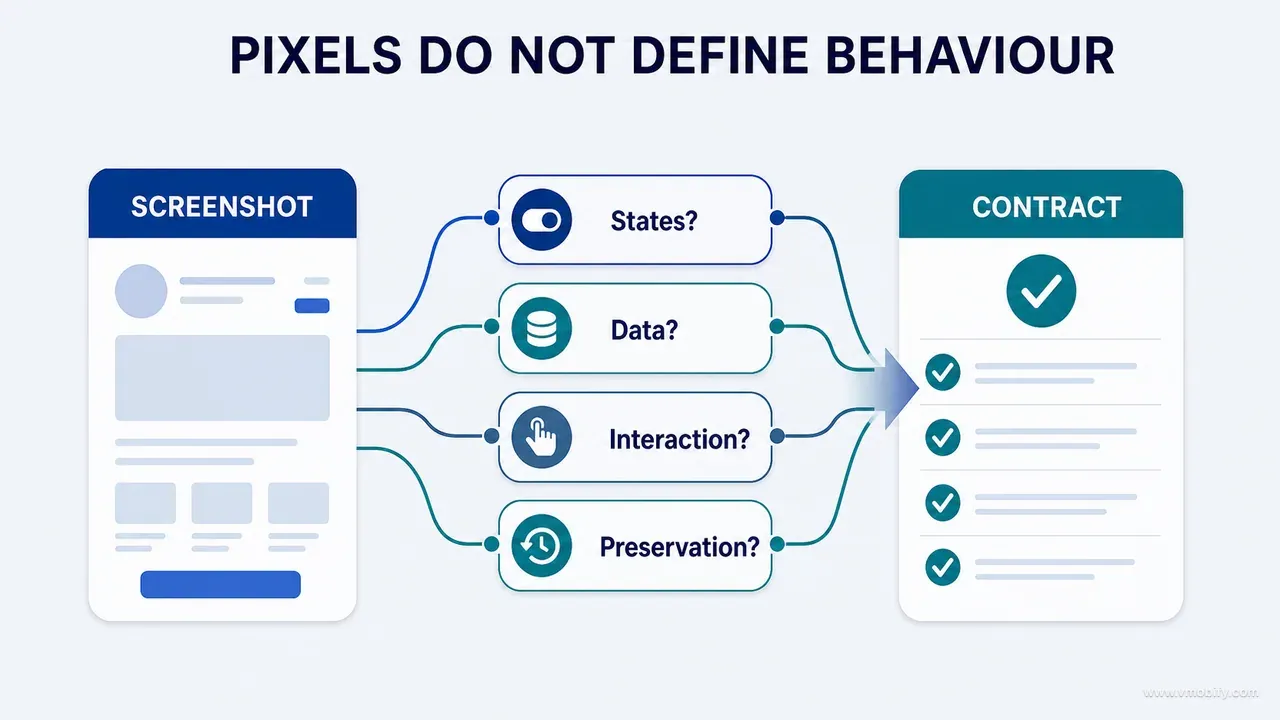
Give a capable coding agent a beautiful image and ask it to build that, and it will optimise for the only signal you supplied: visual similarity. It will reach that target by whatever route is shortest, and the shortest route is frequently to replace a working architecture with local state, hard-code the sample values it can see in the picture, duplicate a shared component rather than adapt it, and delete the branches that were protecting a difficult path because the picture does not contain them.
Here is what a screenshot cannot tell an agent:
- Entry and exit conditions — how a user arrives at this screen and where the back gesture takes them.
- Loading, empty, validation, offline and restricted behaviour.
- Which values are stored and which are computed at render time.
- Which actions need a permission, and which content is behind a subscription.
- How an edit here propagates to the chart, the history list and the export three screens away.
- Whether a control is shared with four other surfaces or used exactly once.
- The analytics events fired and what each one means to the team reading the dashboard.
- Accessibility labels, grouping and reading order.
- Localisation, right-to-left mirroring and large-text behaviour.
- Offline queueing, retry semantics and idempotency.
If those details are absent from the prompt and absent from the discovery step, the agent will infer them. Plausible inference is not product authorisation — and that distinction is the whole method. It is the same failure mode we described in part 08 on writing prompts that produce evidence rather than confidence, arriving one stage later in the workflow: an agent that is allowed to guess will guess fluently, and fluency reads as correctness in a diff.
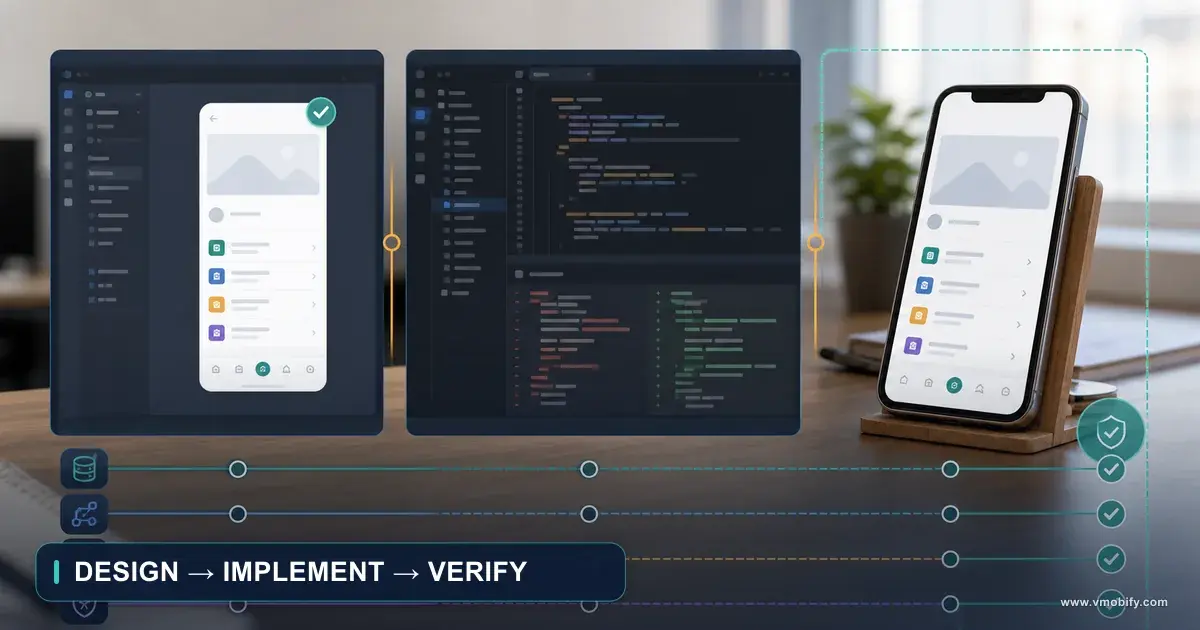
So the operating rule for the whole of this guide is a three-way separation of authority. The design is authoritative for approved intent. The repository is authoritative for current implementation. The runtime is authoritative for observable behaviour. When two of those disagree, the agent reports the conflict and stops. It does not resolve the conflict by editing whichever one is easiest to change.
What are the five contracts an agent needs before it edits code?
Product, data, design, technical and verification — and four of the five describe things the design file cannot show, which is precisely why handing over the design on its own fails so reliably. Together they convert "build this" into a bounded patch with an acceptance test.
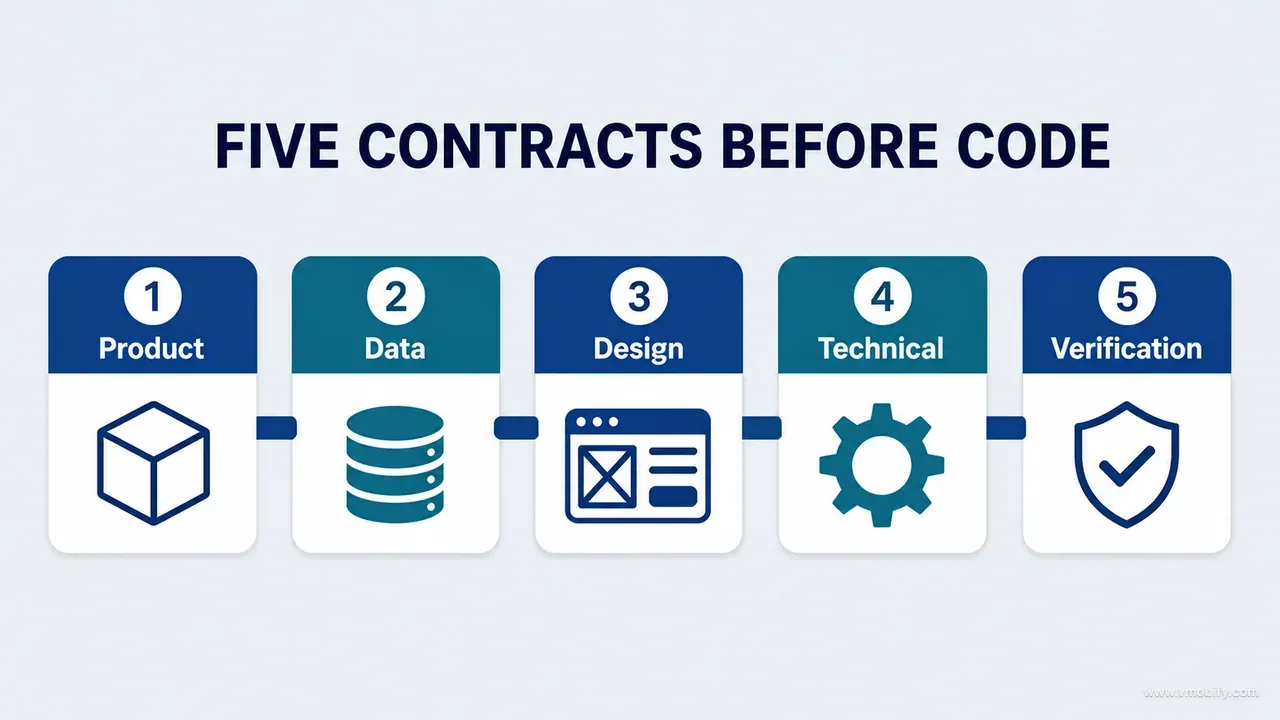
- Product contract — what the user is trying to achieve on this surface, what capabilities must survive the change, and what must not change under any circumstances. This is the contract that stops a redesign quietly removing an undo affordance because the board did not draw one.
- Data contract — the objects involved, their invariants, the canonical storage representation, the create, edit, delete, undo and retry semantics, and the downstream consumers that must refresh once a write commits.
- Design contract — hierarchy, reading order, component relationships, state presentation, approved copy, platform adaptations, motion and accessibility intent. Notably not coordinates: coordinates describe a rendering, relationships describe a decision.
- Technical contract — the architecture to preserve, the tokens and components to prefer, the files and modules in scope, explicit exclusions, and a standing prohibition on new dependencies without approval.
- Verification contract — the tests that must pass, the build and lint commands to run, the runtime scenarios to capture, the highest-risk state, and the downstream surface that proves persistence.
The word doing the work in all five is contract. A contract is falsifiable. "Make the measurement form cleaner" cannot be failed by anything; "the edit must preserve record identity and the canonical storage unit, and the dependent chart must observe the update within the same session" either happened or it did not.
There is a natural objection here, and it is worth answering directly: this looks like a lot of writing to change a form. It is — the first time. In practice the product and data contracts for a surface are written once and then reused for every subsequent change to that surface, because the invariants of a measurement record do not change when you move the date field. What changes each round is the design contract and the highest-risk state. Teams get faster at this when they treat contracts as durable assets that accumulate, not as prompt overhead paid fresh each time.
The economics also run the other way from how they first appear. A contract that takes twenty minutes to write prevents an agent from guessing at data meaning, privacy scope, entitlement behaviour or destructive state — and every one of those guesses, when wrong, costs a debugging session, a hotfix, or a support queue. Do not optimise the handoff for the fewest words. Optimise it for the fewest consequential assumptions.
Phase 1 — how do you freeze the decision before any code is written?
By writing a decision record that names the surface, the observed problem, the selected direction and the reason it was selected — because if the team has not decided whether a chart is status-first or action-first, the coding agent must not be allowed to decide it through implementation. Implementation starts from a settled decision, never from a board still under debate.
The record we use is deliberately short:
Decision ID:
Surface and state:
Observed problem:
Selected direction:
Why selected:
Capabilities preserved:
Required platform adaptations:
Open questions:
Acceptance evidence:
Two of those lines are the ones people skip and then regret. Why selected is what lets a reviewer six weeks later distinguish a deliberate trade-off from an accident — and it is what stops the next agent silently reverting the decision because the older pattern looked more conventional. Open questions is the honest admission that part of the design is unresolved, and it is the list the agent is required to escalate against rather than answer.
The second half of this phase is the translation that most teams get wrong: converting a visual into semantics. A design board is a picture, and a picture communicates by adjacency and size. An implementation contract has to communicate by relationship, because the same relationship has to hold at 320dp and at 430dp, at default text size and at the largest accessibility size, in English and in Hindi.
So describe the selected direction in these terms instead of in pixels: reading order, primary task, information priority, component relationships, state transitions, feedback, recovery and accessibility grouping. Apple’s own typography guidance is a useful reality check here — a layout expressed as fixed coordinates has already failed at the top of the Dynamic Type range, and an agent given coordinates will faithfully reproduce that failure.
Where the boards themselves come from is the subject of part 06 and part 07 in this series; this guide picks up at the point where a board has been chosen and someone has to build it without breaking anything.
Phase 2 — what should the agent discover before it edits anything?
Everything it is about to touch, reported back to you in a read-only discovery pass with no edits in it — the owning files, the state flow, the data path, the shared components, the existing tests and any conflict between the design and the code as it stands. Discovery and implementation are two approval points, not one.
The inspection list is short enough to paste into a prompt:
- Working-tree status, including unrelated changes already in progress.
- The routes and files that own the surface.
- The current component hierarchy and which component owns which state.
- The repository or service that reads and writes the data.
- Shared design tokens and shared components that would be affected.
- Existing tests covering any of the above.
- Build, lint and test commands that actually work in this project.
- Existing project instructions and module conventions.
And the report it must return before touching anything:
Likely owning files:
State flow:
Data read/write path:
Shared components affected:
Existing tests:
Constraints discovered:
Unrelated existing changes:
Conflicts with design contract:
Proposed edit boundary:
Two lines in that report earn their place repeatedly. Unrelated existing changes exists because a dirty working tree is not permission to normalise everything in sight; we have watched an agent reformat forty files it had no business opening, on the reasoning that the repository was already modified. Conflicts with design contract exists because the most valuable thing discovery produces is not a map, it is the sentence "the compact unit control on this board cannot reuse the existing selector, because that component assumes a different unit model".
That sentence, arriving before implementation, costs one round trip. Arriving after implementation, it costs a rewrite — and more often it never arrives at all, because the agent has already quietly resolved it by duplicating the component and hard-coding the units.
The separation matters most on surfaces where being wrong is expensive: anything touching money, health data, identity, permissions or persistence. On a purely presentational marketing screen you can reasonably collapse discovery and implementation into one pass. On a screen that writes a medical measurement, you cannot, and the extra round trip is the cheapest insurance in the workflow.
Phase 3 — what belongs in the preservation ledger?
Every behaviour the visual change must not damage, written down as an explicit list — because an agent will preserve what you name and will feel free to reinterpret everything you did not. The ledger is the single artefact that does the most work in this method.
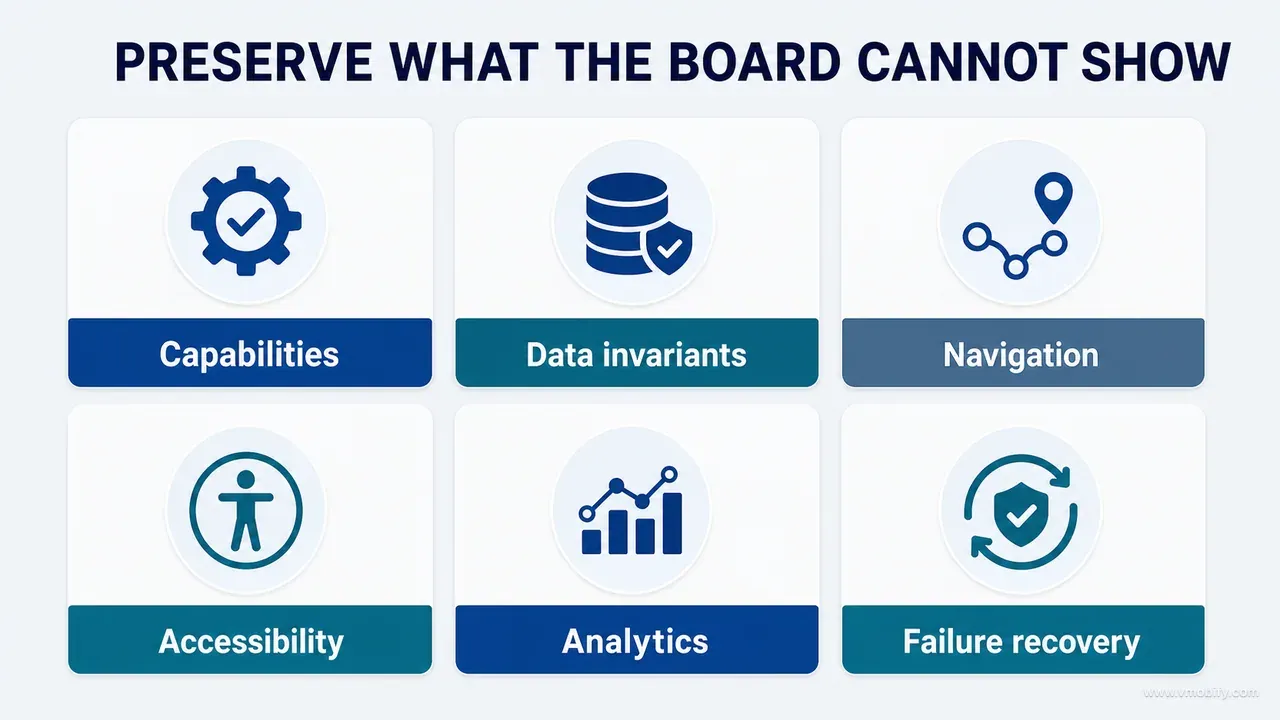
It has four groups. Product behaviour: entry points, navigation and back behaviour, create, edit, delete and undo, permission and entitlement flows, analytics events, deep links and notification routing.
Data behaviour: which profile or account owns the record, the canonical storage unit and date representation, validation rules, persistence guarantees, synchronisation, downstream refresh, and import or export compatibility.
Accessibility behaviour: semantic labels, reading and focus order, dynamic type or font scaling, contrast, touch-target size, reduced motion and keyboard handling. The WCAG 2.2 success criteria are useful here precisely because they are testable — "accessible" is not a ledger line, "every interactive target is at least 44 by 44 points and every field exposes its error text to the accessibility layer" is.
Technical behaviour: architecture boundaries, dependency injection, the state-management pattern, shared components, error handling and testability. Android's guide to app architecture is the reference we point agents at when a project has a UI layer, a domain layer and a data layer that a redesign keeps trying to collapse into one composable.
Made concrete on a real product, the ledger reads like this: redesigning measurement entry may not change how a value is normalised on write or which profile owns the record. Redesigning an AI consent screen may not broaden the data actually sent. Redesigning a premium surface may not hide the privacy and account controls that used to sit on it.
Notice the shape of all three. Each one names a specific invisible behaviour and forbids a specific plausible shortcut. That is what a ledger line has to do — a line reading "do not break anything" is decoration, because it gives the agent no way to check itself and gives the reviewer nothing to test against.
One practical addition for emerging-market products: put device and network reality in the ledger. In India a very large share of sessions arrive on mid-range Android devices with small screens, constrained memory and intermittent connectivity, and the behaviour that breaks first under a redesign is the offline write queue and the error recovery path — exactly the two things a design board never illustrates.
Phase 4 — which changes are allowed and which need escalation?
Name the allowed change surface explicitly, and name the escalation list explicitly — this is what turns "make the design" into a controlled patch rather than an open commission. An agent with an unbounded surface will find the boundary experimentally, in your codebase.
What may change without asking:
- Layout composition and component arrangement.
- Typography roles and spacing or grouping.
- Colour-role application — roles from the token set, not raw values.
- Visual assets and iconography within the approved set.
- Motion within already-defined behaviour.
- Copy that is explicitly approved in the design contract.
- State presentation, without changing state semantics.
What may not change without escalation:
- Database schema and migrations.
- Any public API surface.
- Formulas, thresholds or reference data.
- Permission scope and consent text.
- Subscription products, prices or entitlement logic.
- The meaning of an analytics event, even if the name stays the same.
- The navigation graph.
- Destructive behaviour, including what undo covers.
- New dependencies of any size.
- Cross-module architecture.
The last item on the allowed list is subtle and worth a moment. "State presentation without changing state semantics" means the agent may redesign how the empty state looks; it may not decide that this screen no longer has an empty state because the board did not include one. Presentation is delegated, semantics are not.
The analytics line is the one teams under-weight most often. Renaming an event breaks a dashboard visibly, and someone notices within a day. Redefining an event — firing the same name at a different moment in the flow because the redesign moved the button — breaks it invisibly, and the number keeps arriving, slightly wrong, until a quarterly review is built on it. If you want the funnel to survive redesigns, the event definitions have to be part of the contract; our guide to mobile app funnel analytics covers what a stable event definition looks like.
Phase 5 — how do you make the agent map every state?
By requiring a state table before implementation, with one row per state and a named piece of evidence for each — because agents implement the state the board illustrated and improvise the five it did not. Inventory states, not screens.
The table has six columns: state, trigger, required content, available actions, recovery path and acceptance evidence. Filled in for a typical data-entry surface it looks like this:
- Loading — triggered by the initial read. Shows progress without fake placeholder data. Cancel where cancelling is meaningful. Recovery is a timeout into the error state. Evidence: runtime capture.
- Empty — no records yet. Explains the value of the screen and the single next step. Primary action adds the first record. Evidence: screenshot.
- Content — valid records present. Real hierarchy with real data. Main actions available. Evidence: a journey test.
- Validation — invalid input. A field-specific explanation, not a generic banner. The action is to correct, and the user's entered values are preserved. Evidence: a test plus a capture.
- Offline — the write cannot complete. Honest status, retry and cancel, and no duplicate record on retry. Evidence: an integration test.
- Restricted — permission or entitlement missing. States the reason and the route to resolve it, and preserves access to whatever is legitimately free. Evidence: runtime capture.
The validation row is where generated implementations fail most reliably, and it is worth being specific about why. A design board shows the error state as a red line and a message; an agent reproduces the red line and the message and does not reproduce the part that matters, which is that the user's half-typed input survives the failure. Nielsen Norman Group's error message guidelines are the standard we hold that row against: the message has to say what went wrong, where, and what to do next, in the field rather than in a banner at the top of a scrolled page.
And when a board simply omits a state — which is normal, because boards are made to answer a design question, not to enumerate a system — the rule is that the agent implements the existing state pattern from elsewhere in the product. It does not invent a new one. Inventing a new empty state is a product decision wearing implementation clothes, and it arrives in the diff looking like helpfulness.
Phase 6 — what does the smallest coherent patch actually mean?
The smallest change that fully expresses the approved decision without leaving the system internally inconsistent — which is usually several files, and is almost never a repository-wide refactor. "Smallest" is not a file count. It is a consistency condition.
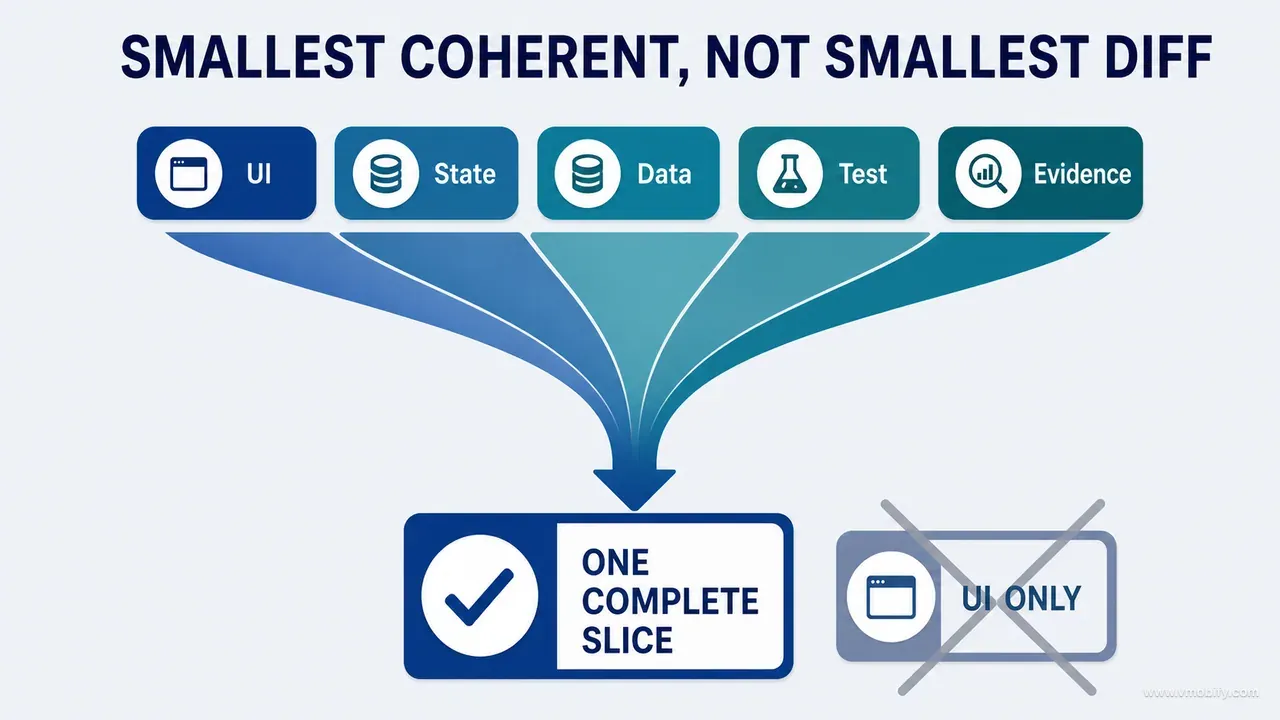
A form redesign that genuinely expresses a decision will normally touch the screen composition, one shared input component, the state rendering for each row of the state table, the accessibility semantics, the tests protecting the behaviour, and a screenshot fixture. Six files is a coherent patch. One file that changes the layout and leaves the error state rendering the old design is a smaller patch and a worse one, because it has left the product in a state no one designed.
The failure in the other direction is more common with capable agents and considerably more expensive. Asked to redesign one screen, an agent notices that the project has three slightly different spacing scales and proposes to unify them. That is a real improvement and it is not this task. A token refactor changes every screen in the product, and it arrives inside a diff whose stated purpose was one form — which means it will be reviewed with the attention appropriate to one form.
The mechanism that prevents both failures is a file-by-file plan, produced before implementation and approved as a plan:
File / component:
Why it must change:
Behaviour preserved:
New behaviour:
Test protecting it:
The fifth line is the one that turns the plan from a table of contents into a commitment. If a file changes behaviour and the plan cannot name a test protecting it, that is the conversation to have before the code exists rather than after — and in our experience it is the single most productive minute in the whole exchange, because the answer is frequently "there is no test for this and there never was", which is genuine information about the product.
One more discipline belongs here. Ask the agent to state the patch as a boundary before it starts: these files may change, these explicitly may not. An explicit exclusion list is more effective than a scope description, because exclusions are checkable against the diff and descriptions are not.
Phase 7 — how do you stop the agent building parallel architecture?
By instructing it to prefer what already exists — existing tokens, existing components that genuinely fit, the current state-management pattern, established dependency injection, native platform APIs, the current error and analytics mechanisms — and by requiring it to say out loud whenever it extends, adapts or creates something instead. Silent creation is how a codebase grows two of everything.
But reuse is not an absolute, and this is the nuance most rules files get wrong. A shared component built for a different semantic role is the wrong choice even though it is the reusable one, and an agent told simply to "reuse existing components" will contort the wrong component into the new job rather than admit the mismatch. The instruction that works is: prefer existing components, and when none expresses the required semantic role, say so and propose an API. Android’s state holder guidance is a useful shared vocabulary for that conversation, because it gives both sides a name for where state is supposed to live.
The second half of this phase is a prohibition list, because generated implementations hard-code a predictable set of things:
- Demo data lifted straight from the design board, sitting in production code paths.
- Fixed sizes copied from the board's canvas rather than derived from the layout system.
- Raw colour values instead of colour roles from the token set.
- Literal strings instead of localisation resources — and this one compounds quietly.
- Subscription status assumed rather than read from the entitlement source.
- Feature flags resolved to a constant.
- Calculated labels written out as text because the picture showed a number.
Every one of those is invisible in a screenshot comparison and every one of them ships. The last is the sneakiest: a board showing "78th percentile" becomes a hard-coded string in a stat card, and the card looks perfect in review on the one fixture profile everybody tests with. For a product serving multiple languages this is not a cosmetic issue either — an unlocalised string does not fail a build, it simply renders in English for every Hindi user until someone files a support ticket.
Add an explicit acceptance check for each category that applies to your product. A prohibition the agent cannot be caught violating is a preference; a prohibition with a grep behind it is a rule.
Phase 8 — which tests protect the behaviour a design cannot see?
One test per line of the preservation ledger, plus one per new behaviour in the decision — and a completion report that names each command it ran with its exit status, because "tests pass" without naming the tests is not evidence. The ledger and the test suite should be readable as the same document.
For a redesigned edit form, the protecting tests are concrete and unglamorous:
- An existing record loads into the form with its stored value and unit.
- An invalid correction does not save, and the entered value is preserved on screen.
- A valid correction preserves record identity and writes the canonical storage unit, not the displayed one.
- Cancelling leaves the stored data byte-identical.
- An offline submit followed by a retry produces one record, not two.
- The dependent chart observes the update without a manual refresh.
- Every field and every error message is exposed to the accessibility layer with the right label.
Notice that only the last of those has anything to do with what the screen looks like. That is the point of the phase. Android's testing fundamentals makes the layering explicit, and the layer that matters most in a redesign is the one that survives the redesign: the behaviour underneath.
Visual snapshot tests deserve a qualified endorsement. They are genuinely good at detecting unintended layout drift on surfaces nobody meant to touch, which is exactly the class of damage a shared-component change causes. They are not behavioural evidence, they go stale noisily, and a suite that is regenerated whenever it fails has stopped being a test and become a changelog. Use them for drift detection on stable surfaces and do not let them substitute for the seven checks above.
The completion report format is what makes verification auditable:
Command:
Scope:
Exit status:
Failures:
Interpretation:
The interpretation line exists because a green suite proves only that the assertions written passed. If the suite never exercised the offline path, the correct interpretation is "the offline path is unverified", and an agent that writes that sentence honestly is considerably more useful than one that reports success. This is the same evidence discipline part 08 applies to audits, carried into implementation.
Phase 9 — how do you compare the runtime against the decision?
By capturing five artefacts on the real build — the baseline runtime, the selected board, the implemented runtime, the highest-risk state and the persisted downstream outcome — using identical fixtures and viewports, and then classifying every deviation instead of absorbing it. Tests prove behaviour; only the runtime proves the product.
The fifth artefact is the one teams forget and the one that catches real defects. Verifying the redesigned screen tells you the screen renders. Verifying the chart, the history list, the weekly report or the access state that the action was supposed to affect tells you the write actually committed and propagated. We have seen a form that looked flawless, tested green, and wrote to a repository whose observers had been detached during the recomposition — the screen showed the new value from local state and the rest of the product never heard about it.
Review the captures against a fixed list: hierarchy, spacing and composition, content accuracy, state behaviour, platform fit, accessibility, motion, performance, and preserved functionality. Then classify each deviation as intentional adaptation, defect, or open question — and record which. The failure mode to avoid is handing the deviations back to the same agent as an open instruction to "make it match the board", because unbounded correction rounds are how a bounded patch becomes an uncontrolled one at the very last step.
Device reality belongs in this phase too. On the smallest supported screen the keyboard may cover the error action; at the largest text size a two-column stat row may collapse into unreadable truncation; on a mid-range device the entry animation may drop frames badly enough to make the field feel unresponsive. None of those fail a test and all of them are defects. For products with meaningful Indian traffic we treat a mid-range Android device on a throttled connection as a required capture, not an optional one, because it is the modal user rather than the edge case.
Part 10 of this series goes further into why an excellent code review cannot answer the question this phase answers — we have separated them deliberately, and why code review cannot judge visual quality is where that argument lives.
What does the complete implementation prompt look like?
It is one document with six blocks — authority, discovery, the four content contracts, implementation rules, verification and completion report — and it is copied per decision rather than rewritten per decision. This is the artefact to steal from this post.
IMPLEMENT DECISION [ID] — BOUNDED UI CHANGE

AUTHORITY
- The approved decision/board defines visual and interaction intent.
- The current repository defines implementation constraints.
- Runtime behaviour and tests determine completion.
- Report conflicts before improvising.

PHASE 1 — READ-ONLY DISCOVERY
Inspect the owning routes, components, state, repositories/services,
tokens, analytics, accessibility, tests and platform conventions.
Report unrelated working-tree changes and do not modify them.

Return:
- owning files;
- state and data flow;
- shared dependencies;
- existing protections;
- contract conflicts;
- smallest coherent edit boundary.

PRODUCT CONTRACT
- User goal:
- Entry and outcome:
- Capabilities to preserve:
- Required states:
- Privacy and entitlement rules:

DATA CONTRACT
- Objects involved:
- Invariants:
- Create/edit/delete/undo/retry behaviour:
- Downstream consumers that must refresh:

DESIGN CONTRACT
- Primary hierarchy:
- Reading order:
- Components and relationships:
- Content:
- State presentation:
- Platform adaptations:
- Accessibility and reduced motion:

TECHNICAL CONTRACT
- Architecture to preserve:
- Existing tokens/components to prefer:
- New dependencies prohibited unless approved:
- Files and modules in scope:
- Explicit exclusions:

IMPLEMENTATION RULES
- Do not hard-code sample data, entitlements, calculations, strings
  or colour values.
- Do not replace shared architecture with local shortcuts.
- Do not remove error, recovery, analytics or accessibility behaviour.
- Preserve unrelated working-tree changes.
- Stop for ambiguous product, privacy, health or destructive decisions.

VERIFICATION CONTRACT
- Unit/integration/UI tests:
- Build and lint commands:
- Runtime scenarios:
- Before/after fixture:
- Highest-risk state:
- Persistence and downstream check:

COMPLETION REPORT
- Files changed and why
- Deviations and rationale
- Commands and results
- Runtime evidence captured
- Claims verified
- Claims remaining unverified
- Project documentation to update
Three things about using it in practice. First, the explicit exclusions line is worth more than the scope line above it; write the files that must not change even when it feels obvious. Second, claims remaining unverified is the field that makes the report trustworthy — a completion report with an empty unverified list on a non-trivial change is a report that has not been thought about. Third, the final line matters more than its position suggests: without a durable record, the next agent working on this surface will restore the pattern you just replaced, confidently and with a clean explanation.
How should one contract serve both iOS and Android?
By sharing the meaning and diverging on the mechanics — one product, data and acceptance contract across both platforms, with platform-native implementation instructions underneath. Forcing identical mechanics produces two mediocre apps instead of two good ones.
What must be identical across platforms:
- Product meaning and the user goal for the surface.
- Content priority and reading order.
- Data invariants — the same normalisation, the same identity rules, the same validation.
- State semantics, including which states exist at all.
- Critical actions and what undo covers.
- Acceptance outcomes, so a passing implementation means the same thing on both.
What must be allowed to differ:
- Navigation structure and back behaviour.
- Sheets, dialogs and modal presentation.
- Permission prompt timing and copy.
- Typography metrics and the scaling ranges to survive.
- Component construction and layout system.
- Motion and haptics.
- Accessibility APIs and how semantics are attached.
The failure this prevents is treating one platform as a defective copy of the other. A team that designs on iOS and then asks an agent to "match this on Android" will get an iOS app rendered in Compose: a back-arrow that ignores the system gesture, a bottom sheet that behaves like a page sheet, and permission prompts fired at launch instead of at the point of need. Comparing Apple’s accessibility guidance against the equivalent guidance for Jetpack Compose makes the point quickly — the same intent, two different mechanisms, and an agent given only the intent will do the right thing on each.
The practical instruction is to record the divergences in the decision record itself, under "required platform adaptations", before implementation starts. A divergence recorded in advance is a design decision. The identical divergence discovered during review is a bug report, and it will be argued about.
What does a safe redesign look like end to end?
Here is the whole method on one realistic surface — a measurement entry form where the board makes the value and unit primary, moves date and source into a secondary group, and clarifies validation. It is a small change on paper and it touches almost everything in the preservation ledger.
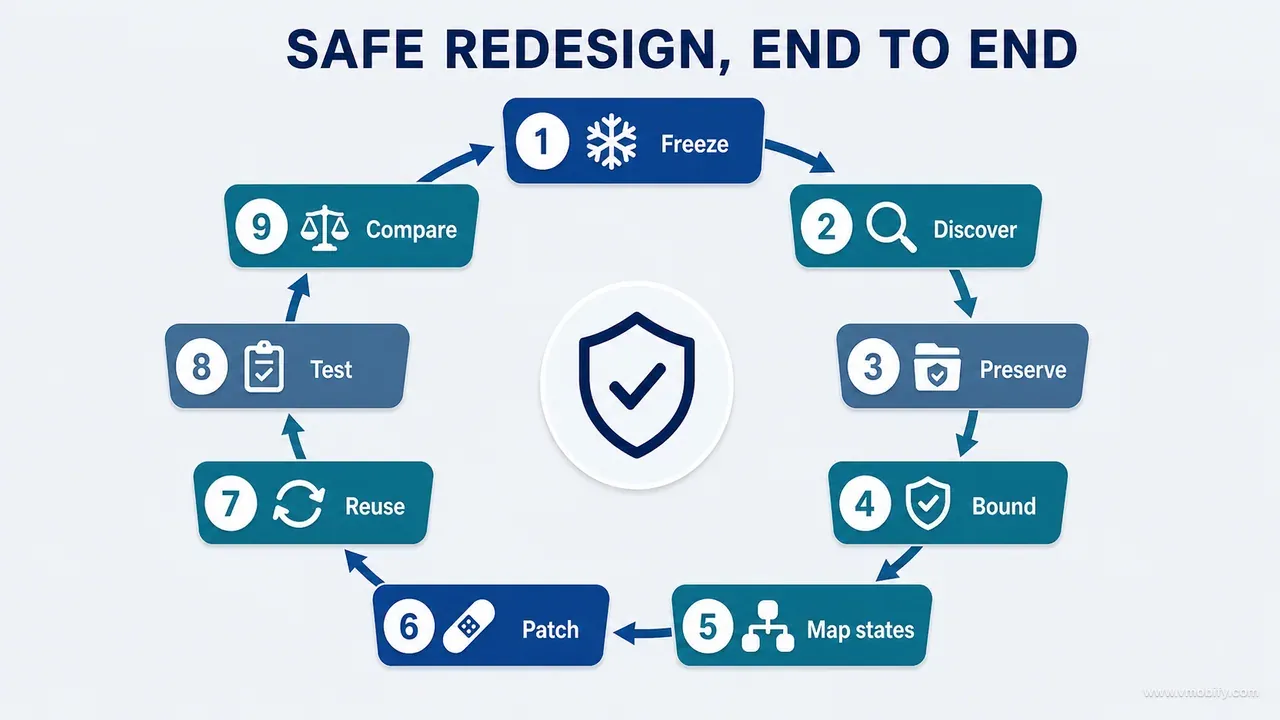
The unsafe version first, because it is what you get by default. Given the board alone, an agent replaces the existing form with three local text fields and a save button. It matches the picture. It also bypasses unit normalisation, loses record identity in edit mode, drops the offline queue, and stops firing the analytics event that the activation funnel is built on. Every one of those is invisible in a side-by-side screenshot comparison, and the change looks like a clear improvement in review.
The safe version starts with the user outcome, stated in one sentence: a caregiver can add or correct a measurement, understand the unit and date being used, recover from an invalid or offline submission, and see the committed result reflected in history and charts.
The data contract then states what that outcome requires: stable record identity in edit mode, correct profile ownership, the canonical storage unit regardless of the unit displayed, a valid observation date, idempotent retry, and downstream refresh after commit.
Discovery reports back that the current screen uses a view model, a shared validation use case, a repository and an observable history stream — and, crucially, that the board's compact unit control cannot reuse the selector from the onboarding flow, because that component assumes a different unit model. That conflict is the entire value of the discovery pass.
The implementation plan then separates concerns in order:
- Recompose the screen using the existing state owner rather than introducing local state.
- Preserve the validation use case and repository calls exactly as they are.
- Extend or create the unit selector with explicit semantics, and say which of the two was done.
- Map every row of the state table to its new presentation.
- Keep the analytics event meaning and the accessibility labels intact.
- Add the tests for edit identity, invalid values, cancellation and offline retry.
- Capture the default, validation, offline and committed-outcome states on device.
And then the part that makes the example honest. During runtime comparison on the smallest supported device, the keyboard covers the error action. Every repository test is green. The patch is still incomplete, because a user cannot reach the button that fixes their mistake — it is not done until focus management, scrolling or layout is corrected and the state is recaptured.
That is the principle in one line: preserve the invisible system first, then express the visual decision through it. The order is not negotiable, and a surface like this one is worth the full ceremony precisely because it is the surface where users form their first successful impression of the product — the same reason we treat onboarding redesigns as high-risk rather than cosmetic.
How do you review the diff by risk rather than file count?
By classifying every hunk into a risk category and requiring a rationale for each category touched — because a six-line change to a date boundary is far more dangerous than a 300-line presentational component, and file counts invert that ranking every time. Review attention should follow consequence, not volume.
The categories we use:
- Product behaviour changed.
- Data path changed.
- Persistence or concurrency changed.
- Privacy, permission or entitlement changed.
- Shared component changed.
- Visual-only composition changed.
- Test or protection changed.
- Documentation changed.
The seventh deserves suspicion by default. A diff that modifies tests inside a change whose purpose was visual is either adding protection, which is good and should be stated, or relaxing protection to make a suite go green, which is the most expensive thing an agent does and the easiest to miss in a large diff.
Alongside the categories, run a shortcut scan. These patterns are individually innocent and collectively diagnostic:
- New hard-coded values where a token, resource or constant exists.
- Business logic duplicated into the UI layer instead of called.
- Local state shadowing canonical state — the single most common structural regression.
- Removed error branches, or a broad exception handler that swallows everything.
- Preview or sample data reachable from a production code path.
- Fixed prices or entitlement flags.
- Unlocalised strings and raw colour or typography values.
- Disabled, deleted or weakened tests.
- Broad formatting churn unrelated to the change.
- New dependencies.
The absence of these patterns is not proof the patch is sound. Their presence is a strong signal, and most of them are greppable, which means the scan costs seconds rather than judgement. This is also where the boundary with our own experience sits: the operational story of running agent code review on every pull request — what it caught, what it cost, and the batch where ten of nineteen findings were critical — is told in what shipping an AI-built iOS app taught us. This guide is the method; that post is the evidence behind it.
When should the change sit behind a flag or a staged rollout?
Only when controlled exposure materially reduces risk — because a flag is not free, it creates its own state matrix, its own test burden and its own cleanup debt. The decision belongs before implementation, not after the diff arrives.
Five questions answer it:
- Can the new UI be isolated behind a flag that already exists, or does this need a new one?
- Is a data migration involved, and is it reversible?
- Can the old and new components read the same state safely, without one of them writing in a shape the other cannot read?
- What evidence would permit widening exposure?
- What symptom triggers a rollback, and who is watching for it?
The third question is the one that catches people. Two components reading the same state is usually fine. Two components writing the same state, one of them with a redesigned validation path, is a data-integrity problem that a flag has now made intermittent and user-specific — which is the hardest class of bug to reproduce.
For many visual changes the better instrument is a staged rollout rather than a flag, because it needs no code. Google Play's staged rollouts and Apple's phased release for automatic updates both let you expose an update gradually and pause the rollout, without a branch in your codebase that someone has to delete in six months.
Whichever route you take, require the completion report to answer one question plainly: is this change immediately reversible, and which persistent effects would survive a rollback? A UI reversion is trivial. A UI reversion after a schema migration has already run on ten thousand devices is not a reversion at all, and that is a sentence you want in front of you before the release, not during it.
If a rollout does go wrong, the recovery is a product problem rather than a code problem, and the reasons behind a bad first impression compound quickly.
Which mistakes cost the most here?
Eight, and every one of them is a form of granting an agent more authority than the design actually conferred. They are ordered by how much they cost us before they became process.
- Giving only the final screenshot. The agent cannot infer hidden product behaviour reliably, and it will not tell you it is inferring. This is the root cause behind most of the other seven.
- Letting discovery and editing happen invisibly. Without a read-only discovery report you never see the moment the agent chose an interpretation of your architecture — you only see the consequences.
- Asking for pixel-perfect implementation everywhere. Pixel fidelity conflicts directly with responsive layout, large text sizes and native conventions. Specify intent, plus the handful of measurements that genuinely matter.
- Allowing repository-wide cleanup. A redesign is not permission to refactor unrelated architecture, however correct the refactor is.
- Testing only compilation. A green build proves syntactic and type-level compatibility. It says nothing about whether a user can still save a record.
- Verifying the screen but not the outcome. Capture the downstream chart, history, report or access state that the action was supposed to change.
- Accepting silent deviations. Every meaningful difference between the board and the build gets categorised and either approved or fixed. Absorbed deviations become the new baseline nobody agreed to.
- Failing to update project memory. Without a decision record and a test protecting it, the next agent restores the old pattern — and it will do so with a confident, well-written justification.
The through-line is worth stating plainly, because it is the takeaway that survives when the phases fade. AI agents damage products when visual authority is mistaken for total authority. Translate the approved decision into product, data, design, technical and verification contracts. Require discovery before edits. Preserve the architecture and the invariants. Implement the smallest coherent patch. Run named protections with named results. Inspect the real journey and the downstream outcome on a real device.
Before you accept a patch, eight questions settle it: which visible changes were intentional; which invisible behaviours were preserved and how were they tested; which existing path could still bypass the new logic; which board detail was adapted for platform or accessibility reasons; which runtime state was most likely to fail; what downstream surface proves persistence; what would roll back cleanly; and what project instruction changed as a result. If the only answer to an invisible-behaviour question is "the code still compiles", the patch needs stronger verification. If the only answer to a visible-quality question is "the tokens match", it needs runtime review. In our portfolio the patches that come back for a second round are rarely the ones that failed a test — they are the ones where nobody could name the invisible behaviour the change was meant to leave untouched.
The patch is approved at the intersection of both: the product continues to work, the approved intent is visible, the difficult states remain usable, and the evidence can be reproduced by someone who was not in the conversation. That last condition is what separates a method from a habit — and if you want help putting one in place across a product your team is already shipping, talk to us.
Frequently Asked Questions
Should the AI agent be allowed to create new components?+
Only when no existing component expresses the required semantic role. Contorting a component built for a different purpose is worse than creating one, so the rule is not "always reuse" — it is "prefer reuse, and say out loud when you are extending, adapting or creating". Require a rationale, a proposed API, the accessibility semantics and the reuse boundary before the component exists.
How much autonomy should an AI coding agent have on a UI change?+
High autonomy inside a narrow, evidence-backed boundary. Inside the named files, with the contracts satisfied and the tests running, let it work without interruption. Escalate anything that changes policy, data meaning, architecture, privacy scope, pricing or irreversible behaviour. The mistake is inverting this — teams tend to micromanage the layout and leave the data path unsupervised.
Can visual regression tests replace review on a real device?+
No. Snapshot tests are good at detecting unintended drift on surfaces you did not mean to touch, which is genuinely useful when a shared component changes. They cannot see keyboard occlusion, touch comfort, dropped frames on a mid-range device, haptics, system integration or how the layout behaves at the largest accessibility text size. Use them for drift and keep the device pass.
What should happen when the design board conflicts with the codebase?+
The agent reports the conflict with options and stops. The two failure modes are equally bad: forcing the visual by breaking architecture, and quietly abandoning the design intent so the code stays convenient. Both are decisions that belong to the team, and both are cheap to make at discovery and expensive to unwind after implementation.
Should the same agent implement the change and review it?+
Self-review catches real mistakes and is worth requiring, but it shares the blind spots of the implementation. For anything touching persistence, money, privacy or health data, use an independent review context that was not present for the implementation reasoning, and back it with runtime verification. An agent reviewing its own work tends to re-explain its reasoning rather than test it.
How do I keep the contracts from becoming stale documentation?+
Bind them to tests. A preservation ledger line with a named test behind it stays true because the suite fails when it stops being true. A ledger line with no test is a wish. This is also why the completion report ends with "project documentation to update" — the durable output of an implementation round is the constraint, not the diff.
Does this workflow apply to web front-ends as well as mobile apps?+
Yes, with the platform specifics swapped out. The five contracts, the read-only discovery pass, the preservation ledger, the state table and the runtime comparison are all platform-neutral. What changes is the content of the technical contract and the highest-risk states — a web application substitutes responsive breakpoints, browser support and route-level state for Dynamic Type, back-gesture behaviour and offline queueing.
Sources
- Apple — Human Interface Guidelines: Accessibility — Label, contrast and touch-target requirements that belong in the preservation ledger
- Apple — Human Interface Guidelines: Typography — Dynamic Type ranges a coordinate-based implementation cannot survive
- Android Developers — Guide to app architecture — The layer boundaries a redesign most often collapses
- Android Developers — Testing fundamentals — What each test layer does and does not prove about a UI change
- Google Play — Release app updates with staged rollouts — Percentage-based Android update rollout that can be halted and resumed
- Apple — Release a version update in phases — Seven-day phased release for users with automatic updates, with pause and resume controls
- W3C — Web Content Accessibility Guidelines 2.2 — Testable success criteria for the accessibility lines of the ledger
- Nielsen Norman Group — Error Message Guidelines — The standard the validation row of the state table is held against
About the author
Amol Pomane — Founder, Vmobify
Amol leads Vmobify, a mobile app growth agency that has driven 30M+ downloads and ranked 54K+ keywords across 300+ apps since 2013. He writes about ASO, paid user acquisition, retention, and the operational reality of scaling mobile apps in India and global markets.