ASO Tips & Trends 2026: What's Changed and What Works Now
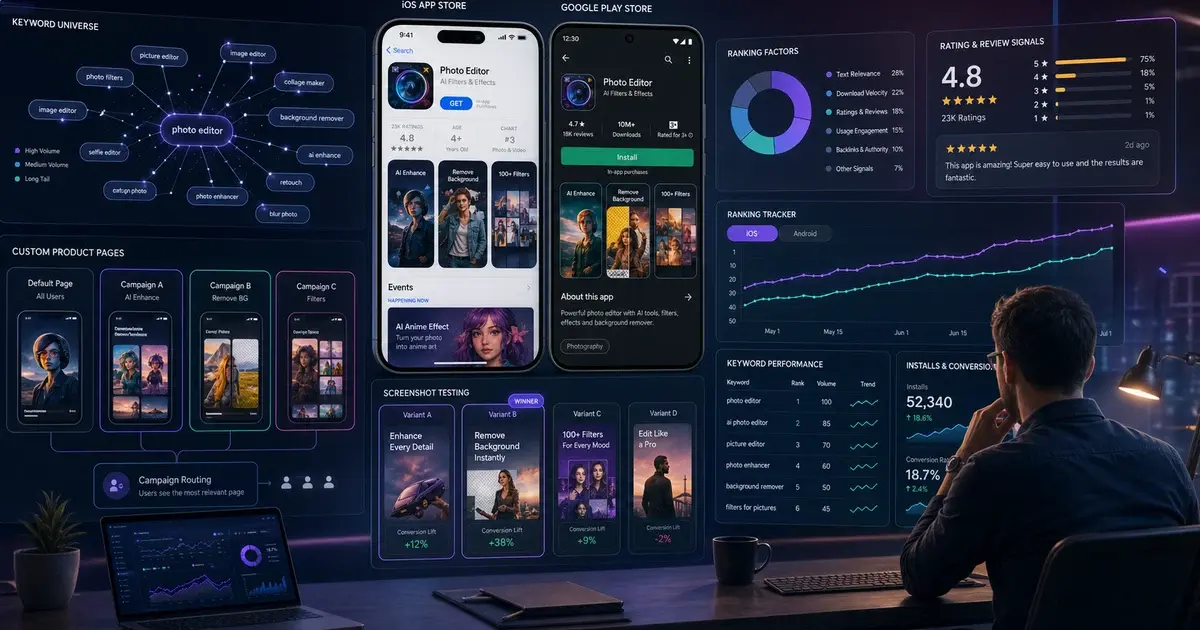
ASO in 2026 looks fundamentally different from 12 months ago. Apple Intelligence has replaced keyword stuffing with semantic relevance, CPPs have doubled to 70 pages and now influence organic search, and Google Play's Gemini-powered recommendations weight retention over raw download count. Here is what changed and exactly what to do about it.

On this page
- What does the 2026 ASO landscape actually look like?
- How is Apple Intelligence reshaping App Store search?
- How is Google Play AI changing ranking signals?
- How have Custom Product Pages evolved in 2026?
- How do In-App Events drive organic discovery?
- What does mature store-listing experimentation look like?
- How does SKAdNetwork 4 change CPP and keyword strategy?
- Why are short-form video previews gaining ranking weight?
- How does localisation multiply ASO results in 2026?
- How are AI tools changing keyword research and competitive analysis?
- What is the 90-day ASO action plan for 2026?
- Frequently Asked Questions
What does the 2026 ASO landscape actually look like?
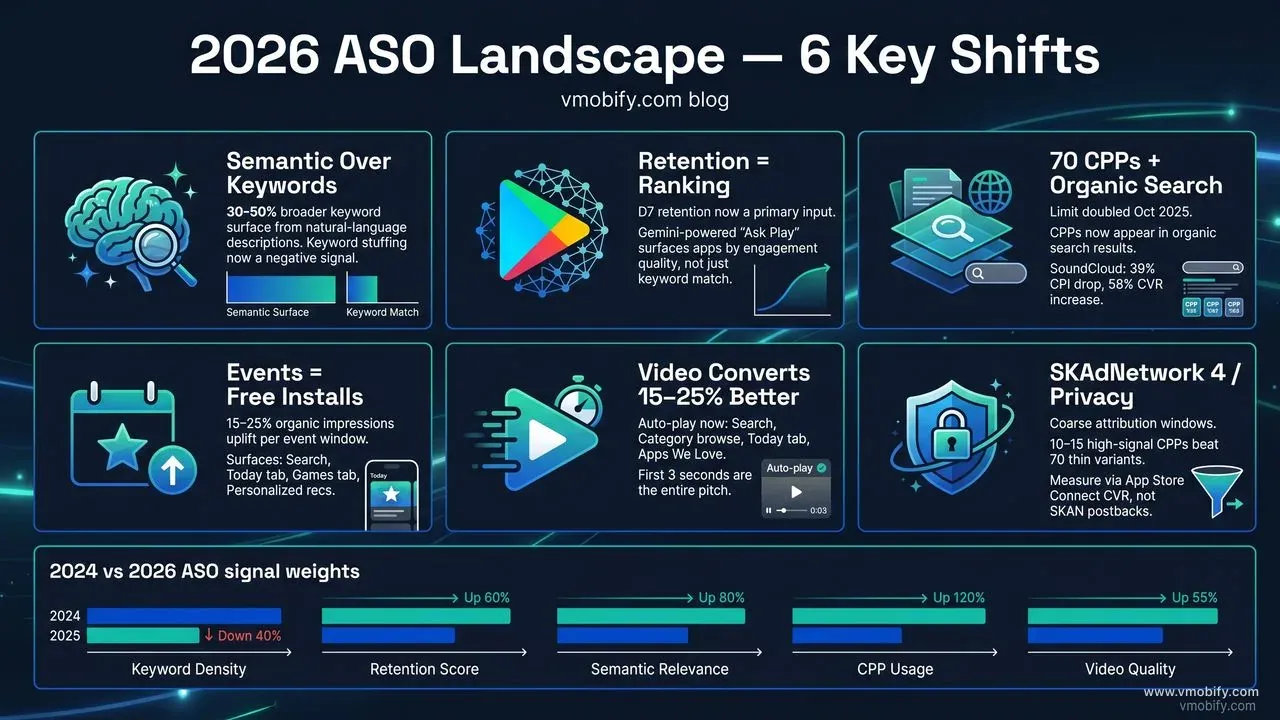
The 2026 ASO landscape is defined by one structural shift above all others: both stores have moved from keyword-matching to intent-matching, and every tactic that relied on the old paradigm—keyword stuffing, thin descriptions, static listings—is now working against you. In March 2026, Apple published a research paper titled "Scaling Search Relevance: Augmenting App Store Ranking with LLM-Generated Judgements," confirming that large language model evaluation is now a live component of how the store surfaces results. Google Play made similar moves through Gemini-powered "Ask Play" and guided search features that respond to conversational queries. The stores are increasingly reading your listing the same way a person would.
Three forces are reshaping ASO simultaneously. AI-driven search means both stores interpret queries semantically, expanding or contracting the set of apps that match a user's intent beyond literal keyword presence. New platform features—70-page CPPs, In-App Events, Store Listing Experiments for video—create ranking opportunities that fewer than 20% of apps have fully adopted. And post-install signals (retention, session frequency, engagement depth) have become primary ranking inputs, meaning the ASO team now has a direct dependency on the product and onboarding teams.
Across our portfolio of 300+ apps managed since 2013, the pattern is consistent: teams running the 2023 ASO playbook—keyword-dense titles, one generic store listing, no video—are seeing flat or declining organic install rates. Teams who have adapted to the 2026 environment are seeing organic installs compound quarter over quarter without proportional increases in paid spend. Our ASO service is built around these 2026 signals, and this guide captures exactly what changed and what to do about it.
How is Apple Intelligence reshaping App Store search?
Apple Intelligence has replaced simple keyword matching in App Store search with a semantic understanding layer that interprets what a user means—not just what they typed—and the apps winning in 2026 are the ones whose metadata reads like clear, honest prose rather than a keyword list. The practical effect is that an app can now rank for queries where none of those exact words appear in its title, subtitle, or keyword field, provided the store's LLM-based relevance system determines that the app is a strong match for the query's underlying intent.
The implication is a two-sided change. On the upside, well-written listings now rank for a broader surface of queries than ever before—a budgeting app described in clear natural language will capture searches for "track spending," "save money app," "personal finance tool," and dozens of related intents without needing each phrase crammed into a 100-character keyword field. On the downside, thin or stuffed metadata that used to work through brute-force keyword coverage is now being penalised. Apple's LLM evaluators are increasingly flagging low-quality content signals, and apps with incoherent or overstuffed keyword fields are losing ground to cleaner competitors.
Three practical changes to make immediately in response to Apple Intelligence:
- Rewrite your long description in plain language. Describe what the app does, who it is for, and what problem it solves in 3–5 clear paragraphs. Structure with short sentences and natural bullet points—not a wall of comma-separated keywords. The LLM reads the description to build its semantic model of your app; write for that reader.
- Use the keyword field for genuine gap terms only. The 100-character keyword field is most valuable for terms that do not appear naturally in your title, subtitle, or description. Do not repeat words already in visible metadata—the algorithm deduplicates. Use the space for specific, high-volume search intents you cannot fit naturally in prose.
- Invest in rich In-App Events metadata. Apple's AI-generated App Store Tags—labels that affect browse placements, introduced at WWDC 2025—are partially sourced from In-App Events content. Apps with a consistent cadence of events have broader tag coverage, which expands the browse surfaces where they appear.
In our portfolio we have seen apps that rewrote their descriptions from keyword-dense blocks to natural-language prose improve their breadth of ranked keywords by 30–50% within 60 days—more ranked terms, not fewer, despite removing the keyword stuffing. That counter-intuitive result is the clearest evidence that the semantic layer is real and active. For a full metadata audit, see how our ASO team approaches iOS metadata rewrites.
How is Google Play AI changing ranking signals?
Google Play's Gemini-powered search and recommendation engine, rolled out through 2025–2026, has elevated post-install engagement metrics to primary ranking signals—apps with strong D7 and D30 retention now appear in discovery surfaces that were previously controlled entirely by keyword match and install volume. The shift is documented clearly in Google Play's developer best practices: technical quality, crash-free rates from Android Vitals, and user engagement depth are all explicitly cited as ranking inputs alongside traditional metadata relevance.
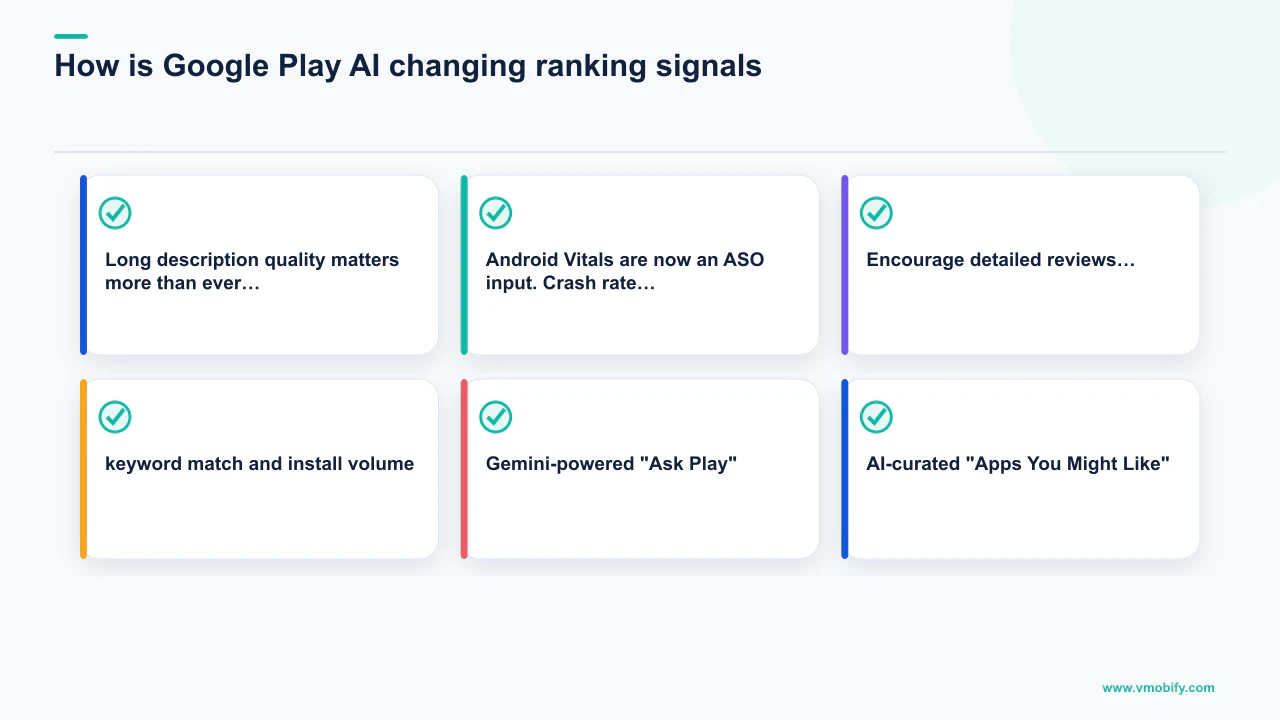
The two most important new surfaces are Gemini-powered "Ask Play" (conversational query results surfaced when users type questions rather than keywords) and AI-curated "Apps You Might Like" recommendations on the Store homepage and category pages. Both surfaces use engagement signals to determine which apps to show. An app with high D7 retention and deep session engagement can appear in the "Apps You Might Like" unit for users who have never searched for it, because the model determines it matches the user's behavioural profile. This is a fundamentally new install channel that did not exist at scale in 2024.
What this means for your metadata and store listing on Google Play:
- Long description quality matters more than ever. Gemini's search indexing reads your full long description to build semantic relevance. Structure it in clear paragraphs with a natural flow—feature bullets, use-case descriptions, and one strong opening paragraph that states exactly what the app does. Aim for 2,000–4,000 characters of genuinely useful content.
- Android Vitals are now an ASO input. Crash rate, ANR rate, and excessive wake lock metrics in your Play Console directly influence ranking. Apps above the bad-behaviour thresholds are penalised in search. Monitor Vitals weekly and treat technical quality as part of your ASO workflow, not a separate engineering task.
- Encourage detailed reviews. Gemini generates AI-powered "key features" snippets from your long description and from the language users use in reviews. Reviews that mention specific feature names ("the budget tracker," "the workout timer") expand your semantic surface area beyond your own metadata. Prompt satisfied users with the Play In-App Review API at moments of demonstrated value.
A productivity app we manage added 1,200 characters of structured long description content—no new keywords, just clearer feature explanations—and saw a 28% increase in the number of Google Play search queries it appeared for within 45 days. The engagement-signal flywheel then compounded further: more impressions brought more installs, which brought more retention data, which fed the recommendation engine.
The connection between retention and ranking is now so direct that our analytics team tracks D1, D7, and D30 cohort retention in every ASO dashboard alongside keyword rank and conversion rate. If retention drops, keyword rank follows within 30–60 days. They are the same metric viewed from different angles.
How have Custom Product Pages evolved in 2026?
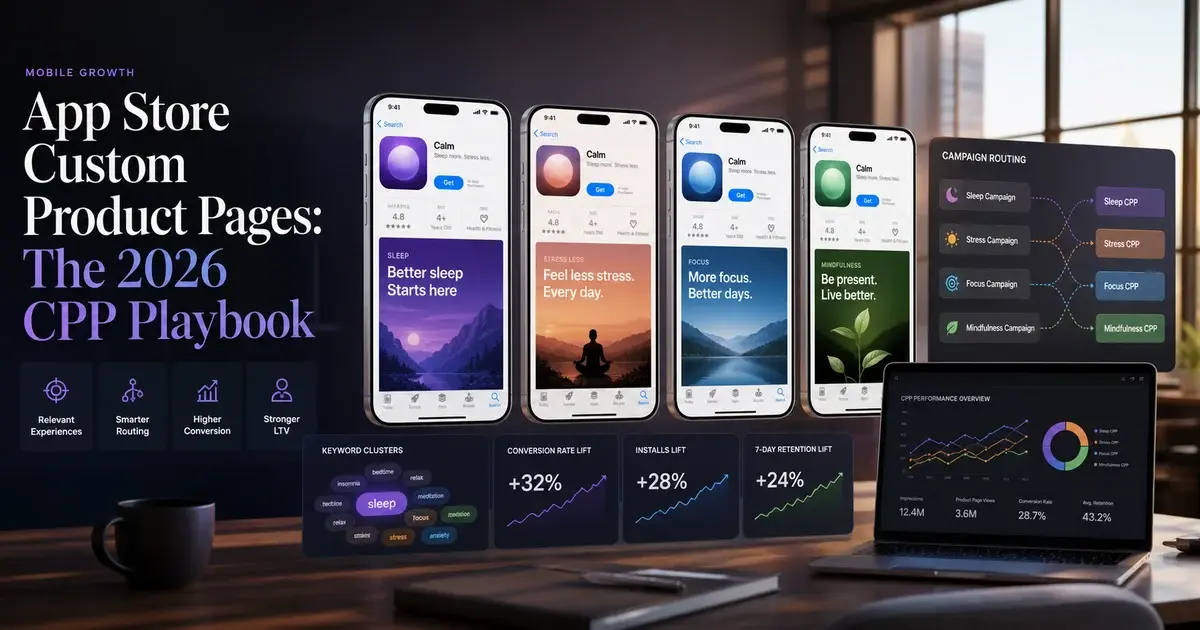
Apple doubled the Custom Product Page limit to 70 variants per app in October 2025 and simultaneously enabled CPPs to appear in organic search results—transforming CPPs from a paid-UA conversion tool into a core organic ASO strategy that every serious iOS team should be running. Before this change, CPPs were triggered only by paid campaigns or direct links. Now, keywords from the keyword field can be tied to specific CPPs, meaning a user searching that keyword sees your CPP instead of your default listing. This is the most significant iOS ASO development since CPPs launched in 2021.
The strategic implications split across two use cases. For paid UA, the established playbook applies with more scale: map each CPP to a specific campaign source (Apple Search Ads brand keywords, Apple Search Ads competitor keywords, Meta campaigns, TikTok campaigns) and measure conversion lift versus the default listing. Apple's CPP documentation confirms you can use distinct screenshots, preview videos, and promotional text per page. Real-world results are compelling—SoundCloud reported a 39% reduction in cost per install and a 58% conversion increase using CPPs as ad variations in Apple Ads. For organic search, the new opportunity is to build CPPs around specific high-intent keyword clusters and link those keywords to the CPP in App Store Connect. A fitness app might have a CPP for "calorie tracker," another for "workout planner," another for "intermittent fasting app"—each showing screenshots and copy relevant to that specific use case.
CPP for paid UA
- Map each CPP to one campaign source
- Match screenshots to ad messaging exactly
- Use promotional text to mirror ad headline
- Measure conversion rate vs. default listing over 2-week windows
- Rotate creative every 6–8 weeks to prevent fatigue
CPP for organic search
- Cluster keywords by intent (feature-specific, use-case, competitor)
- Build one CPP per cluster with relevant screenshots
- Link keyword cluster to CPP in App Store Connect
- Monitor impressions by CPP in App Analytics
- Prioritise top 5–10 clusters first—don't spread across 70 thin pages
One critical caution: 70 CPPs is a ceiling, not a target. Across our portfolio, the teams getting the best results are running 10–20 well-crafted CPPs with genuine screenshot differentiation, not 70 thin variants with nearly identical content. The store's AI evaluates CPP quality, and low-effort duplicate pages are less effective than a smaller set of genuinely differentiated listings. Start with your top 5 intent clusters, measure conversion lift, then expand to the next 5.
Use Apple Search Ads data to identify which keyword themes drive the highest CVR on your default listing, then build your first CPPs around those themes. You are not guessing which keyword clusters deserve a dedicated page—you have conversion data to guide the prioritisation.
How do In-App Events drive organic discovery?
In-App Events are one of the most under-used organic discovery tools available to iOS developers—a well-crafted event generates placement in App Store search results, the Today tab, the Games and Apps tabs, and personalised recommendations, all for free. According to Apple's In-App Events documentation, events appear to both existing users and new users across multiple App Store surfaces, making them a legitimate new-user acquisition channel, not just a re-engagement tool for lapsed users.
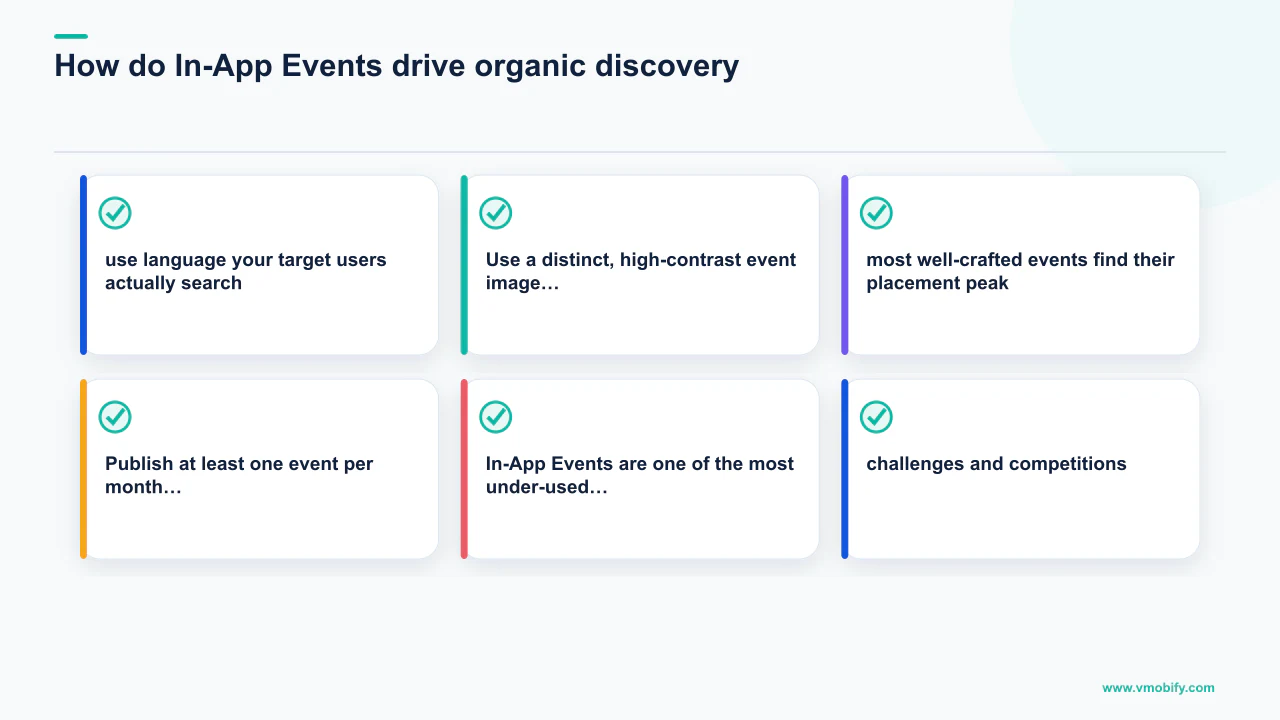
The event types that generate the most discovery placement are challenges and competitions (high engagement signal), premieres and new content drops (creates urgency), and major updates (Apple editorially promotes significant feature releases). Events that generate the weakest discovery return are generic "sale" or "discount" events—they work for conversion but do not drive the editorial placement that multiplies organic impressions.
Four rules for In-App Events that actually generate discovery:
- Write the event name and short description as a search-intent phrase. "30-Day Weight Loss Challenge" is a search query. "Summer Challenge" is not. The event's text feeds Apple Intelligence's semantic model for your app—use language your target users actually search.
- Use a distinct, high-contrast event image. The event card image must be visually distinct from your app icon and screenshots—it competes with other events in the browse surface. Design for the card format: 1080×1920 with a clear focal point that communicates the event at a glance.
- Schedule events for 2–3 weeks of live time. Too short and the event does not accumulate enough Apple editorial evaluation time for featured placement consideration. Too long and the event feels stale. Two to three weeks is the window where most well-crafted events find their placement peak.
- Publish at least one event per month. Consistent event cadence signals an actively maintained app to both the algorithm and editorial team. Apps with a regular event schedule receive broader AI-generated tag coverage, which expands browse surface placement beyond the event period itself.
In our portfolio, apps that run consistent monthly In-App Events see a 15–25% uplift in organic impressions during event windows compared to non-event weeks, with the discovery benefit persisting for 1–2 weeks after the event ends—because the freshness signal from the event continues to influence placement. If you have never published an In-App Event, the first one takes about 30 minutes to set up in App Store Connect and is immediately one of the highest-ROI ASO actions available on iOS. See our guide to App Store featuring for the full strategy around Apple editorial placement alongside events.
What does mature store-listing experimentation look like?
Store-listing experimentation in 2026 has matured past the simple icon-vs-icon A/B test into a disciplined programme that tests video previews, CPP variants, and seasonal creative rotations—and the teams generating compounding conversion gains are the ones running continuous experiments rather than one-off tests. Per research by SplitMetrics, disciplined store testing produces 10–25% conversion lifts, which means free installs from every traffic source you already have—organic, paid, and referral alike.
The 2026 experimentation frontier is video testing. Most teams have tested icon variants and screenshot variants but have never run a systematic video-versus-no-video experiment, or tested two video cuts against each other. This is the highest unexploited conversion opportunity in most apps' ASO programmes. The first question to answer is not "which video is better" but "does having any video increase or decrease conversion for this specific app category?" In our portfolio, complex apps (productivity, finance, healthcare) see 15–25% conversion lifts from well-produced videos; simple utility apps and casual games occasionally convert better without a video because the first screenshot communicates the value proposition more immediately.
The sequencing that works across our portfolio:
- Icon variants first. Biggest visual weight in search results, largest potential swing in conversion. Test a colour-dominant variant against a composition-dominant variant. Wait for statistical significance—minimum 1,000 impressions per variant, ideally 5,000+.
- Screenshots 1 and 2 next. These are the only screenshots most users see without scrolling. Lead with outcome, not feature list. "Spend less, save more" beats "12 budget categories." Benefit-first copy consistently outperforms feature-first copy across our tests.
- Video versus no video third. Not two video variants—first establish whether video helps or hurts. Measure for a full two-week period per variant. If video helps, then test the hook (first 3 seconds) as the next variable.
- CPP-specific creative last. Once the default listing is optimised, invest in CPP creative differentiation. The default listing is your baseline—CPPs compound on top of it, not in place of it.
On Google Play, Store Listing Experiments remain free and powerful. The most underused dimension in 2026 is traffic-source targeting—showing a different store listing to users arriving from Google Search versus users arriving from paid campaigns. A user coming from a Google Search query already has declared intent; your listing for that traffic can be more feature-dense. A user arriving from a paid campaign needs a softer conversion message. Test these separately and you gain two conversion rates where you previously had one.
Running three experiments in parallel on Google Play invalidates all three—you cannot attribute a conversion change to a single variable when multiple elements changed simultaneously. One experiment at a time, wait for statistical significance, apply the winner, then start the next test. The discipline is the strategy.
How does SKAdNetwork 4 change CPP and keyword strategy?
SKAdNetwork 4 and its successor AdAttributionKit have fundamentally changed the relationship between paid UA and CPP strategy—with coarse attribution windows and delayed postbacks, keyword-level attribution for paid campaigns is no longer reliable, which means CPP effectiveness must be inferred through conversion rate proxy metrics rather than direct install attribution. This is the privacy-era ASO constraint that most teams have not fully adapted to, and it explains why many CPP programmes have under-delivered on their promise since iOS 14.5.
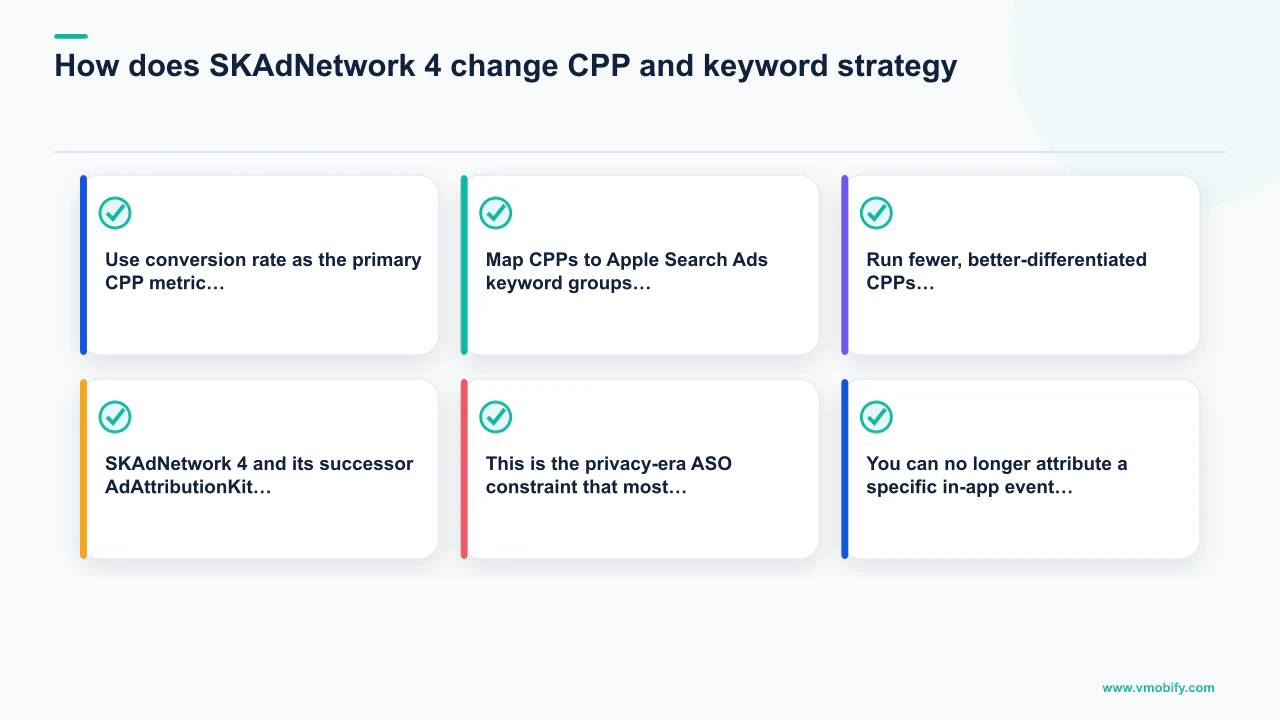
The specific challenge: SKAdNetwork 4 provides three postback windows with coarse conversion values. You can no longer attribute a specific in-app event (purchase, registration, subscription) to a specific keyword-matched CPP impression with confidence, because the conversion window and the attribution postback may not align. MMP measurement has adapted—AppsFlyer's State of App Marketing confirms that modern SKAN 4-aware MMPs can model probabilistic attribution at the campaign level—but keyword-level CPP attribution remains imprecise.
The strategic response is to change how you measure CPP performance:
- Use conversion rate as the primary CPP metric, not attributed installs. App Store Connect's App Analytics shows impressions, product page views, and download conversions per CPP with no attribution ambiguity—this data is first-party and exact. A CPP that converts at 7% versus a default page that converts at 5% is delivering real value regardless of what SKAN postbacks say.
- Map CPPs to Apple Search Ads keyword groups. Apple Search Ads provides its own attribution within Apple's walled garden, exempt from SKAN. When an ASA campaign links to a specific CPP, you have clean keyword-to-conversion data. Build your CPP programme around ASA first, then expand to organic keyword clusters and external paid channels.
- Run fewer, better-differentiated CPPs. The SKAN attribution constraint argues against 70 thin CPP variants. You cannot measure the marginal value of CPP 40 versus CPP 41 in a SKAN-degraded environment. The practical sweet spot, based on what we see in our portfolio, is 10–15 well-differentiated CPPs with clear hypotheses, measured through App Store Connect's native conversion funnel rather than MMP postback chains.
For teams managing both iOS and Android, the contrast is sharp: Google Play attribution remains deterministic through MMP integration (no SKAN equivalent on Android), so Store Listing Experiments on Android can be measured with full conversion precision. The analytics infrastructure for a cross-platform ASO programme needs to reflect this asymmetry—different measurement methods, different decision cadences, different CPP architectures per platform. Our guide to choosing the right MMP covers the SKAN 4 measurement requirements in detail.
Why are short-form video previews gaining ranking weight?
App preview videos on iOS and promo videos on Android are now auto-playing across more store surfaces than ever—search results, category browse pages, Today tab features, and editorial placements—and the performance gap between apps with high-quality short-form videos and those with no video or outdated videos has widened significantly through 2025–2026. In 2024, a mediocre video was roughly equivalent to no video in conversion impact. In 2026, a well-produced video with a strong 3-second hook consistently outperforms static screenshots by 15–25% for complex apps across our portfolio.
The structural reason video is gaining weight is that both stores are using video engagement as a proxy for intent quality. Users who watch more than 5 seconds of a preview before installing have higher D1 retention than users who install from screenshots alone—and because retention is now a ranking signal, improving pre-install engagement quality through compelling video has a downstream effect on keyword rankings. You are not just improving conversion rate; you are improving the cohort quality signal that feeds the ranking algorithm.
What makes a video work in 2026 specifically:
- First 3 seconds must deliver the hook. Videos auto-play muted in browse contexts. Users decide to continue watching or scroll in under 2 seconds. Show the app's most compelling moment immediately—not a brand logo, not a loading screen, not a lifestyle shot. The UI solving the user's problem, in the first frame.
- Show real app UI, not motion graphics. Users watching an app preview are evaluating whether they want to use this specific product. Motion graphics and lifestyle footage do not answer that question. Every frame should be legible, real UI performing a recognisable action.
- Keep it under 30 seconds. Drop-off rates past 30 seconds are steep on both stores. The optimal length across our portfolio tests is 18–25 seconds—long enough to show 3–4 key benefits, short enough to maintain attention to the end.
- Caption every frame. Auto-play is muted. Captions are not just an accessibility requirement—they are a conversion mechanism. Every screen benefit should be labelled with large, legible text that works without sound.
- Update quarterly. A video featuring outdated UI or old branding actively signals a neglected product. Schedule a video refresh on the same cadence as your major app update cycles.
Short-form video previews are the next frontier in Store Listing Experiments—most apps have tested icon and screenshot variants but have never run a systematic video-versus-no-video measurement. In our portfolio, this is the highest-unexploited conversion opportunity in the majority of ASO programmes we audit. Set up a clean 2-week video / 2-week no-video experiment in Google Play's Store Listing Experiments or via Apple's PPO before investing in a full video production.
How does localisation multiply ASO results in 2026?
Localisation is the highest-ROI ASO multiplier available in 2026, and it is still dramatically under-used: native-quality metadata in Hindi, Indonesian, Brazilian Portuguese, or Vietnamese can reach top-3 rankings for high-volume category keywords in 60–90 days, because the competition at those positions is thin compared to English-language search. Most apps targeting emerging markets use English-only metadata or basic machine translation, leaving both ranking opportunity and conversion rate on the table.
The opportunity is structural, not temporary. Search competition for top keyword rankings in Hindi, Bahasa Indonesia, Vietnamese, and Filipino is dramatically lower than for equivalent categories in English. An app that invests in genuine, native-quality localisation can reach category leadership in these markets in a timeframe that would take 18–24 months in English-language search. India alone has approximately 1.2 billion smartphone users per Statista's smartphone forecast, the majority of whom prefer vernacular-language interfaces, and whose install rates in categories like fintech, edtech, and quick-commerce continue to accelerate.
Two layers of localisation exist, and most teams stop at the first:
Store listing localisation (fast, cheap)
- Translated title, subtitle, keyword field
- Localised long description in natural language
- Screenshots featuring local UI, currency, social proof
- Localised preview video or localised captions
- Timeline: 1–2 weeks per language
- Impact: immediate ranking improvement + conversion lift
UI and in-app localisation (longer, higher ROI)
- Translated in-app strings and onboarding flows
- Local currency and number formatting
- Right-to-left support (Arabic, Hebrew, Urdu)
- Culturally adjusted empty states and illustrations
- Timeline: 4–8 weeks of engineering
- Impact: retention parity with home market + word-of-mouth growth
Apps that localise only the store listing see installs lift but bleed users in the first session—the gap between the store's promise and the app's UI breaks trust immediately. Apps that localise both layers retain at parity with the home market and generate organic word-of-mouth growth in the new market, which compounds into ranking signals.
The pattern we apply across our portfolio: localise the store listing first for the top two non-English markets (by existing organic install share), measure install lift and D7 retention over 30 days, and commit to full UI localisation only for markets that show above-baseline retention. Localising a Hindi UI for an app that does not retain Hindi-speaking users is wasted engineering time. See our India app install trends guide for the full emerging-market opportunity breakdown, and our ASO service page for how we run localisation programmes end to end.
A fintech app we manage added native-quality Hindi, Tamil, and Telugu store listings ahead of a Tier-2 and Tier-3 city push. Within 90 days, organic installs from those three languages collectively matched 45% of the app's total English-language install volume—at zero incremental ad spend. The Hindi listing reached the top-5 position for its primary category keyword in 11 weeks.
How are AI tools changing keyword research and competitive analysis?
AI-assisted keyword research tools have changed the competitive dynamics of ASO in two ways simultaneously: they make sophisticated keyword analysis accessible to small teams, and they have accelerated keyword discovery for every competitor in your category, raising the floor of baseline ASO competence and making differentiation harder through keywords alone. The teams winning on keywords in 2026 are not the ones finding obscure long-tail terms—they are the ones connecting keyword targeting to the broadest possible semantic surface area through metadata quality.
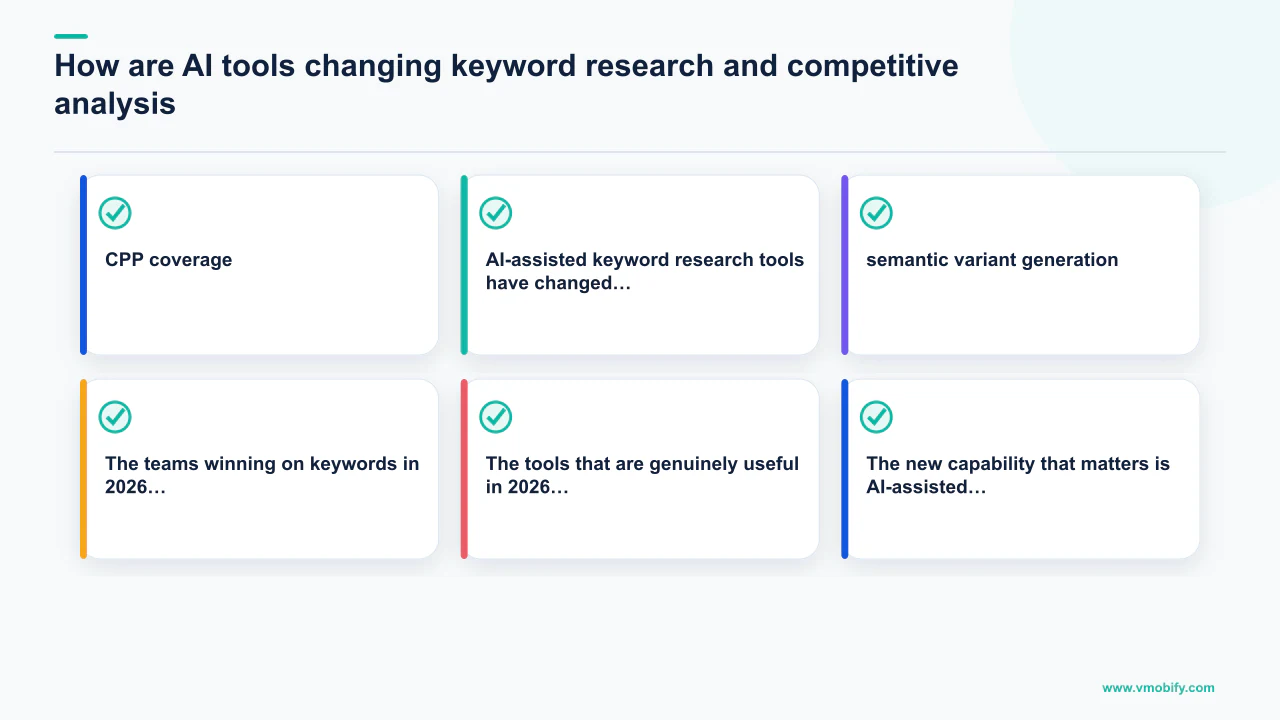
The tools that are genuinely useful in 2026 are the ones that combine keyword volume data with difficulty scores and semantic clustering: AppTweak and Sensor Tower remain the gold standard for volume and competitive gap analysis. The new capability that matters is AI-assisted semantic variant generation—uploading your app description to an LLM and asking it to identify the full range of search intents your app could plausibly satisfy. This surfaces keyword clusters you would not have found through manual research because they describe your app's use cases from angles you have not thought to optimise for.
The competitive intelligence application is equally valuable. The same AI analysis can be applied to your top three competitors' metadata to identify:
- Keyword gaps—high-volume terms your competitors rank for but you do not, suggesting missed content angles in your description.
- Semantic authority—which competitor's metadata reads as most authoritative for the category intent (useful because Apple Intelligence is essentially measuring this).
- CPP coverage—which keyword clusters your competitors are using CPPs for, and which clusters remain uncontested by custom landing pages.
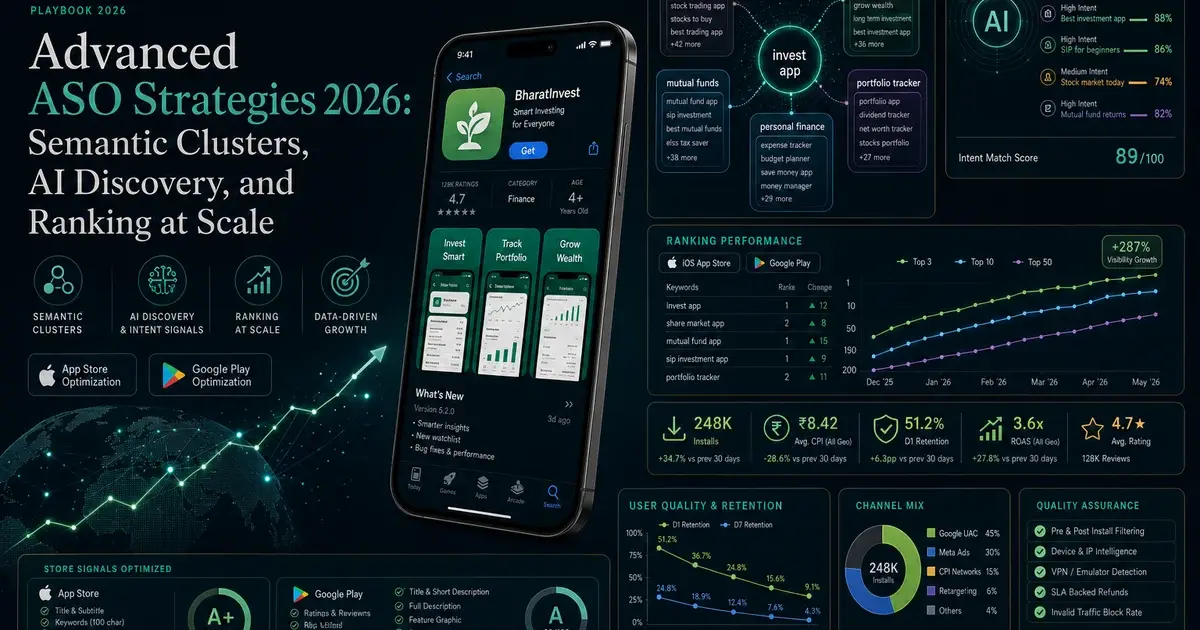
One critical watch-out: AI keyword research tools generate keyword ideas, but they do not replace the judgment call about which keywords to target. Volume without intent alignment is wasted metadata space. A fintech app ranking for "free money" might accumulate impressions but will convert poorly because the query intent (find free money) does not match the product (a budgeting tool). Every keyword selected should pass the question: does a user who types this query want an app like mine? If the answer is ambiguous, the keyword will generate impressions without installs—and poor impression-to-install conversion rate is itself a negative ranking signal. Our ASO team runs structured keyword intent audits as a standard component of every engagement, and the results consistently shape which keyword clusters deserve CPP investment versus description coverage alone. See our advanced ASO strategies guide for a deeper treatment of the keyword research methodology.
What is the 90-day ASO action plan for 2026?
The 90-day plan below is the sequence we run at the start of every ASO engagement in 2026—prioritised by signal impact, ordered to build each improvement on the last, and designed to deliver measurable organic install lift within the first 30 days. You do not need to execute all of it simultaneously; pick the highest-priority actions for your current situation and move through the list methodically.
- Week 1–2 — Metadata rewrite. Audit your current title, subtitle, description, and keyword field. Rewrite the description in clear natural language—three to five paragraphs, benefit-led, with structured bullets for key features. Update the keyword field to contain only terms not already present in visible metadata. Submit the changes and set a 30-day keyword rank tracking baseline. For iOS, this is the prerequisite for everything that follows.
- Week 2–3 — First Store Listing Experiment. On Google Play, launch a Store Listing Experiment testing your first screenshot pair. On iOS, create your first Product Page Optimisation variant testing a different first screenshot or icon. Do not run more than one variable at once. Target at least 1,000 impressions per variant before declaring a winner.
- Week 3–4 — Build 5 CPPs for iOS. Identify your top 5 keyword intent clusters from Apple Search Ads data. Build one CPP per cluster with screenshots specific to that use case. Link the CPPs to their keyword clusters in App Store Connect for organic search integration. Measure conversion rate via App Store Connect App Analytics—not MMP postbacks.
- Week 4–6 — Publish your first In-App Event. Design an event with a search-intent name and high-contrast card image. Schedule it for a 2-to-3-week live window. Measure impressions and downloads attributed to the event in App Store Connect. Plan a monthly event cadence from this point forward.
- Week 6–8 — Video experiment. If you have no preview video, record a 20-second screen capture with captions showing your three core benefits. If you have an existing video, update it to reflect current UI. Run a clean 2-week video / 2-week no-video experiment and measure conversion rate difference. This is the step most teams skip—do not skip it.
- Week 8–12 — Localisation sprint. Pull your Google Play Console and App Store Connect analytics to find your highest-volume non-English markets. Commission native-quality metadata localisation for the top two. Launch, measure D7 retention alongside install volume, and decide on full UI localisation based on the retention data.
This sequence compounds: better metadata expands the keyword surface, experiments improve conversion from that expanded surface, CPPs and events multiply discovery placements, and localisation opens entirely new markets. The organic install flywheel, once turning, requires only a quarterly maintenance cadence to keep accelerating.
If you want an experienced team to run this programme for your app, request a free ASO audit from Vmobify. We have driven over 30 million downloads for 300+ apps across India and globally. See our case studies for the verticals we have scaled—fintech, gaming, healthcare, edtech—and our user acquisition service for how paid UA and ASO are integrated in our growth programmes.
Frequently Asked Questions
What is the single most important ASO change in 2026?+
Apple Intelligence's semantic search layer is the most impactful structural change. Apps are now ranked based on how well their metadata communicates intent to an LLM-based relevance system—not just whether keywords literally match. The practical implication is that well-written, natural-language descriptions now rank for a broader surface of queries than keyword-stuffed listings, even when those stuffed listings contain more exact-match terms.
How should I prioritise my 70 Custom Product Pages?+
Start with 5–10, not 70. Build each CPP around a specific keyword intent cluster or paid campaign source, with screenshots genuinely differentiated for that use case. Use Apple Search Ads as your primary CPP measurement environment (clean attribution within Apple's ecosystem), and measure conversion rate via App Store Connect App Analytics for organic CPPs. Expand beyond 15 only when you have exhausted the conversion lift opportunities in your first set.
Does Google Play have an equivalent to Apple's Custom Product Pages?+
Yes—Custom Store Listings on Google Play allow up to 50 variants, with traffic-source targeting added in 2025. The key difference is that Android attribution is deterministic (no SKAdNetwork equivalent), so you can measure Custom Store Listing conversion with full precision through your MMP. Google Play also supports Store Listing Experiments for A/B testing listing elements—a capability that runs separately from Custom Store Listings.
How long does it take for metadata changes to affect keyword rankings?+
On Google Play, keyword ranking changes from description or title edits typically appear within 7–14 days. On iOS, title and subtitle changes show ranking impact within 7–14 days; keyword field changes take 2–4 weeks for full index propagation. Semantic relevance improvements—rewriting descriptions in clearer language—tend to show broader keyword surface area within 30–45 days as the AI relevance model builds its updated understanding of your app.
Are In-App Events useful for apps that are not games?+
Yes, and they are most under-used in non-gaming categories. Productivity apps can run "new feature premiere" events. Finance apps can run "year-end tax preparation challenge" events. Health apps can run "21-day programme" events. Any time-limited experience or major content update qualifies. The discovery value is the same regardless of category—Apple surfaces events to users who match the app's intent profile, whether the app is a game, a fintech tool, or a meditation guide.
How do I know if my metadata is ready for AI-driven search?+
Read your app description aloud. If it sounds like a keyword list, it is not ready. If a friend reading it for the first time could accurately explain what your app does, who it is for, and what problem it solves—it is ready. More formally, copy your description into an LLM and ask it: "What search queries would a person who needs this app type?" If the result is a broad, plausible set of intents, your semantic coverage is healthy. If the LLM struggles to characterise the app clearly, your description needs a rewrite.
What is the ROI timeframe for a full ASO overhaul?+
Metadata rewrites typically show measurable keyword ranking improvements within 30–45 days. Store listing conversion experiments show results within 2–6 weeks depending on traffic volume. Localisation into a new non-English market typically produces meaningful install volume within 60–90 days. The full compounding effect of a metadata rewrite + conversion optimisation + localisation programme usually becomes visible in organic install trends by month 3, with continued acceleration through month 6 as the algorithm incorporates the improved behavioural signals.
Sources
- Apple — Custom Product Pages — Official documentation: up to 70 CPP variants per app, organic keyword linking, paid campaign integration.
- Apple — In-App Events — App Store discovery surfaces, event types, editorial placement criteria, and implementation guide.
- Apple — SKAdNetwork docs — Privacy-preserving install attribution framework underpinning iOS paid UA measurement.
- Apple — Product Page Optimisation — A/B testing for iOS store listings: icon, screenshots, and preview video.
- Google Play — Developer best practices — Store listing quality guidelines, Store Listing Experiments, and In-App Review API.
- AppTweak ASO blog — Keyword research methodology, CPP strategy, and ASO trend analysis.
- SplitMetrics ASO research — Independent research on store conversion experiment uplift ranges (10–25% typical lift).
- AppsFlyer — State of App Marketing in India — Annual benchmark on SKAN 4 adoption, MMP measurement evolution, and channel contribution.
About the author
Amol Pomane — Founder, Vmobify
Amol leads Vmobify, a mobile app growth agency that has driven 30M+ downloads and ranked 54K+ keywords across 300+ apps since 2013. He writes about ASO, paid user acquisition, retention, and the operational reality of scaling mobile apps in India and global markets.
Check your store metadata
Run your current App Store or Play metadata through the free checker.
Open free tool