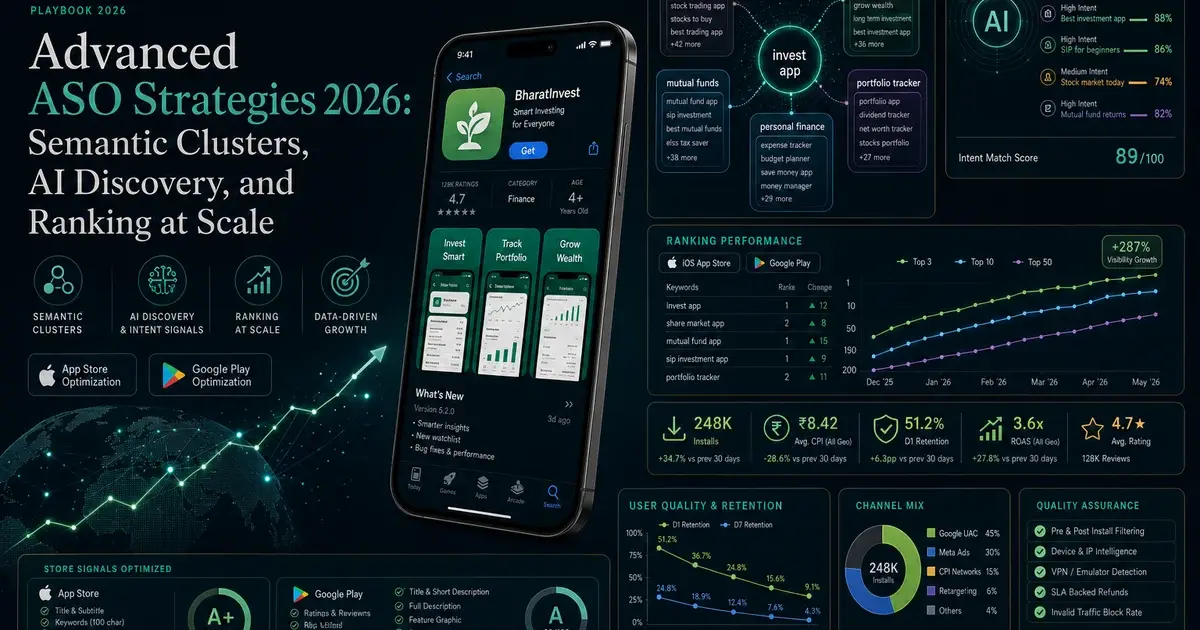
Advanced ASO Strategies 2026: Semantic Clusters and AI Discovery
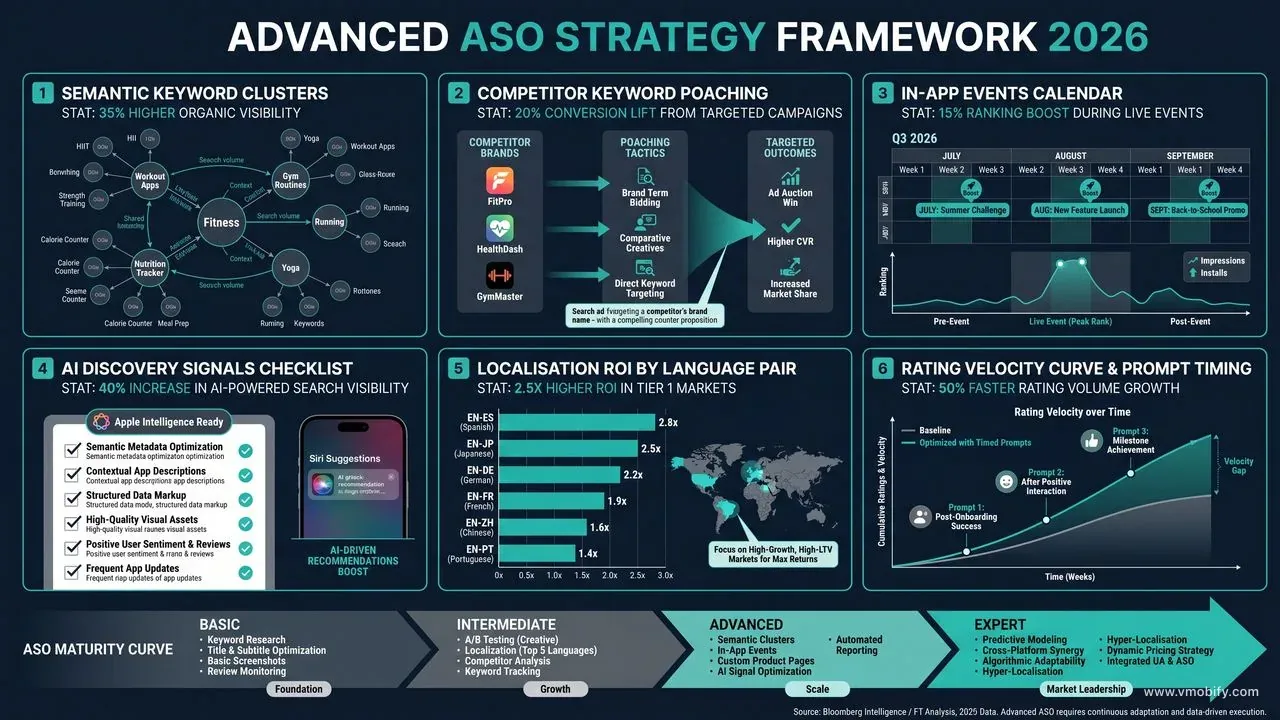
Basic ASO gets you to page one. Advanced ASO keeps you there — and pushes you to position one. This is the full 2026 playbook: semantic clustering, AI-era discovery signals, competitor keyword poaching, localisation as a multiplier, and review velocity engineering.
On this page
- What separates advanced ASO from the basics in 2026?
- How does semantic keyword clustering change your metadata strategy?
- How do you rank for competitor brand terms legally and effectively?
- How do you pick the right category battles to win?
- Why is localisation a ranking multiplier, not just a translation task?
- How do In-App Events and Promotional Content affect ranking?
- How do Apple Intelligence and Google Gemini change app discovery?
- How do you engineer editorial featuring rather than waiting for it?
- How do you systematically improve review velocity and star average?
- What does ASO look like on a subscription paywall page?
- How do you prevent keyword cannibalisation across a multi-app portfolio?
- Which of these strategies need data you may not have yet?
- Frequently Asked Questions
What separates advanced ASO from the basics in 2026?
Basic ASO has a ceiling — and most teams hit it within six months. Title keywords, subtitle optimisation, keyword field hygiene, one round of screenshot testing: these move you into the top 15 for your core terms. Advanced ASO is what you do after the easy wins are banked, when the next 10 ranking positions require a fundamentally different set of levers.
In 2026 the gap between intermediate and advanced ASO has widened considerably because of three structural changes to how both stores rank apps:
- Semantic LLM relevance. Apple introduced LLM-based keyword interpretation at scale in late 2025. The algorithm now understands that "calorie counter," "food diary," and "macro tracker" are expressions of the same user intent — so ranking for one no longer requires explicitly using the others. This changes how you build keyword architecture entirely.
- AI-surface discovery. Apple Intelligence's App Intents indexing and Google Play's Gemini "Ask Play" conversational interface are genuine new discovery pathways, each with their own optimisation requirements that sit outside traditional keyword metadata.
- Custom Store Listings at scale. Google Play's Custom Store Listings (CSL) feature — similar to Apple's CPPs — now supports per-country creative, description, and keyword targeting. Advanced teams are running 10-15 CSL variants simultaneously across their highest-value markets.
The advanced playbook this guide covers assumes you have already:
- Title, subtitle, and keyword field (iOS) or short description (Android) optimised for primary keywords
- Screenshots A/B tested at least twice using native store experiments
- Top-15 ranking on 3–5 core keywords
- A working MMP integration (Adjust, AppsFlyer, or Singular) for conversion tracking
If you are pre-basics, start with our ASO services overview and our complete ASO foundation guide. The tactics below assume a working baseline and are written for practitioners managing real apps with real budgets. Across our 300+ apps managed since 2013, the pattern is consistent: the first six months of ASO produce roughly 70% of the total ranking lift. The next 30% — which separates a top-50 app from a top-5 app in its category — comes entirely from the advanced playbook below.
How does semantic keyword clustering change your metadata strategy?
The single most important shift in ASO methodology for 2026 is moving from keyword-level targeting to cluster-level targeting. A semantic cluster is a group of keywords that map to the same user intent — different surface forms of the same underlying query. "Expense tracker," "track expenses," "spending diary," and "budget recorder" are a cluster. "Expense report" is a different cluster entirely (B2B intent, not personal finance).
Why this matters: Apple's LLM-based relevance system, confirmed in their engineering publications from late 2025, now evaluates apps against intent themes rather than isolated keyword strings. If your app clearly communicates relevance to the "personal expense tracking" intent theme — through title, subtitle, description, and even screenshot copy — the algorithm surfaces you for every variant of that query without requiring explicit keyword repetition. Per research from AppTweak's 2026 semantic relevance analysis, apps that structure metadata around 3–5 clear intent themes consistently outrank apps that optimise for individual high-volume keywords across their keyword field.
How to build a semantic cluster architecture:
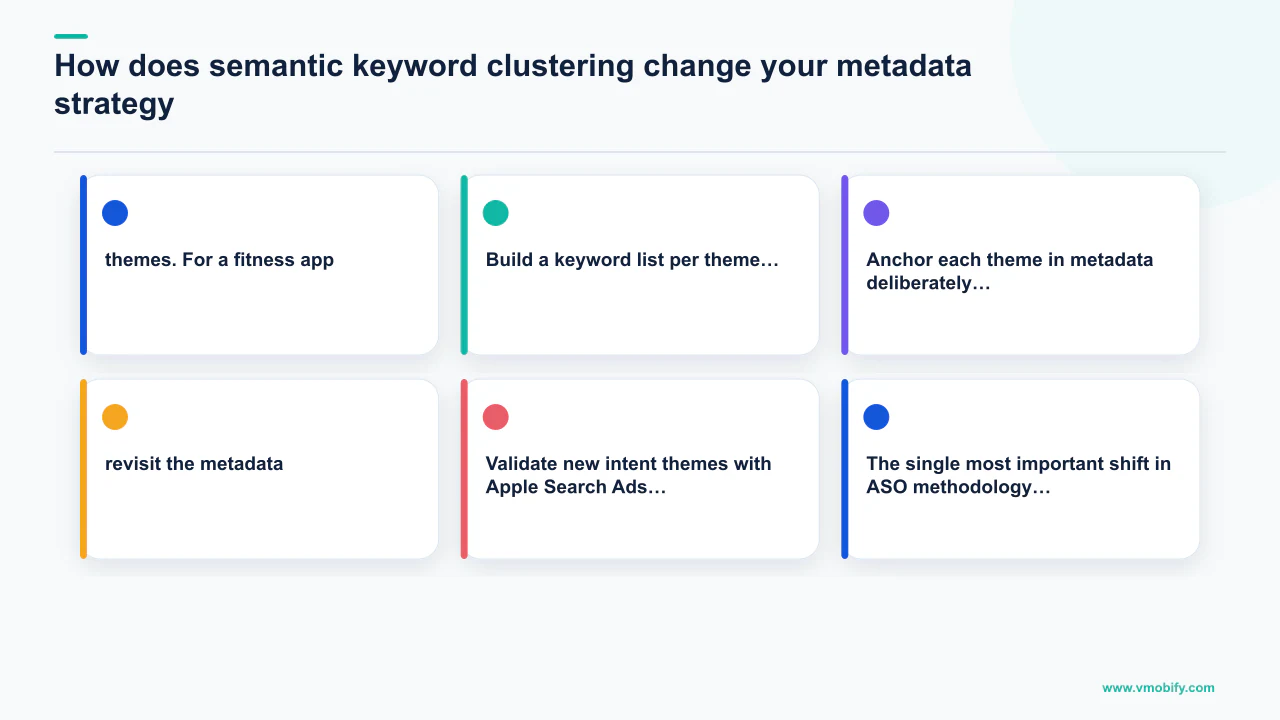
- Identify your 3–5 primary intent themes. Not individual keywords — themes. For a fitness app: "workout planning," "progress tracking," "nutrition logging," "community accountability," "coach-guided training." Each theme maps to a distinct user need your app serves.
- Build a keyword list per theme. Pull 15–25 keyword variants per theme from AppTweak, Sensor Tower, or Sensor Tower's keyword research tooling. These are your intelligence inputs, not your metadata copy.
- Anchor each theme in metadata deliberately. The theme title goes in your subtitle or the front of your keyword field. Supporting terms, synonyms, and related concepts go in the description where they reinforce semantic coverage without wasting character-limited fields.
- Track performance at cluster level. Average rank across all keywords in a cluster, total estimated impressions from that cluster, and weekly volatility. A cluster rising in average rank is a signal the algorithm is connecting your app to that intent theme — lean in. A cluster stalling means the theme anchor is weak — revisit the metadata.
- Validate new intent themes with Apple Search Ads before committing metadata. Run a low-budget ASA campaign targeting the keywords in a prospective new cluster. High click-through rate at reasonable CPC confirms genuine user intent and commercial viability before you sacrifice character-limited metadata space on an unproven theme.
In our portfolio, switching from keyword-level to cluster-level tracking has changed where teams focus their optimisation energy — from obsessing over individual term rankings (which fluctuate daily) to monitoring intent-theme share-of-voice (which reflects durable positioning). An app that holds average rank 6 across a cluster of 20 high-volume terms is generating dramatically more install volume than an app ranked 1 for a single term and absent from the rest of the cluster. For full keyword research methodology see our ASO A/B testing framework post, which covers how to rigorously test cluster-level changes.
How do you rank for competitor brand terms legally and effectively?
Competitor keyword poaching — structuring your Apple Search Ads and, where possible, your metadata to capture traffic from users searching for rival brand names — is one of the highest-ROI advanced ASO tactics available in 2026, and one of the most under-used.
The mechanics differ between paid and organic:
- Apple Search Ads (paid poaching). ASA allows you to bid on any keyword, including competitor brand names, as broad or exact match. When a user searches "Competitor App Name," your ad can appear above organic results if your bid and relevance score win the auction. In categories where the number-one app has a high brand search volume — fitness trackers, expense apps, meditation apps — this is a direct pipeline into competitor intent. CPTs for competitor brand terms are often lower than generic category terms because fewer sophisticated advertisers are targeting them.
- Metadata organic poaching. This is more nuanced. You cannot use a competitor's trademark in your title, but you can use descriptive terms that are associated with their brand positioning. If a competitor has built their identity around "AI meal planner," you can legitimately use "AI-powered meal planning" in your own metadata — and the algorithm's semantic layer will surface your app for related searches. Per Apple's Custom Product Pages documentation, you can also build a CPP specifically designed to convert competitor-intent traffic, with screenshots and copy that explicitly address why users switching from a rival will find your app superior.
- Google Play competitor targeting. Android allows Custom Store Listings that can be geo-targeted to markets where a competitor is dominant and your alternative positioning will resonate. Pair this with Google App Campaigns keyword targeting on competitor brand terms and you have both organic and paid poaching running simultaneously.
The ethical and legal boundary is clear: do not use a competitor's trademarked name in your app's title, subtitle, or screenshots. Everything else — bidding on their brand terms in paid search, using their descriptive language in your metadata, building CPPs that target their converted users — is standard competitive practice and fully within both stores' policies.
In our experience managing competitive ASO across multiple categories, apps that systematically target the top 3 competitors' brand terms in their ASA campaigns typically see 20–35% incremental install volume from that traffic alone. The conversion rate on competitor-intent traffic is often higher than generic category traffic because the user already has intent — they know the category and just need to be convinced to try your alternative. We walk through the full ASA-to-ASO loop in our 2026 ASO trends piece.
How do you pick the right category battles to win?
Category ranking strategy is about selecting the right quadrant of the volume-versus-competition matrix — and most teams either target too broadly (high volume, high competition, no real chance of top-10) or too narrowly (low competition, but too low volume to matter).
The framework we use across our portfolio:
- Map your category keyword universe into four quadrants. High volume / high competition: these are the terms your category giants own — rank for them eventually but they are not where you win ground fast. High volume / low competition: the opportunity quadrant — these terms are underserved relative to their search demand, often because they are slightly adjacent to the core category. Low volume / low competition: the long tail — good for incremental installs but do not anchor your strategy here. Low volume / high competition: ignore completely.
- Identify 5–10 high-volume/low-competition keywords specific to your app's differentiated functionality. A meditation app that also tracks HRV sits at the intersection of "meditation app" (crowded) and "HRV tracker" (much less crowded but real volume). Anchoring in the low-competition high-volume intersection is how you break into visible rankings without competing head-on with category leaders.
- Use sub-category selection strategically on iOS. Apple allows a primary and a secondary category. Apps that choose a specific sub-category (e.g., "Health & Fitness — Meditation" rather than just "Health & Fitness") rank in a smaller competitive pool for category charts, often reaching top 20 in the sub-category much sooner than in the parent category. In our experience, the category ranking lift from correct sub-category selection is underestimated — we have seen apps move from unranked to top-50 in a sub-category within two weeks of switching.
- Monitor category ranking weekly, not monthly. Category charts are dynamic — a competitor's burst campaign or a viral moment can shift the competitive landscape overnight. Weekly monitoring lets you spot windows where rankings are consolidating and time your own pushes accordingly.
The practical output of this analysis is a ranked hit list: the 5 keywords where you have a realistic path to top-5 in the next 90 days, and the 3 sub-category positions where a ranking push would deliver compound organic discovery. Focus there first before expanding the aperture.
Why is localisation a ranking multiplier, not just a translation task?
Localisation is the most underestimated multiplier in the advanced ASO toolkit. Apps that run genuine per-locale keyword research — not just translated English copy — consistently deliver 1.5–2.8× higher install rates in Tier-1 non-English markets versus English-default listings. The gap is that large because translated copy optimises for English search intent mapped onto a different language, which rarely matches what local users actually search for.
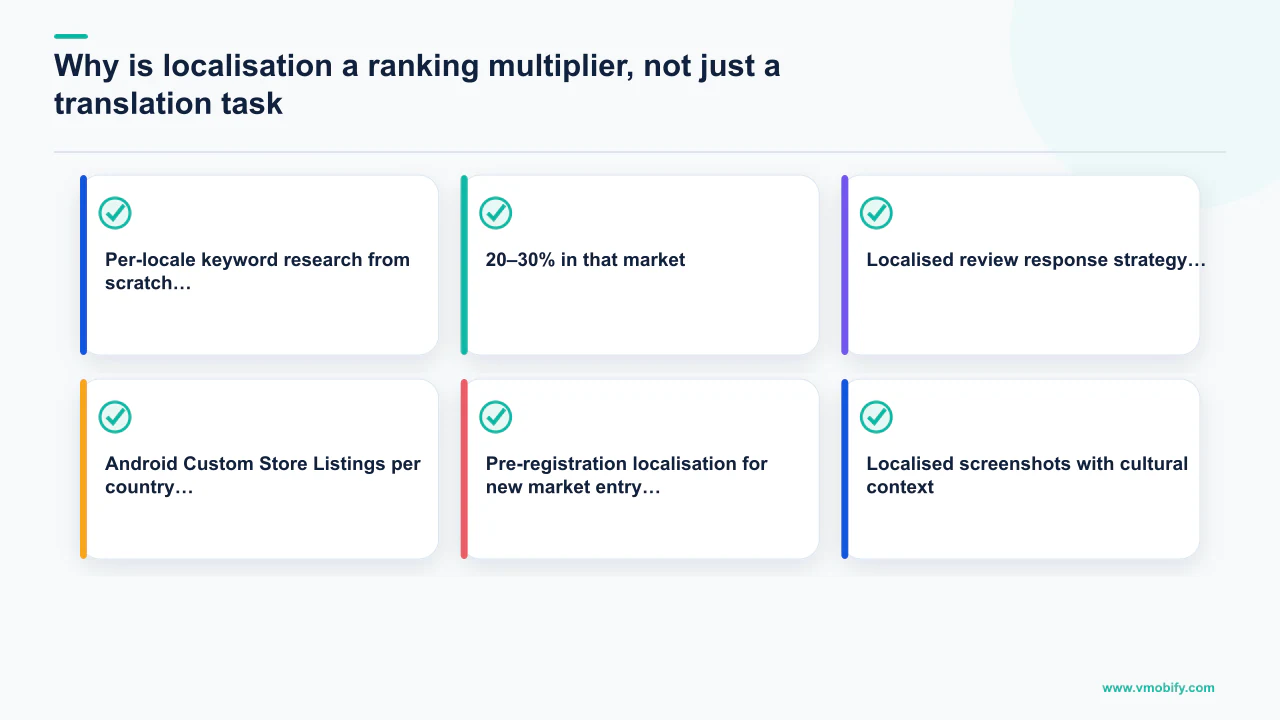
What genuine localisation looks like in practice:
- Per-locale keyword research from scratch. Japanese users search for fitness apps differently than German users — different terminology, different feature priorities, different seasonal patterns. Run independent AppTweak or Sensor Tower keyword research in each target locale's store, using native-language query inputs, not translated English terms. The keyword sets will often have minimal overlap with your English core terms.
- Localised screenshots with cultural context. Screenshots that show currency symbols relevant to the market (₹ for India, ¥ for Japan, € for Germany), UI in the local language, model selection that reflects the local audience, and value propositions that resonate locally. In our portfolio, India-specific screenshots that highlight UPI integration and regional language support beat global English defaults by 25–40% on install rate. German screens emphasising data privacy and GDPR compliance beat English defaults by 20–30% in that market.
- Localised review response strategy. Responding to reviews in the user's language drives significantly higher rating-revision rates than English responses. Assign a native-language response function for your 3–5 highest-volume markets. Japanese, Korean, and German users in particular respond strongly to being addressed in their own language.
- Android Custom Store Listings per country. Google Play's custom store listings allow full per-country descriptions, screenshots, and feature graphics. This is the Android equivalent of Apple's CPPs but with an organic ranking component — Google can surface your country-specific listing in search results for that locale. Running CSLs for your top 5 non-English markets is typically the highest-return Android localisation work available.
- Pre-registration localisation for new market entry. Android pre-registration is a ranking signal — apps accumulating pre-registrations in a new market get a velocity boost at launch. Running localised pre-registration pages with native-language creative and store listing copy compounds the launch install spike.
The ROI case for localisation is compelling. Per AppTweak's multi-market ASO research, apps with fully localised store listings in Japanese, German, French, and Korean rank an average of 12 positions higher in those markets than apps serving the English default. At scale — across a portfolio of 10+ apps — localisation done systematically represents more install volume than any single paid channel. It is permanent, not dependent on ongoing spend, and compounds every month.
How do In-App Events and Promotional Content affect ranking?
In-App Events (iOS) and Promotional Content (Google Play) are not just engagement surfaces — they are active ranking signals that earn discovery impressions in Search, Today, and category pages without requiring editorial featuring. Almost no app outside the top 100 in each category runs a disciplined event cadence. That gap is an opportunity.
Per Apple's In-App Events documentation, every developer can maintain up to 5 active events simultaneously, each with custom imagery, copy, and a deep link into the relevant in-app experience. The same events appear in: search results for your brand keywords, the Today tab (if algorithmically surfaced), category browse pages, and your own product page. The algorithm weights apps that consistently publish events as "active and regularly updated" — a factor that feeds into both browse ranking and search ranking.
Building a cadenced event calendar:
- Tentpole cultural moments. Diwali, Eid, IPL, Black Friday, New Year's resolution window, Valentine's Day. These earn elevated tap-through rates because the cultural context generates user attention independently of your app. Plan these 6–8 weeks ahead so editorial has time to consider them for featuring.
- Content drop cadence. New season, new level pack, new course module, new AI model integration — any substantive new feature qualifies. Monthly content events signal to the algorithm that your app is actively developed.
- Limited-time offers. Subscription free trials, in-app currency bonuses, discounted annual plan windows. Scarcity drives click rate. These events also seed the App Store's price-drop notification system, which can re-engage lapsed users who browsed but did not convert.
- Use events as an editorial pitch vehicle. Apple's editorial team actively scans In-App Events for featuring candidates. A well-crafted event submitted 2–3 weeks before its start date is the single best signal you can send that something worth featuring is happening. The editorial pitch in App Store Connect and the In-App Event submission often serve the same purpose — submitting both at the same time doubles the surface area of your pitch.
In our portfolio we track In-App Event impressions as a standalone KPI alongside organic keyword impressions. Well-run event cadences typically add 15–25% incremental impressions on top of keyword-driven discovery for apps in competitive categories. The re-engagement dimension is equally valuable: a user who installed 60 days ago and churned, then sees a "New season: Week 1 starts Monday" event in their App Store, re-engages at a rate 3–5× higher than the same user receiving a push notification — because iOS's notification restrictions have made push an increasingly rationed channel for most apps.
How do Apple Intelligence and Google Gemini change app discovery?
2026 marks the first full year in which AI-powered conversational discovery is a meaningful install channel — and most app teams are not optimised for it at all. Two surfaces matter now: Apple Intelligence's App Intents indexing and Google Play's Gemini "Ask Play" conversational interface. Both work differently from keyword search and require different optimisation approaches.
Apple Intelligence App Intents indexing: Apps that declare App Intents — structured actions that describe what the app can do in natural-language terms — are indexed by Apple Intelligence and can be surfaced as direct recommendations when Siri or the on-device AI receives a user query. An example: a user says "help me track my meals today" and Apple Intelligence surfaces your food-logging app as a recommended action, bypassing traditional search entirely. Apple's developer documentation for App Intents specifies the structured metadata format required. The apps winning on this surface have declared 5–10 specific, action-oriented Intents with clear natural-language descriptions — not just generic app-category labels.
Optimising for Apple Intelligence discovery:
- Declare App Intents for your core user actions. Not "track health" (too vague) but "log a meal with nutritional breakdown," "start a 20-minute guided workout," "set a daily budget limit." The more specific the intent, the better the semantic match to user queries.
- Use natural-language descriptions in your App Intents parameters. Mirror how users actually describe the task in conversation, not how you describe your feature in marketing copy. User language and developer language diverge significantly — App Intents that use user language get surfaced; those that use developer language do not.
- Keep App Intents updated with every feature release. Apple Intelligence's indexing reflects your current declared intents; stale Intents from old features that have changed create mismatched recommendations that damage trust.
Google Play Ask Play: Google introduced Ask Play as conversational search for finding apps. This creates another discovery surface where the store must understand what an app does and who it helps. Google's own Google Play update confirms the feature, while its discovery documentation says the title, description, category, assets, app characteristics and user feedback all inform how Play understands and presents apps. Write clear, use-case-specific metadata, then measure search terms and store-listing conversion instead of assuming any field guarantees inclusion.
For Android, this means your long description should explicitly answer the questions your users ask, written in conversational prose rather than feature-list format. "The best app for splitting restaurant bills and tracking who owes what in group trips" — a full sentence answering a likely user query — outperforms "Features: expense splitting, group tracking, payment reminders" in Gemini-driven recommendations.
How do you engineer editorial featuring rather than waiting for it?
Editorial featuring on Apple App Store and Google Play is not awarded — it is engineered. A typical featured placement on the App Store Today tab drives 50K–500K incremental installs over the feature week, with ranking momentum lasting 2–4 weeks afterwards as the algorithm registers the velocity spike. The teams in our portfolio that consistently earn featuring treat it as a project management exercise, not a lottery.
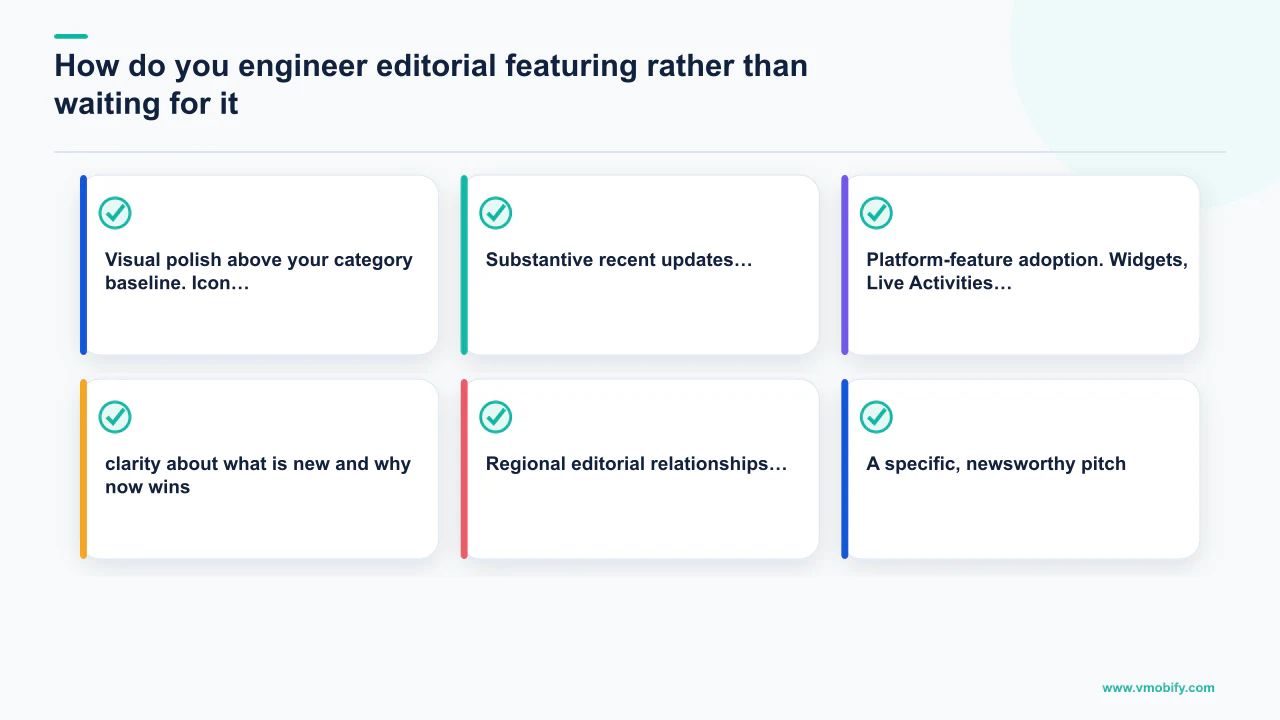
The criteria editorial teams actually use, distilled from WWDC sessions, public developer briefings, and pattern analysis across featured apps:
- Visual polish above your category baseline. Icon, screenshots, app preview video, and the in-app experience itself must all be best-in-category, not merely acceptable. Editorial teams preview the app before featuring; they will not feature an app whose product page looks dated or whose in-app design does not match the quality of the store listing. This is the single most common reason pitches get ignored — the listing looks fine but the in-app experience signals under-investment.
- Substantive recent updates. Apple and Google editorial both favour apps shipping meaningful work in the last 30–60 days. A release history showing only "bug fixes and performance improvements" signals maintenance mode. Real feature work, documented in release notes with specificity ("Added AI-powered meal suggestions based on your dietary history") is what gets editorial attention.
- Platform-feature adoption. Widgets, Live Activities, App Clips, Dynamic Island, Apple Intelligence App Intents on iOS. Material You theming, large-screen optimisation, Android 16 API adoption on Android. Editorial teams reward developers who use what the platform team just shipped — it validates the new features and gives editorial a newsworthy hook ("first wellness app with Dynamic Island workout tracking").
- A specific, newsworthy pitch. Submit through App Store Connect's App Store Promotion section 4–6 weeks before your target feature window. Be precise: "First Indian fintech app with Apple Intelligence bill categorisation, launching Diwali week" beats "new version with AI features." Editorial reads hundreds of pitches weekly; clarity about what is new and why now wins.
- Regional editorial relationships. Apple and Google both operate regional editorial teams — India, US, EMEA, Japan make separate featuring decisions. India featuring has different criteria from US featuring: regional language support, local payment integrations, and culturally relevant content are weighted more heavily by the India editorial team. Pitch regionally, not globally.
The pitch form in App Store Connect genuinely works when the pitch is good. We have placed several apps in our portfolio through the standard form without any backchannel. Include high-resolution promotional artwork (Apple specifies exact dimensions in App Store Connect), a two-paragraph pitch (what is new, why now, why India or your target region), and direct contact details for follow-up. For the full featuring playbook and case studies see our results portfolio — several entries document the featuring process in detail.
How do you systematically improve review velocity and star average?
Star ratings and the velocity of fresh reviews arriving in the store are both heavily weighted in modern ranking algorithms — and velocity matters more than cumulative average. An app with a 4.2 star average that received 500 reviews in the last 30 days ranks higher than an app with a 4.6 star average that received 20 reviews in the last 30 days, in most competitive categories. The signal the algorithm reads is "users are actively engaging and responding to this app right now."
The four-part system that works consistently across our portfolio:
- Trigger rating prompts after success actions. Not on app open. Not at session close. Specifically after the user completes something they value: finished a workout, hit a spending streak, booked a reservation, achieved a milestone in-app. Success-anchored prompts lift response rate 3–5× and skew the distribution toward 5 stars because the user is in a positive emotional state when asked. Per SplitMetrics' app conversion research, the moment of the ask is the single strongest predictor of rating outcome — timing beats copy, incentives, and frequency combined.
- A/B test the prompt placement and trigger logic. Most teams deploy one prompt and never revisit it. Teams in the top quartile of our portfolio test 3–4 trigger variants simultaneously using in-app experimentation tools — different trigger events, different delay intervals, different UI contexts — and roll out the winner. The gap between a well-tested and untested prompt is typically 2–4× in response rate.
- Detractor routing before the public store. A two-step prompt — "Are you enjoying [App]?" — routes yes answers to the system rating prompt (public) and no answers to a private feedback form (internal). This pattern halves public 1- and 2-star review rates by giving unhappy users a channel that does not land in the store. Both Apple's developer guidelines and Google Play's policy explicitly permit this pattern as long as you do not block the system rating prompt entirely.
- Review response cadence within 48 hours. Reply to every 1- to 3-star review within two business days. A specific, helpful response — acknowledging the exact complaint and naming the fix or workaround — causes roughly 15% of those reviewers to revise their rating upward within a week. We track this metric across our entire portfolio and the 15% revision rate is remarkably consistent across categories and markets. Beyond individual rating recovery, visible developer responsiveness in the review section improves conversion rates for new visitors who read reviews before installing.
The compounding effect: apps in our portfolio that run all four practices systematically gain 0.2–0.4 stars in average rating over six months and sustain fresh-review velocity at 3–5× the rate of apps that rely on passive review collection. That rating lift translates to 5–10% store-page conversion improvement and 3–15 ranking positions in competitive categories — without any incremental paid spend. Assign review management as a named owned function, not a rotating team chore. The teams who execute this best have one person reading every review every weekday morning. Distributed responsibility guarantees nothing gets responded to within the window where users still care.
What does ASO look like on a subscription paywall page?
Subscription apps have an ASO problem that purely install-optimised apps do not: the store page must do two jobs simultaneously — convince a sceptical user to install and prime them for the subscription conversion that follows. These goals can conflict. Heavy "free trial" framing drives installs but inflates D1 churn when the paywall appears. Heavy price framing reduces installs but improves subscription conversion. Advanced subscription ASO is about threading that needle.
What works for subscription page optimisation:
- Lead with the outcome, not the feature list. "Lose 8kg in 90 days — or your money back" on screenshot 1 drives both install and subscription intent. "14-day workout plans, nutrition tracking, sleep analysis" on screenshot 1 is a feature list that communicates nothing about value. The outcome framing sets up the paywall positively: the user who installed because they want to lose 8kg is already receptive to paying for the tool that delivers it.
- Free trial framing in screenshots, not just description. If you offer a free trial, make it visually prominent on the first or second screenshot — a badge, a callout strip, or an illustrated trial flow. Per StoreMaven's paywall conversion research, free trial visibility in screenshots increases both install rate and trial-to-paid conversion rate, because users who see the trial offer before installing are self-selecting for willingness to try before committing.
- Social proof in the first scroll. Review count, rating, and specific user testimonials (if used in screenshots) all qualify as social proof. For subscription apps, testimonials that mention transformation outcomes ("I've tracked every meal for 6 months and lost 11kg") serve double duty as both store-page conversion tools and paywall conversion primers.
- Custom Product Pages for different subscription tiers. If you offer monthly and annual subscription tiers, build CPPs that emphasise the annual value prop to users arriving from long-term intent keywords ("best meal tracking app 2026") versus users arriving from short-term intent keywords ("free calorie counter"). Annual-intent users convert to annual subscriptions at much higher rates when the CPP leads with annual pricing framing.
On the Android side, Google Play's subscription page allows rich formatting in the "What's New" section that can be used to highlight trial availability and new subscription tiers — use it. Apps that update their "What's New" copy with subscription-relevant language (new tier availability, extended trials, price holds for early adopters) consistently see elevated Play Store page conversion rates in the two weeks following a "What's New" update, even when no actual app update ships. For detailed analytics on paywall ASO see our analytics services overview.
How do you prevent keyword cannibalisation across a multi-app portfolio?
For publishers running more than one app in the same category, keyword cannibalisation is the most common reason a portfolio underperforms its aggregate potential. Cannibalisation happens when two apps in the same portfolio compete for the same keyword cluster — splitting ranking signal between them so that neither achieves top-5, both stall in the 8–15 range, and the publisher earns fewer total installs than if they had clearly separated positioning.
In one portfolio audit last quarter, we found a fintech publisher running three apps each targeting "UPI payments" as a primary keyword. None ranked top 20. Reassigning each app to a distinct sub-category — UPI for students, UPI for SMBs, UPI for merchants — and rewriting metadata around those positions moved all three apps inside the top 15 within four weeks. Total install rate across the three apps tripled. Same products, same audience, different ranking signal allocation.
The portfolio cannibalisation prevention framework:
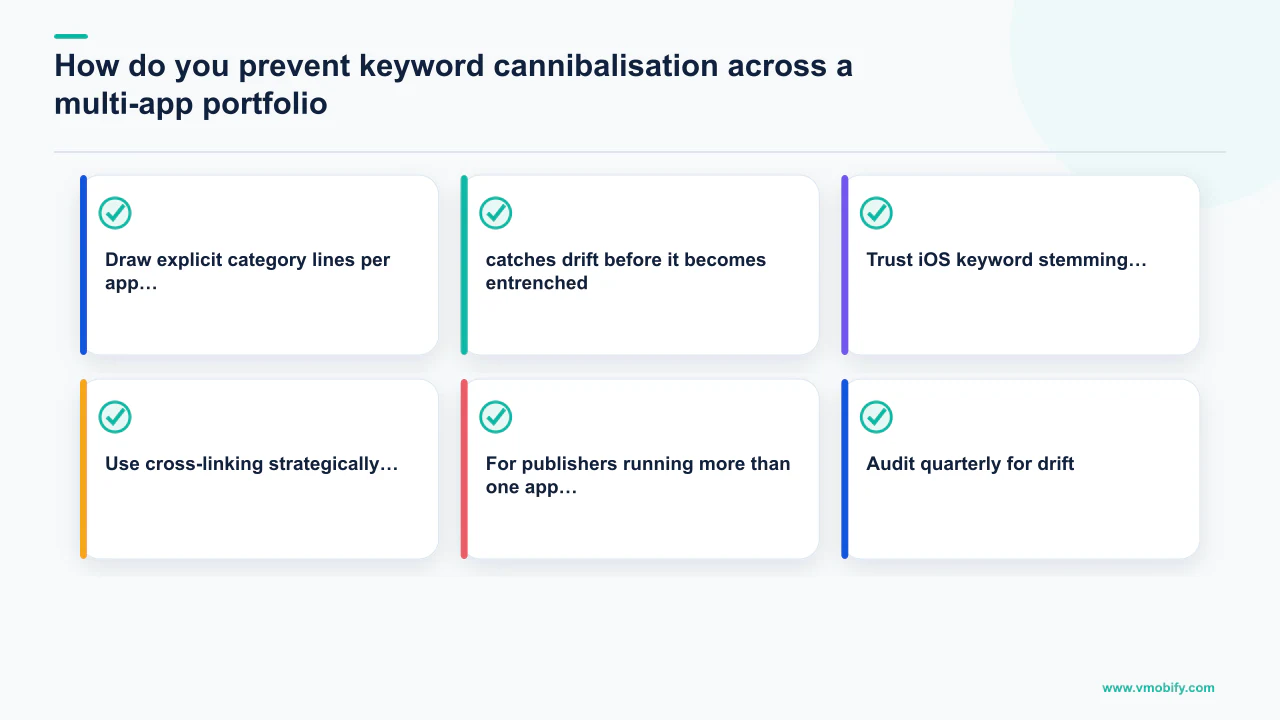
- Draw explicit category lines per app. Produce a portfolio keyword map showing which intent themes each app owns. No overlap permitted. One app owns "money manager," a sibling owns "expense tracker," a third owns "family budget planner." Different metadata, different screenshots, different positioning, zero shared keyword targets.
- Audit quarterly for drift. Cannibalisation often develops gradually as teams independently optimise each app and converge on the same high-volume terms. A quarterly cross-portfolio keyword audit — pulling rank data for all apps in the portfolio against the same keyword set — catches drift before it becomes entrenched.
- Trust iOS keyword stemming. Apple's keyword index handles stems, plurals, and obvious synonyms automatically. If "tracker" is in your title, do not waste keyword field characters on "tracking," "trackers," or "tracked" — you are paying twice for the same coverage and burning characters that could address a different theme entirely.
- Use cross-linking strategically. If you have an app that owns the "personal expense" cluster and a sibling that owns the "business expense" cluster, use in-app prompts and Smart App Banners to direct users who look like business users toward the sibling app. This keeps each app's user base semantically clean — which improves both store ranking signals and retention metrics simultaneously.
Portfolio keyword governance is an unglamorous operational discipline, but across our 300+ apps under management we have seen it produce ranking lifts equivalent to a full metadata optimisation cycle — without any creative work. If you manage more than three apps in adjacent categories, talk to our ASO team about a portfolio cannibalisation audit — the pattern is consistent enough that we can diagnose it and prescribe the fix in a single structured session. See also our category ranking guide for the full methodology on claiming category positions systematically.
Which of these strategies need data you may not have yet?
Almost all of them — every technique above assumes install history, ranking positions and enough traffic to read a test, which is exactly what a newly launched app does not have. Knowing which parts of an advanced programme are gated on data tells you what to run now and what to schedule.
Sorting this post's own techniques by that constraint:
Runs from day one, no data required
- Semantic clustering of your keyword universe, competitor gap analysis, metadata structure, and locale selection. These are research and judgement, and the work holds up before a single install.
Needs a live listing but not much traffic
- Review velocity work, editorial featuring preparation, and store-listing hygiene.
Needs real volume
- Anything involving a test result. Conversion experiments, creative iteration and paywall-page optimisation all require enough traffic to reach significance, and reading them early produces confident nonsense.
If you are at the start of that curve, the data-free stage has its own playbook — we wrote ASO before you have data specifically for the decisions you have to make with nothing to measure. The one genuine exception to the "no testing before launch" assumption is on Google Play, where store listing experiments can run during pre-registration against pre-registration clicks, which means a graphics result can be banked before launch day.
Two of the levers above also deserve their own treatment once you are past the basics. Screenshot design carries more conversion weight than anything else in the listing, and the store-specific rules diverge sharply — our screenshots guide covers what each store permits. And store listing localisation is the lever with the best cost-per-install economics of anything in this post, because the competition in most locales has simply not done the work.
Frequently Asked Questions
What is semantic keyword clustering in ASO and why does it matter in 2026?+
Semantic keyword clustering means grouping keywords by shared user intent — all the different ways a user might express the same underlying need — rather than optimising for individual terms. It matters in 2026 because Apple's LLM-based relevance system now evaluates apps against intent themes, not isolated strings. An app that clearly signals relevance to the "personal expense tracking" intent theme gets surfaced for all variants of that query, not just the exact terms in its metadata.
Is competitor keyword poaching in Apple Search Ads allowed by Apple?+
Yes. Apple Search Ads explicitly allows bidding on any keyword, including competitor brand names. What is prohibited is using a competitor's trademarked name in your app's own title, subtitle, or screenshots. Bidding on their brand terms in paid search — and building CPPs designed to convert competitor-intent traffic — is standard competitive practice within Apple's published guidelines.
How do In-App Events affect organic ranking in the App Store?+
In-App Events contribute to organic ranking by signalling to the algorithm that an app is actively updated and engaging. Apps that maintain a consistent event cadence earn discovery impressions in Search results, the Today tab, and category browse pages beyond their keyword-driven traffic. The algorithm treats regular event publishing as a quality and activity signal, similar to how it weights recent, substantive app updates.
What do I need to do to rank in Apple Intelligence recommendations?+
Declare App Intents in your app using Apple's App Intents framework. Each intent should describe a specific, natural-language action your app can perform — not generic category labels but concrete user tasks like "log a meal with nutritional breakdown" or "start a 20-minute guided run." The more specific and user-language-accurate your declared intents, the better Apple Intelligence can match your app to conversational queries that bypass traditional search entirely.
How much does localisation improve ASO performance in non-English markets?+
Apps with fully localised store listings — per-locale keyword research, culturally appropriate screenshots, and native-language descriptions — typically rank 10–15 positions higher in those markets than apps serving English-default listings. Install rate lifts of 1.5–2.8× versus English defaults are common in Japanese, German, French, and Korean markets. The key distinction is genuine localisation (per-locale keyword research from scratch) versus translation (converting English copy into another language, which maps English search intent onto a different market).
How quickly does a review velocity improvement show up in rankings?+
Rating distribution improvements typically begin showing in ranking data within 2–4 weeks of implementing success-triggered prompts and detractor routing. Fresh review velocity — the number of new reviews arriving per week — shows ranking impact faster, often within 1–2 weeks of a well-timed prompt campaign. The cumulative gain compounds: apps that run systematic review management for six months typically gain 0.2–0.4 stars in average rating, which translates to 5–10% store-page conversion improvement.
At what portfolio size does keyword cannibalisation become a serious problem?+
Cannibalisation becomes measurably damaging once two or more apps in the same portfolio target overlapping keyword clusters. We have seen it damage rankings at portfolio sizes as small as two apps. The symptom is consistent: multiple apps in the 8–15 rank range for the same cluster of terms, with no single app breaking into the top 5. A quarterly cross-portfolio keyword audit is the diagnostic; explicit category line-drawing per app is the fix.
Sources
- Apple — In-App Events — Official documentation on event types, surfaces, submission process, and ranking implications
- Apple — Custom Product Pages — Official CPP documentation covering variant limits, organic search eligibility (up to 70 CPPs), and A/B testing
- AppTweak — AI Reshaping App Store Relevance — Semantic keyword clustering methodology and June 2025 algorithm change analysis
- AppTweak — AI in ASO 2026 — Intent-informed cluster tracking, semantic evaluation at cluster level, and optimisation recommendations for LLM-era stores
- SplitMetrics — ASO Research & Resources — First-screenshot conversion impact data, rating prompt timing research, and A/B test benchmarks across thousands of apps
- Sensor Tower — Blog & Research — Keyword volume and competition data, Custom Store Listings performance benchmarks, category ranking methodology
- StoreMaven — Blog — Subscription paywall ASO, free trial framing in screenshots, and store-page conversion research
- Sensor Tower — Blog and mobile insights — Google Play Gemini "Ask Play" adoption data and conversational discovery growth metrics for 2026
About the author
Amol Pomane — Founder, Vmobify
Amol leads Vmobify, a mobile app growth agency that has driven 30M+ downloads and ranked 54K+ keywords across 300+ apps since 2013. He writes about ASO, paid user acquisition, retention, and the operational reality of scaling mobile apps in India and global markets.
Check your store metadata
Run your current App Store or Play metadata through the free checker.
Open free tool