Xiaomi GetApps (Mi App Store): ASO & Submission Guide
Xiaomi's GetApps ships preinstalled on millions of MIUI devices across India — and unlike Google Play, it gives you a dedicated keyword field to index. Here is how to submit, which metadata fields actually rank, and when the effort pays off.
On this page
- What is Xiaomi GetApps and how big is its reach?
- Why does GetApps matter for the Indian market specifically?
- How do you register and submit an app on the Mi Developer Console?
- Which metadata fields does GetApps index for ASO?
- How do you optimise a GetApps listing to rank?
- How long does GetApps app review take?
- GetApps vs Google Play — when is it worth the effort?
- Frequently Asked Questions
What is Xiaomi GetApps and how big is its reach?
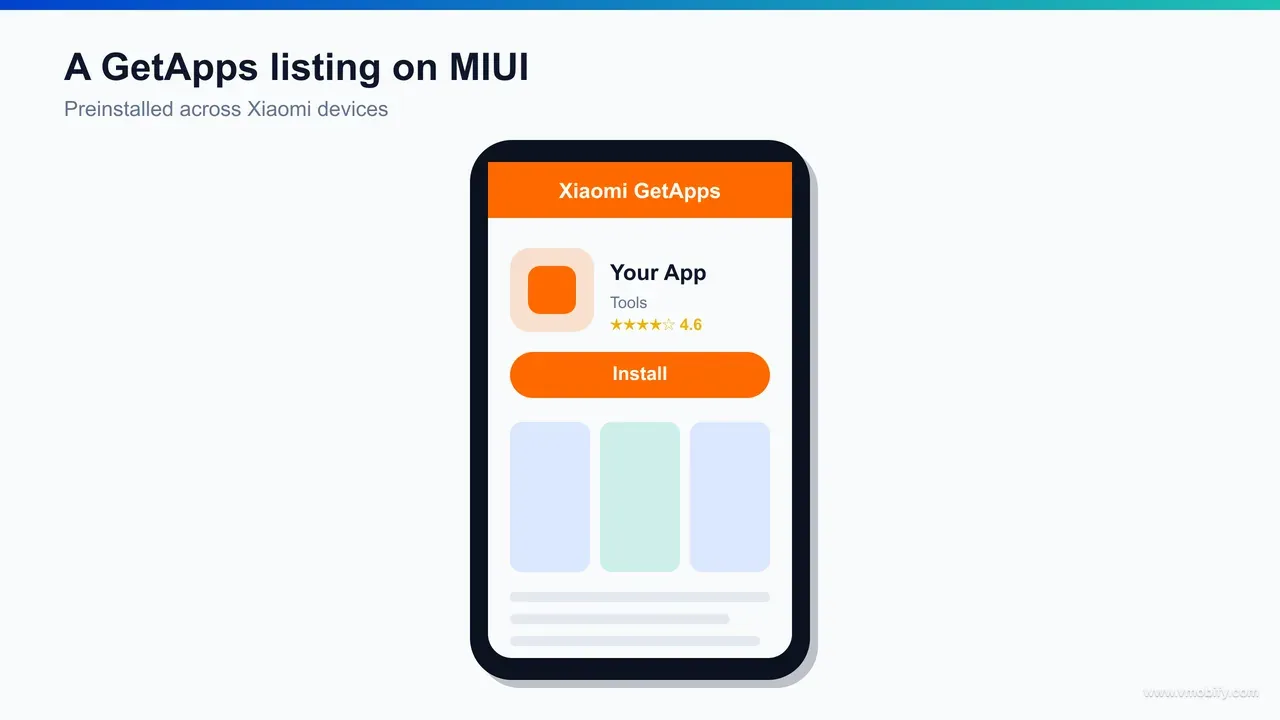
GetApps is Xiaomi's own Android app store — the Mi App Store — that ships preinstalled on MIUI and HyperOS devices, giving it a built-in distribution surface on every Xiaomi, Redmi and POCO phone rather than relying on users to seek it out. For an India-focused developer, that preinstalled footprint is the entire reason GetApps is worth a look: it puts a storefront in the pocket of a vast, price-sensitive, non-metro audience that the brand already owns.
The reach figure most often quoted is 200 million-plus monthly active users across 59 regions, with the store reportedly strongest in India, Indonesia, Russia and the CIS markets. We would treat that number as directional rather than precise — it is a secondary figure attributed to Xiaomi's own developer materials (you can read the platform's own overview at Mi Developer's About GetApps), and Xiaomi does not publish an audited, current MAU breakdown the way some larger platforms do. The honest read: the audience is large and concentrated in exactly the emerging markets where Xiaomi hardware sells, and that is what makes it relevant.
What separates GetApps from a vanity alternative store is the preinstall. Across our 300+ apps managed since 2013, the single biggest predictor of whether a second store is worth maintaining is whether it ships on devices by default — a store users have to download and discover almost never moves real volume. GetApps clears that bar by being baked into MIUI/HyperOS, which is why it earns a place in an India-first distribution plan alongside Google Play.
If you are weighing GetApps against the other non-Play options, our guide to alternative app stores maps where each one fits by market and monetisation model. GetApps sits firmly in the "device-channel for emerging markets" bucket — a reach play, not a billing play.
Why does GetApps matter for the Indian market specifically?
GetApps matters in India because Xiaomi has been one of the country's largest smartphone brands for years, which means its preinstalled store reaches deep into Tier-2 and Tier-3 markets and the next wave of first-time Android users — precisely the audience a Play-only strategy under-serves. The store is not an abstraction here; it is on tens of millions of Redmi and POCO handsets that India's value-conscious buyers actually own.
Xiaomi has been explicit about leaning into this. At its MIPC India 2025 event in New Delhi (December 2025), the company framed an "open ecosystem" push across apps, connected TV and advertising — a signal that it intends GetApps and its broader India developer programme to be a serious distribution channel, not an afterthought. For a developer planning where to spend a finite ASO budget in 2026, that institutional commitment is worth weighing.
The strategic point is about audience overlap. The Indian users Xiaomi hardware reaches — younger, non-metro, mobile-first, often vernacular-comfortable — are the same cohort driving the install growth we documented in our analysis of India app install trends in 2026. If your app is built for that audience, GetApps is one of the few channels that concentrates them on a single preinstalled surface.
There is also a behavioural reason the channel works in India beyond raw device numbers. A preinstalled store removes the single biggest friction in the alternative-store playbook: discovery. A first-time Android buyer on a budget Redmi handset does not go hunting for a second app store, but they will open one that is already on the home screen — which is why a preinstall converts where a download-and-install store dies. For an app whose growth depends on reaching users beyond the metro-English Play audience, that home-screen presence is worth more than a larger but invisible store.
One caution, in keeping with how we advise clients: do not assume India-specific payment mechanics on GetApps that have not been confirmed. Whether UPI billing, store-side payment rails or India-specific commercial terms apply is something you must verify in the Mi Developer Console for your account and region rather than infer from how Play or Indus behave. The reach is the confirmed advantage; the commercial fine print is something to check, not assume.
How do you register and submit an app on the Mi Developer Console?
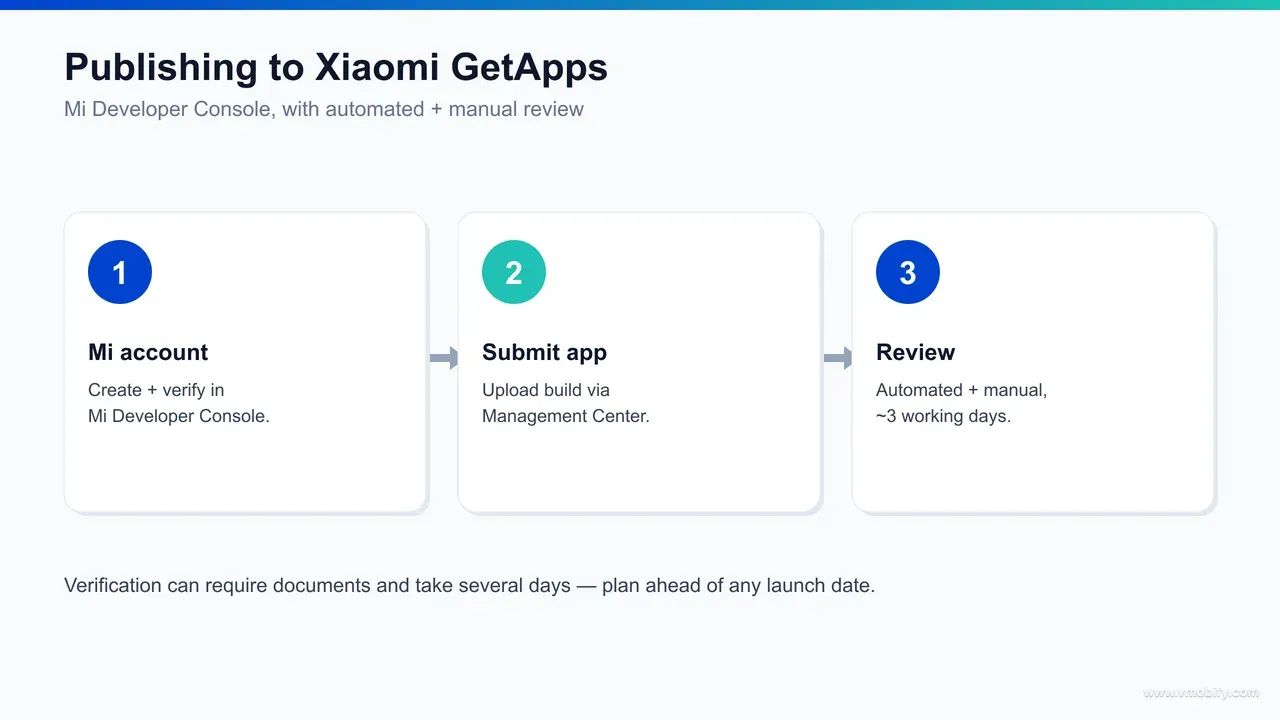
Submitting to GetApps means creating a developer account on the Mi Developer Console, completing identity and business verification, then uploading your build, store assets and metadata before sending the app for review — the same broad shape as any Android store, but with a verification step that takes longer than most. If you already ship on Google Play, the APK or App Bundle is the same artefact; the new work is the account and the listing.
- Register on the Mi Developer Console: create an account on Xiaomi's global developer platform. Choose the correct account type — individual or company — because it determines which verification documents you will be asked for.
- Complete verification: this is the step that catches teams out. Verification typically requires identity and business documents and can take several days to clear. Start it well before any planned launch date rather than treating it as a same-day formality.
- Upload your build and store assets: add your APK or App Bundle, icon, screenshots and feature graphics. Do not copy your Play listing verbatim — GetApps indexes its own metadata fields (covered in the next section), so the listing is a fresh ASO surface, not a paste.
- Configure pricing and commercial settings: set your app's pricing and any in-app commercial details here. On the question of platform commission, do not assume a figure — Xiaomi does not publish a headline GetApps commission rate, so confirm the current commercial terms directly in the Mi Developer Console for your account before you model unit economics.
- Submit for review: send the app through GetApps' review process, which combines automated and manual checks. Treat the first submission the way you would a Play submission — accurate metadata, clean screenshots, no policy edge cases.
In our portfolio, the teams that launch on a new store smoothly are the ones that front-load the boring parts: they start account verification a week or two ahead, keep their business and tax documents ready, and never schedule a marketing push against an unverified account. The incremental effort over a Play listing is modest, but the verification timeline is the one thing you cannot compress on the day.
Which metadata fields does GetApps index for ASO?
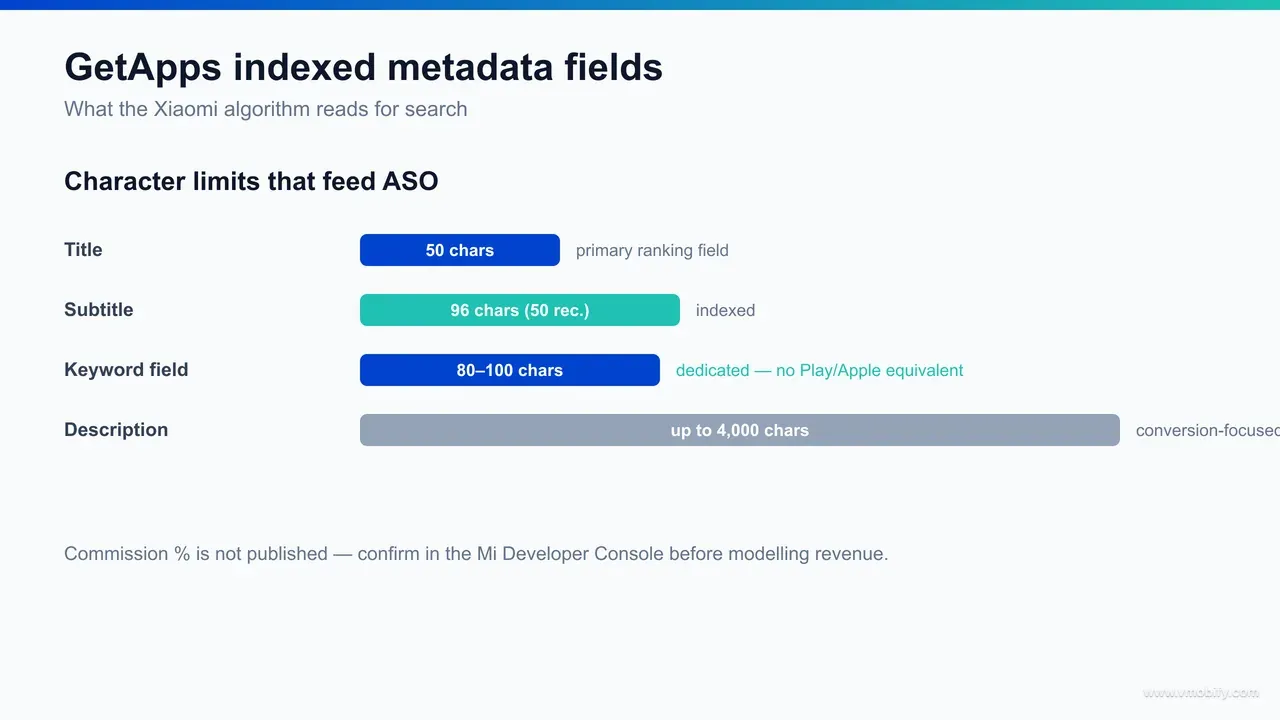
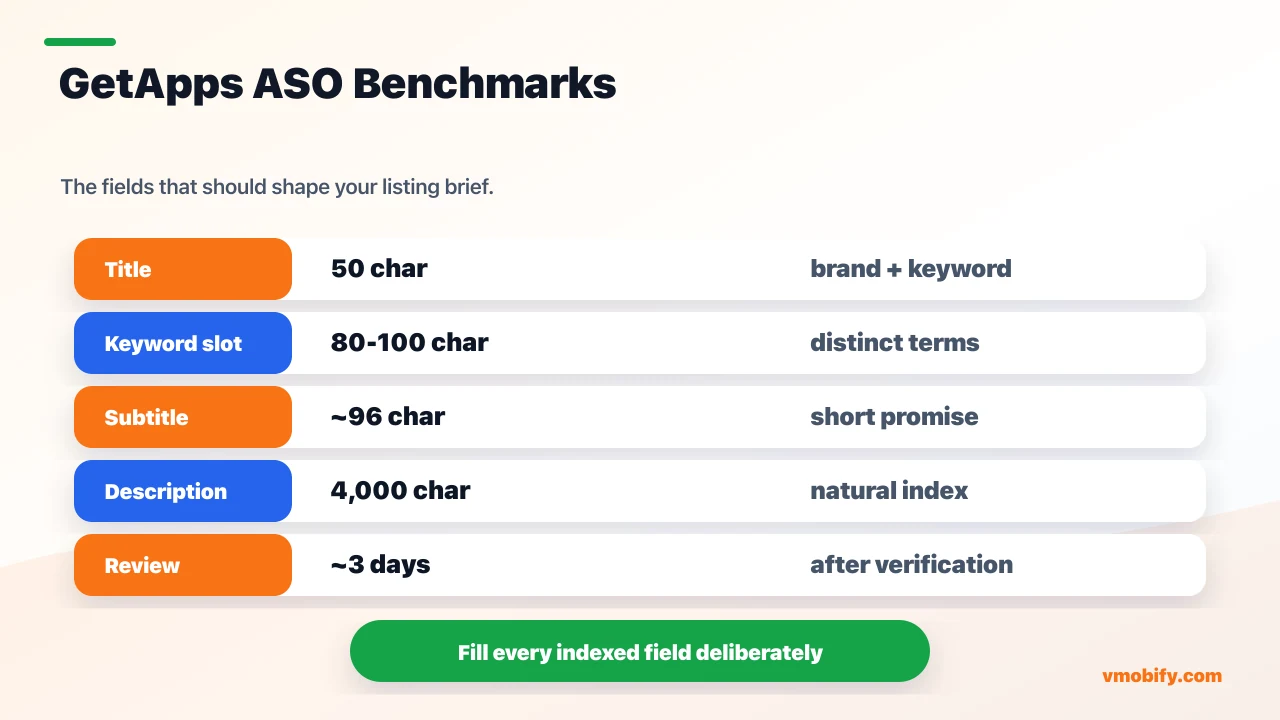
GetApps indexes a 50-character title, a dedicated keyword field of roughly 80-100 characters, and a description of up to 4,000 characters — and the dedicated keyword field is the standout, because neither Google Play nor the Apple App Store gives Android developers an equivalent indexed slot to fill deliberately. Getting these three fields right is most of the GetApps ASO job.
Here is the field map, drawn from published Xiaomi store ASO analysis (see ASOMobile's breakdown of the GetApps ASO process):
- Title — up to 50 characters: the highest-weight indexed field. Lead with your strongest keyword and your brand, the same discipline you would apply on any store, but with more room than Apple's 30-character title.
- Subtitle / one-line — up to ~96 characters (around 50 recommended): a short descriptor that supports the title. Keep it tight and keyword-bearing rather than padding to the maximum.
- Dedicated keyword field — roughly 80-100 characters: this is the differentiator. It is an indexed field with no equivalent on Play or the App Store. Use every character on distinct, comma-separated terms — do not repeat words already in your title, and do not waste the slot on filler.
- Description — up to 4,000 characters: a long, indexed field. Write naturally for users while ensuring your priority keywords appear early and in context, rather than keyword-stuffing.
The practical implication is that GetApps rewards deliberate keyword work in a way Play does not. On Google Play you are optimising a title, a short description and a long description that the algorithm full-text-indexes, with no separate keyword slot — a difference set out in AppTweak's comparison of how the two major stores index metadata. On GetApps you also get a discrete keyword field to target terms your title and description cannot naturally carry. That extra slot is the single most actionable GetApps-specific ASO lever — and the one most developers leave empty because they copy their Play listing across without realising the field exists.
Two disciplines make the difference between a field that ranks and one that wastes its characters. First, do not duplicate: a term that already sits in your 50-character title gains little from being repeated in the keyword field, so reserve the slot for distinct, additive terms. Second, prioritise by intent: with only 80-100 characters, every word competes for space, so lead with the high-volume, high-intent terms your category actually searches and drop the marginal ones. The same field-mapping rigour we apply to GetApps' indexed metadata structure on every listing is what turns this store-specific quirk from a curiosity into measurable ranking lift.
How do you optimise a GetApps listing to rank?
You rank on GetApps by filling every indexed field deliberately — especially the dedicated keyword field — then reinforcing the listing with the engagement signals every app store rewards: install velocity, ratings and retention. Treat the metadata as the foundation and the behavioural signals as the multiplier.
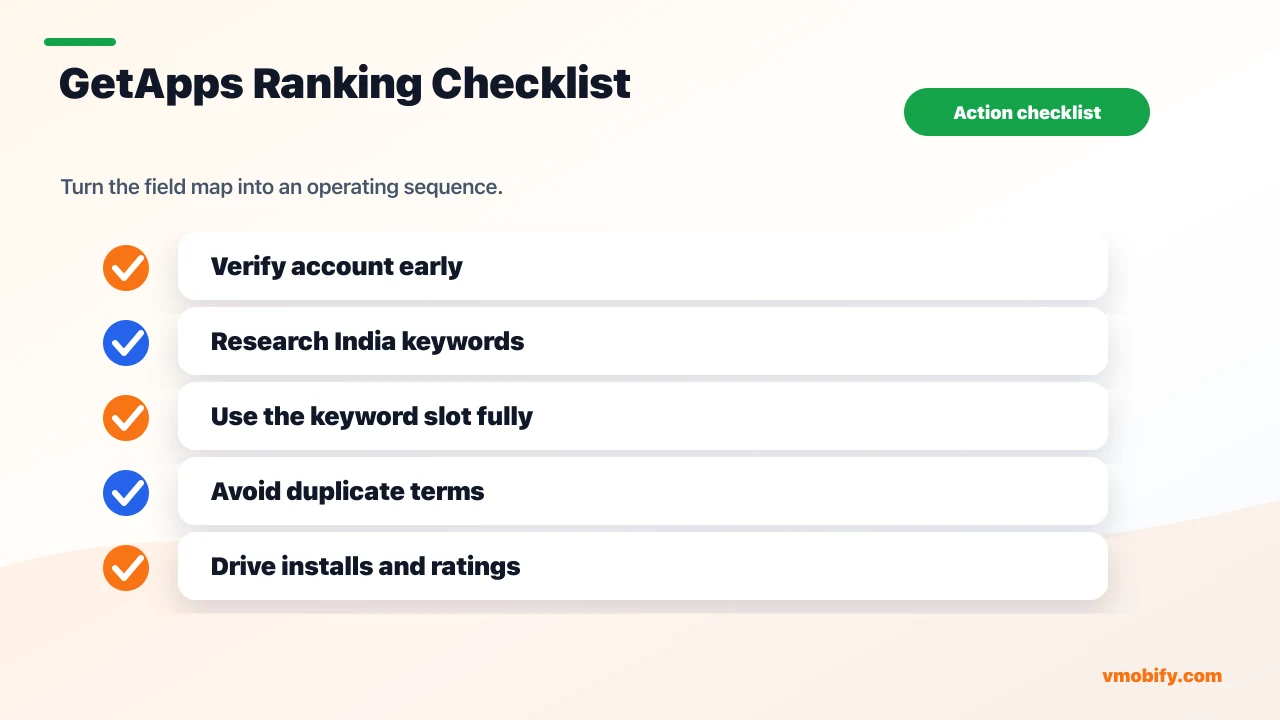
- Research keywords per market, not per word: GetApps' strength is emerging markets, so research the terms users in India, Indonesia and the CIS actually search — which are rarely the literal translation of your English keywords. Build a distinct keyword set for the store rather than reusing your Play set wholesale.
- Fill the dedicated keyword field completely: this is the most impactful GetApps-specific move. Pack the full 80-100 characters with distinct, high-intent terms that do not already appear in your title.
- Write a keyword-bearing title and description: lead the 50-character title with your strongest term, and ensure the 4,000-character description carries your priority keywords early and in natural context.
- Drive install velocity and ratings: like most stores, GetApps rewards apps that convert and retain. A coordinated launch that concentrates installs, plus active rating prompts, gives the listing momentum the algorithm can read.
- Iterate on the store's own data: revisit your keyword field and title as search and conversion data accumulate. ASO is never set-and-forget, and a young store's ranking data shifts as the catalogue grows.
Here is what filling that field deliberately actually looks like. Say your title uses 36 of the 50 characters: BudgetPay - Bill Payments & Recharge. Every word in it is already indexed, so none of them earns a place in the keyword slot. List the terms your category is genuinely searched on, strike anything the title already carries, then order what survives by intent until the characters run out: mobile recharge,electricity bill,dth,gas bill,upi payment,prepaid,postpaid,fastag,broadband. That string is 91 characters — inside the 80-100 range, with no repetition, no filler and no term the title already owns. Build it in a spreadsheet with a live character count beside it — the field is too small to eyeball.
A note on certainty: Xiaomi does not publish its ranking algorithm, so the relative weighting of these signals is best-practice inference, not a documented spec — we treat the indexed-field structure as the citable, reliable part and the behavioural weighting as informed judgement. The same fundamentals that drive results elsewhere apply here, and our wider Android ASO hacks translate cleanly to GetApps. If you want the keyword research and listing build done properly across multiple stores, that is the work our ASO team runs day to day.
How long does GetApps app review take?
GetApps review combines automated and manual checks and typically takes around three working days, on top of the separate — and often longer — account verification step that precedes your first submission. Build both windows into your launch plan rather than assuming an instant publish.
The roughly three-working-day review figure comes from the same published GetApps ASO analysis cited above, and it is consistent with how a hybrid automated-plus-manual review tends to run. The practical takeaway is sequencing: account verification can take several days and must clear before you can even submit, so the real lead time from "we decide to launch on GetApps" to "the app is live" is closer to a week or more for a first-time developer, not three days.
Two things shorten the path in practice. First, get verification out of the way early — it is the genuinely unpredictable step, and starting it ahead of time removes it from the critical path. Second, submit a clean first build: accurate metadata, screenshots that match the current app, and no policy edge cases, so the manual review has nothing to bounce. In our portfolio, a same-day rejection on a sloppy first submission is the most common reason a "three-day" review turns into a two-week one.
It also helps to understand why a hybrid review takes the time it does. Automated checks scan the build for malware, policy-flagged permissions and broken metadata almost instantly, but the manual layer — a human confirming your screenshots match the app, your content rating is accurate, and your category is right — is where the working days go. Anything that forces a reviewer to pause and question your listing extends the queue, which is precisely why a clean, self-evidently accurate submission clears faster than one a reviewer has to interrogate.
One honest caveat: review SLAs on every store flex with submission volume, policy changes and the specifics of your app. Treat "around three working days" as a planning baseline, not a guarantee, and never schedule a hard external launch date against an unconfirmed review window. We plan client launches with a buffer on both the verification and review windows for exactly this reason — the cost of a slipped date is far higher than the cost of building in slack.
GetApps vs Google Play — when is it worth the effort?
Google Play remains your volume engine and primary store; GetApps is worth the incremental effort when your app is India-first or emerging-markets-first and you want the device-channel reach Xiaomi's preinstalled base provides — so the right model is "Play plus GetApps," not "Play or GetApps." They are complements, not substitutes.
- Reach: Play is on effectively every Android device; GetApps is on Xiaomi/Redmi/POCO hardware via preinstall. Play is your volume base — that does not change. GetApps adds a concentrated emerging-markets audience on top.
- Indexed fields: Play full-text-indexes your description with no separate keyword slot; GetApps adds a dedicated keyword field Play does not offer. That extra slot is a small but real ASO edge for the developers who use it.
- Commercials: Play's billing and commission terms are public in Google's developer policy; GetApps' commission is not something we will state — confirm it in the Mi Developer Console. Do not assume parity in either direction.
- Effort: the build is the same artefact; the added work is verification, a fresh listing and a second review queue. For an India-first app, that is modest relative to the reach gained.
For the widest India device-channel coverage, GetApps pairs naturally with the other major preinstalled India store. Listing on GetApps and Indus Appstore together puts you in front of a large share of India's non-metro Android base — Xiaomi's hardware channel plus Indus's PhonePe-backed preinstall footprint — that no single store reaches alone. The marginal effort of a third listing is small relative to the incremental, otherwise-unreachable installs.
The decision framework is simple. If your audience is India-first or emerging-markets-first and you have the operational capacity to maintain a second listing, run the numbers — the reach usually justifies it. If you are a metro-English, global app with no emerging-markets focus, Play alone is fine and a second store is overhead you do not need. If you want help deciding which stores to add and getting them set up and measured properly, talk to our team and we will scope it against your actual audience.
Frequently Asked Questions
How do you publish an app on Xiaomi GetApps?+
Create a developer account on the Mi Developer Console, complete identity and business verification, upload your APK or App Bundle with store assets and metadata, set your pricing, and submit for review. Verification can take several days, so start it ahead of any launch date.
How many users and regions does GetApps reach?+
GetApps reportedly serves more than 200 million monthly active users across 59 regions, with particular strength in India, Indonesia, Russia and the CIS. Treat that figure as directional rather than an audited, current number.
How long does Mi Developer Console verification take?+
Account verification typically requires identity and business documents and can take several days to clear. It must complete before your first submission, so start it well ahead of a planned launch.
How long is the GetApps keyword field?+
GetApps offers a dedicated indexed keyword field of roughly 80-100 characters, alongside a 50-character title and a description of up to 4,000 characters. The dedicated keyword field has no equivalent on Google Play or the Apple App Store.
Is Xiaomi GetApps available in India?+
Yes. GetApps ships preinstalled on Xiaomi, Redmi and POCO devices in India, where Xiaomi has long been one of the largest smartphone brands, giving the store deep Tier-2 and Tier-3 reach.
How long does GetApps app review take?+
Review combines automated and manual checks and typically takes around three working days. Treat that as a planning baseline rather than a guarantee, and factor in the separate verification step before your first submission.
What is the GetApps revenue share or commission?+
Xiaomi does not publish a headline GetApps commission rate. Confirm the current commercial terms directly in the Mi Developer Console for your account and region before modelling your unit economics — do not assume a figure.
Sources
- Mi Developer — About GetApps — GetApps reach, regions and platform overview (secondary MAU figure)
- ASOMobile — Xiaomi App Store ASO process — Indexed-field char limits and ~3-working-day review window
- PR Newswire — Grow with Xiaomi (MIPC India 2025) — Xiaomi open-ecosystem India developer push (New Delhi, Dec 2025)
- AppTweak — Apple App Store vs Google Play ASO differences — How Play full-text-indexes the description with no separate keyword field (comparison context)
- Google Play — Developer content policy — Play Billing and commission terms cited for store comparison
- Mi Developer Console — Where developers register, verify, submit and confirm current GetApps commercial terms
About the author
Amol Pomane — Founder, Vmobify
Amol leads Vmobify, a mobile app growth agency that has driven 30M+ downloads and ranked 54K+ keywords across 300+ apps since 2013. He writes about ASO, paid user acquisition, retention, and the operational reality of scaling mobile apps in India and global markets.
Check your store metadata
Run your current App Store or Play metadata through the free checker.
Open free tool