Samsung Galaxy Store: Submission & ASO Guide for 2026
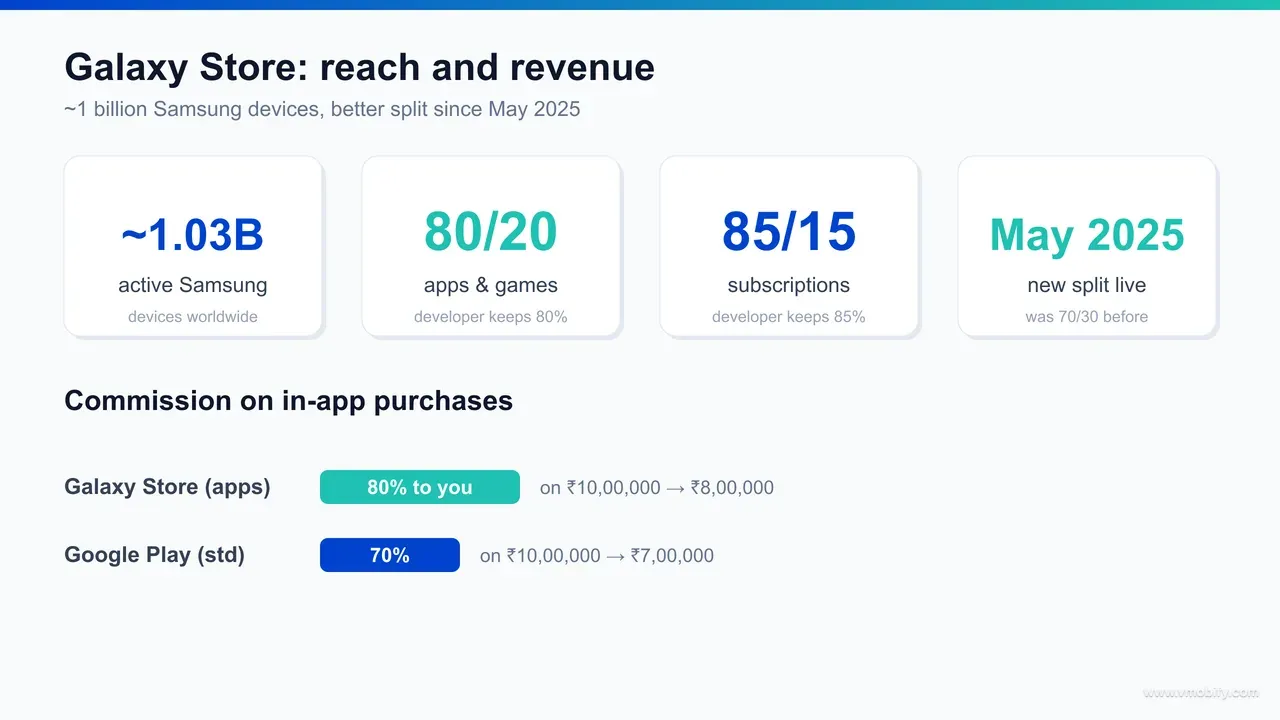
The Galaxy Store is preloaded on roughly a billion active Samsung devices, and since May 2025 it pays developers 80/20 on apps and games. Here is how to submit, what drives ranking, and where it actually pays off versus Google Play.
On this page
- Why publish on the Samsung Galaxy Store in 2026?
- How many devices can the Galaxy Store actually reach?
- What is the Galaxy Store revenue share after the 2025 change?
- How do you submit an app to the Galaxy Store?
- Which ASO factors drive ranking in the Galaxy Store?
- Galaxy Store vs Google Play — where does each win?
- What results should you realistically expect?
- Frequently Asked Questions
Why publish on the Samsung Galaxy Store in 2026?
You publish on the Samsung Galaxy Store because it is preloaded on close to a billion active devices and, since mid-2025, pays a markedly better revenue share than Google Play — two advantages that, together, change the unit economics of an India- or globally-distributed Android app. It is the rare alternative store where the case rests on hard numbers rather than novelty.
Most Android developers treat Google Play as the entire universe, and for raw install volume that instinct is correct. But Play is not the only storefront sitting on a Samsung phone out of the box. Every Galaxy device ships with the Galaxy Store preinstalled alongside Play, which means the distribution surface already exists on the handset — there is no app to convince a user to side-load, no unfamiliar marketplace to trust. The store is simply there, in the app drawer, on a billion devices.
The second reason is economic, and it is new. In May 2025 Samsung cut its commission, moving from the long-standing 70/30 model to 80/20 on apps and games, in an explicit bid to win developers away from competing stores. For any app that monetises through paid downloads, subscriptions or in-app purchases, that delta is not a rounding error — it is recovered margin on every transaction, every renewal, for the life of the product.
Across our 300+ apps managed since 2013, the question we hear most about second stores is whether the maintenance is worth the incremental installs. For the Galaxy Store, the better framing is to count the recovered commission first and treat the extra installs as upside — because for a monetised app on a Samsung-heavy audience, the maths often clears the bar before you count a single new download. This guide covers the reach, the revenue share, the submission flow, the ASO levers, and the honest trade-offs against Play.
How many devices can the Galaxy Store actually reach?
The Galaxy Store's addressable base is roughly 1.03 billion active Samsung devices worldwide — the single largest installed base of any one Android manufacturer, and the core reason the store is worth taking seriously despite its smaller catalogue. That figure comes from SamMobile's reporting on Samsung's active-device milestone.
The important nuance is the difference between addressable reach and active store usage. A billion devices carry the Galaxy Store; far fewer people open it on any given day, because Play is the default discovery habit for most Android users. So the billion is a ceiling on reach, not a measure of monthly active shoppers. That distinction matters when you set expectations — the store puts your app within one tap of an enormous audience, but you still have to earn the open and the install.
For an India-focused growth strategy, the Samsung base is significant. Samsung is one of the top-selling smartphone brands in India, and its devices skew across both premium and mid-range tiers, which means the Galaxy Store reaches an audience that overlaps heavily with the paying, subscription-capable users that India-first monetised apps most want. That premium-and-mid-tier skew matters because it is precisely the cohort with the highest in-app spend, so the audience the Galaxy Store concentrates is also the audience whose transactions gain most from the improved split. It sits naturally alongside the other India device-channel plays — the homegrown stores we cover in our guide to alternative app stores — as part of a multi-store footprint rather than a standalone bet.
Reach also compounds with Samsung's own merchandising. The store runs editorial featuring, category placements and curated collections, and because the catalogue is far smaller than Play's, a well-prepared listing has a genuine chance of being surfaced — an opportunity that is effectively gone on Play unless you are already a top-charts app.
How do you submit an app to the Galaxy Store?
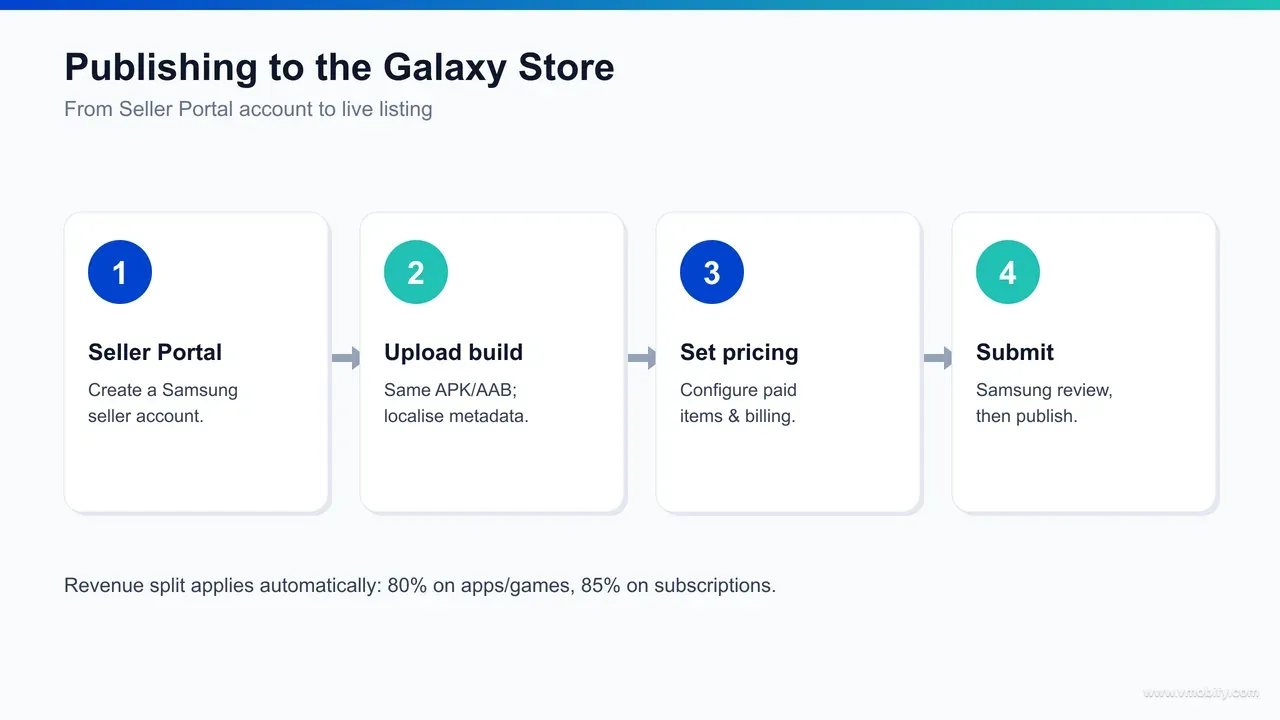
You submit through Samsung Seller Portal — register a seller account, upload your existing Android build and store assets, set pricing and your distribution countries, then send it for Samsung's review — and if you already ship on Play, the build itself needs no rework. The artefact is the same APK or App Bundle; what differs is the portal and the review.
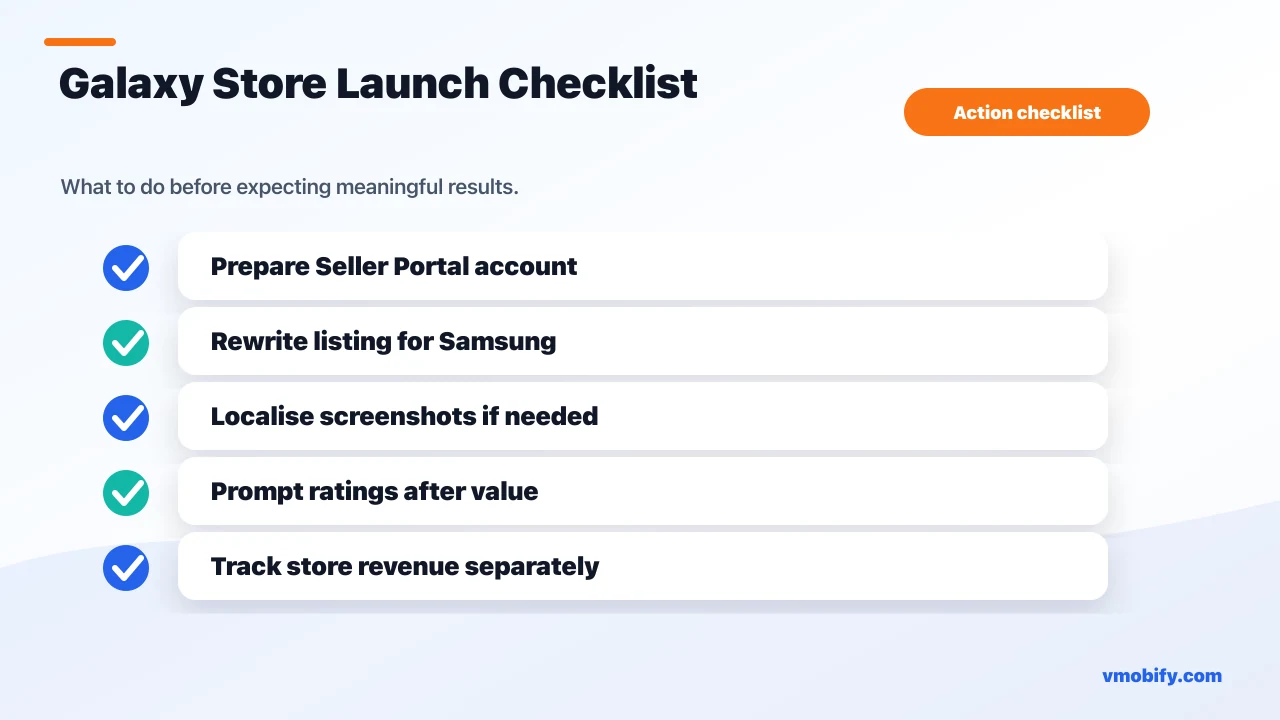
- Register a Seller Portal account: create a Samsung account and enrol as a commercial seller. Have your business, tax and bank details ready, because payout setup is part of onboarding — a young or unverified account is the most common cause of an avoidable delay.
- Upload your build and store assets: reuse your Play APK or App Bundle, but do not paste your Play listing copy verbatim. The Galaxy Store indexes its own listing, so the title and descriptions are a ranking lever worth writing for this store specifically (covered in the next section).
- Set pricing, billing and distribution: choose paid or free, configure in-app items through Samsung's billing if you monetise, and select the countries you want to distribute to — including India if that is your market.
- Submit for Samsung review and publish: the store runs its own review before your app goes live. Treat the first submission the way you would a Play submission — accurate metadata, current screenshots, clean content rating and data declarations — because a young store still rejects sloppy listings, and a day-one rejection delays the installs you came for.
Plan around a review window rather than an instant publish. Samsung does not publish a guaranteed turnaround, so we deliberately avoid quoting a fixed number of days — anyone who tells you a precise SLA is guessing. Build a buffer into any launch tied to a marketing date, and submit early enough that a single round of review feedback does not derail the timing.
In our portfolio, the teams that get clean first-pass approvals are the ones that treat the Galaxy Store listing as a real listing, not a copy-paste of Play. The incremental effort over an existing Play submission is genuinely small; the cost of treating it as an afterthought is a rejection, a delay, and a weaker listing that under-converts the reach you went to the trouble of unlocking.
Which ASO factors drive ranking in the Galaxy Store?
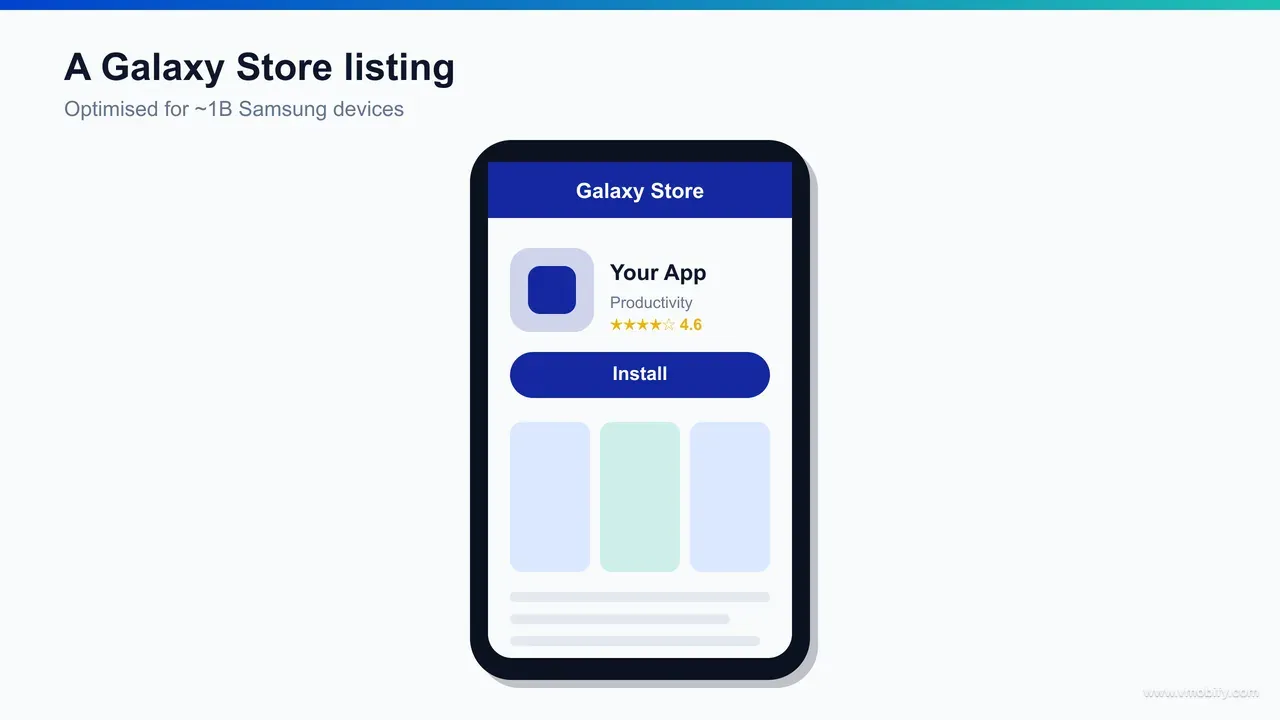
Samsung does not publish its ranking algorithm, so Galaxy Store ASO is best treated as informed best practice rather than documented fact — but keyword relevance in the title and descriptions, ratings quality, total installs and download velocity all appear to influence where an app surfaces. Treat the following as inferred levers, not a published formula, and weight them accordingly.
- Keyword relevance in the title: the app title is the highest-signal metadata field on most stores, and the Galaxy Store appears to be no exception. Lead with the term users actually search, and keep the brand and the primary keyword both legible.
- Keywords in the descriptions: the short and long descriptions give you room to cover your secondary terms and use cases naturally. Write for a human first and index second — keyword-stuffed copy reads badly and converts worse.
- Ratings and reviews: rating quality is both a ranking signal and a conversion driver. A young listing with thin reviews has to earn the install on its merits, so prompt satisfied users to rate at the right moment in the experience.
- Installs and download velocity: total downloads and the rate of recent installs appear to feed ranking, which is why a coordinated launch — rather than a quiet trickle — tends to compound. Industry ASO analyses such as this breakdown of Galaxy Store ranking point to download velocity as a meaningful factor, though, again, Samsung does not confirm the weighting.
Because the algorithm is opaque, the disciplined approach is the same one we apply across app store optimisation generally: research the real search terms for your category, write native titles and descriptions for this store rather than recycling Play copy, ship strong screenshots, and then watch the store's own data to see what moves. Do not assume Play's keyword research transfers cleanly — store search behaviour differs, and the metadata you index here is its own surface.
One practical advantage works in your favour: with a far smaller catalogue than Play, the competition for any given keyword is thinner. A listing that would be buried on Play can rank and stay visible on the Galaxy Store with a fraction of the effort, simply because fewer apps are contesting the same terms. That lower competitive density is one of the most underrated reasons to optimise a Galaxy Store listing properly rather than treating it as a passive mirror of Play.
Galaxy Store vs Google Play — where does each win?
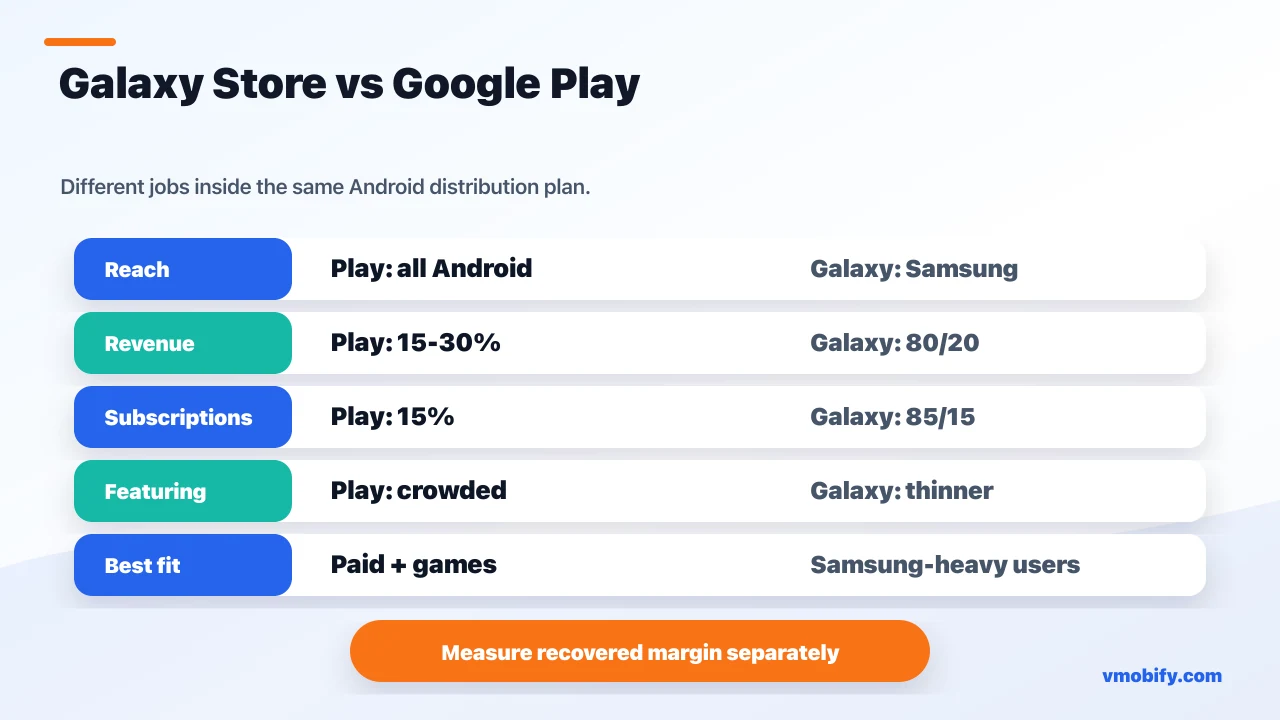
Google Play wins decisively on reach, discovery habit and tooling; the Galaxy Store wins on revenue share and on low-competition featuring against a Samsung audience — which is why the right model is "Play plus Galaxy Store" for monetised apps, not "one or the other." They are complements, with clearly different jobs.
- Reach and habit: Play is the default store on effectively every Android device and is where the overwhelming majority of installs happen. The Galaxy Store is preloaded on roughly a billion Samsung handsets but is opened far less often. Play is your volume engine; that does not change.
- Revenue share: the Galaxy Store's 80/20 on apps and games beats Play's 30% tier, and its 85/15 on subscriptions matches Play's best rate. For paid and subscription apps this is the store's clearest structural advantage.
- Featuring: getting featured on Play is near-impossible without top-charts scale. On the Galaxy Store, the smaller catalogue means editorial placement and category visibility are realistically attainable for a well-prepared listing.
- Tooling and maturity: Play offers deep developer tooling — staged rollouts, listing experiments, rich analytics. The Galaxy Store's tooling is leaner. Play is the more mature operating environment.
- Audience fit: if your paying users skew toward Samsung devices — common for premium and mid-tier India audiences — the Galaxy Store concentrates exactly the users whose transactions benefit most from the better split.
The framing we give clients is straightforward: keep Google Play as your primary store and your source of install volume, and add the Galaxy Store as a higher-margin supplement for the Samsung slice of your audience. This is the same multi-store logic that governs how to increase app downloads across channels — you do not replace your volume engine, you add high-margin reach where the economics justify the maintenance.
What results should you realistically expect?
Set expectations honestly: the Galaxy Store will not match Play's install volume, but for paid, subscription and game apps it can deliver a meaningful margin uplift on the revenue it does carry, plus incremental installs from a low-competition catalogue. The win is economic and supplementary, not a new primary channel.
The industry consensus — and it is a consensus, not a single sourced quote — is that alternative OEM stores like the Galaxy Store tend to earn less per app than Google Play even when install counts look comparable, because store-open frequency and shopping intent are lower. We frame it that way deliberately: there is no clean citable first-person figure that nails the gap, so treat it as the prevailing industry view rather than a hard statistic. The practical implication is that you should measure the Galaxy Store on its own incremental contribution — recovered commission plus net-new installs — and not hold it to Play's volume.
Where the store genuinely pays off is narrower and clearer. A paid or subscription app earning real revenue keeps an extra slice of every transaction under 80/20 and 85/15, and that compounds quietly in the background. A game with high in-app-purchase volume benefits most of all, which is exactly the segment Samsung designed the new rates to attract. And any app whose audience skews Samsung gets reach it was not capturing before, at a marginal effort cost over its existing Play listing.
What you should not expect is a Play-sized install curve or a featuring slot that does the marketing for you. The reach is a ceiling, not a guarantee, and the installs you earn still depend on a listing that converts and a launch that builds enough download velocity to surface. Teams that go in expecting the store to behave like Play on day one are the ones that come away disappointed; teams that scope it as a margin-and-reach supplement come away with a quietly profitable second channel.
In our portfolio, the pattern that works is to scope the Galaxy Store as a margin-and-reach supplement from day one: list it, optimise the listing properly, measure recovered commission and incremental installs separately from Play, and judge it on that ledger alone. Scoped that way, it is one of the cleaner second-store decisions available to an Android team — the reach is real, the revenue share is real, and the downside is limited to the maintenance of one extra listing.
If you want help deciding whether the Galaxy Store — or a broader multi-store strategy — clears the bar for your specific app, and want it set up and measured properly rather than launched and forgotten, that is exactly the kind of work our team runs. You can talk to us about where a second store fits in your distribution plan.
Frequently Asked Questions
What is the Galaxy Store revenue share in 2025 and 2026?+
Since 15 May 2025 the Galaxy Store pays developers 80/20 on apps and games and 85/15 on auto-renewing subscriptions, up from the previous 70/30. Those rates carry into 2026; confirm current terms in Samsung Seller Portal before modelling your economics.
When did the Galaxy Store 80/20 split start?+
The new revenue-share model took effect on 15 May 2025, as confirmed in Samsung’s developer announcement. It replaced the long-standing 70/30 split.
How do you publish an app on the Samsung Galaxy Store?+
You register a Samsung Seller Portal account, upload your existing Android build and store assets, set pricing and distribution countries, then submit for Samsung’s review. If you already ship on Google Play, the build itself needs no rework.
Is the Galaxy Store worth it versus Google Play?+
For paid, subscription and game apps, yes — the better revenue share and low-competition featuring justify a second listing. For free, ad-monetised apps with a non-Samsung-heavy audience, the upside is thinner and Google Play alone is usually fine.
What is the Galaxy Store subscription revenue share?+
Auto-renewing subscriptions are split 85/15 in the developer’s favour, slightly better than the 80/20 that applies to apps and games. Both rates took effect on 15 May 2025.
Does the Galaxy Store support in-app purchases?+
Yes. You can configure in-app items through Samsung’s billing during submission, and revenue on those purchases falls under the 80/20 (or 85/15 for subscriptions) split.
How long does Galaxy Store review take?+
Samsung does not publish a guaranteed turnaround, so plan for a review window rather than an instant publish and build a buffer into any launch tied to a marketing date. Avoid relying on any fixed figure — the store does not commit to one.
Sources
- Samsung Developer — new revenue-share model for Galaxy Store — 80/20 on apps and games, 85/15 on subscriptions, effective 15 May 2025
- SamMobile — a billion active Samsung devices worldwide — Roughly 1.03 billion active Samsung devices — the Galaxy Store addressable base
- Engadget — Samsung cuts Galaxy Store commission to 80/20 — Coverage of the commission cut as a developer-acquisition move
- PocketGamer.biz — Galaxy Store revenue share cut for games — The cut framed as a deliberate play for game developers
- ASOWorld — Galaxy Store ranking algorithm — Inferred ranking factors: title/description keywords, ratings, installs, download velocity
- Google Play — service fees and developer policy — Play Billing 15–30% commission structure used for comparison
About the author
Amol Pomane — Founder, Vmobify
Amol leads Vmobify, a mobile app growth agency that has driven 30M+ downloads and ranked 54K+ keywords across 300+ apps since 2013. He writes about ASO, paid user acquisition, retention, and the operational reality of scaling mobile apps in India and global markets.
Check your store metadata
Run your current App Store or Play metadata through the free checker.
Open free tool