User AcquisitionMay 26, 2026·23 min read

Buy iOS App Installs: Every Channel, Real Pricing, Zero Bans

iOS installs cost more, attribute differently, and require a different channel mix than Android. This guide covers every legitimate channel for buying iOS app installs in 2026 — with real CPIs, budget guidance, and the quality checks that separate real users from fraud.

ByAmol Pomane·Founder, Vmobify
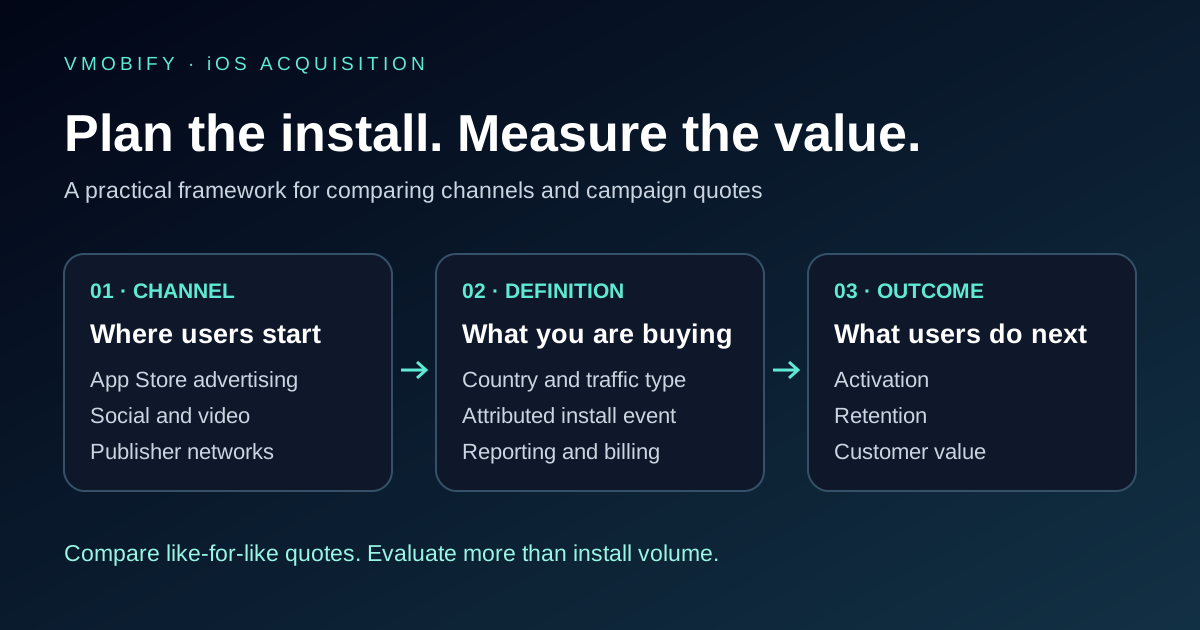
Buy iOS App Installs: Every Channel, Real Pricing, Zero Bans — illustration

Why do iOS app installs cost more than Android?

iOS installs cost more than Android installs across every channel because the iOS user base skews higher-income, spends more on in-app purchases, and responds to premium app categories at a rate that makes each install genuinely more valuable to advertisers. When advertisers are willing to pay more per install, auction dynamics push CPIs up across the board — it is not a tax Apple levies, it is a market-clearing price.

Three structural factors drive the iOS CPI premium:

  • Higher LTV demographics: iPhone users in every major market spend materially more on apps and in-app purchases than their Android counterparts. Per AppsFlyer's Performance Index, iOS revenue-per-user benchmarks are consistently 2–3x Android across gaming, fintech, and subscription categories. Advertisers know this and bid accordingly.
  • Attribution complexity post-iOS 14.5: SKAdNetwork, Apple's privacy-preserving attribution framework, limits the real-time signal that ad platforms use to optimise campaigns. Less signal means less algorithmic efficiency, which means higher average CPIs as platforms compensate with broader bidding ranges.
  • Supply-side dynamics in the App Store: The App Store generates roughly 30–35% more revenue per app than Google Play globally, so there are more advertisers competing for iOS install inventory. More competition in the auction means higher floor prices across all channels.

These are not reasons to avoid iOS — they are reasons to be precise about how you buy. Across our 300+ apps managed since 2013, we have consistently found that iOS users who install from high-intent channels (Apple Search Ads, keyword-targeted Meta, non-incent CPI) generate LTV that more than justifies the CPI premium over Android. The mistake is applying Android budgeting logic to an iOS campaign and wondering why ROI looks broken at week two.

The geography of iOS CPIs also matters more than on Android. India's iOS install market is fundamentally different from the US iOS market: ₹20–₹80 per install in Indian Tier-1 cities versus $2–$8 in the US for the same category. Southeast Asia sits in between at $0.50–$2. A globally-mixed iOS campaign that does not segment by geography will produce blended CPIs that are uninterpretable and unoptimisable — always segment markets from day one.

Which channels can you use to buy iOS app installs?

There are five primary channels for buying real, policy-compliant iOS app installs in 2026: Apple Search Ads, Meta Advantage+, Google UAC (iOS targeting), TikTok App Campaigns, and managed CPI networks. Each fills a different role in the acquisition funnel, carries different cost structures, and requires different measurement setups.

  • Apple Search Ads: The highest-intent iOS install channel. Users are already in the App Store searching for something. Your ad intercepts that search. CPIs are higher than some channels but post-install quality is typically the best in the portfolio. See the full breakdown in the Apple Search Ads section below.
  • Meta Advantage+ App Campaigns: The widest demographic reach for iOS outside of Apple's own surfaces. Meta's machine learning finds iOS users who resemble your best customers across Facebook and Instagram inventory. Strong for broad-appeal apps (lifestyle, social, finance, utilities). Requires SKAdNetwork + MMP to attribute correctly post-iOS 14.5.
  • Google UAC (iOS targeting): Google's App Campaigns can target iOS users through YouTube, Google Display Network, and Discover — channels that Apple Search Ads does not reach. Useful as a complement to ASA, not a replacement. Typically lower intent than ASA but significantly higher scale ceiling for volume-oriented pushes.
  • TikTok App Campaigns: Fastest-growing iOS install channel for Gen Z and Millennial audiences in 2026. UGC-style video creative is the unlock — static and polished video dramatically underperforms native-feeling creator-style content. CPIs can run lower than Meta for entertainment, gaming, and social categories if creative is strong.
  • CPI networks (non-incentivised): Managed publisher networks that serve your app-install ad inside third-party apps and mobile web inventory. Delivers bulk volume at fixed CPIs, ideal for chart-position pushes and coordinated burst windows. Quality depends entirely on the publisher vetting process — our CPI network service runs fraud filters via AppsFlyer and Adjust before every payout.

For most iOS campaigns, the right answer is not one channel but a coordinated stack. Apple Search Ads captures high-intent searchers. Meta captures the look-alike audience. CPI delivers the volume needed for velocity signals. The mix varies by category, budget, and launch phase — but running a single channel is almost always leaving quality installs on the table.

Before activating any of these channels, your user acquisition infrastructure must be in place: SKAdNetwork configured, MMP installed (AppsFlyer or Adjust), and conversion events defined in your backend. Skipping this step means spending into a measurement blackout.

Is Apple Search Ads the best way to get cheap iOS installs?

Apple Search Ads is not always the cheapest iOS install channel by raw CPI — but it consistently delivers the highest-quality installs, which makes it the most cost-efficient channel when you measure cost-per-retained-user rather than cost-per-install. The distinction matters enormously for long-term campaign economics.

Why the quality differential is so large: when a user searches for "budget tracker app" in the App Store and your ad appears at the top of those results, that user has declared intent by typing the query. Compare that to a user who sees your ad while scrolling Instagram — intent is inferred, not stated. In our iOS portfolio, Apple Search Ads installs consistently show D1 retention rates 15–25 percentage points higher than cold-traffic channels for the same app. Over a 30-day cohort, that translates to materially better LTV and lower effective cost-per-engaged-user.

Apple Search Ads runs on two tiers: Search Ads Basic (automated, limited control, best for small budgets) and Search Ads Advanced (full keyword, bid, and audience control, required for serious scale). For any iOS campaign spending over $1,000/month, Advanced is the right choice.

The three keyword match types matter significantly for iOS CPI control:

  • Exact match: Highest intent, highest CPI, lowest volume. Use for your primary money keywords where quality is paramount.
  • Broad match: Apple's algorithm expands your keywords to related queries. Wider volume, lower average CPI, but requires active negative keyword management to avoid irrelevant traffic.
  • Search Match (Apple's auto): Apple auto-matches your ad to relevant queries based on your metadata. Useful for discovery — finding keywords you did not know to bid on — but should be run alongside manual campaigns, not as the sole strategy.

For cheap iOS installs specifically, broad match campaigns with aggressive negative keyword lists are the lever. In bulk iOS campaigns we run, broad match typically delivers 30–40% lower CPIs than exact match while maintaining acceptable post-install quality — provided the negatives are maintained weekly. The full Apple Search Ads strategy, including Custom Product Pages for audience segmentation, is covered in our Apple Search Ads strategy guide.

One important measurement note: Apple Search Ads attribution is first-party and does not require SKAdNetwork — ASA installs attribute directly. But your MMP still needs to be configured to properly credit ASA alongside your other channels without double-counting.

How does Meta Advantage+ perform for iOS app installs?

Meta Advantage+ App Campaigns remain one of the most effective iOS install channels in 2026, particularly for apps targeting broad consumer audiences — but iOS-specific configuration is mandatory or the campaigns will underperform their Android equivalents significantly.

The iOS-specific challenge with Meta is SKAdNetwork attribution. Meta's algorithm historically relied on real-time, user-level install signals to optimise bidding. Post-iOS 14.5, those signals are privacy-limited through SKAdNetwork, which means Meta sees delayed, aggregated, capped signals rather than the granular data it had before. The result: iOS campaigns take longer to exit the learning phase and require larger minimum budgets to train the algorithm properly.

The configuration decisions that make or break Meta iOS campaigns:

  • Use Aggregated Event Measurement (AEM): Register your app's conversion events in Meta's Events Manager, prioritised in order of business value. Without AEM configured, Meta's algorithm is flying partially blind on iOS and will allocate spend less efficiently.
  • Set a minimum daily budget of $50–$100 per ad set during learning: iOS campaigns on Meta require 50 optimisation events per week to exit learning. Small budgets with high CPIs produce too few events to learn from, trapping campaigns in perpetual learning phase.
  • Creative format mix: Reels-native vertical video (9:16) consistently outperforms other formats for iOS installs on Meta in 2026 — the algorithm surfaces it more aggressively, and iOS users on Instagram and Facebook skew toward Reels consumption. Upload at minimum 3 vertical video variants alongside any static or square assets.
  • Broad targeting only: Country + age range. No interest stacking. Meta's own Advantage+ documentation is explicit that broad targeting outperforms narrow targeting consistently on iOS because the algorithm has more probabilistic signal to work with across a larger audience.

In our iOS portfolio, well-configured Meta Advantage+ campaigns deliver iOS CPIs of $3–$6 US, $0.80–$2.50 SEA, and ₹40–₹120 India Tier-1 for utility and lifestyle apps. Gaming CPIs run higher. The channel shines for apps with broad demographic appeal and strong visual creative; it is less effective for highly niche B2B tools where Apple Search Ads keyword targeting is a better fit.

How do CPI networks deliver iOS installs at scale?

CPI networks deliver iOS installs by distributing your app-install ad unit across a curated network of third-party publisher apps — you pay a fixed cost per install regardless of impressions or clicks, which makes budget forecasting straightforward and volume predictable. The quality of the installs depends entirely on the publisher vetting and fraud-filtering process behind the network.

How the mechanics work on iOS: the publisher app shows your ad creative (typically an interstitial, rewarded video slot, or native banner) to its users. Users who tap and install your app generate a tracked conversion. On iOS, that conversion is attributed via SKAdNetwork for privacy-compliant tracking, with your MMP (AppsFlyer or Adjust) receiving the aggregated signal. The CPI network gets paid only when a verified install is recorded — unlike CPM or CPC buys where you pay for traffic regardless of outcome.

The critical distinction for iOS CPI is incentivised vs non-incentivised inventory:

  • Non-incentivised (recommended): Users see the ad in a natural context without being offered in-app rewards for installing. This is what reputable CPI networks run. The installs behave like organic intent-based installs — proper retention, real engagement signals, no App Store policy risk.
  • Incentivised: Users are offered in-game currency or virtual goods in exchange for installing your app. This produces high-volume, low-quality installs with poor retention and is explicitly prohibited under Apple's App Store Review Guidelines. Any vendor selling "guaranteed iOS installs" at suspiciously low CPIs ($0.05–$0.30) is almost certainly running incentivised or fraudulent traffic.

A quality CPI network for iOS will have: transparent publisher lists on request, MMP pass-through attribution via SKAdNetwork, real-time fraud filtering (device farm detection, click injection, SDK spoofing), and CPI guarantees only on verified non-incent installs. Our managed CPI campaigns run exclusively on non-incentivised publisher inventory with AppsFlyer fraud filtering before every payout — every iOS scaling story in our portfolio that used CPI burst traffic followed this standard.

Realistic scale from a quality iOS CPI network: 5,000–50,000 installs over a 7-day burst window for most categories, with geographic targeting available to concentrate volume in specific markets. This volume is what makes CPI networks valuable for chart-position pushes and coordinated launch campaigns where velocity matters more than channel mix purity.

How do you run a bulk iOS install campaign without getting banned?

Bulk iOS install campaigns that avoid App Store bans follow a single non-negotiable rule: every install must come from a real human on a real device responding to a real ad with no artificial incentive to install. Apple's fraud-detection systems — operating at both the app-review level and the StoreKit level — have become significantly more sophisticated since 2022, and the penalties for detected manipulation range from ranking suppression to developer account termination.

The pattern that works — and that every iOS scaling story in our portfolio follows — is a coordinated 5–7 day burst window combining three clean channels:

  1. Day 1–2: Apple Search Ads broad match ramp. Start with broad match + Search Match running simultaneously. This captures the floor of existing search demand while the algorithm learns your conversion patterns. Budget: 30–40% of total burst allocation. ASA installs count as high-quality organic-equivalent signals to Apple's ranking system.
  2. Day 1–7: Meta Advantage+ running in parallel. Meta fills the look-alike and discovery layer — users who fit your best-customer profile but have not searched for your app yet. Budget: 30–40% of total. The learning phase overlaps with the burst, so Meta's contribution increases over the window as the algorithm trains.
  3. Day 2–5: CPI burst through non-incent publishers. The concentrated volume layer. This is where the ranking velocity comes from — a surge of installs tightly packed in a 3–4 day window that triggers App Store velocity signals. Budget: 20–30% of total. Must route through MMP fraud filters before payout.

What to avoid in a bulk campaign specifically for iOS:

  • Single-source volume: Running your entire budget through one CPI network looks artificial to Apple's detection systems. Diversified channel attribution is both smarter business and lower policy risk.
  • Geographic concentration without organic support: 10,000 installs in 24 hours all from one country with zero organic traffic from that market is a pattern that triggers review flags. Natural campaigns have geographic spread that reflects real demand distribution.
  • Skipping the MMP: Running any iOS install campaign without an MMP (AppsFlyer or Adjust) means you cannot distinguish fraudulent traffic from real traffic in real time. You will pay for installs that Apple's own systems will eventually flag as anomalous. See our guide on buying app installs safely for the full fraud-detection checklist.
A coordinated 5–7 day iOS bulk install window: Apple Search Ads, Meta Advantage+, and CPI burst running in sequence.

What does it cost to buy iOS app installs in 2026?

iOS install costs in 2026 range from ₹20–₹80 per install in Indian Tier-1 cities to $2–$8 per install in the US, depending on channel, category, creative quality, and targeting precision — with significant variance within each range based on how well the campaign is configured.

Here is how pricing breaks down by channel and geography for the most common app categories:

Apple Search Ads (Advanced):

  • US: $2–$6 CPI for utilities; $4–$12 for games; $6–$15 for fintech
  • UK/AU: $2–$8 CPI across categories
  • India Tier-1: ₹40–₹120 per install
  • SEA (SG, MY, TH): $0.80–$3.00 per install

Meta Advantage+ App Campaigns:

  • US: $3–$7 for utilities; $5–$15 for fintech; $2–$5 for games
  • India Tier-1: ₹35–₹100 per install
  • SEA: $0.60–$2.50 per install

Non-incentivised CPI networks:

  • US: $1.50–$5 per install (lower than ASA because intent is lower)
  • India Tier-1: ₹20–₹60 per install
  • India Tier-2/3: ₹10–₹30 per install (lower iOS penetration, but real audience)
  • SEA: $0.50–$1.50 per install

These are real market rates as of mid-2026, not vendor-inflated estimates. The variability within each range is almost entirely driven by creative quality — we have seen strong creative drop Meta iOS CPIs from $6 to $2.80 for the same app and audience within a single week of testing. Budget reality by campaign size:

  • Test campaign ($500–$2,000): Enough to establish baseline CPIs across 2 channels and identify creative winners. Not enough for ranking velocity.
  • Meaningful iOS push ($5,000–$15,000): Delivers 2,000–8,000 high-quality installs across US/UK. Visible category ranking movement in less competitive sub-categories.
  • Market-moving iOS campaign ($20,000–$60,000+): Full channel stack — ASA + Meta + CPI burst. Top-20 App Store category ranking is achievable in a 7-day coordinated window. The right entry point for competitive categories or iOS app launches.

For managed iOS campaigns, minimum engagement typically starts at $5,000 to allow proper channel diversification and meaningful creative testing.

How does Vmobify run iOS install campaigns?

Vmobify runs iOS install campaigns across four channels — Apple Search Ads, Meta Advantage+, Google UAC (iOS targeting), and a curated non-incentivised CPI publisher network — with all installs measured through a client MMP (AppsFlyer or Adjust) before any budget is released. This structure is what separates managed iOS campaigns from DIY channel-by-channel attempts.

The operational sequence for every iOS campaign we run:

  1. Pre-launch audit: We audit the client's App Store listing before spending a dollar. Weak metadata, poor screenshots, or below-benchmark ratings will tank the conversion rate from every paid channel — fixing these first typically reduces campaign CPI by 20–35% without touching the budget. Our ASO team handles this in parallel with campaign setup.
  2. MMP configuration: SKAdNetwork implementation is verified, conversion value mapping is set up (install → registration → first purchase, or equivalent), and fraud-protection rules are activated in AppsFlyer or Adjust. Campaigns do not go live until measurement is confirmed working.
  3. Channel launch sequence: Apple Search Ads goes live first — its installs attribute cleanly and give us the highest-quality baseline signal to calibrate other channels against. Meta and CPI follow 24–48 hours later once ASA baselines are confirmed.
  4. Creative testing: We test a minimum of 6 creative variants per channel at launch, with daily creative performance reviews for the first 7 days. Underperforming creatives are paused within 72 hours. This discipline typically reduces blended CPI by 25–40% over the first 2 weeks compared to a fixed-creative campaign.
  5. Fraud filtering for CPI: Every CPI install is passed through MMP fraud-detection rules before the publisher is paid. Device farm patterns, click injection, and SDK spoofing are filtered in real time. Publishers with elevated fraud rates are removed from the active list within 24 hours of detection.

We have seen this four-channel managed approach consistently outperform single-channel DIY campaigns for the same budget. The compounding effect of ASA's intent signal, Meta's reach, UAC's YouTube coverage, and CPI's burst volume produces ranking velocity that no single channel can replicate. To discuss an iOS campaign for your app, speak to our team — we typically turn around a custom CPI and budget projection within 48 hours.

How do you verify quality after buying iOS app installs?

The standard quality verification framework for iOS install campaigns checks four signals in your MMP dashboard within 72 hours of campaign launch: D1 retention rate, geographic spread, device diversity, and event depth. Any single anomalous signal warrants investigation; two anomalous signals together warrant pausing the traffic source immediately.

The four signals and their benchmarks:

  • D1 retention: Day-1 retention should meet or exceed your category benchmark. For iOS games: 30–45%. For iOS utility apps: 20–35%. For iOS fintech: 25–40%. D1 retention below 15% across any install source is a fraud indicator — real users open apps they just downloaded. Per AppsFlyer's benchmark data, fraudulent install sources consistently produce D1 retention below 10%, well below genuine user behaviour.
  • Geographic spread: Installs should distribute across multiple regions within your target market, not concentrate in a single city or carrier. Device-farm operations typically show tight geographic clustering. A campaign targeting the US that shows 90%+ of installs from one state is a flag.
  • Device diversity: A healthy iOS traffic mix includes multiple iPhone models across a range of iOS versions. Traffic concentrated on a single device model or a very old iOS version (pre-iOS 15 in 2026) suggests emulator or farm activity.
  • Event depth: Real users trigger in-app events beyond the install — registration, onboarding completion, first core action. If 0% of installs from a source ever trigger a second in-app event, those installs are either fraudulent or so badly targeted they constitute wasted spend.

Beyond the MMP signals, monitor your Apple Search Ads impression-to-install conversion rate as a proxy for store-page quality during the campaign period. A sudden drop in ASA conversion rate during a concurrent CPI burst may indicate that non-campaign traffic is diluting your store-page authority — a sign the CPI traffic quality is pulling your app's overall signal down.

In our iOS portfolio, we run a 72-hour quality review checkpoint on every campaign. If any CPI publisher fails the D1 retention or device diversity check, it is paused before the bulk of the burst spend lands. This discipline — monitoring quality in real time rather than post-mortem — is what allows campaigns to deliver bulk volume without the ranking damage that low-quality installs cause.

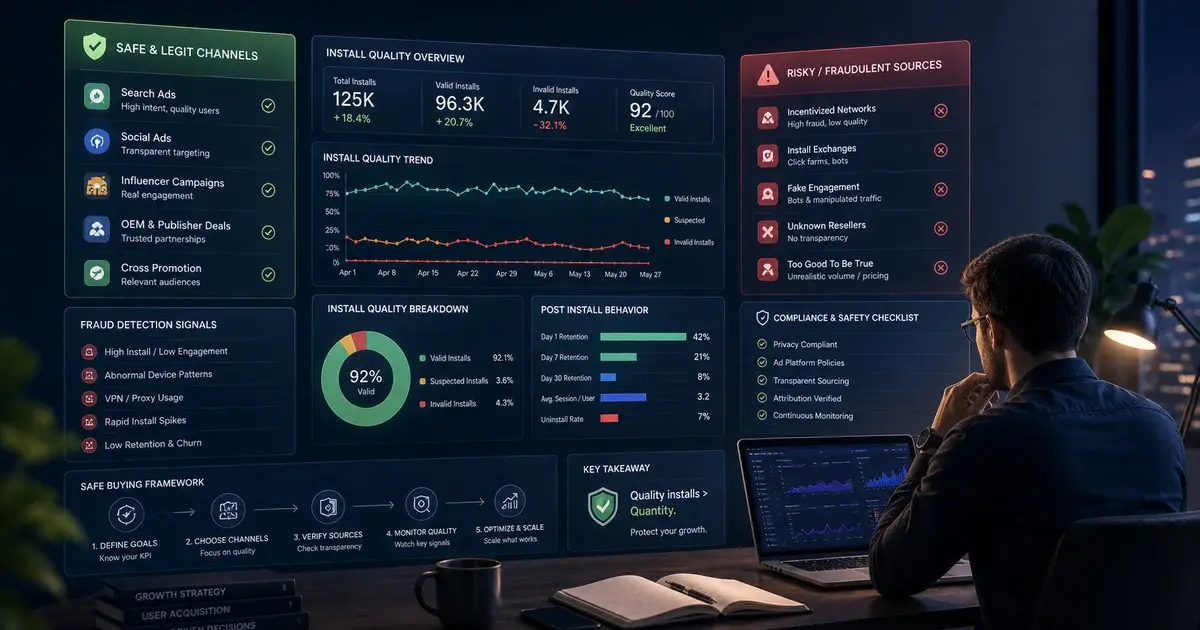
iOS install quality verification dashboard: D1 retention, geographic spread, device diversity, and event depth signals in AppsFlyer.

Frequently Asked Questions

What is the cheapest way to buy iOS app installs?+

Non-incentivised CPI networks targeting India Tier-2/3 or Southeast Asia deliver the lowest per-install costs — ₹10–₹30 per install in India Tier-2/3 and $0.50–$1.50 in SEA. Apple Search Ads broad match campaigns in these same geographies are also competitive on cost while delivering higher post-install quality. The cheapest source that does not compromise D1 retention is the correct metric, not raw CPI alone.

Is buying iOS app installs against App Store policy?+

Buying installs from legitimate paid channels — Apple Search Ads, Meta, Google UAC, non-incentivised CPI networks — is completely compliant with Apple's App Store Review Guidelines. What is prohibited is artificially manipulating install counts through incentivised installs, bot traffic, or paid-review schemes. Reputable managed campaigns run exclusively through non-incentivised real-user channels and are indistinguishable from organic traffic in Apple's systems.

How does SKAdNetwork affect iOS install attribution?+

SKAdNetwork is Apple's privacy-preserving attribution framework, mandatory for iOS 14.5+. It replaces user-level attribution with aggregated, delayed, privacy-capped signals — meaning your MMP receives install data in batches with a 24–48 hour delay and conversion values capped at 64 granularity levels. Practically, this means iOS campaigns take longer to optimise than Android campaigns and require higher minimum budgets to exit the learning phase. MMP setup with SKAdNetwork configured must be completed before any iOS install spend begins.

What is the minimum budget to run an iOS install campaign?+

For meaningful data — enough installs to identify creative winners, establish CPI baselines, and see early retention signals — plan for a minimum of $2,000–$3,000 for a US iOS campaign or ₹1–2L for an India iOS campaign. Below these thresholds, SKAdNetwork's aggregation means you will receive too few attribution signals to make reliable optimisation decisions. Apple Search Ads Basic can run on smaller budgets but provides limited control and is best for test-phase validation only.

What D7 retention benchmarks should iOS install campaigns target?+

D7 retention benchmarks by iOS category: casual games 20–30%, mid-core games 15–25%, utility apps 15–25%, fintech apps 20–35%, social apps 25–40%. These are organic-baseline benchmarks — paid installs from high-intent channels (Apple Search Ads) typically match organic, while CPI network installs typically run 5–10 percentage points below organic. D7 retention consistently below 10% from any source is a fraud indicator warranting immediate source review.

How long does an iOS install campaign take to ramp up?+

Apple Search Ads typically delivers meaningful volume within 48 hours of launch. Meta Advantage+ iOS campaigns take 7–14 days to exit the learning phase and reach optimised CPIs, requiring 50 weekly conversion events to stabilise. CPI burst campaigns can be turned on at scale within 24–48 hours once creative and tracking are confirmed. A full coordinated iOS campaign stack — ASA + Meta + CPI — reaches its optimal cost efficiency at the 14-day mark, with CPIs typically 25–40% lower by day 14 than day 1 as all algorithms complete their learning cycles.

Sources

  1. Apple Search AdsOfficial Apple Search Ads platform — highest intent iOS install source
  2. SKAdNetwork documentationApple's privacy-preserving attribution framework for iOS 14.5+
  3. App Store Review GuidelinesOfficial Apple policies on install incentivisation
  4. AppsFlyer Performance IndexMedia source performance benchmarks across iOS and Android
  5. Meta Advantage+ App CampaignsMeta's automated iOS and Android app install product
  6. Adjust resourcesMMP measurement and fraud-detection benchmarks
  7. Sensor Tower blogApp Store intelligence and iOS install trend data

About the author

Amol Pomane Founder, Vmobify

Amol leads Vmobify, a mobile app growth agency that has driven 30M+ downloads and ranked 54K+ keywords across 300+ apps since 2013. He writes about ASO, paid user acquisition, retention, and the operational reality of scaling mobile apps in India and global markets.

Related Articles

Buy App Installs Safely: What's Legit, What Gets You Banned
User Acquisition

Buy App Installs Safely: What's Legit, What Gets You Banned

Read →
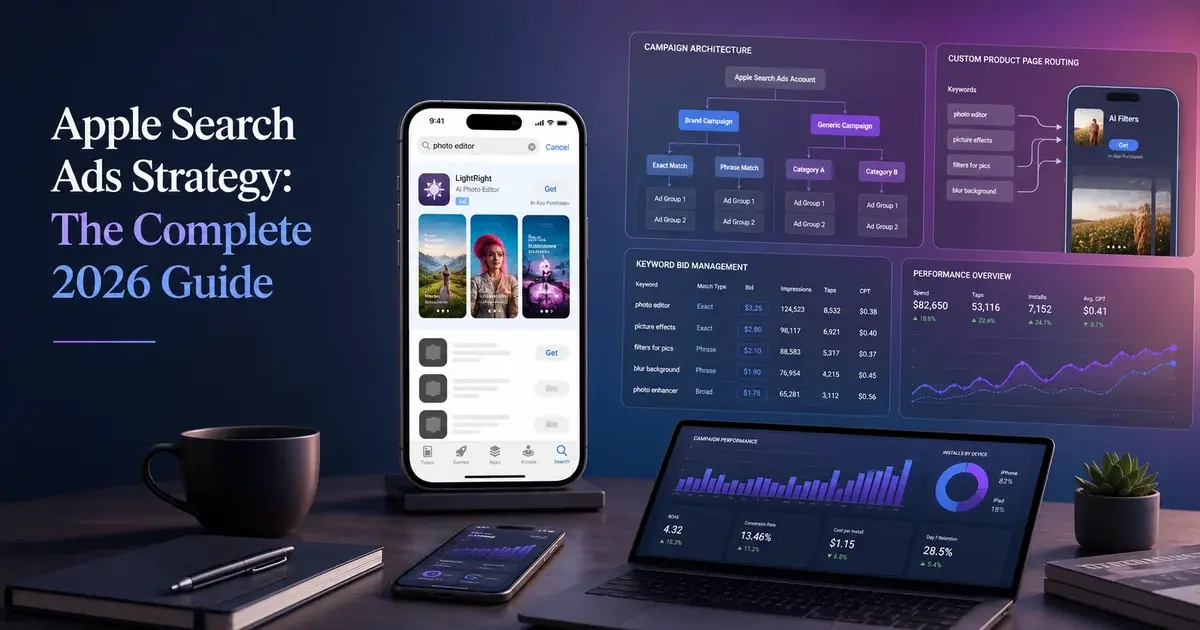
Apple Search Ads Strategy: The Complete 2026 Guide
User Acquisition

Apple Search Ads Strategy: The Complete 2026 Guide

Read →
Fastest Way to Get App Installs: 7 Tactics That Work in 72 Hours
User Acquisition

Fastest Way to Get App Installs: 7 Tactics That Work in 72 Hours

Read →