Apple Search Ads Strategy: The Complete 2026 Guide
Apple Search Ads consistently delivers the highest-intent iOS traffic of any paid channel — yet most teams under-optimise it by treating it as a simple keyword auction. This guide covers every layer: campaign architecture, keyword strategy, Custom Product Page integration, AdAttributionKit measurement, India market opportunity, and the benchmarks we see across 300+ managed apps.
On this page
- Why does Apple Search Ads outperform every other iOS paid channel?
- How do you structure an Apple Search Ads account for maximum coverage?
- Which keywords should you target and in what sequence?
- How does Apple Ads Quality Score affect your cost-per-tap?
- How do Custom Product Pages supercharge Apple Search Ads performance?
- How do you measure Apple Search Ads ROI with AdAttributionKit and SKAN 4?
- Why is India the most underrated Apple Search Ads market in 2026?
- What benchmarks should you expect from Apple Search Ads in 2026?
- How do you scale Apple Search Ads without blowing your budget?
- Frequently Asked Questions
Why does Apple Search Ads outperform every other iOS paid channel?
Need help implementing a campaign plan? Review our Apple Ads management scope and example campaign brief.
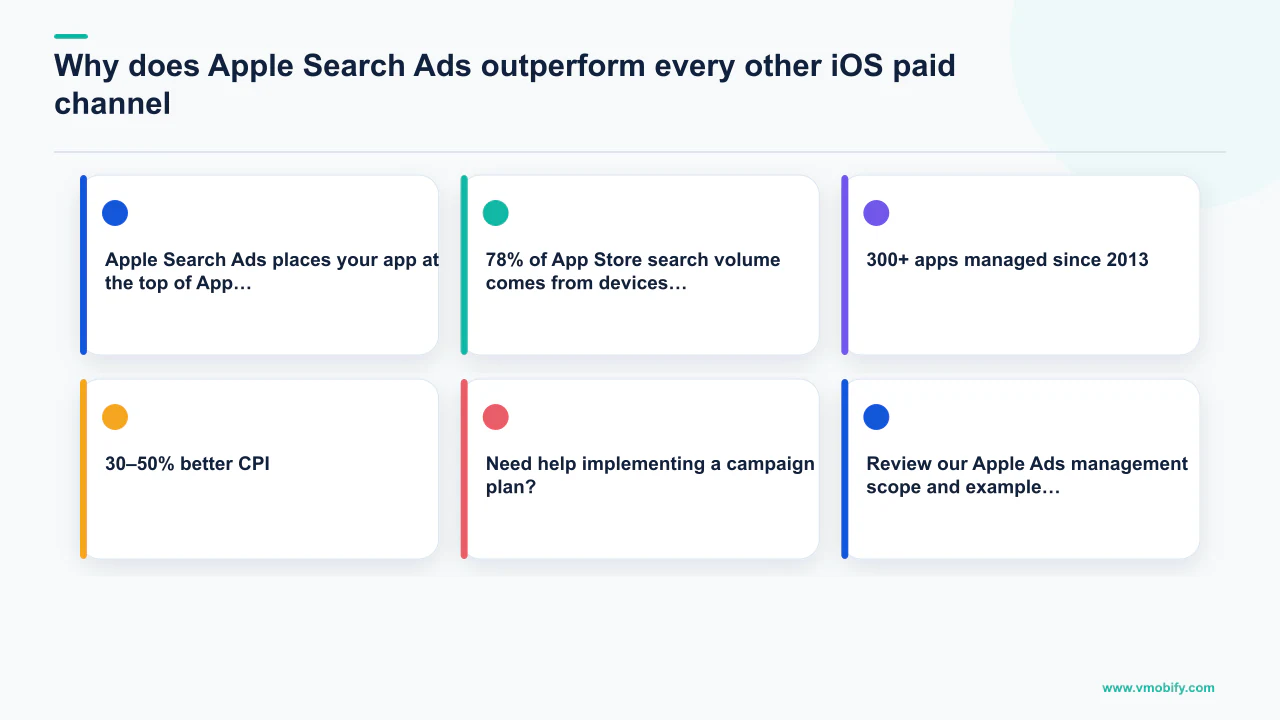
Apple Search Ads places your app at the top of App Store search results at the precise moment a user is actively looking for what your app does — making it the single highest-intent paid iOS channel available. That structural advantage explains conversion rates no social or display network can replicate.
Consider what happens on competing channels: a Meta ad interrupts someone scrolling through holiday photos; a programmatic display ad appears next to unrelated editorial content. Neither user was thinking about your app. Apple Search Ads, by contrast, reaches someone who has typed words directly into the App Store search bar. Apple reports conversion rates of over 60% for search result ads — versus the 2–5% typical of social and display inventory in mobile categories.
The third KPI above is important for your strategy: 78% of App Store search volume comes from devices with Personalised Ads disabled, which means demographic and interest targeting is counterproductive on this channel. Keyword and creative quality are your only levers — and that is exactly why intent wins here where audience signals are absent on every other channel.
Apple Search Ads also carries a trust signal social channels cannot replicate. The "Ad" badge sits inside the App Store, which users associate with Apple's editorial standards. There is no ad-blocker friction, no creative fatigue in the way display inventory experiences it, and no reliance on third-party audience data that erodes each year as privacy policies tighten.
In our portfolio across 300+ apps managed since 2013, Apple Search Ads consistently delivers the lowest cost-per-loyal-user of any paid iOS channel — often by a factor of 2–3x versus Meta App Campaigns for apps in competitive verticals. For a broader view of how ASA fits into a full user acquisition strategy, and how it stacks against Google and Meta, see our Google UAC vs Meta vs CPI comparison guide.
Apple Search Ads has two tiers: Basic (automated, no keyword control, capped at $10K/month) and Advanced (full keyword, bid, and creative control). Everything in this guide applies to Advanced. If you are on Basic, switching to Advanced typically delivers a 30–50% better CPI within the first 30 days of keyword-level optimisation.
How do you structure an Apple Search Ads account for maximum coverage?
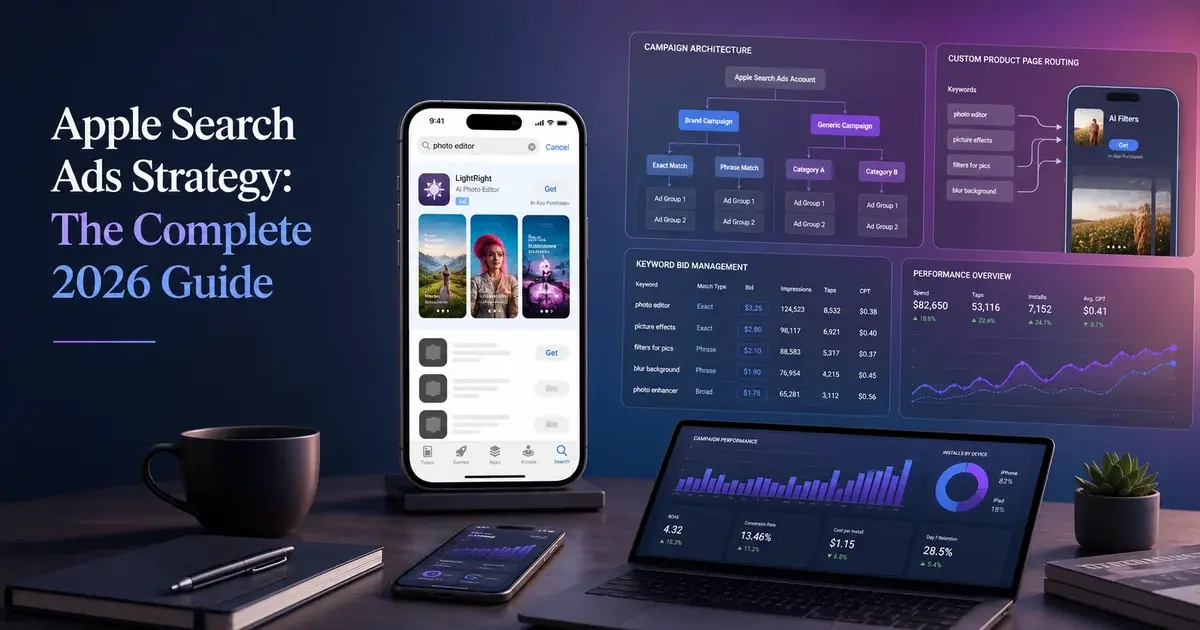
The correct Apple Search Ads architecture uses four distinct campaigns — Brand, Category, Competitor, and Discovery — each targeting a separate segment of user intent with independent budgets, bids, and negative keyword lists. Running a single campaign with mixed keyword types is the most common structural mistake we diagnose in audits; it conflates high-intent branded searches with exploratory discovery traffic and produces a blended CPA that is impossible to optimise intelligently.
Brand Campaign
- Placement: Search Results
- Keywords: Your app name, developer name, misspellings
- Match type: Exact match only
- Typical CPT: Low (you own this intent)
- Goal: Protect branded impression share, block competitors
- Bid philosophy: Aggressive — losing branded impressions is an unforced error
Category Campaign
- Placement: Search Results
- Keywords: Descriptive queries ("budget tracker", "HIIT workout")
- Match type: Exact first, broad after data confirms performance
- Typical CPT: Medium — varies by category competitiveness
- Goal: Capture in-market users who have no brand preference yet
- Bid philosophy: Data-driven, keyword-level bids tied to post-install conversion
Competitor Campaign
- Placement: Search Results
- Keywords: Rival app names in your category
- Match type: Exact match; add brand negatives from your own Brand Campaign
- Typical CPT: High — multiple advertisers compete for the same terms
- Goal: Intercept in-market users at the moment they are considering a competitor
- Bid philosophy: Quality Score matters most here — a stronger listing can outrank a higher bid
Discovery Campaign
- Placement: Search Results + Search Match
- Keywords: Broad match seed terms + Search Match enabled
- Match type: Broad + Search Match — no exact match here
- Typical CPT: Lower — exploratory traffic, less competitive auctions
- Goal: Mine new keyword opportunities; graduate winners to Category Campaign
- Bid philosophy: Conservative — this campaign feeds the system, it does not drive primary volume
One structural detail that trips up many teams: use shared negative keyword lists across all campaigns to prevent cannibalisation. If your Brand Campaign wins a branded search, that term must be negated in Category, Competitor, and Discovery to stop you bidding against yourself. Apple's official campaign structure best practices cover this negative keyword architecture explicitly — it is foundational, not optional.
Beyond Search Results, Apple also offers three additional placement types that should each run in their own campaigns: Today Tab (top of the App Store home page, highest visibility, best for brand awareness), Search Tab (featured placement above search suggestions before a user types), and Product Pages (your ad appears on competitor app product pages). Each placement type attracts a different user mindset and should have its own budget and success metrics.
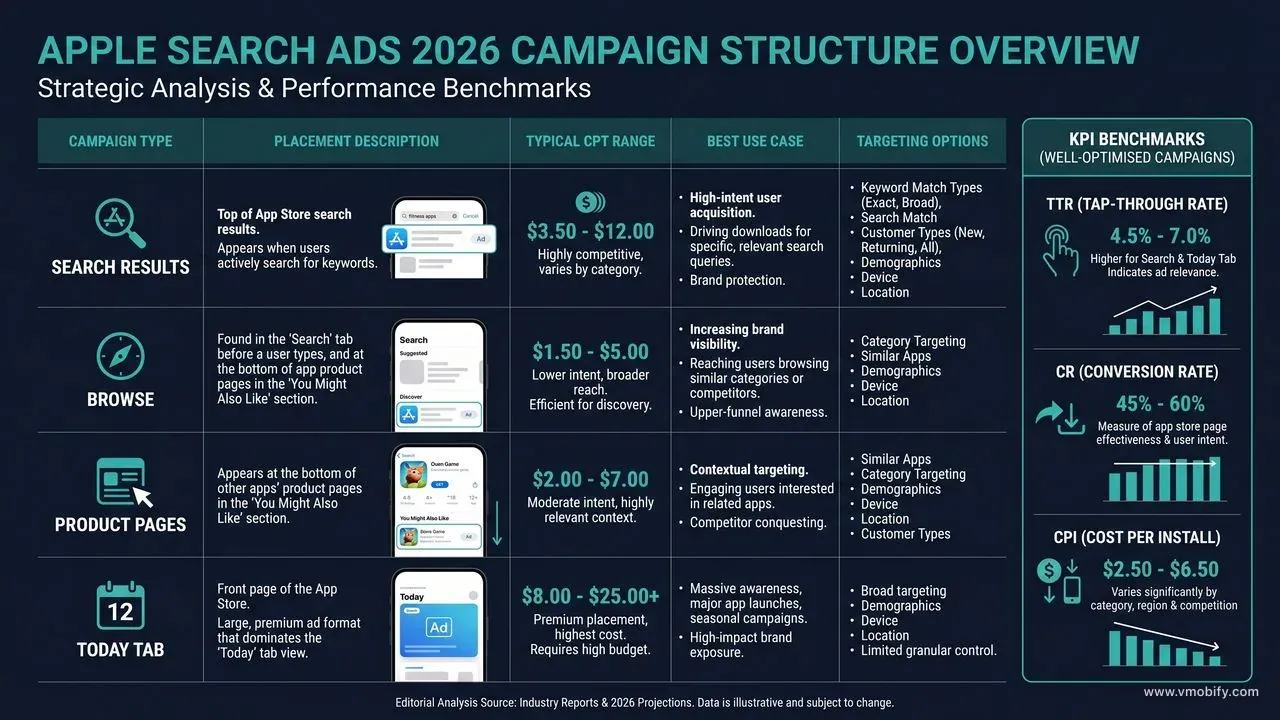
Do not enable Search Match in the same ad group as explicit keyword targeting. Search Match and keyword targeting should run in separate ad groups or separate campaigns. Mixing them makes it impossible to attribute conversion data to specific keywords and dilutes your bid signals.
Which keywords should you target and in what sequence?
The keywords that perform best in Apple Search Ads are specific, intent-rich phrases that match the exact language your target user types into the App Store — not the polished marketing copy on your website. The gap between how marketers describe their apps and how users search for them is consistently the biggest source of wasted Apple Search Ads spend we find during account audits.
Start keyword research from three sources in combination:
- App Store Connect acquisition data: App Analytics reports App Store search as an aggregate acquisition source — it does not break organic performance down by search term, so it cannot hand you a list of proven organic keywords. What it does give you is the search-sourced funnel: impressions, product page views, downloads and the conversion between them. Use it to size how much of your demand is already search-driven and how well that traffic converts, then take the per-term work to Apple Ads, which is the only first-party place terms are visible.
- Competitor ASO intelligence: Tools like Sensor Tower and AppTweak reveal which keywords your competitors rank for organically. High-ranking competitor keywords you do not yet appear for are your fastest path to incremental search coverage. Import these into your Category Campaign with conservative bids until you establish conversion data.
- Discovery Campaign output: After 2–3 weeks of Search Match in your Discovery Campaign, the search term report surfaces queries you had not anticipated. In our portfolio, Discovery Campaigns routinely surface 15–30% of final Category Campaign keywords — user language around app categories is far more varied than any brainstorm produces.
Match type sequencing is critical and often misunderstood. Broad match in Apple Search Ads is less precise than in Google Ads — it matches queries that share semantic meaning with your keyword, not just lexical overlap. Running broad match before you have exact match conversion data means you cannot distinguish which expansions are profitable.
- Weeks 1–2 — Exact match only on your highest-confidence keywords from App Store Connect organic data. Set bids at 1.2–1.5x your target CPT to win impressions and collect conversion data quickly.
- Weeks 3–4 — Add broad match to keywords with 50+ taps and a tap-through-to-install rate above 40%. Broad match on proven performers expands coverage with lower risk than on untested terms.
- Month 2+ — Continuous exact match expansion from Discovery Campaign output. Pause any keyword with 100+ taps and a conversion rate below 25% — these signal a listing-intent mismatch, which is an ASO signal as much as a bid signal.
Organise ad groups by intent theme, not by match type. An ad group called "weight loss" should contain all weight-related query variants at exact match, with a separate ad group for broad match expansion on the same theme. This makes bid management and Custom Product Page assignment far more tractable and keeps your Quality Score signals coherent per intent cluster.
For a full keyword research methodology that applies to both organic and paid search, our complete App Store Optimisation guide covers metadata keyword field prioritisation and how organic and paid keyword strategies should reinforce each other rather than compete for the same terms.
How does Apple Ads Quality Score affect your cost-per-tap?
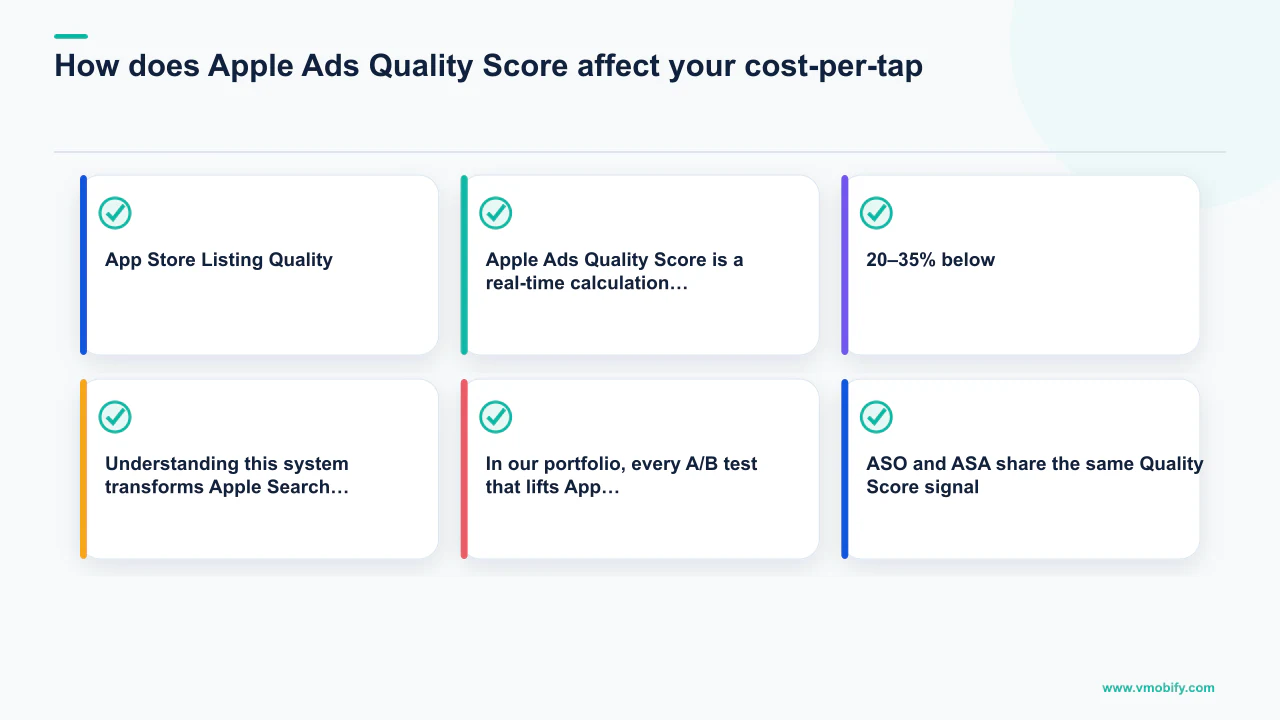
Apple Ads Quality Score is a real-time calculation that combines three factors — ad relevance, your bid, and App Store listing quality — to determine both whether your ad wins an auction and how much you pay per tap. Understanding this system transforms Apple Search Ads from a pure bid auction into a channel where improving your App Store listing directly lowers your advertising costs.
The three components in detail:
- Ad Relevance: Apple's algorithm assesses how closely your app's metadata — name, subtitle, description, keyword fields — matches the user's search query. An app with "budget tracker" prominently in its subtitle will score higher on "budget tracker" queries than an app that mentions budgeting incidentally in its description. This is the structural reason ASO and Apple Search Ads cannot be treated as separate workstreams — every improvement to your metadata directly improves your Quality Score on related search terms.
- Bid: Your maximum cost-per-tap bid sets the ceiling of your willingness to compete. However, because Quality Score multiplies your effective bid, a lower bid paired with a high-quality listing can outrank a higher bid from a poorly optimised listing. In competitive verticals like fintech and health, we have seen well-optimised apps winning impressions at CPTs 20–35% below competitors who bid materially higher but have weaker listings.
- App Store Listing Quality: Apple evaluates your icon, screenshots, preview video, ratings, and review recency as proxies for user experience quality. A high average rating (4.4+) and recent reviews signal that users who install the app are satisfied — justifying more prominent placement at lower cost. Apps with ratings below 3.8 face a Quality Score penalty that higher bids cannot fully offset.
In our portfolio, every A/B test that lifts App Store conversion rate by 15%+ produces a measurable CPT reduction in active Apple Search Ads campaigns within 2–3 weeks of the listing update going live. ASO and ASA share the same Quality Score signal — improving one improves the other.
Quality Score is not directly visible in the Apple Search Ads dashboard as a single number. The best proxy indicators are: impression share relative to your bid level (a lower bid winning high impression share signals strong Quality Score), and CPT trending downward as your campaign matures without any bid reductions — the algorithm rewards consistently well-converting ads with progressively lower effective CPTs over time.
The practical implication for budget planning: a 3-month programme that combines ASO improvement with Apple Search Ads launch will consistently outperform an ASA-only programme that never addresses the listing. See our case studies for examples of this compound effect across verticals including fintech, health, and e-commerce.
How do Custom Product Pages supercharge Apple Search Ads performance?
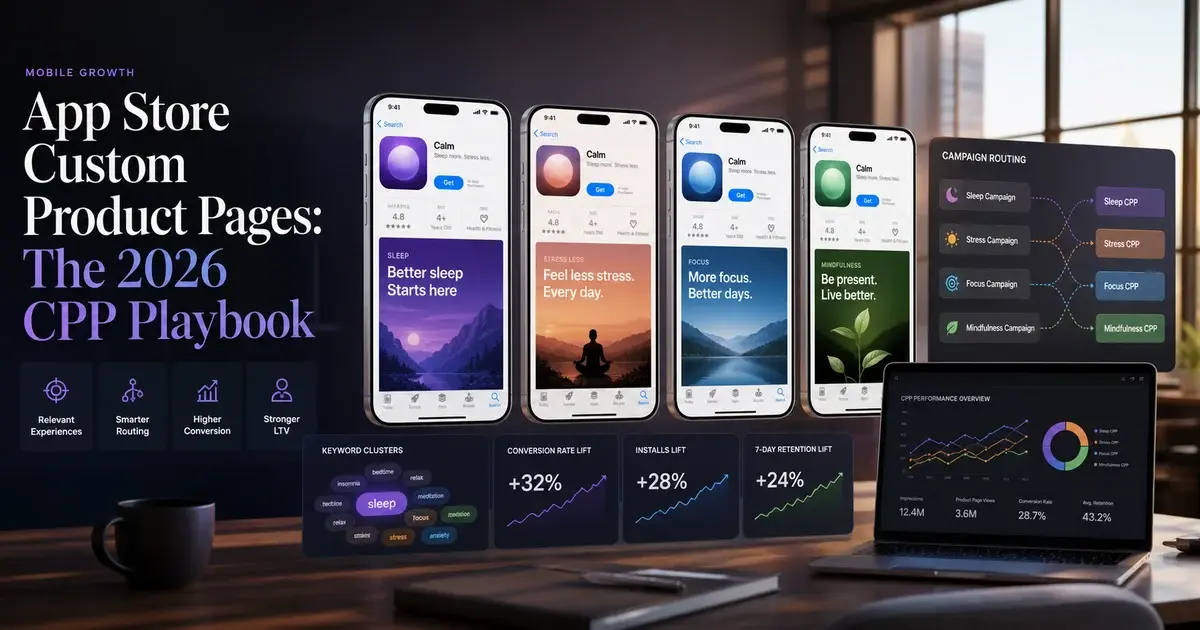
Custom Product Pages (CPPs) allow you to create up to 35 distinct App Store landing pages — each with different screenshots, preview videos, and promotional text — and Apple Search Ads lets you assign a specific CPP to each ad group, so the landing experience exactly mirrors the intent that triggered the search.
According to Apple's official Custom Product Pages documentation, CPPs can customise screenshots, app preview videos, and promotional text, while inheriting your default listing for app name, icon, ratings, and descriptions. CPP submissions are approved within 24–48 hours in most cases — significantly faster than full app updates.
The performance impact is measurable. Independent research shows CPPs deliver approximately 8% higher conversion rates for games and 6.6% for non-gaming apps compared to default product pages. The mechanism is straightforward: a user searching "HIIT workout timer" who lands on a product page featuring HIIT-specific screenshots and a workout-timer preview video converts at a higher rate than a user who lands on a generic fitness app page. Message-to-landing-experience alignment is the conversion lever.
How to build a CPP strategy that maps to your Apple Search Ads structure:
- Create one CPP per major intent theme in your Category Campaign. If your Category Campaign has ad groups for "weight loss", "calorie tracking", and "meal planning", each deserves a CPP that speaks directly to that use case. Screenshots on the weight loss CPP should lead with progress tracking; the meal planning CPP should feature the recipe log and meal scheduling UI.
- Create a CPP for each high-value Competitor Campaign target. A CPP that directly addresses "why switch from [competitor]" — featuring your differentiated capabilities side-by-side — converts better than your default page, which was designed to describe you, not to make a comparative case.
- Use CPP performance data to inform default listing A/B tests. If your "calorie tracking" CPP outperforms your default listing for calorie-related searches by 30%+, those screenshots and that messaging are candidates for your default listing via Product Page Optimisation A/B tests.
- Test deep link integration (iOS 18+). With iOS 18 and later, CPP deep links can route users directly to specific app screens rather than generic onboarding — matching not just the visual language of the search but the functional entry point into your app. This is the most targeted, highest-converting experience currently available on the App Store.
CPP screenshots must match the resolution of your default listing screenshots, and you cannot change your app name or icon. Plan your CPP visual strategy within these constraints — teams that treat CPPs as mini-redesigns of their app listing tend to over-invest in production and under-invest in the keyword-to-page alignment that actually drives conversion.
For the full CPP creation and testing process, our Custom Product Pages guide covers the complete workflow including screenshot production, metadata testing, and how to sequence CPP launches alongside organic A/B tests without introducing measurement noise.
How do you measure Apple Search Ads ROI with AdAttributionKit and SKAN 4?
Apple Search Ads measurement in 2026 operates across two frameworks — SKAdNetwork 4 (SKAN 4) for privacy-preserving post-install attribution and AdAttributionKit (Apple's April 2025 update) for view-through attribution and cross-platform measurement. Understanding both is essential for measuring ROI beyond tap-through and install counts.
The key update: on April 10, 2025, Apple officially registered with AdAttributionKit, which provides consistent cross-platform measurement and adds view-through attribution — crediting installs that occur within 24 hours of an impression even when the user did not tap the ad. This is a material upgrade for upper-funnel Apple Search Ads campaigns (Today Tab, Search Tab) where impression exposure influences install decisions that are attributed as organic in SKAN 4-only measurement setups.
SKAN 4 elements that apply directly to Apple Search Ads measurement:
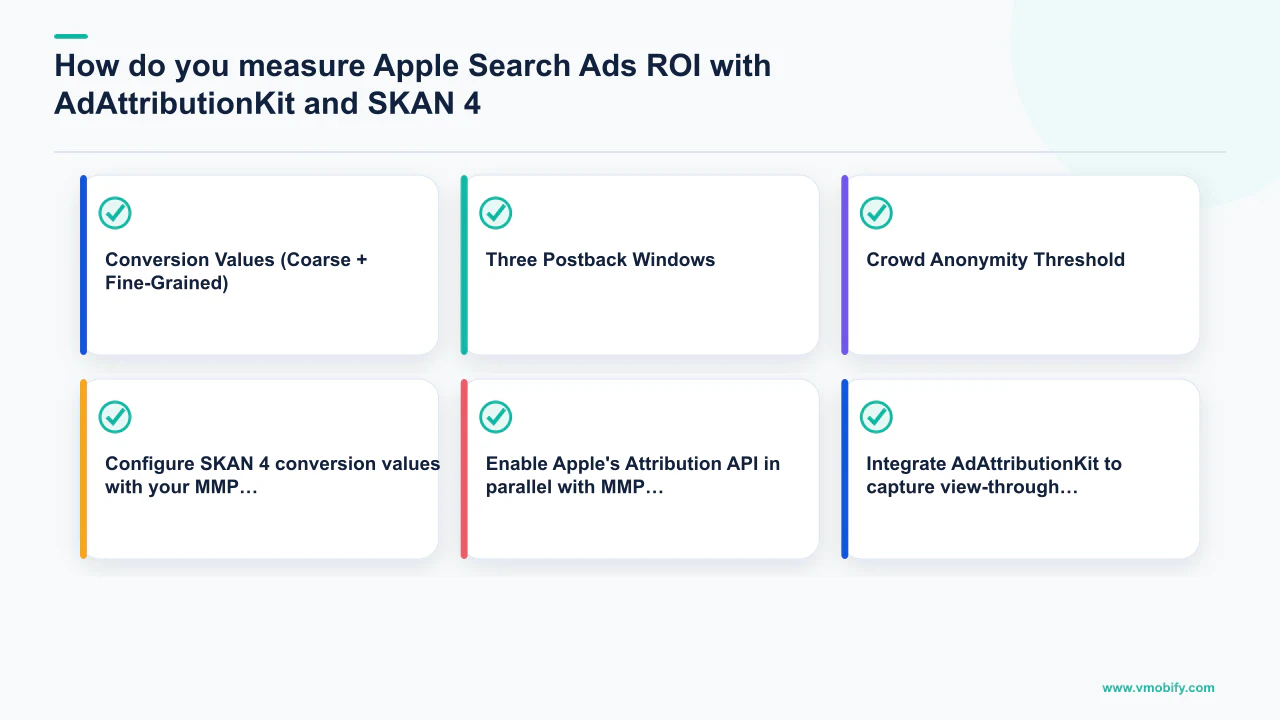
- Conversion Values (Coarse + Fine-Grained): SKAN 4 introduced a tiered conversion value system. High-volume campaigns — typically those with 2,000+ installs in a measurement window — qualify for fine-grained conversion values (up to 64 distinct values that map to specific in-app events like registration, first purchase, or subscription activation). Lower-volume campaigns receive coarse values (low/medium/high) that provide directional signal but insufficient granularity for bid optimisation. Brand and Category Campaigns typically qualify for fine-grained; Competitor and Discovery Campaigns may not.
- Three Postback Windows: SKAN 4 provides measurement across 0–2 days, 3–7 days, and 8–35 days post-install. This enables tracking not just immediate events (registration, onboarding completion) but later-stage monetisation events (first subscription renewal, repeat purchase) that are stronger proxies for LTV. Apple's SKAdNetwork documentation covers the full postback window specification.
- Crowd Anonymity Threshold: Apple only sends postbacks when the install cohort meets a minimum privacy threshold. Campaigns that are too narrowly targeted or have very low volume may not trigger postbacks — a key reason why Discovery Campaigns are difficult to optimise on post-install metrics and should be evaluated primarily on tap-through and install volume.
Practical measurement setup for Apple Search Ads:
- Configure SKAN 4 conversion values with your MMP (AppsFlyer, Adjust, or Singular) before launch. Map your highest-value in-app events to conversion values informed by your retention and LTV curves. Events that predict 30-day LTV are more valuable to encode than events that predict 7-day LTV.
- Enable Apple's Attribution API in parallel with MMP SKAN 4 data. Apple Search Ads provides deterministic attribution for users who have consented to tracking, plus modelled attribution for the majority who have not. The combination gives you a fuller picture than either source alone.
- Integrate AdAttributionKit to capture view-through attribution from Today Tab and Search Tab placements. Without this, upper-funnel Apple Search Ads impressions are invisible in your attribution model and their contribution to installs is systematically under-reported.
- Build a coarse-value revenue range model. Translate SKAN 4 coarse values (low/medium/high) into revenue ranges based on your historical LTV by install cohort. This allows bid decisions on SKAN 4 signal even when fine-grained values are unavailable. AppsFlyer's Performance Index provides vertical-specific benchmarks for mapping coarse values to ROAS ranges.
Do not optimise Apple Search Ads bids using only install counts when SKAN 4 postback data is available. Keyword-level CPI can look identical for two keywords that produce radically different post-install LTV. Without conversion value signals flowing through your MMP, you are optimising the wrong metric and almost certainly overspending on low-value installs.
Why is India the most underrated Apple Search Ads market in 2026?
India is one of the fastest-growing Apple Search Ads markets in the world in 2026, with CPTs running 40–60% below Western benchmarks for equivalent verticals, a rapidly expanding iPhone user base, and an advertiser competitive density that has not yet caught up to market size. Teams managing global app portfolios that treat India as a geographic afterthought are systematically leaving profitable scale on the table.
The structural case for India ASA:
- Rapidly growing iPhone installed base: Apple's India market share has grown materially since the launch of domestic manufacturing and aggressive retail expansion. Higher-income urban professionals — the core iOS user demographic — are a growing segment whose app spend behaviour mirrors Western iOS users more closely than their Android counterparts in the same market.
- Lower advertiser competition: Because many global teams have historically deprioritised India for Apple Search Ads (associating the market with Android and lower monetisation), auction density for even competitive verticals runs at a fraction of US or UK levels. The result is CPTs in the ₹15–₹80 range (approximately $0.18–$0.96) for categories that cost $2–$5 in the US.
- Strong monetisation signals in fintech and subscription apps: India's fintech sector — driven by UPI penetration, SEBI-regulated investment apps, and insurtech — has produced a cohort of iOS users with demonstrated financial product conversion rates that now justify premium ASA investment. We have seen in our portfolio that India iOS fintech installs from ASA convert to paid users at rates comparable to UK cohorts, at 60–70% lower CPI.
India-specific campaign structure recommendations:
- Separate India into its own campaign set rather than grouping it with APAC. India's language, keyword patterns, and auction dynamics differ from Singapore, Australia, or Japan — lumping them together produces blended CPTs that misrepresent performance in each market.
- Run Hindi and regional language keyword variants in your Category Campaign. A meaningful share of Indian App Store searches are in Hindi or regional languages, and English-only keyword lists miss this inventory entirely. AppTweak and Sensor Tower both offer Hindi and regional language keyword data for Indian market research.
- Create India-specific Custom Product Pages with localised screenshots and pricing references in ₹. The conversion lift from localised landing experiences in India mirrors what we see in other non-English markets — typically 10–20% above generic English-language CPPs.
For a broader perspective on India mobile market opportunity — including Android and cross-platform considerations — our user acquisition service covers India-specific strategy as a core part of every growth programme, not an optional add-on.
What benchmarks should you expect from Apple Search Ads in 2026?
Based on data across our managed portfolio of 300+ apps, and corroborated by independent benchmark research, here are the realistic performance ranges to calibrate expectations and identify when a campaign is under-performing versus market norms.
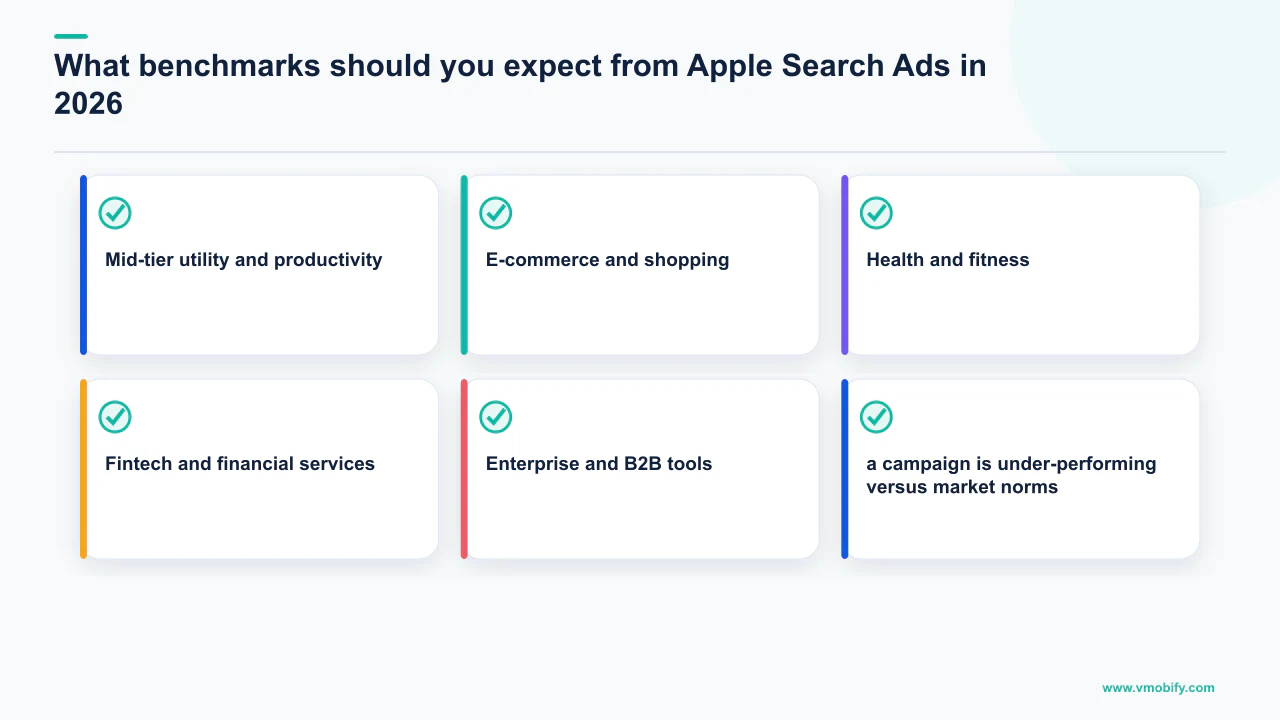
Cost-Per-Tap (CPT) benchmarks by vertical (Western markets):
- Hyper-casual games: $0.30–$0.80 (high keyword supply, lower install intent concentration)
- Mid-tier utility and productivity: $0.80–$2.50 (strong intent signal, moderate competition)
- E-commerce and shopping: $1.20–$3.00 (high commercial intent, growing D2C advertiser competition)
- Health and fitness: $1.50–$3.50 (seasonal spikes in January and September push the upper end)
- Fintech and financial services: $3.00–$6.00 (highest-value install category, aggressive bidding from incumbents)
- Enterprise and B2B tools: $2.50–$5.50 (lower volume but exceptional LTV per install)
Tap-through rate (TTR) benchmarks: Top-performing ad groups achieve TTRs of 8–14%. Category average is 4–7%. If your TTR is below 3%, the likely cause is either keyword-to-metadata mismatch (your listing does not match the search intent) or a weak icon/first screenshot — both reduce Quality Score and suppress impression delivery.
Return on ad spend (ROAS) benchmarks: Subscription apps with a 7-day free trial typically see ROAS-positive campaigns within 60–90 days of launch as trial-to-paid conversion data accumulates in SKAN 4 postback windows. One-time purchase apps above $4.99 can achieve ROAS-positive within 30 days. Free apps monetising via in-app purchases need 90–180 day LTV modelling for accurate ROAS calculation.
Campaigns in their first 30 days typically run 30–50% higher CPT than steady-state as the algorithm collects bid signal data. Do not restructure a campaign because of first-month CPTs unless they exceed your vertical's ceiling benchmark by more than 2x — early-phase CPT elevation is normal and resolves as conversion data accumulates.
These figures assume a mature campaign: 60+ days of data, proper negative keyword hygiene, CPP integration active, and SKAN 4 conversion values configured. Raw benchmarks without these conditions will skew higher across every metric.
How do you scale Apple Search Ads without blowing your budget?
Scaling Apple Search Ads profitably requires a systematic progression from narrow exact match coverage to broad match expansion, combined with automated rules that enforce bid discipline and prevent any single keyword or ad group from consuming a disproportionate share of your daily budget. The teams that exhaust their Apple Search Ads budgets without results almost always share one trait: they scale spend before they have conversion data to justify the scale.
The four-phase scaling progression we use across our managed portfolio:
- Phase 1 — Data collection (Days 1–30): Exact match keywords only in Brand and Category Campaigns. Set daily budgets at 2–3x your target daily spend so budget limits do not cap data collection before you know which keywords work. Goal: accumulate 50+ taps per keyword — the minimum for statistically meaningful conversion rate comparison.
- Phase 2 — Bid rationalisation (Days 31–60): For keywords with 50+ taps and above-benchmark conversion rates, increase bids by 20–30% to grow impression share. For keywords with 50+ taps and below-benchmark rates, reduce bids 30% or pause. Keep Discovery Campaign running — it is still mining keywords for Phase 3.
- Phase 3 — Broad match expansion (Days 61–90): Enable broad match on top-performing exact match keywords. Set broad match bids at 60–70% of exact match bids — broad match queries are lower intent on average and should be priced accordingly. Review the search term report weekly; graduate profitable discoveries to exact match in Category Campaign.
- Phase 4 — Budget scaling (Day 90+): With conversion data for 100+ keywords, a CPP suite matched to top ad groups, and SKAN 4 postback data flowing, you have the signal to scale budgets confidently. Increase daily budgets by no more than 25% per week — rapid budget jumps cause the algorithm to explore lower-quality inventory before bid signals recalibrate.
Automated rules are the operational backbone of sustainable scaling. The three rules configured in every account we manage at launch:
- Pause rule: Any keyword with 150+ taps and a tap-to-install rate below 20% is automatically paused daily. This prevents a mis-targeted keyword from burning budget indefinitely while awaiting manual review.
- Budget concentration alert: A notification fires when any single ad group consumes more than 40% of the campaign's daily budget. Concentration is either a bid error or a keyword performing very well — both require a human decision, not automation.
- Zero-impression bid increase: Any keyword with no impressions in 7 days despite a live bid receives a 1.5x automatic bid increase. Zero impressions usually mean your bid is below the minimum to enter the auction — the increase surfaces whether the keyword is viable or simply priced out of the market entirely.
Apple Search Ads spend scales with App Store search volume, which is bounded by the size of your addressable market. Unlike Meta or Google UAC, you cannot infinitely scale by lowering quality standards — eventually you exhaust the search volume for your keywords. When you see declining impression share despite bid increases and TTR falling as broader queries are matched, invest in brand marketing that expands your search volume rather than squeezing the existing pool further.
Every successful scaling story in our portfolio has the same shape: a disciplined data-collection phase, a ruthless bid rationalisation phase, then confident expansion with CPPs fully deployed and measurement infrastructure solid. Skip any phase and you carry uncertainty into the next — which is where budgets get burned without proportionate returns. If you want a structured growth programme built around this framework, talk to our team about our managed Apple Search Ads service.
Frequently Asked Questions
How much does Apple Search Ads cost per install in 2026?+
Cost-per-install varies by vertical and campaign type. Mid-tier utility apps typically see CPIs of $1.50–$4.00 in Western markets; fintech and health apps often run $5–$12 per install. India delivers equivalent intent quality at 40–60% lower CPT than Western markets. The metric that matters is CPI relative to your estimated LTV — Apple Search Ads consistently delivers higher LTV per install than most paid alternatives because of the intent quality at the point of search.
Is Apple Search Ads worth it for small app budgets?+
Yes, with a caveat: the minimum viable learning budget for Apple Search Ads Advanced is approximately $1,500–$3,000 per month. Below that threshold, you will not accumulate enough taps per keyword to make statistically sound bid decisions. For very small budgets, Apple Search Ads Basic is a reasonable entry point — it automates bid management at the cost of keyword-level control and the ability to assign Custom Product Pages.
How long does it take for Apple Search Ads to start delivering results?+
Ads begin delivering within 24 hours of campaign activation, assuming bids are at or above Apple's suggested bid range. Meaningful conversion data for bid decisions accumulates within 2–4 weeks for campaigns with $50+/day budget. Full steady-state performance — Quality Score calibrated, negative keyword lists mature, CPPs fully deployed — typically takes 60–90 days.
Can Apple Search Ads improve my organic keyword ranking?+
Paid impressions and taps do not directly affect organic keyword ranking. However, the install volume and user engagement (D1/D7 retention, ratings, reviews) from Apple Search Ads installs can indirectly improve organic ranking over time if those users are high quality. The primary research benefit is keyword intelligence: terms that convert well in paid search are strong candidates for your ASO metadata optimisation.
What is the difference between Search Match and explicit keyword targeting?+
Search Match is Apple's automated targeting mode that shows your ad on queries Apple determines are relevant to your app based on metadata, without requiring you to specify keywords. Explicit keyword targeting requires you to specify terms and match types. Best practice: use Search Match exclusively in a dedicated Discovery Campaign for keyword mining, while running explicit keyword targeting in Brand, Category, and Competitor Campaigns. The two modes should not run simultaneously in the same ad group.
How do Custom Product Pages work with Apple Search Ads ad variations?+
When you create an ad variation in Apple Search Ads Advanced, you select a Custom Product Page as the landing experience. You can create multiple variations per ad group, each pointing to a different CPP. Apple's system serves the variation the algorithm predicts will perform best, or you can assign specific variations to specific ad groups for controlled testing. CPPs must be approved in App Store Connect before use — factor 24–48 hour review time into campaign launch planning.
What is AdAttributionKit and how does it differ from SKAdNetwork for Apple Search Ads?+
AdAttributionKit is Apple's updated attribution framework, registered in April 2025, that adds view-through attribution (crediting installs within 24 hours of an impression) and consistent cross-platform measurement alongside SKAdNetwork's click-through attribution. For Apple Search Ads specifically, AdAttributionKit is most impactful for Today Tab and Search Tab placements where users may see your ad without immediately tapping — their subsequent direct install would previously have been attributed as organic. Integrating both frameworks through your MMP gives a materially more accurate picture of ASA's full contribution to installs.
Sources
- Apple Search Ads — Official Platform — Apple's official Apple Search Ads platform page, including reported conversion rates of over 60% for search result ads
- Apple Ads — Campaign Structure Best Practices — Official Apple guidance on four-campaign architecture, match types, negative keyword management, and geographic segmentation
- Apple Developer — Custom Product Pages — Official documentation on CPP creation constraints, screenshot requirements, and integration with Apple Search Ads ad variations
- Apple Developer — SKAdNetwork — Technical reference for SKAN 4 postback windows, conversion value tiers, and crowd anonymity thresholds
- AppsFlyer Performance Index — Quarterly benchmarks for install quality, LTV by channel, and vertical-specific CPI ranges used for SKAN 4 coarse-value modelling
- Sensor Tower — Mobile Insights Blog — Keyword intelligence data for Apple Search Ads research, competitor keyword analysis, and App Store market sizing
- Sensor Tower — Blog and mobile insights — India iOS market growth data, category-level download trends, and monetisation benchmarks by region
- AppTweak — Apple Search Ads Campaign Structure Guide — 2026 campaign structure best practices, CPP conversion lift data (8% games, 6.6% non-gaming), and negative keyword architecture
About the author
Amol Pomane — Founder, Vmobify
Amol leads Vmobify, a mobile app growth agency that has driven 30M+ downloads and ranked 54K+ keywords across 300+ apps since 2013. He writes about ASO, paid user acquisition, retention, and the operational reality of scaling mobile apps in India and global markets.
Model an install budget
Turn CPI and activation assumptions into acquisition scenarios.
Open free tool