Claude Code for Android Development: The 2026 Definitive Guide
Agentic Android development is not autocomplete by another name. This guide covers exactly how to install Claude Code, configure a production CLAUDE.md, choose the right skill packs, and run real Kotlin/Compose workflows — including the honest pain points every Android team hits first.
On this page
- Why is agentic Android development different from other platforms?
- How do you install Claude Code and the JetBrains plugin?
- What does a production CLAUDE.md look like for Android?
- Which skills and MCPs matter most for Android?
- What does a real agentic Android workflow look like?
- How does Android Studio Agent Mode fit in?
- What are the biggest pain points?
- What should you build with these tools?
- Frequently Asked Questions
Why is agentic Android development different from other platforms?
Android has been an unusually fertile substrate for agentic coding because of three structural properties that align well with how LLMs operate: a massive migration backlog, a Gradle build system that rewards pattern-matching, and a checklist-heavy development culture that maps cleanly onto skill instructions. None of this is accidental, and understanding it explains why teams migrating from Python or JavaScript often feel they get more from Claude Code on their Android codebase than anywhere else.
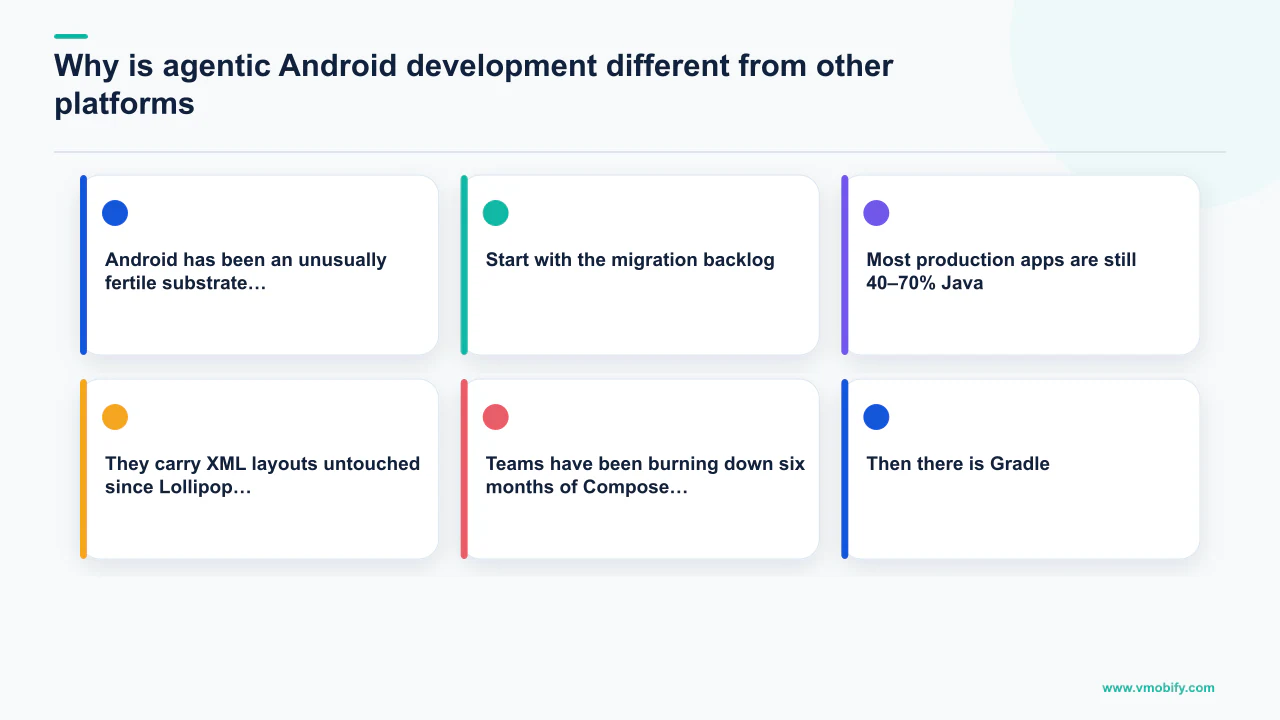
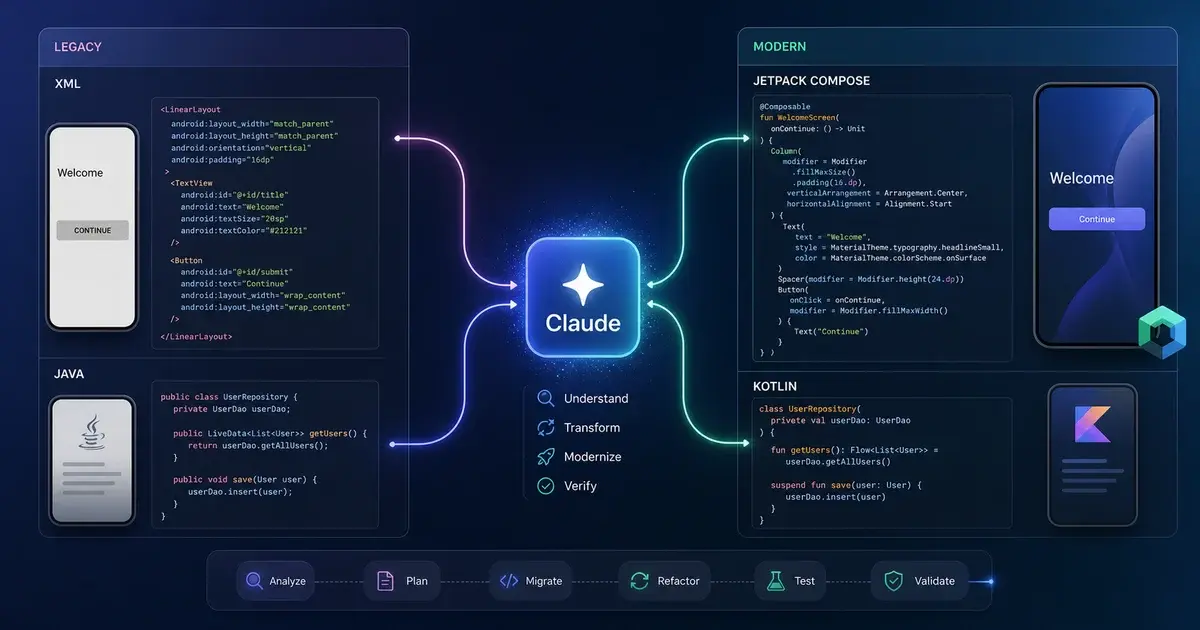
Start with the migration backlog. Most production apps are still 40–70% Java by line count, even when the team has been writing Kotlin-only for years. They carry XML layouts untouched since Lollipop and AsyncTask survivors inside Service classes nobody dares touch. The mechanical-but-tedious work of Java-to-Kotlin and XML-to-Compose conversion is exactly the kind of task humans defer indefinitely and agents handle well. Teams have been burning down six months of Compose migration debt in three weeks by pairing a tight CLAUDE.md with a Compose skill pack and a discipline of small, reviewable PRs.
Then there is Gradle. Version catalogs, KSP processors, convention plugins, the libs.versions.toml dance — all of it follows patterns an agent with good context can manipulate competently. A model that can read your build-logic/ directory, understand your version catalog, and produce a syntactically correct build.gradle.kts for a new feature module represents a meaningful chunk of a senior engineer's week.
The third reason is structural. Android development is unusually checklist-heavy. Every screen needs a ViewModel, a UiState, a StateFlow, content descriptions, dark mode previews, and process-death restoration. Every network call needs a Result-wrapped coroutine, error mapping, and retry policy. The cognitive cost of keeping all of this in mind is enormous, and senior engineers spend half their review time flagging what got missed. Skills turn that tacit checklist into something a model applies consistently — and consistently is the word that matters.
There is also a deeper reason that gets undersold: Android codebases are large, modular, and well-typed. A Kotlin codebase with a clean DI graph, sealed result types, and @Immutable data classes gives the model structured signal to make non-trivial decisions safely. JavaScript and Python codebases do not provide the same scaffolding, and the agent's failure modes on those stacks are correspondingly more dramatic. Kotlin's type system has, almost by accident, become one of the best substrates for agentic coding that exists. Every sealed interface UiState you write makes the agent better at its job.
How do you install Claude Code and the JetBrains plugin?
The setup takes under ten minutes and has two distinct parts: the CLI itself, and the JetBrains integration that turns it into an IDE-native experience in Android Studio. Both are worth doing; neither is optional for serious work.
On macOS, the CLI installation is three commands:
brew install node
npm install -g @anthropic-ai/claude-code
claude
That gets you the CLI and opens an interactive session. From there, the official JetBrains IDE documentation describes the plugin install path: open Android Studio, go to Settings > Plugins, search for "Claude Code," install, and restart. The plugin auto-detects the CLI on your path and registers a global shortcut — Cmd+Esc on macOS, Ctrl+Esc on Linux and Windows. It opens Claude Code with the current file, the current selection, and the active diagnostics as context. Highlight a function, hit the shortcut, type "make this respect the parent's coroutine scope," and watch it work.
The other plugin worth installing immediately is the official Kotlin LSP plugin, which gives the model type-aware tooling. Without it, the agent reads Kotlin as text and infers types from context. With it, the agent can ask the language server for the resolved type of a symbol, the supertypes of a class, or the actual signature of an extension function — the same information your IDE uses for highlighting errors. Install it inside Claude Code:
/plugin marketplace add anthropics/kotlin-lsp
/plugin install kotlin-lsp
This eliminates the most common class of silent type errors: passing a Flow<List<X>> where the model expected List<X>, calling .value on something that is not a StateFlow, or using a suspend function in a non-suspending context. Once the LSP plugin is wired in, those failure modes drop sharply.
An honest note: the JetBrains plugin is still rougher than the CLI. The terminal UI is more reliable, the diff viewer is faster, and the multi-file editing model is more legible there. The recommended approach is to run both — use the IDE shortcut for quick, in-context queries and keep a terminal pane open next to the IDE for heavy refactoring sessions. The heavier the task, the more you want the terminal.
What does a production CLAUDE.md look like for Android?
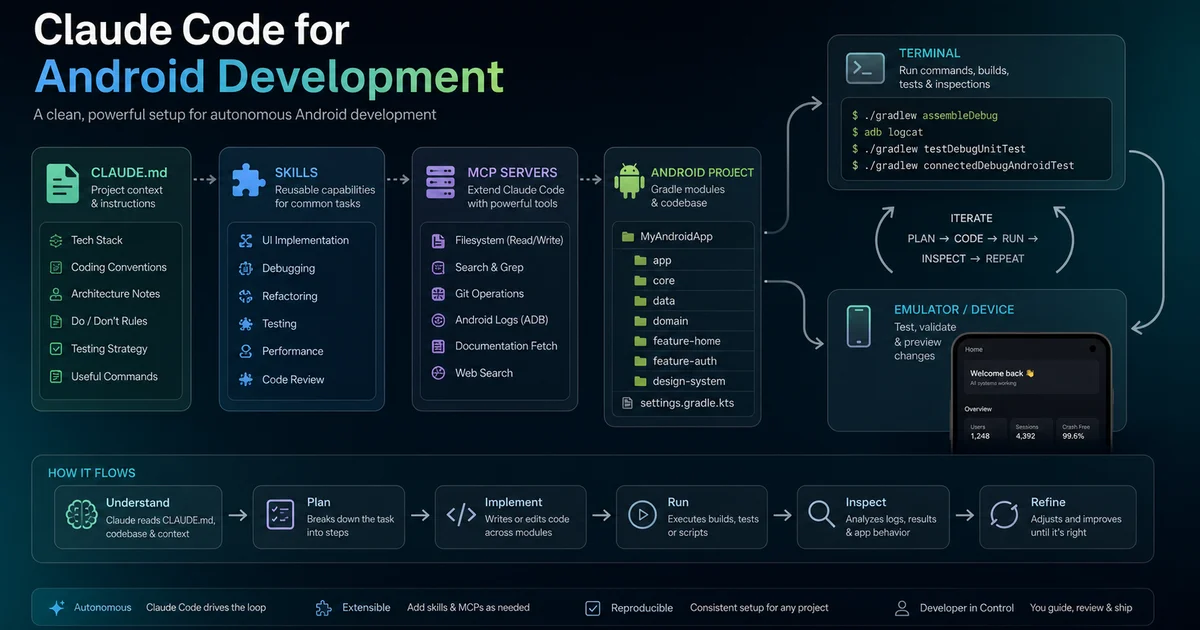
If there is one thing that separates engineers who get real value from Claude Code and those who do not, it is the existence of a genuine CLAUDE.md at the root of the repository — and the difference between a real one and a performative one is specificity. The file is read on every session. It sets the rules of engagement. A vague file produces vague output; a specific file produces specific output.
Two reference points are worth studying. The Hedvig Insurance CLAUDE.md is the most instructive public example of what this looks like when it has to work across 80+ modules, an Apollo GraphQL data layer, Lokalise-managed translations, and a real shipping product. Notice how they document module ownership, the Apollo schema location, build conventions, and explicit "do not touch" boundaries. That level of specificity is what the agent needs.
Here is a minimal but production-ready CLAUDE.md for a new Compose project:
# Project: PocketLedger Android

## Stack
- Kotlin 2.1, Compose Multiplatform 1.8, AGP 8.7
- Hilt for DI, Room for persistence, Ktor for network
- Min SDK 26, target SDK 35

## Architecture
- Single-activity, Compose Navigation
- Feature modules under feature/<name>/, each with api/ and impl/ sub-modules
- ViewModels expose StateFlow<UiState>. No LiveData. No mutableStateOf outside Composables.

## Conventions
- Coroutine scopes: never GlobalScope. Use viewModelScope or injected CoroutineScope.
- Side effects go through LaunchedEffect, DisposableEffect, or SideEffect only.
- Strings in core/ui/src/main/res/values/strings.xml. No hardcoded user-facing strings.
- All composables stable: data classes marked @Immutable where appropriate.

## Build and test
- ./gradlew :app:assembleDebug to build
- ./gradlew testDebugUnitTest for unit tests
- Do NOT run full builds unless explicitly asked. Prefer :module:compileDebugKotlin for typecheck.

## Out of bounds
- Do not modify build-logic/ without asking.
- Do not change libs.versions.toml versions without confirming the upgrade path.That "out of bounds" section is the one most people forget. It prevents the worst class of agentic mistake: the cheerful, confident upgrade of a dependency that silently breaks twelve other modules. Be explicit about what the agent should not touch.
A subtler point: the file rewards specificity, not volume. Dumping entire style guides and lengthy architecture-decision records into CLAUDE.md produces worse output, not better. The model treats the file as instruction, not reference, and an instruction file longer than a few hundred lines dilutes its own signal. Keep CLAUDE.md focused on operationally relevant rules — where things live, how to run the build, what is off-limits. Put the architecture context in a docs/ directory the agent can read when asked.
Finally, keep a CLAUDE.local.md in your home directory or in a gitignored file at the repo root for per-developer preferences that should not live in version control: preferred branch naming, commit message format, whether to use gh pr create rather than pushing directly. The split between shared project rules and personal preferences has held up well across multiple teams.
Which skills and MCPs matter most for Android?
The ecosystem around Claude Code for Android has expanded significantly since late 2025, and the mental model that works is: skills are the model's reflexes, MCPs are the model's tools, and CLAUDE.md is the model's project memory — you want all three, but the skill layer is where you get the most leverage fastest.
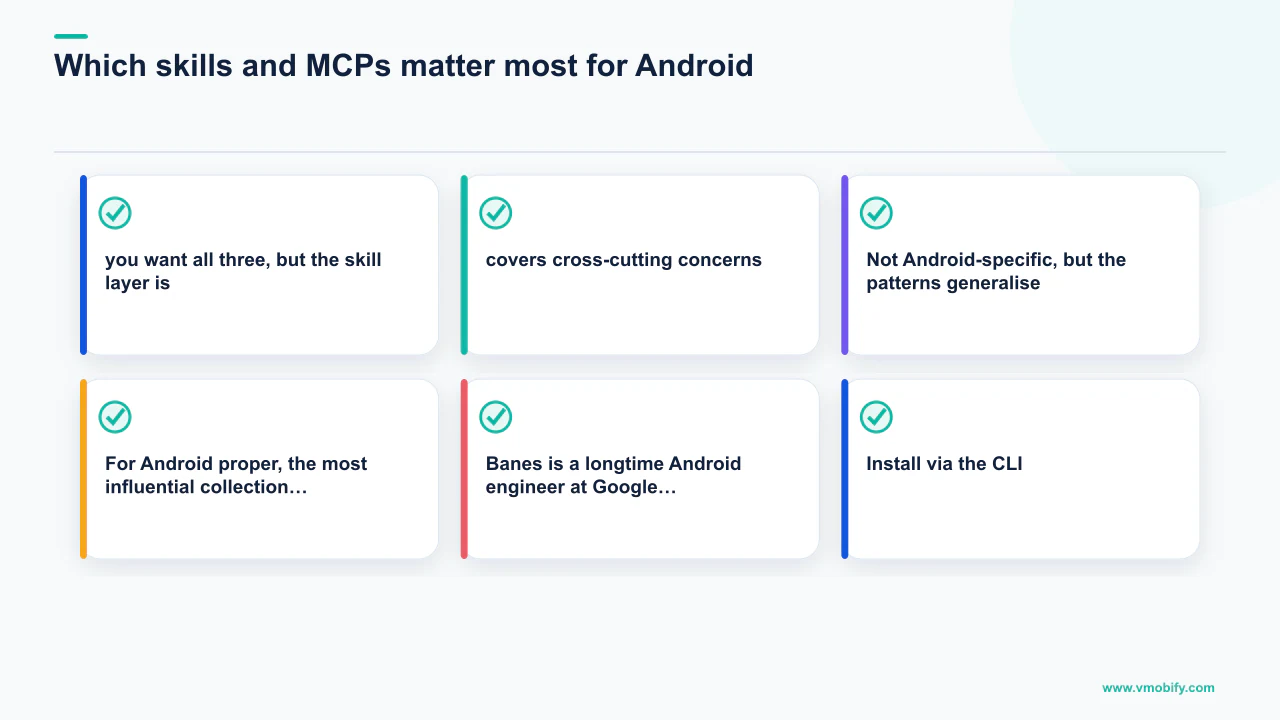
The starting point is Anthropic's official skills repository, which covers cross-cutting concerns — refactoring, code review, documentation, testing — and is the baseline worth installing on every machine. Not Android-specific, but the patterns generalise.
For Android proper, the most influential collection is Chris Banes' skills repository. Banes is a longtime Android engineer at Google, and his skills read like a senior reviewer's brain committed to text. The current set includes:
- compose-state-hoisting — when and how to lift state up to a screen root
- compose-recomposition-performance — diagnosing and preventing wasteful recompositions
- compose-stability-diagnostics — reading the Compose compiler's stability report
- compose-side-effects —
LaunchedEffect,DisposableEffect,rememberUpdatedStateusage rules - kotlin-coroutines-structured-concurrency — scopes, jobs, supervisor patterns
- kotlin-flow-state-event-modeling —
StateFlowvsSharedFlowvsChanneldecisions - kotlin-multiplatform-expect-actual — KMP module boundaries and platform code
Install via the CLI:
npx skills add chrisbanes/skills
# or inside Claude Code:
/plugin marketplace add chrisbanes/skills
Jaewoong Eum (skydoves) has published three complementary repositories worth knowing. compose-performance-skills is a 26-skill collection focused on Compose runtime performance — recomposition, lazy lists, painters, navigation transitions. It pairs well with Banes' set: where Banes covers authoring patterns, Skydoves covers profiling and diagnosis. android-testing-skills covers the full testing matrix: JVM unit tests, Robolectric, Compose UI tests, Hilt test rules, MockK setup. And android-skills-mcp is particularly useful — it bundles the skills behind an MCP server so they are queryable as tools rather than dumped wholesale into context. That distinction matters a great deal once you start running into context limits on long sessions.
Across our 300+ apps managed since 2013, we have found the single plugin worth installing on every Android machine is the official code-review plugin. Run it after staging a diff with claude /code-review. It catches the things a fresh-eyed reviewer catches in the first 30 seconds — uninitialisated lateinits, missing cancellable blocks in coroutine flows, composables that forgot to take a Modifier parameter, suspend functions called from init — and it does so with a consistency that human reviewers rarely achieve at 4pm on a Thursday.
What does a real agentic Android workflow look like?
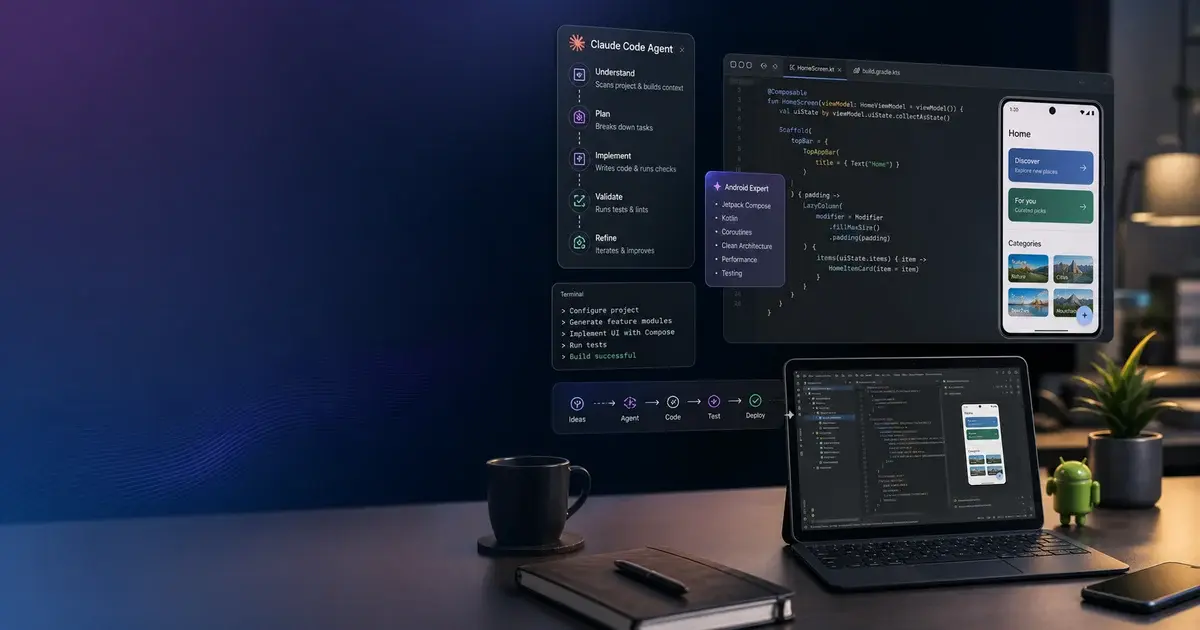
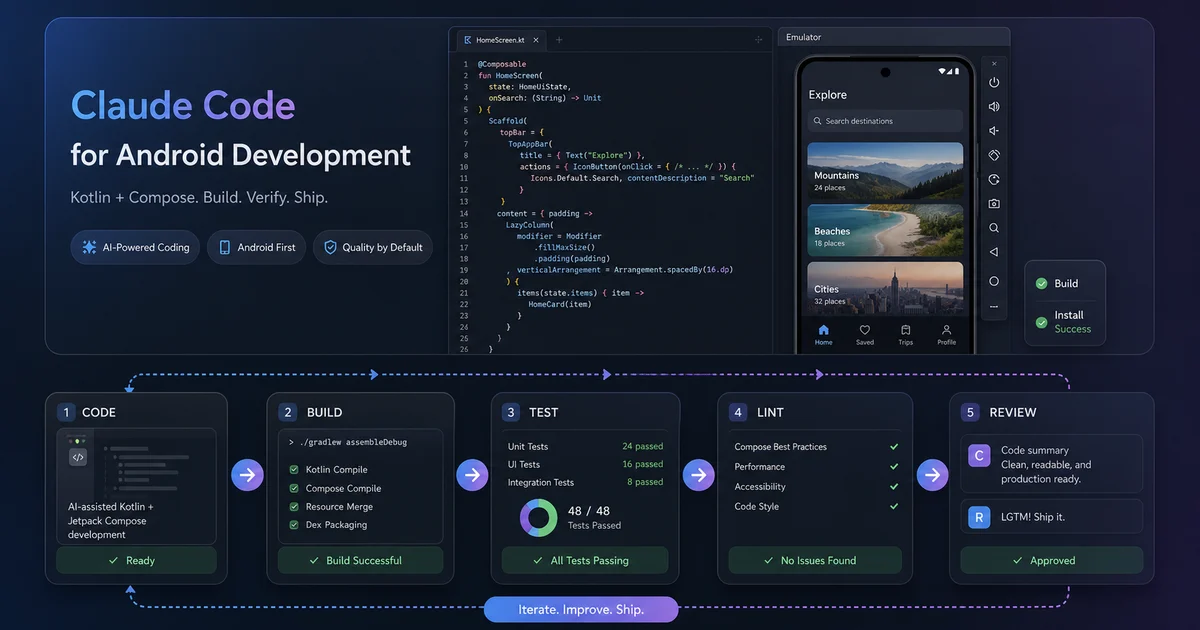
The workflow that produces the best results is not "ask the agent to write everything" — it is a structured four-phase loop: scaffold, implement, review, then test-first on the next feature. Each phase uses a different combination of skills and the discipline of keeping sessions short and scope tight.
A new feature — say, a wallet detail screen with transaction history — starts with scaffolding:
claude "Scaffold a feature module at feature/wallet-detail using the
shuja1497/android-starter-skill conventions. The module should have a
WalletDetailScreen composable, a WalletDetailViewModel exposing
WalletDetailUiState as StateFlow, and a fake repository for previews."
The agent reads the CLAUDE.md, sees the module conventions, applies the skill, and produces five or six files in roughly four minutes — what would have been a 25-minute scaffold by hand. Review the diff before proceeding. Usually there is one thing to correct; last week it was a ViewModel taking the repository as a property rather than a constructor parameter.
The implementation phase is where the Banes skill pack earns its keep. Write a rough composable with state declared inline as mutableStateOf calls to get the shape right, then run:
claude "Refactor WalletDetailScreen using the compose-state-hoisting skill.
Lift all state to the ViewModel. Keep the screen stateless. Add a separate
WalletDetailContent composable that takes the UiState and event lambdas."
The agent applies a textbook state-hoisting refactor: pulls the mutableStateOf declarations out, replaces them with StateFlow properties on the ViewModel, splits the screen into a stateful wrapper and a stateless content composable, and updates the previews to inject fake state directly. The diff is clean and reviewable in 30 seconds.
After opening a PR — or even just staging the diff locally — run the code-review plugin:
claude /code-reviewThe plugin walks the diff, applies a battery of checks, and produces a structured review. Use it to automate mechanical review tasks — spotting forgotten null checks, flagging coroutine scope misuse, noticing ViewModel leaks — and save your senior reviewer's attention for architectural decisions. That framing is the correct one: the plugin replaces the part of the review where you are squinting at imports, not the part where you are questioning the data model.
The most interesting workflow change is at the boundary between writing code and writing tests. The agent is unusually good at generating tests from a specification, and the resulting test suite is thorough because the agent does not get bored after the seventh edge case. Describe the screen in plain language, ask the agent to write the UiState sealed interface and a set of test cases against the ViewModel before any composables exist, and then iterate on the implementation until the tests pass. The shift from test-after to test-first happened almost by accident using this workflow, and it is the single biggest quality improvement in production output.
For any task expected to take more than 20 minutes, run sessions in separate git worktree directories. Worktree isolation prevents the agent from stepping on its own work mid-refactor, and it makes diff review much cleaner because each session produces a single coherent branch. This is particularly important when you want to support our user acquisition work by ensuring shipped features are stable before a campaign goes live — a broken build at launch time is expensive in ways that go beyond engineering.
How does Android Studio Agent Mode fit in?
The most surprising development of 2025–2026 is that Google adopted the same skill format as Claude Code, making SKILL.md files portable across both tools and establishing what now looks like a de facto industry standard. This is unusual — platform vendors and third-party AI providers rarely converge on the same artifact format, and yet here we are.
Android Studio's Agent Mode — Gemini's native agentic experience in the IDE — uses the same SKILL.md convention. Android's skills documentation describes the format in terms substantially identical to Anthropic's. And the agent files documentation extends the idea further with AGENTS.md, a project-level memory file that is functionally a sibling of CLAUDE.md.
Practically, this means maintaining both a CLAUDE.md and an AGENTS.md at the root of your projects with substantially the same content, and keeping .claude/skills/ and IDE-side skill directories in sync. It is a small ergonomic cost in exchange for the ability to switch between agents based on which one is performing better on a given task. Claude Code performs better for heavy refactoring work and multi-file rewrites. Gemini's Agent Mode performs better for IDE-native operations like Rename Refactor and Move Class where tight IDE integration matters. The gap is narrow and shifting weekly.
The bigger point is ecosystem-level. Skills are becoming the portable currency of Android knowledge — the way developer-friendly Compose patterns used to live in conference talks and blog posts, they now increasingly live in skill files that any agent can apply. A single SKILL.md written against the Banes patterns can be loaded by either Claude Code or Android Studio's Agent Mode and produce comparable behaviour. That is the strongest signal anyone has sent about where this category is going. When the platform vendor adopts your file format, you have a standard worth investing in.
For teams managing apps that depend on growth — whether that is ASO to drive organic installs or paid user acquisition to hit launch targets — the ability to ship production-quality features faster and with fewer regressions has a direct line to campaign performance. A well-configured agentic Android stack is, ultimately, an investment in your app's commercial velocity.
What are the biggest pain points?
There are four consistent pain points that almost every Android team hits with Claude Code, and being honest about them saves days of confusion. They each have known mitigations, but none of them go away entirely.
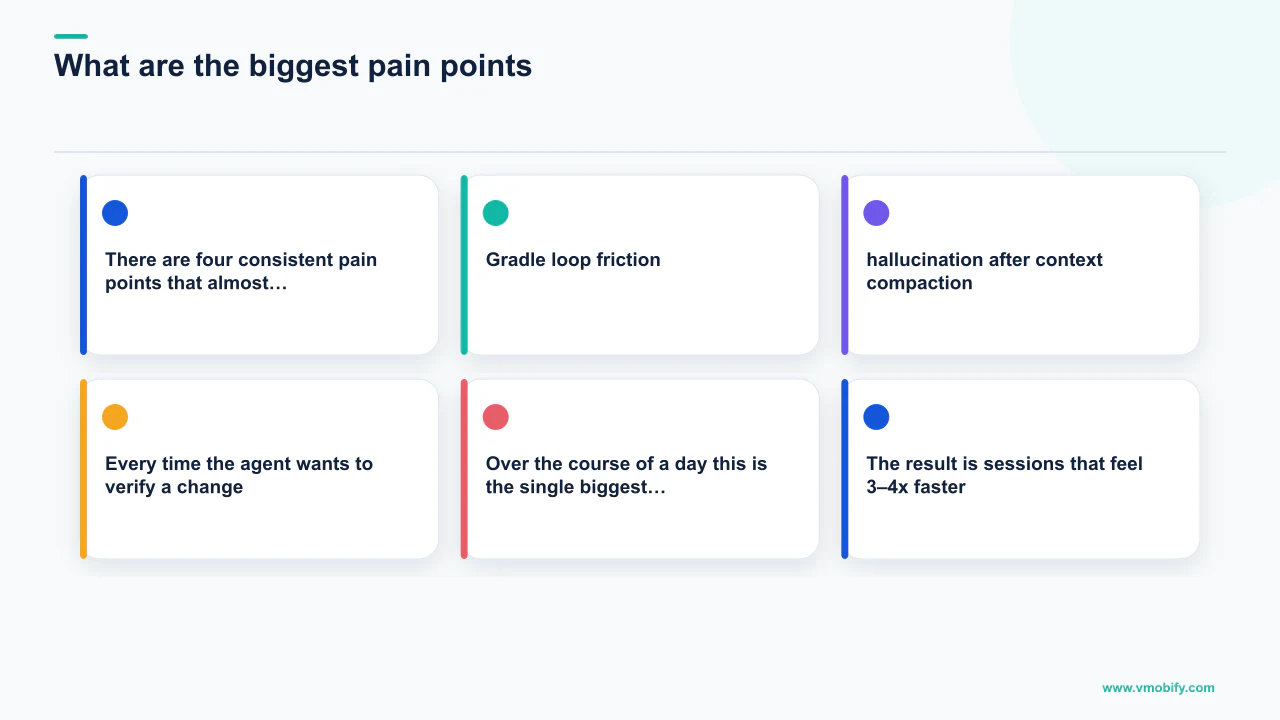
The first is Gradle loop friction. Every time the agent wants to verify a change by running a build, you pay 10–30 seconds of Gradle daemon startup plus actual compile time. Over the course of a day this is the single biggest drag on session velocity. The fix is explicit: put a rule in your CLAUDE.md telling the agent not to build unless asked, and pair it with the Kotlin LSP plugin so the agent can still type-check via the language server without invoking Gradle. The result is sessions that feel 3–4x faster. The cost is catching the occasional problem at the end of a session rather than mid-session — a trade that consistently pays off.
The second is compiles-but-runs-wrong code. The model is now good enough at Kotlin syntax that what compiles is almost always syntactically correct, but Android semantics go deeper than syntax. The three failure modes seen most often are lifecycle leaks (long-running coroutines launched from init on a ViewModel, or scoped to GlobalScope), coroutine scope misuse (runBlocking in production paths, cancellation not propagated), and state scattered across composables instead of hoisted to a StateFlow at the screen root. All three are preventable with the right skills — the Banes kotlin-coroutines-structured-concurrency and compose-state-hoisting skills exist precisely for this. Accessibility is a related failure mode: agents generate helpful accessibility utilities and then never use them anywhere in the produced code. Explicitly enforce accessibility in CLAUDE.md; do not assume the model reaches for it unprompted.
The third is hallucination after context compaction. Long sessions hit a context wall, the system compresses earlier turns, and detail gets lost. The fix is a spec-driven workflow: write the plan to a markdown file before starting, have the agent re-read it at the start of each session, and treat the spec file as the source of truth rather than the conversation history. For any task spanning more than a single working session, this discipline is not optional — without it, the agent will confidently contradict decisions made three hours ago.
The fourth is usage limits. On heavy-use days it is possible to hit caps that interrupt flow. The mitigation is intentional: be deliberate about which sessions are agentic and which are human-driven, and use lighter models for scaffolding while reserving heavier models for refactoring and review.
There is a fifth pain point worth naming that does not fit neatly into the others: the temptation to skip review. The agent's output is fluent enough to produce a particular kind of complacency. In our experience across hundreds of agentic development sessions, we have caught agents silently changing a dependency version in libs.versions.toml, converting a Result<T> to a nullable T? in a way that swallows a meaningful error type, and adding @OptIn(ExperimentalMaterial3Api::class) annotations at the function level when the project convention is to opt in at the module level. None of these were catastrophic. All of them would have been embarrassing in code review. Read every line of every diff. The agent does not have taste; imposing taste on its output is still entirely on the human.
What should you build with these tools?
The highest-value applications of Claude Code for Android in 2026 are large-scale legacy migrations, Kotlin Multiplatform module expansion, and production-side tooling that connects the agent to runtime state — not just source code. Teams that focus on these three areas will have outsized leverage in the second half of the year.
On migrations: the Banes kotlin-multiplatform-expect-actual skill is the cleanest treatment of expect/actual boundaries in an agent context, and it is worth using to migrate small leaf modules — analytics, feature flags, simple data layers — to common Kotlin code. The agent's ability to reason about platform-specific implementations and keep them in sync is genuinely useful for the most tedious part of KMP: keeping iOS and Android in agreement about what a given common interface looks like.
On production-side tooling: the direction the whole category is moving is toward tools that connect the agent to runtime state, build state, and CI state — so the work is not just code generation but actual debugging and operations. This transition will define the second half of 2026 for teams that get ahead of it.
For teams that depend on app store performance, there is a compounding effect worth naming: faster, higher-quality feature shipping feeds better ASO signals. Apps that ship meaningful updates regularly see sustained ranking improvement. The AppsFlyer Performance Index consistently shows that update cadence correlates with retention improvement, and retention improvement is the lever that makes paid user acquisition economics work. Agentic development is, for growth-focused teams, an indirect but real input to CPI efficiency.
Our view at Vmobify — formed across the 300+ apps we have managed since 2013 — is that the senior Android engineer's job has quietly become the part of the work that was always actually senior: deciding what to build, deciding what good looks like, and ensuring the agent's relentless productivity is pointed at the right targets. The plugins, skills, and CLAUDE.md files described in this guide are not the point. They are the means by which a careful engineer redirects an extraordinary amount of mechanical labour and keeps the interesting work for themselves.
If you are growing an Android app and want to understand how faster feature shipping connects to your growth outcomes or first 10K install strategy, talk to our team. And if you are buying installs to accelerate ranking, see our guide on buying Android app installs for the playbook that keeps your account clean.
Frequently Asked Questions
Is Claude Code better than Android Studio Agent Mode for Android development?+
They excel in different areas. Claude Code is stronger for heavy multi-file refactoring, large-scale migrations, and terminal-driven agentic sessions. Android Studio Agent Mode is stronger for IDE-native operations like rename refactoring and class moves. Both now use the same SKILL.md format, so skill files you write work in either tool.
Does Claude Code work with large Android monorepos?+
Yes, provided your CLAUDE.md is specific about module structure, where things live, and what the agent should not touch. The Hedvig Insurance open-source CLAUDE.md is a public example of how to configure this for an 80+ module codebase. Context compaction becomes a real concern on very long sessions — the spec-driven workflow mitigates this.
How much does it cost to run Claude Code for a full-time Android engineer?+
Anthropic publishes current pricing at claude.ai/pricing. For a full-time engineer running heavy agentic sessions, the Pro or Team plan is the right starting point. Usage limits on peak days are a real constraint — plan for this by reserving heavier models for refactoring and using lighter models for scaffolding.
Which skill pack should I install first for Android?+
Install the Banes skills pack first — specifically compose-state-hoisting and kotlin-coroutines-structured-concurrency. These two skills address the two most common failure modes in agentic Compose development. Add the Skydoves compose-performance-skills pack once you are working on an app where recomposition performance matters.
Will the agent break my Gradle build?+
It can, particularly if it modifies libs.versions.toml versions or the build-logic/ directory without understanding your convention plugin setup. The mitigation is explicit: add an "out of bounds" section to your CLAUDE.md naming the files and directories the agent should not modify without asking. Then enforce it by reviewing every diff before merging.
How does faster Android development connect to app store growth?+
Apps that ship meaningful updates regularly see sustained ranking improvement on both stores, because update cadence is a positive signal in ranking algorithms. Faster, higher-quality feature shipping feeds better ASO signals and improves retention — which in turn makes paid user acquisition more cost-effective. Our team at Vmobify helps connect development velocity to growth outcomes.
What is the single most important thing to do before starting an agentic Android session?+
Write or review your CLAUDE.md. A specific, focused project memory file — covering stack, architecture conventions, build commands, and explicit out-of-bounds rules — is the single highest-leverage investment you can make. Sessions without a real CLAUDE.md produce inconsistent, hard-to-review output. Sessions with one produce work that looks like it came from a team member who has been on the project for six months.
Sources
- Android Studio Agent Mode — Google's official agentic coding feature in Android Studio
- Anthropic JetBrains Plugin Docs — Official Claude Code JetBrains integration guide
- Hedvig Insurance CLAUDE.md — Production CLAUDE.md from a real 80-module Android codebase
- Google Play Developer Docs — Official launch and growth guidance for Android apps
- AppsFlyer Performance Index — CPI benchmarks by category and geography
- Adjust Mobile App Trends — Annual benchmark data on mobile app performance
- Sensor Tower App Intelligence — App store analytics and market intelligence
About the author
Amol Pomane — Founder, Vmobify
Amol leads Vmobify, a mobile app growth agency that has driven 30M+ downloads and ranked 54K+ keywords across 300+ apps since 2013. He writes about ASO, paid user acquisition, retention, and the operational reality of scaling mobile apps in India and global markets.