UIKit to SwiftUI Migration with Claude Code: 2026 Playbook
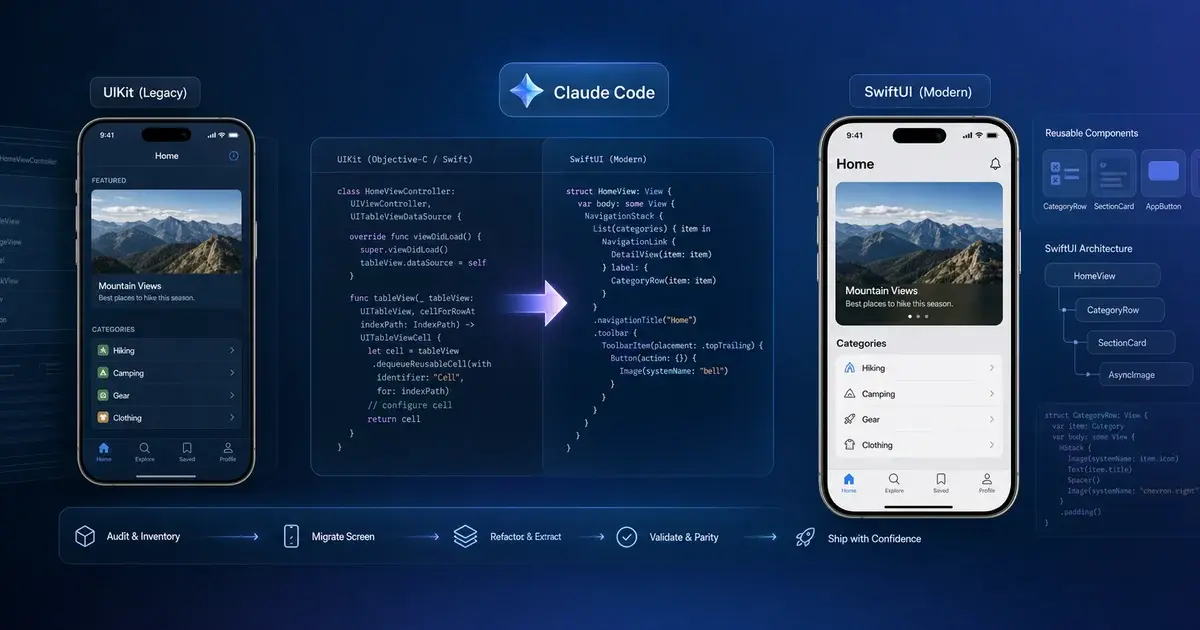
UIKit migration sits on every iOS backlog like a tax bill nobody wants to file. With Claude Code, the right skill scaffolding, and a disciplined build-and-verify loop, individual screens now migrate in an afternoon — not two sprints. Here is the 2026 playbook that makes it tractable.
On this page
- Why has UIKit-to-SwiftUI migration been stuck for years?
- What does a 35–60% faster migration actually mean?
- What is the 30-minute migration prompt and why does each section earn its place?
- How do you pick the right first screen to migrate?
- Which SwiftUI skills prevent the worst LLM mistakes?
- How do you run the build-and-verify loop with XcodeBuildMCP and Xcode Previews?
- How do you migrate GCD to Swift Concurrency in the same pass?
- What is the mixed-codebase reality and how do you manage it?
- Frequently Asked Questions
Why has UIKit-to-SwiftUI migration been stuck for years?
UIKit-to-SwiftUI migration has been stuck because the per-screen cost was high enough to make it look infeasible at scale — and the business case was fuzzy because nobody ships a press release about rewriting the same screens in a different framework. The commercial case sits downstream, in the launch and store-readiness work a modernised codebase makes cheaper, and in the agentic device-testing loop that keeps the migration honest. Every iOS team I have spoken to over the past eighteen months has a UIKit codebase they want in SwiftUI and a backlog of excuses for why this quarter is not the right time. The release calendar is too tight. The navigation stack is held together by twelve years of behavioural knowledge that lives in one senior engineer who is now on parental leave. Someone tried migrating the profile screen last spring and it took two sprints and shipped with a regression in the keyboard avoidance logic, and nobody has wanted to talk about it since.
The deferral compounds. Every quarter you defer is a quarter of new code written on the old foundation, a quarter of new engineers onboarded into UITableViewController subclasses with 1,200-line cellForRowAt implementations, a quarter where the SwiftUI surface keeps shipping new APIs that your UIKit codebase cannot use without a bespoke interop wrapper. The Apple SwiftUI documentation now covers the long tail of cases — table editing, custom collection layouts, focus management — that previously forced you back into UIKit. The platform has moved. The risk of staying on UIKit is no longer "friction"; it is "active cost."
What changed in 2026 is that the per-screen migration cost dropped. With Claude Code and the right scaffolding, screen-by-screen migration moved from "two sprints and a regression" to "an afternoon and a PR." Not for the whole app — anyone who tells you the whole app is a weekend is selling something. But for individual screens, with the discipline of a real build-and-verify loop, it is now tractable enough that the deferral itself has become the expensive choice.
Across the iOS apps in our portfolio, the teams that started this work in 2025 are now shipping SwiftUI-native features their UIKit peers cannot match in development time. The migration is not a rewrite — it is a compound investment that pays off screen by screen, sprint by sprint, until the trunk tilts SwiftUI-ward and the remaining UIKit screens are the ones you actively want to keep.
What does a 35–60% faster migration actually mean?
The 60% productivity figure comes from a reverseBits writeup and it caught on because it sounded both ambitious and specific — high enough to make a VP of engineering forward the link, low enough that nobody assumes you mean ten times. The reverseBits team is straightforward about their methodology, and the strategic shape they describe is correct: incremental, ViewModel-anchored, and tolerant of mixed navigation during the transition.
The honest counterpoint comes from Osman Demiröz, who runs the maths more carefully: SwiftUI projects see the full 60% gain, while mixed UIKit/SwiftUI projects land closer to 35–40%. That 35–40% number is what I would put in front of leadership. Sixty percent is the upper bound for an app that has already done most of the architectural work — clean MVVM, modular feature packages, no shared UINavigationController carrying a decade of behavioural cruft. Thirty-five to forty is what you actually get on a real production app where half the screens still own their own data fetching and the keyboard avoidance is held together by NotificationCenter and optimism.
Both numbers are fine. Both are worth doing. But quoting 60% to your director and delivering 40% in week six is how you lose credibility on the next migration proposal — and you will need that credibility, because the second-year migrations, after the navigation graph has tilted SwiftUI-ward and new screens stop needing UIKit wrappers, are where the 60% number actually materialises.
The thing worth putting on a slide: with Claude doing the mechanical translation, the engineer's job moves from "write SwiftUI" to "decide what the SwiftUI version should look like." That shift is where the real productivity gain lives. You stop typing NavigationLink boilerplate and start spending your time on architectural calls — should this be a NavigationStack or stay wrapped in UINavigationController, should this view own its state or hoist it, does this UICollectionView translate to LazyVGrid or does the layout require something custom? Those decisions are still on you. Everything between them is mostly typing, and Claude is fast at typing.
What is the 30-minute migration prompt and why does each section earn its place?
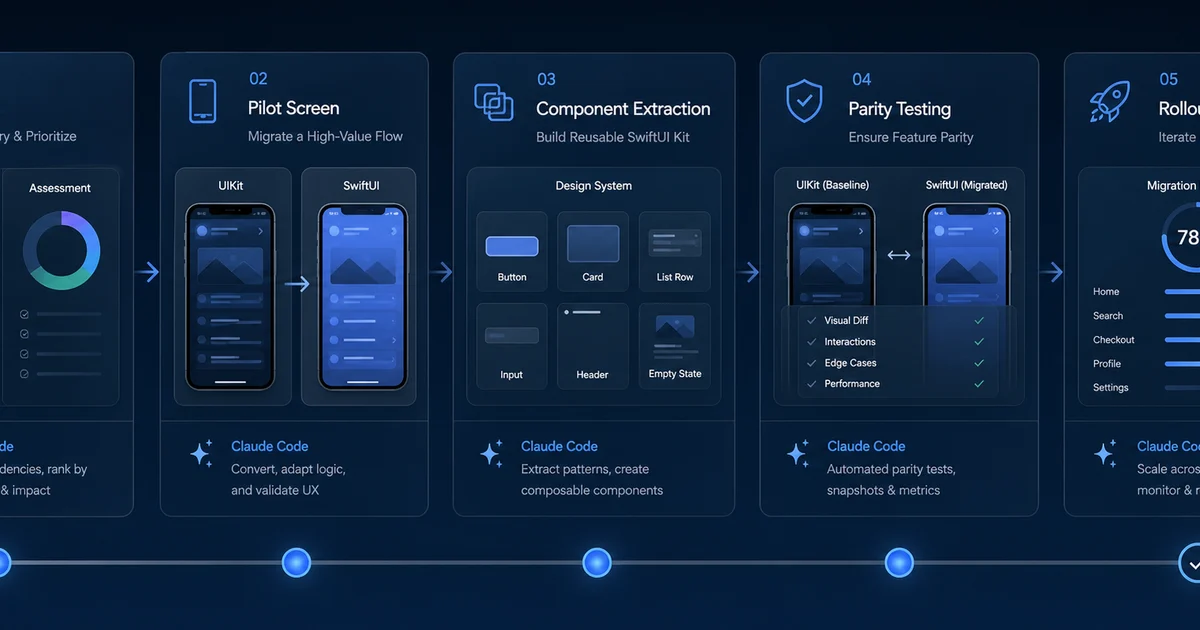
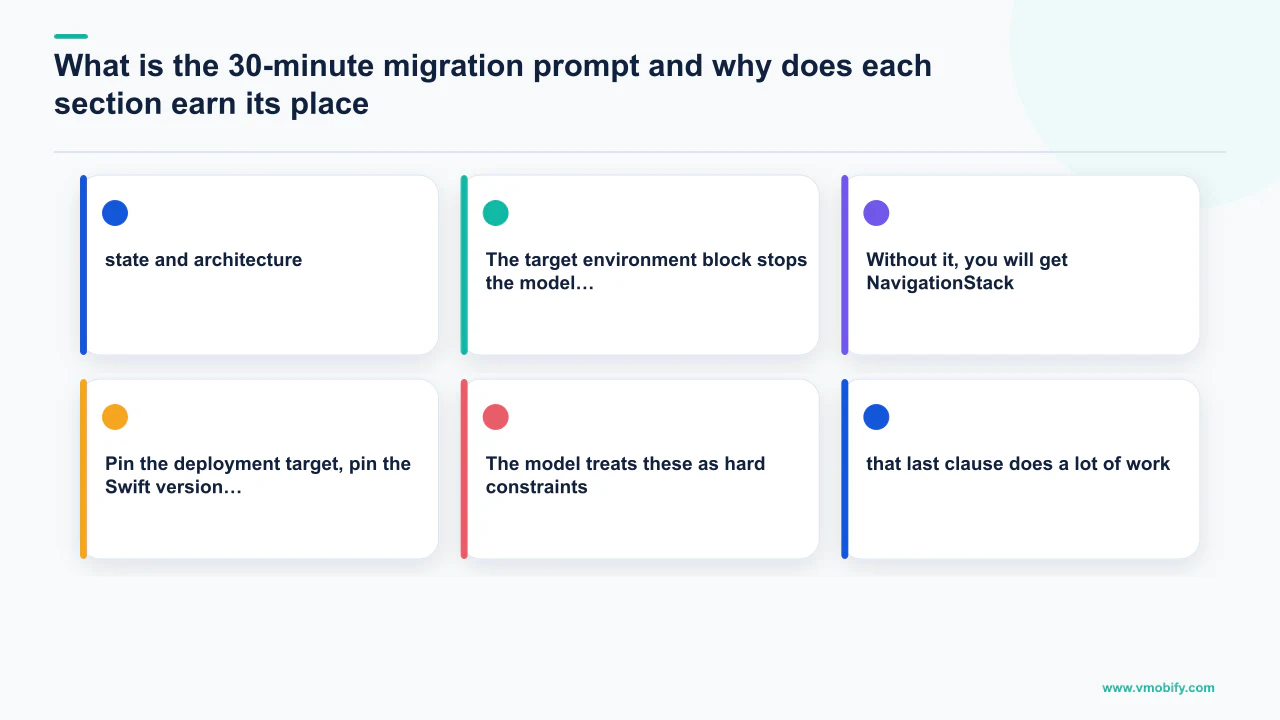
The structural prompt below is refined from Rahul Nimje's 30-minute migration prompt and iterates on the original with tighter constraints around navigation, state, and testability — the three areas where the model gets things wrong most often without explicit guidance.
You are migrating a screen from UIKit to SwiftUI in an existing iOS app.

TARGET ENVIRONMENT
- iOS deployment target: iOS 17.0 (we cannot use iOS 18+ APIs)
- Swift version: 6.0 with strict concurrency checking
- Xcode: 16.2

STATE AND ARCHITECTURE
- Use @Observable (the Observation framework), NOT ObservableObject + @Published
- Preserve the existing ViewModel's public API — do not rename methods
- The ViewModel must remain testable from XCTest without UIKit imports

NAVIGATION
- The new SwiftUI screen will be presented inside a UIHostingController
  inside the existing UINavigationController for now
- Do NOT add NavigationStack at the screen root; the parent provides navigation
- Use NavigationLink only for child screens that have already been migrated

CONSTRAINTS
- No third-party dependencies
- Match the existing visual design exactly — pixel-for-pixel where possible
- Preserve accessibility identifiers and VoiceOver labels from the UIKit version
- Keyboard avoidance must work without UIScrollView hacks

DELIVERABLE
1. The SwiftUI View as a new file
2. Any required View modifiers or small subviews in the same file unless > 80 lines
3. A unit test that exercises the ViewModel via the new View's bindings
4. A snapshot test using swift-snapshot-testing (point-free) for the default state

INPUTS
[paste the UIViewController file]
[paste the ViewModel file]
[paste any custom UIView subclasses the screen uses]
The target environment block stops the model from reaching for APIs you cannot ship. Without it, you will get NavigationStack(path:) features that require iOS 17 when your floor is iOS 15, or @Bindable syntax that requires Swift 5.9 when your CI is pinned to an older toolchain. Pin the deployment target, pin the Swift version, pin the Xcode version. The model treats these as hard constraints; vague constraints get vaguely violated.
The state and architecture block is where the most iteration has happened. Naming the exact mechanism (@Observable over ObservableObject + @Published), forbidding ViewModel API renaming so existing tests keep passing, and requiring ViewModel testability without UIKit imports — that last clause does a lot of work. It means the model cannot smuggle a UIColor or UIImage into the ViewModel just because the old view controller had one there.
The navigation block is the one teams most often omit. If you do not tell the model whether this screen is the root of a new NavigationStack or a leaf inside a UIKit navigation stack, it will make a guess, and that guess will be wrong roughly half the time. Wrong here means: it adds a NavigationStack at the root and you end up with two navigation bars, or it uses NavigationLink to push to a child that is still a UIViewController, which compiles but does nothing at runtime.
The deliverable block makes the model produce tests as part of the same response. This is the single biggest leverage point in the prompt. If you treat tests as a follow-up step, you will not write them. If you make them part of the deliverable, you get them for free — and the model writes them while it still has the full context of the migration loaded. Thirty minutes is plausible for a clean screen with this prompt. The first migration I ran with the full version took twenty-two minutes from prompt to merged PR, and twelve of those minutes were the snapshot test recording job finishing on CI.
How do you pick the right first screen to migrate?
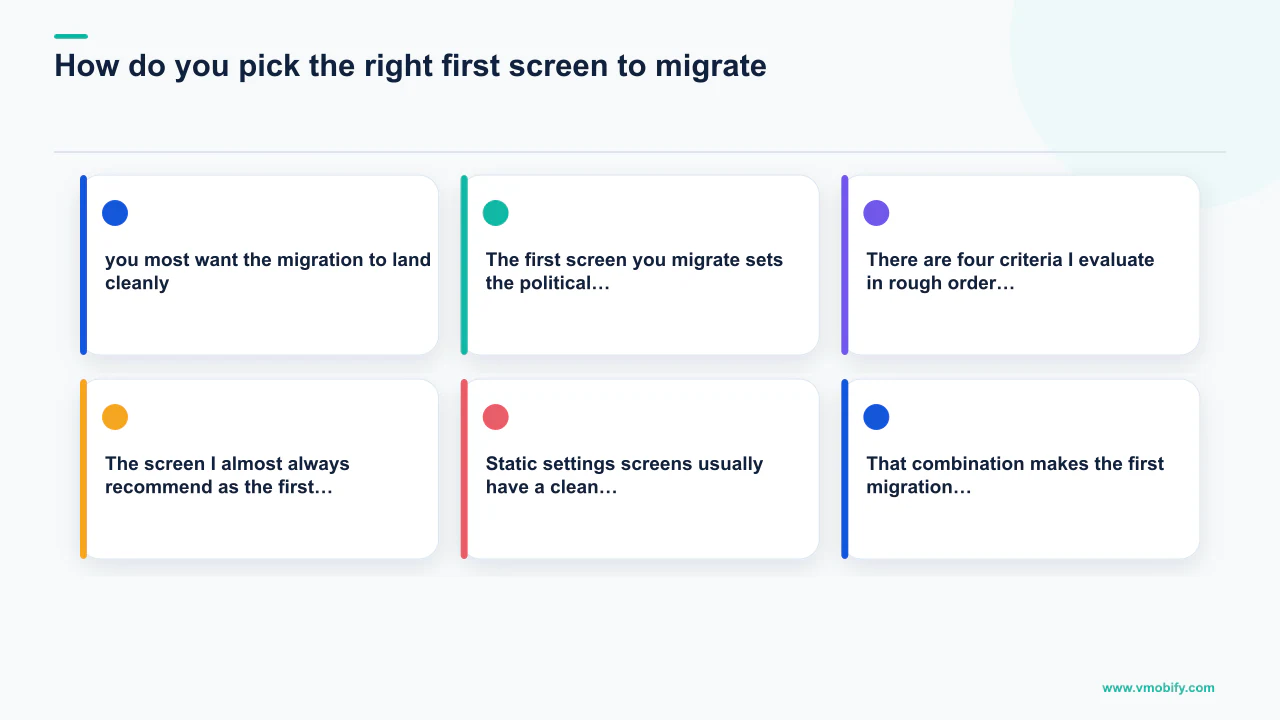
The first screen you migrate sets the political and technical tone of the whole project — pick well and you get four more migrations approved at the next sprint planning; pick badly and you get a six-month moratorium and a postmortem. There are four criteria I evaluate in rough order of importance.
- First: the ViewModel is already separated from the
UIViewController. If your screen still has data fetching insideviewDidLoad, fix that as a UIKit refactor first, then migrate. Doing both in the same pass triples the surface area for bugs and quadruples the review time. If there is no ViewModel to speak of — if the view controller is also the state manager and the network layer — that is two sprints of UIKit refactoring before you touch SwiftUI. - Second: no complex UIKit-specific behaviours.
UICollectionViewLayoutsubclasses, table editing modes, intricate gesture chains, anything that depends onUIScrollViewDelegatecallbacks at specific phases of the scroll lifecycle — all of these have SwiftUI equivalents, but the equivalents are not one-to-one. Save those screens for later, when the team has built up the muscle and the trust. The goal of the first migration is to demonstrate that the playbook works, not to prove you can handle the hardest case. - Third: leaf navigation. A leaf screen is one with no children, or only children that have already been migrated. If your detail screen pushes to a settings screen that pushes to a privacy screen, do not start with the detail screen — the migration will cascade and you will end up touching three screens in one PR. Start with the privacy screen and work your way up the tree. This sounds obvious and it is the rule I see broken most often, because the most interesting screen to migrate is almost never the leaf.
- Fourth: not the most-trafficked screen in the app. The home feed is also the screen where you most want the migration to land cleanly, which is exactly the reason to migrate it second or third, after you have run the playbook a couple of times and have a feel for where the model gets things wrong. If you ship a regression on the settings screen, three people notice. If you ship a regression on the home feed, your support inbox fills up before you finish reading the PR review.
The screen I almost always recommend as the first migration: an account or settings screen with a UITableView of static cells and one or two detail children. It hits all four criteria. Static settings screens usually have a clean ViewModel boundary, no exotic UIKit behaviours, and low traffic. That combination makes the first migration a success story rather than a cautionary tale.
Which SwiftUI skills prevent the worst LLM mistakes?
The single biggest unlock for these migrations in 2026 was not a new model version — it was Paul Hudson's twostraws/SwiftUI-Agent-Skill, which hit 1,800+ stars in its first week and is now the single most important piece of scaffolding around Claude when writing SwiftUI. The skill exists because language models have a specific failure mode when writing SwiftUI: they reach for patterns that look correct based on years of training data but are subtly broken in modern Swift.
Hudson's launch article catalogs the worst offenders:
Text + Textconcatenation — once a perfectly fine pattern for building a single styled string from multipleTextviews with different modifiers. Now deprecated in favour ofAttributedStringand it actively breaks under certain modifier orders. The model will still produce it because half the SwiftUI code on the internet uses it. The skill catches it.- SwiftData predicates — these read like normal Swift (
#Predicate<Book> { $0.author == "Le Guin" }) and look correct in the editor. They will then fail at runtime with an opaque error because the predicate compiler does not support whatever method you reached for inside the closure. The skill knows the actual supported surface area and steers the model away from the things that look like they should work but do not. - Outdated accessibility APIs — SwiftUI's accessibility surface has been rewritten twice. The model defaults to the middle generation (
accessibility(label:)rather thanaccessibilityLabel(_:)rather than the newer trait-based APIs) and you end up with code that compiles with warnings and quietly degrades the experience for VoiceOver users. - Deprecated navigation and observation —
NavigationViewwas deprecated,NavigationStackreplaced it, and the model will still produceNavigationViewbecause there is moreNavigationViewcode in the world thanNavigationStackcode. Same story forObservableObjectversus@Observable. The skill enforces the modern variants by default.
Install is one command:
npx skills add https://github.com/twostraws/swiftui-agent-skill --skill swiftui-proAfter that, every SwiftUI-related prompt in Claude Code automatically pulls in the skill's guidance. Run it as a global skill rather than per-project — the migrations themselves are short-lived but the SwiftUI code lives forever. For teams also moving from Core Data to SwiftData in the same quarter, the companion twostraws/SwiftData-Agent-Skill covers @Model declarations, the @Query property wrapper, migration patterns between schema versions, and the cascading-delete relationships that Core Data made painful. The SwiftUI skill is the single setting I would not migrate without.
How do you run the build-and-verify loop with XcodeBuildMCP and Xcode Previews?
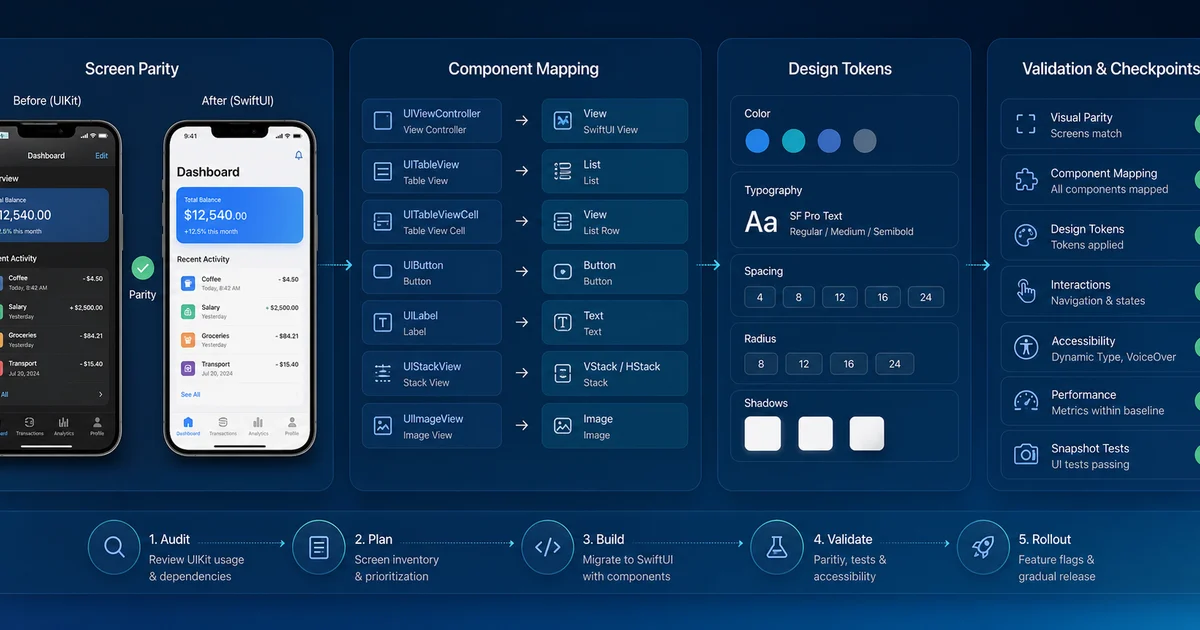
The migration prompt produces code; the skills shape that code; but neither of them runs the code — and code that does not compile is not migration progress, it is technical debt with a fancier syntax highlighter. The build-and-verify loop is what closes the gap between "Claude produced something" and "the new screen actually works in the simulator."
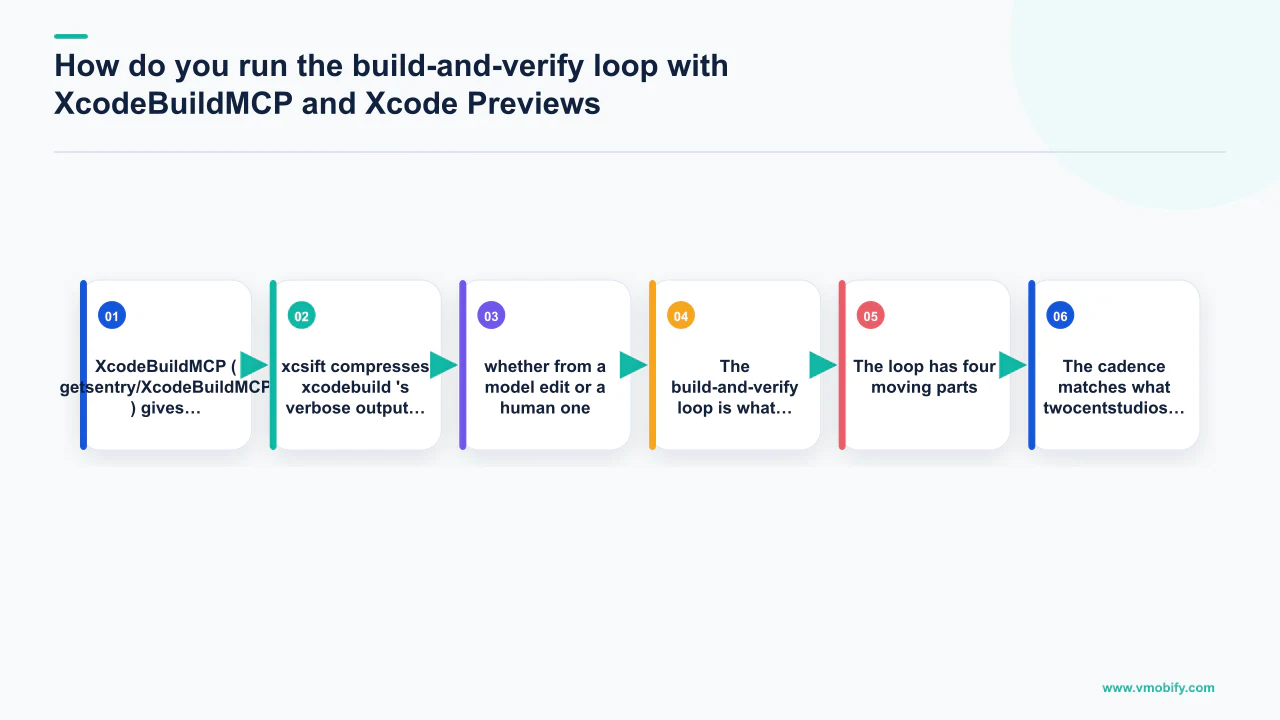
The loop has four moving parts:
- XcodeBuildMCP (getsentry/XcodeBuildMCP) gives Claude direct access to your Xcode project through 82 tools covering build, test, simulator control, and device management. Installing on macOS is two commands:
brew tap getsentry/xcodebuildmcpthenbrew install xcodebuildmcp. With it running, Claude can build your project, see the compiler output, run tests, capture screenshots from the simulator, and iterate on errors without you copy-pasting build logs into the chat window. The model now sees the errors in the same loop that produced the code. - xcsift compresses
xcodebuild's verbose output into compact, error-focused summaries. Rawxcodebuildoutput is hostile to language models — there is too much noise, the errors are buried, and the context window fills up before you reach the actual problem.xcsiftturns a 4,000-line build log into a 40-line error summary that fits in a single tool result. - Xcode Previews, which Claude can now capture directly via the Apple Xcode MCP RenderPreview tool. This is the piece that was impossible eighteen months ago: Claude renders the SwiftUI preview, looks at the image, and decides whether the layout matches the intent. The model sees what you would see if you opened the canvas. Before this, you would describe a layout problem in words — "the title is too close to the top safe area" — and the model would try a fix, and you would screenshot the result back, and you would iterate over text descriptions of pixel positions. With rendered previews, the model sees what you see and the conversation collapses to "this looks wrong, here is the fix."
- Snapshot testing with point-free's swift-snapshot-testing is what locks in the migration. Once the SwiftUI screen renders correctly, you record a snapshot, and any future regression — whether from a model edit or a human one — fails the test. This is the safety net that makes "let Claude migrate it" a defensible choice in code review. You are not trusting the model to be correct; you are trusting the snapshot test to catch regressions.
The cadence matches what twocentstudios documented: Claude iterates at least 2 times and up to 5 times before considering the SwiftUI code complete. Two to five iterations is right. The first iteration is the migration itself. The second fixes the inevitable compile error — usually a type mismatch around an @Binding or a missing modifier on a View extension. The third, if it happens, is a layout fix once Claude looks at the rendered preview and sees that the spacing is wrong. By the fifth iteration, if you have not converged, something is structurally off and it is time to step in as a human and rethink the screen rather than letting the model keep guessing.
How do you migrate GCD to Swift Concurrency in the same pass?
GCD-to-Swift Concurrency is worth doing in the same pass as UIKit-to-SwiftUI because a SwiftUI view calling a GCD-based ViewModel is the worst of both worlds — you get SwiftUI rendering quirks from stale state plus GCD complexity from thread management, and your ViewModel tests become harder to write because you are mixing async/await callers with completion-handler callees.
Most UIKit codebases have a quiet layer of DispatchQueue.main.async, DispatchQueue.global().async, and the occasional OperationQueue. SwiftUI does not play well with GCD — the impedance mismatch between @MainActor and DispatchQueue.main is exactly the kind of subtle race condition that ships to production and shows up as "occasional jank" in performance reports. Adjust's Mobile App Trends benchmarks consistently show that apps with performance regressions around UI thread management see measurable drops in Day 7 retention — the metric that drives algorithmic discovery on the Apple Search Ads network.
A concrete before/after. UIKit code that fetches a profile might look like this:
func loadProfile(userID: String, completion: @escaping (Result<Profile, Error>) -> Void) {
    DispatchQueue.global().async {
        do {
            let profile = try self.api.fetchProfile(userID: userID)
            DispatchQueue.main.async {
                completion(.success(profile))
            }
        } catch {
            DispatchQueue.main.async {
                completion(.failure(error))
            }
        }
    }
}
The SwiftUI-and-concurrency version of the same logic, after the migration prompt has done its work with the concurrency skill loaded:
@MainActor
@Observable
final class ProfileViewModel {
    private(set) var state: LoadingState<Profile> = .idle
    private let api: ProfileAPI

    init(api: ProfileAPI) { self.api = api }

    func loadProfile(userID: String) async {
        state = .loading
        do {
            let profile = try await api.fetchProfile(userID: userID)
            state = .loaded(profile)
        } catch {
            state = .failed(error)
        }
    }
}The completion handler is gone. The thread management is gone. The @MainActor annotation on the class means the compiler enforces that state mutations happen on the main thread; the await on the API call means the compiler enforces that the network work does not block it. The whole class is about a third the size and twice as analysable.
Antoine van der Lee's AvdLee/Swift-Concurrency-Agent-Skill is the companion skill for this work — it covers safe concurrency, Swift 6 strict-checking migration, and performance optimisation. The Swift 6 strict mode is now the default for new projects, and the cost of bringing a UIKit + GCD codebase up to clean Swift 6 is roughly the same as migrating it to SwiftUI + concurrency in the same pass. You are going to pay the concurrency cost anyway. You might as well get the SwiftUI gain at the same time.
What is the mixed-codebase reality and how do you manage it?
Most apps are not going to migrate cleanly, and the in-between state — a mixed UIKit/SwiftUI codebase that gets less mixed over time — is something you have to be comfortable shipping. The marketing version of the playbook makes it sound like you do a few prompts and end up with a pure SwiftUI codebase. You do not. The patterns that have held up in production:
UINavigationControllerwrappingUIHostingControllerchildren is the standard transition pattern. Your existing navigation stack stays. You push SwiftUI screens onto it viaUIHostingController(rootView: NewScreen()). The back button works. The interactive pop gesture works. The navigation bar configuration works through the host. This is the configuration the reverseBits team recommended and the one to default to — it looks ugly in architecture diagrams and it works fine at runtime.UIHostingControllerinsideUITableViewCellis sometimes the right answer for migrating individual cells while leaving the table structure UIKit. It has performance characteristics you need to test —UIHostingControlleris heavier than a hand-rolled cell and reuse is fiddlier — but for cells with complex content, it works.UIViewRepresentablewrapping aUIViewis the pattern to use sparingly. Once you have aUIViewRepresentablein your SwiftUI screen, you are maintaining both sides, and the impedance mismatch around layout, gesture, and accessibility tends to leak. Use it only for things where the UIKit version is genuinely better —MKMapView,WKWebView, the camera capture stack — and wrap it once at the lowest level and never again.
The expectation to set with leadership, drawing on Demiröz's numbers: 35–40% productivity gain in year one, closer to 60% in year two, after the navigation graph has tilted SwiftUI-ward and new screens stop needing UIKit wrappers. The compounding is what makes this worth doing.
In our portfolio of 300+ iOS apps managed since 2013, the teams that take a disciplined screen-by-screen approach — starting from leaves, picking screens with clean ViewModel boundaries, locking in snapshot tests before moving on — consistently outperform the teams that try to migrate large swaths of the app at once. The migration is a compound investment; the interest accrues fastest when the principal is managed carefully. If you want a structured approach to the first three screens, talk to our team — or see how other apps handled their technical modernisation on our results page.
The apps still deferring this work in mid-2026 will spend the second half of the year watching their hiring funnel get harder — new graduates have only ever written SwiftUI — and their feature velocity get slower, as the new platform APIs ship SwiftUI-first. The playbook above is what I would hand them on day one. The model is the engine; the skills, the prompt structure, and the snapshot-test loop are the chassis. Without the chassis, you are not migrating faster — you are just generating more code to review. If you would rather have this run against your codebase than run it yourself, see how we approach app launch engineering.
Frequently Asked Questions
How long does a single screen migration actually take with Claude Code?+
For a screen with a clean ViewModel already separated from the UIViewController, the 30-minute migration prompt is realistic — one colleague completed a settings screen with three sections and a toggle-heavy detail view in ninety minutes including snapshot tests. Complex screens with exotic UIKit behaviours take longer; fix the ViewModel separation first as a UIKit refactor, then migrate.
Is the 60% productivity gain real or just marketing?+
It is real for apps that already have clean MVVM architecture and modular feature packages. For production apps with mixed architecture, 35–40% is the honest number. Quote 35–40% to leadership; if you deliver 45% you look good, if you quote 60% and deliver 40% you lose credibility on the next proposal.
Do I need the SwiftUI Agent Skill, or can I just use a good prompt?+
You need the skill. Without it, Claude will produce deprecated Text+Text concatenation, broken SwiftData predicates that compile but crash at runtime, and NavigationView instead of NavigationStack. These are not prompt-fixable because the model has seen so much legacy code that the broken patterns are reinforced. The skill blocks them at the tooling level.
Can I do the UIKit-to-SwiftUI migration without migrating from GCD to Swift Concurrency?+
You can, but you should not. A SwiftUI view calling a GCD-based ViewModel is the worst of both worlds — you get SwiftUI rendering quirks and GCD thread-management complexity simultaneously, and your ViewModel tests become harder to write. The strict concurrency compiler cost is roughly the same whether you pay it now or later; doing both migrations in the same pass is almost always the right call.
What happens if my app has Core Data — should I migrate to SwiftData at the same time?+
Not in the same PR, but often in the same quarter. Declare @Model types alongside existing NSManagedObject subclasses, write a one-shot migration job, ship it behind a feature flag, then move read paths over one screen at a time in lockstep with the UIKit-to-SwiftUI migrations. Install the SwiftData Agent Skill first — SwiftData predicates compile but fail at runtime on unsupported methods, and the error messages are opaque.
How does Vmobify approach UIKit-to-SwiftUI migration for client apps?+
We apply the same playbook described above: screen selection audit first, ViewModel separation refactor where needed, migration prompt with the SwiftUI Pro skill, build-and-verify loop with XcodeBuildMCP and snapshot tests, then hand off with a migration log and recorded snapshots. See our iOS development work on the results page or contact us to discuss your specific codebase.
What is the single biggest mistake teams make when starting a UIKit-to-SwiftUI migration?+
Picking the wrong first screen. Teams almost always want to start with the most interesting screen — the home feed, the main dashboard — when they should start with the lowest-traffic leaf: a settings screen or account screen with a clean ViewModel. The first migration sets the political tone for the whole project; a success on a safe screen funds approval for four more migrations, a regression on the home feed sets the project back six months.
Sources
- Apple — SwiftUI Documentation — Official SwiftUI API reference and migration guides
- Apple — App Store Review Guidelines — App Review policies relevant to UI-driven features
- Apple Search Ads — iOS install advertising — impacted by app quality metrics
- AppsFlyer Performance Index — iOS CPI and Day 7 retention benchmarks by category
- Adjust Mobile App Trends — Annual mobile app performance benchmarks
- Sensor Tower App Intelligence — App store analytics and competitive intelligence
About the author
Amol Pomane — Founder, Vmobify
Amol leads Vmobify, a mobile app growth agency that has driven 30M+ downloads and ranked 54K+ keywords across 300+ apps since 2013. He writes about ASO, paid user acquisition, retention, and the operational reality of scaling mobile apps in India and global markets.