Shipping iOS Apps with Claude: From SwiftUI to App Store Connect
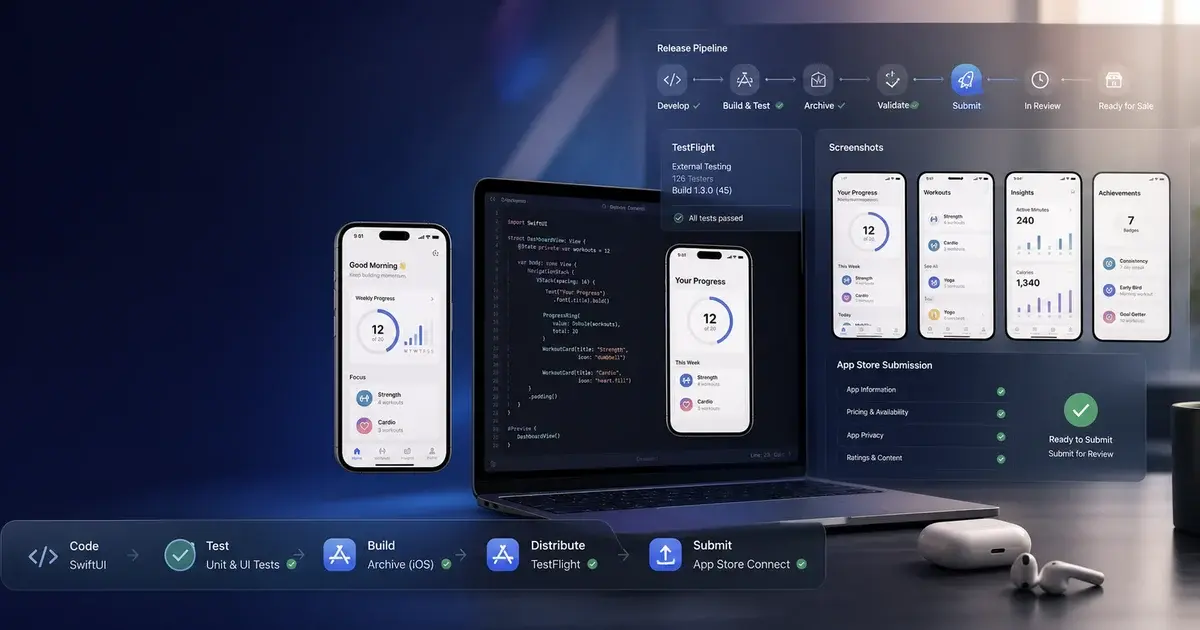
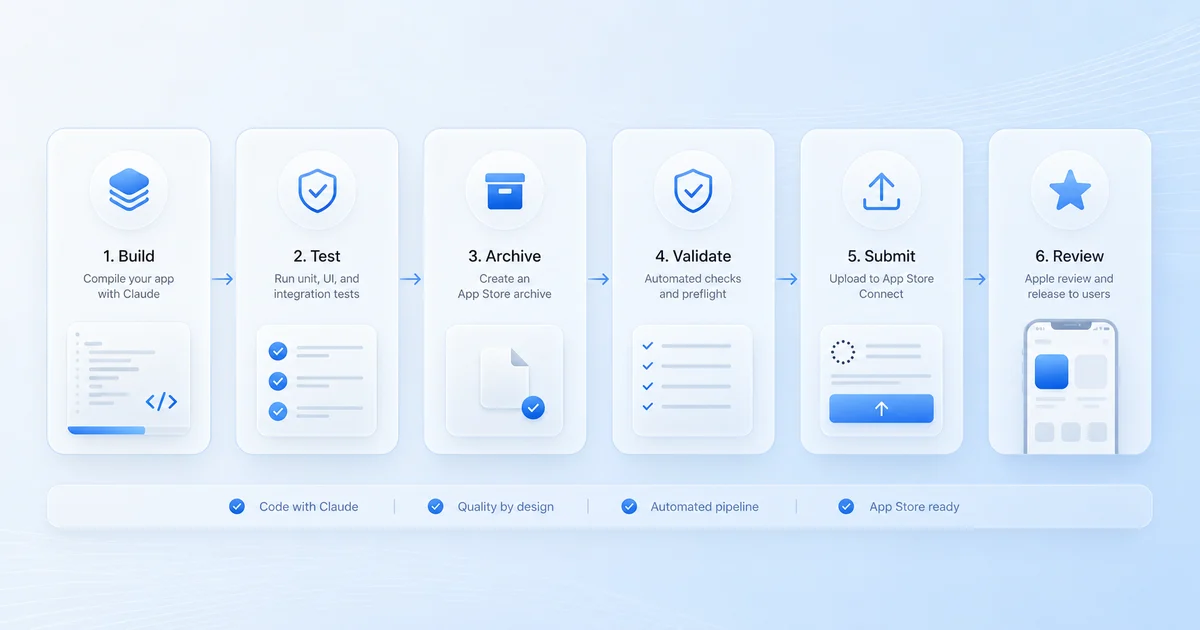
Shipping is the bottleneck — not code quality. This guide walks through the complete pipeline: SwiftUI skills, App Store Connect MCPs, fastlane automation, screenshot generation, and Apple policy minefields every Claude-assisted iOS project needs to navigate in 2026.
On this page
- Why is shipping the bottleneck — not code quality?
- How do you set up build loop discipline with xcsift and xcbeautify?
- Which SwiftUI skills produce ship-ready code?
- Which App Store Connect MCP should you use?
- How do fastlane skills and MCPs complete the shipping pipeline?
- How do you generate screenshots that actually convert?
- What are the Apple policy minefields in 2026?
- Where is iOS shipping automation heading?
- Frequently Asked Questions
Why is shipping the bottleneck — not code quality?
The blocker for most iOS projects is not skill or Swift knowledge — it is the energy tax of ceremony: glue code, code signing, screenshot exports, metadata pushes, and the slow accumulation of yak-shaving that drains motivation faster than the interesting work can refill it. In July 2025, Indragie Karunaratne documented this exactly when he shipped Context, a fully functional native macOS MCP client. Roughly 20,000 lines of Swift. He hand-wrote fewer than 1,000 of them. The app was signed, notarised, distributed, and had a Sparkle-powered auto-updater. More importantly: it was the first side project he had shipped in six years — despite being one of the most experienced macOS engineers in the industry.
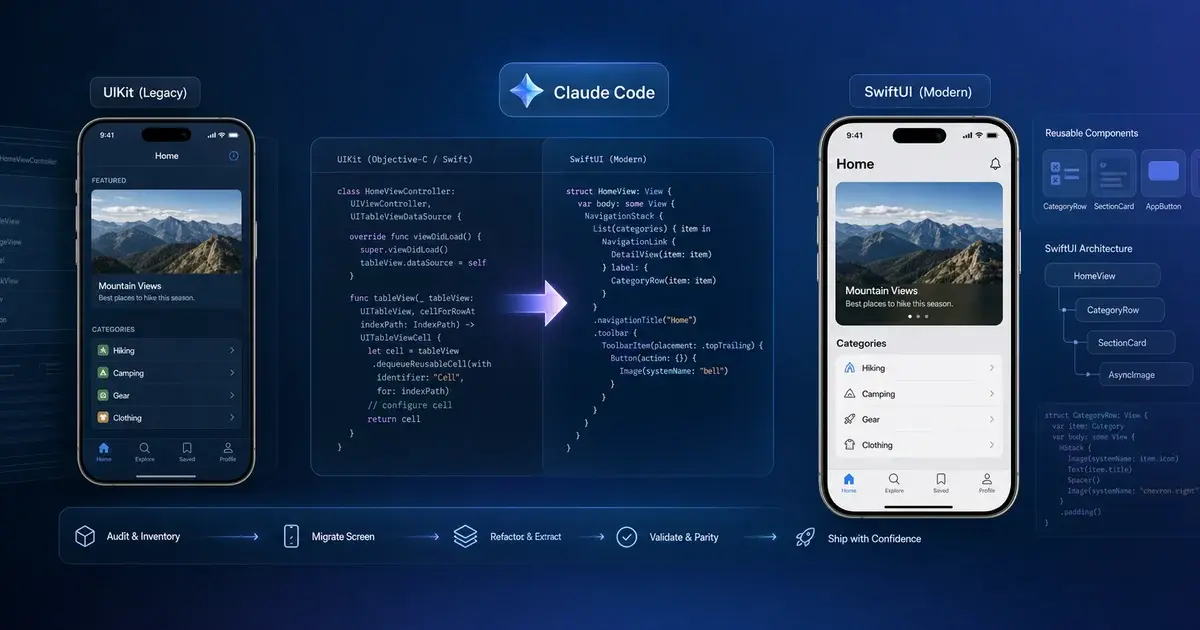
A month earlier, twocentstudios published a complementary piece: a Claude-assisted rewrite of Vinylogue, a 12-year-old Objective-C Last.fm app. Claude did not translate the Obj-C line by line. It read the code, built a model of what the app did, and rewrote a spec from scratch. That is the correct instinct to encourage. The bugs it introduced were not junior-engineer bugs — they were plausible-looking surface bugs like a wrong colour space value or a SwiftData predicate that compiled fine and threw at runtime. The only defence is a tight build-and-test loop where these surface fast.
The lesson both posts converge on is the same: shipping is not about Claude writing Swift well — it is about everything around Claude writing Swift. Skills, MCPs, fastlane automation, policy compliance, and structured build feedback are the infrastructure that turns a competent code generator into a reliable shipping pipeline. Across our 300+ apps managed since 2013, the teams that ship fastest are not the ones with the cleanest architecture — they are the ones who have closed the feedback loop between a code change and a verified build the fastest.
How do you set up build loop discipline with xcsift and xcbeautify?
Before installing a single skill or thinking about App Store Connect, fix the build loop — if Claude cannot see whether its code compiled, it cannot fix its own mistakes and you end up holding its hand through every typo. Two tools sit at the bottom of every effective iOS-with-Claude stack.
xcsift is a Swift and Xcode formatter that wraps xcodebuild and emits structured JSON instead of the firehose Xcode normally produces. The pitch is roughly 60% token reduction on a typical build — the difference between Claude reading 1,200 lines of linker noise and Claude reading three errors with their file paths, lines, and reasons. On a long session this is the difference between burning through your context window in five exchanges and iterating for two hours.
xcsift build -workspace MyApp.xcworkspace -scheme MyApp -destination "platform=iOS Simulator,name=iPhone 16 Pro" --jsonThe JSON output includes errors, warnings with severities, file/line/column anchors, and test results. Claude is far better at acting on that than at scrubbing raw output.
xcbeautify, used most visibly through vermont42/ios-build-verify, reduces a successful build from thousands of lines to a handful and surfaces failures with file:line:col: anchors. The repo bundles xcodebuild with xcbeautify and AXe — Apple's accessibility XCTest helper — so Claude can run a single shell command and get back something it can act on:
#!/usr/bin/env bash
set -euo pipefail
xcodebuild -workspace "MyApp.xcworkspace" -scheme "MyApp" -destination "platform=iOS Simulator,name=iPhone 16 Pro" -resultBundlePath build/Verify.xcresult build test 2>&1 | xcbeautify --is-ci --renderer github-actionsTate Jennings puts the principle directly: structured build output is the single biggest unlock for Claude doing iOS work. Without it, the model spends its tokens reading lint noise instead of fixing your code. If you take one piece of practical advice from this guide, take this one: fix the build feedback first. Everything downstream — skills, MCPs, fastlane, App Store Connect — gets easier once Claude can reliably tell whether its last change worked.
Which SwiftUI skills produce ship-ready code?
Claude is a competent SwiftUI engineer out of the box and a very good one with the right skills installed — four skills in particular close the most common failure modes in LLM-generated iOS code.
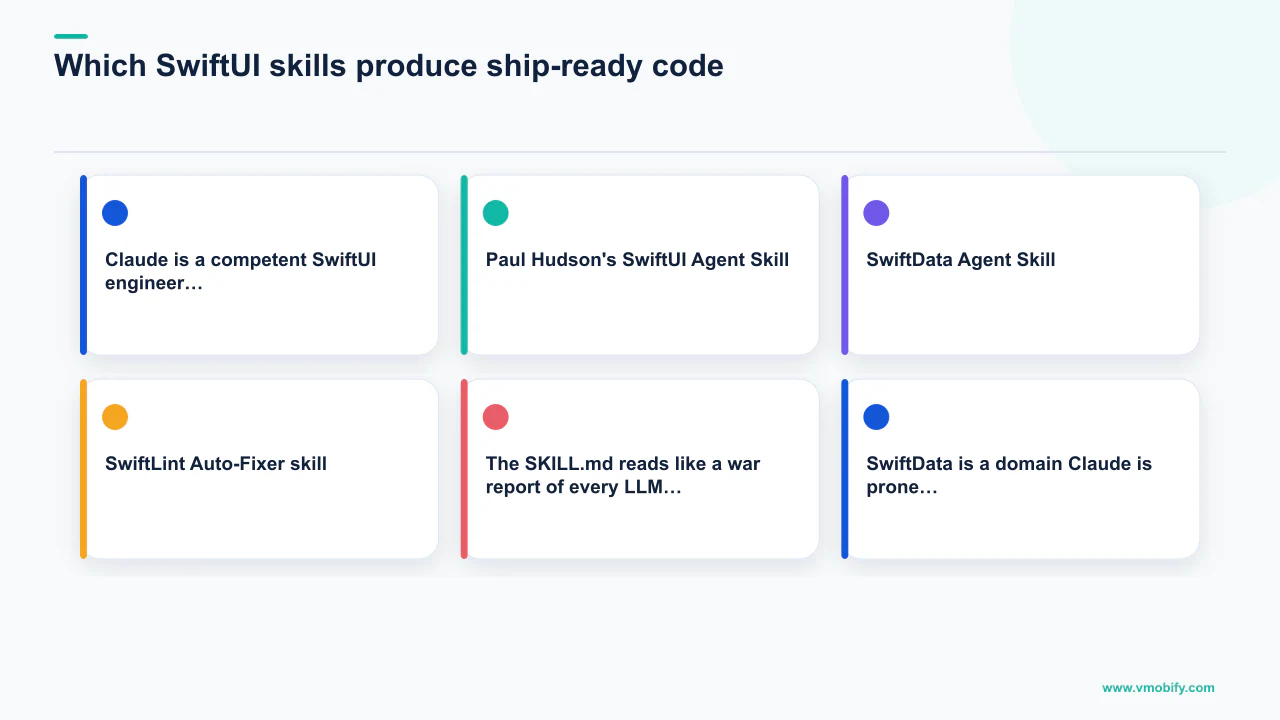
Paul Hudson's SwiftUI Agent Skill (twostraws/SwiftUI-Agent-Skill) crossed 1,800 stars in its first week. The SKILL.md reads like a war report of every LLM mistake Paul has seen: the deprecated Text(...) + Text(...) concatenation pattern, SwiftData predicates that quietly fall back to NSPredicate-style behaviour and crash at runtime, accessibility traits that Claude omits on custom controls, and modern APIs — @Observable, NavigationStack, inspector, ToolbarSpacer — versus their dated counterparts Claude still reaches for from older training data. Install it with:
npx skills add https://github.com/twostraws/swiftui-agent-skill --skill swiftui-proThe companion SwiftData Agent Skill (twostraws/SwiftData-Agent-Skill) is the second install on any new SwiftUI project. SwiftData is a domain Claude is prone to over-confidence in — it will write predicates that do not lower correctly, miss subtle migration steps, and reach for CloudKit sync configurations that do not exist. The skill covers @Model, @Query, predicate operator constraints (the supported list is shorter than you think), migrations, and iCloud sync.
For concurrency, AvdLee/Swift-Concurrency-Agent-Skill by Antoine van der Lee (SwiftLee) covers actor isolation, Sendable conformance, nonisolated(unsafe) and when not to reach for it, and the Swift 6 migration sequence. Strict concurrency in Swift 6 is the area where Claude makes the most subtle, persistent mistakes. This skill has saved more debugging time than any other in our practice.
If you are targeting iOS 26, install Dimillian/Skills swiftui-liquid-glass. This covers the new Liquid Glass APIs — .glassBackgroundEffect, new toolbar materials, GlassPathEffect — all gated correctly with #available(iOS 26, *). Without the skill, Claude will write code that compiles against the iOS 26 SDK but crashes on iOS 17. With it, the version gates are placed sensibly and the fallback paths look like they were written by someone who has actually shipped to multiple OS versions.
Finally, the SwiftLint Auto-Fixer skill runs SwiftFormat first, then SwiftLint's --autocorrect, on changed files. Claude formats Swift inconsistently across sessions — sometimes four-space indentation, sometimes tabs, sometimes mixed. Running a deterministic formatter at the end of every change is a small habit that compounds: after three months, none of our projects show the stylistic drift that plagued early LLM-assisted code.
Which App Store Connect MCP should you use?
There are now five serious App Store Connect MCP servers and they take fundamentally different approaches — choosing the right one for your project topology matters more than most developers realise.
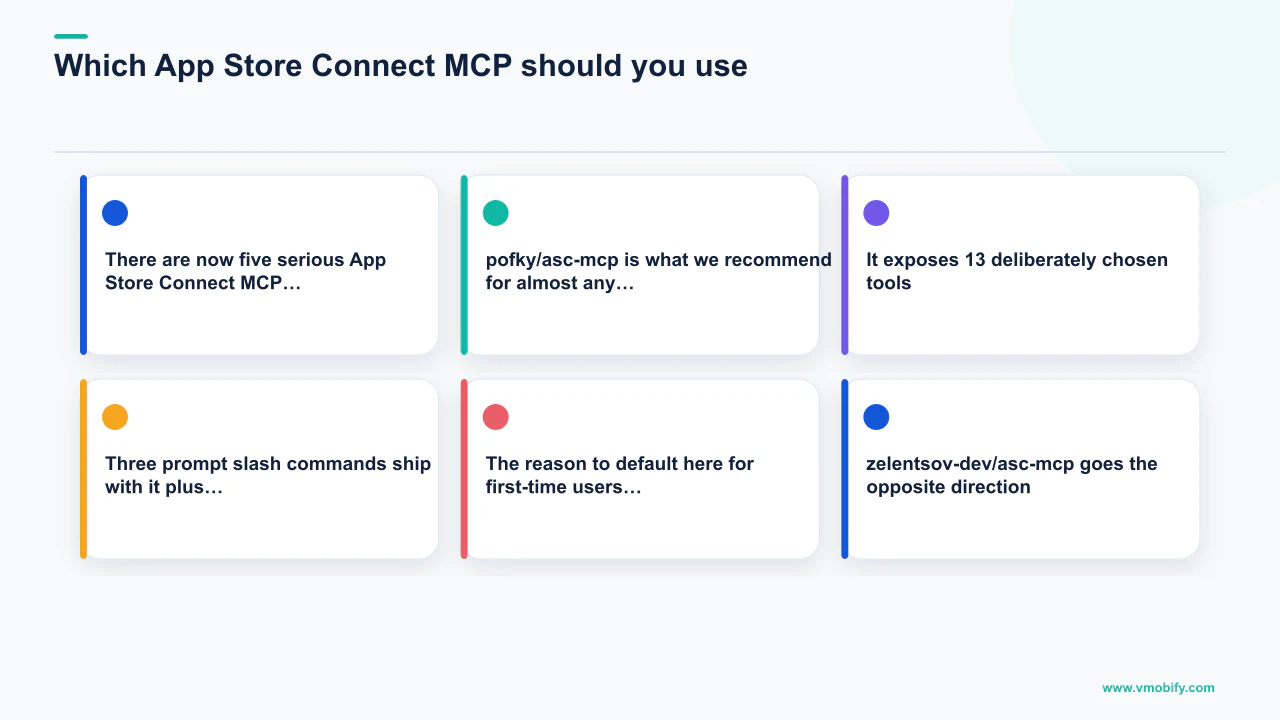
pofky/asc-mcp is what we recommend for almost any first-time setup. It exposes 13 deliberately chosen tools — list_apps, get_app_info, update_app_metadata, create_app_version, submit_for_review, manage_testflight_groups. Three prompt slash commands ship with it (/release-version, /promote-build, /review-status) plus a small Claude Skill that fills in the API key parameters from a .env file. The reason to default here for first-time users is that it makes the "where do I even start?" problem tractable — you do not get analysis paralysis from staring at 200 tools.
zelentsov-dev/asc-mcp goes the opposite direction: 208 tools and full coverage of Apps, Builds, TestFlight, In-App Purchases, Subscriptions, Reports, and Provisioning endpoints. If your app has subscriptions, family sharing, intro offers, and a TestFlight group structure that needs maintenance, this is the one that will not run out of capability. The cost is context window — loading 208 tool definitions before your first prompt is expensive. Gate it behind a per-project MCP config so it only loads on the projects that justify it.
TrialAndErrorAI/appstore-connect-mcp takes the most interesting design in the category. Its Code Mode approach exposes all 923 App Store Connect endpoints through just two MCP tools — a sandboxed JavaScript executor and a schema lookup tool. Claude does not pick a tool; it writes a small JS snippet that calls the right API endpoints and the snippet runs in a sandbox with the API key injected. The advantage is large for multi-step operations: "for every app in my account, list the TestFlight builds from the last 30 days that have processing errors and summarise them" — one JS snippet, one model call, not fifteen MCP tool calls. This is the server we use for our own projects.
ryaker/appstore-connect-mcp is the choice when OAuth flows are required instead of API key auth — typically for team accounts where the API key would need to be rotated and shared. beautyfree/appstore-connect-mcp is the specialist pick when TestFlight is the focus: it covers beta builds, beta groups, tester management, subscription management, and localisations. Its localisation tools are particularly useful — they let Claude push translated metadata to App Store Connect after a translation run without leaving the chat.
Our recommendation: for first-time setups or projects where you want clear edges on what the agent can do, use pofky/asc-mcp. For power users who want maximum reach with minimum tool sprawl, use TrialAndErrorAI/appstore-connect-mcp in Code Mode. Do not install all five at once — they overlap and the context cost is real.
How do fastlane skills and MCPs complete the shipping pipeline?
App Store Connect MCPs handle metadata, builds, and TestFlight — but they do not handle code signing, IPA packaging, or screenshots, and for those you still want fastlane, which Claude is now very good at writing and running.
The fastlane ecosystem around Claude has grown substantially. lyderdev/fastlane-mcp-server wraps fastlane actions as MCP tools so Claude can call a named lane and get structured progress back. greenstevester/fastlane-skill bundles Fastfile patterns, common Match setups, and Appfile templates — install it when you want Claude to write fastlane config rather than just run it. The Fastlane Mobile Automation skill covers the full fastlane surface: Match for certificates, Sigh for provisioning, Gym for builds, Deliver for App Store metadata, Pilot for TestFlight. fastlane-mcp on PyPI is the Python implementation for pip-based toolchains.
Here is a sanitised version of the Fastfile we use across multiple apps:
# fastlane/Fastfile
default_platform(:ios)

platform :ios do
  desc "Build and upload to TestFlight"
  lane :beta do
    setup_ci if ENV["CI"]
    match(type: "appstore", readonly: ENV["CI"])
    increment_build_number(xcodeproj: "MyApp.xcodeproj")
    build_app(
      workspace: "MyApp.xcworkspace",
      scheme: "MyApp",
      export_method: "app-store",
      output_directory: "build/",
      clean: true
    )
    upload_to_testflight(
      skip_waiting_for_build_processing: false,
      changelog: read_changelog
    )
  end

  desc "Promote latest TF build to App Store review"
  lane :release do
    deliver(
      submit_for_review: true,
      automatic_release: true,
      force: true,
      precheck_include_in_app_purchases: false,
      submission_information: {
        add_id_info_uses_idfa: false,
        export_compliance_uses_encryption: false
      }
    )
  end

  def read_changelog
    File.read("../CHANGELOG.md").split("

").first
  end
end
Claude invokes this with bundle exec fastlane beta and gets structured output back. Pair it with an App Store Connect MCP for the read side — checking build status, listing what is already in TestFlight — and you have a tight loop: Claude calls fastlane to push, then queries the API to verify the push landed.
One important caveat: let Claude run the signed-build pipeline once it is working. Do not let it design the signing topology. Set up Match yourself, get one successful end-to-end push, then hand the recipe to Claude. The first time you wire up entitlements for Push, Sign in with Apple, App Groups, and StoreKit on a fresh app ID, you should be doing that yourself with the Developer Portal open in a tab. After that first successful run, Claude can execute the pipeline reliably without trouble. This is the principle across our 300+ app portfolio — the human owns the signing architecture, Claude owns the execution.
How do you generate screenshots that actually convert?
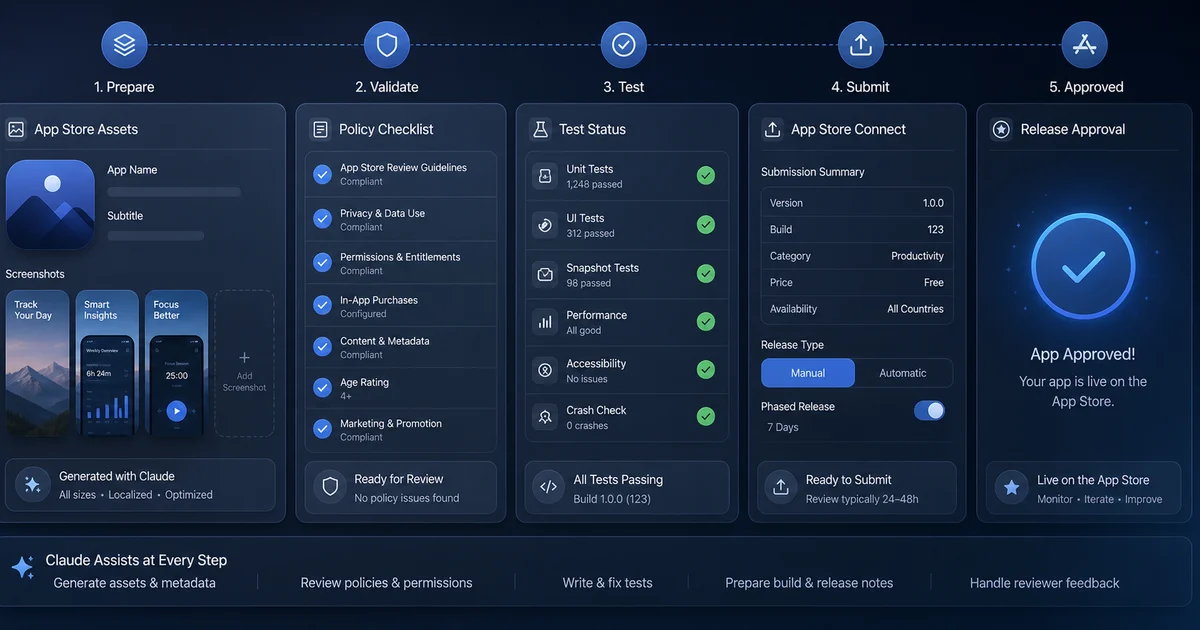
The most underrated use of Claude in the iOS shipping pipeline is screenshot copy — benefit-driven headlines that match your app's actual design language, not generic SaaS template filler.
Screenshot Whale is the most polished AI-assisted screenshot tool available. Its pitch is precise: it reads your codebase to extract your colour palette, app name, and design language, then writes benefit-driven copy. That last part is the thing. Generic screenshot generators give you blank templates and a font picker. Screenshot Whale reads your Assets.xcassets, picks up your accent colours, looks at your Localizable.xcstrings for app vocabulary, and proposes screenshots with headlines that actually match what your app does — the difference between "Beautiful Tasks" (which means nothing) and "Recurring chores that don't forget themselves" (which describes the feature).
adamlyttleapps/claude-skill-aso-appstore-screenshots takes a similar approach as a local SwiftUI rendering pipeline. You write a screenshot DSL, Claude generates the SwiftUI code, and you render frames at every required device size — useful when you want full control over the aesthetic output. ParthJadhav/app-store-screenshots is a more traditional template generator that Claude can drive, useful when you have a strong existing design system and do not want Claude making aesthetic choices.
For on-device captures, the Fastlane Snapshot skill wraps snapshot so Claude can run a full UITest-based capture across every device class. The ASO copy layer — Screenshot Whale or Adam Lyttle's skill — then composes those captures with headlines, backgrounds, and device frames.
The broader ASO Optimisation skill on MCP Market covers keyword research, subtitle optimisation, and competitor analysis — Claude can pull category top-100 lists and surface what your competitors are ranking on. Pair this with our ASO service for the localisation and A/B testing layer, or see our App Store featuring guide for context on how screenshots interact with editorial featuring decisions. For a full pre-submission checklist, our pre-launch app marketing guide covers the sequence from listing optimisation to day-one UA.
What are the Apple policy minefields in 2026?
The most common way an iOS release goes wrong in 2026 is not a broken build — it is a policy rejection, and three policy areas are responsible for the vast majority of Claude-assisted app rejections.
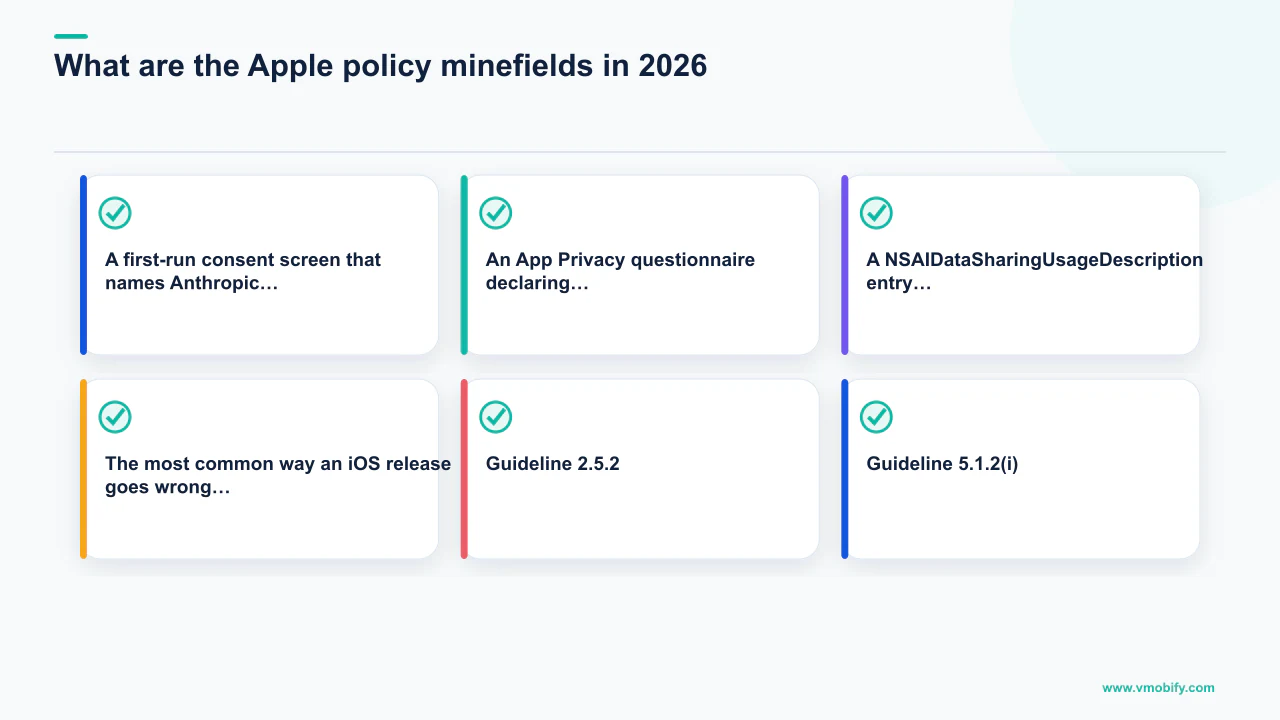
Guideline 2.5.2 — the "vibe coding" rule. Since late 2025, Apple has been actively rejecting and pulling updates for apps that allow end users to generate or execute native code from natural language inside the app. The Replit and Vibecode cases documented by MLQ.ai involved updates being blocked because Apple read their core flow as violating 2.5.2's prohibition on apps that "download, install, or execute code which introduces or changes features or functionality." The pragmatic workarounds that have passed review: preview generated apps in an external browser or a sandboxed WebView rather than spinning up native code paths from a prompt; treat Apple-specific generated artefacts (Swift, Objective-C, Apple SDK calls) as out of scope for the on-device flow; be explicit in your App Review notes that no executable code is downloaded or run on device. If your app's value proposition is "I generate iOS apps you run on your iOS device," you have a real problem and a redesign ahead of you. If your app uses Claude for something that does not involve generating native executable code for the user's device, you are almost certainly fine — but read your App Review Notes carefully.
Guideline 5.1.2(i) — the AI data-sharing rule. This is the catch that surprises Claude-assisted app developers the most. Per Apple's App Store Review Guidelines, if your app shares any personal data with third parties including third-party AI systems, you must explicitly disclose this and obtain clear user permission before the data is transmitted. The disclosure must identify the AI provider by name. Generic "we use AI" copy is no longer enough. If your app sends user text to Claude you must name Anthropic in the disclosure. What this looks like in practice:
- A first-run consent screen that names Anthropic, links to their privacy policy, and explains what data is sent and why.
- An App Privacy questionnaire declaring "Other Data → Other User Content" as collected, linked to your identity, and used for "App Functionality."
- A
NSAIDataSharingUsageDescriptionentry in your Info.plist if you are using any of the system-level AI declaration paths.
<!-- Info.plist -->
<key>NSAIDataSharingUsageDescription</key>
<string>
  This feature sends your message text to Anthropic's Claude API
  to generate a response. No conversation history is retained
  by Anthropic beyond the duration of the request. See our
  privacy policy for full details.
</string>Claude itself will not catch this for you — a reviewer will, the first time. Add "review 5.1.2(i) compliance" as a checklist item before any submission and add it to your Claude Code project prompt so it gets re-checked on every new build that adds an AI-touching feature. For a full checklist of what Apple's guidelines require from AI apps in 2026, see the official App Store Review Guidelines and our iOS installs and compliance guide.
The crash analysis gap. The post-submission feedback loop — symbolicated crashes from real users — is the loop that most matters for ongoing quality, and iOS crash triage with Claude is currently the weakest link in the pipeline. Crashlytics has fewer tools and worse iOS coverage than its Android equivalent. The workarounds: run Sentry alongside Crashlytics for iOS specifically (Sentry's MCP and skill coverage is better, and symbolication is more reliable for SwiftUI-heavy crash signatures); for Crashlytics-only setups, export crash reports via the Firebase API and feed them to Claude with a one-shot prompt rather than a live MCP integration. This is the area where the most improvement is expected over the next 12 months — but as of today, plan for manual triage.
Where is iOS shipping automation heading?
A great deal has changed since Indragie's post in July 2025, and three trends are converging that will change the iOS shipping pipeline further over the next 12–18 months.
Full submission automation. Right now there is a manual handoff at the "submit for review" step on most accounts — partly because of provisioning fragility and partly because Apple's review pipeline assumes a human is clicking the button. If Apple formalises 2.5.2 in a way that makes guardrails clearer, and the provisioning story gets one more layer of tooling, the entire "code change → App Store" path may collapse to a single command. The estimate is 12–18 months from that being reliable on a typical indie app.
Root-cause analysis at production quality. Sentry has been publishing numbers on their Seer agent — 94.5% root-cause accuracy on evals. If that holds in the real world, the closed loop between "crash reported in production" and "patch in TestFlight" gets dramatically shorter. The Crashlytics gap mentioned above is more annoying than fundamental — the technology to close it exists; it just has not appeared in the iOS ecosystem yet.
Agentic regression suites at TestFlight pace. The combination of UI test generation, snapshot testing, and AXe-driven accessibility checks is converging on something that looks like a regression suite a human QA team could run, but at TestFlight cycle speed. Whether Apple's review process starts trusting that kind of artefact — "here is the agentic regression report for this build" as part of the submission package — is probably not soon, but probably not never either.
What stays constant through all of it is the framing Indragie and the Vinylogue posts pointed at. The job of an iOS engineer is no longer typing Swift — it is choosing what to ship and verifying it works. The mechanical parts (translating a feature spec to a SwiftUI view, wiring a SwiftData model, generating screenshots, writing release notes, pushing metadata to App Store Connect) are all things a well-configured Claude session can do faster and more reliably than most humans. What is left for the human is what has always mattered most: deciding what the app should be, recognising when something does not feel right on device, and owning the small handful of subtle, load-bearing decisions — signing topology, privacy disclosures, App Privacy answers, the exact wording of a release note — that the model can support but not own.
If you are at the stage of planning your first Claude-assisted iOS launch, or want a team that has shipped 300+ apps across both stores to handle the pipeline for you, talk to our team or review our results portfolio for the kinds of outcomes a managed submission pipeline can produce.
Frequently Asked Questions
Can Claude Code write production-quality SwiftUI without any skills installed?+
Claude is a competent SwiftUI engineer out of the box, but it has known failure patterns — incorrect SwiftData predicates, loose actor isolation in Swift 6, missing availability guards for new APIs. Skills from Paul Hudson and Antoine van der Lee close those specific gaps and consistently produce code that does not need a second-pass fix before shipping.
Which App Store Connect MCP is best for a solo developer shipping their first app?+
pofky/asc-mcp is the right starting point — 13 focused tools, no analysis paralysis, and three built-in slash commands that cover the most common submission flows. Upgrade to TrialAndErrorAI Code Mode if you later need to automate multi-step operations across many apps or complex subscription topologies.
Does fastlane still work well in 2026 or have MCPs replaced it?+
Fastlane remains essential. App Store Connect MCPs handle the metadata, build tracking, and TestFlight side; fastlane handles code signing, IPA packaging, and the binary upload itself. The two are complementary — MCPs for the read-and-manage layer, fastlane for the build-and-deliver layer.
What does Apple Guideline 5.1.2(i) require from apps that use Claude?+
Any app that sends user data to Claude must name Anthropic explicitly in its data-sharing disclosure and obtain clear user consent before transmission. Generic "we use AI" copy fails review. You need a first-run consent screen naming Anthropic, a correctly completed App Privacy questionnaire, and ideally an NSAIDataSharingUsageDescription entry in your Info.plist.
How long does it take to set up the full shipping pipeline from scratch?+
A competent iOS developer starting from zero typically has xcsift, xcbeautify, the four core SwiftUI skills, and a working fastlane Match configuration within a single working day. The App Store Connect MCP adds another hour. The first end-to-end build-to-TestFlight push usually lands on day one or two.
Does Vmobify help with App Store submission for Claude-assisted iOS apps?+
Yes — our team has managed App Store submissions for over 300 apps and can handle the full pipeline from build automation to metadata localisation and policy compliance review. See our ASO service page at /services/aso or get in touch at /contact.
What is the single biggest mistake developers make when shipping iOS apps with Claude?+
Letting Claude design the code-signing topology on a new app ID. Claude can execute a working provisioning and signing pipeline reliably once it is configured, but it does not reliably model the interplay between capabilities, entitlements, and profile types from scratch. Set up Match and get one successful end-to-end push yourself, then hand the recipe to Claude.
Sources
- Apple — App Store Review Guidelines — Official App Store policy including Guideline 2.5.2 and 5.1.2(i)
- Apple Custom Product Pages — Paid UA conversion optimisation using CPP
- Apple Search Ads — First-party iOS install platform with the highest iOS intent signal
- AppsFlyer Performance Index — iOS CPI and retention benchmarks by category
- Sensor Tower App Intelligence — App store market analytics
- Adjust Mobile App Trends — Annual mobile app performance benchmarks
- AppTweak ASO Intelligence — App store optimisation and keyword intelligence platform
About the author
Amol Pomane — Founder, Vmobify
Amol leads Vmobify, a mobile app growth agency that has driven 30M+ downloads and ranked 54K+ keywords across 300+ apps since 2013. He writes about ASO, paid user acquisition, retention, and the operational reality of scaling mobile apps in India and global markets.