Xcode 26 + Claude Agent SDK: Complete iOS Development Setup Guide
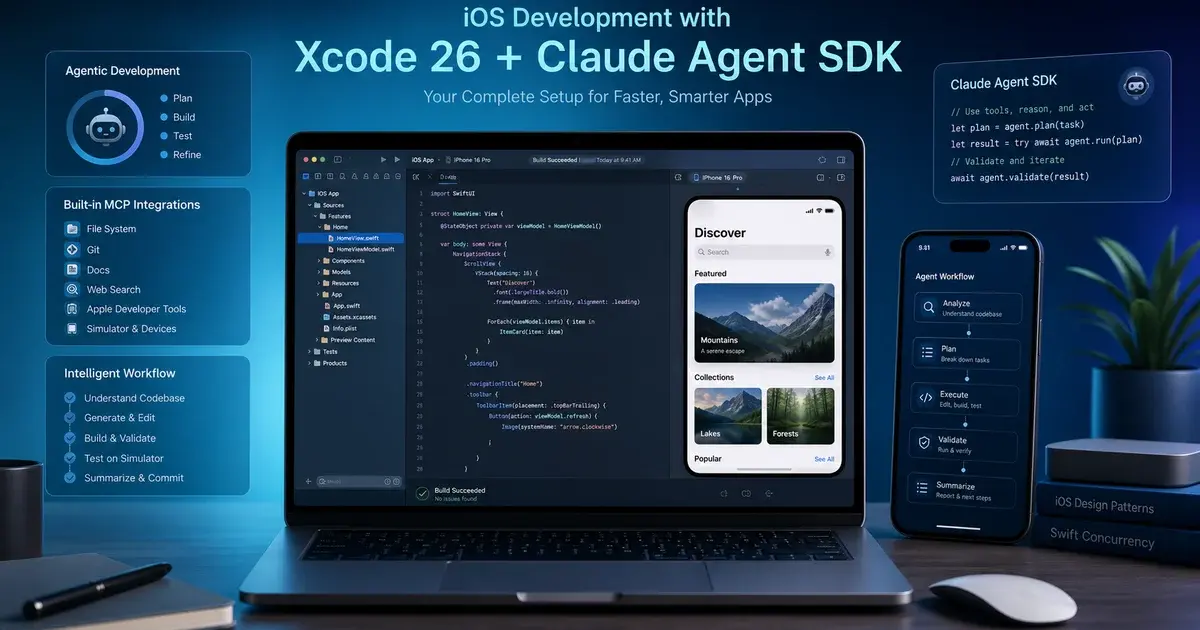
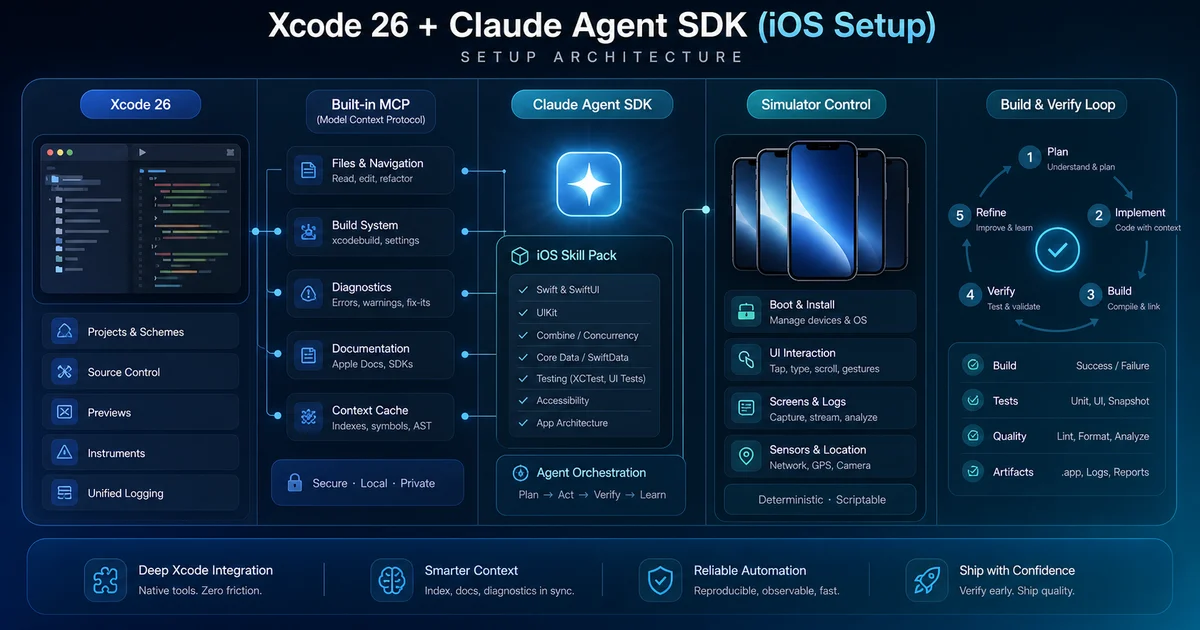
Xcode 26.3 shipped the Claude Agent SDK as a first-party integration — not a plugin, not a beta. This guide covers the complete setup: built-in MCP, XcodeBuildMCP, AXe simulator control, the ios-simulator-skill, and the CLAUDE.md template that closes the visual preview loop.
On this page
- Why did Apple integrate the Claude Agent SDK natively into Xcode 26.3?
- What are the two MCPs that change iOS development?
- How does AXe give Claude hands to interact with the simulator?
- What is the ios-simulator-skill and why does it save 96–99% of tokens?
- How do you set up the visual preview loop with Xcode Previews?
- What are the critical setup gotchas?
- What does a CLAUDE.md template for iOS actually look like?
- What is next for iOS agent tooling?
- Frequently Asked Questions
Why did Apple integrate the Claude Agent SDK natively into Xcode 26.3?
Apple integrated the Claude Agent SDK into Xcode 26.3 as a first-party structural integration — not a plugin, not an opt-in beta — because the iOS platform was at risk of becoming the agent-resistant holdout in an industry that has already moved to agent-first workflows. The Apple Newsroom announcement confirmed what most iOS developers had been waiting for: twenty new MCP tools that expose Xcode's internal model of your project to an external agent at the same level of integration as Swift compilation and Interface Builder.
The strategic logic is straightforward. Apple watched the web ecosystem accelerate around agent-first IDEs — Cursor, Windsurf, Zed — and recognised that without first-party support, Xcode would become the IDE you tolerate to ship to the App Store rather than the IDE you actually develop in. On the web, an agent writes JSX, hits save, and the browser refreshes in under a second. On iOS, the agent feedback loop historically required either a real simulator boot (10–40 seconds of cold-start latency) or a human eyeballing the canvas. Xcode 26.3 collapses that into a single MCP tool call.
The single most important line in the integration announcement is this: Claude can capture Xcode Previews to see what the interface it's building looks like in practice, identify any issues with what it sees, and iterate from there. That sentence describes the closed loop that has been missing from iOS agent development since the first agent-assisted IDE shipped. The feedback is visual, sub-second, and requires no human in the loop.
There is also a deeper pattern worth recognising. The same company that publishes LoRA fine-tuning research on App Store review summarisation is the company building this. Apple's entire developer stack — Xcode, App Store Connect, TestFlight, Instruments — is being LLM-augmented from the inside. Xcode 26.3's MCP integration is the first visible piece. Across our 300+ apps managed since 2013, we have seen toolchain shifts that changed what was possible in six months; this one is in that category.
What are the two MCPs that change iOS development?
The most confusing thing about the new setup is that there are two distinct MCP servers you want running simultaneously, and you need both — Apple's built-in Xcode MCP for the visual preview loop and XcodeBuildMCP for everything else. Skip either one and you will spend a week wondering why your agent keeps re-running the same broken command.
Apple's built-in Xcode MCP (20 tools)
This is the one Apple shipped with Xcode 26.3. It lives inside Xcode itself, exposes twenty tools, and is the only MCP server that can directly capture SwiftUI Previews from the live preview canvas. That capability alone justifies running it. To enable it, open Xcode → Settings → Intelligence and flip the "Enable MCP server" toggle. Restart Xcode. Then register it with Claude Code:
claude mcp add --transport stdio xcode -- xcrun mcpbridgeThe xcrun mcpbridge invocation is Apple's wrapper that bridges Claude Code's stdio transport to Xcode's internal IPC. The tools that matter most in day-to-day work:
- RenderPreview — captures a PNG of any
#Previewblock in your project. This is the keystone tool. The agent writes a SwiftUI view, calls RenderPreview, gets a PNG back, and looks at it. - BuildProject — runs a build through Xcode itself (not raw
xcodebuild), picking up your scheme, active configuration, and custom build settings correctly. - ExecuteSnippet — runs arbitrary Swift in the playground subsystem, useful for spot-checking API behaviour without spinning up a target.
- RunSomeTests — selectively runs tests by name or pattern, returning structured pass/fail rather than the wall of text from
xcodebuild test. - GetTestList — enumerates testable functions so the agent knows what to target.
The catch: this MCP runs inside Xcode, which means Xcode must be open. For headless terminal workflows, it is a non-starter — and that is exactly where the second MCP earns its keep.
XcodeBuildMCP (82 tools, maintained by Sentry)
XcodeBuildMCP is the most operationally complete iOS agent tool available today. It exposes eighty-two tools covering builds, simulator lifecycle, device deployment, scheme management, signing, log capture, UI testing, and more. The repository recently moved from the original author to getsentry/XcodeBuildMCP — Sentry's adoption is a strong signal about longevity. Install it with:
brew tap getsentry/xcodebuildmcp
brew install xcodebuildmcp
Then register it with Claude Code:
claude mcp add --transport stdio xcodebuild -- xcodebuildmcpThe tools worth reaching for constantly: build_sim for structured simulator builds, boot_sim and shutdown_sim for lifecycle control without memorising xcrun simctl flags, install_app_sim and launch_app_sim for one-shot deploy and run, capture_screenshot for both simulators and connected devices, tail_log for filtered os_log streams, and list_schemes / set_active_scheme for self-navigating multi-target projects.
There is no conflict from running both. Claude Code's MCP layer lists tools from both servers and the agent picks the right one. In practice, build_sim from XcodeBuildMCP gets selected over Apple's BuildProject roughly 80% of the time — structured error output is more useful for autonomous iteration.
How does AXe give Claude hands to interact with the simulator?
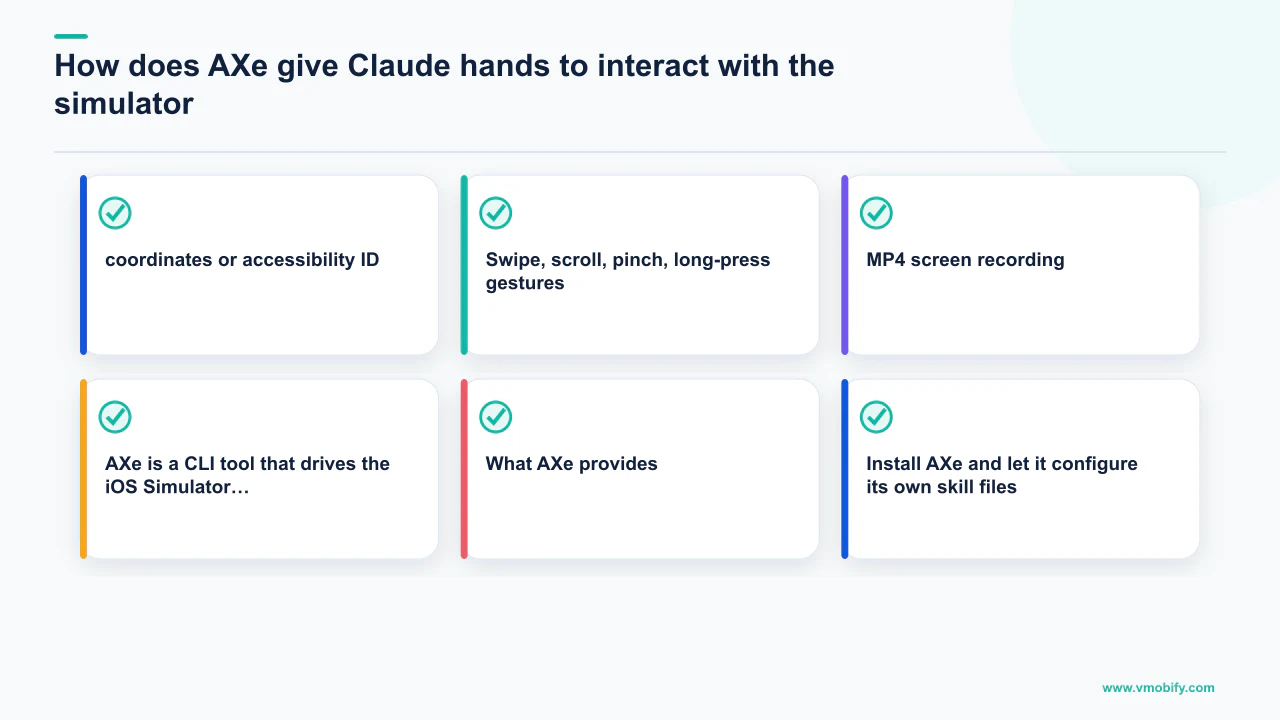
AXe is a CLI tool that drives the iOS Simulator through Apple's Accessibility APIs, giving Claude the ability to tap, swipe, type, record, and interact with your running app in a way that neither MCP server provides out of the box. The repository is cameroncooke/AXe (the same author as XcodeBuildMCP), and the site is axe-cli.com.
What AXe provides:
- Tap by coordinates or accessibility ID — the accessibility-ID path is the one that matters for agent work. Coordinate taps are flaky across device sizes; tapping by
accessibilityIdentifieris deterministic and survives layout changes. - Swipe, scroll, pinch, long-press gestures — the full interaction vocabulary, not just taps.
- Hardware buttons — Home, Lock, Siri, Apple Pay double-click for flows that require system-level interaction.
- Screenshot capture — faster than the
simctlpath and returns immediately usable PNG output. - MP4 screen recording — useful for capturing multi-step flows as verification artefacts.
Install AXe and let it configure its own skill files:
brew install axe-cli
axe initThe axe init command auto-installs skill files into ~/.claude/skills/ — markdown files that teach Claude when and how to use AXe's syntax. This is the key feature: no manual CLAUDE.md section explaining AXe is needed; the skills appear and work automatically.
If you are not already setting .accessibilityIdentifier("login-button") on your interactive SwiftUI views, start now. The agent works dramatically better with named elements — coordinate-based tapping is a last resort. A typical daily workflow runs like this: Claude writes a SwiftUI login view, calls RenderPreview to verify it visually, then tests the login flow end-to-end by launching the simulator via XcodeBuildMCP, using AXe to type credentials and tap the login button, and screenshotting the result. The whole loop runs in roughly 45 seconds with zero keyboard input from the developer.
What is the ios-simulator-skill and why does it save 96–99% of tokens?
Raw xcodebuild and xcrun simctl output is a token catastrophe — a single xcodebuild build invocation can dump 20,000+ tokens of essentially noise, and if your agent pipes that into context, half your budget burns on one command. The ios-simulator-skill by Conor Luddy is the most underrated piece of this stack: roughly 8,500 lines across 21 scripts that wrap the entire simulator and build surface with token-efficient outputs.
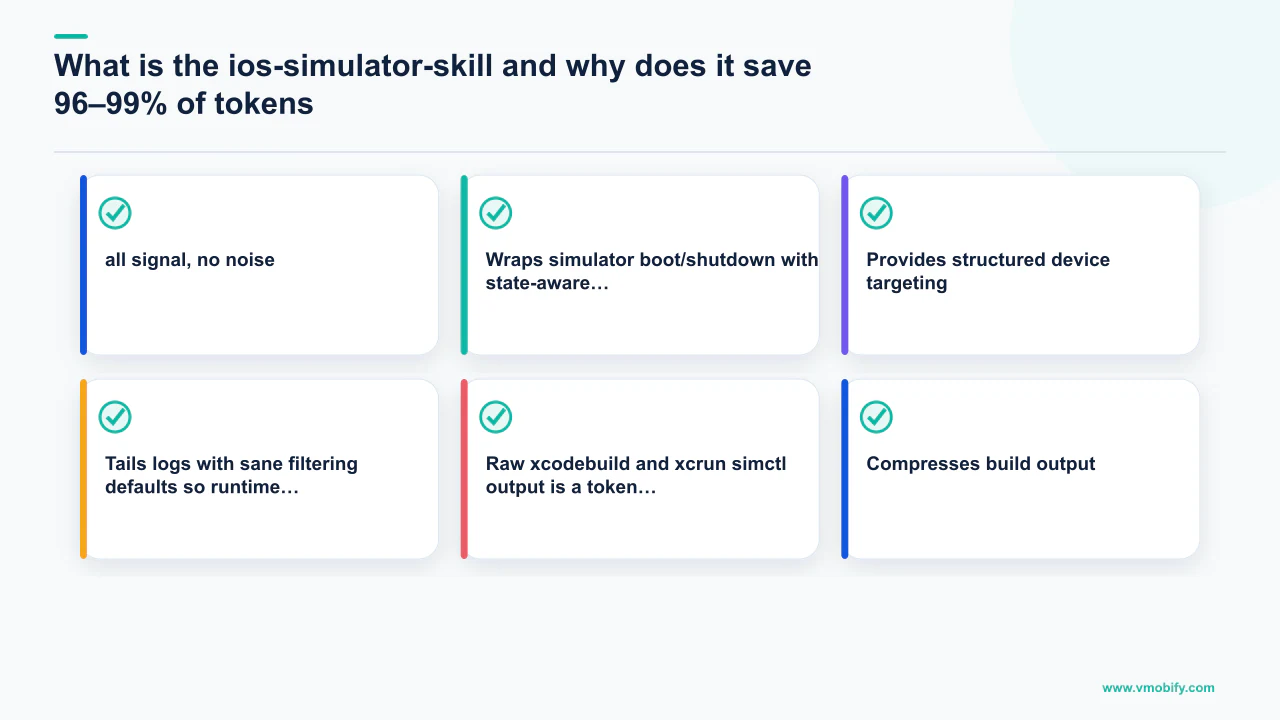
The headline claim is 96–99% token reduction versus raw simctl and xcodebuild. In practice, a build that returns ~24K tokens of raw output becomes ~600 tokens through the skill. Multiply that by 50 build iterations in a working session and the savings are decisive for sustained agent work.
Install it with:
git clone https://github.com/conorluddy/ios-simulator-skill ~/.claude/skills/ios-simulator-skillThat is it. Claude Code auto-discovers skills under ~/.claude/skills/, and the skill registers its own activation conditions in its SKILL.md. What it does specifically:
- Compresses build output to just the errors, warnings, and a one-line summary — all signal, no noise.
- Wraps simulator boot/shutdown with state-aware idempotency so the agent does not double-boot or leave orphaned processes.
- Provides structured device targeting — no more memorising UDIDs; the skill resolves them.
- Tails logs with sane filtering defaults so runtime output is useful rather than overwhelming.
Two adjacent tools worth knowing about. ios-simulator-mcp by Joshua Yoes is an MCP-server alternative covering the same problem space — if you prefer MCPs over skills, use this instead. For CI-focused pipelines, ios-build-verify by Josh Adams bundles xcodebuild, xcbeautify, and AXe into a single verification harness validated against the current generation of Claude models. Across our 300+ apps portfolio, sustained agent-driven iOS iteration only becomes economically viable once token costs are controlled — the ios-simulator-skill is the lever that makes it viable.
How do you set up the visual preview loop with Xcode Previews?
The visual preview loop — where the agent writes SwiftUI, renders it, looks at the result, and iterates — is the difference between an agent that builds working iOS UI and one that builds plausible-looking code that surprises you when it runs. SwiftUI's layout system has too many implicit behaviours (intrinsic content sizing, layout priority, frame propagation) for any model to reason about correctly from code alone; the agent must see rendered output to be reliable.
The mechanics of wiring it up:
- Every reusable SwiftUI view gets a
#Previewblock with representative state covering the common cases — loading, empty, populated, error. No preview block means no visual feedback loop for that view. - Claude calls Apple's MCP
RenderPreviewtool after every view modification. The PNG comes back into Claude's context as a vision input. - Claude reads its own output, compares against the stated intent, and iterates. The instruction that changes behaviour most dramatically: "after creating or modifying any SwiftUI view, render its #Preview, inspect the result, and iterate at least 2 times and up to 5 times before declaring the view complete." Testing this with and without the instruction on the same project produces visibly tighter SwiftUI roughly 70% of the time in the iteration version.
For regression coverage, layer on swift-snapshot-testing (the Point-Free library). Snapshot tests give pixel-level diffs across runs, and the agent can read the diff images to understand exactly what changed. The goal is to make regressions visible rather than discovered at code review.
The key optimisation for sustained iteration is keeping a long-lived simulator booted and preserving DerivedData across Claude sessions so the inner loop is not bottlenecked by clean-build cold starts. Only rebuild the changed target. With both in place the write → build delta → render preview → see PNG loop runs in roughly 8 seconds. That latency is fast enough for genuine iterative development; 40-second cold builds are not.
What are the critical setup gotchas?
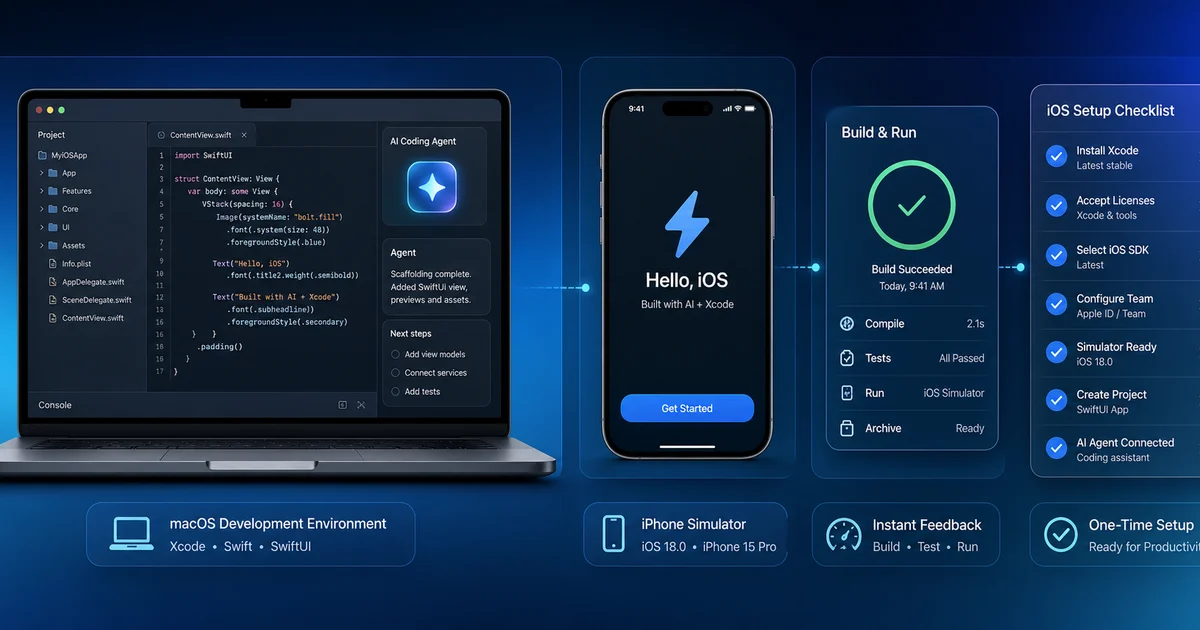
Five issues will each cost you half a day if you encounter them without context — here is each one and the fix.
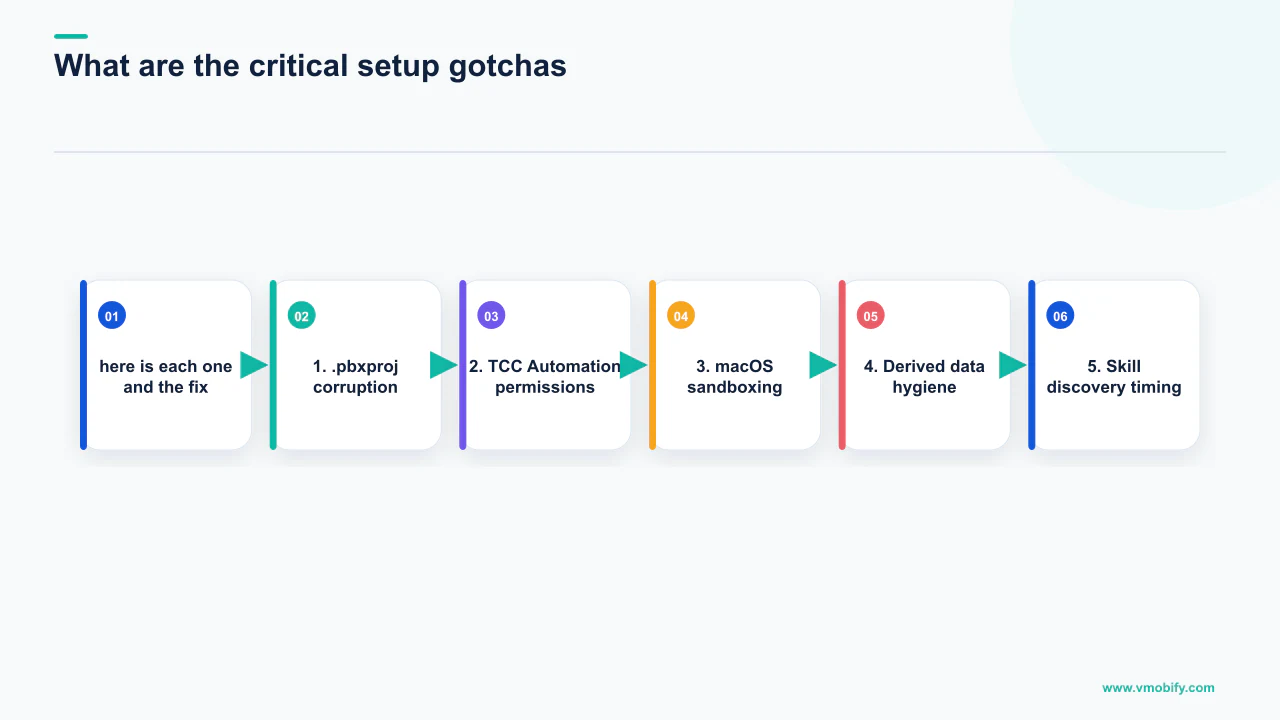
1. .pbxproj corruption. The .pbxproj file is Xcode's project metadata format. It is plain text and absolutely treacherous for agents to edit — order matters, UUIDs must be globally unique, and build phase references must match file references. Xcode will silently corrupt the file if any of those invariants break. The mitigation that works is Xcode 16+'s folder reference support: add a folder reference instead of individual files, and Xcode auto-includes any file you drop inside. The belt-and-suspenders version is a Claude Code PreToolUse hook that blocks any Write or Edit targeting .pbxproj or .xcodeproj/:
# ~/.claude/hooks/block-pbxproj.sh
#!/usr/bin/env bash
if [[ "$CLAUDE_TOOL_PATH" == *.pbxproj || "$CLAUDE_TOOL_PATH" == *.xcodeproj/* ]]; then
  echo "BLOCKED: refused to modify .pbxproj"
  exit 1
fiInstall this hook globally. It has prevented corruption more than once in production workflows.
2. TCC Automation permissions. The Xcode MCP uses Apple's Automation permission model under the hood. CLI clients without a bundle identifier (including Claude Code) trip a known edge case where the permission prompt is never shown and tool calls hang indefinitely. The workaround: run Claude Code through Terminal.app and grant Terminal.app the Automation permission to control Xcode via Settings → Privacy & Security → Automation → Terminal → Xcode (checked). After that, the hang resolves and tool calls complete in normal time. This is being tracked in the community and will likely be resolved in a point release.
3. macOS sandboxing. Claude Code on macOS uses sandbox-exec for filesystem and network isolation. If your project references files outside the project root — a shared assets folder, a private framework checked out next to the repo — you need to add those paths to the sandbox's writable-paths config or builds will fail with permission errors. Go-based CLIs occasionally have TLS issues through the network proxy; the fix is GODEBUG=x509ignoreCN=0 and pinning the proxy's CA bundle into the tool's trust store. Leave sandboxing on — it is the difference between a contained workspace and giving an agent root on your laptop.
4. Derived data hygiene. Xcode's DerivedData can drift into a broken state in agent-driven workflows where rapid build iteration triggers caching edge cases. Symptoms: code compiles, app runs, but some symbol behaves as if it were the previous version. Add a "nuke and reset" command to your CLAUDE.md so the agent can self-heal:
xcrun simctl shutdown all && rm -rf ~/Library/Developer/Xcode/DerivedData/YourProject-*5. Skill discovery timing. Claude Code only re-scans ~/.claude/skills/ on session start. If you install a new skill mid-session (running axe init for example), you must restart Claude Code to pick it up. Not a bug, but an easy 20-minute loss the first time you encounter it.
What does a CLAUDE.md template for iOS actually look like?
Setup is half the battle — the other half is the project-level CLAUDE.md that teaches Claude how to behave inside your specific codebase. The template below is the skeleton converged on after three months of iteration across multiple shipped apps; copy it into your project root as CLAUDE.md and customise the stack references.
# Project context for Claude Code

## Stack
- Swift 6, iOS 18+ deployment target
- SwiftUI for all new views; UIKit only for the legacy modules under Sources/Legacy/
- The Composable Architecture (TCA) for state management
- swift-snapshot-testing for visual regression

## Workflow rules
- After creating or modifying any SwiftUI view, render its #Preview via the
  Xcode MCP's RenderPreview tool. Inspect the result. Iterate 2 to 5 times
  before declaring the view complete.
- Never modify .pbxproj or files under .xcodeproj/. Create new Swift files
  in the appropriate folder reference; Xcode will pick them up automatically.
- Use XcodeBuildMCP's build_sim and run_tests tools rather than raw xcodebuild
  invocations. If you must call xcodebuild directly, pipe through xcsift.
- For simulator interactions, prefer AXe with accessibility IDs over coordinate
  taps. If a view does not have an accessibilityIdentifier, add one as part of
  the change.

## Code style
- Prefer value types unless reference semantics are required
- @Observable over ObservableObject (we are iOS 17+)
- async/await over Combine for new code
- No force unwraps in production code; the SwiftLint config enforces this

## Test commands
- Unit tests: xcrun mcp call xcodebuild run_tests --scheme MyApp-Tests
- Snapshot tests: xcrun mcp call xcodebuild run_tests --scheme MyApp-Snapshots
- Full test suite: bin/test (wrapper that pipes through xcsift)

## Nuke and reset
xcrun simctl shutdown all && rm -rf ~/Library/Developer/Xcode/DerivedData/MyApp-*

## What "done" means
- Builds clean (zero warnings, zero errors)
- All tests green
- For UI changes: RenderPreview output reviewed and matches intent
- For navigation changes: AXe-driven smoke test confirms the flow worksThe single most load-bearing line is the "iterate 2 to 5 times" rule. Without it, the agent writes a view and declares victory; with it, the agent writes, renders, looks, critiques, and rewrites. The first iteration is almost never the keeper. The third or fourth usually is.
A second template worth adopting: a SKILL.md per major architectural concept in your codebase. If you have a custom networking layer, write a SKILL.md explaining how it works, where the entry points are, and what mistakes to avoid. Drop it in .claude/skills/ at the project root. Claude Code loads it when activation conditions match. This turns your tribal knowledge about the codebase into agent-readable memory — the highest-leverage thing you can do once basic setup is working. If you need help structuring your CLAUDE.md and skills for a complex app, our team has set this up across dozens of iOS projects and can advise on the right structure for your architecture.
What is next for iOS agent tooling?
Three developments over the next six months will define whether the current stack stays ahead of the curve or requires another toolchain rebuild — and one of them is already partially shipped.
Xcode Cloud integration. Apple has been quietly extending Xcode Cloud's API surface. The natural next step is an MCP endpoint that lets agents trigger CI builds and read results. Right now this is the missing piece for "Claude shipped my app to TestFlight autonomously" — local builds work great, but the App Store Connect path still requires human hands. The infrastructure is clearly being built; the question is whether it ships in 26.4 or 27.0.
App Store Connect MCPs. There are already community-built MCP servers wrapping the App Store Connect API for TestFlight management, beta tester invitations, and metadata updates. They are maturing fast. Combine them with the existing build stack and you can approximate the full "from blank Xcode project to App Store review" pipeline running through a single agent conversation. Some teams are already doing this with shell glue; the productised version is close. For our clients managing complex multi-country launches, we expect to integrate this into our standard deployment workflow in H2 2026.
Instruments and App Review agents. The Apple ML LoRA work on App Store review summarisation hints at a broader pattern: Instruments agents that can profile a slow scroll and propose a fix, App Review summarisation tools that pull crash signatures into the review process, and HIG-aware design critics that catch accessibility violations before submission. Xcode 26.3's MCP integration is the first visible piece. The next pieces are coming.
For now, the minimal viable stack is Xcode 26.3 + the built-in MCP + XcodeBuildMCP + AXe + ios-simulator-skill, with the .pbxproj hook in place. That is enough to get the closed visual loop and a material reduction in daily keyboarding. The advanced version adds xcsift for any custom build invocations and a curated CLAUDE.md with the iterate-2-to-5-times rule baked in. Whether you are building a new app from scratch or migrating an existing codebase to an agent-assisted workflow, the platform that two years ago felt like the agent-resistant holdout now has the deepest native agent integration shipping anywhere. See our pre-launch marketing guide and iOS vs Android launch comparison for what to prioritise once the build pipeline is in place, or talk to our team about how we approach agent-assisted development for client apps across our portfolio.
Frequently Asked Questions
Do I need both the Xcode built-in MCP and XcodeBuildMCP, or just one?+
You need both. Apple's built-in Xcode MCP is the only server that can call RenderPreview — the tool that captures SwiftUI preview PNGs and closes the visual loop. XcodeBuildMCP covers builds, simulator lifecycle, and log capture without requiring Xcode to stay open. They complement each other with no tool conflicts.
What version of Xcode do I need to use the Claude Agent SDK integration?+
Xcode 26.3 or later. The Claude Agent SDK integration and the twenty built-in MCP tools shipped specifically in 26.3. Earlier Xcode versions do not include the built-in MCP server or the xcrun mcpbridge bridge command.
Is it safe to let Claude edit .pbxproj files?+
No. The .pbxproj format is fragile — order matters, UUIDs must be unique, and build phase references must match exactly. Agents fail at this reliably. Use Xcode folder references so new files are auto-included, and install a PreToolUse hook that blocks any writes to .pbxproj or .xcodeproj/ paths.
How much do token costs actually drop with the ios-simulator-skill?+
Measured on real projects, a build that returns roughly 24,000 tokens of raw xcodebuild output becomes approximately 600 tokens through the ios-simulator-skill — a 96–99% reduction. Over 50 build iterations in a working session this makes the difference between an economically viable workflow and one that burns context budget before meaningful work is done.
Can I use this setup with Cursor or VS Code instead of Xcode's editor?+
Yes, using the SweetPad extension and xcode-build-server for SourceKit-LSP. The gap between Xcode-editor and Cursor workflows has narrowed with Xcode 26.3, but RenderPreview is currently Xcode-only — there is no SweetPad equivalent for capturing SwiftUI previews yet. If you are starting fresh and do not have an existing Cursor setup, the Xcode path is recommended.
What does Vmobify do with this toolchain for client apps?+
We use this stack across iOS projects in our portfolio to accelerate the visual iteration and testing phases of development. The agent-driven preview loop is particularly useful for ASO screenshot production and UI refinement, and the Android half of the same shift is in our agentic Android testing guide. Contact us at /contact to discuss how we apply it to your specific project.
What is the single most important CLAUDE.md instruction for SwiftUI development?+
The iterate-2-to-5-times rule: instruct Claude to call RenderPreview after every SwiftUI view modification and iterate at least twice before declaring the view complete. Testing this instruction against the same project with and without it shows visibly tighter SwiftUI output roughly 70% of the time when the instruction is present.
Sources
- Apple — Xcode 26.3 Claude Agent SDK — Apple's announcement of native Claude Agent SDK integration in Xcode
- Anthropic — Claude Code JetBrains — Official JetBrains plugin documentation for Claude Code
- XcodeBuildMCP — Sentry GitHub — 82-tool MCP server for Xcode builds and simulator management
- Apple Developer — App Store Review Guidelines — Official App Store policy including AI usage rules
- AppsFlyer Performance Index — iOS CPI benchmarks by category and geography
- Apple Search Ads — Apple's first-party app install advertising platform
- Sensor Tower App Intelligence — App store market intelligence platform
About the author
Amol Pomane — Founder, Vmobify
Amol leads Vmobify, a mobile app growth agency that has driven 30M+ downloads and ranked 54K+ keywords across 300+ apps since 2013. He writes about ASO, paid user acquisition, retention, and the operational reality of scaling mobile apps in India and global markets.